-
-
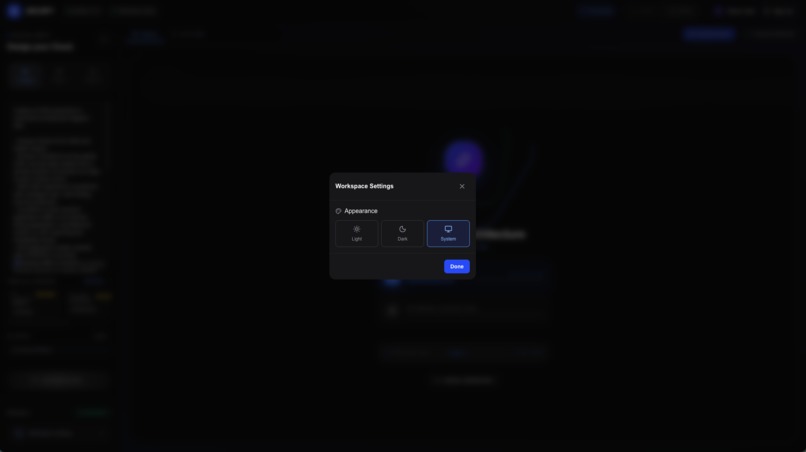
settings
-
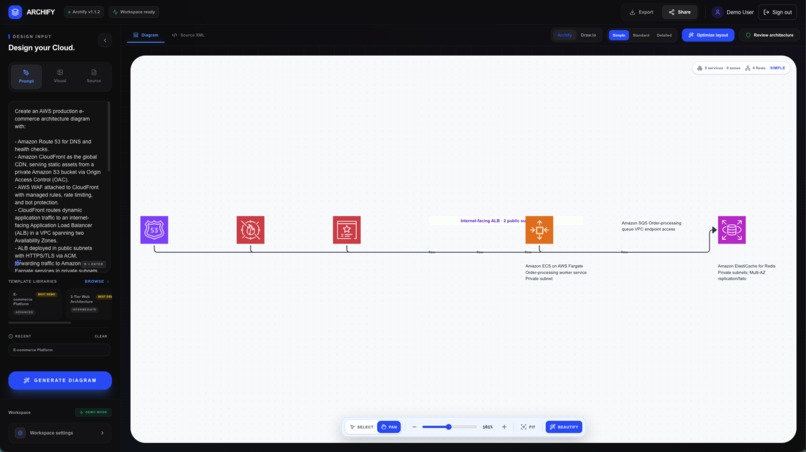
Simple Canvas
-
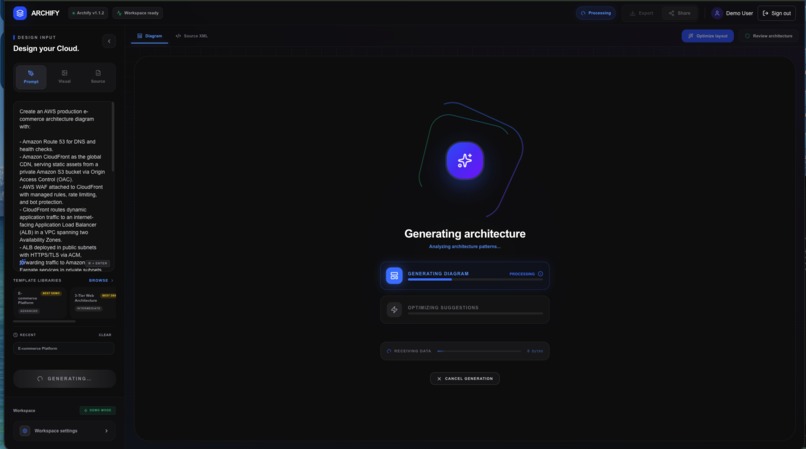
Generating diagram
-
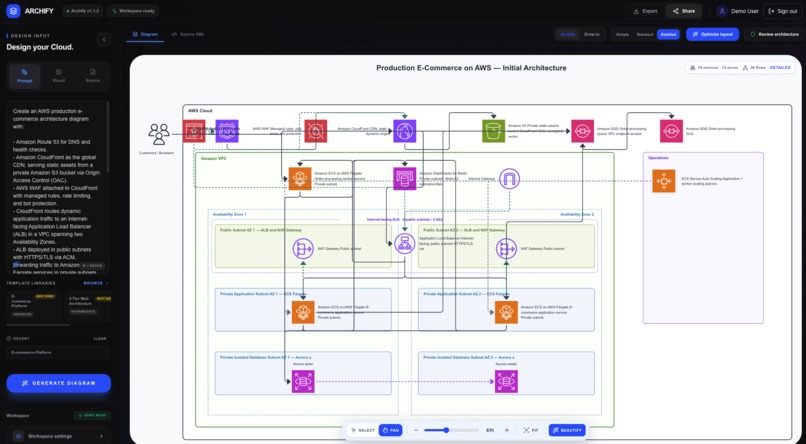
Aws Diagram by prompt
-
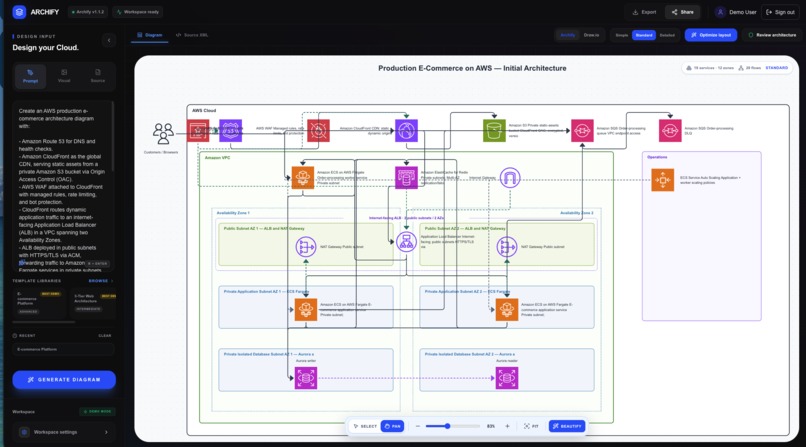
messy layout
-
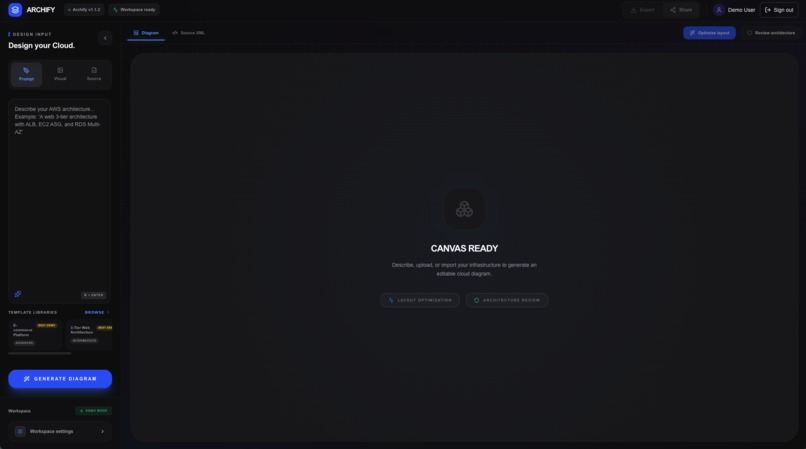
Loading
-
-
-
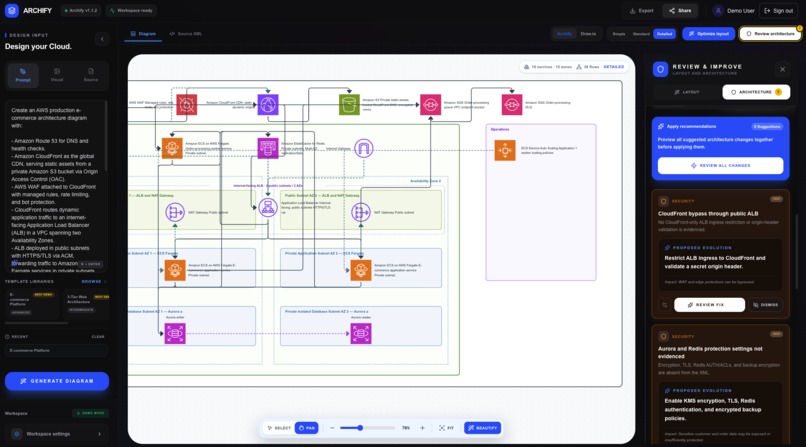
-
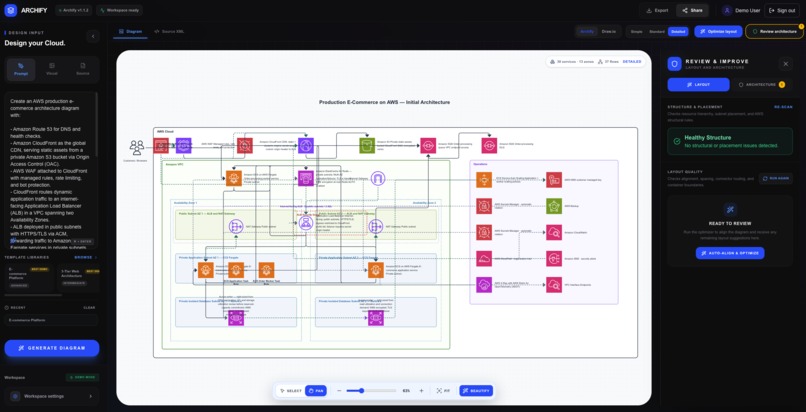
-
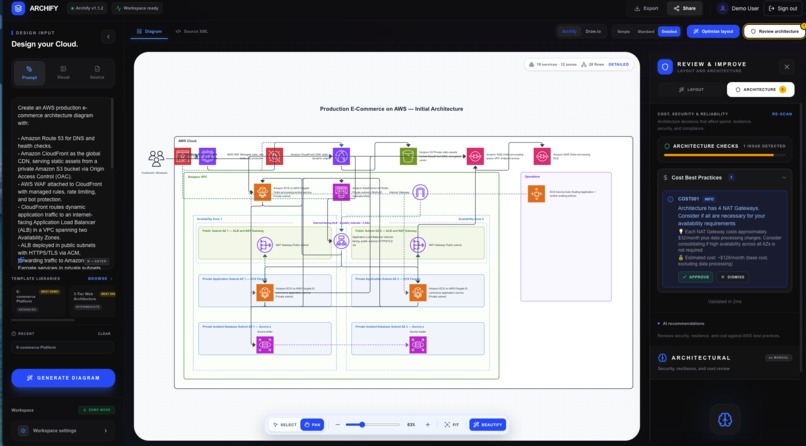
-
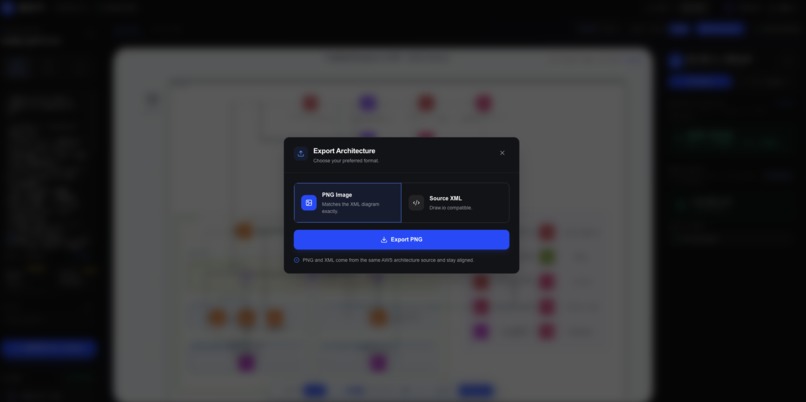
Download page
-
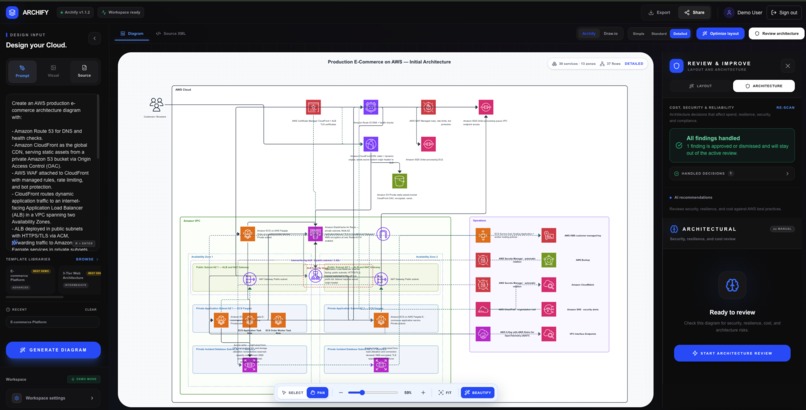
Beautify featues
-
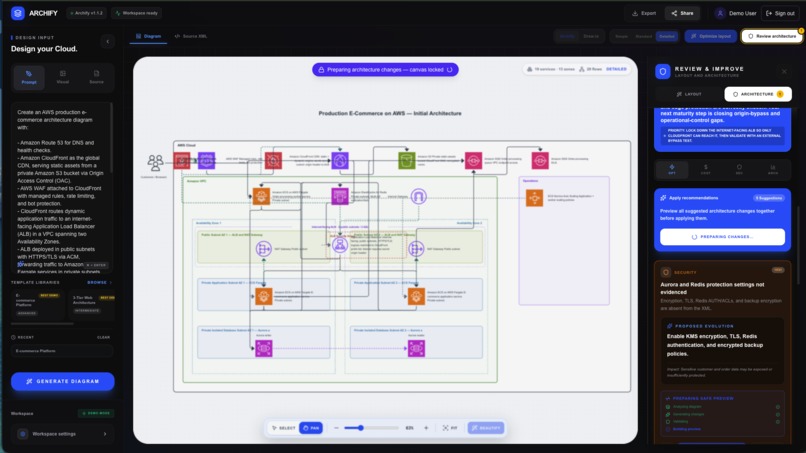
Architecture guru
-
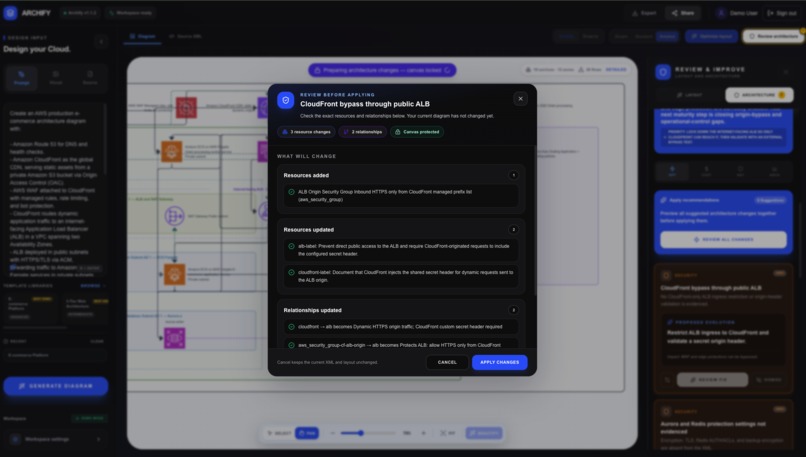
Architecture Templates
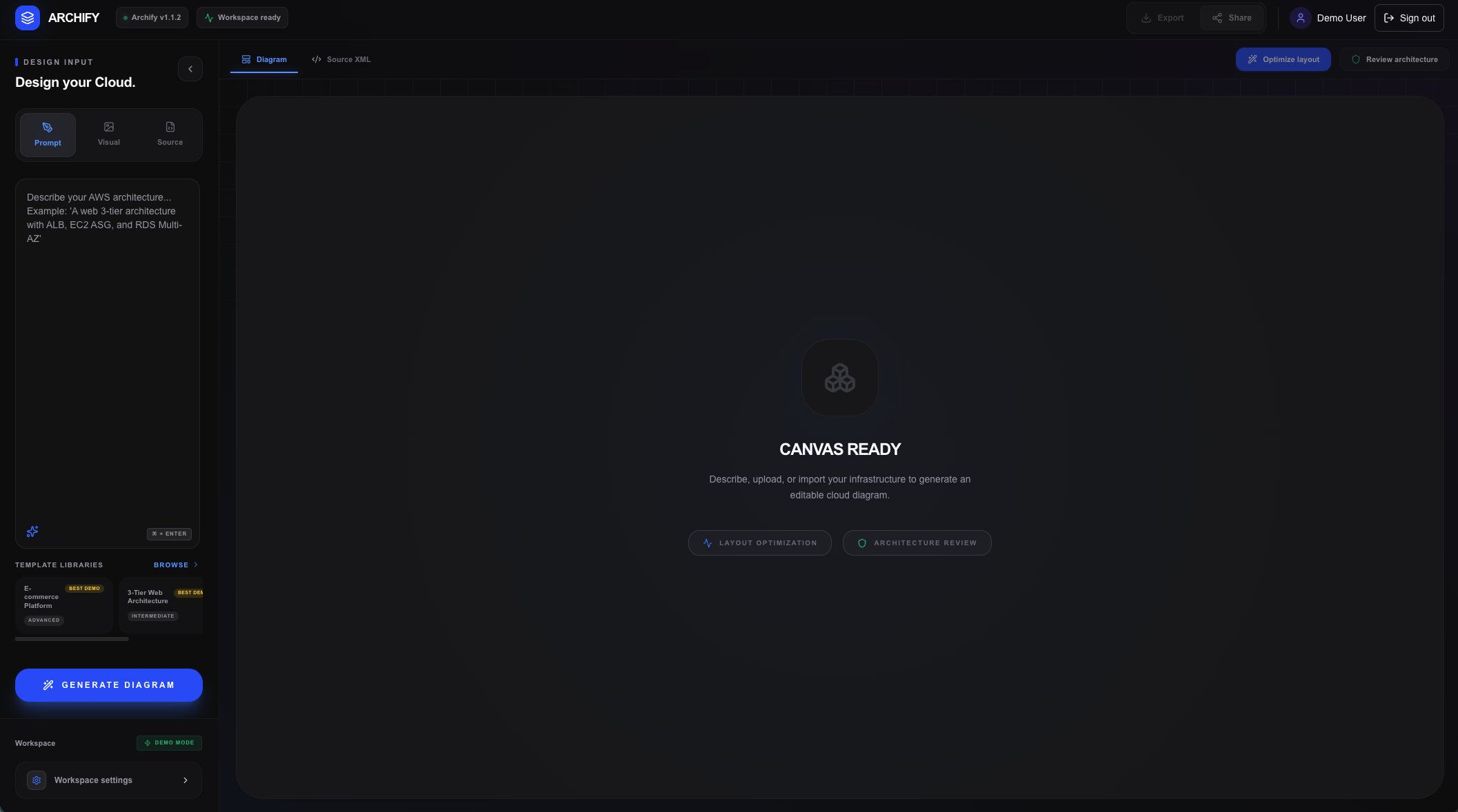
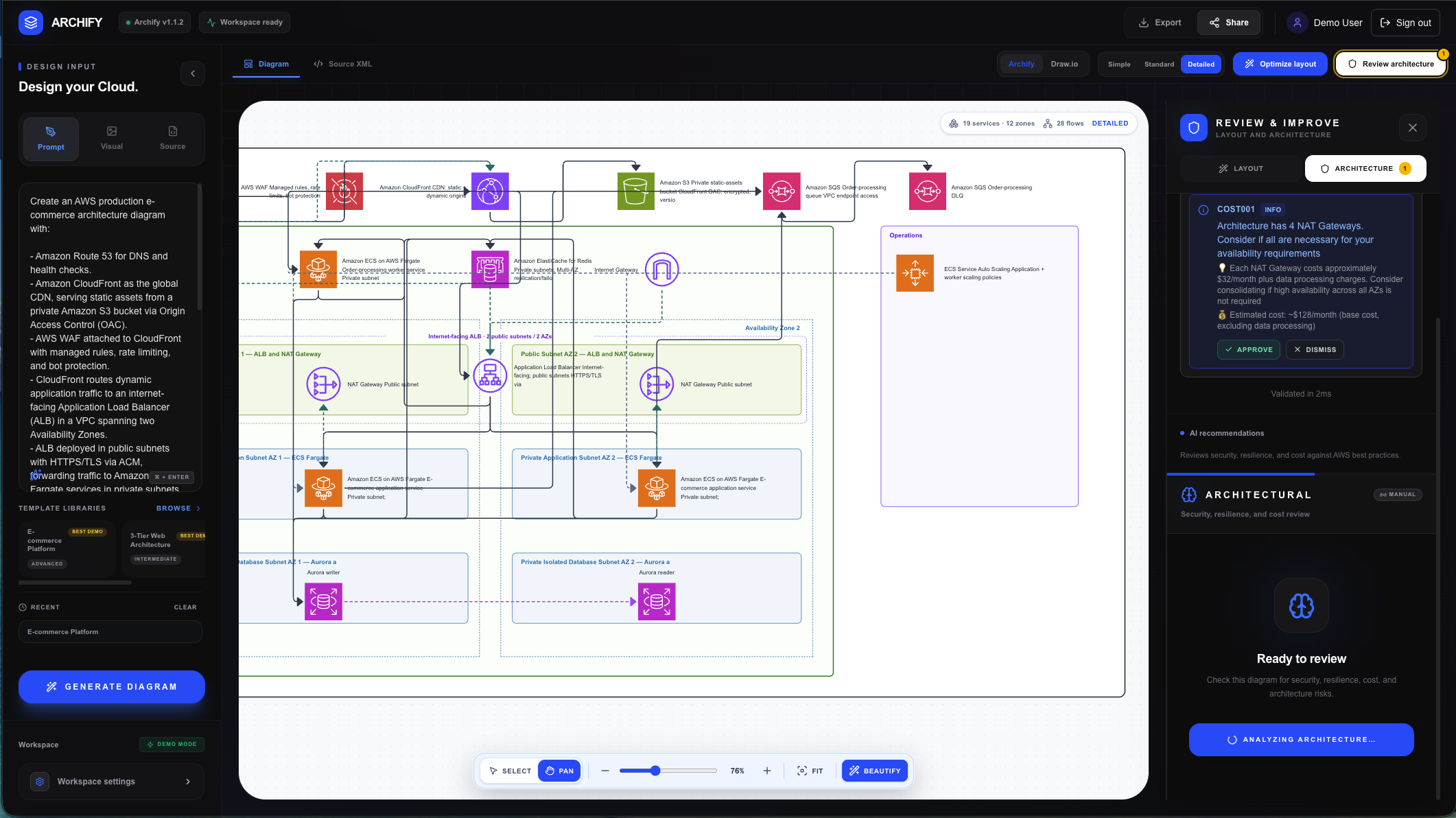
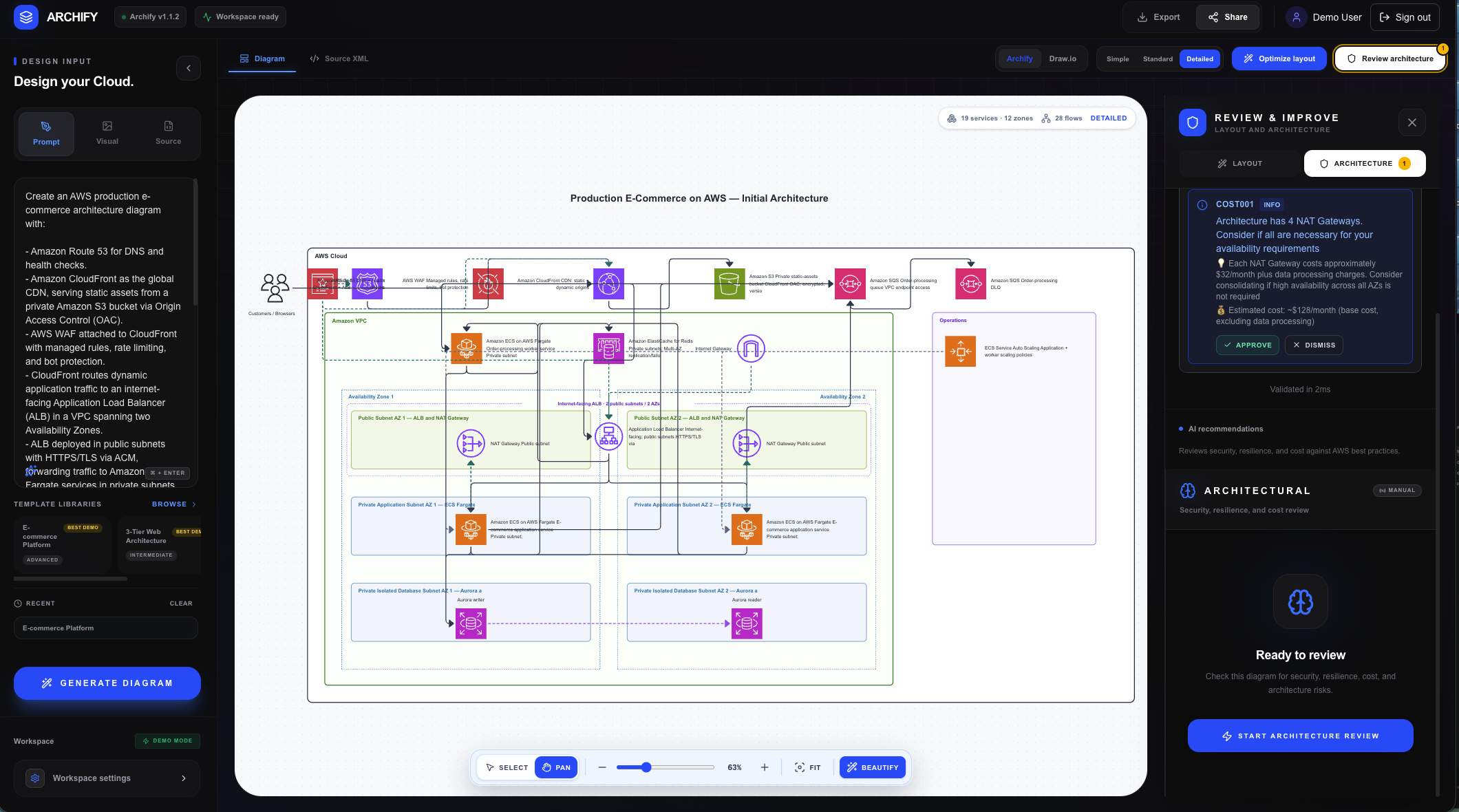
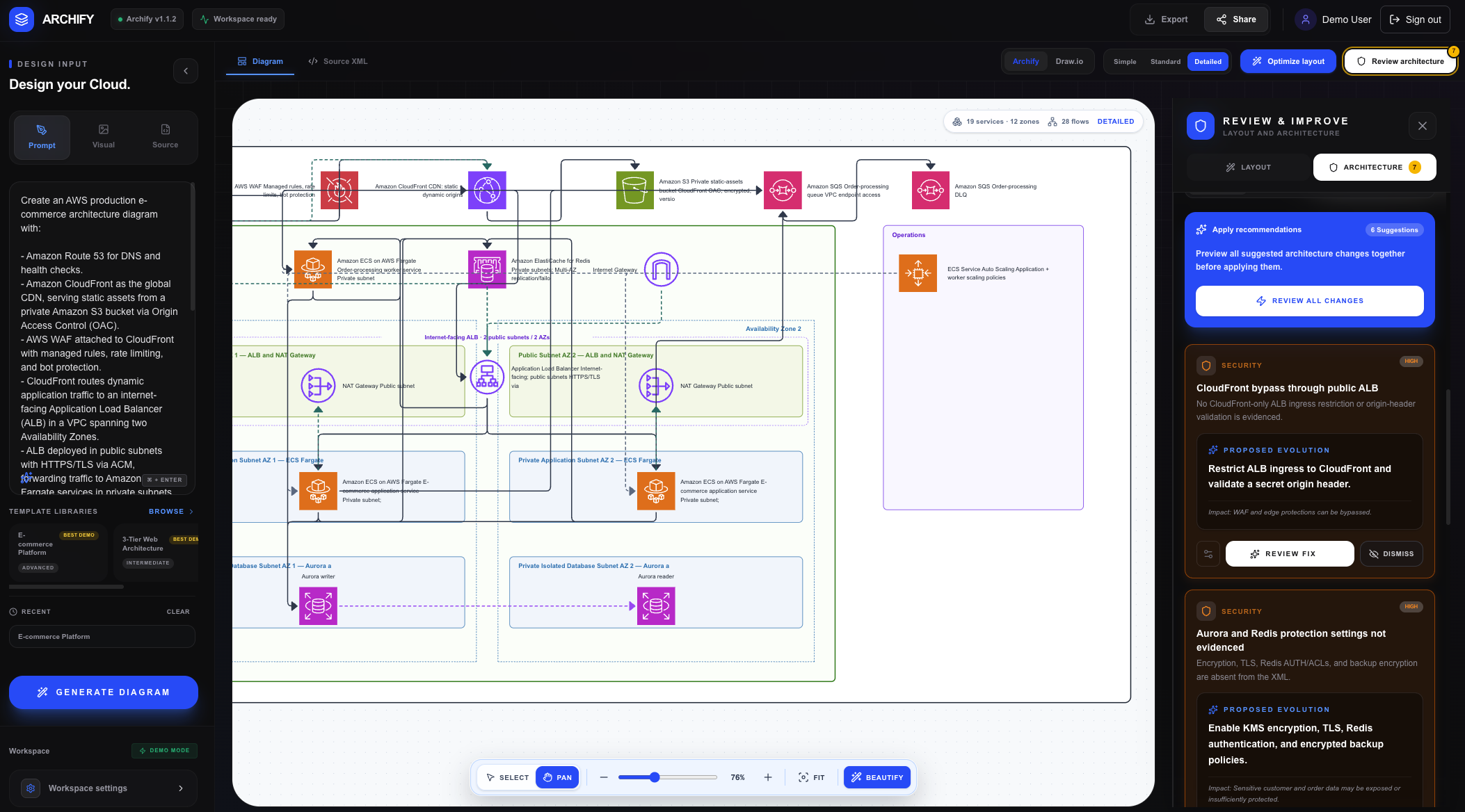
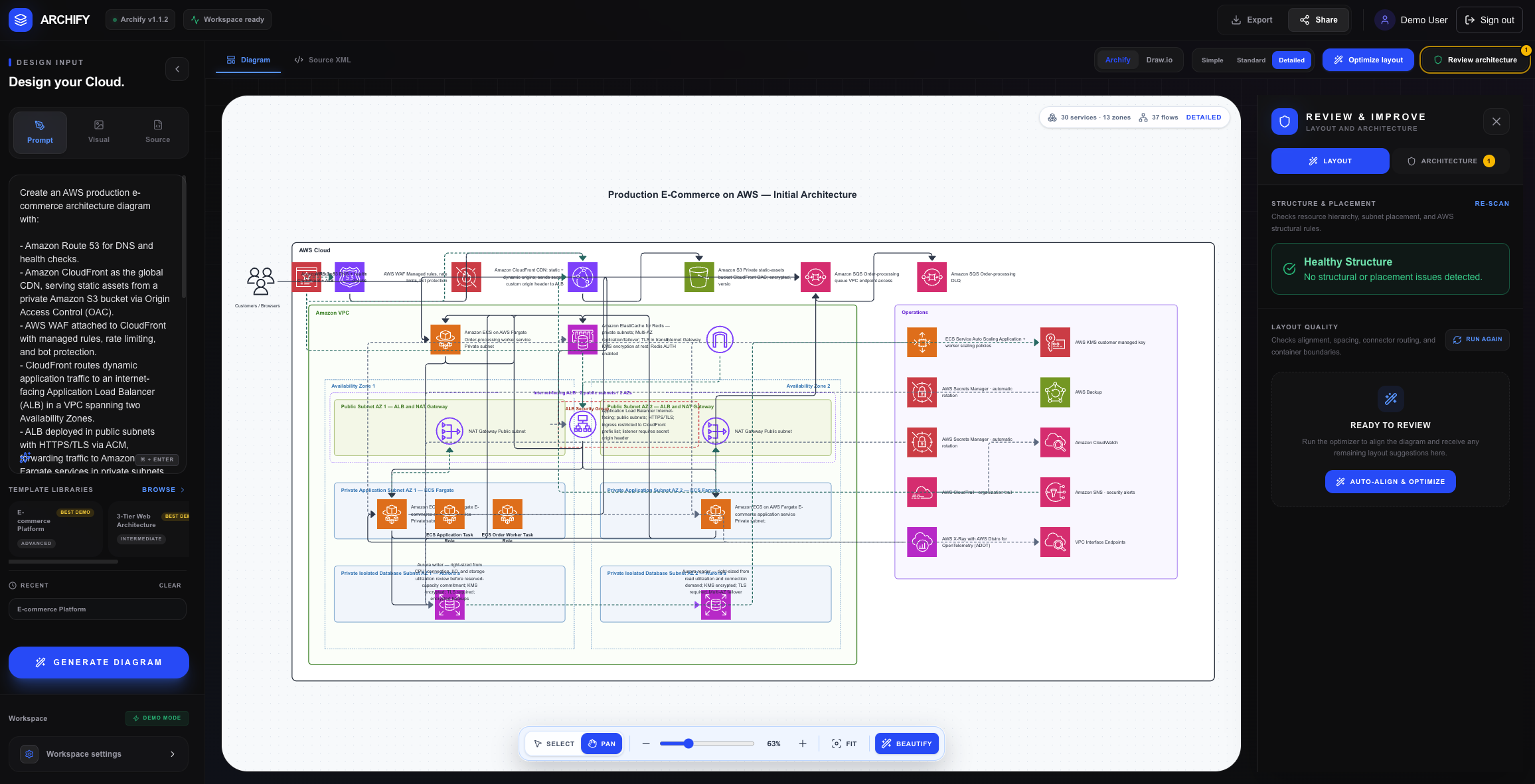
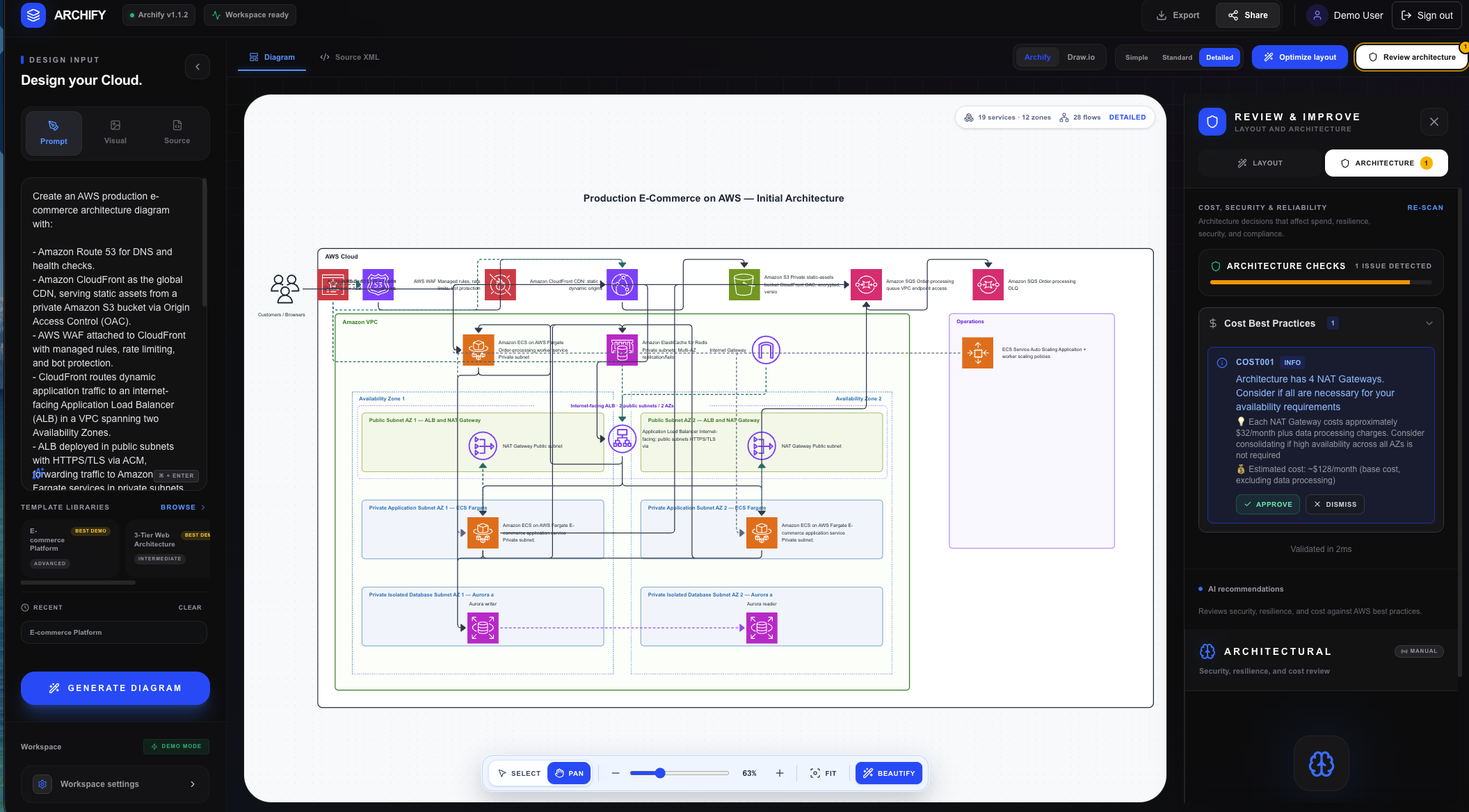
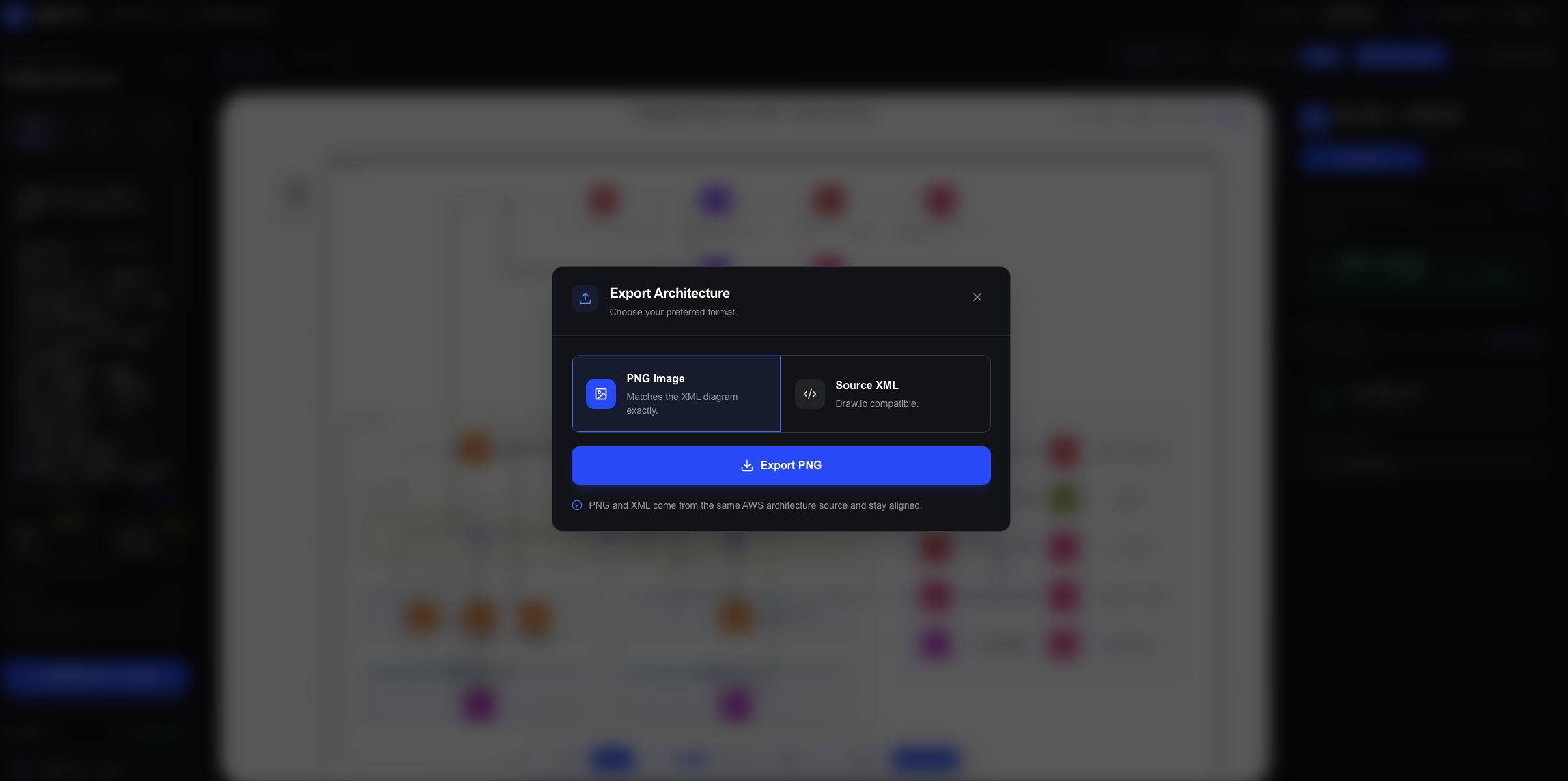
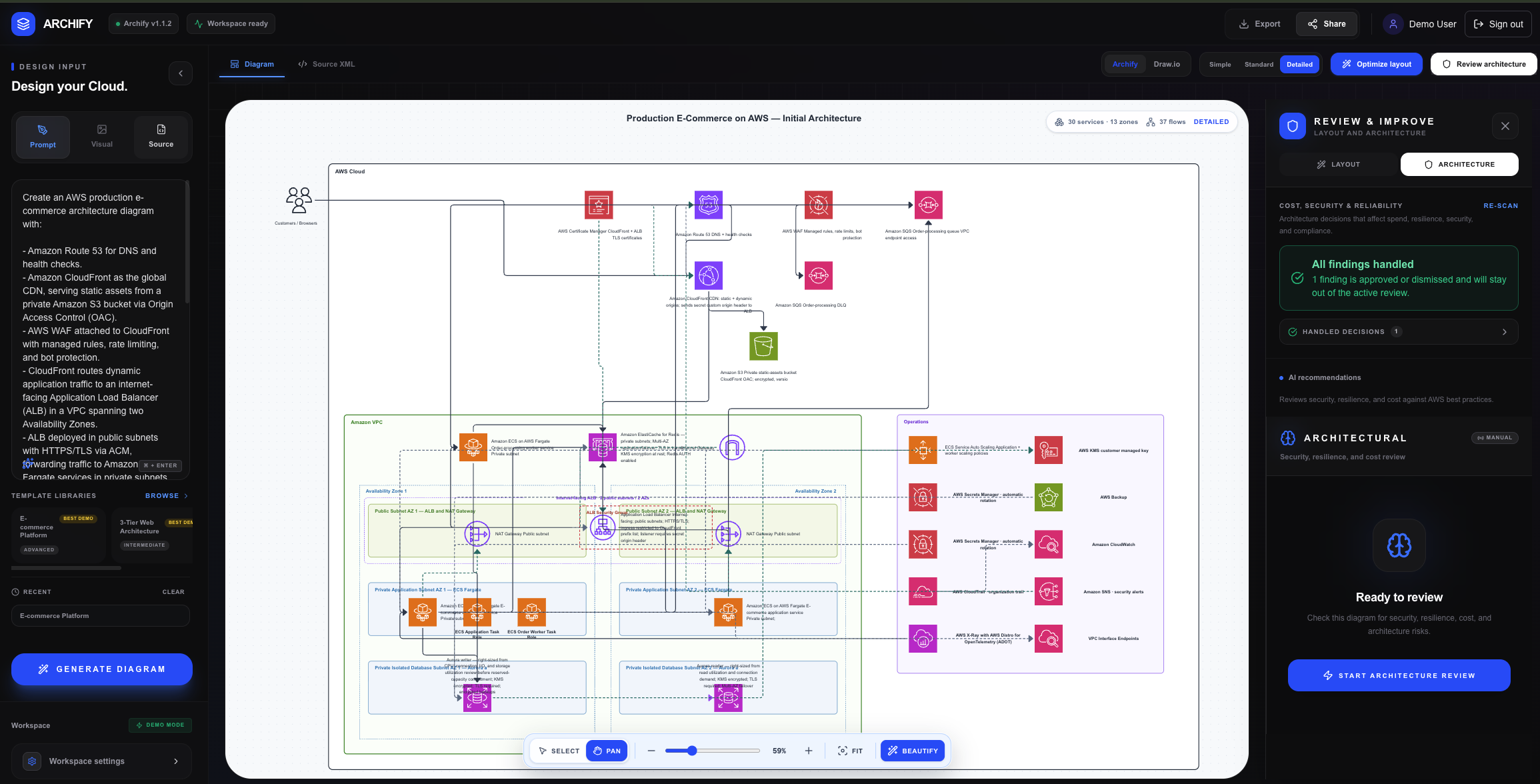
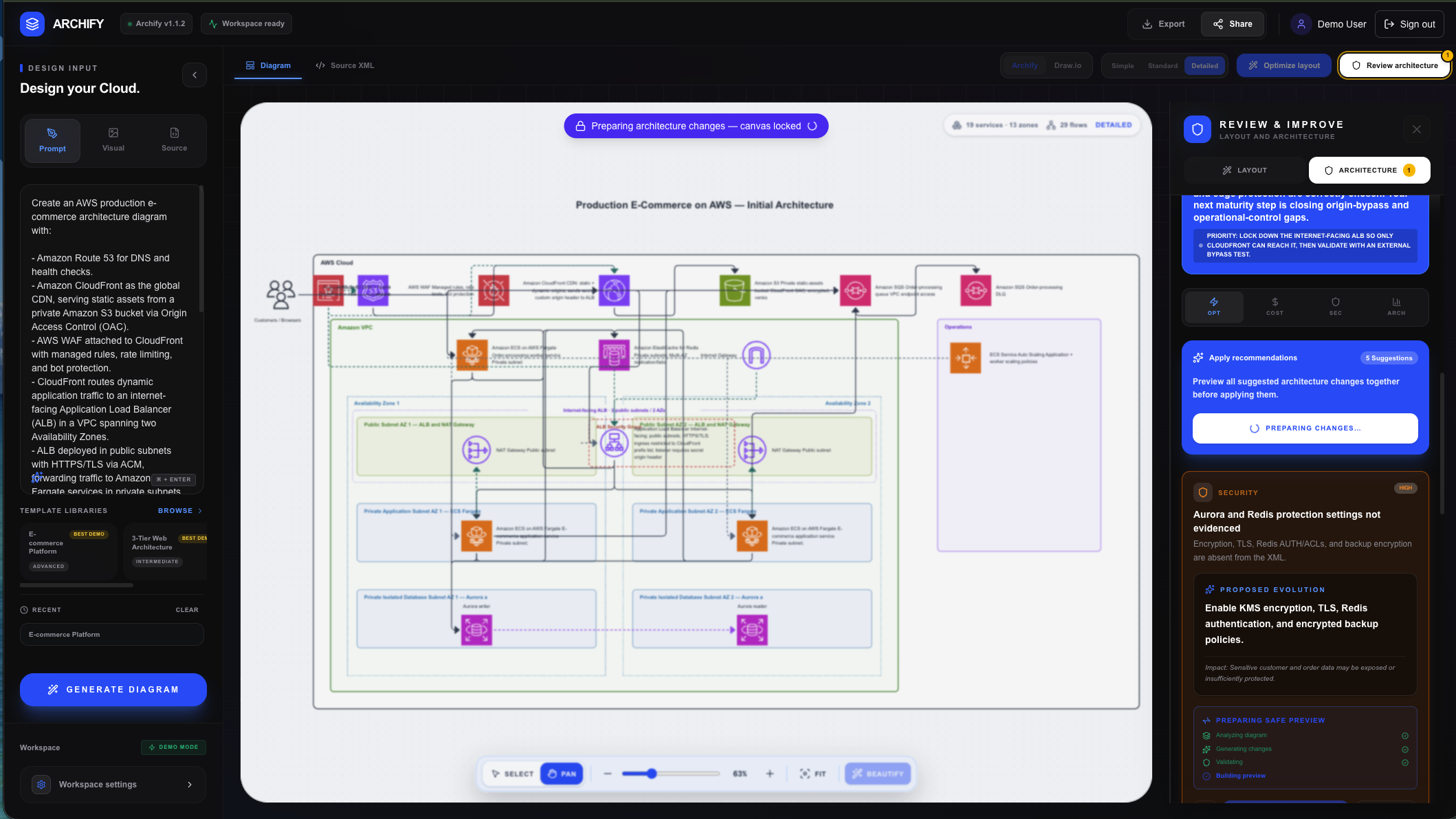
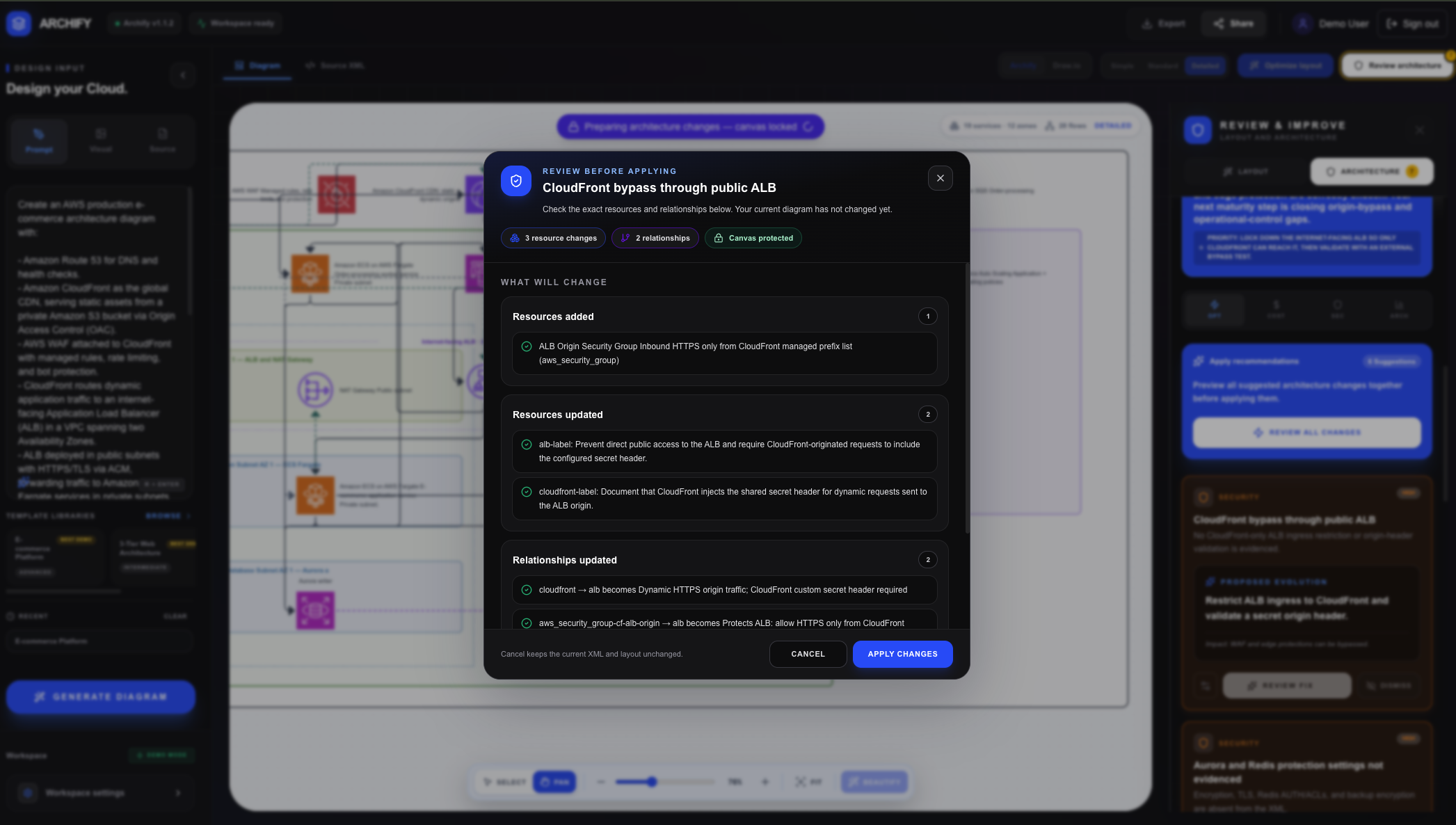
Archify: AI-Powered Architecture Intelligence for AWS
Archify turns prompts, Terraform, and reference diagrams into clean, editable AWS architectures—then helps teams identify and fix problems before production.
It is an architecture intelligence layer for DevOps, connecting infrastructure code, visualization, and architecture review in one workflow.
Instead of producing another static diagram, Archify creates living architecture documentation that can evolve alongside the infrastructure it represents.
AI decides what the architecture means; deterministic code ensures it remains readable, consistent, and usable.
Inspiration
Cloud infrastructure changes quickly, but architecture documentation rarely keeps up.
DevOps engineers, cloud architects, and compliance teams often spend hours reconstructing systems, tracing Terraform relationships, checking security controls, and preparing diagrams for technical reviews or audits. By the time the documentation is complete, the infrastructure may already have changed.
Traditional diagramming tools also require teams to manually translate infrastructure code into visual documentation. AI image generators can create attractive diagrams, but their output is usually static, difficult to edit, and unreliable for real architecture work.
We wanted to build something different.
Archify was created to understand infrastructure, visualize it clearly, review it for risks, and help teams maintain useful architecture documentation as their systems evolve.
Our long-term vision is for Archify to become the architecture intelligence layer embedded directly in DevOps workflows.
What it does
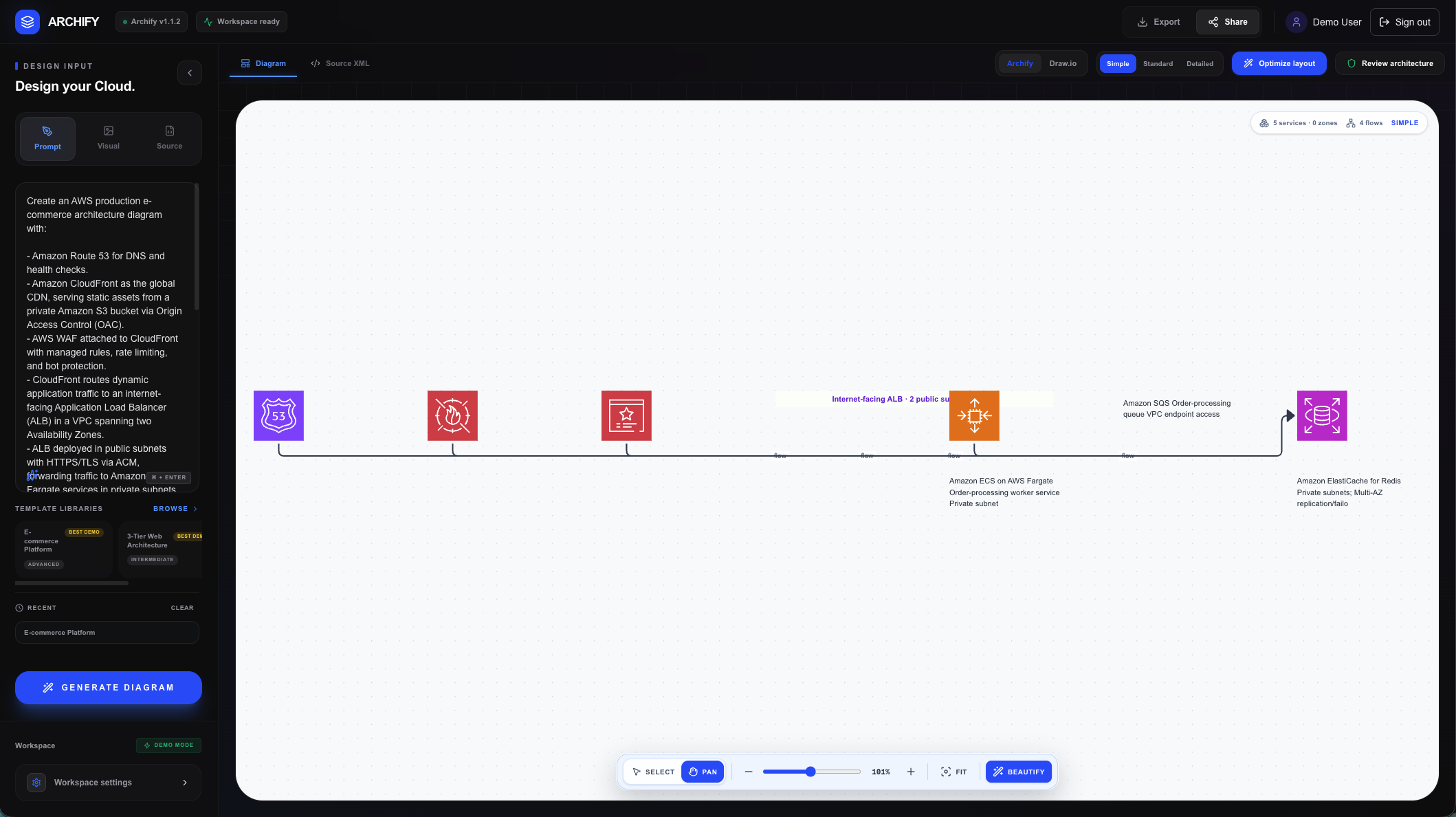
Archify converts different infrastructure inputs into one editable AWS architecture system.
Users can begin with:
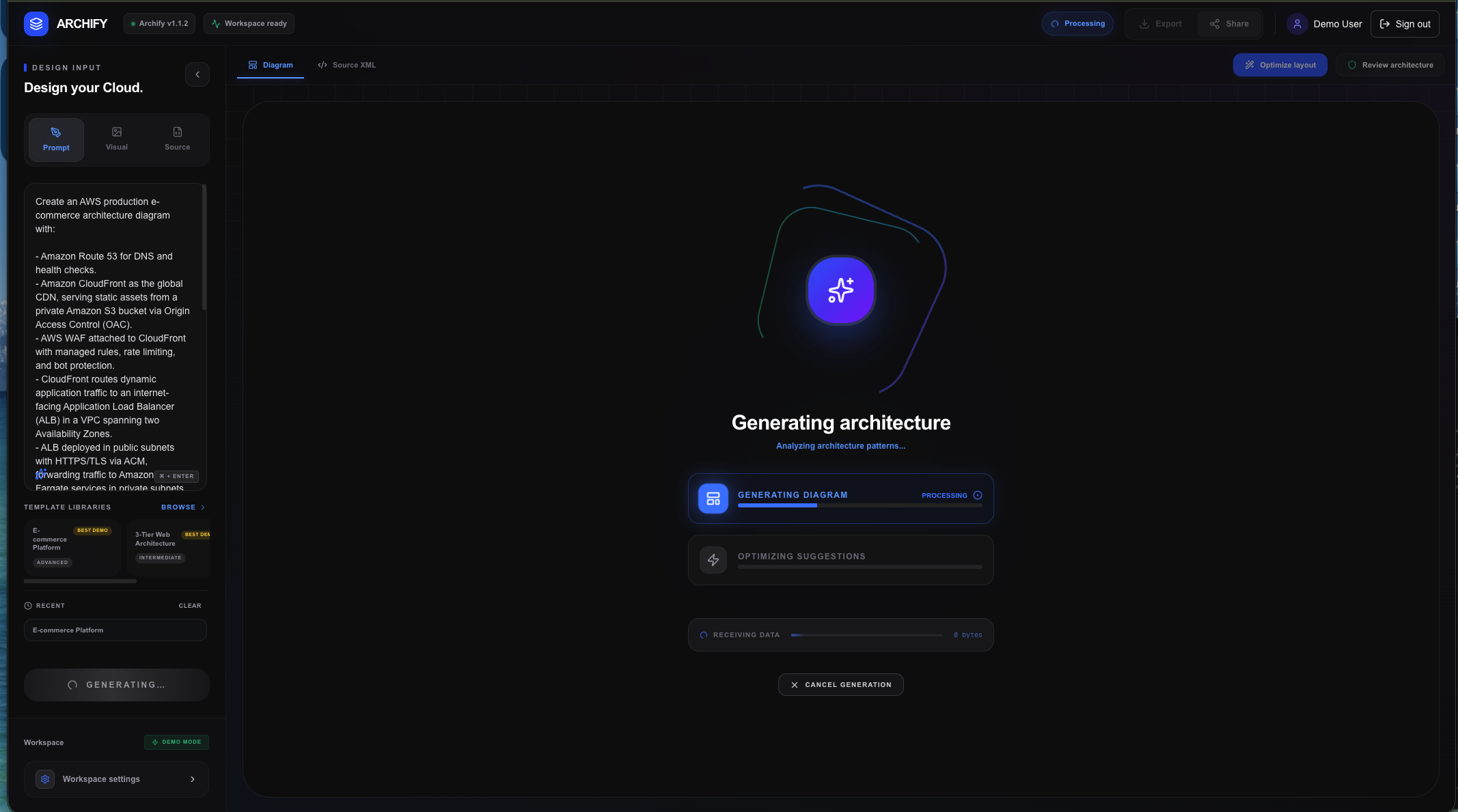
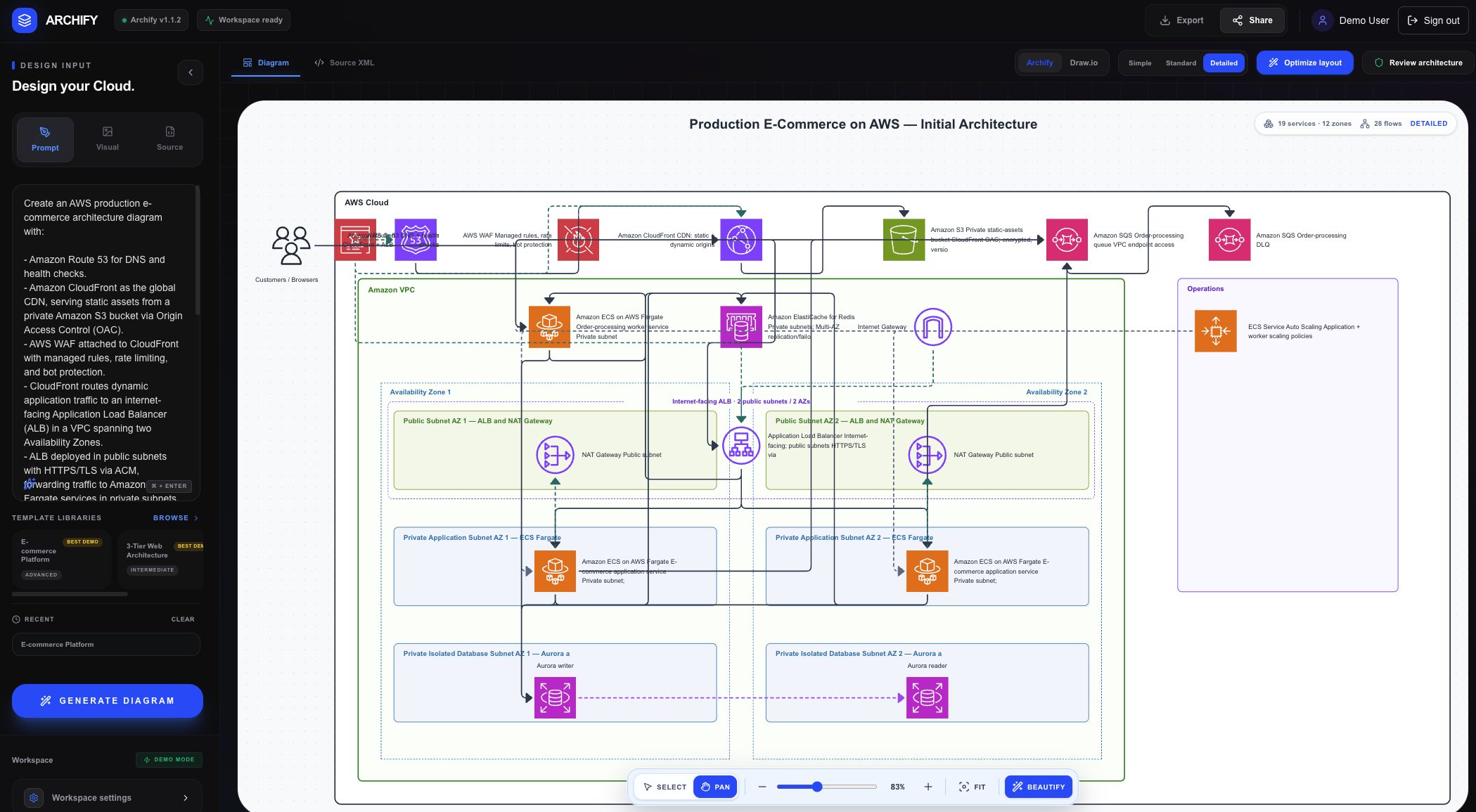
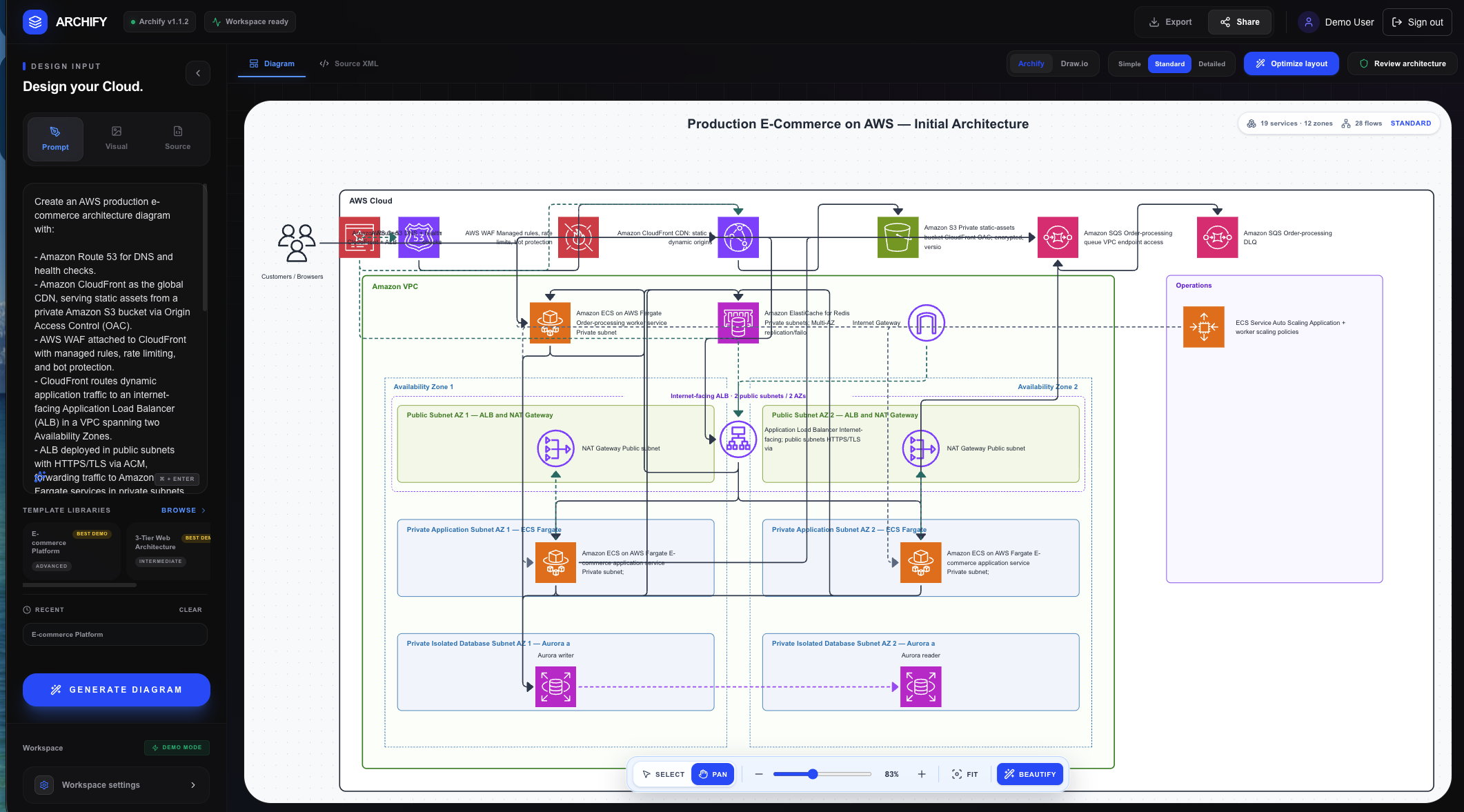
- Prompts → architecture: Describe a system in plain language and generate a complete AWS design.
- Terraform → reconstructed system: Import Terraform configuration or state files to visualize deployed resources and dependencies.
- Images → editable architecture: Reverse-engineer reference diagrams into resources and connections that can be modified.
- Templates → production-ready starting points: Begin with established AWS architecture patterns and customize them.
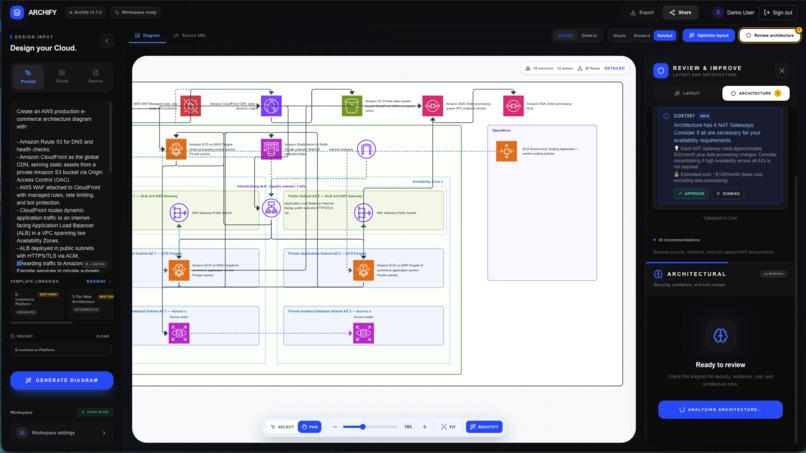
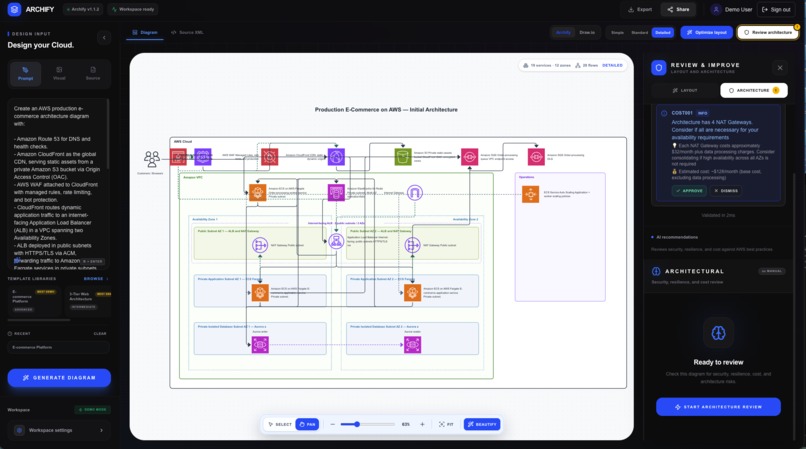
- Architecture → risk analysis: Identify security, reliability, cost, monitoring, availability, and compliance issues.
GPT-5.6 Sol interprets the input, identifies the required AWS services and relationships, and composes the architecture.
Archify’s deterministic Layout Beautify Engine then controls layout, hierarchy, spacing, container placement, collision avoidance, and connector routing.
The result is not a static AI-generated image. Every resource and connection remains editable in Archify Canvas. Users can also inspect the underlying Draw.io-compatible XML, optimize the layout, review architecture risks, and export the result.
When to use Archify
Archify is designed for situations such as:
- Reviewing the architectural impact of a Terraform pull request
- Designing a new AWS system from a plain-language requirement
- Reverse-engineering an existing cloud environment
- Updating documentation after infrastructure changes
- Preparing architecture evidence for a security or compliance audit
- Identifying cost, reliability, or security risks before deployment
- Turning a reference architecture into an editable design
- Explaining a complex AWS system to technical and non-technical stakeholders
How we built it
We began by researching AWS architecture patterns, infrastructure-as-code workflows, diagram formats, layout algorithms, and the limitations of model-generated diagrams.
Before implementing the main system, we used Codex in Plan Mode to explore possible approaches, challenge assumptions, and compare technical solutions.
This planning process saved a significant amount of development time. Instead of immediately generating code and repeatedly rebuilding the wrong solution, we first established several technical principles:
- GPT-5.6 Sol would handle architecture meaning, services, relationships, and risks.
- Deterministic code would control geometry and visual consistency.
- Every generated architecture would remain editable.
- AI recommendations would update the current design instead of replacing it.
- Terraform state could be reimported as infrastructure changed.
- Visual quality would be treated as testable product behavior.
Archify was built with Next.js, React, TypeScript, React Flow, Draw.io XML, Supabase, and the OpenAI API.
GPT-5.6 Sol powers the architecture reasoning layer. It interprets requirements, reconstructs infrastructure relationships, and recommends improvements related to security, reliability, cost, monitoring, and compliance.
The surrounding product turns that reasoning into a usable architecture workflow. This includes:
- Archify Canvas for interactive editing
- A custom Layout Beautify Engine
- Draw.io-compatible XML transformations
- Official AWS architecture icon handling
- Infrastructure-as-code parsing
- Architecture validation and review
- Export and sharing workflows
- Browser-based verification
- Automated regression tests
Codex supported the engineering process by helping us implement complex features, inspect diagrams and XML, trace production failures, improve accessibility, build regression tests, and verify important workflows in a real browser.
Challenges we ran into
The biggest challenge was building the Layout Beautify Engine from scratch.
Large language models are excellent at understanding what an architecture means, but generating reliable visual coordinates is a different problem.
Early diagrams frequently suffered from:
- Overlapping resources and containers
- Crossed or unreadable connectors
- Inconsistent spacing and alignment
- Incorrect parent-child placement
- Empty or oversized architecture boundaries
- Disconnected services
- Poor visual hierarchy
- Unpredictable layouts for similar inputs
Prompt improvements alone could not reliably solve these problems.
The architecture’s meaning and its visual geometry needed to be separated.
GPT-5.6 Sol determines what should exist and how it is connected. The deterministic layout engine decides where everything belongs.
The Layout Beautify Engine applies repeatable rules for hierarchy, spacing, alignment, container sizing, collision detection, and connector routing.
To continuously improve the engine, we used Codex’s /goal workflow. We gave Codex a persistent objective: make each architecture layout as clear, balanced, and professional as possible.
For every problematic diagram, Codex helped us:
- Inspect the rendered screenshot and Draw.io XML
- Identify the broken spatial or layout rule
- Refine the relevant algorithm
- Add a regression test
- Rebuild the application
- Verify the same architecture again in the browser
This verification loop transformed individual visual fixes into reusable layout rules.
Another major challenge was keeping multiple representations of the architecture synchronized.
Archify Canvas, Draw.io XML, exported files, validation results, and AI recommendations all needed to operate on the same source without producing conflicting versions.
We also encountered differences between local and production environments. Some dependencies behaved correctly during local development but failed when bundled into serverless functions. Codex helped us inspect production logs, reproduce the failures locally, identify the real runtime errors, and verify the fixes using production builds.
Accomplishments that we're proud of
Archify has grown beyond an AI diagram generator. It produces architecture documentation that teams can use in real engineering workflows.
Key outcomes include:
- Converting multiple infrastructure inputs into one editable architecture system
- Building a cloud-aware Layout Beautify Engine from scratch
- Separating AI architecture reasoning from deterministic geometry
- Reconstructing infrastructure resources and dependencies from Terraform state
- Converting reference images into editable resources and connections
- Applying recommendations to an existing design instead of replacing it
- Producing portable, Draw.io-compatible architecture output
- Supporting official AWS architecture icons
- Detecting security, reliability, cost, monitoring, and layout issues
- Keeping the visual canvas and underlying XML synchronized
- Creating repeatable regression tests for visual behavior
- Verifying critical workflows in a real browser
- Turning an ambitious idea into a working production application
The achievement we are most proud of is that Archify does more than draw infrastructure.
It helps teams understand, improve, communicate, and maintain their architecture.
What we learned
AI and deterministic systems work best together
Models are strong at interpreting requirements, identifying resources, and understanding relationships.
Deterministic systems are better at enforcing constraints and producing repeatable geometry.
Combining both approaches created a more reliable result than relying entirely on either one.
Planning saves more time than immediate coding
Using Plan Mode before implementation helped us research the problem, compare possible solutions, and establish the correct technical direction early.
This reduced rework and allowed the final product to be built around clear principles.
Verification loops are essential
Complex AI-assisted systems cannot rely on generation alone.
Screenshots, XML inspection, production logs, browser testing, and regression tests allowed us to evaluate actual behavior and continuously improve it.
The /goal workflow was particularly valuable because it gave Codex a persistent quality objective instead of treating every visual problem as an unrelated task.
Codex is strong in complex, connected systems
Codex was most useful when a problem involved multiple layers at the same time.
It could move between product requirements, TypeScript code, XML structures, screenshots, browser behavior, API failures, deployment logs, and automated tests while maintaining an understanding of the complete workflow.
We were especially impressed by its ability to recognize spatial problems such as distance, alignment, hierarchy, overlap, and visual balance.
These are qualities that architects and designers naturally notice, but traditional coding assistants often struggle to evaluate.
What's next for Archify: AI-Powered AWS Architecture Design and Optimization
Archify is evolving into a continuous architecture intelligence platform embedded directly in DevOps pipelines.
Integrations
We plan to connect Archify with the tools teams already use to build and deploy infrastructure.
This includes:
- Model Context Protocol integration
- GitHub repository integration
- CI/CD pipeline integration
- Automated infrastructure analysis during pull requests
- Architecture reviews before changes are merged
- Connections to cloud platforms and development tools
Continuous architecture intelligence
Archify should eventually detect infrastructure changes automatically instead of waiting for users to manually update their diagrams.
Planned capabilities include:
- Detecting changes to Terraform configuration and state files
- Automatically refreshing architecture diagrams
- Comparing infrastructure code, state, diagrams, and deployed resources
- Identifying architecture drift
- Explaining the impact of infrastructure changes
- Detecting newly introduced security, reliability, or cost risks
- Preserving architecture history
- Providing visual comparisons between architecture versions
When a Terraform state change is detected through GitHub or a CI/CD pipeline, Archify should be able to reconstruct the updated system, identify what changed, refresh the diagram, evaluate new risks, and notify the team automatically.
Accuracy and performance
We also plan to improve the quality and speed of the architecture engine.
This includes:
- More accurate AWS resource detection
- Stronger relationship inference
- Better architecture validation rules
- Improved security, reliability, cost, and compliance recommendations
- Faster diagram generation
- Faster architecture reviews
- Faster layout optimization
- Better performance for large Terraform environments
Collaboration and expansion
Future versions of Archify may also include:
- Shared team workspaces
- Comments and architecture discussions
- Approval and review workflows
- Deeper SOC 2 support
- AWS Well-Architected Framework reviews
- Additional documentation exports
- Infrastructure-as-code generation
- Azure and Google Cloud support
Our long-term vision is for Archify to become the architecture layer for DevOps pipelines—a shared system where teams can design, review, optimize, and continuously maintain cloud infrastructure.
Archify turns infrastructure into a living, continuously verified architecture system—not just a diagram.
Built With
- amazon-web-services-(aws)
- aws-cloudformation
- draw.io
- framer-motion
- gpt-5.6
- hcl
- lucide-react
- next.js
- node.js
- openai-api
- openai-codex
- postgresql
- react
- react-flow
- rest-api
- supabase
- tailwind-css
- terraform
- testing-library
- typescript
- vercel
- vitest
- xml
- yaml


Log in or sign up for Devpost to join the conversation.