-
-
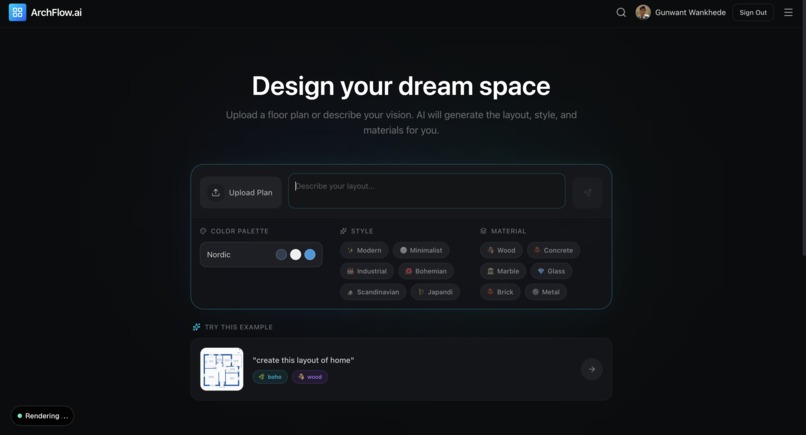
home page
-
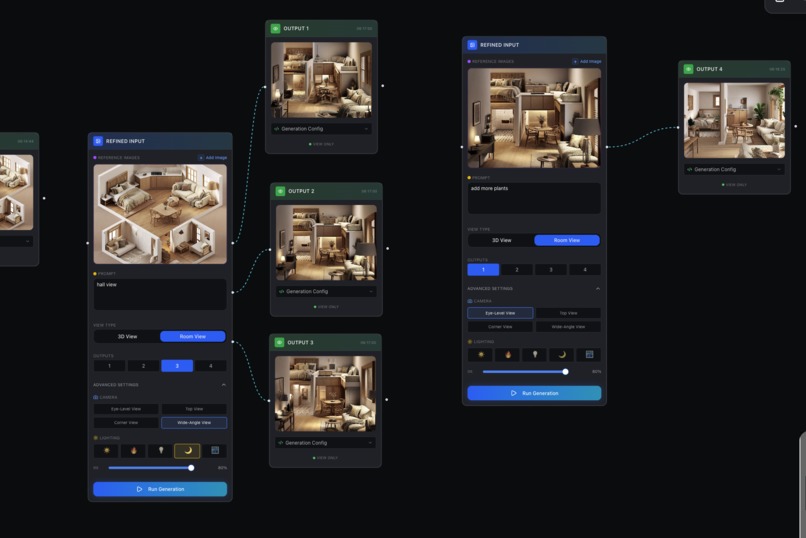
node based high control image generation
-
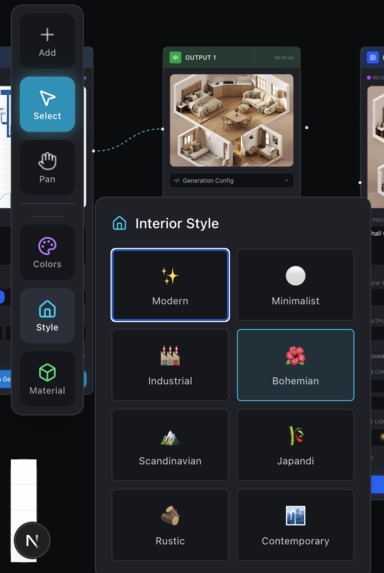
global settings
Project Story
Inspiration
Architecture and interior design are rarely linear processes. A designer doesn't just create one image; they explore variations, tweak lighting, adjust camera angles, and refine specific details.
We noticed that most AI generation tools force users into a linear "Chat" interface or a single-image view. If you wanted to try three different lighting setups for the same room, you had to scroll up and down endlessly. We were inspired to build a spatial workspace—a tool that treats design iterations as a branching graph, not a chat log. We wanted to combine the freedom of an infinite whiteboard with the precision of architectural rendering parameters.
What it does
ArchFlow.ai is a node-based generative design workspace for architects and interior designers.
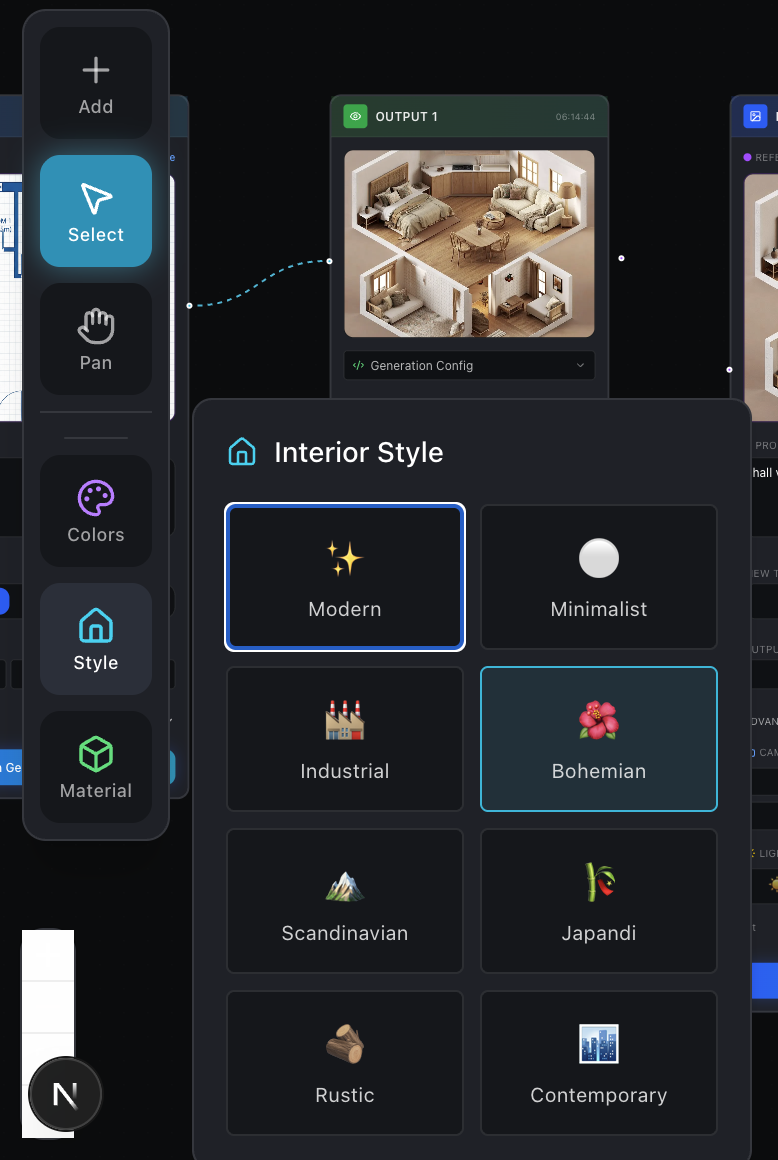
- 🚀 Seamless Onboarding: Users start on a clean dashboard where they can upload a floor plan, describe their vision, and pre-select global styles (like Nordic, Industrial, or Bohemian) and materials (Wood, Concrete, Marble).
- ♾️ Infinite Generative Canvas: The core experience happens on a React Flow-powered canvas. Instead of a feed, designs are represented as Nodes.
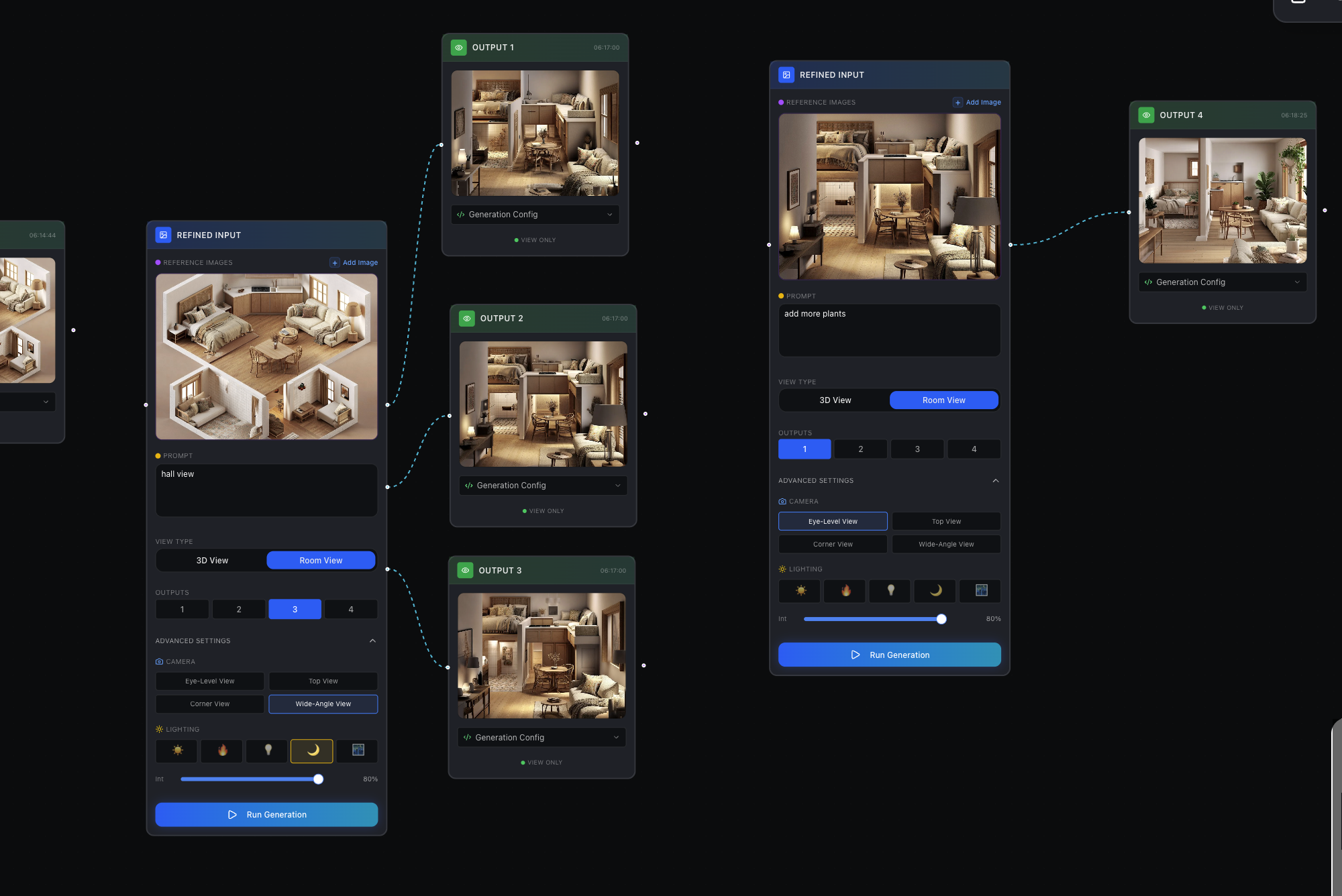
- 🔀 Branching Iterations: Users can create multiple outputs from a single input. As seen in our workflow, a single "Refined Input" node can spawn multiple "Output" nodes, allowing side-by-side comparison of different variations (e.g., Output 1, 2, and 3 all stemming from one source).
- 🎛️ Granular Node Control: Unlike standard prompt boxes, our Refined Input Nodes act as mini-control stations. Users can control:
- Camera Angles: Eye-Level, Top View, Corner View, Wide-Angle.
- View Types: Toggling between "3D View" (isometric/cutaway) and "Room View" (immersive).
- Lighting Environment: A visual slider to adjust intensity and presets for Sun, Ambient, Artificial, and Night modes.
- Batch Size: Generating 1 to 4 variations at once.
How we built it
We built ArchFlow as a modern, interactive web application focused on state management and visual clarity.
- Frontend: We used Next.js for the framework and Tailwind CSS for the dark-mode, professional styling.
- The Canvas: The core engine is built on React Flow. We created custom Node types:
-
RefinedInputNode: Contains the complex form logic (sliders, toggles, prompts). -
OutputNode: Handles the display of the generated image and its metadata.
-
- State Management: We treated the design process as a Directed Acyclic Graph (DAG). When a user hits "Run Generation" on an input node, we pass the state parameters (Camera $\theta$, Lighting $L$, Prompt $P$) to our backend to generate the children nodes. $$ Node_{child} = f(Node_{parent}, \text{Config}_{\text{camera, light, style}}) $$
- UI Components: We utilized a modular component system (Shadcn-like) to ensure the floating sidebars (Styles, Colors) and the intricate controls inside the nodes remained accessible and clean.
Challenges we ran into
- Complexity of Node UI: Designing the Refined Input Node was our biggest UX challenge. We needed to fit a Reference Image, Prompt Area, View Type Toggles, Camera Buttons, and Lighting Sliders all into one card without making it look cluttered. We iterated several times to reach the clean, dark-themed layout visible in the final build.
- Visualizing Relationships: Ensuring the edges (connections) between the Input nodes and Output nodes flowed logically, especially when a user generates a "batch" of 3 or 4 images at once. We had to ensure the canvas auto-arranged nodes so they didn't overlap.
- Global vs. Local State: Balancing the "Global" sidebars (Left panel for Styles/Materials) with the "Local" node settings. We had to decide which settings live in the sidebar (broad strokes) and which live in the node (fine-tuning).
Accomplishments that we're proud of
- The "Refined Input" Dashboard: We are incredibly proud of the Input Node design. It looks like a professional flight deck for AI generation.
- Visual Branching: Seeing one "Hall View" input node successfully branch out into three distinct "Output" nodes on the canvas was a major milestone. It perfectly demonstrates the "Exploration" phase of design.
- Aesthetic Consistency: The application feels cohesive, from the landing page with its material chips to the editor with its glowing blue accents and glass-morphism effects.
What we learned
- Context is King: Architects don't just want a "pretty picture." They care about the camera angle (Top vs Eye-level) and the lighting. Giving them explicit buttons for these features made the tool significantly more usable than a simple text box.
- Spatial UI: We learned that for visual tasks, a node graph is superior to a linear feed. It allows the user to map out their thought process spatially.
What's next for ArchFlow.ai
- Image-to-Image Sketching: Adding a drawing layer directly on top of the "Output" nodes to allow users to circle areas for revision.
- 3D Model Export: Since we are already distinguishing between "3D View" and "Room View," the next step is generating actual
.objor.glbfiles from these nodes. - Collaborative Canvas: Enabling multiplayer mode so a client and an architect can be on the same canvas, tweaking the "Lighting" sliders together in real-time.

Log in or sign up for Devpost to join the conversation.