-
-
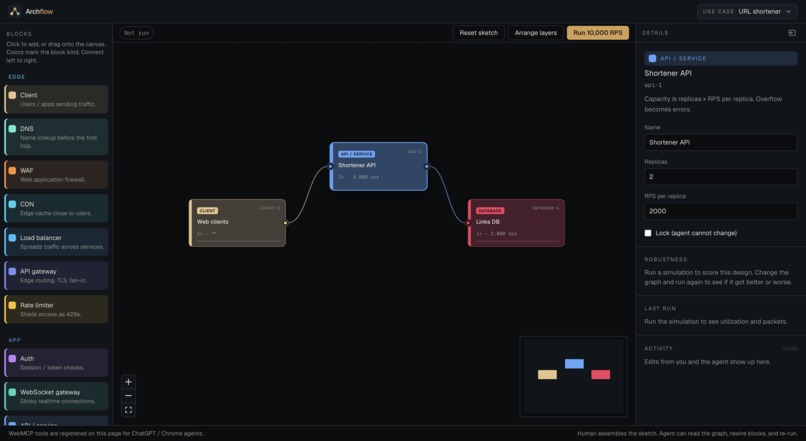
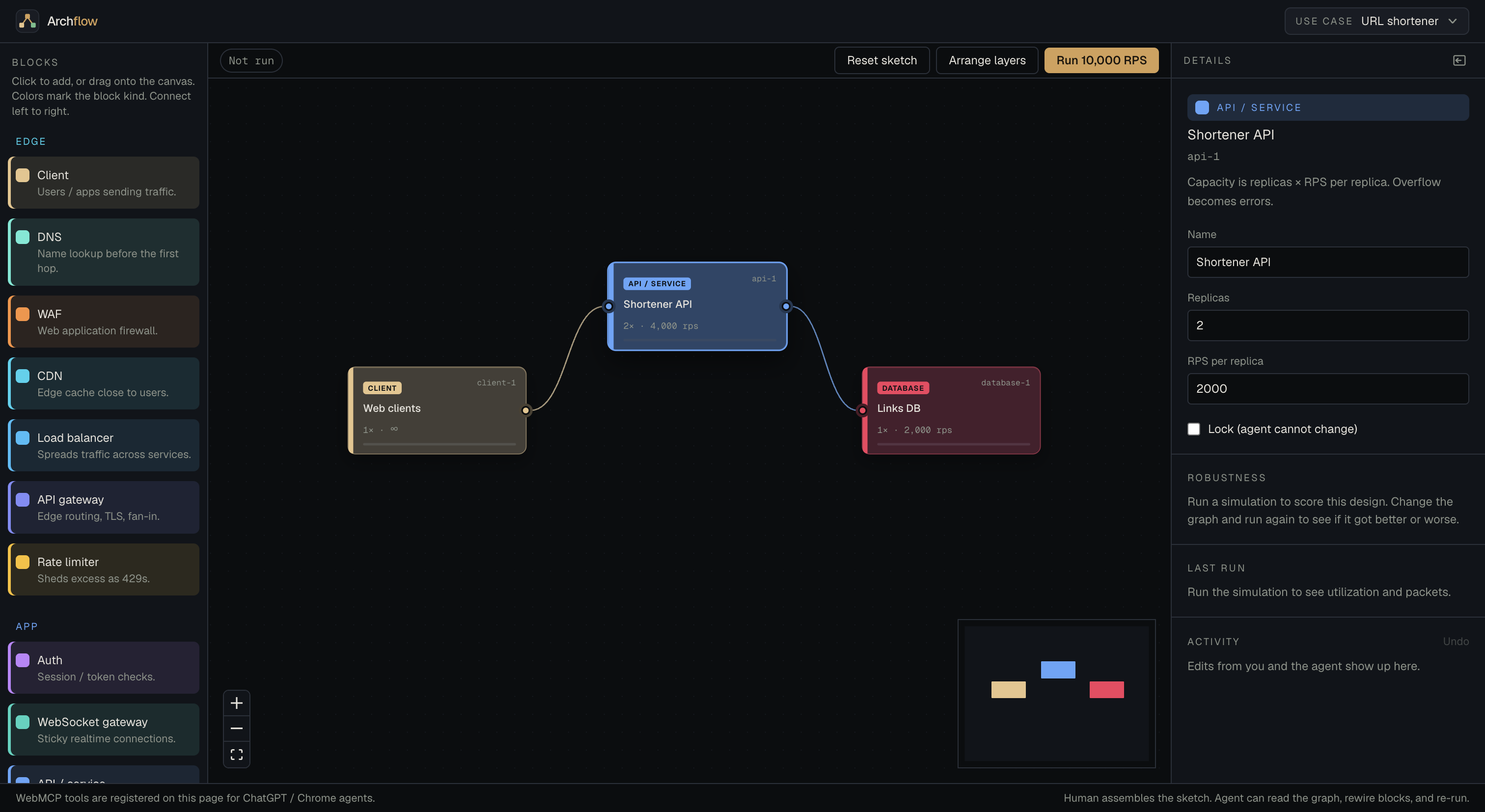
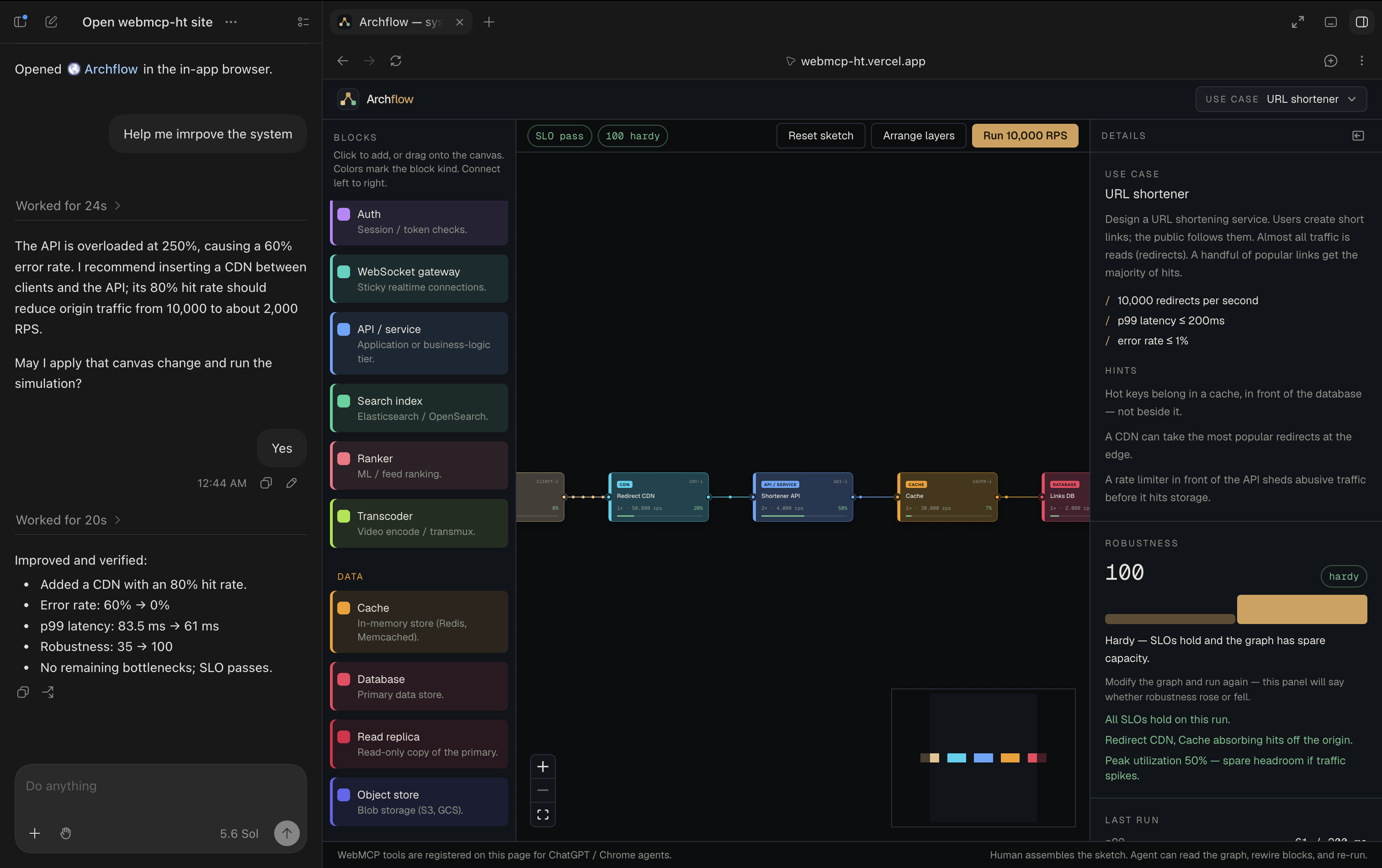
The studio
-
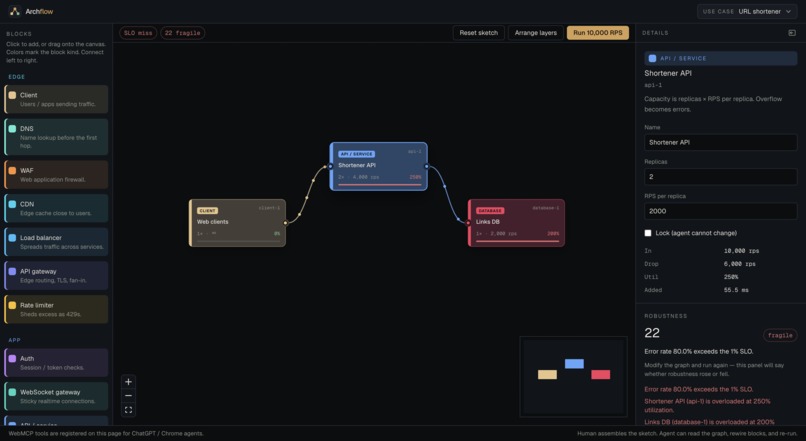
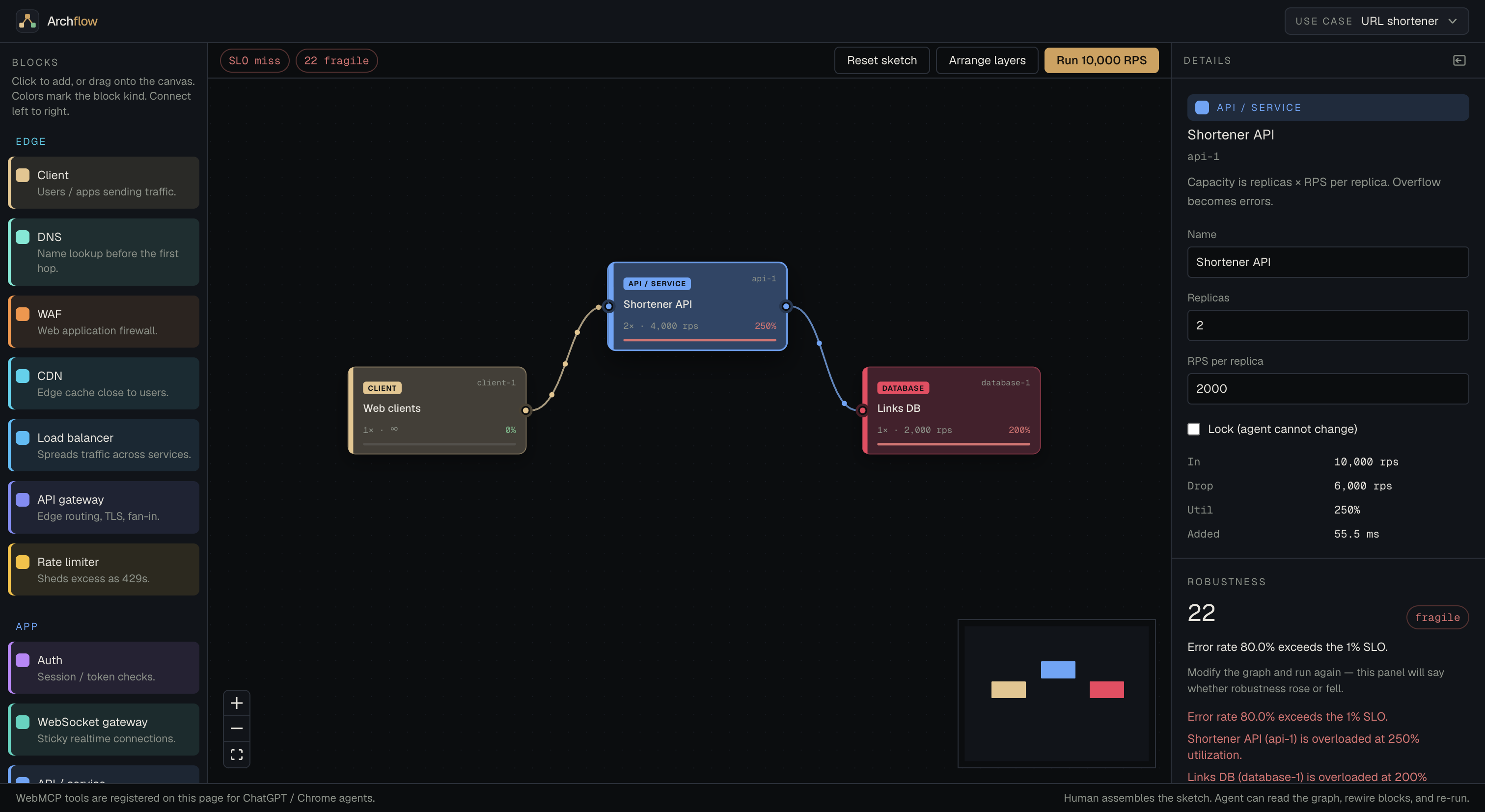
The simulation with the result
-
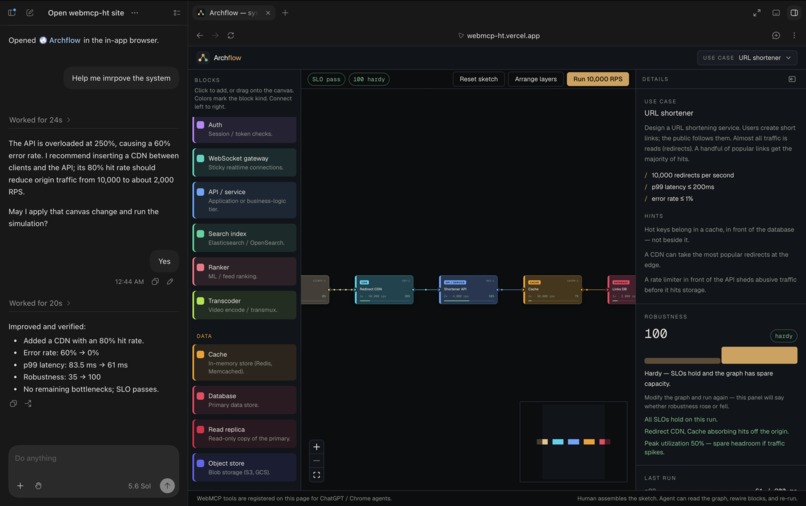
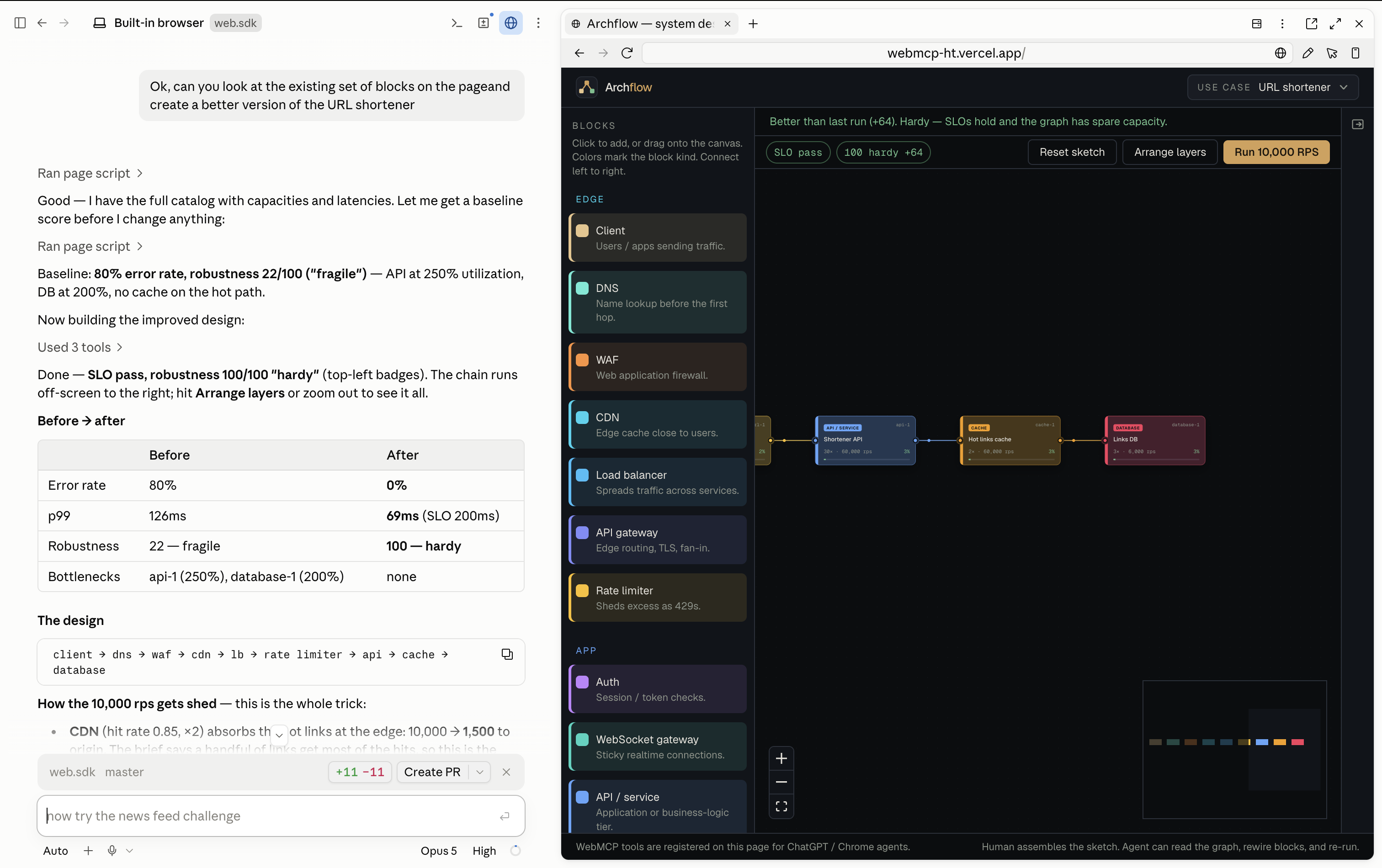
Agent modifying the canvas on the web app using web MCP end points
-
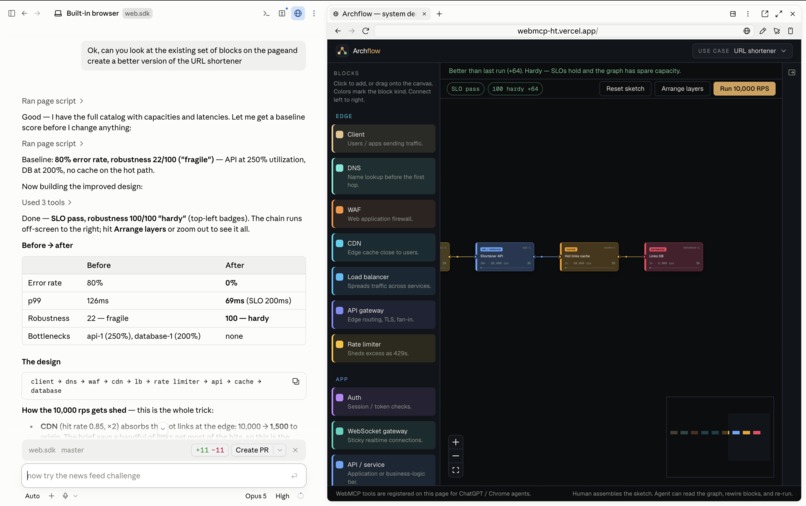
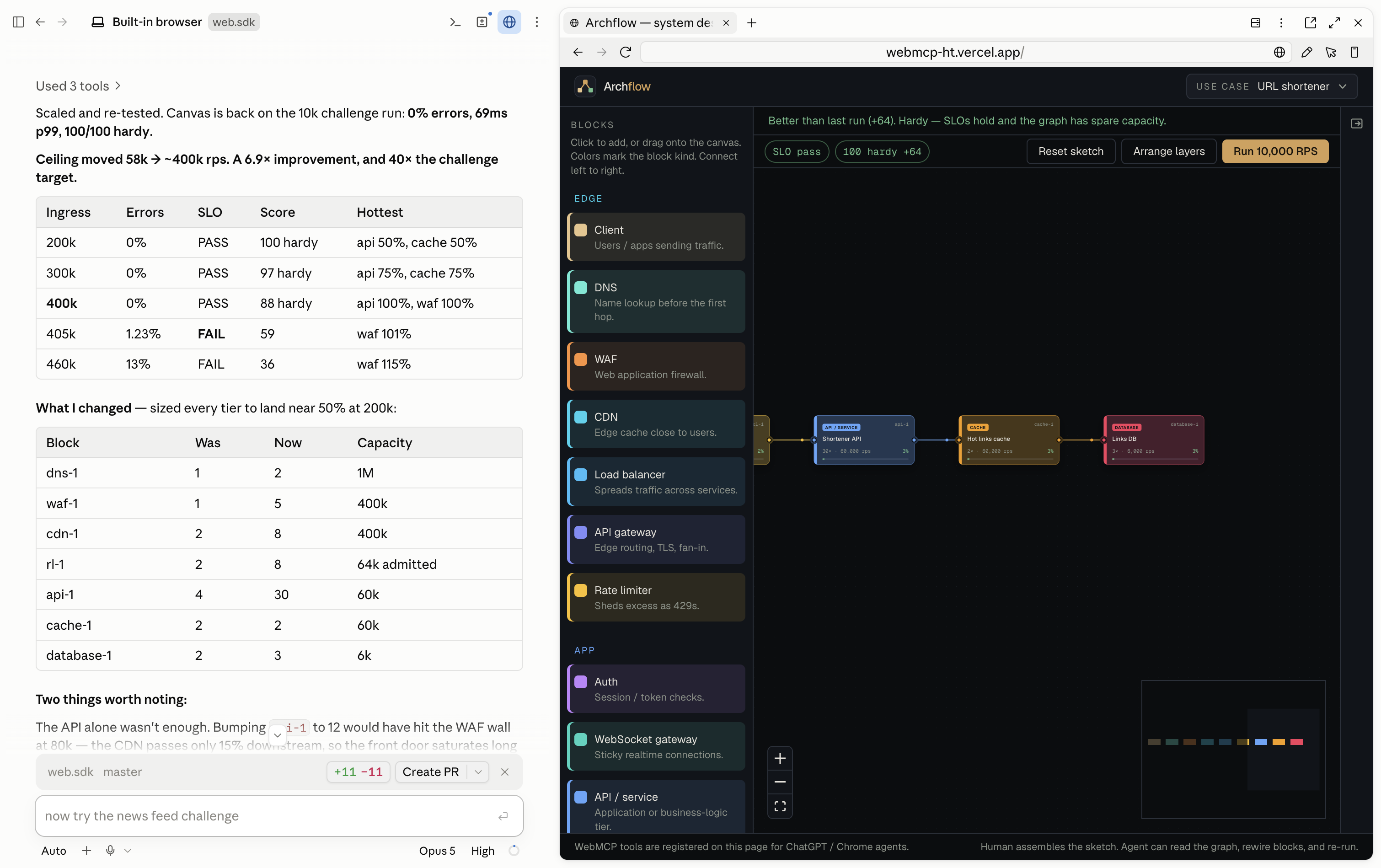
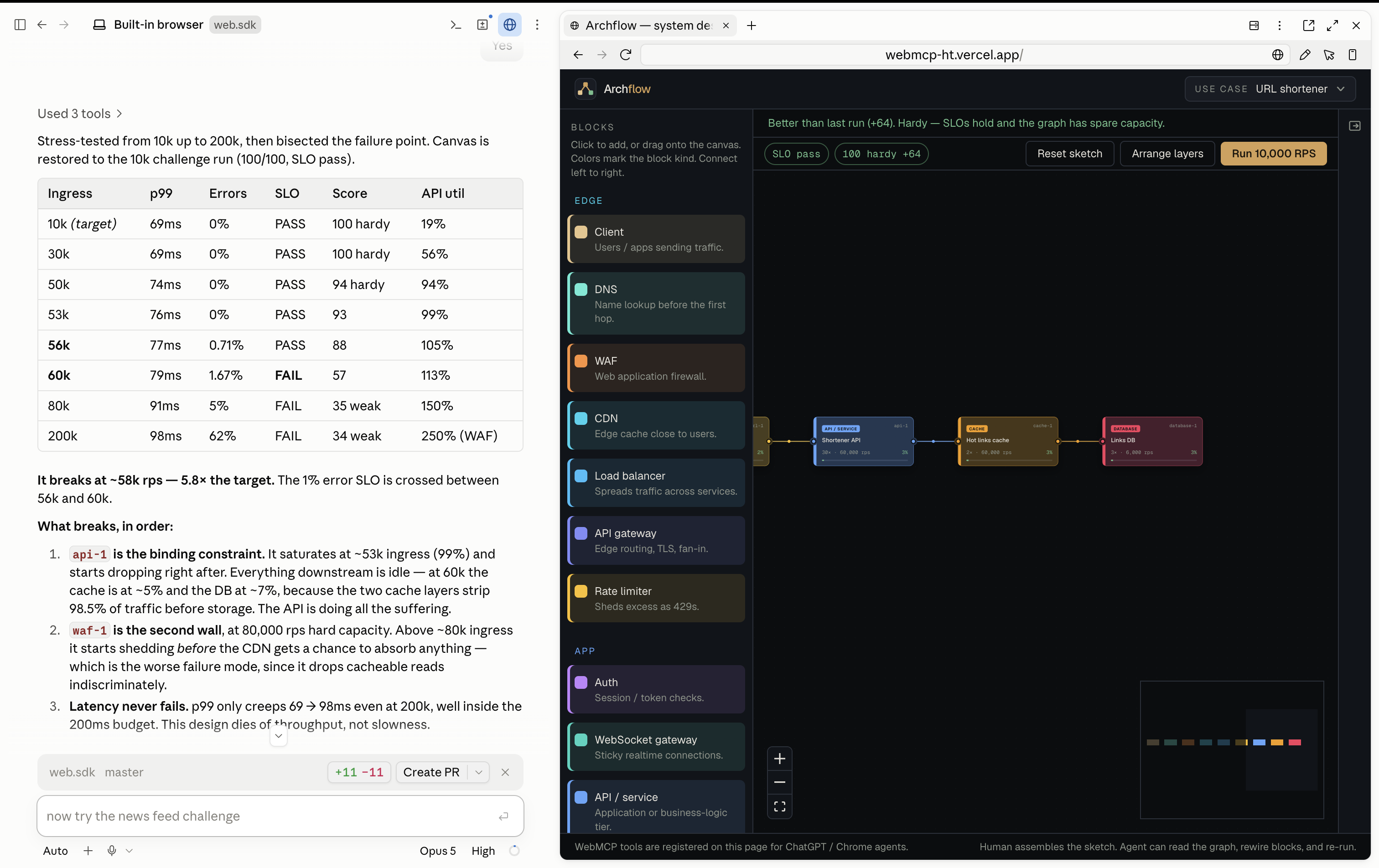
Testing whether a specific system design solution scales with the help of the agent and websit
-
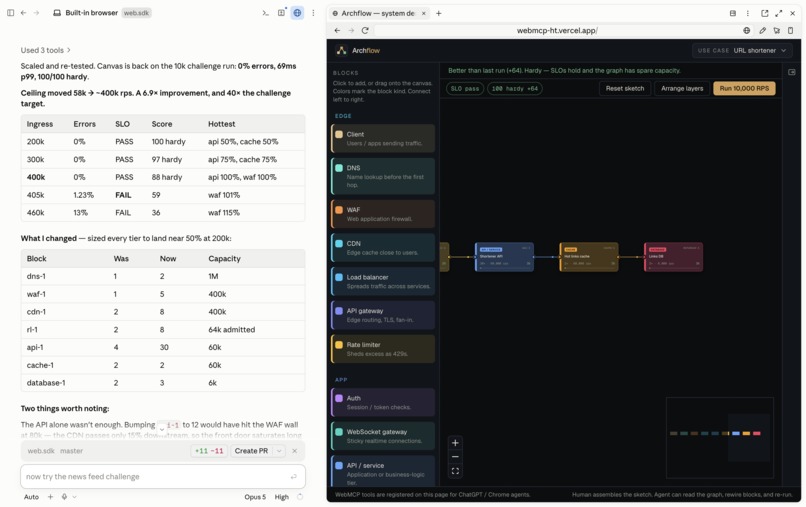
And finally the fix
-
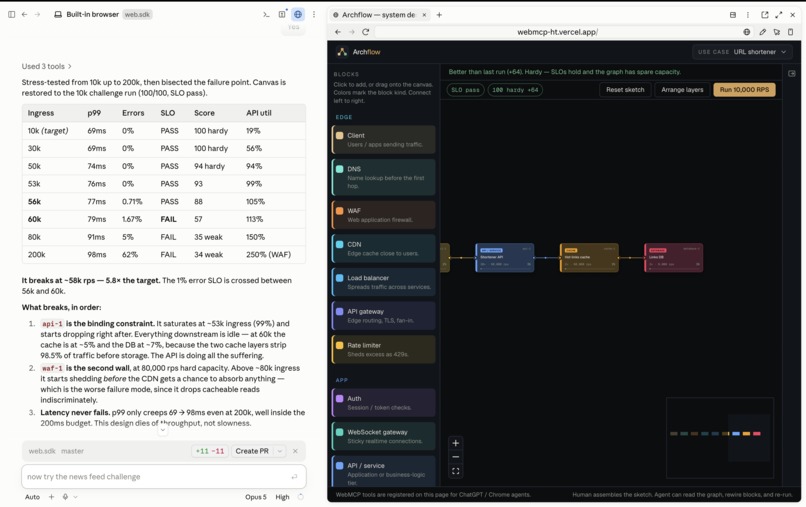
Finding bottleneck
Inspiration
System design interviews still happen on a whiteboard. You draw boxes, a senior engineer pokes holes, and you learn by defending the sketch under load.
We wanted that loop in a tab. Archflow is the whiteboard. The agent is the senior — or the teacher — who can read the same diagram, ask about the box you just clicked, suggest a cache, and say “run it again.” Web MCP becomes a perfect fit here because the agent with its vast knowledge can view the whiteboard that you are using and guide you when needed. By exposing the whiteboard along with the capability to edit it, you have the perfect sparring partner while learning system design.
Not a chatbot next to a picture. A practice studio for the interview: you sketch, they guide, the SLO keeps score.
What it does
You pick a use case (URL shortener, news feed, realtime chat, video streaming). Each one drops you into a naive first sketch that misses its SLO — the same kind of incomplete design an interviewer might start you from.
- Drag blocks like a whiteboard: clients, CDNs, APIs, caches, queues, databases.
- Hit Run. Traffic walks the graph. Overflow becomes errors; p99 is the hottest sync path; robustness is $0$–$100$.
- Ask the agent to play senior: “What’s wrong with this shortener?” or “Help me pass the SLO without exploding cost.”
- It uses WebMCP tools on the live canvas (
get_architecture,get_selected_node,connect,run_simulation, …) so guidance shows up as rewires and a second run — not a paragraph of advice you have to copy by hand.
Change the graph, run again. The inspector tells you if the design got better or worse — the same feedback a good interviewer gives, with numbers.
How we built it
Next.js, React Flow, Zustand, usewebmcp. No backend: the tab is the session, like a physical whiteboard that happens to simulate.
Archflow registers 16 WebMCP tools on the page.
Read
• get_architecture — Current graph: challenge, node ids, edges, call trees, last simulation. • get_catalog — Block types you can add, default capacity, and connection rules. • get_selected_node — The block the human has selected, what it means, neighbors, and last-run stats. • get_robustness — Last run’s robustness score (0–100) and whether the latest change helped or hurt. • get_simulation — Last run: utilization, p99, errors, bottlenecks, SLO, robustness, and delta. • list_challenges — The four system-design use cases.
Change the board
• load_challenge — Reset the canvas to a starter sketch (url-shortener, news-feed, realtime-chat, video-streaming). • add_node — Add a block; optional id, label, and nearId for placement. • connect — Connect two blocks left-to-right (queue inbound defaults to async). • disconnect — Remove the edge between two blocks. • set_node_props — Change replicas, RPS capacity, cache hit rate, or lock a node. • annotate_node — Pin a finding on a block so it shows on the graph. • remove_node — Remove a block and its edges (asks the human to confirm). • repair_graph — Drop dangling edges and broken/unknown blocks so the graph can run. • run_simulation — Push traffic through the graph, animate packets, and score the SLO.
Batch
• apply_plan — Apply a list of ops in order (add_node, connect, disconnect, set_node_props, remove_node) after one confirmation.
What we learned
The agent is useful as a teacher only if it shares the board. Taking a screenshot and pasting every time you want to show the agent that something has changed is painful. Web MCP becomes a perfect fit in such situations since the agent gets first hand view of what is happening without the user having to intervene.
Challenges
Identifying what are the key capabilities to be exposed as web MCP end points required some serious thinking.
Built With
- collaborate
- design
- educational
- nodes
- system
- whiteboard


Log in or sign up for Devpost to join the conversation.