-
-
landing
-
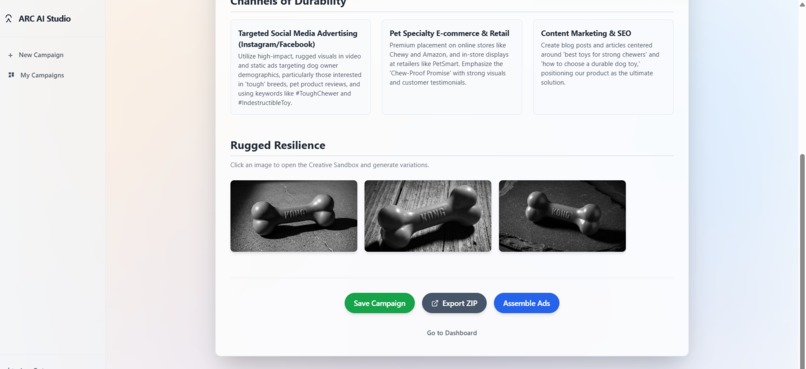
dog toy with rolex inspo
-
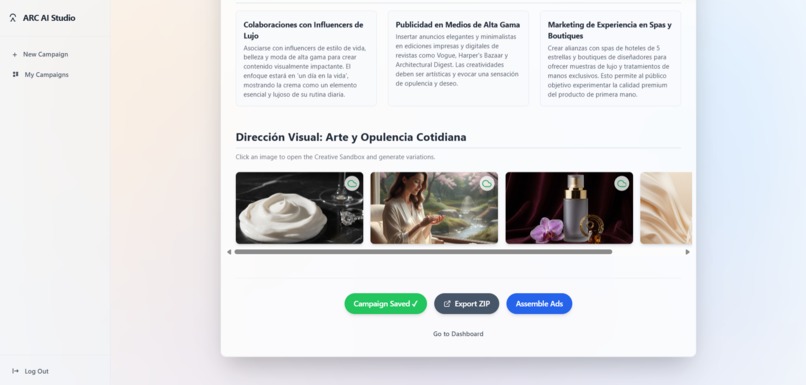
hands cream
-
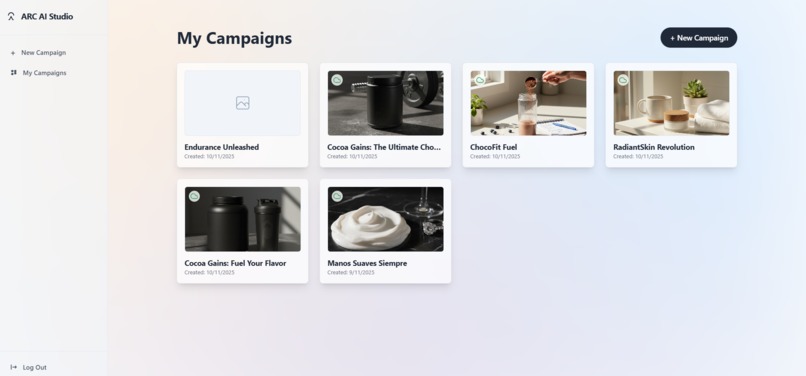
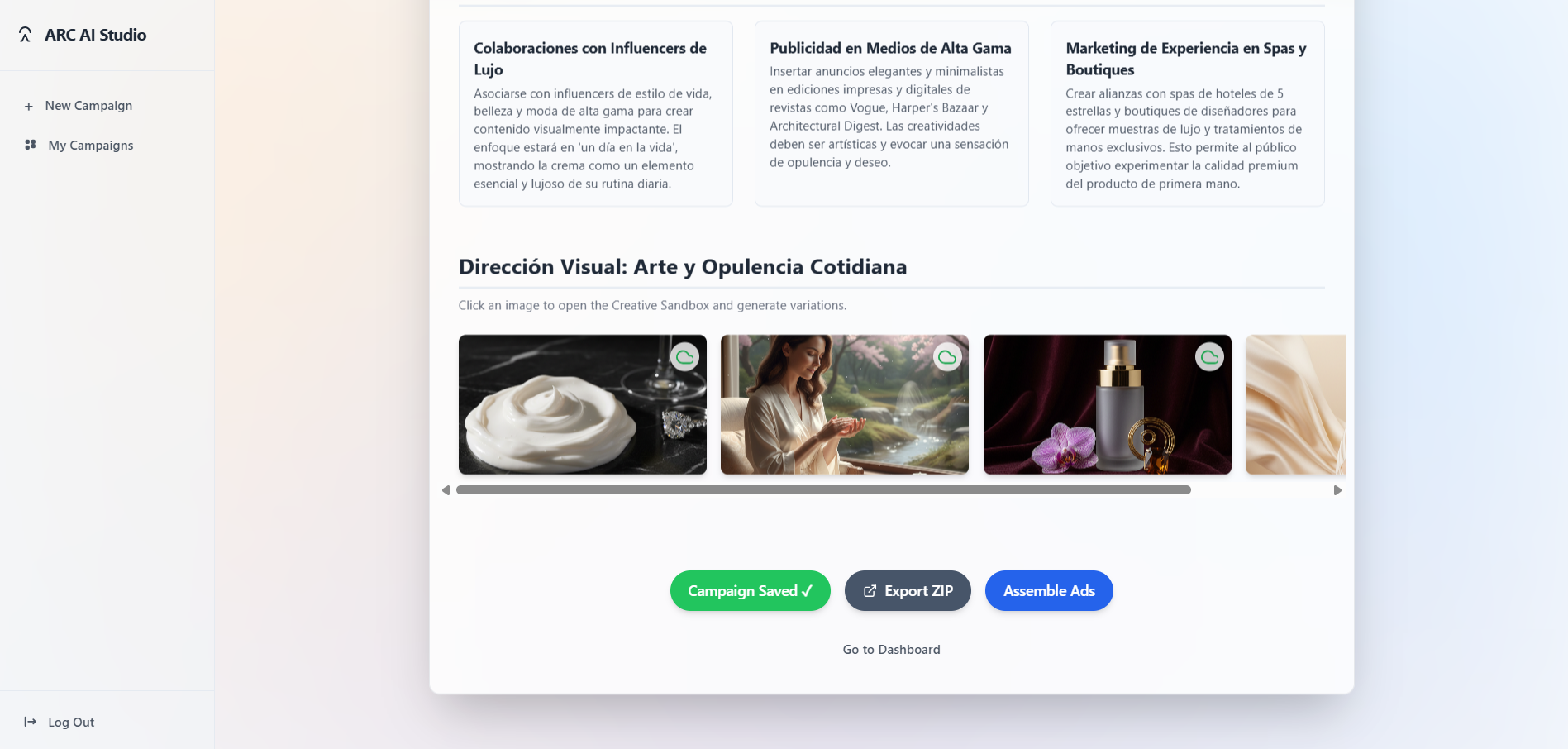
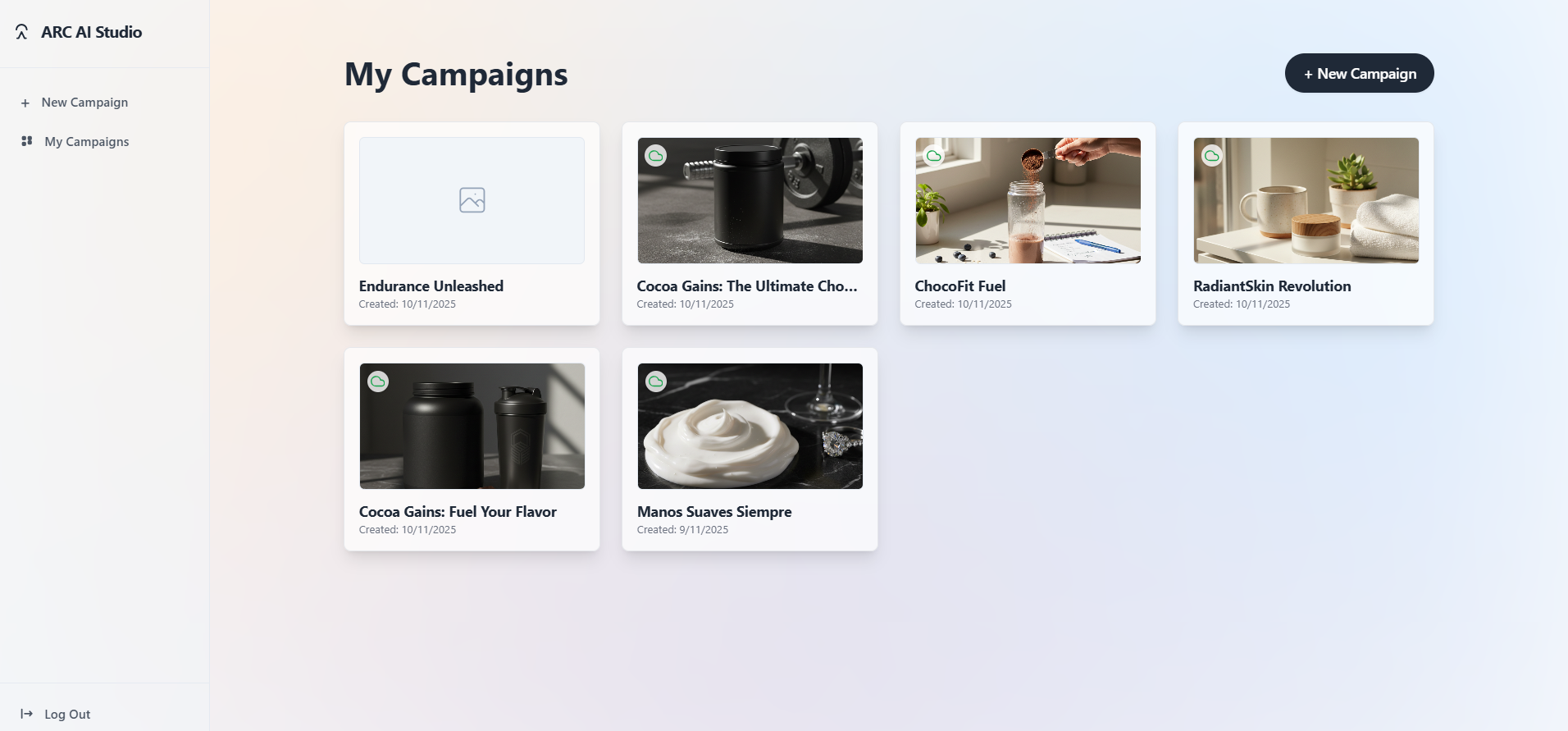
campaing view
-
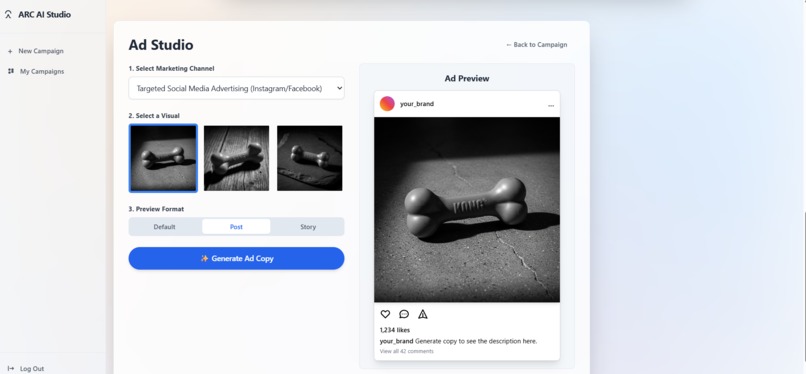
dog toy product placement
-
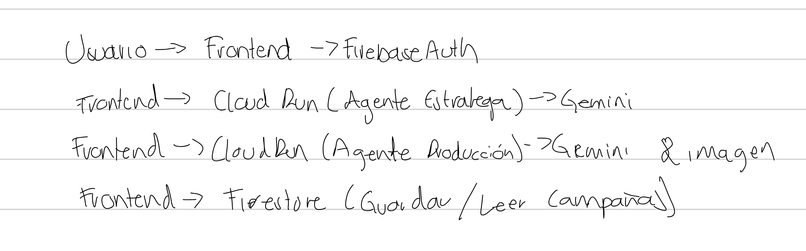
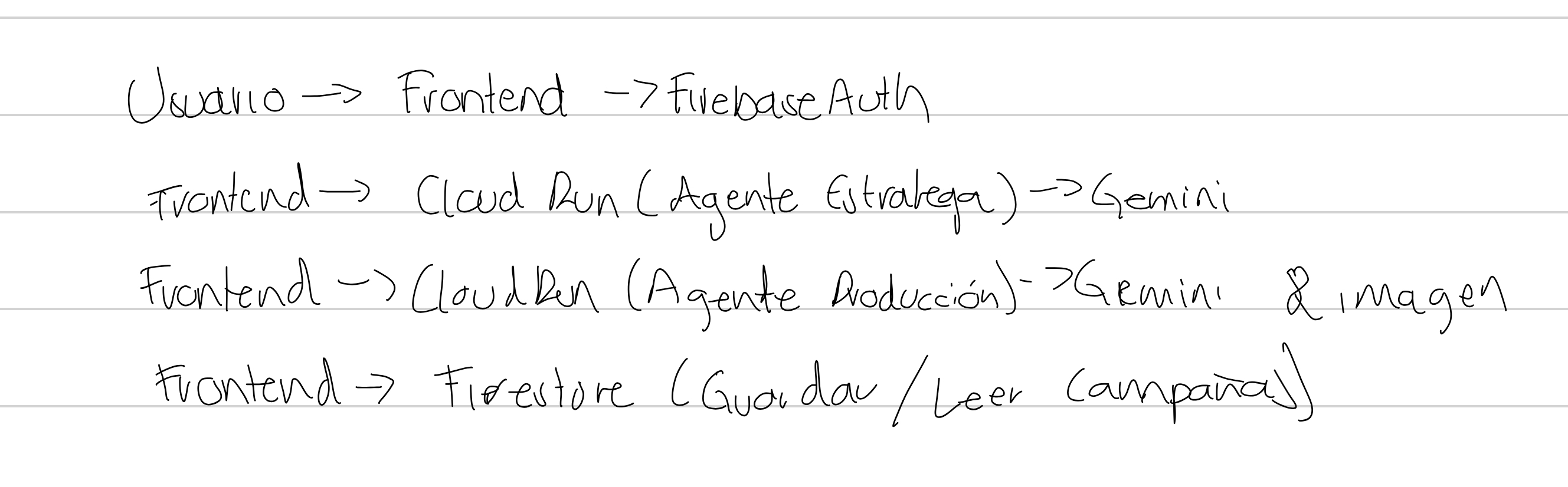
diagram

Inspiration
As a solo creator currently doing my own 30-day content challenge, I live the "blank page paralysis" every single day. I saw the same pain in Facebook groups for small business owners: they have amazing products but are overwhelmed by marketing. Their ads felt generic, and they were stuck.
Existing AI tools only give you pieces—a generic image or text without strategy. They don't solve the real problem. I was inspired to build Arc AI not as another "generator," but as an AI Creative Director that solves the strategy problem first.
What it does
Arc AI is an end-to-end web application that guides a user from a simple product idea to a set of professional, ready-to-use, and fully editable ad previews in under 60 seconds.
It's not just a tool; it's a guided workflow:
Strategy First: The user describes their product, and Arc AI's "Strategy Agent" generates three unique, text-based campaign angles.
Guided Production: The user chooses their favorite strategy.
Full Campaign Kit: The "Production Agent" then builds a complete, cohesive campaign kit based on that strategy, including target audience, key messages, and visual concepts.
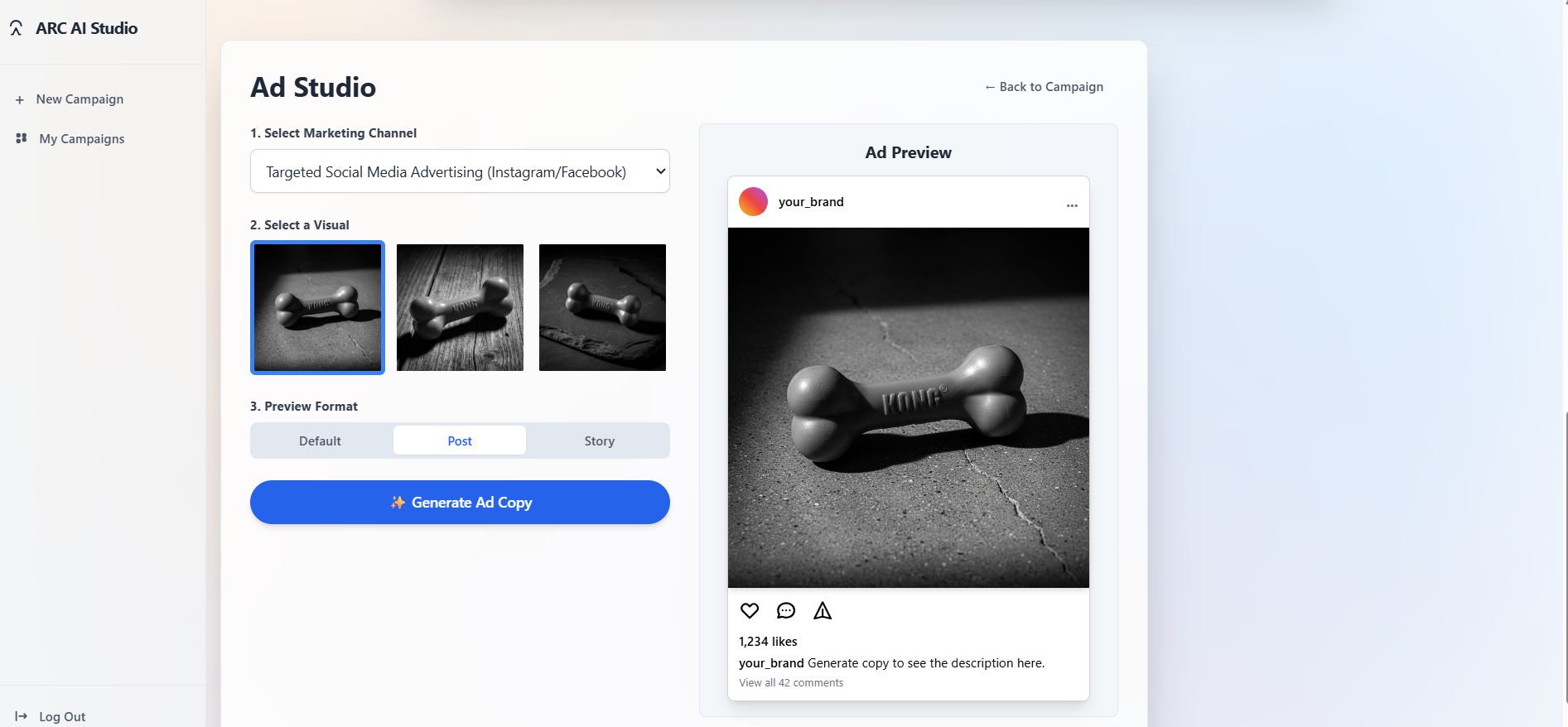
Interactive Ad Studio: Finally, Arc AI assembles these assets into three professional ad previews (for Post and Story formats). Crucially, the text is overlaid as editable HTML, not "burned" into the image, giving the user 100% error-free copy and total creative control.
How I built it
As a solo developer, I built Arc AI on a robust, serverless Google Cloud architecture.
Frontend: A clean, responsive React (Vite) application.
Backend (The Core): A dual-service Google Cloud Run architecture to power my two-agent system:
An "Strategy Agent" uses the Gemini API to analyze the user's initial prompt and generate the three strategic angles.
A "Production Agent" receives the chosen strategy and uses Gemini (for all text) and the Imagen API (for all visuals) to generate the final, perfectly paired campaign assets.
Database & Authentication: I used Firebase Authentication for a secure user login/registration system. All user data and generated campaigns are saved to and retrieved from Firestore, creating a persistent, multi-user SaaS experience.
AI-Assisted Coding: I used Google AI Studio extensively to "vibe-code" and generate the boilerplate for my React components and Cloud Run services, which allowed me to build this full-stack application solo.
Challenges I ran into
The single biggest challenge was the "text-in-image" problem. My initial prototypes asked the Imagen API to generate "ads," and it consistently returned images with garbled, unusable text. This was a critical failure.
Not finding my RFC and thinking i was done, becasue it was a requirement for googlde cloud run service.
Images getting lost and not getting generated correctly.
I solved this by re-architecting the entire flow. I created a "separation of powers" principle:
I strictly forbid the Imagen API from generating any text, using it only for pristine background visuals.
I tasked the Gemini API with generating all copy.
In the "Ad Studio," I then layered this perfect HTML text over the clean image.
This breakthrough not only fixed the bug but also unlocked the app's best feature: 100% error-free, editable on-screen text.
Accomplishments that I'm proud of
As a solo developer, I'm incredibly proud of designing and building a full-stack, multi-service, serverless application from scratch in just a few weeks. The two-agent "Strategy -> Production" pipeline on Cloud Run is a complex architecture that I was able to successfully implement.
Most of all, I'm proud of the final user experience. It takes an overwhelming, complex process (marketing strategy) and makes it feel simple, fast, and magical. The final "Ad Studio" with its on-screen text editing is a feature I'm very proud of.
What I learned
I learned that the true value of an AI product isn't the generation itself; it's the strategy and workflow you build around it. A user doesn't want a "generator"; they want a "guide" who can deliver a complete solution.
By building an AI "Director" (the Strategy Agent) that guides an AI "Builder" (the Production Agent), I created a far more valuable and useful product. This "separation of layers" (strategy vs. production, image vs. text) is the biggest lesson I learned in building a robust, professional-grade tool instead of just a simple demo.
What's next for ArcAI
The submission for this hackathon is a powerful, complete product. But the vision for Arc AI is even bigger. The next steps are:
Product Anchoring: Allowing users to upload their own product image to be seamlessly and professionally integrated into the generated scenes.
Video Generation: Using Google's Veo to add a "Video" tab to the Ad Studio, generating 5-10 second video ads based on the campaign's strategy.
Direct Publishing: Integrating with the Meta API to allow users to publish their finished, edited ads directly to Instagram and Facebook from within Arc AI.

Log in or sign up for Devpost to join the conversation.