-
-
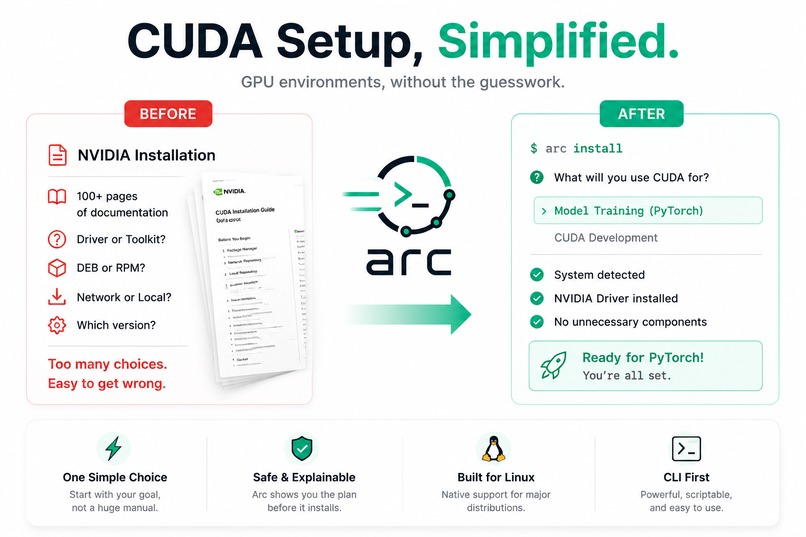
Simplifying CUDA setup with Arc
-
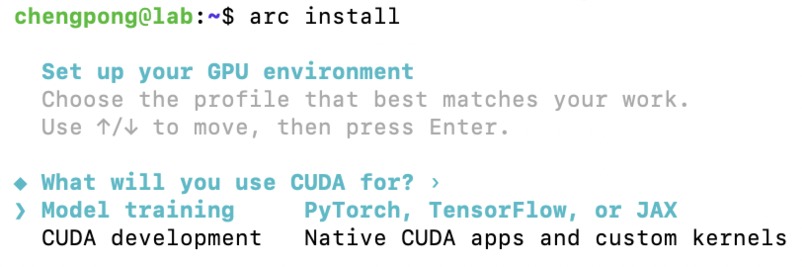
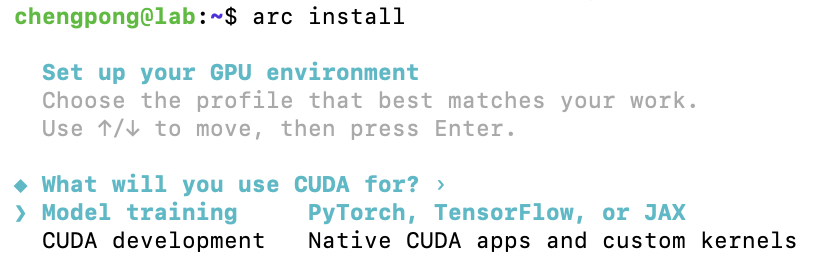
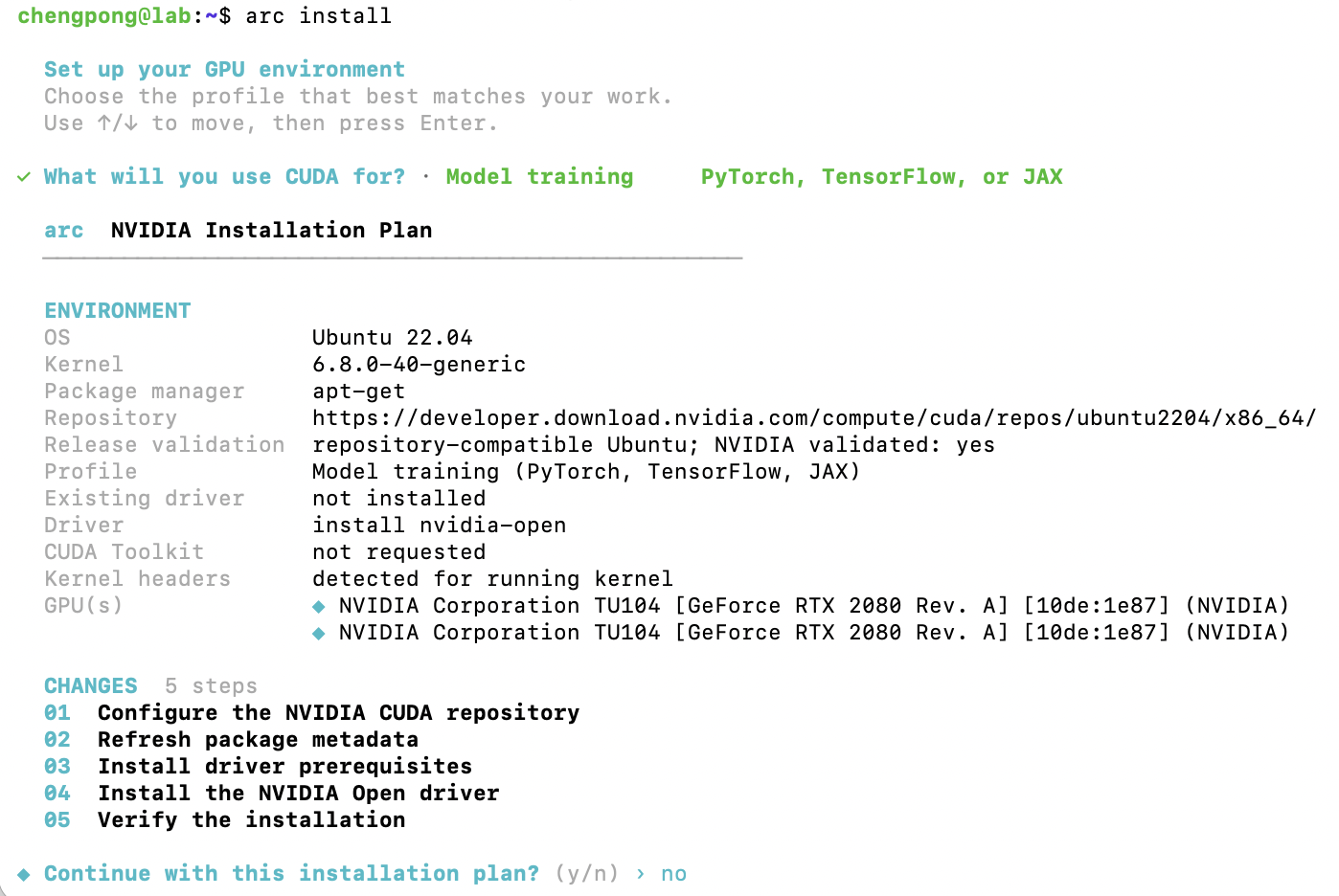
Command: arc install
-
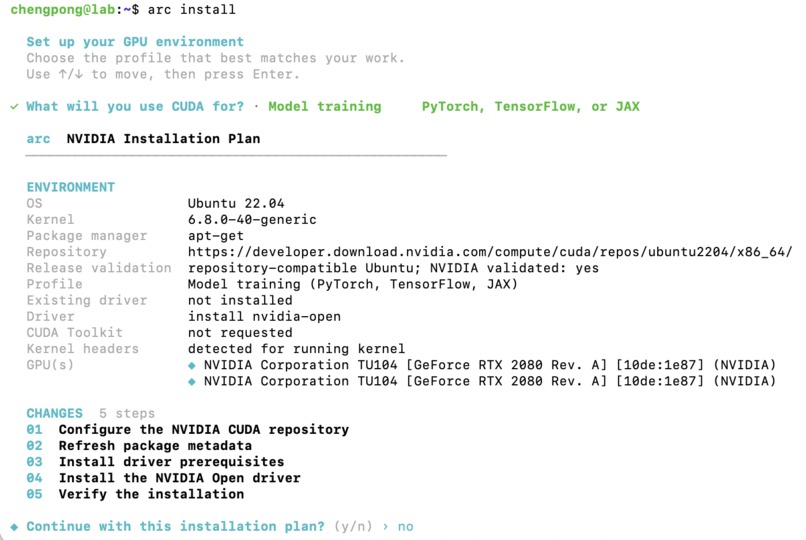
arc install plan
-
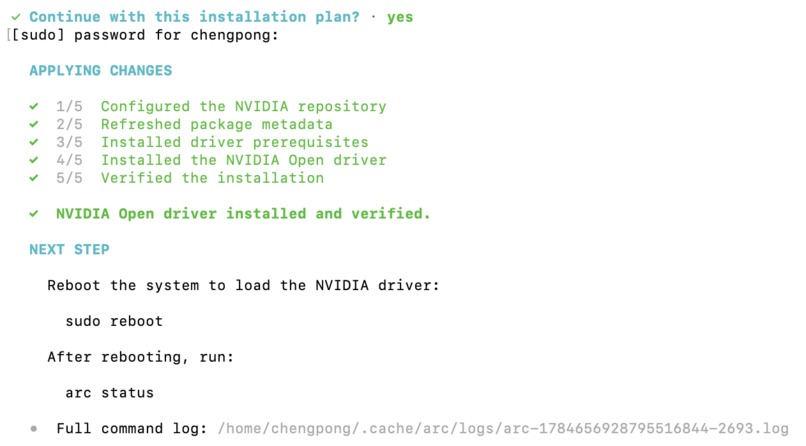
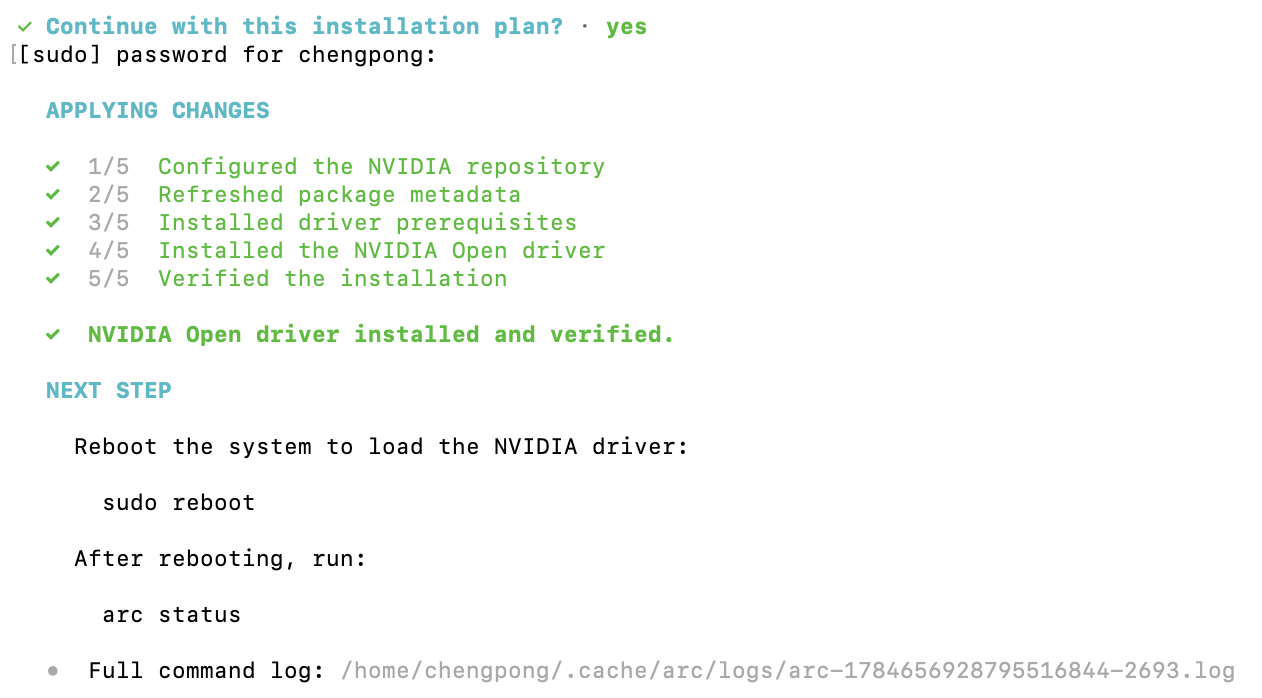
arc install result
-
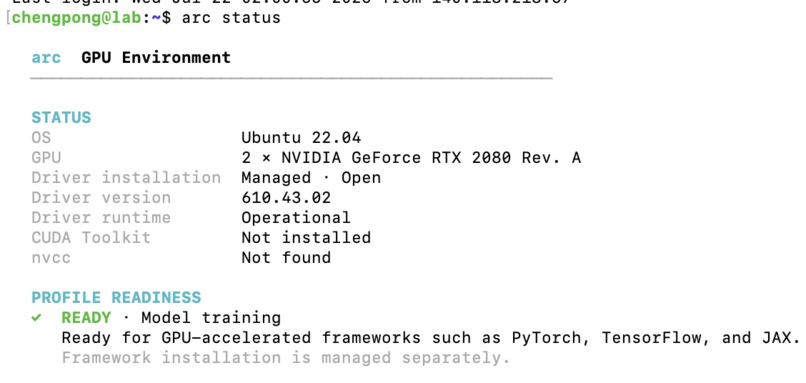
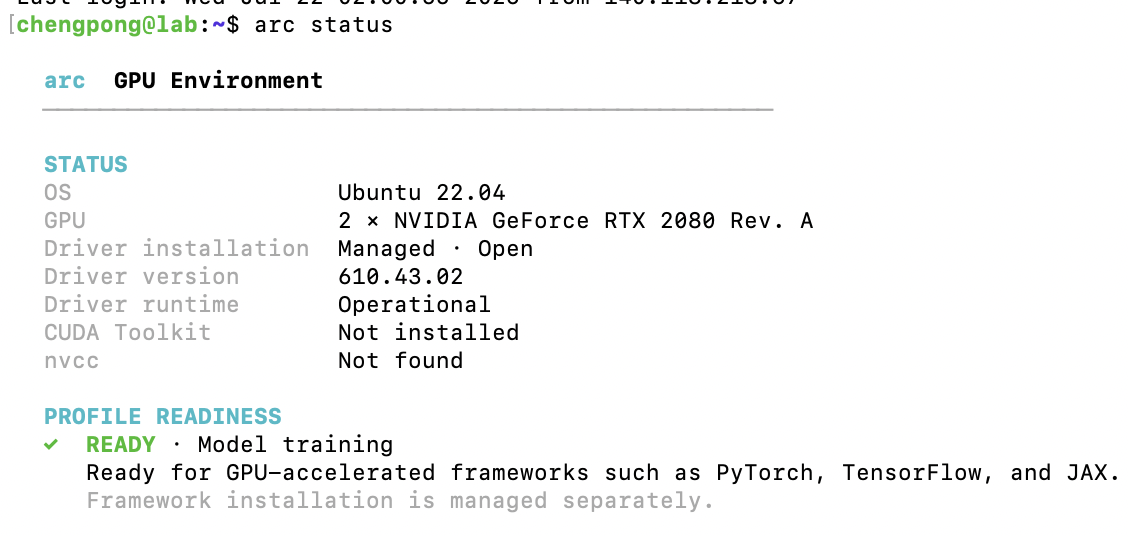
arc status after installing
-
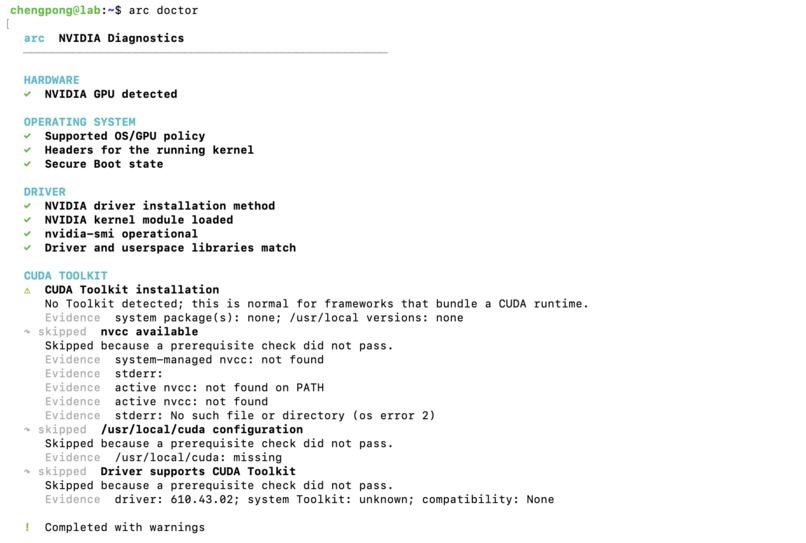
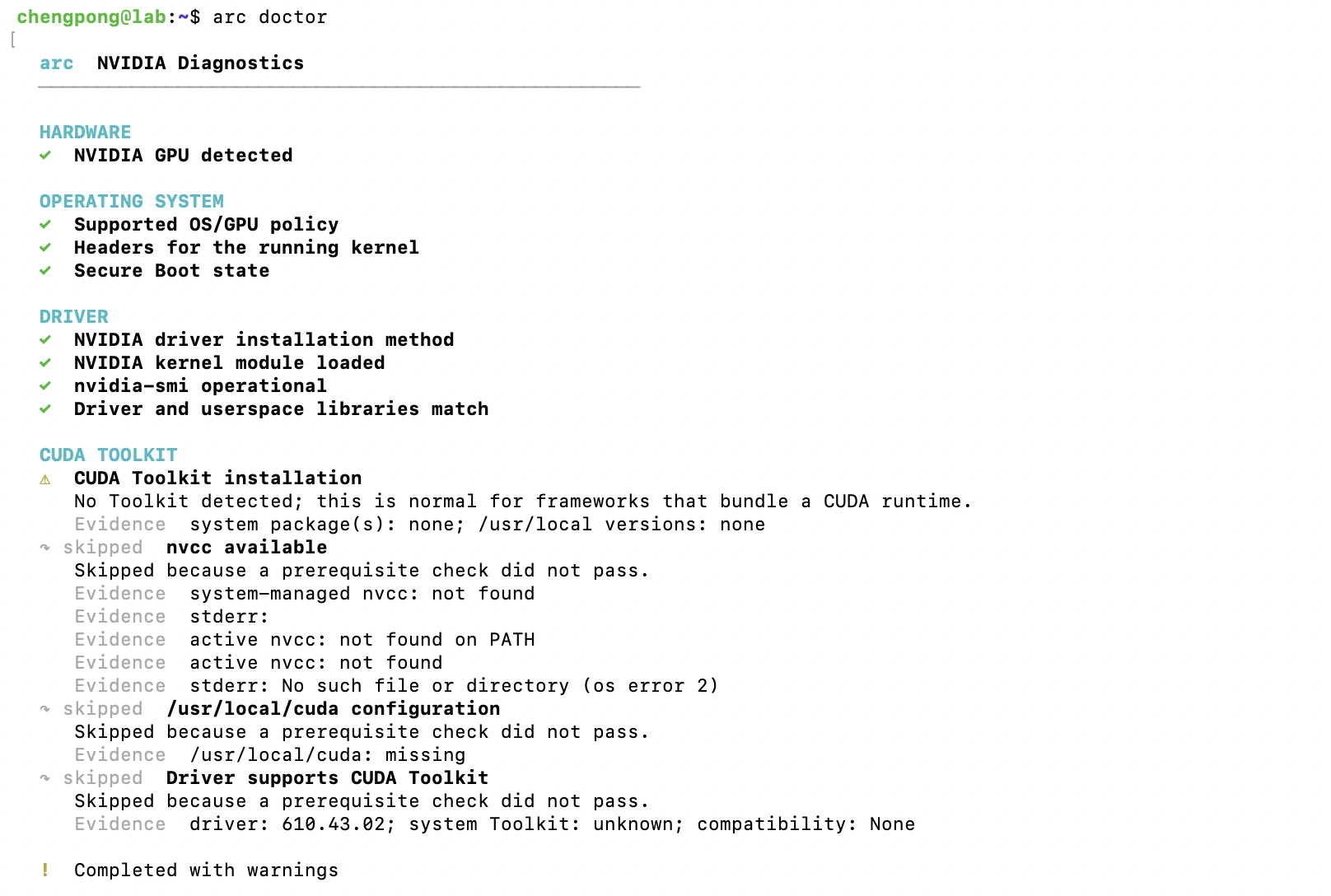
arc doctor with driver installed
Inspiration
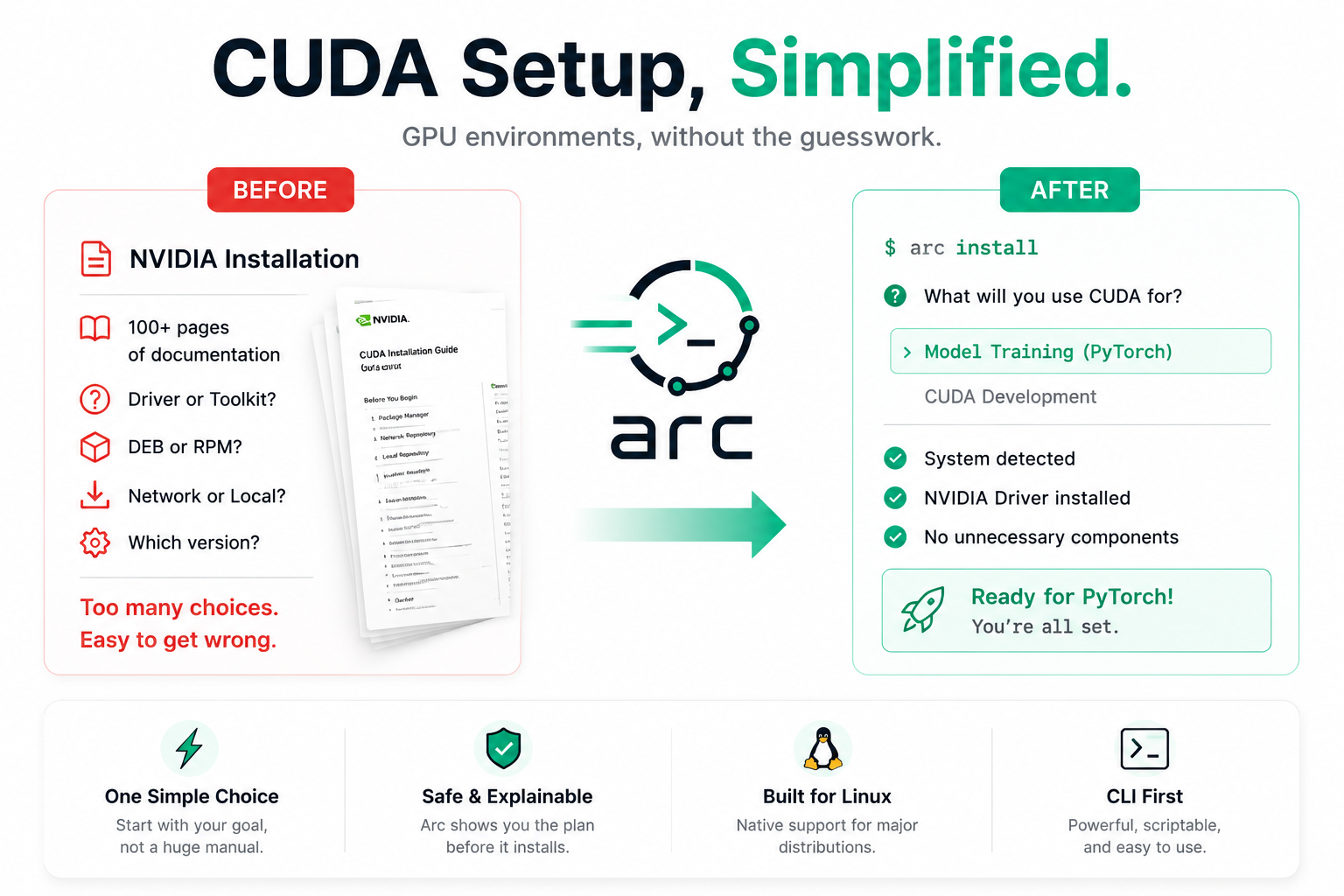
Setting up a CUDA environment used to be one of the most frustrating parts of starting a machine learning project. It should not be that difficult, so we built Arc.
Many users do not clearly understand the difference between the NVIDIA driver, CUDA Toolkit, and CUDA runtime. For example, someone who only wants to train a PyTorch model often needs an NVIDIA driver but not the full system CUDA Toolkit, because frameworks such as PyTorch already include many of the runtime libraries they require.
However, NVIDIA’s Linux installation documentation is extensive, and the correct setup varies across operating systems, package managers, GPU generations, and existing installations. Users must determine which repository to add, which driver package to install, whether their GPU supports open kernel modules, and how to recover when something goes wrong.
We asked a simple question:
What if configuring a GPU environment could be as easy as running one command?
That idea became Arc.
What it does
Arc is a command-line tool that detects the user’s Linux distribution, package manager, NVIDIA GPU, installed driver, and CUDA environment.
Based on the detected system and the user’s intended workload, Arc generates an appropriate installation plan. Machine learning users can choose a lightweight setup for frameworks such as PyTorch, TensorFlow, or JAX, while CUDA developers can install the full Toolkit and compiler.
Arc provides five main commands:
arc installdetects the environment and installs the required components.arc statussummarizes the GPU, driver, CUDA Toolkit, and system state.arc doctoridentifies common configuration problems and explains how to fix them.arc upgradeupdates supported NVIDIA drivers and CUDA packages.arc uninstallsafely removes installed GPU components.
Before modifying the system, Arc shows what it detected and exactly what it plans to do. It also identifies risky situations such as broken driver packages, unmanaged NVIDIA runfile installations, missing kernel headers, Secure Boot problems, and unsupported configurations.
How we built it
We built Arc in Rust as a native Linux command-line application.
The system is divided into hardware and operating-system detection, NVIDIA compatibility policies, installation planning, command execution, and terminal UI.
Arc collects information about the machine, including its Linux distribution, package manager, GPU model, kernel modules, installed NVIDIA packages, driver health, CUDA Toolkit, kernel headers, and Secure Boot configuration. It then applies compatibility policies derived from NVIDIA’s official documentation to select the appropriate repository, driver type, Toolkit version, and package commands.
We used GPT-5.6 and Codex throughout development as engineering and research collaborators. GPT-5.6 helped us analyze NVIDIA documentation, distinguish machine learning and CUDA development requirements, reason about GPU and driver compatibility, and identify failure cases. Codex helped design and refactor the Rust architecture, implement detection and planning workflows, create tests, review edge cases, and improve the CLI experience.
We reviewed the generated suggestions, validated important decisions against official NVIDIA documentation, and tested Arc on real Linux systems. Arc does not use an AI model at runtime; all detection, planning, and execution happen locally.
Challenges we ran into
The biggest challenge was that NVIDIA software installation differs across Linux environments.
Ubuntu and Debian use APT, while Fedora, RHEL, Rocky Linux, and AlmaLinux use RPM-based package managers. Each distribution may require different repository URLs, package names, commands, and supported versions.
Driver detection was especially difficult. Arc must distinguish between a missing driver, a healthy package-managed installation, a broken installation, and an unmanaged driver installed through NVIDIA’s .run installer. Installing new packages without understanding the existing state could create conflicts or leave the system unusable.
GPU compatibility added another challenge. Newer GPUs can use NVIDIA’s open kernel modules, while older architectures may require proprietary drivers. Arc therefore cannot safely run the same installation command on every machine.
We also had to separate the requirements of machine learning users from those of CUDA developers so that Arc would not install unnecessary software.
Accomplishments that we're proud of
We are proud that Arc turns a fragmented and confusing setup process into one consistent workflow.
Instead of requiring users to search through NVIDIA documentation and manually choose packages, Arc evaluates the detected system and produces a clear installation plan.
Arc is also more than an installation script. It manages the GPU environment lifecycle through installation, upgrades, diagnostics, status inspection, and uninstallation.
We are especially proud of its safety-focused design. Arc explains what it detected, displays every planned operation, and refuses to modify the system when the environment is unsafe, ambiguous, or unsupported.
Its architecture also makes it possible to add support for new Linux distributions and GPU platforms without rewriting the entire application.
What we learned
We learned that GPU environment management is not mainly about running installation commands. The difficult part is accurately understanding the current system state and choosing the correct action.
We also learned that automation should simplify complexity without hiding it. Users should still be able to see what the tool detected, what it plans to change, and why.
Most importantly, machine learning users and CUDA developers often need different environments. Designing around the user’s actual workload allowed us to create a simpler and more focused experience.
Building Arc also showed us how effectively AI-assisted development can support architecture design, technical research, edge-case discovery, implementation, and review when paired with careful human validation.
What's next for Arc
Our long-term goal is to turn Arc into a universal accelerator environment manager.
We plan to expand Linux support, strengthen automated testing, and add better rollback and recovery mechanisms. Beyond NVIDIA, we want Arc to support AMD ROCm and Intel GPU software stacks through the same interface.
Ultimately, we want GPU setup to feel like installing any modern developer tool:
arc install
One command, one clear plan, and a GPU environment that works.


