-
-
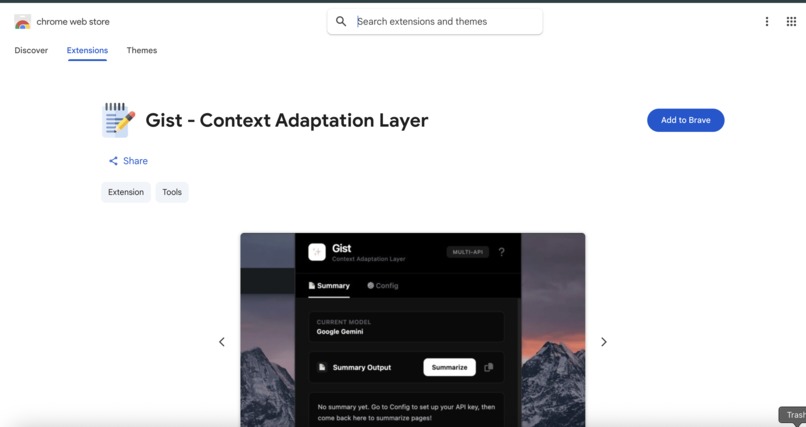
Published & Approved! Gist successfully passed Chrome Web Store review and is now live for users worldwide.
-
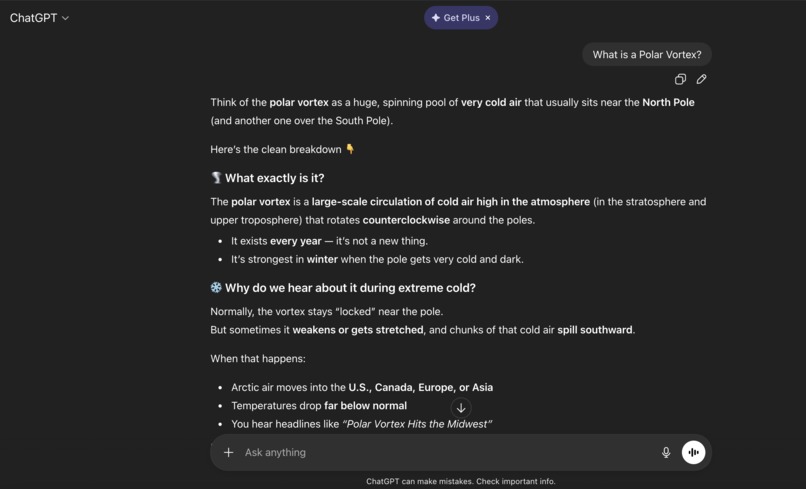
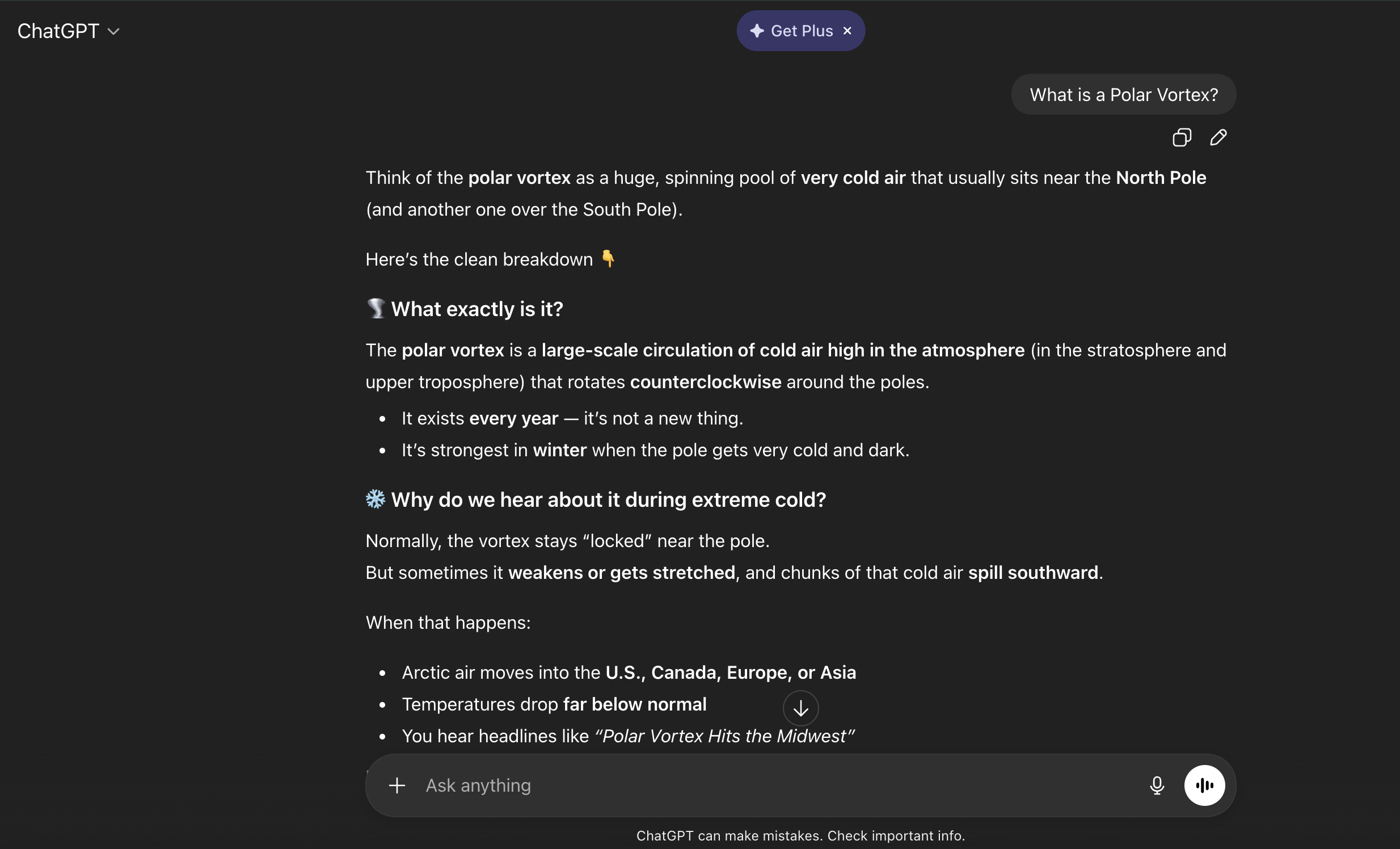
ChatGPT page which contains a conversation about a Polar Vortex.
-
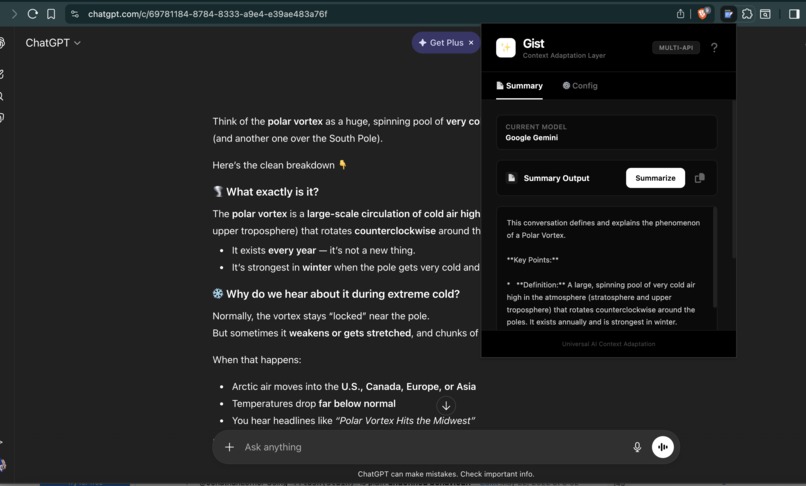
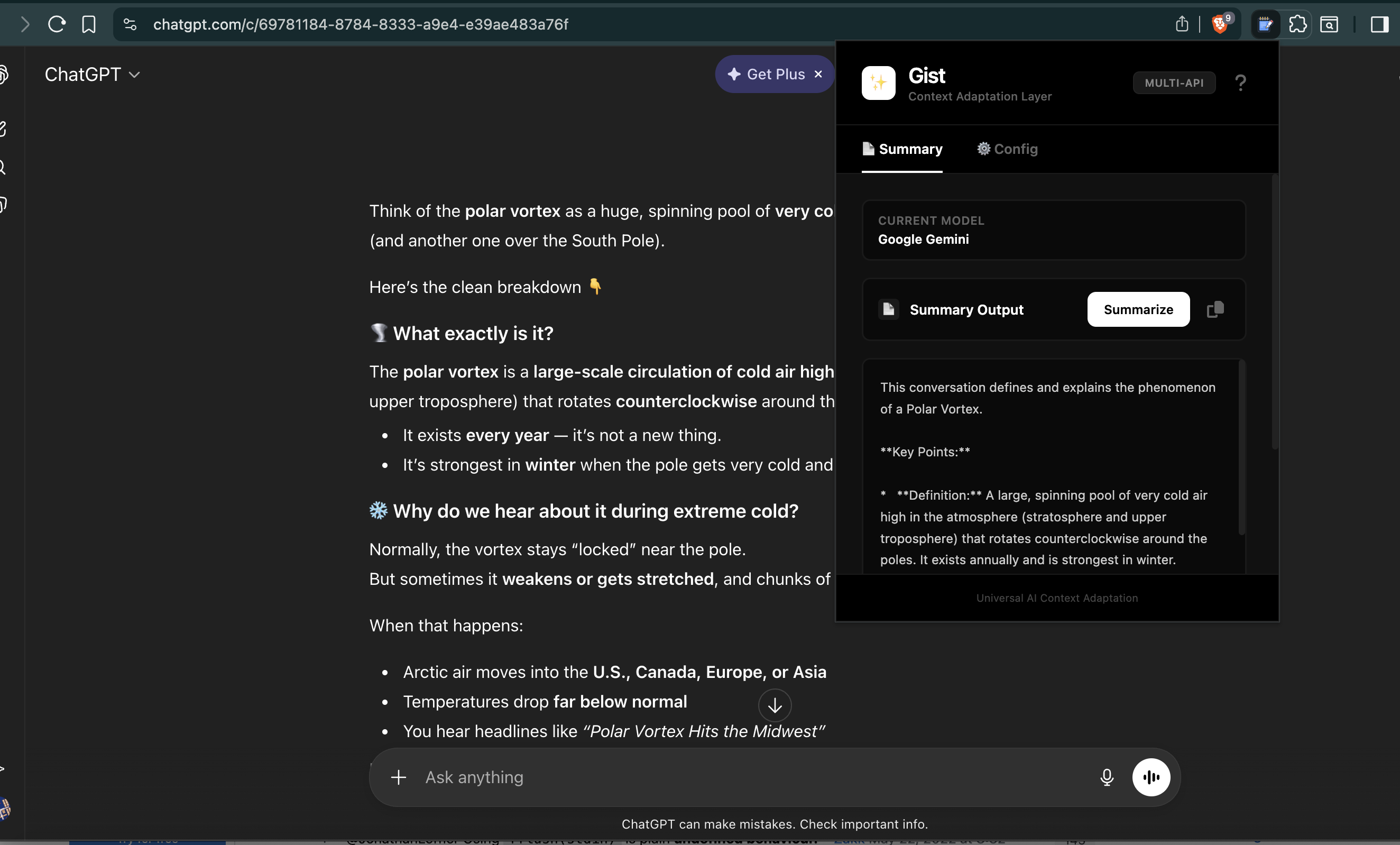
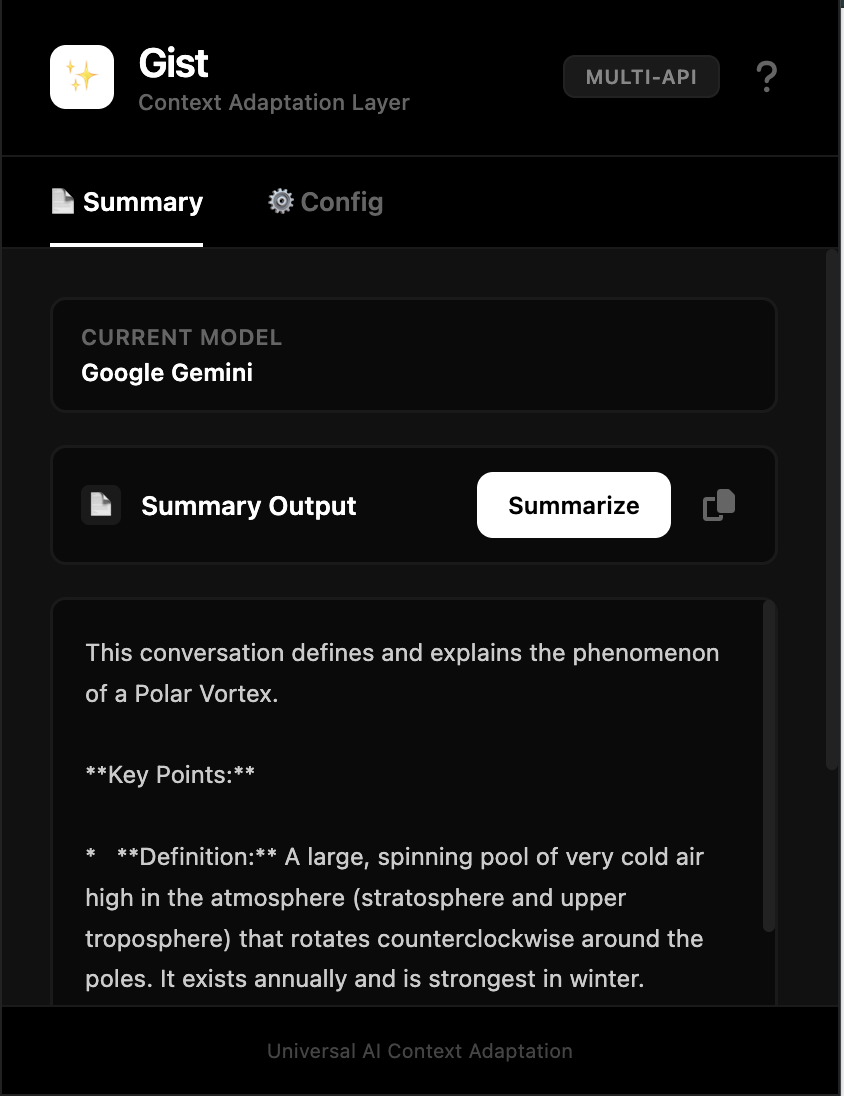
Gist extension summarizing the conversation.
-
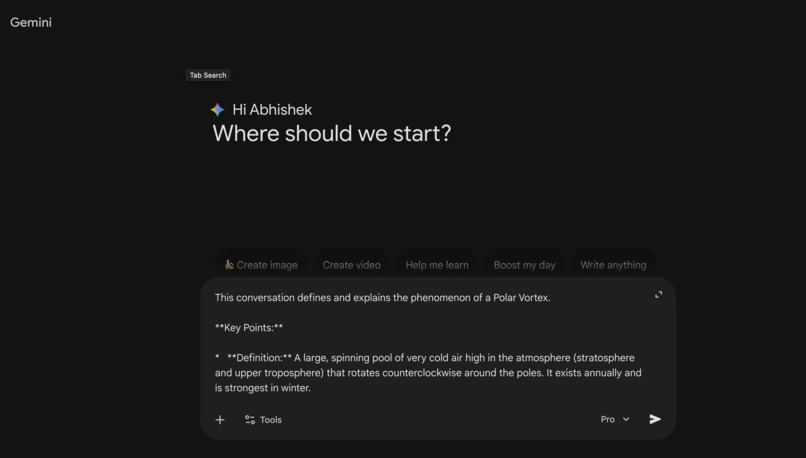
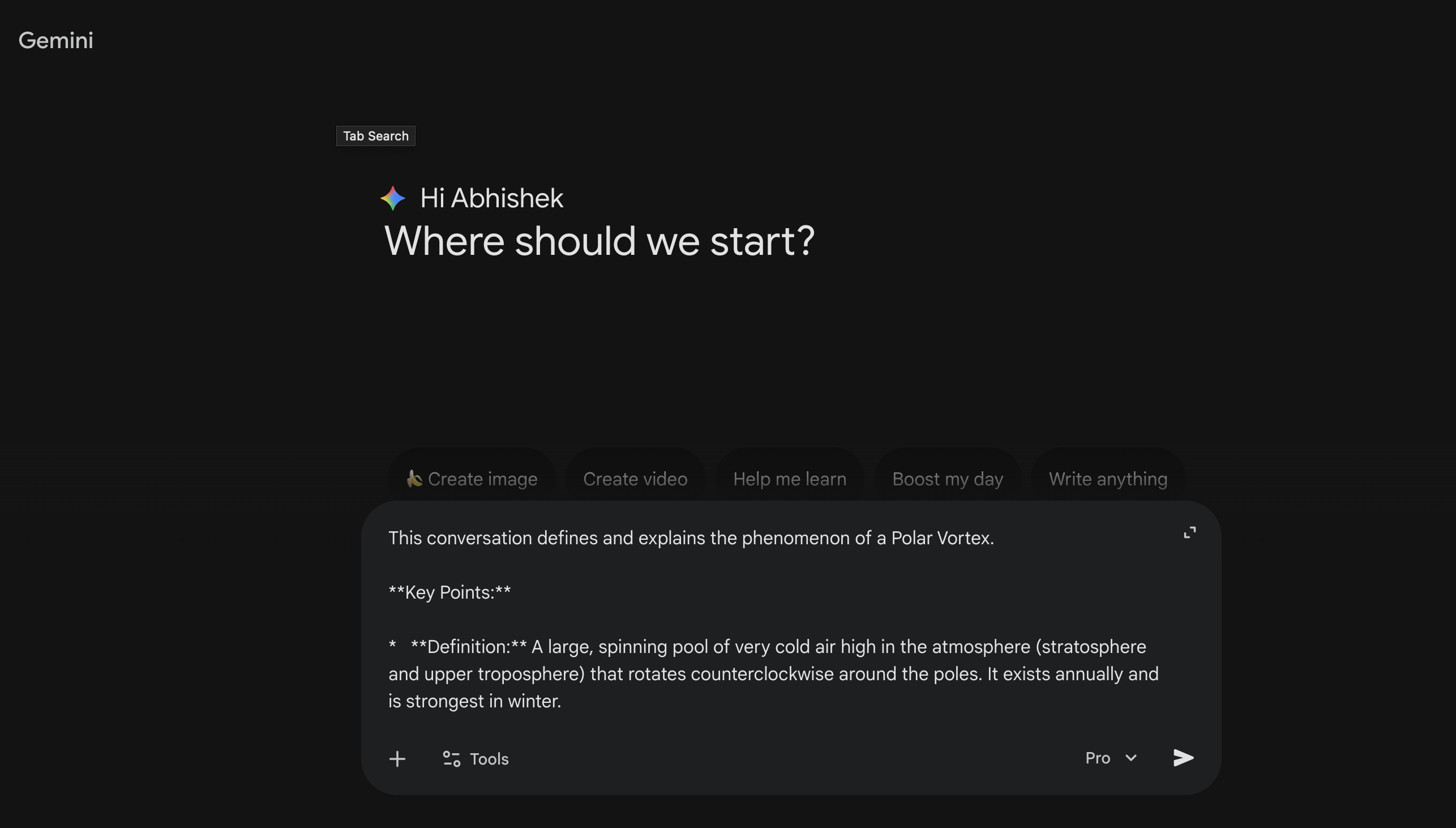
User pasting the recently created summary to continue their conversation in another LLM like Gemini due to free-tier limitation in ChatGPT
-
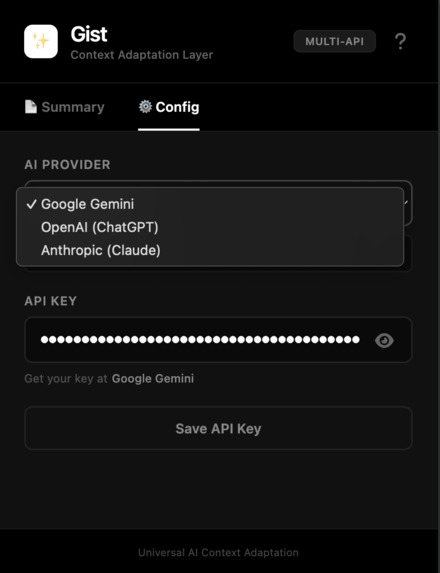
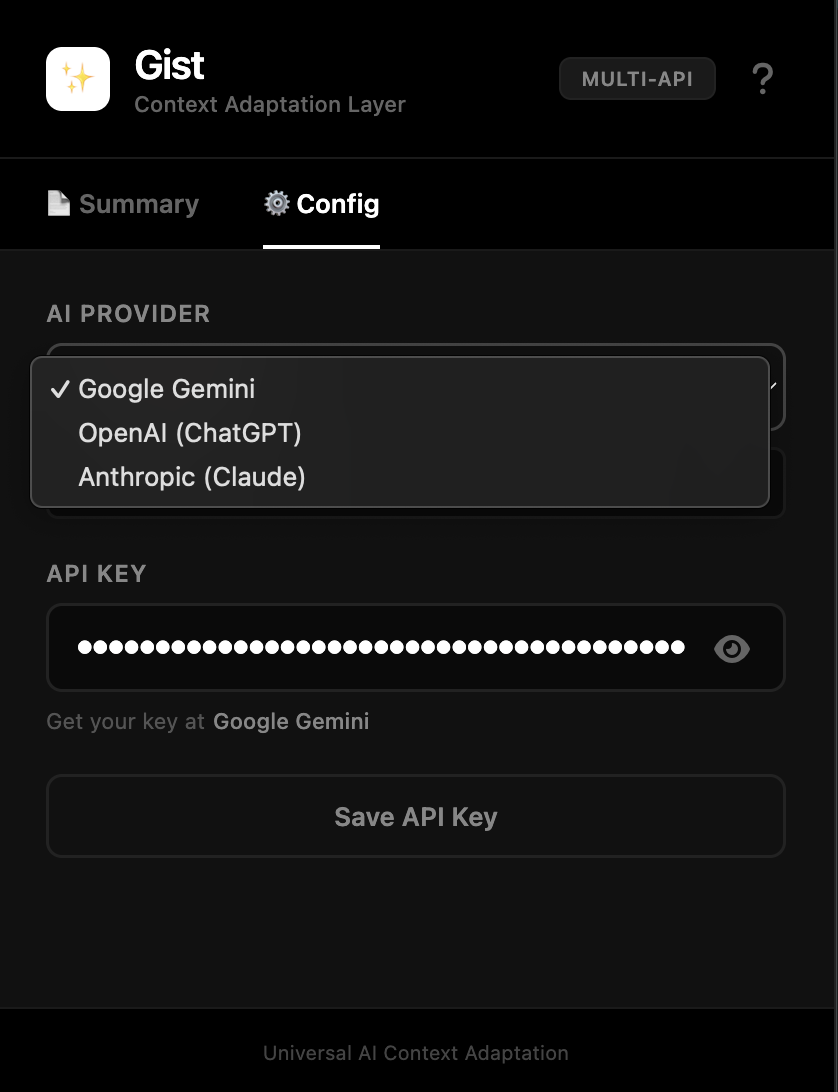
Gist extension's configuration page with Multi-LLM option
-
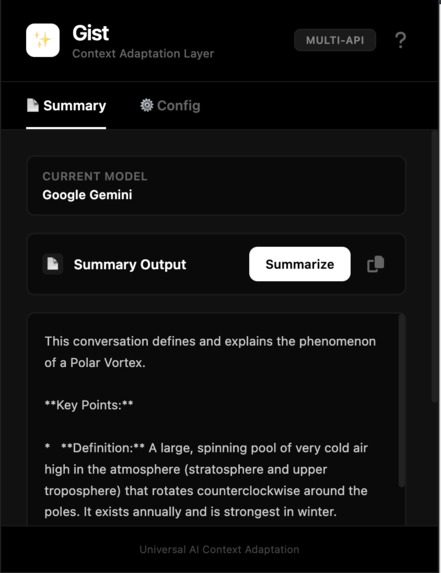
Summary Tab of the extension with clear buttons for users and summary output.
-
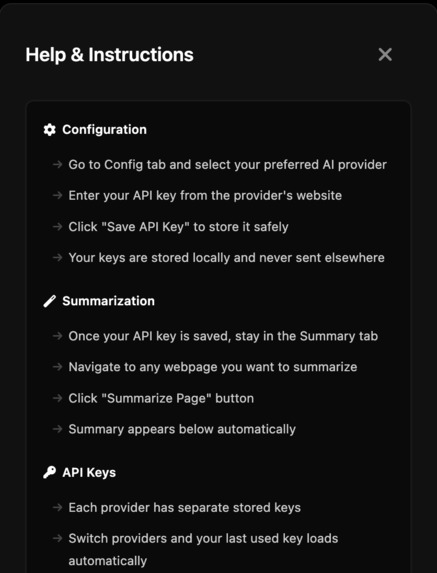
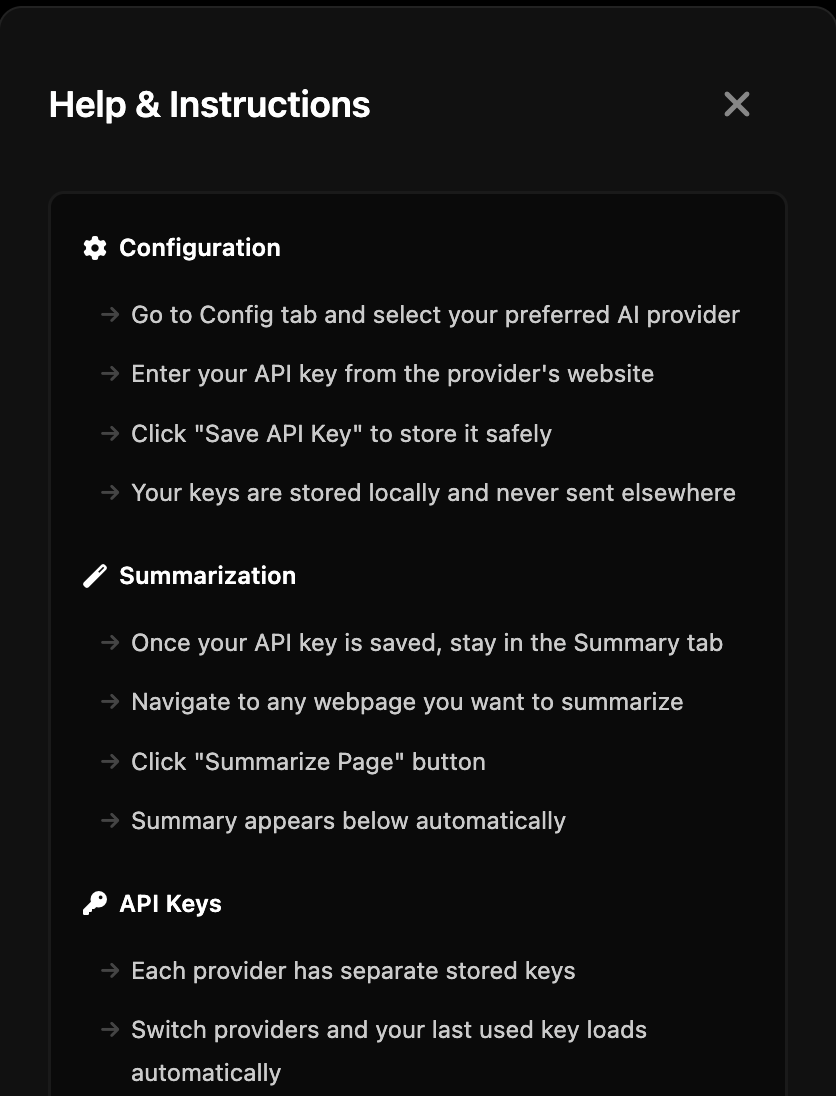
Help section for users located with a "?" symbol on top right. The section provides details on what the extension is and how to use it.
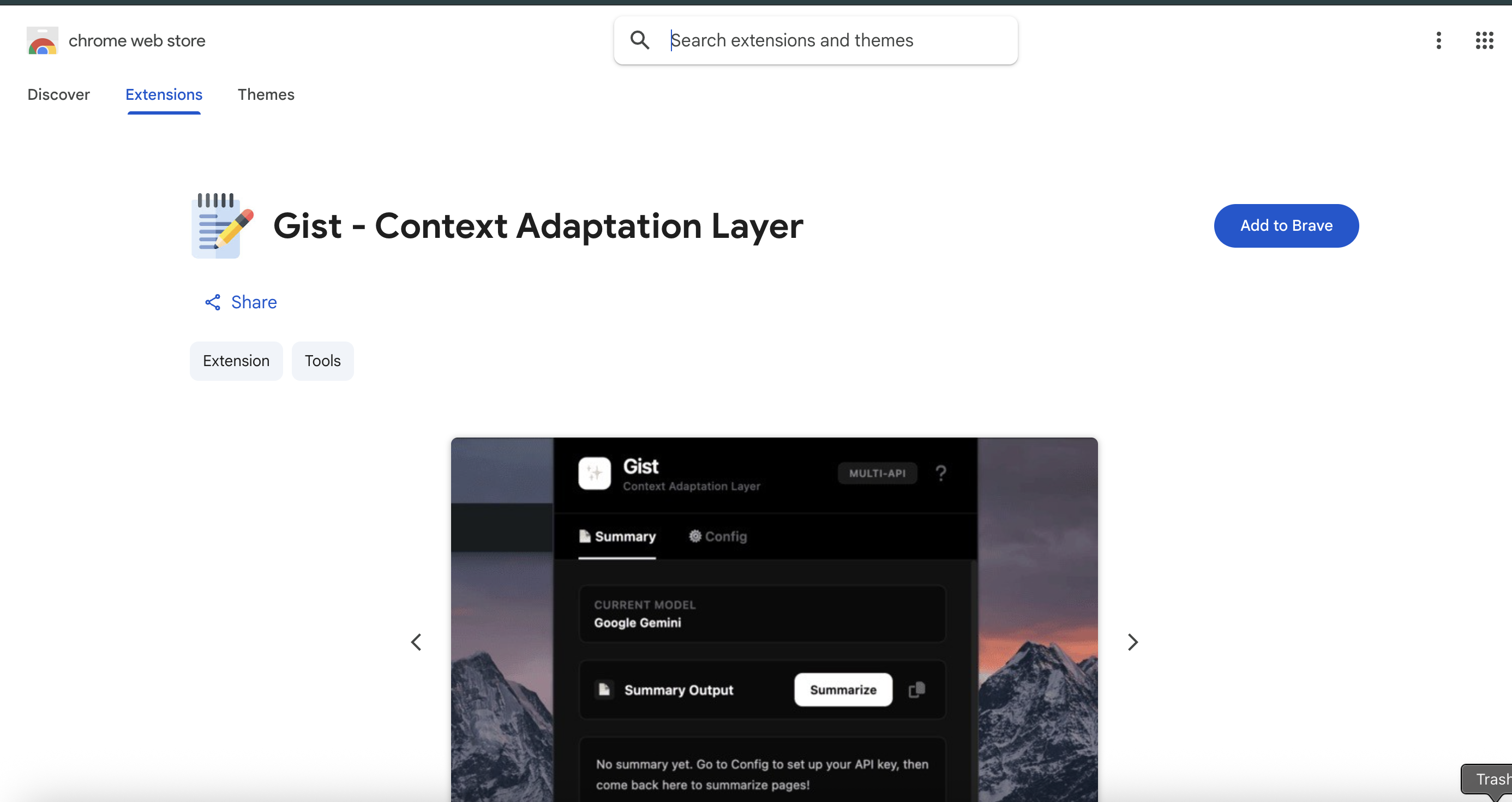
Gist: A Context Adaptation Layer for Learning and Productivity
Chrome Web Store Certified: Passed Google's security review and quality standards. Now live in production with Gemini 2.5 Flash integration.
Inspiration
As students and developers, we constantly find ourselves drowning in information—research papers, documentation, articles, tutorials, and chat transcripts scattered across the web. Every time we need to synthesize multiple sources into something useful, we manually copy-paste content into an LLM, wait for summaries, and then try to organize and cross-reference the results. The friction is immense: switching between tabs, re-reading content, losing context, struggling to remember which source said what.
We realized the core problem: there's no bridge between the web we browse and the AI models we use. Students need to summarize research papers and analyze them with different LLMs. Engineers need to extract facts from documentation. Researchers need to compare summaries across multiple sources. What if we could click a button, instantly summarize any page with any LLM, and build a cohesive knowledge base from it all?
That's what inspired Gist—a context adaptation layer that turns fragmented web content into organized, actionable intelligence.
What It Does
Gist is a browser extension that acts as a personal knowledge bridge. At its core, it allows users to:
One-Click Summarization: Select any LLM provider (Google Gemini, OpenAI Claude, Anthropic) and instantly summarize any webpage with a single click.
Multi-LLM Flexibility: Switch between different AI models on-the-fly without re-entering API keys. Your API credentials are stored securely in your browser, and Gist remembers which key you used with each provider—switching providers auto-loads your last used key.
Smart Copy-to-Clipboard: Summaries are automatically copied so you can paste them directly into notebooks, documents, or other tools.
Visual Privacy & Transparency: Show/hide your API key with an eye icon, just like password fields, so you can safely manage sensitive credentials.
Beyond the immediate summarization workflow, Gist is designed as the frontend to a larger vision: a unified notebook and dashboard system where users can:
- Create organized notebooks and projects
- Store summaries, facts, and cross-references from multiple sources
- Tag and search through their accumulated knowledge
- Compare how different LLMs analyze the same content
- Build a personal knowledge graph across their research and learning
How We Built It
The Extension (Current MVP)
Gist is a Manifest V3 Chrome Extension built with vanilla JavaScript, HTML, and CSS—no backend required for the core functionality:
Content Extraction: When the user clicks "Summarize Page," the extension extracts main content from the active tab using intelligent DOM selectors that work across different page layouts.
Multi-LLM Routing: The extension supports three major LLM providers:
- Google Gemini: Fast, multimodal, free tier (60 req/min)
- OpenAI (GPT-4, GPT-4o-mini): For high-quality, nuanced analysis
- Anthropic Claude: For long-form reasoning and detailed synthesis
Smart API Key Management:
- Keys are stored locally in browser storage (never sent anywhere except to their official APIs)
- Each provider maintains its own saved key
- Switching providers auto-loads the last used key for that provider
- Eye icon toggle for secure viewing
Tabbed UI Design:
- Summary Tab (default): Shows summaries, copy button, and summarize button—designed for users to stay here and summarize multiple pages without friction
- Config Tab: API key management, provider selection, and secure storage
- Clean, minimal tab indicators that don't distract from the core workflow
Local-First Architecture: Everything runs on the client. No server, no data leaving the browser except API calls to official LLM endpoints. Perfect for privacy-conscious users.
The Future Vision: Dashboard + Notebook System
While the extension handles single-page summarization today, we envision Gist Notebooks—a companion web application that serves as the knowledge hub:
- Notebook Interface: Users create projects and add summaries as "cards" or "notes"
- Dashboard: A bird's-eye view of all projects, with statistics (pages summarized, facts extracted, favorite models)
- Cross-Reference Engine: Link summaries, tag them by topic, and automatically suggest related content
- Comparison View: See how Gemini, Claude, and GPT-3, GPT-4 approached the same source differently
- Export & Share: Turn notebooks into research papers, study guides, or shareable knowledge bases
The extension syncs with the notebook backend (optional), pushing summaries to your personal knowledge graph. This positions Gist as both a quick capture tool (browser extension) and a long-term knowledge management system (web app).
Challenges We Faced
1. Provider String Consistency
We built multi-LLM support, but ran into a tricky bug: our HTML used value="anthropic" while our JavaScript checked for "claude". This caused users to see "API key error" even when their key was valid. We learned the hard way to enforce consistent naming conventions across all client code and to add debug logging early.
2. CORS & Browser API Access
Using LLM APIs directly from the browser introduced CORS challenges. Anthropic's API, for example, requires a special header (anthropic-dangerous-direct-browser-access: true) for browser requests. We had to research each provider's browser-safe requirements and handle errors gracefully when users' API keys expired or hit rate limits.
3. Balancing Automation vs. Control
Early iterations auto-injected summaries or had confusing button placements. We realized users need transparency: they want to see what's being summarized, confirm the provider, and easily access their copy. This led to our two-tab design—one for configuration (done once), one for active summarization (used repeatedly).
4. API Key Security & UX
Storing API keys locally is secure but scary for users. We iterated on UX to make it clear:
- Keys are stored only in browser local storage
- The eye icon lets users verify their key before saving
- We validate key formats before accepting them (e.g.,
sk-ant-for Anthropic) - Status messages confirm successful saves
5. Signal vs. Noise in Summarization
Not all web content is worth summarizing. News sidebars, ads, and navigation clutter the context. We solved this by using intelligent DOM selectors that prioritize <main>, <article>, and [role="main"] tags, with fallback to <body>. This removes most noise without needing server-side analysis.
Accomplishments We're Proud Of
Instant Multi-LLM Access: Users can click a button and summarize a page with any provider in seconds. No copy-pasting setup prompts, no juggling API keys manually.
Provider-Agnostic Architecture: We don't rely on special APIs or vendor integrations. Gist works with any LLM that has a public REST API. As new models launch, we just add them to the provider list. This future-proofs the extension.
Clean, Intuitive UX: Our two-tab design separates concerns—configure once, then stay in summarization mode. The tabs have subtle underline indicators that don't distract. The eye icon, copy button, and status messages feel like native browser UI.
Local-First Privacy: Everything runs in your browser. Your API keys, summaries, and browsing context never touch a central server. For students and professionals handling sensitive research, this is a huge win.
Scalable Vision: The extension is the MVP, but it's architected to sync with a larger notebook/dashboard system. Users can start with simple summarization today and graduate to full knowledge management tomorrow without data migration pain.
What We Learned
Learning is Fragmented; Memory Should Be Unified
Students use 10+ different tools—browsers, note apps, LLMs, research databases. Gist addresses a real gap: there's no single place where summaries from multiple sources and multiple models live together. The browser is the perfect entry point because that's where research begins.
Multi-LLM Workflows Are Worth It
We initially thought "just support ChatGPT." But quickly realized: students want Gemini for fast summaries, Claude for detailed analysis, and GPT-4 for critical thinking. Offering that choice—with smart key management—feels powerful and flexible.
UX Matters More Than Features
A perfect summarization algorithm means nothing if users can't easily access it or don't trust where their keys go. We spent more time on the Config/Summary tab layout and the eye icon than on LLM selection logic. That was the right call.
Local-First Builds Trust
When we emphasized "your keys stay in your browser," friction dropped. Users were willing to paste API keys because they could verify the extension's code and know it wasn't sending data anywhere sneaky.
Context is King
The summary quality varies wildly depending on the prompt we send to the LLM. We spent time crafting a prompt that says: "Extract key points, main topics, important decisions, and action items." That simple context set transformed mediocre summaries into actually useful ones.
What's Next for Gist
Short Term (MVP Extensions)
- Batch Summarization: Summarize multiple open tabs or a list of URLs at once
- Highlight & Summarize: Select text on a page and summarize just that section
- Format Options: Export summaries as Markdown, JSON, or plain text
- Conversation History: Store summaries locally and let users compare different models' outputs on the same page
Medium Term (Notebook Dashboard)
- Web App Dashboard: A unified hub for all summaries, organized by project, date, and topic
- Smart Tagging: Auto-tag summaries by topic, source type, and model used
- Search & Filters: Full-text search across all summaries; filter by provider, date range, or tags
- Comparison Interface: Side-by-side view of how different LLMs summarized the same source
- Notebook Creation: Turn a collection of summaries into a polished document or study guide
- Sync Between Extension & Dashboard: Summaries created in the extension automatically appear in your dashboard
Long Term (Full Knowledge Graph)
- Personal Knowledge API: Let users plug Gist summaries into other apps (Obsidian, Notion, Roam, etc.)
- Cross-Reference Suggestions: "You mentioned this topic in 3 other summaries—click to see all"
- Learning Analytics: Track what you've learned, what models helped most, which sources were most valuable
- Collaboration: Share project memories with study groups or research teams
- AI Tutor Integration: Use your knowledge graph to power personalized tutoring or quiz generation
Vision
Gist transforms how students and professionals interact with information. Today's tool lets you quickly capture summaries from the web. Tomorrow's system lets you build a unified knowledge base across every LLM, every research source, and every learning goal—all organized, searchable, and shareable.
We're starting with the extension because that's where the pain is: context switching between browsers and AI models. But the real vision is a personal memory and reasoning engine—where Gist doesn't just summarize web pages, it helps you think better by always giving you the right context at the right time, across all your tools and models.
In a world where AI is fragmenting into specialized tools (Gemini for this, Claude for that, ChatGPT for something else), Gist is the connective tissue that keeps your knowledge unified and accessible.
Built With
- chrome-devtools
- css
- gemini
- html
- javascript

Log in or sign up for Devpost to join the conversation.