-
-
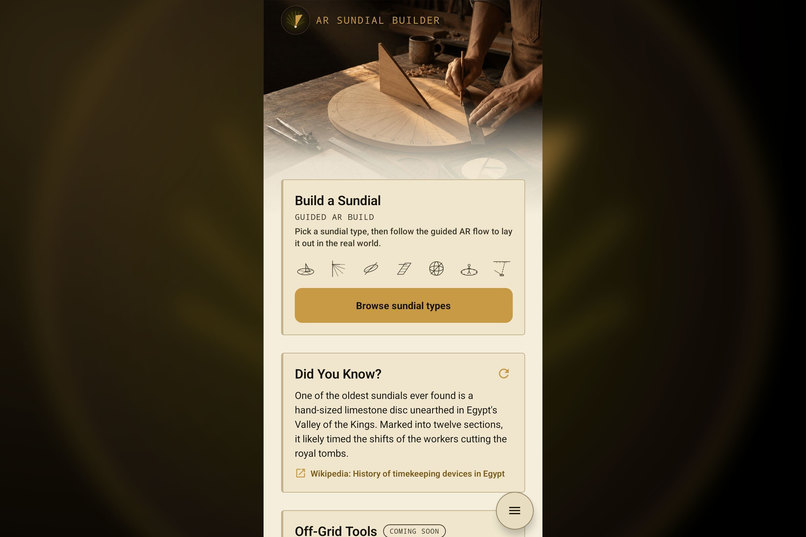
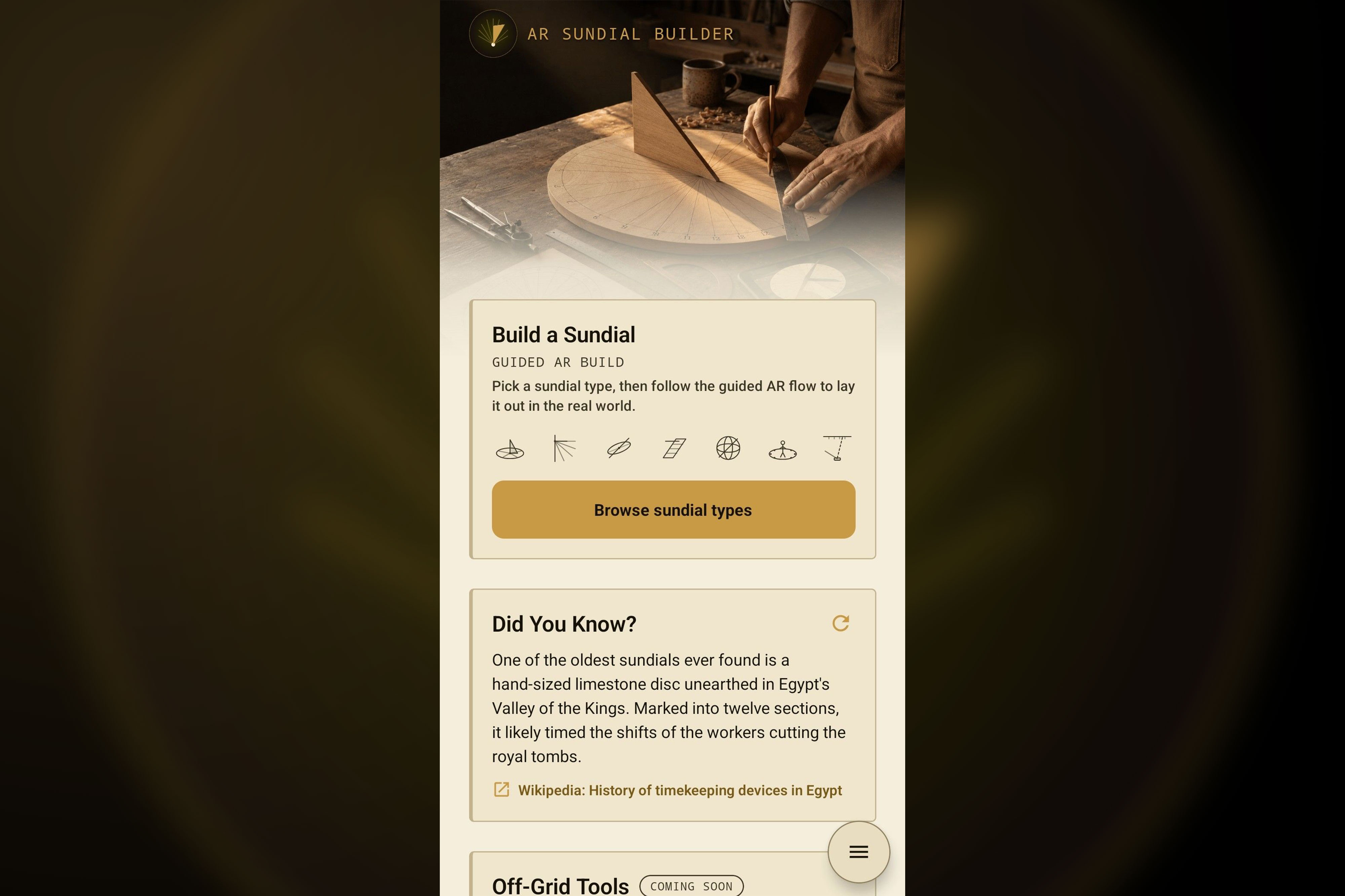
Your home base. Start a guided AR build, browse dial types, and learn a new sundial fact each day.
-
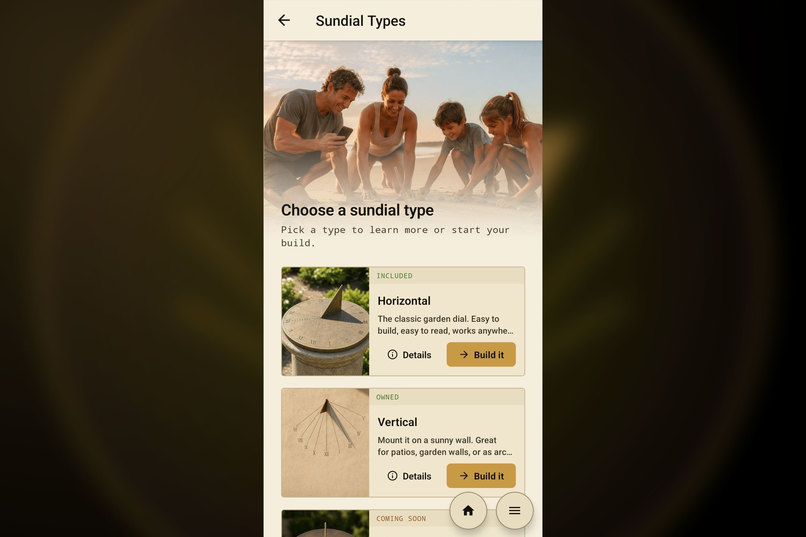
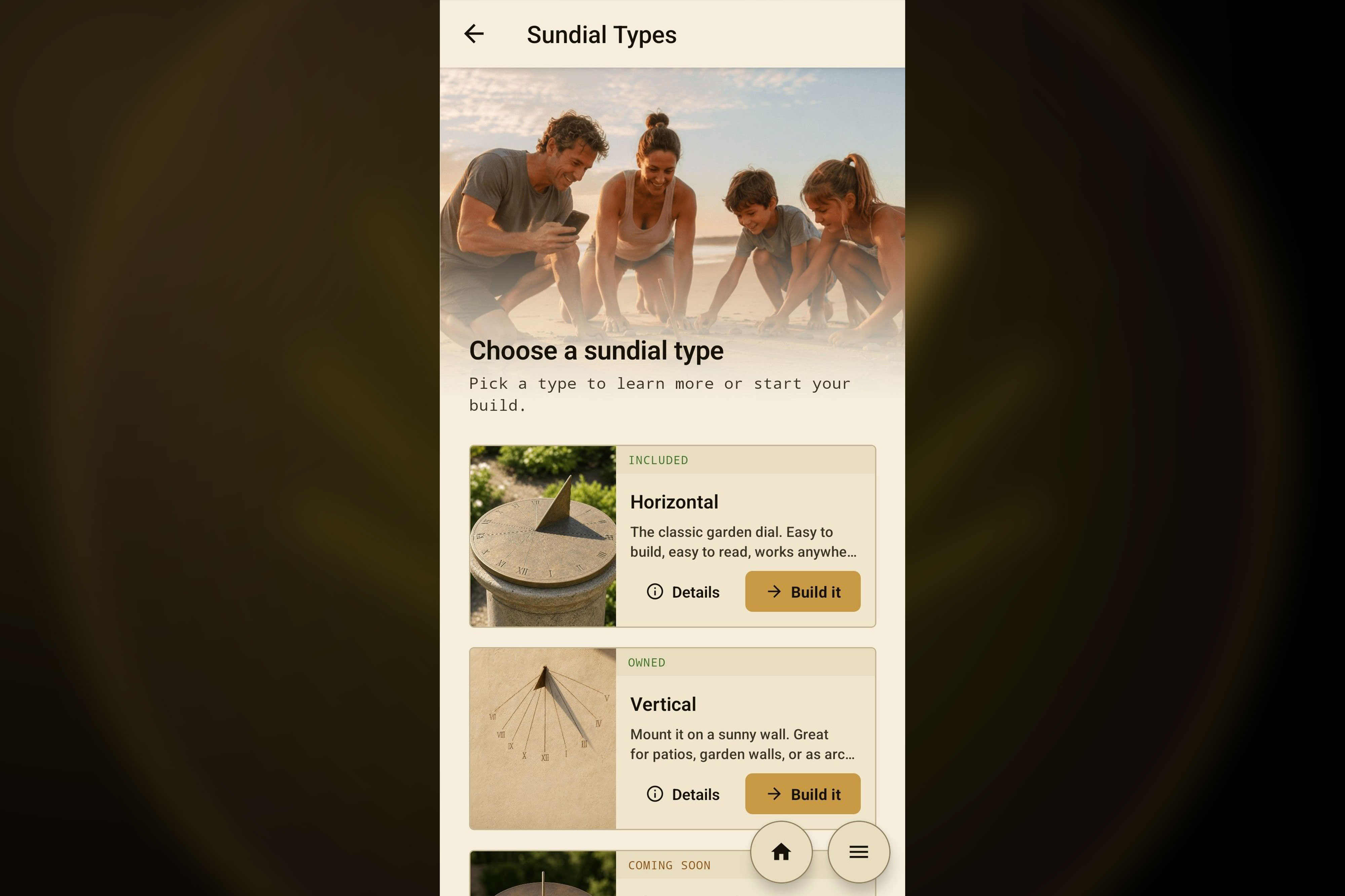
Browse seven classical dial types, from the classic garden horizontal to wall mounted vertical dials.
-
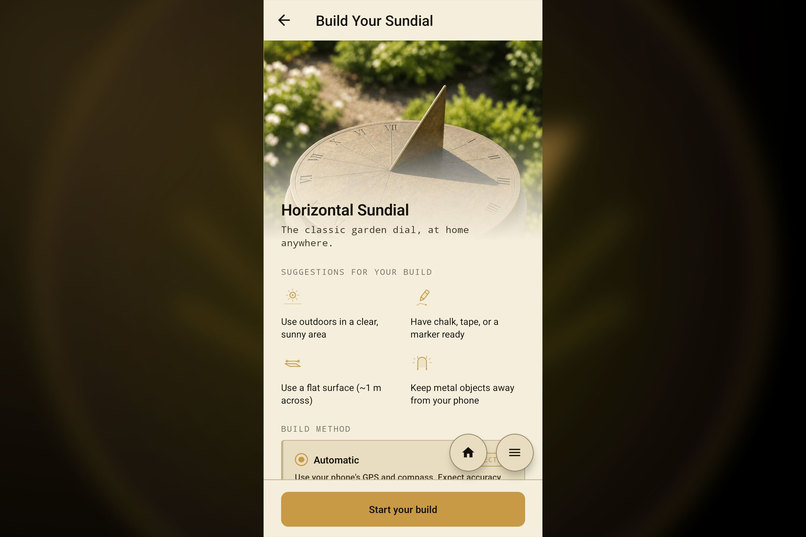
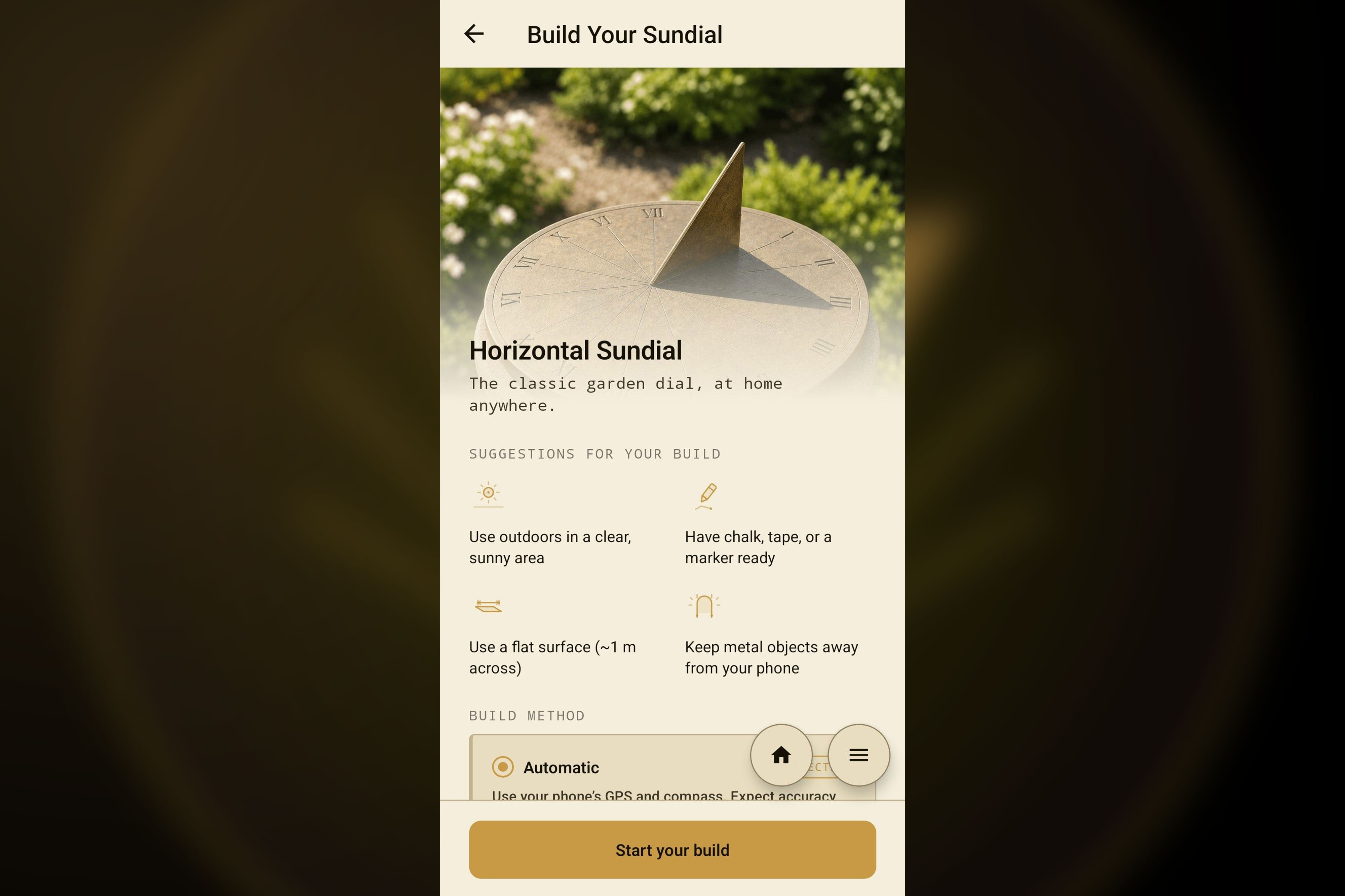
Learn about each dial with quick build tips and setup suggestions before you start.
-
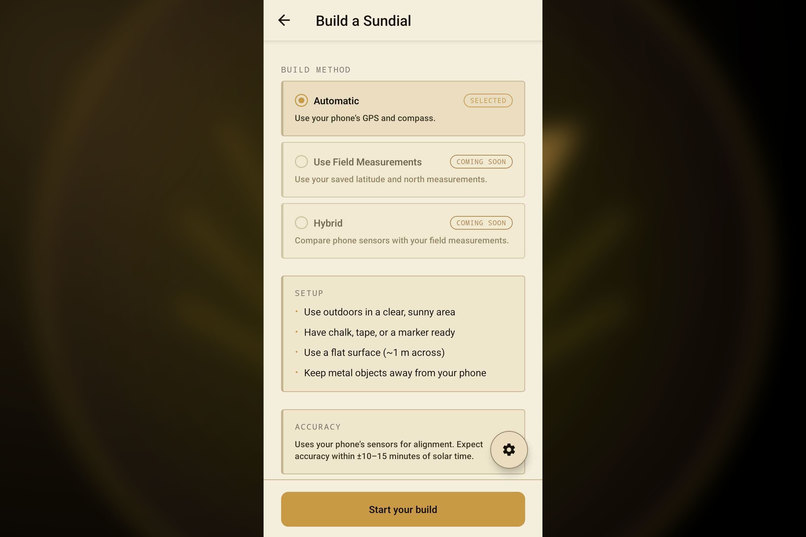
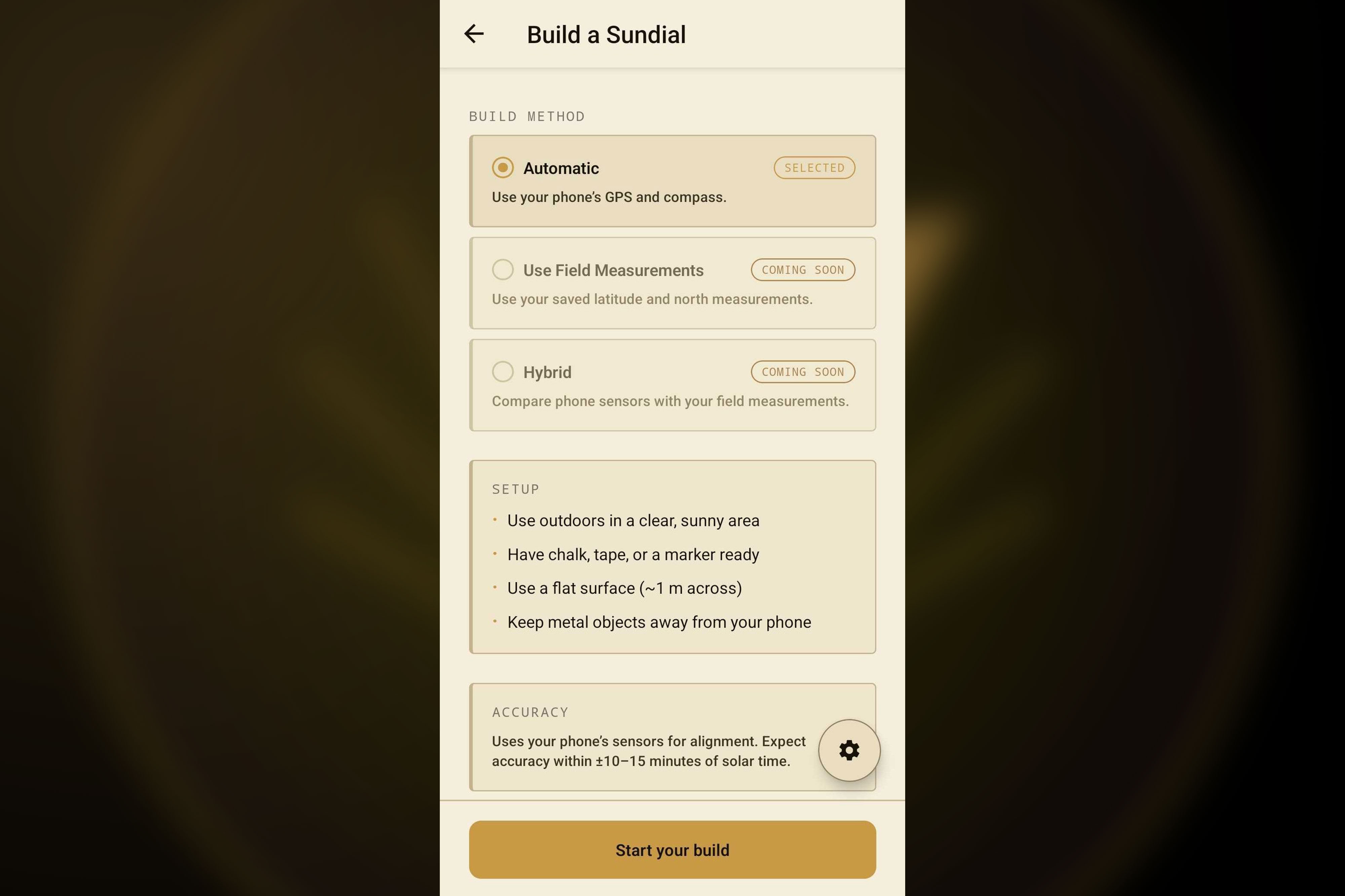
Pick how to build. Automatic mode uses your phone's GPS and compass to align the dial for you.
-
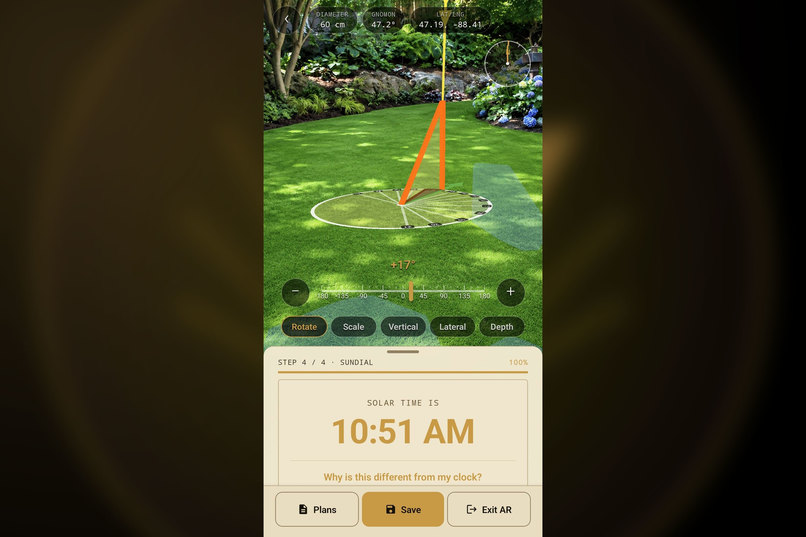
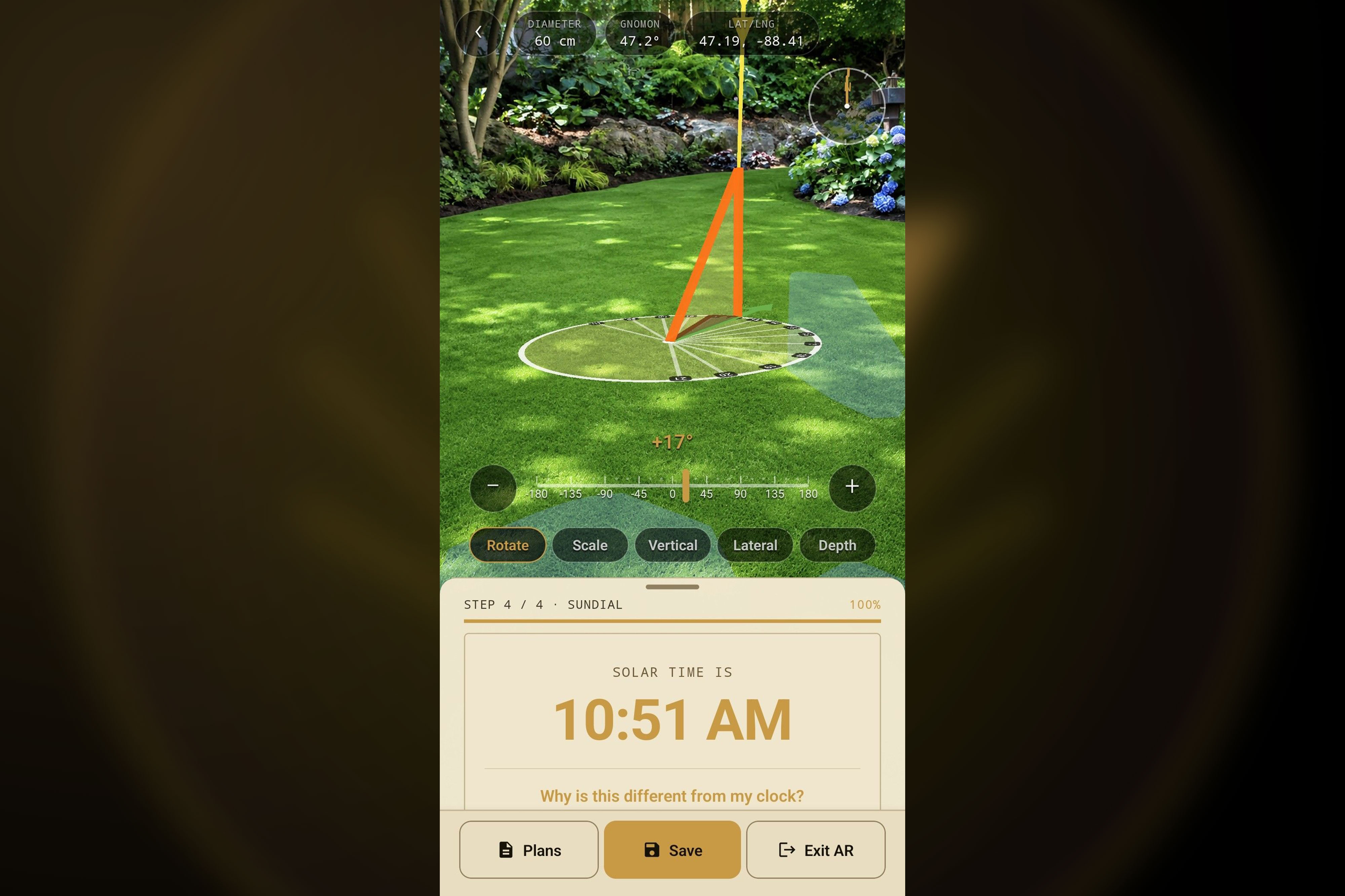
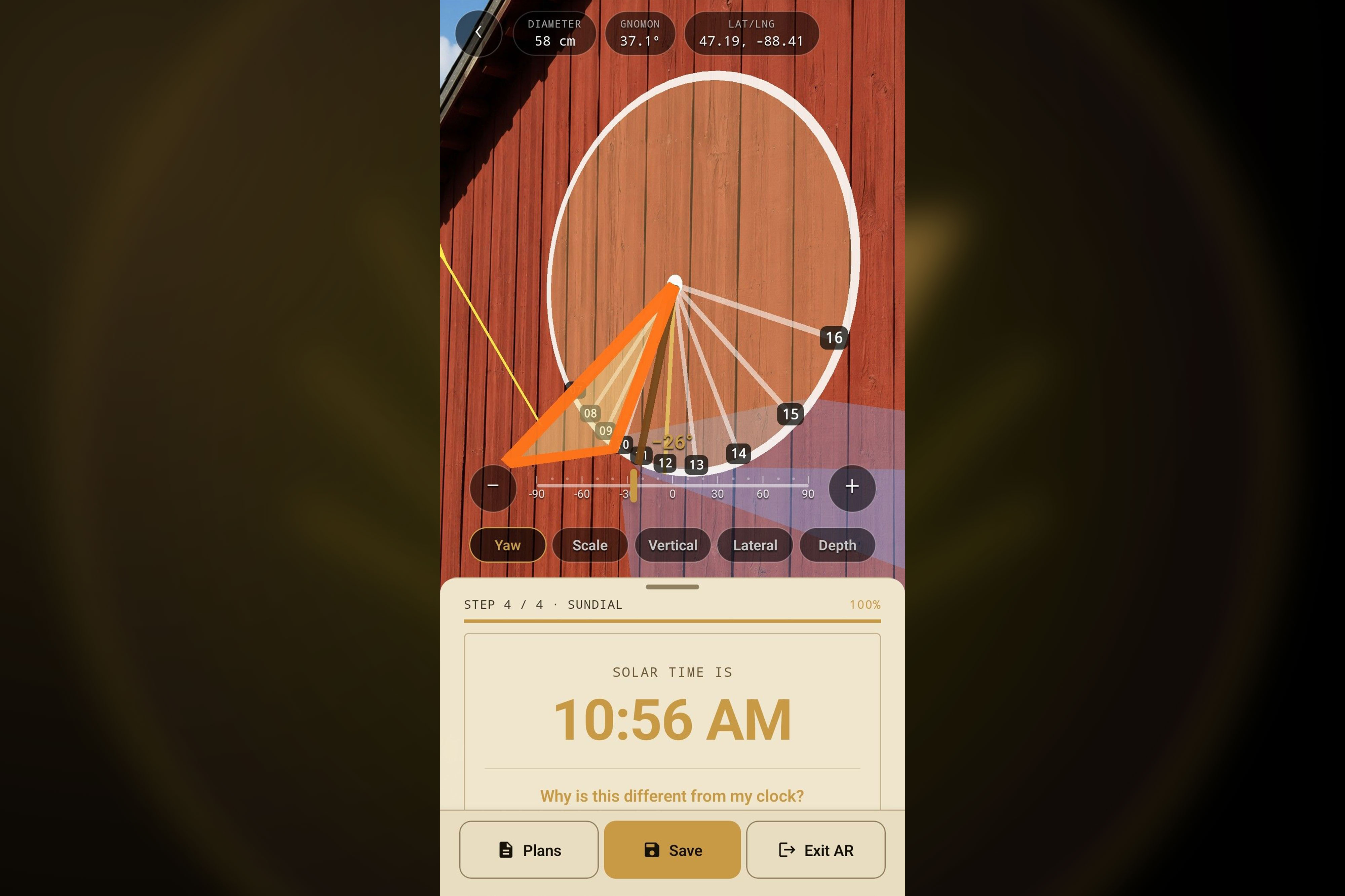
Place your sundial in AR right where you stand and fine tune it until it lines up perfectly.
-
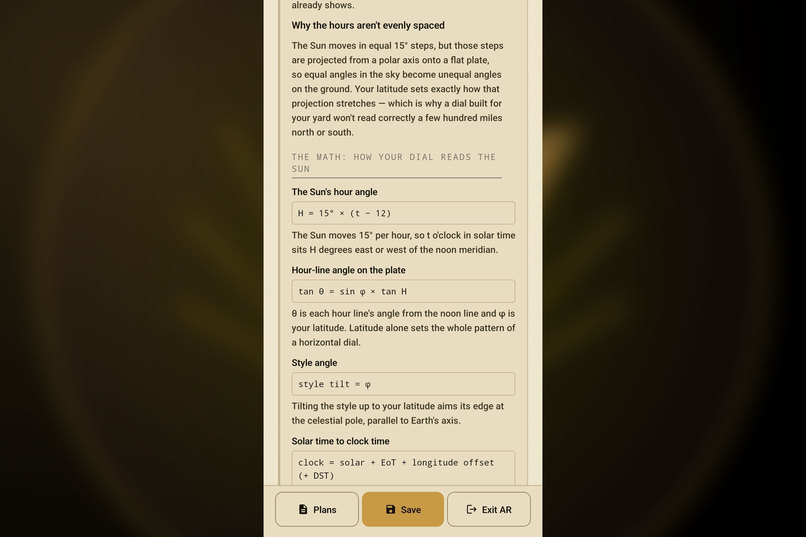
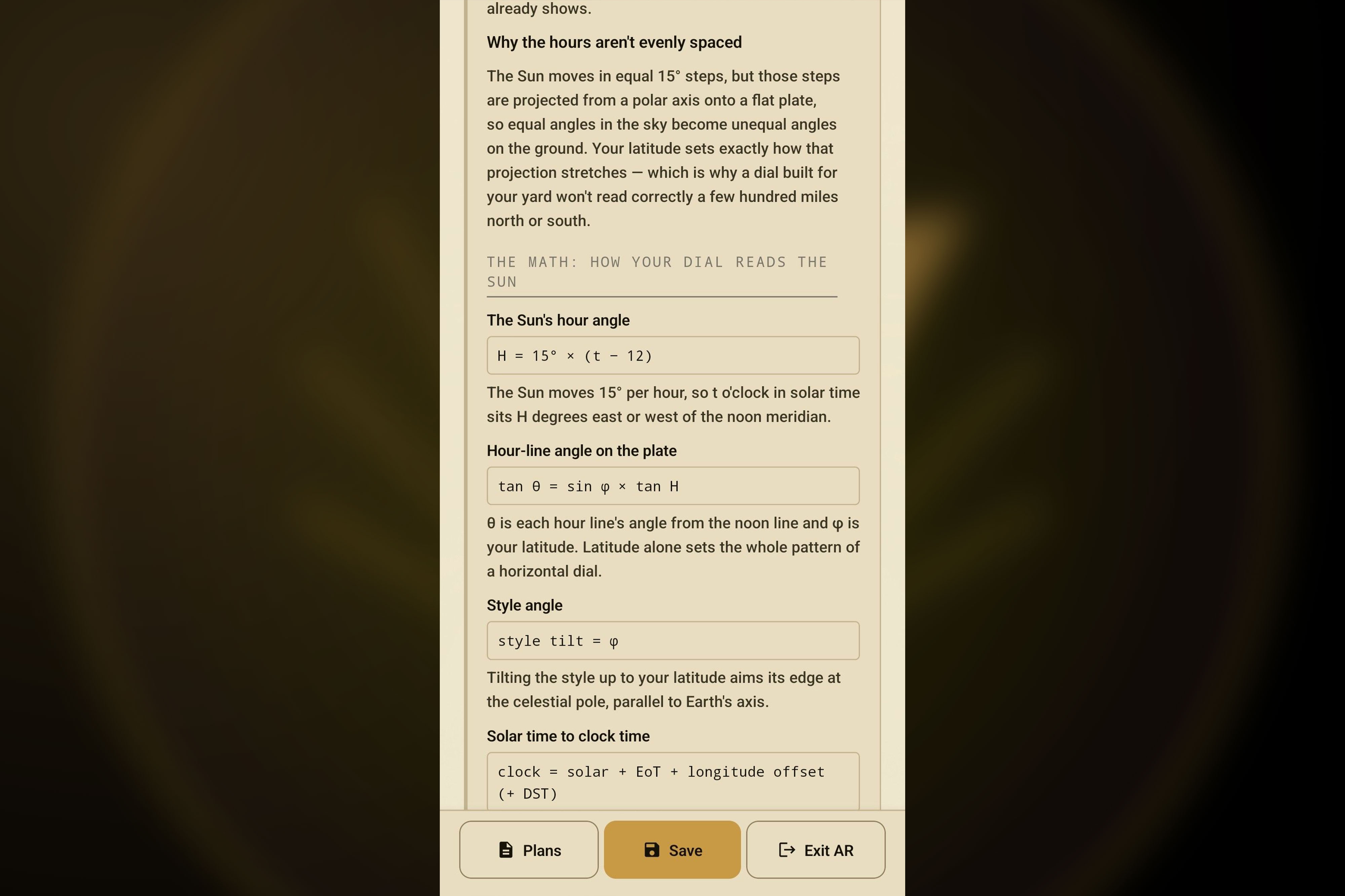
Curious how it works? Plain language math shows exactly how your dial reads the sun.
-
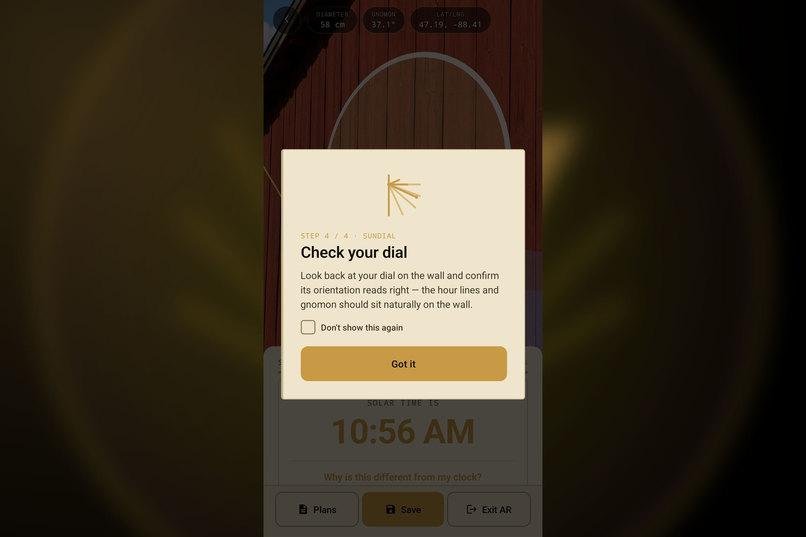
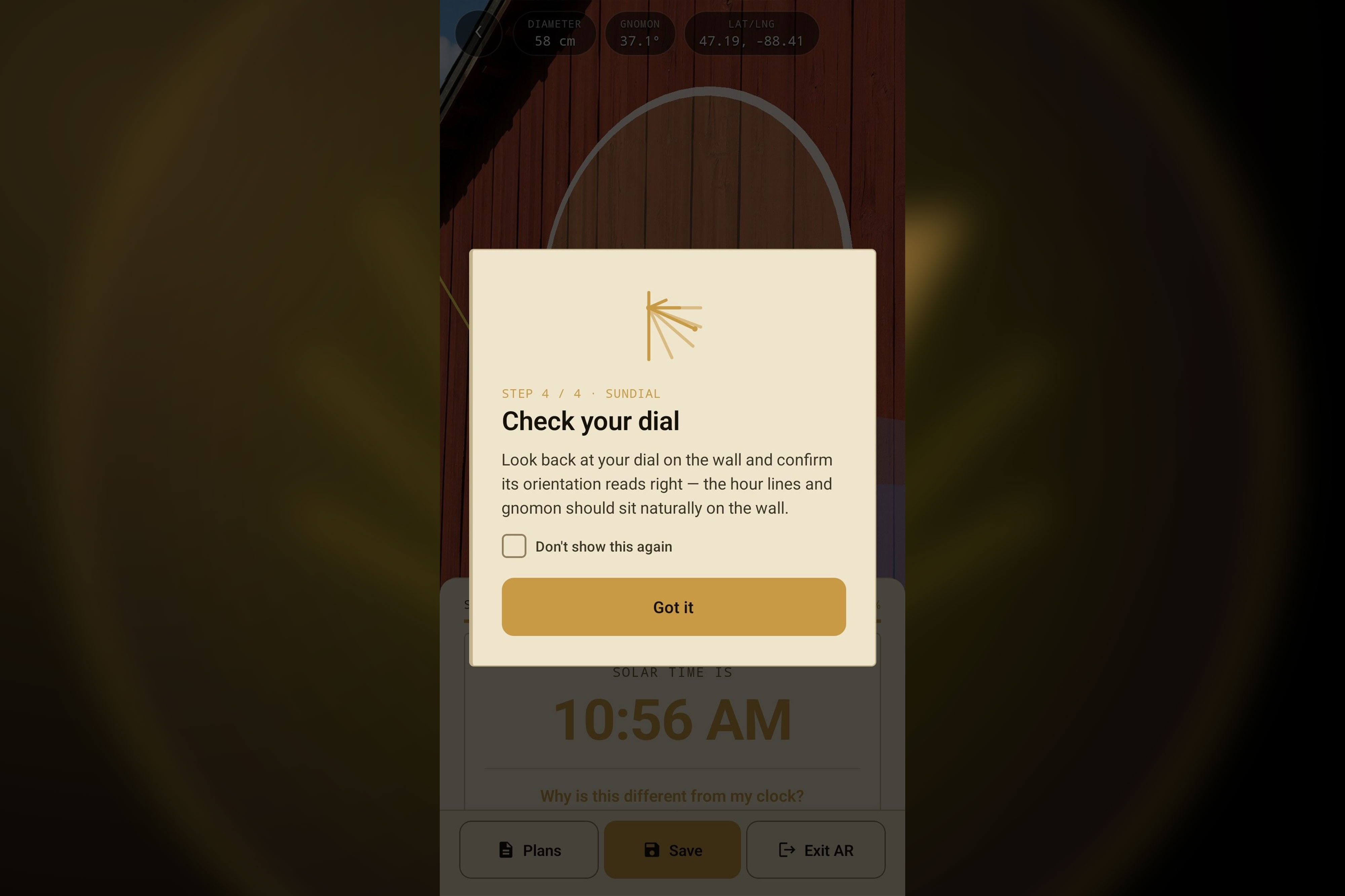
Guided AR confirms your finished dial reads right, with the hour lines and gnomon sitting naturally on the wall.
-
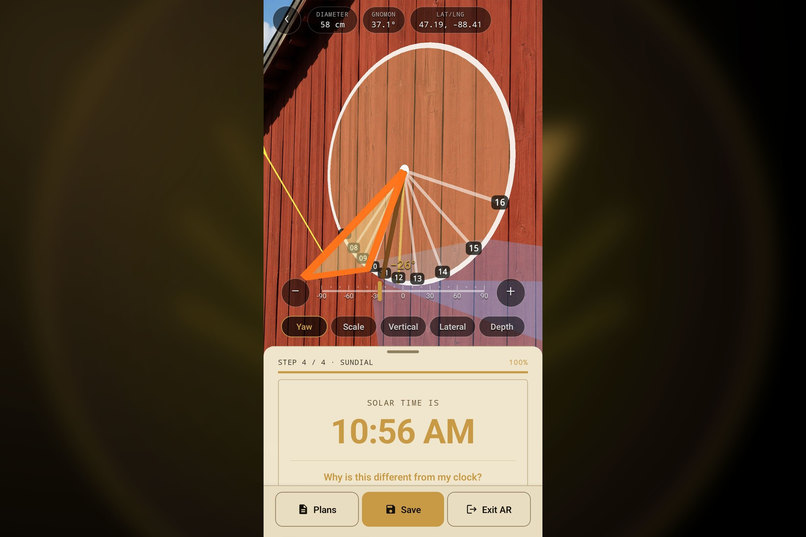
Build a vertical dial for a sunny wall, aligned in AR and ready to tell time.
-
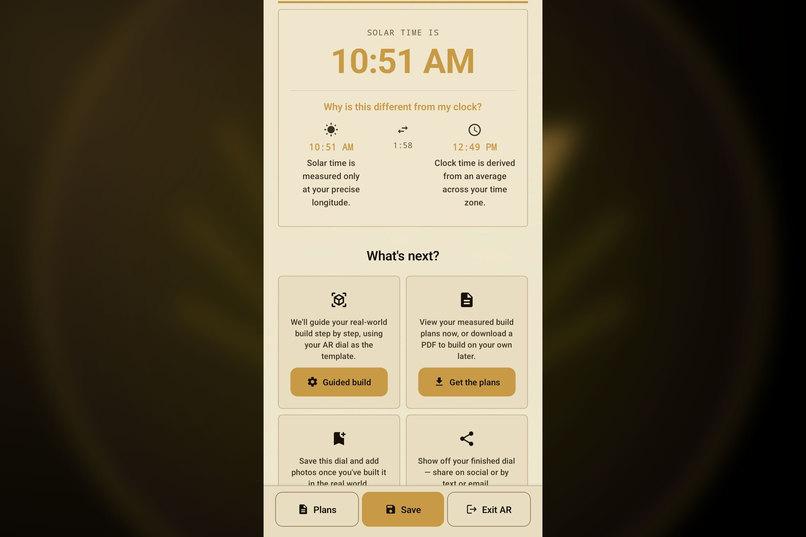
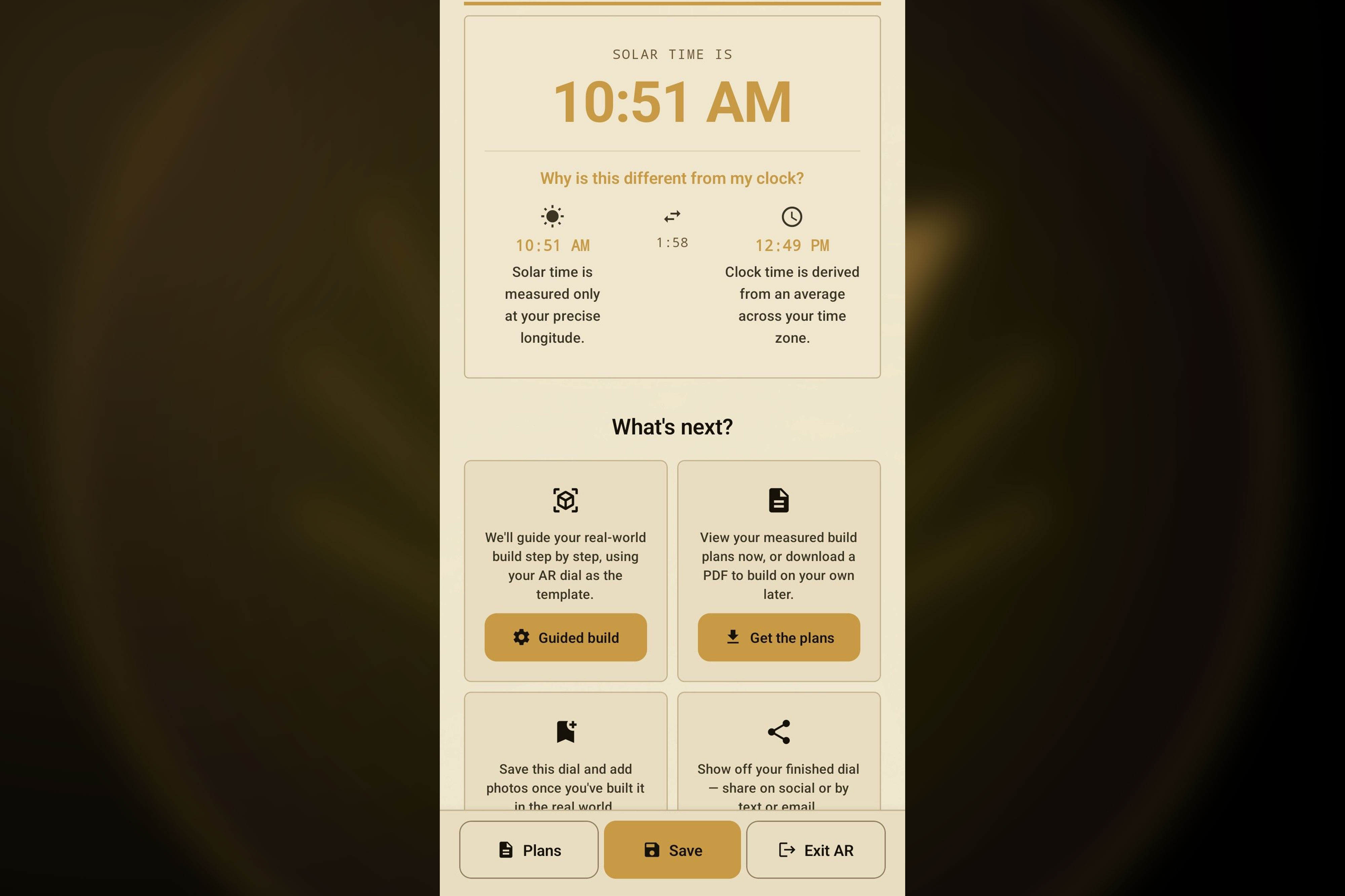
See your live solar time, learn why it differs from clock time, then choose your next step.
-
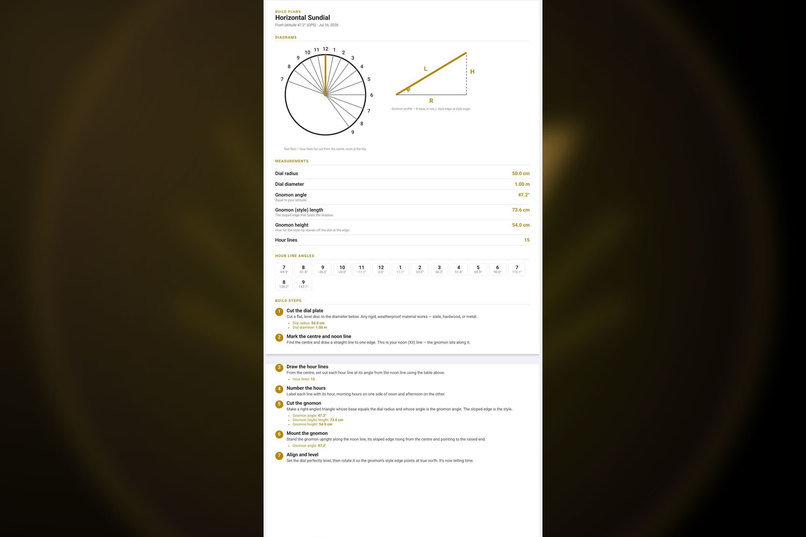
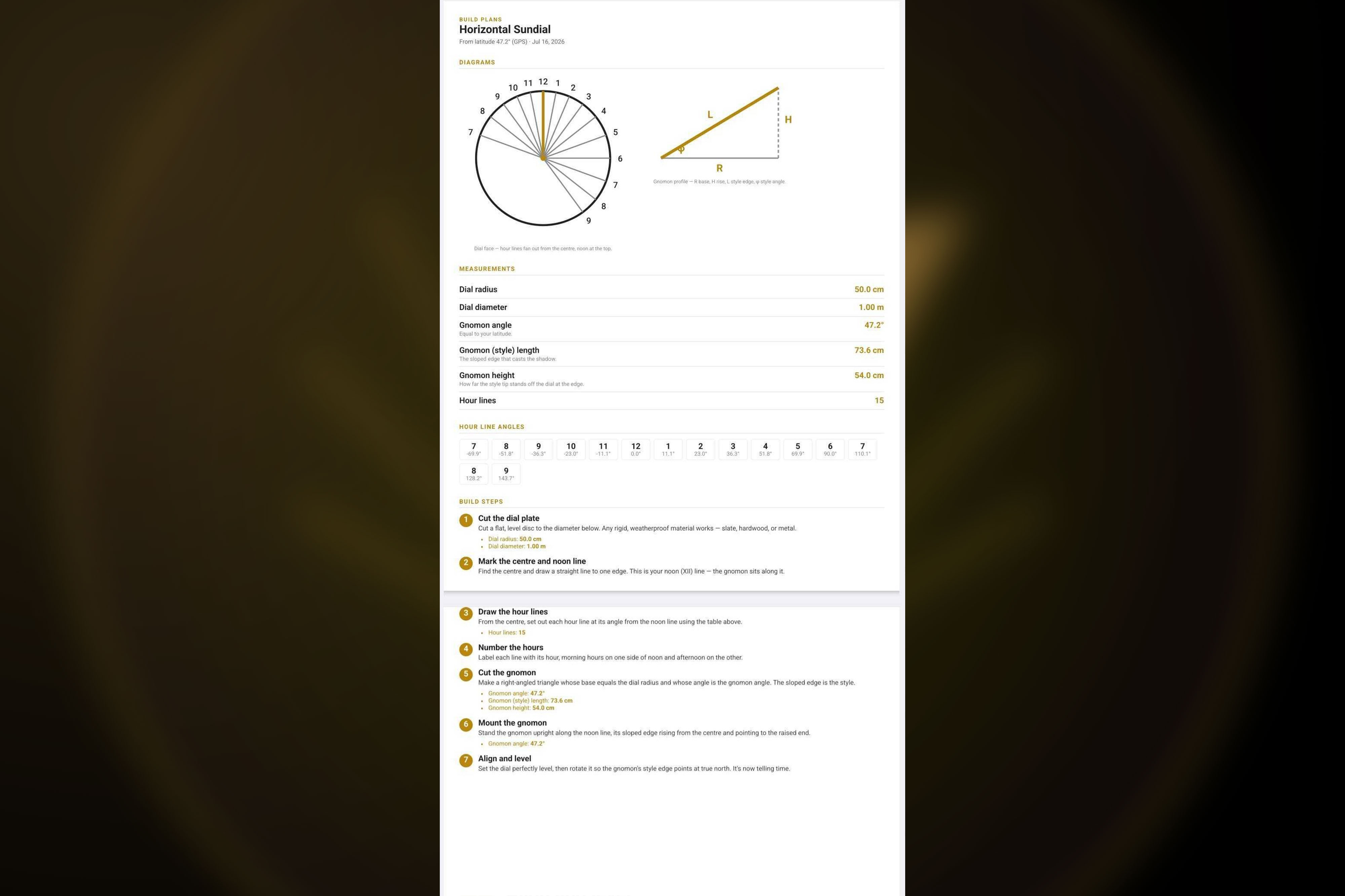
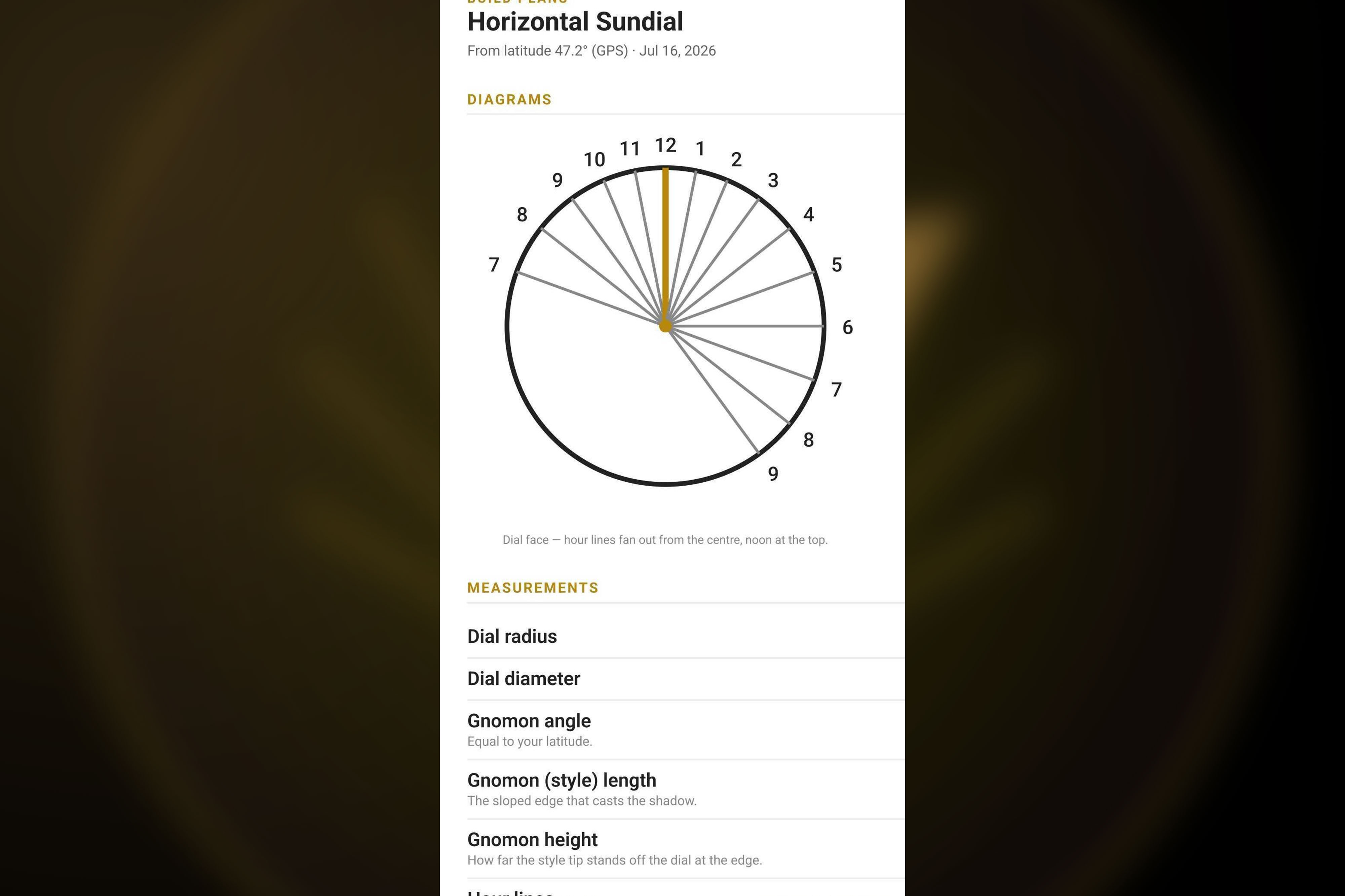
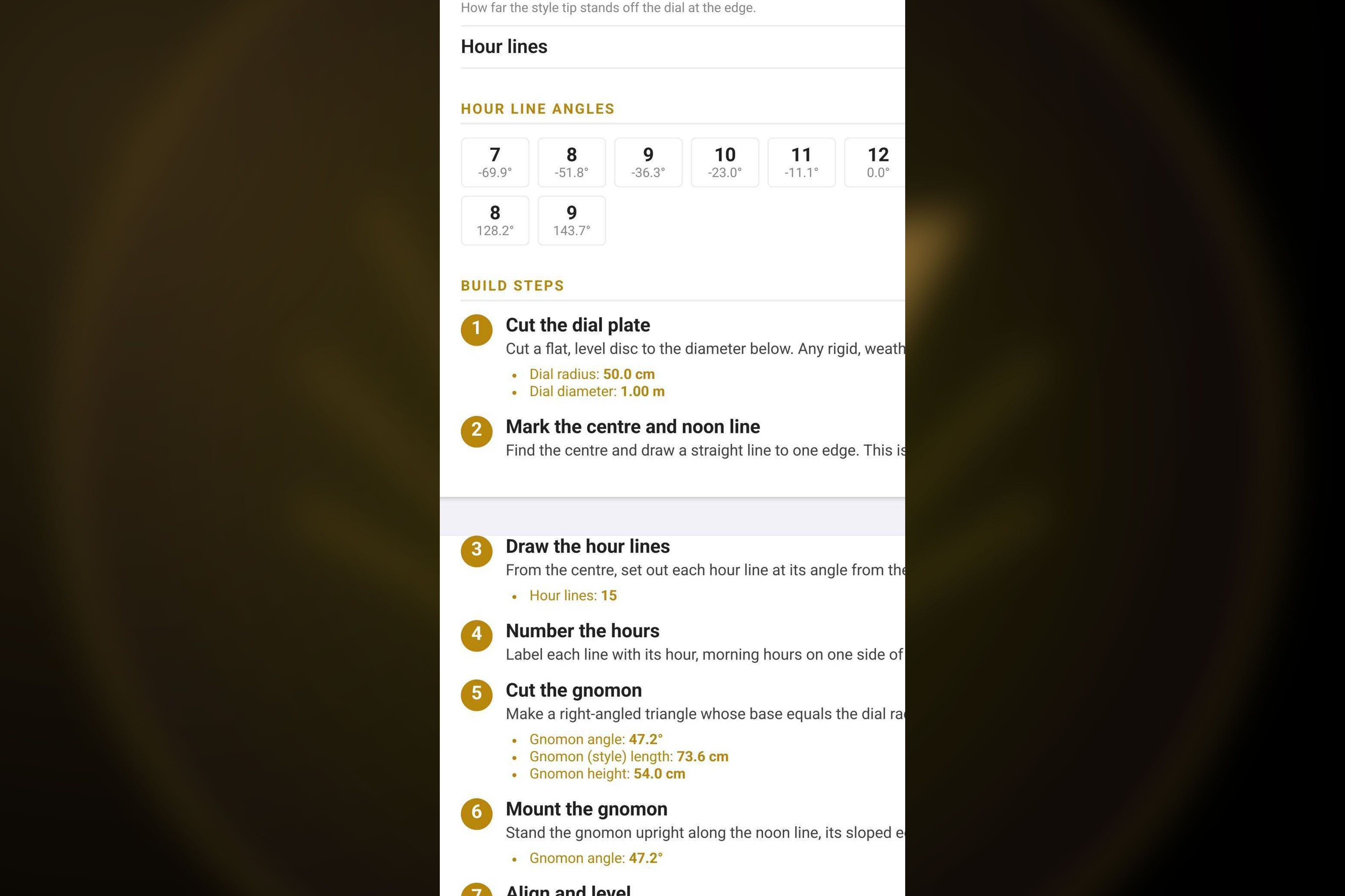
Get complete build plans with diagrams, measurements, and step by step instructions.
-
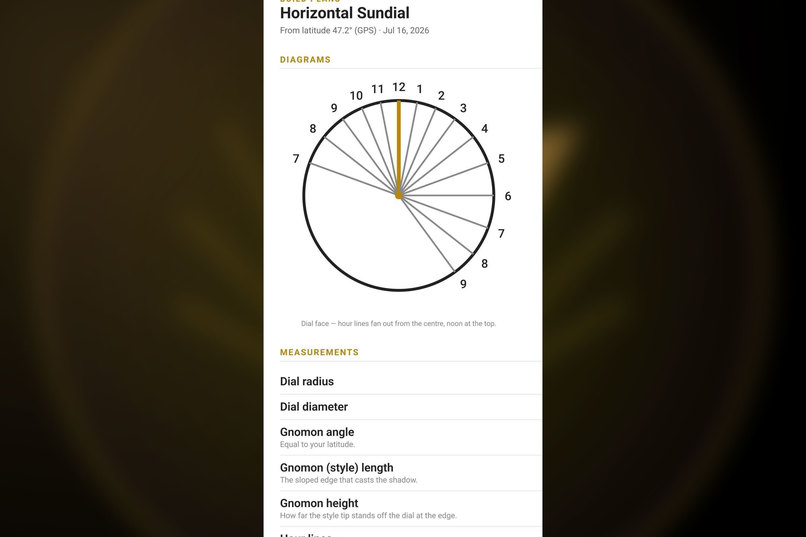
Clear diagrams show where every hour line falls for your exact latitude.
-
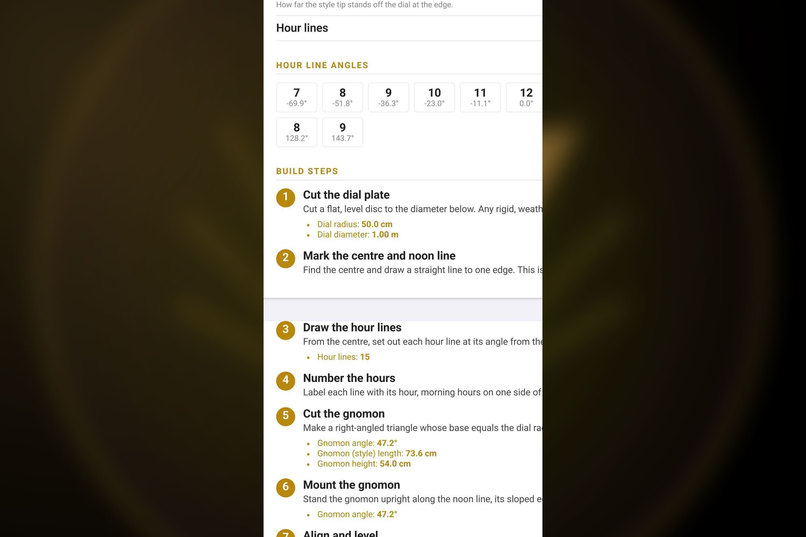
Exact hour line angles and numbered build steps make the real world build simple
-
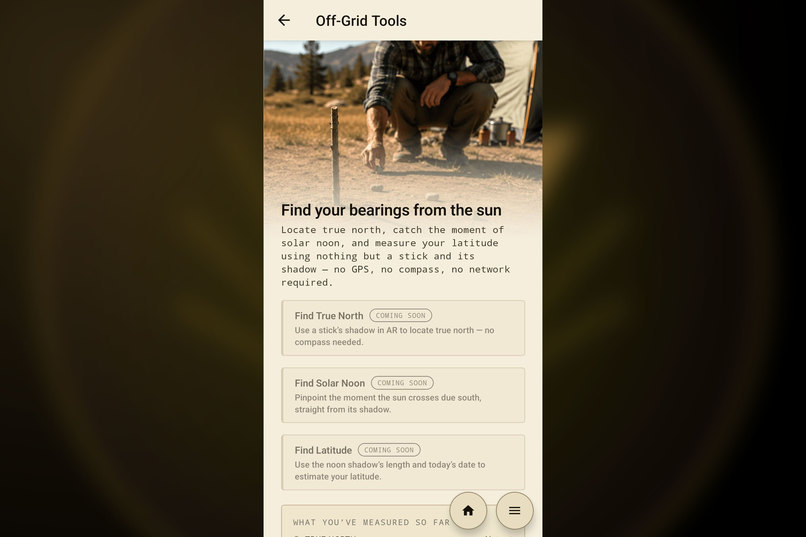
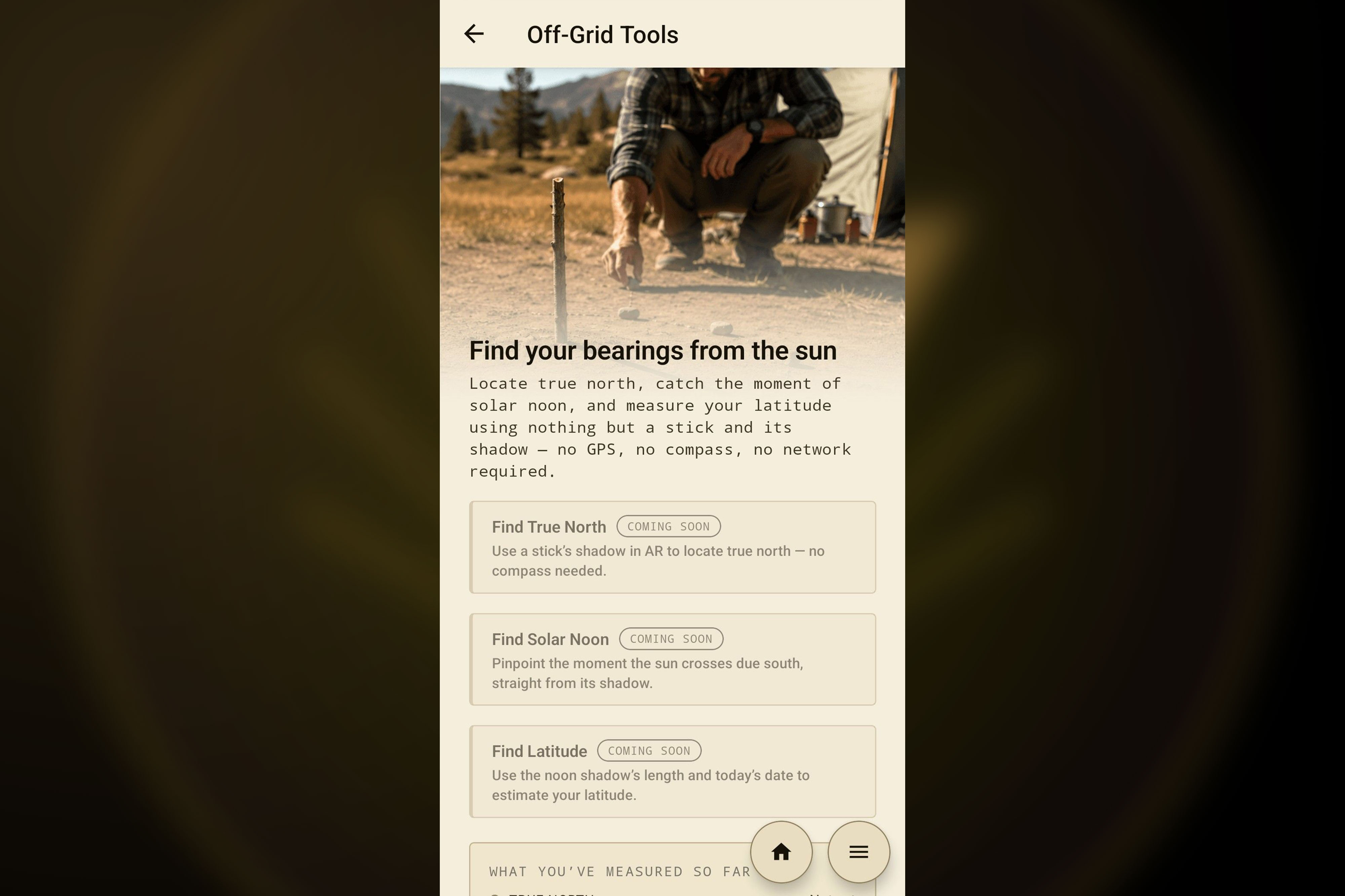
Find true north, solar noon, and your latitude using nothing but a stick and its shadow.
Inspiration
A sundial is the oldest scientific instrument still in use, and very few people are familiar with the history and functionality of sundials. The gnomon has to tilt at exactly your latitude. The hour lines are not evenly spaced. There's real geometry involved that can give users a broader and richer view of our interaction with the Sun's movement.
We wanted to make that geometry visible. You can build a correct dial in your own backyard, at your own latitude, watch the shadow land where the math says it will, and the understanding clicks. Our driving force for this app has always been creative and engaging education. We built on the British Sundial Society's conventions to ensure accuracy and consistency with the historical mathematics.
What it does
Point your phone at a flat surface (or a wall) and the app places a geometrically correct sundial into the AR scene, sized and angled for wherever you're standing. Then it guides you through building and aligning a real-world dial with accurate measurements from your AR session.
There are four classical dial types available now - horizontal, vertical, equatorial, and polar. Each one is a genuinely different construction, not a mockup. As you build, a panel at every step explains what you're doing in plain language, defines the vocabulary (gnomon, style, declination), points out what to look for in the live scene, and shows the equations underneath. A curious ten-year-old and a horology enthusiast can both get something out of the same screen.
When you're happy with a design, it generates a printable build plan with real measurements in metric or imperial, so you can build a real-world dial out of your chosen materials. The AR Guided Build offers a visual template to guide you through the process in your environment. The app is localized in English and French, with more languages coming. The app offers free use of the horizontal dial build before committing to any purchase. Users must sign up to access guided AR builds, plans with measurements, and saved dials.
How we built it
The app is React Native and TypeScript. The AR is custom - we wrote our own ARCore + OpenGL (GLES20) renderer in Kotlin instead of reaching for a third-party AR SDK, so every hour line, gnomon, and shadow is drawn by hand. This lets us keep the geometry honest.
All the gnomonics live in a pure TypeScript layer with around 900 unit tests, derived from British Sundial Society / Waugh conventions. Keeping the math separate from the sensors and the rendering meant we could prove a dial correct without pointing a camera at anything - which is critical when you're debugging an AR app that works best outdoors in sunlight.
RevenueCat runs the whole business side. There's a free demo dial, six dial types you can buy à la carte, and a "Pro" bundle that unlocks everything, all modeled as entitlements so the owned set reconciles itself whether you buy one dial or the entire collection.
Challenges we ran into
Testing an AR sundial means going outside during daylight hours and hoping for a clear sky, which is a humbling way to run a build-test loop.
Phone compasses are not consistently accurate. Magnetometers are noisy, and at one point a magnetic phone stand quietly corrupted every heading we captured. So we built an honest "your compass looks unreliable" calibration path instead of pretending the reading was gospel.
Submission presented its own challenges. RevenueCat's getProducts defaults to fetching subscriptions, and every SKU we sell is a one-time purchase, so on the live Play Store our product list came back empty and purchases silently refused to start, while everything worked in the Test Store. We ran into a Google Play 16 KB memory-page alignment requirement at the last minute, which forced a full React Native 0.79 / Expo 53 / React 19 upgrade with two weeks left to the contest deadline.
Accomplishments that we're proud of
We're proud of shipping a correct AR sundial builder, in two languages, with four classical dial types, built on math we can defend instead of a nice-looking fake wrapped in UX theater.
We wrote our own AR renderer instead of leaning on an SDK, and it holds up. The teaching layer works the way we hoped. Someone who's never thought about a shadow can use the app and gain an understanding of why noon points north. Those with higher levels of mathematical understanding can use the app and gain insights by seeing and adjusting live parameters in AR.
Our monetization is honest. Users can gain value and education from the free version of the app. No educational content is gated. Those who wish to purchase the app or its add-ons gain the ability to access their plans with measurements, and the guided AR real-world build process.
Overall we are proud of our efforts to produce a solid, valuable, educational, and interesting app with a great user interface that doesn't rely on presentation alone.
What we learned
Build the math first. Getting the pure logic right and tested before adding sensors or AR is the only reason we were able to properly debug.
Be honest about the hardware. The compass isn't trustworthy, so we say that, instead of hiding it, and the app is more teachable for it.
Read the billing fine print. RevenueCat's subscription-vs-one-time default and the test-key-in-release guardrail are both things that presented navigable challenges. And once RevenueCat's entitlement model clicked, the à-la-carte-plus-bundle pricing became genuinely simple.
Platform requirements move under you. Target API, Billing 8, 16 KB pages - staying current isn't a chore that you can defer.
What's next for AR Sundial Builder
Off-grid tools: find true north, solar noon, and your latitude from nothing but a stick and its shadow. No GPS, no compass.
More dial types are scaffolded and in development (armillary, analemmatic, and a reflected-ceiling dial you read on your living-room ceiling). We're adding magnetic-declination and equation-of-time corrections to tighten the accuracy.
Built With
- android
- arcore
- augmented-reality
- expo-camera
- expo-location
- expo-print
- expo.io
- google-play-billing
- gradle
- hermes
- javascript
- kotlin
- opengl-es
- react-i18next
- react-native
- react-native-gesture-handler
- react-native-reanimated
- react-native-svg
- react-navigation
- revenuecat
- sqlite
- suncalc
- typescript
- zustand


Log in or sign up for Devpost to join the conversation.