-
-
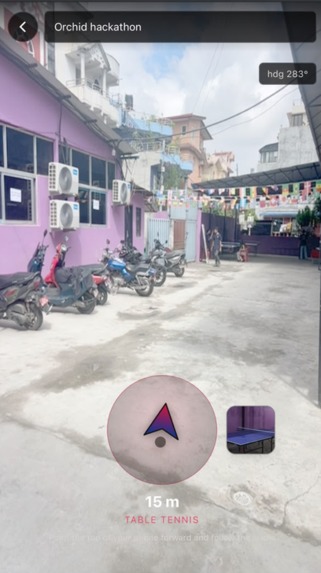
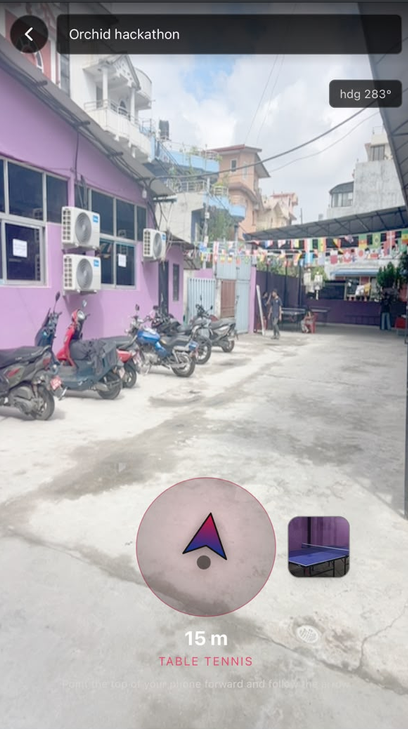
AR compass Ui in Orchid College
-
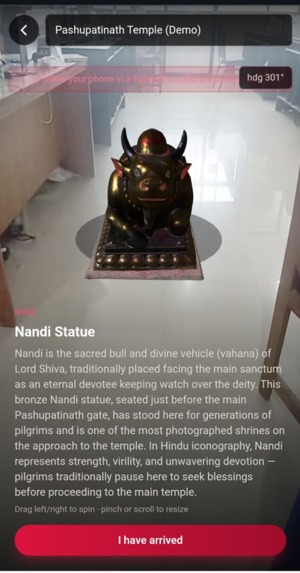
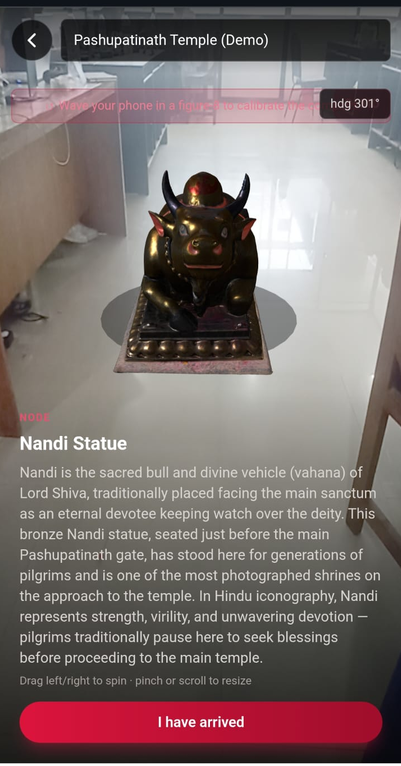
3D model in AR view
-
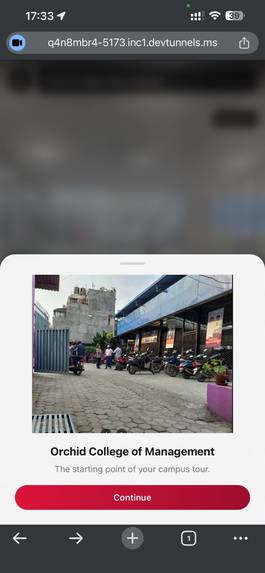
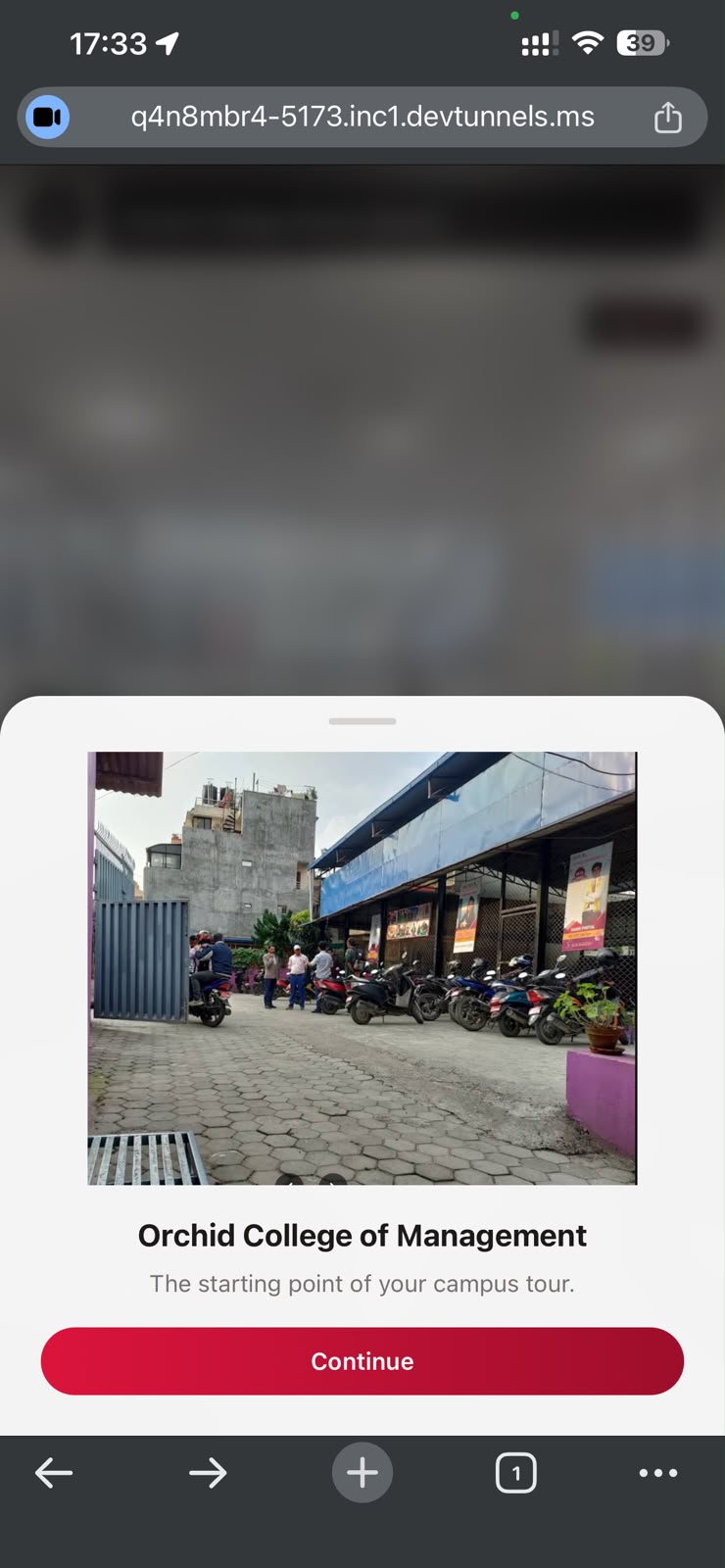
location preview for AR
-
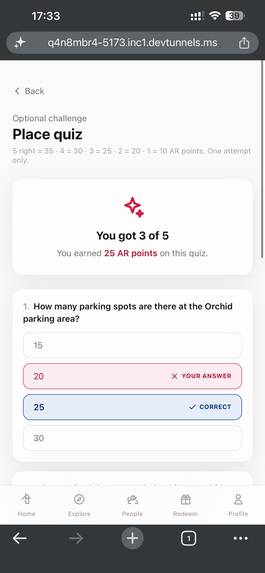
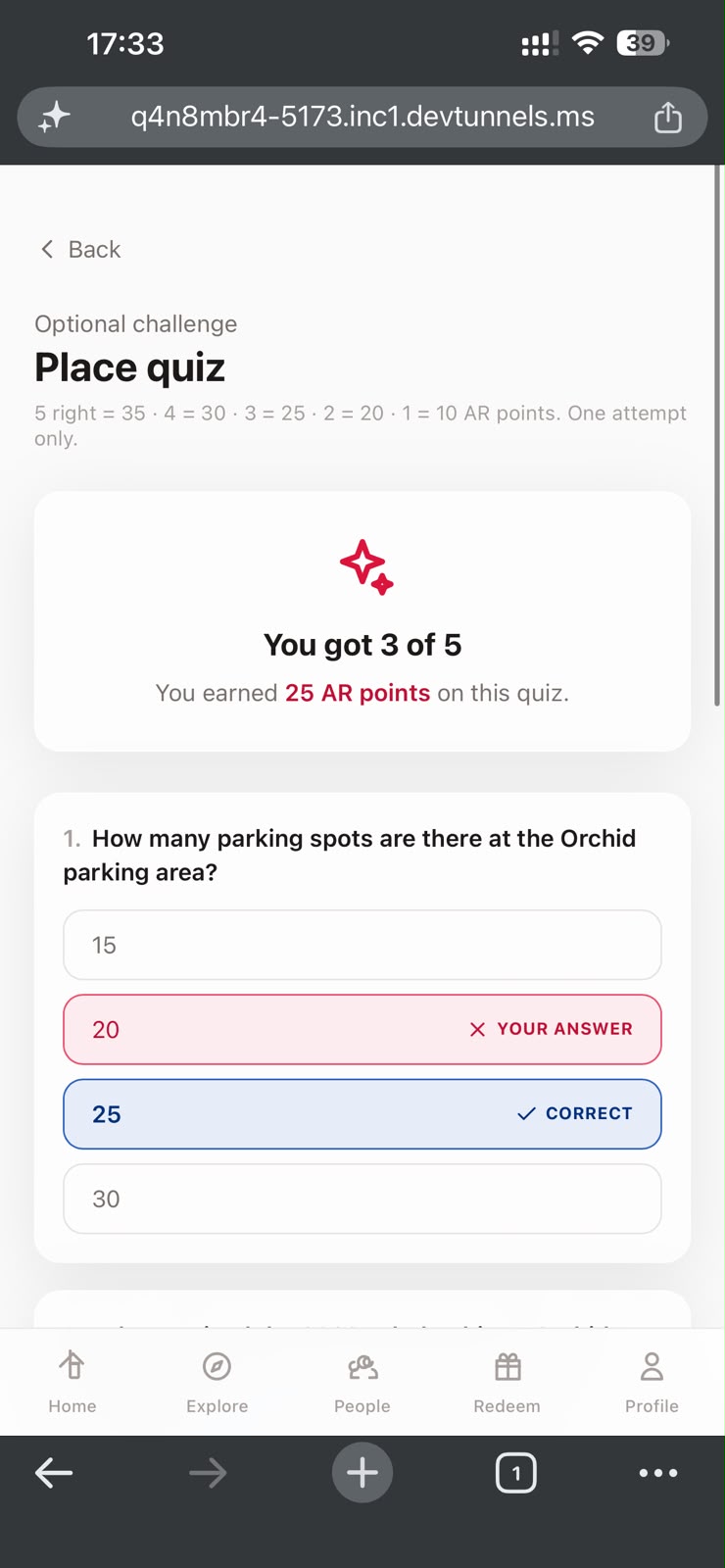
Quiz system
Inspiration
Kathmandu Valley holds thousands of UNESCO-recognized monuments with around 188 in Swayambhunath alone, 41 in Hanuman Dhoka Durbar Square, 56 in Pashupatinath. Yet most visitors walk past them seeing only old stone, with no idea what they're looking at or why it matters. Conventional navigation apps route you to the entrance, but once inside, visitors are left to wander aimlessly. They miss the stories behind the bricks, relying on scarce physical signs or expensive, unscalable tour guides. This is our own heritage, and watching it go unexplained while research warns these sites are "on the verge of extinction" under the weight of rapid social and economic change felt like watching a story disappear in real time.
We saw an opportunity: What if we could build an immersive, location-based AR tour that begins where traditional maps stop completely inside the web browser with zero app installation? Combining AR (Augmented Reality) and Aradhana (the Sanskrit/Nepali word for devotion or worship), we created ARadhana: a software-only, gamified AR pathfinder that transforms physical exploration into a journey of discovery and learning.
What it does
AR-adhana is a mobile-first, gamified Augmented Reality (AR) navigation platform for heritage sites and educational campuses.
- Live Web AR Navigation: Users select a route and follow a live compass with real-time GPS distance to the next waypoint.
- Smart Checkpoints: The system verifies arrivals using GPS and server-side validation, and users must confirm their arrival before unlocking content.
- AR Media Experience: After arrival, location-based videos, images, or other media appear as AR objects in front of the user.
- Gamification: Users earn points by completing routes, finishing side quests, and answering quiz questions.
- Rewards and Community: Users collect badges, redeem points for rewards, view public profiles, and compete on a leaderboard.
How we built it
- Frontend: Built with React 19.2 and React Router Dom 7 for smooth SPA navigation. We utilized Redux Toolkit and RTK Query for unified state management and declarative cross-feature cache invalidation (e.g., verifying a checkpoint automatically refreshes points, progress, and leaderboards).
- Augmented Reality & Sensors: We used A-Frame 1.6.0 and AR.js 3.4.7 (which we locally vendored to secure the app from CDN outages and ad-blockers). We smoothed device compass jitters from DeviceOrientationEvent using an Exponential Moving Average (EMA) filter and routed updates imperatively through React refs to keep performance at a buttery-smooth 60 FPS.
- Backend: Built on Node.js/Express utilizing a modular filesystem-routing framework (express-file-cluster). We leveraged Mongoose and MongoDB for database persistence.
- Real-time & Background Services: Telmetry data and compass tracking streams over lightweight, raw WebSockets (ws library). Heavy tasks like sending registration and password reset emails are offloaded to a Redis-backed queue system using BullMQ and Nodemailer for sub-millisecond API responses.
Challenges we ran into
- GPS Drift in Busy Areas: Phone GPS can be inaccurate near large buildings, so we used customizable geofence sizes and server-side validation to improve location accuracy.
- WebGL Video Jitter: We fixed video shaking by locking its position and rotation after the user arrived, making it appear stable in AR.
- React Performance Issues: We avoided unnecessary React re-renders by updating the compass directly with React refs instead of state.
- Browser Permissions and iOS Restrictions: We handled iOS permission and autoplay limits with a clear permission flow and a tap-to-play fallback.
Accomplishments that we're proud of
- Zero-Install Web App: Users can start the AR navigation by scanning a QR code in their mobile browser, with no app installation required.
- Validated Field Test: We successfully tested the system at Orchid College, where users completed the full AR navigation, media, quiz, and reward flow.
What we learned
- Sensor Data Filtering: We learned that compass data is noisy, so using an Exponential Moving Average (EMA) makes navigation smoother and more accurate.
- Separate React and WebGL: Keeping A-Frame outside the React render cycle improved performance and prevented unnecessary re-rendering.
- HTTPS Requirement: We learned that geolocation and device orientation only work on secure HTTPS sites, making proper local and production setup essential.
What's next for AR-adhana
- Pashupatinath Expansion: We plan to add guided AR routes for the 24 historical monuments in the Pashupati Area using our existing heritage content.
- Multi-Language Support: We aim to support multiple languages, including Nepali, Hindi, and Chinese, for local and international visitors.
- Visual AR Anchoring: We plan to use visual tracking to place 3D models more accurately, even when GPS signals are weak.
- Offline Support: We plan to let users download routes and use navigation without an internet connection.
Built With
- a-frame
- ar.js
- bcrypt
- bullmq
- express.js
- jose
- mongodb
- node.js
- react
- redis
- tailwind
- vite
- webgl
- websockets


Log in or sign up for Devpost to join the conversation.