-
-
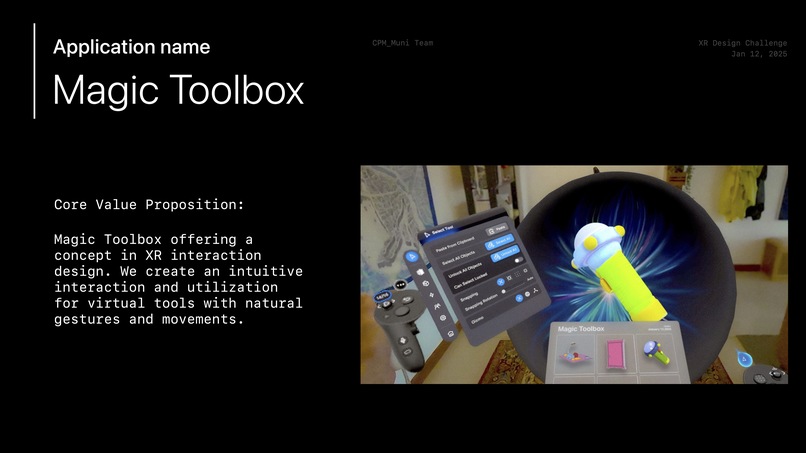
Intro
-
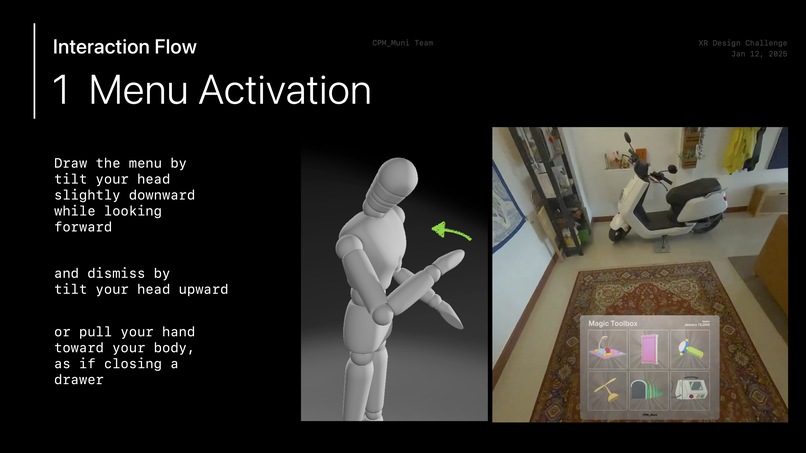
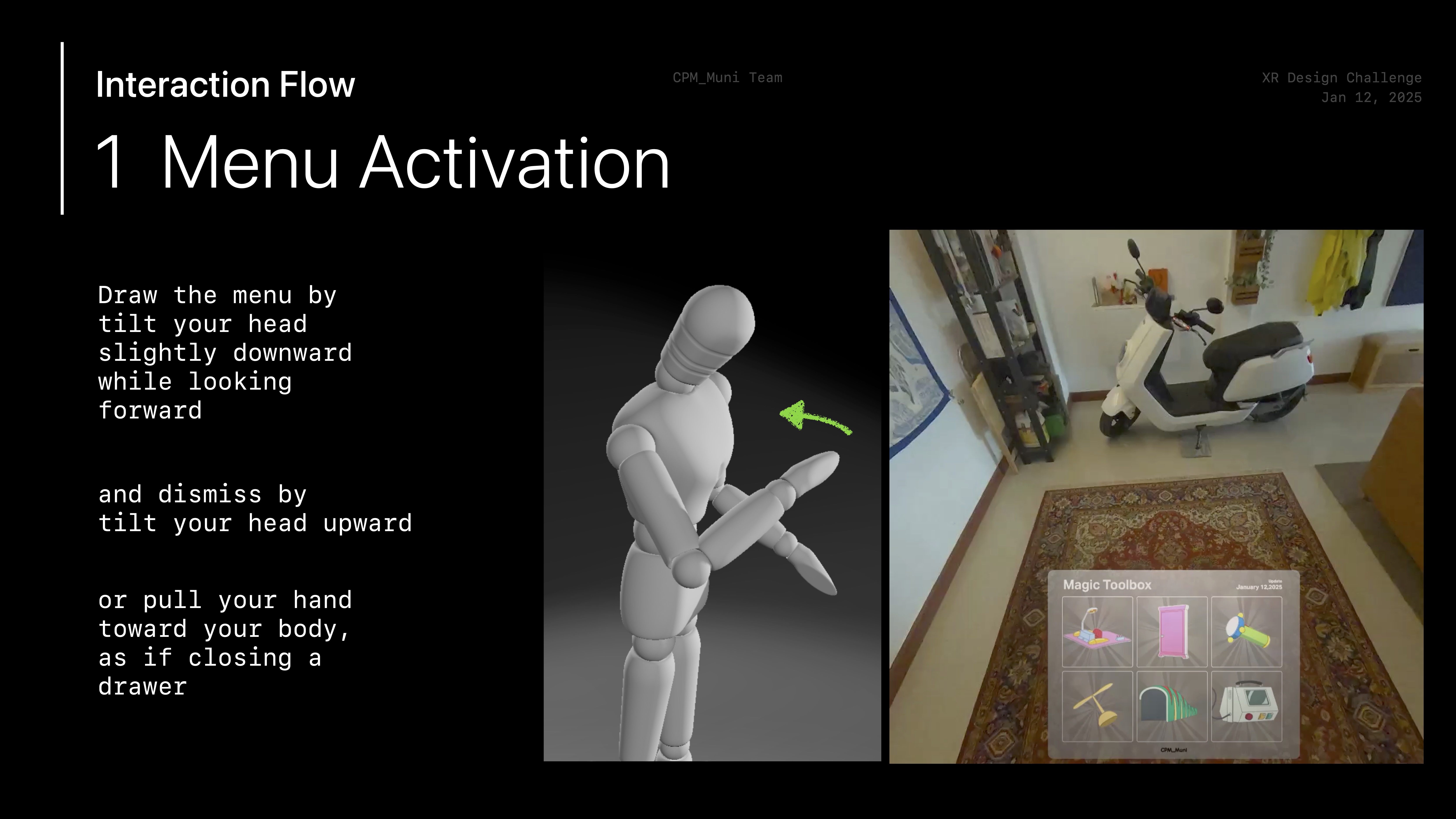
Menu Activation
-
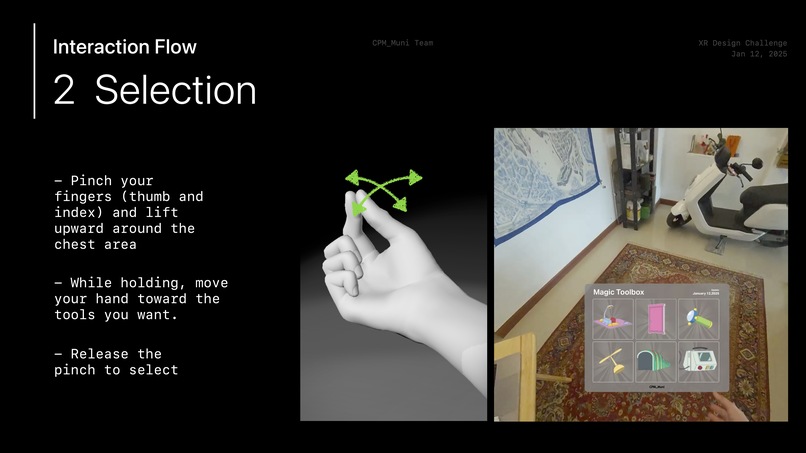
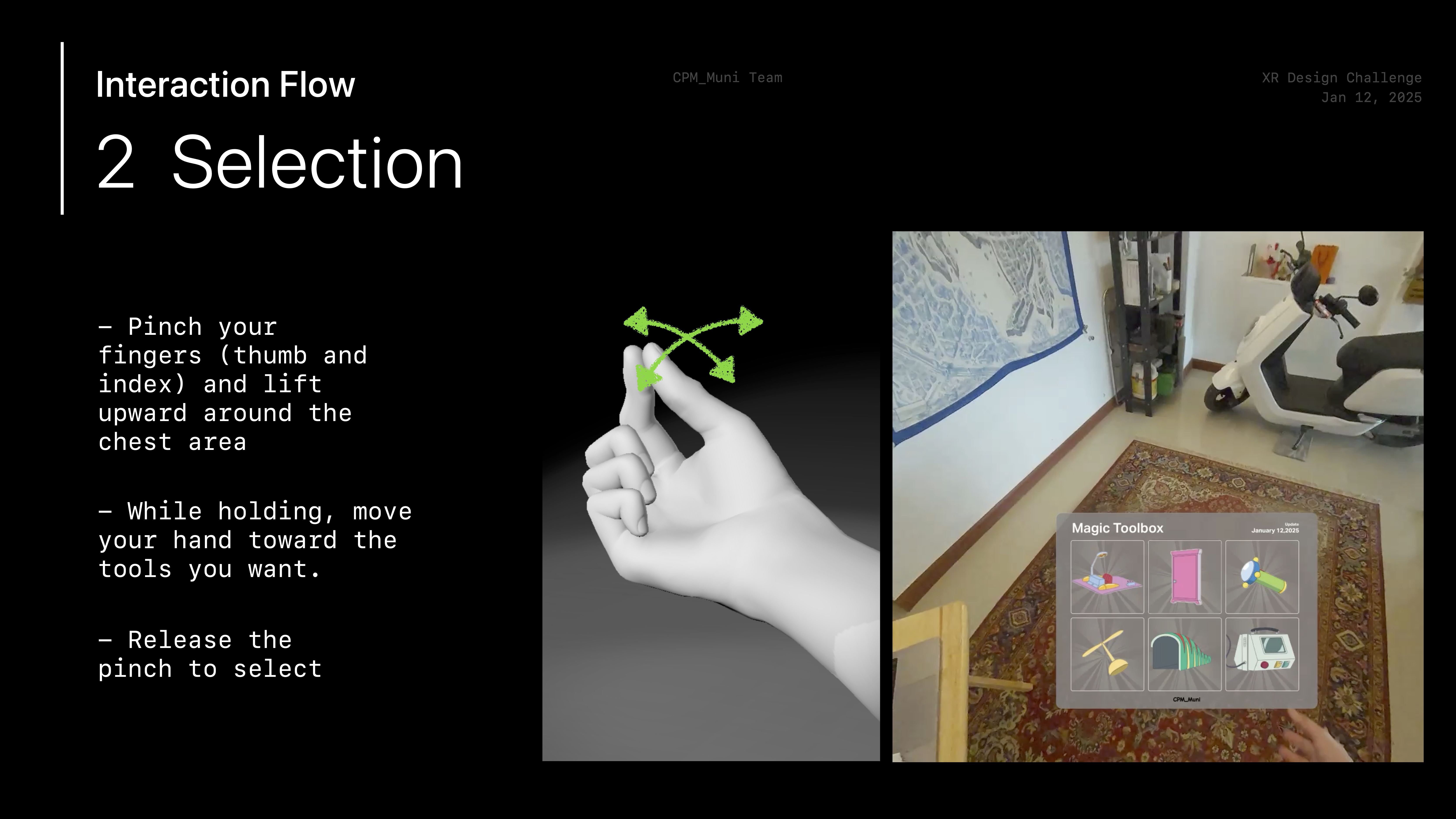
Selection
-
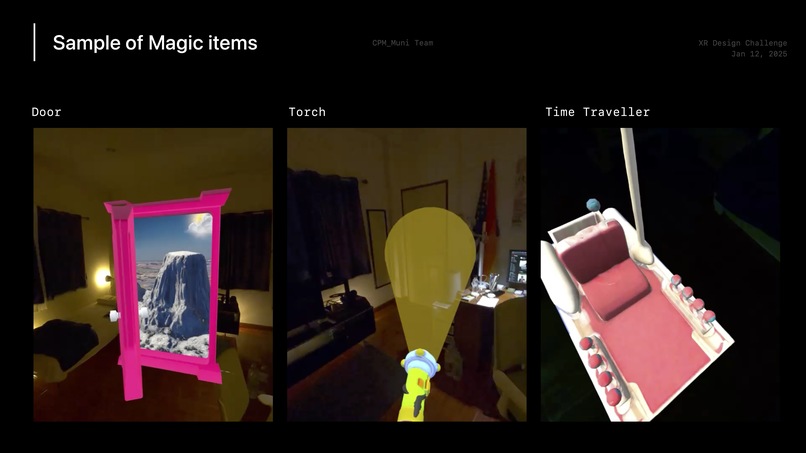
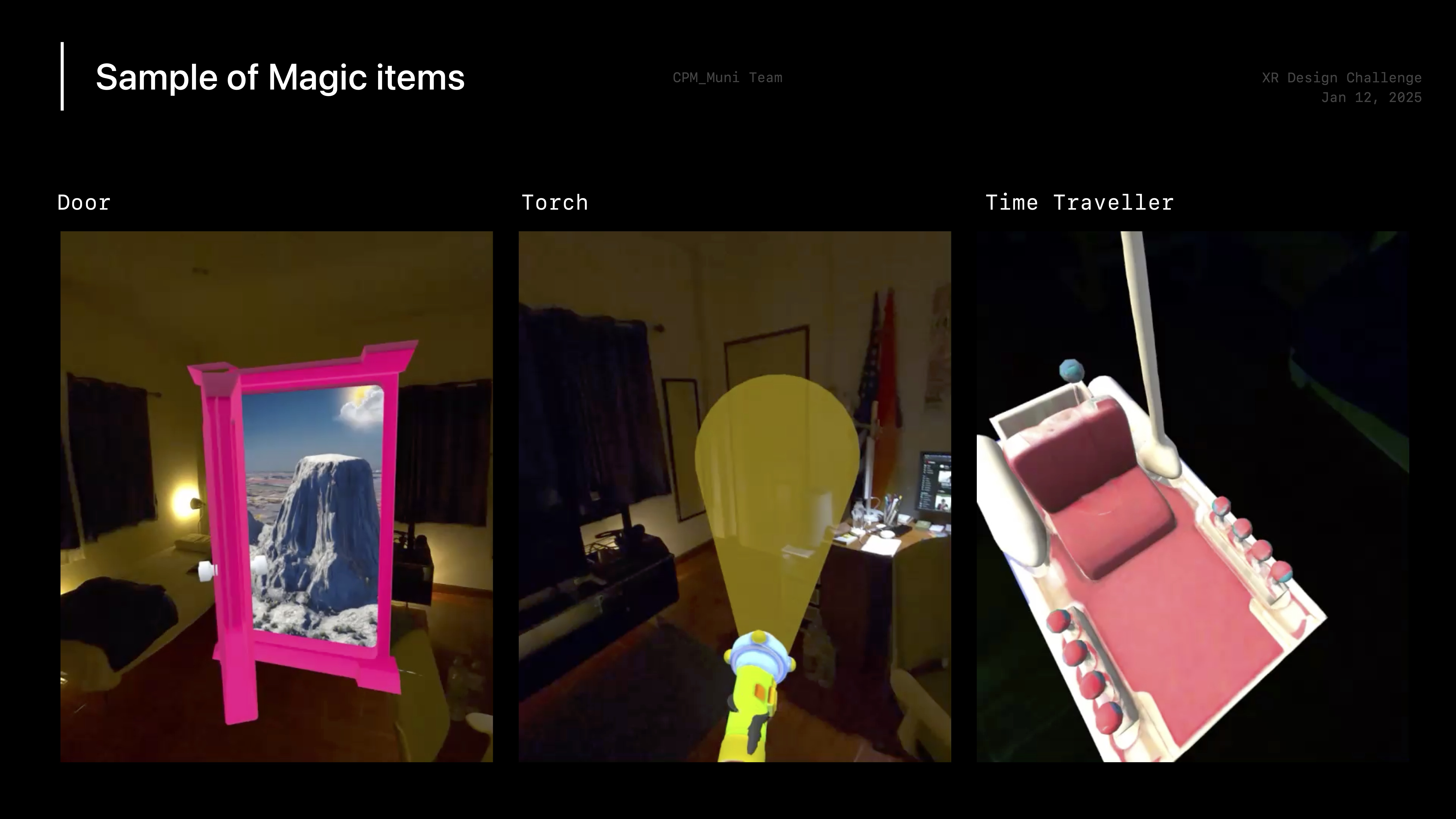
Samples of magic tools
-
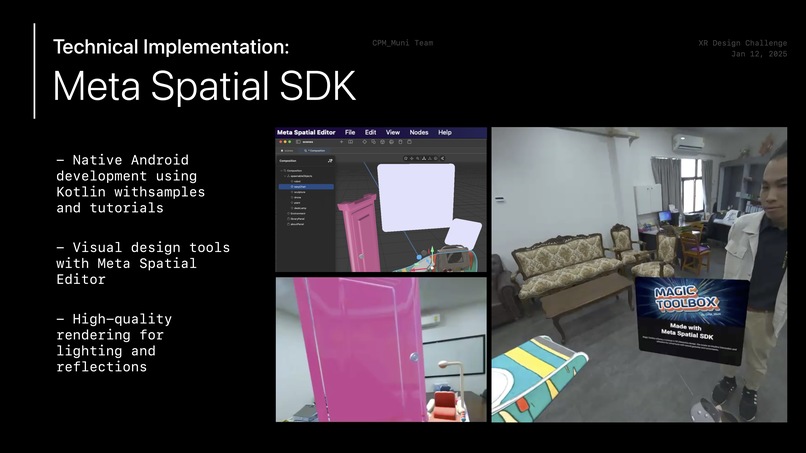
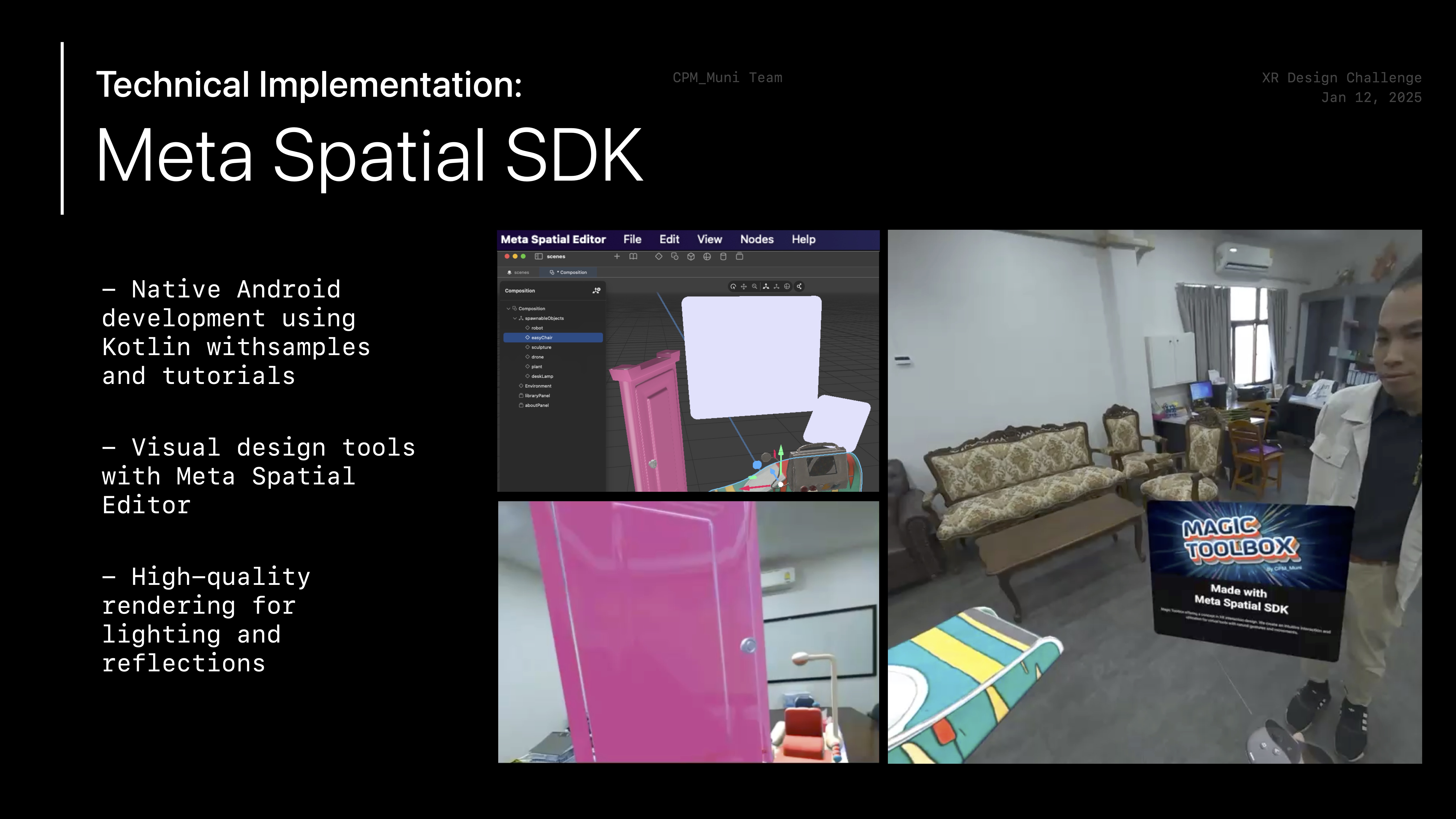
Meta Spatial SDK
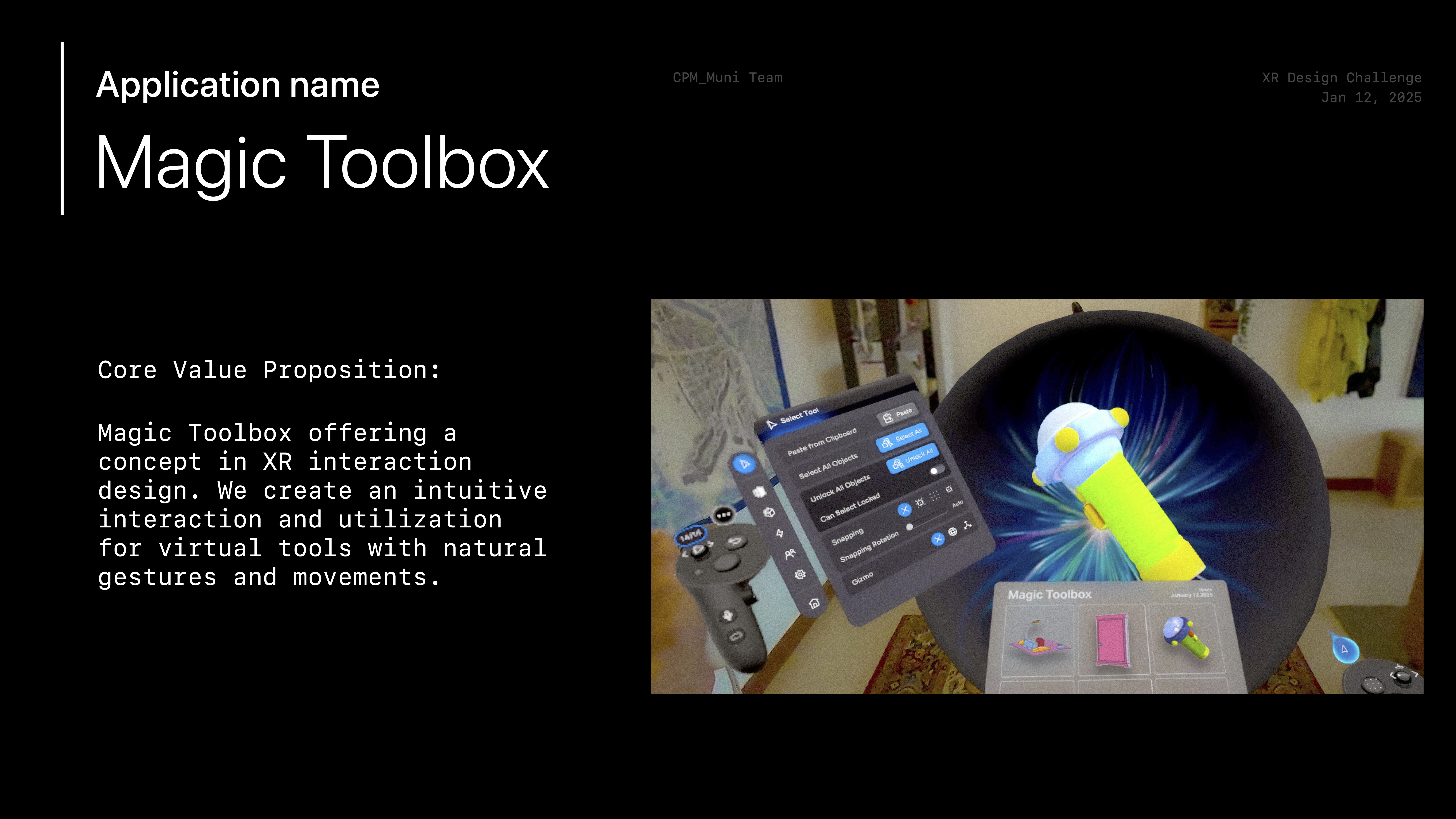
Magic Toolbox: XR Interaction concept
Inspiration
Our UI design, inspired by tactical police vests, ensures users access virtual tools naturally, just as officers access their gear.
What it does
Magic Toolbox revolutionizes XR interaction by creating a virtual tools drawer that responds to natural gestures. Users access, select, and store digital tools with intuitive head tilts and hand movements, making XR interaction as seamless as reaching for physical objects.
How we built it
We took a pragmatic approach to development:
- Prototyped and validated our concept using ShapesXR for rapid iteration
- Developed the final application using Meta Spatial SDK
- Created a deployable APK file for Meta Quest platforms
Challenges we ran into
Initially, we set our sights on the real estate market, but achieving photorealistic visuals proved to be an arduous task. Consequently, we decided to refocus our efforts on striking a harmonious balance between visual and interactive design, utilizing the available frameworks.
Accomplishments that we're proud of
- Rendering complex reflections, including our signature pink door, beyond Unity’s standard capabilities.
- Using Android Studio for Meta Quest 3 deployment.
- Developing an intuitive interaction system.
What we learned
Rapid prototyping, using ShapesXR for early concept evaluation, streamlined our development process, validating UX/UI decisions before committing to full development. This approach saved hours and resulted in a refined final product.
What's next for Magic Toolbox
- Developing multi-page functionality
- Adding sophisticated animations for each tool
- Creating a two-way data flow between headset and external environments
- Building a comprehensive ecosystem for headset-to-environment control Create a seamless bridge between virtual and physical tool interaction, expanding XR interface possibilities.
Built With
- android-studio
- meta-spatial-sdk


Log in or sign up for Devpost to join the conversation.