Inspiration
When I was exploring WWDC24 videos, what Apple changed for this year, I found the video called 'Explore wellbeing APIs in HealthKit'. Curious, I decided to watch this video. After watching video, I realized that this will be something new and interesting to deliver in own iOS app that Users have option to save in simple and quick way, how they currently feel, not just in phone memory, but in real data with other health data saved in HealthKit API.
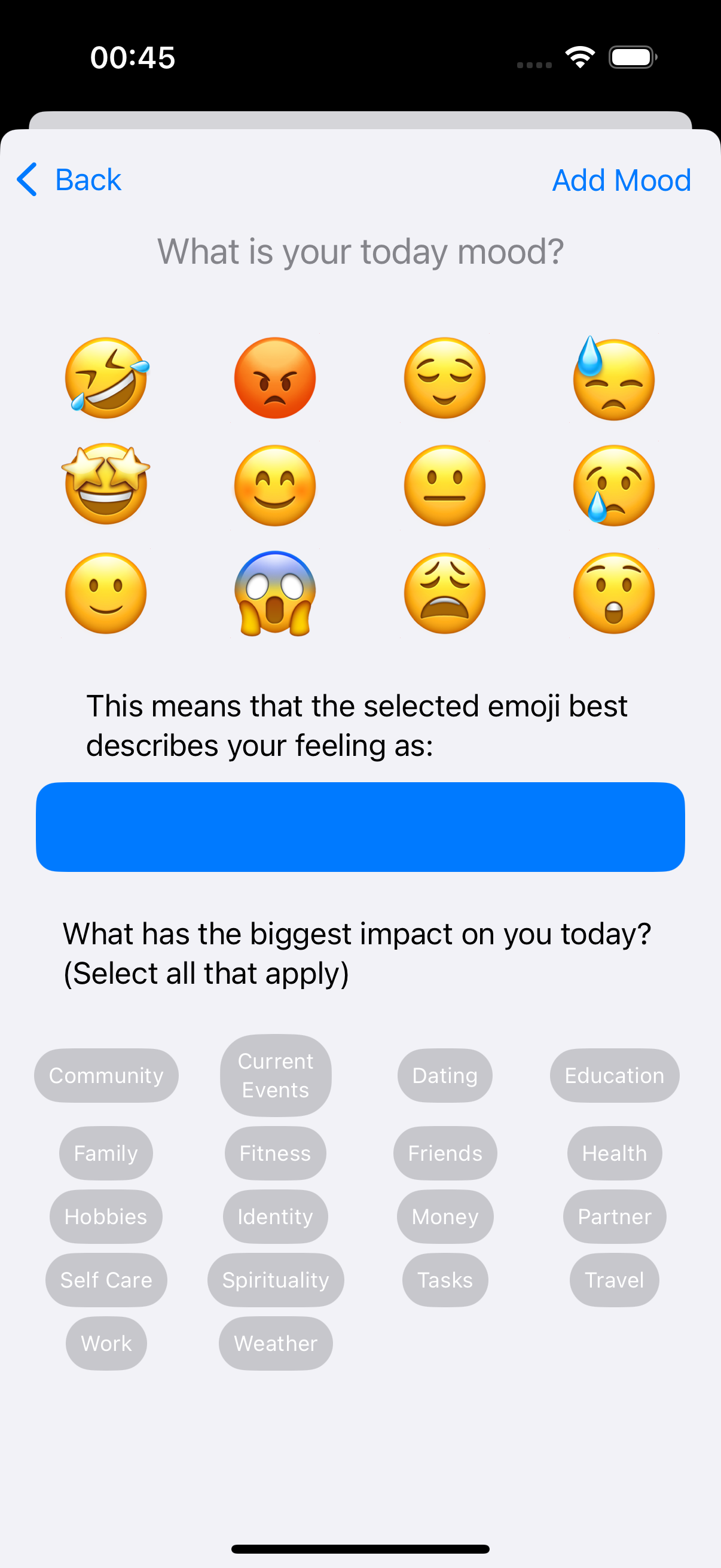
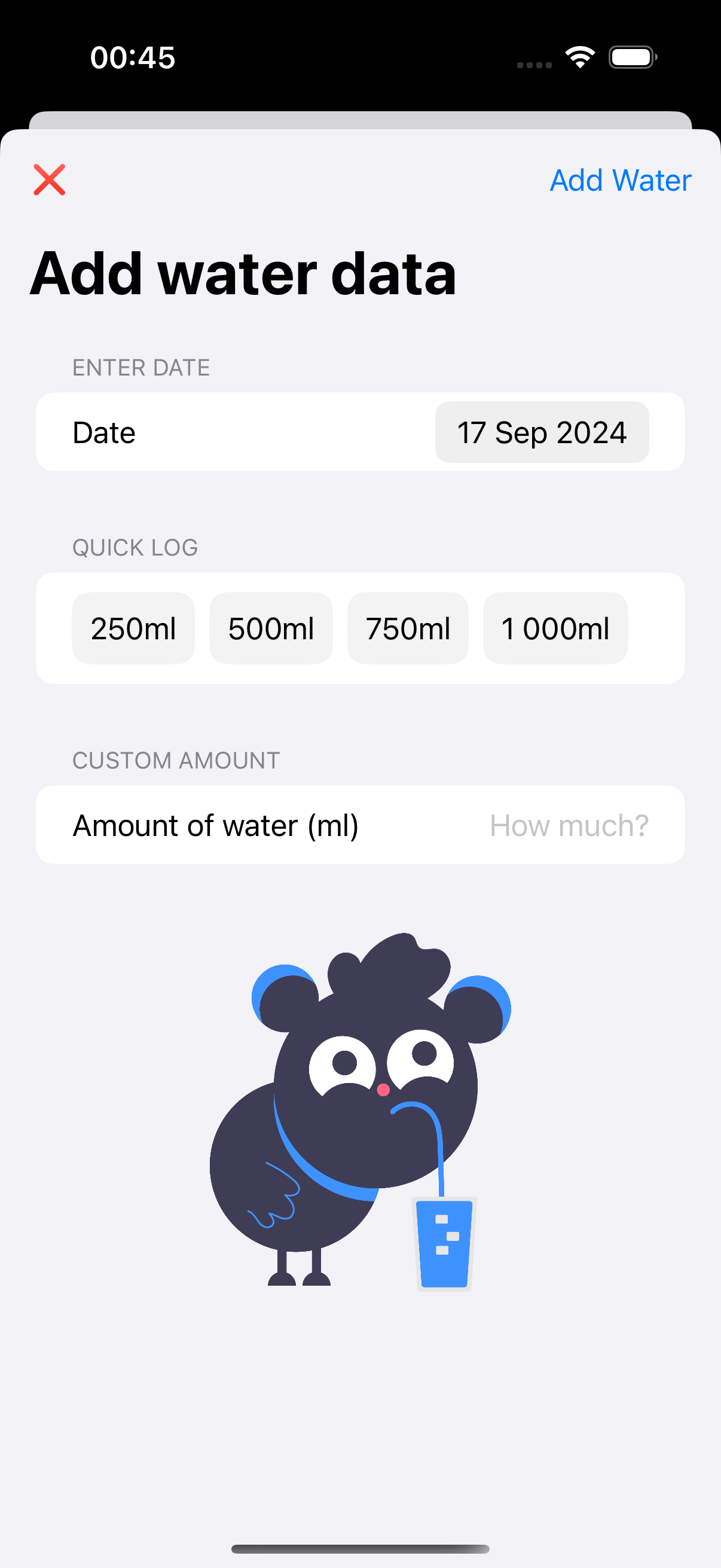
Inspired by the watched video, I decided that wellbeing data (by Apple this is called 'State of Mind' data) can be saved in simple way by clicking with the predefined emojis. I thought that I need also something that not only the wellbeing data will be saved in the app. Then I realized that all of people need to drink water and this is some kind of habit that will be nice to track with current mood or emotions during the day, because we as humans, we often forget to hydrate well, so this will be a nice trigger to save also current wellbeing data.
What it does
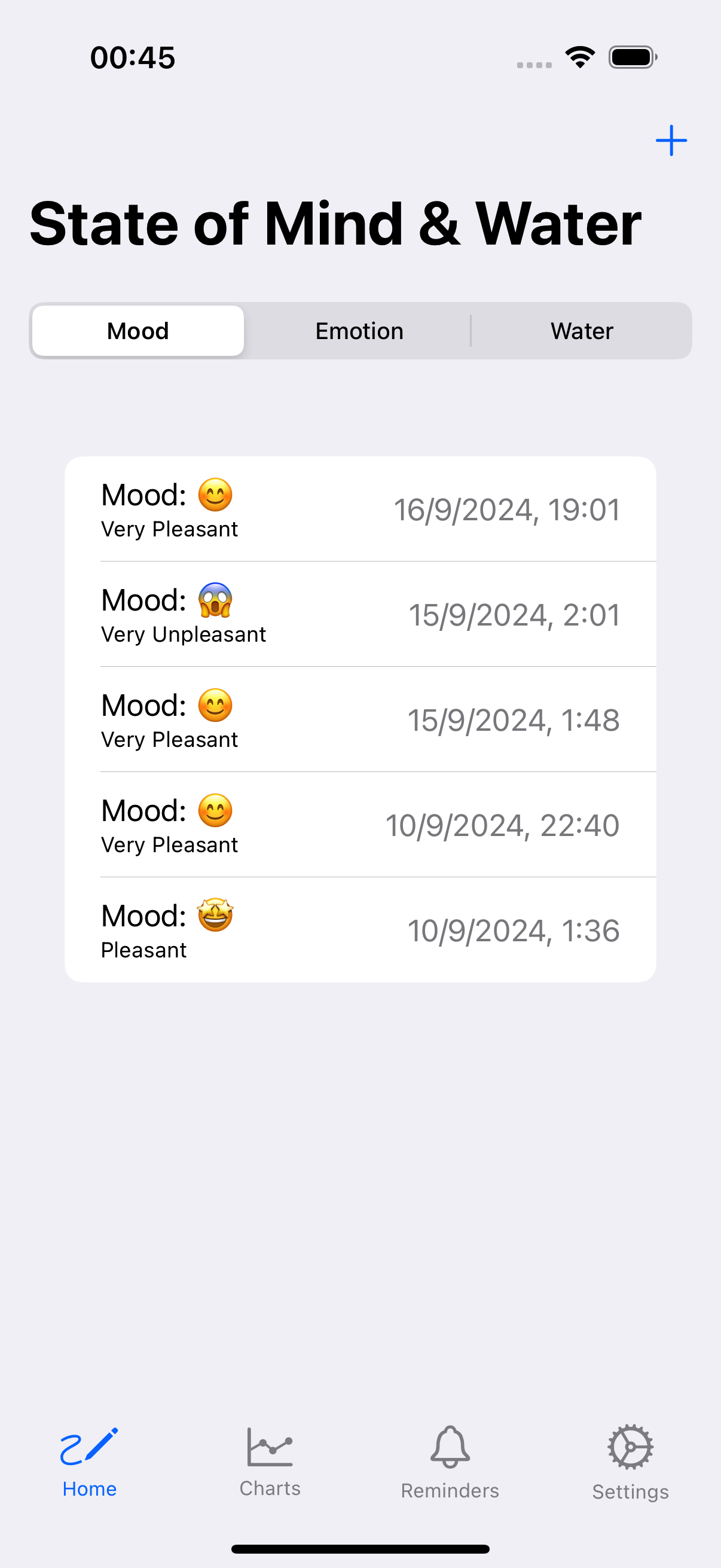
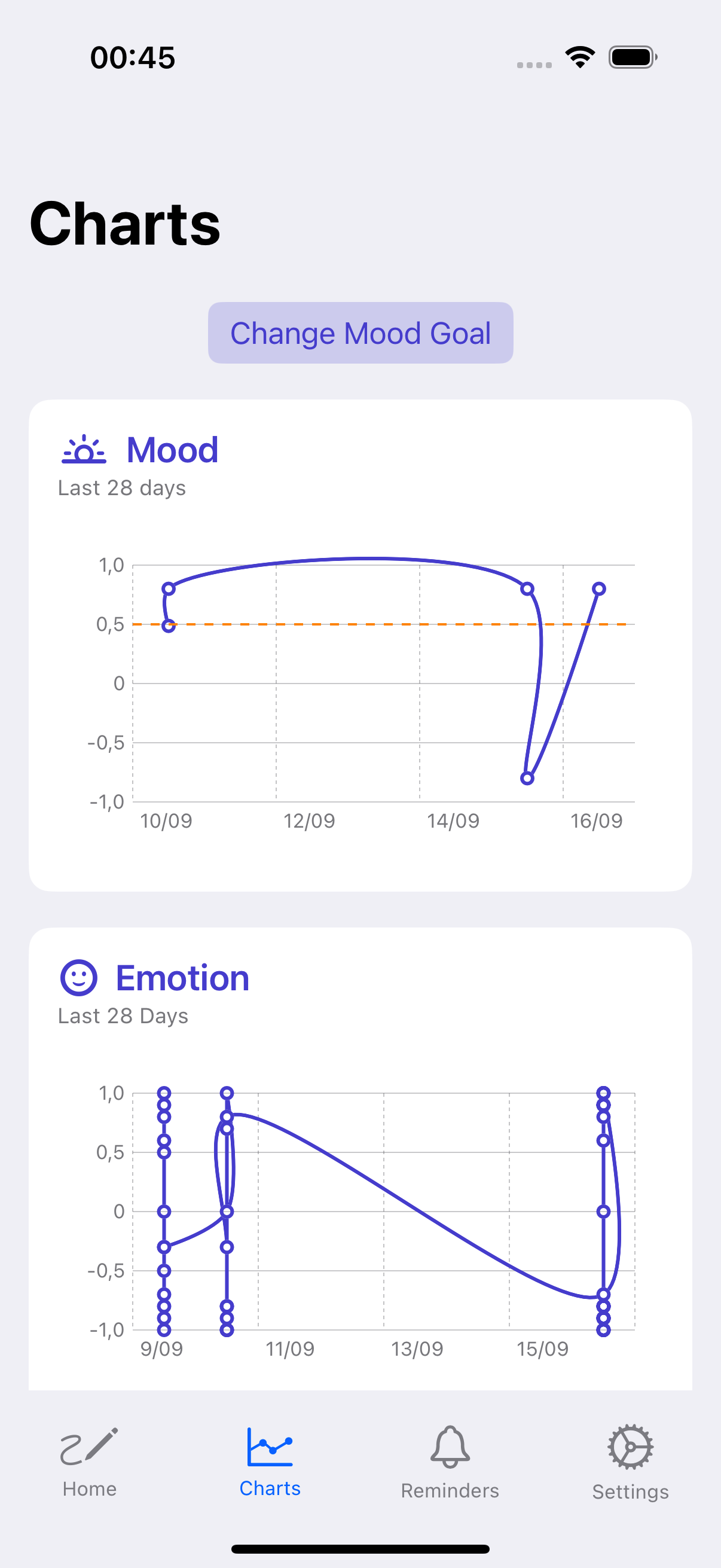
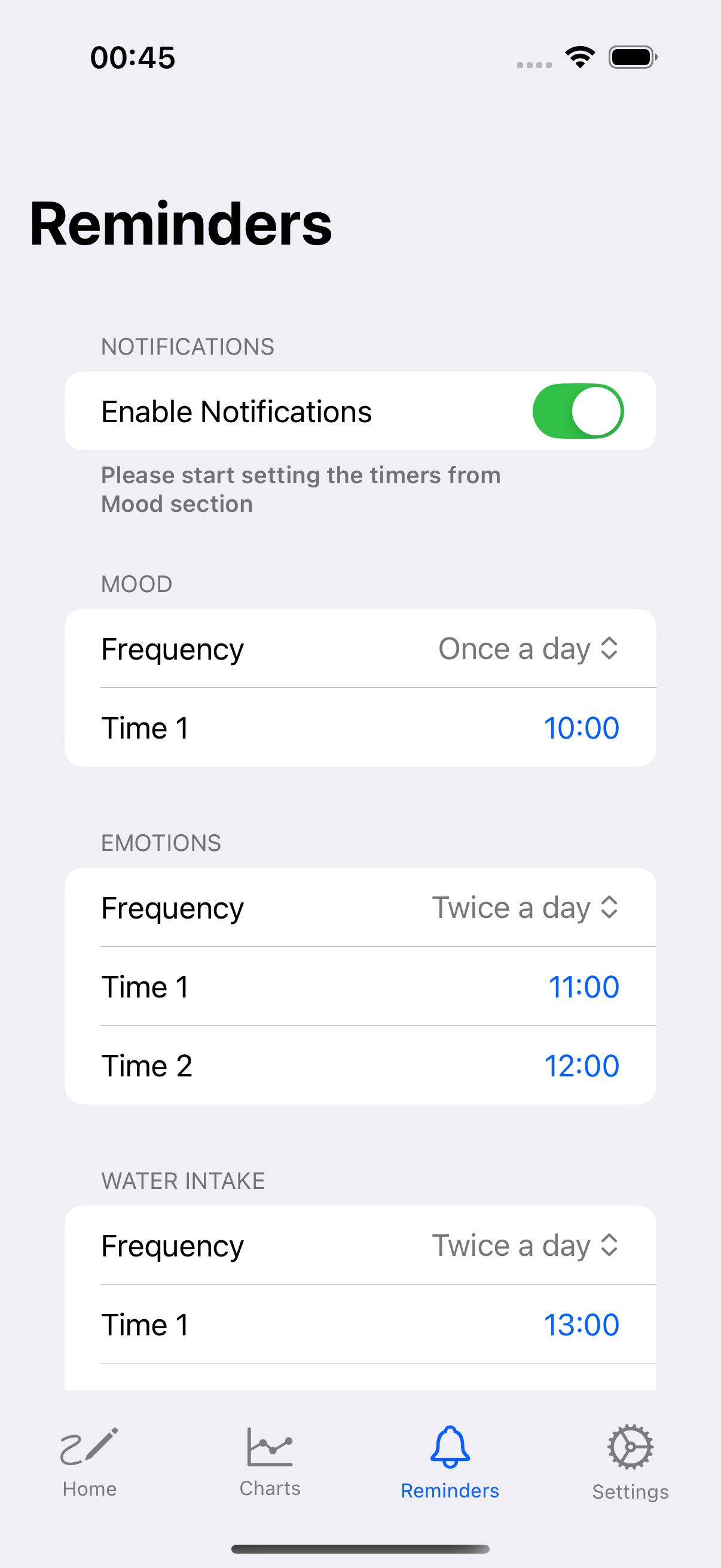
After watching mentioned video, I decided that minimum MVP will be to save mood, emotions and water intake to Apple Health app by HealthKit API. Then, nice visualization for Users will be to check the data in retrospect with Charts, how they fell during the time and whether they drank a lot of water or little. Also, the Users need also to remember to register the data in the iOS app, so application need to have the reminders feature. During development, I realized that also a nice features to have for Users will be option to send feature requests in the form of an array, what features are the most must have for Users to implement and to inform, what features I already implemented from the previous propositions.
How we built it
The development of AquaVibe was a step-by-step process:
- Read the Apple Documentation and search for any information in the Web: Firstly, I needed to check in documentation, project sample, how the State of Mind data should be saved, fetched, how the model data should look like. For water data, the situation was quite simpler, because I had project where steps and weight data were saved to Apple Health app by HealthKit API.
- User Interface: I designed that the design should be simple and I will use Apple designs instead of creating any custom interfaces, which are also time-consuming.
- Emoji Integration: I added the ability to express mood and emotions using emojis, which will be quick, simple and interesting tracking experience.
- Data Visualization: I implemented charts to provide for Users, the visual representations of their tracked data.
- HealthKit Integration: This is core functionality to work with the app to be connected with Apple's HealthKit to provide a more comprehensive health tracking experience. Also, this is something completely new starting from iOS 18, so any other apps in the market will not have such functionality.
- Notifications: I developed a customizable reminder feature allowing Users to set up to three daily notifications for mood, emotions and water intake to remember to save the data in the app.
- Feature Request System: I implemented a voting mechanism for Users to suggest and vote on new features.
- Haptic Feedback: I added haptic responses to enhance the user experience and provide tactile feedback.
Challenges we ran into
The most challenging part was to understand State of Mind logic. From the documentation and sample project, was not so easy justified, so I needed to do a lot of tests to check and understand, how such function in State of Mind logic works (for example, how correctly develop function to save mood or emotions data to Apple HealthKit). Also, State of Mind logic is something completely new, starting from iOS 18, so not so much information was available on the Internet. I needed to check many times the documentation and sample project, where I do not have such experience how to search Apple documentation for the information I need to, where I also do not commercial experience (currently I am applying to be hired as at least Junior iOS Developer level). Unfortunately, I also got sick and was not able to program for several days. I was depressed that I would not make it and would not be able to deliver the idea on time.
Accomplishments that we're proud of
Finally, one day I managed to do it to integrate data from my app, that was visible in Apple Health app. I was very proud, when I saw first results, that I delivered with success data to Apple Health app. It motivated me that if I managed to get a completely new fresh working functionality, I will also deliver other functionalities to the app.
What we learned
Never give up on pursuing your dreams. If you decide that you want to do something and it will give you great satisfaction, do it and do not give up. Small steps led to small successes which made you want to achieve even more. When I started to feel better during my illness, I did not want to give up and I was consistently programming to create my idea to the iOS app and meet the deadline. This project has been a significant learning experience, pushing me to expand my technical skills while creating a tool that I believe can positively impact Users' daily lives by promoting emotional awareness and healthy hydration habits.
What's next for AquaVibe
I focused mainly to deliver iOS app on MVP level, but I have in mind some features that will be good to have in the app. Some of them are:
- Set up the daily goal for water intake and allow Users to set it
- Visual progress bar showing the daily goal (e.g. 2 liters per day)
- Add other drinks to track (e.g. coffee, juices etc.)
Built With
- charts
- healthkit
- notifications
- revenuecat
- swiftui
- wishkit

Log in or sign up for Devpost to join the conversation.