-
-
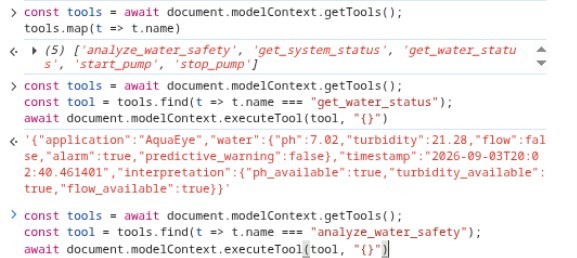
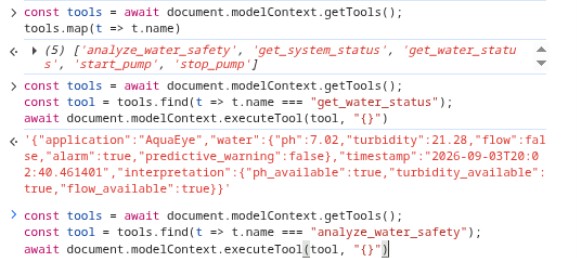
WebMCP tools
-
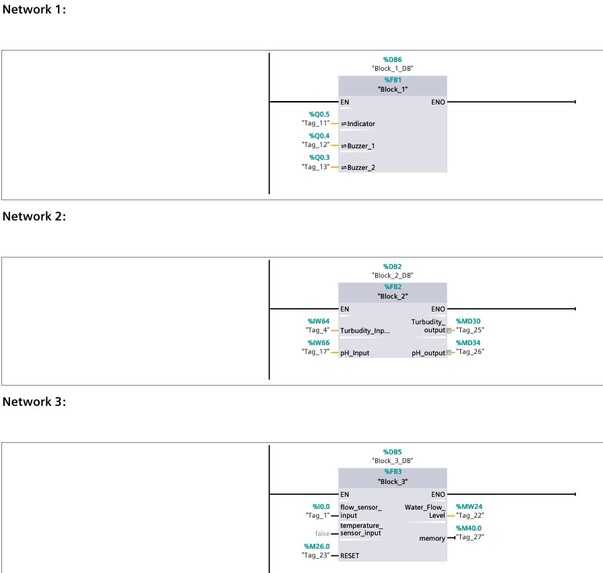
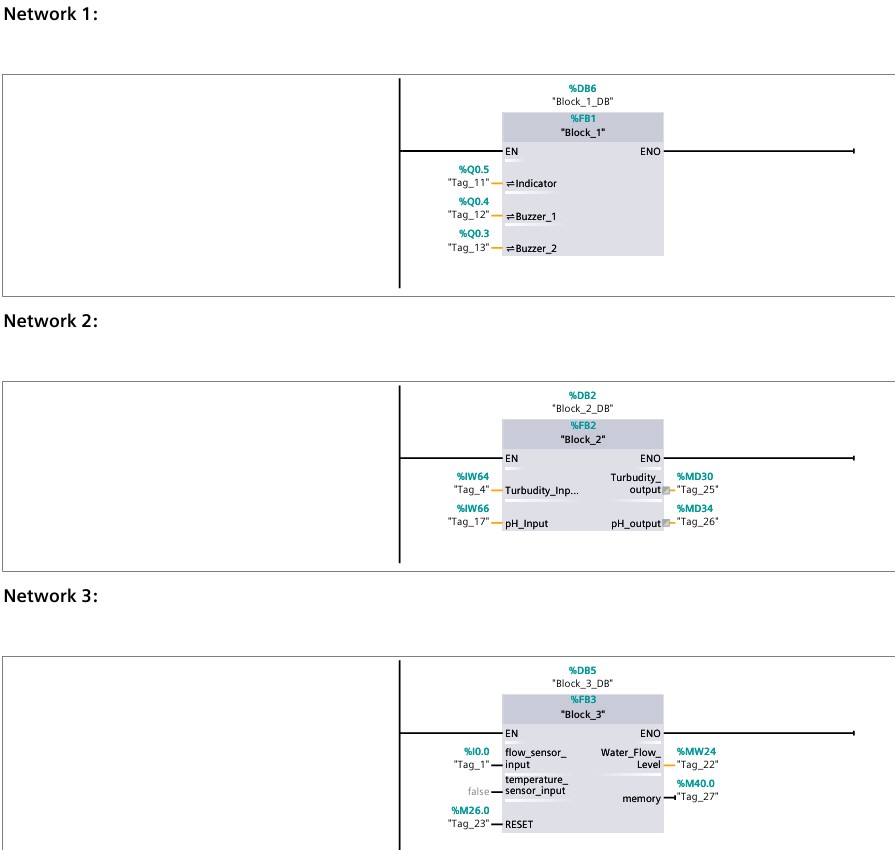
Siemens_TIA_Portal_PLC_Program
-
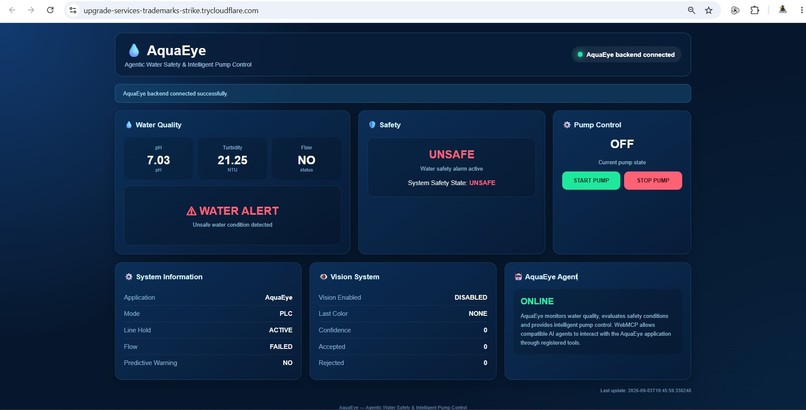
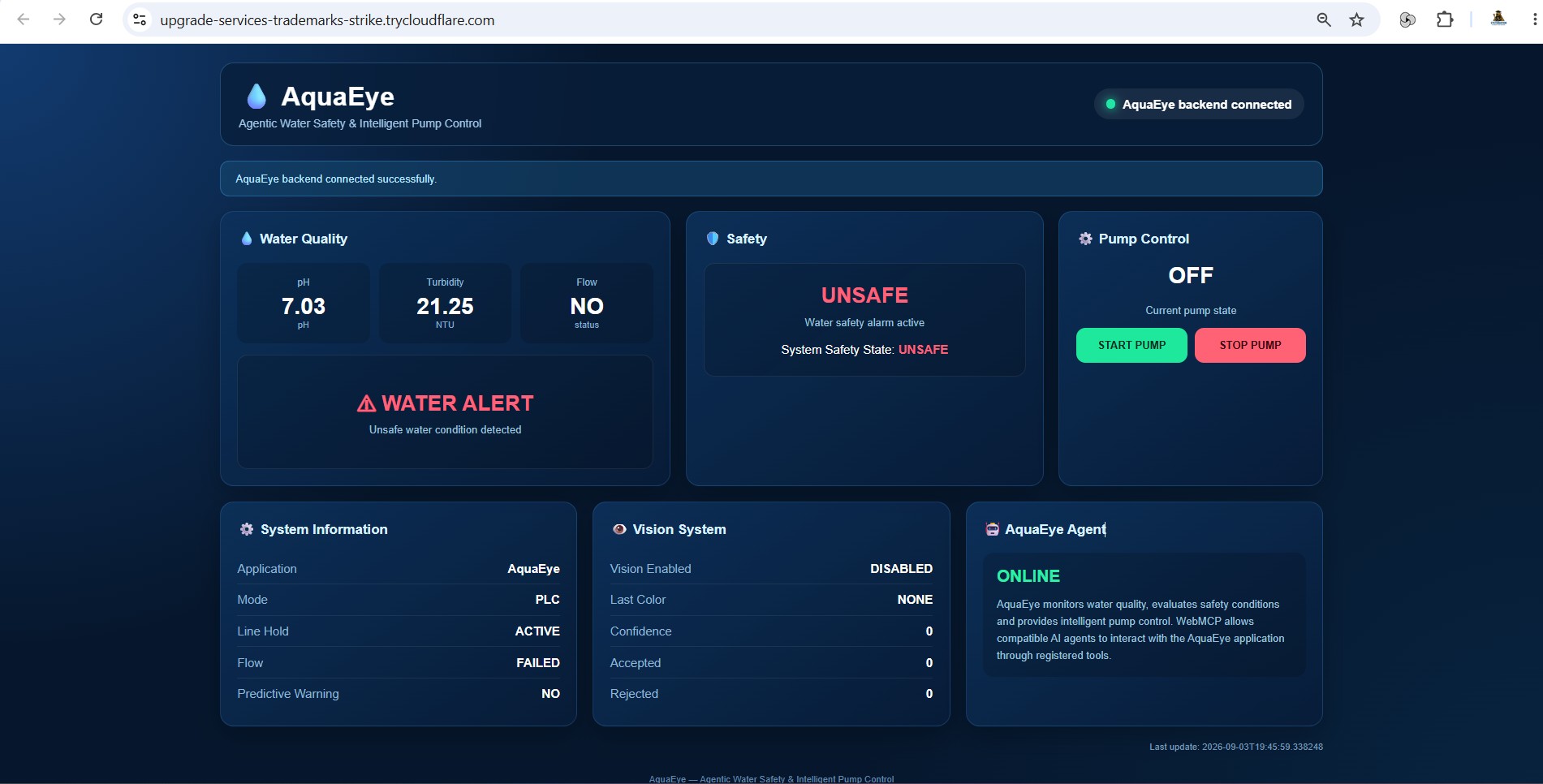
AquaEye dashboard
-
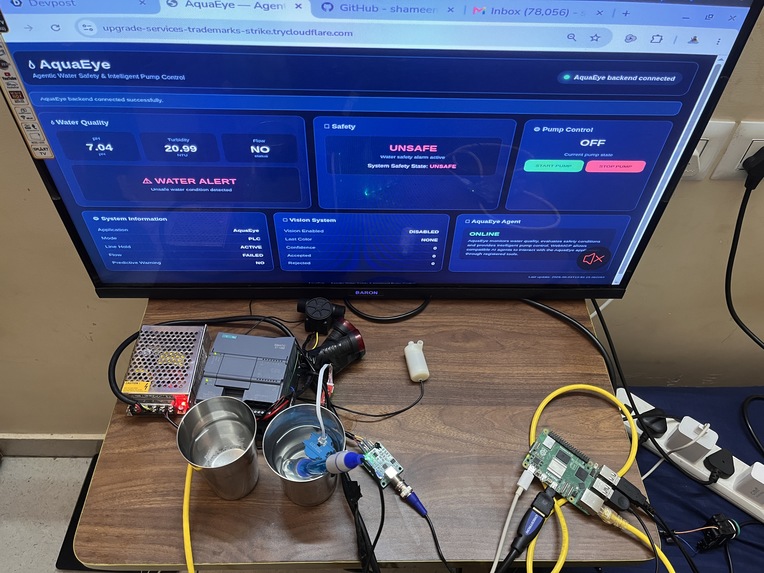
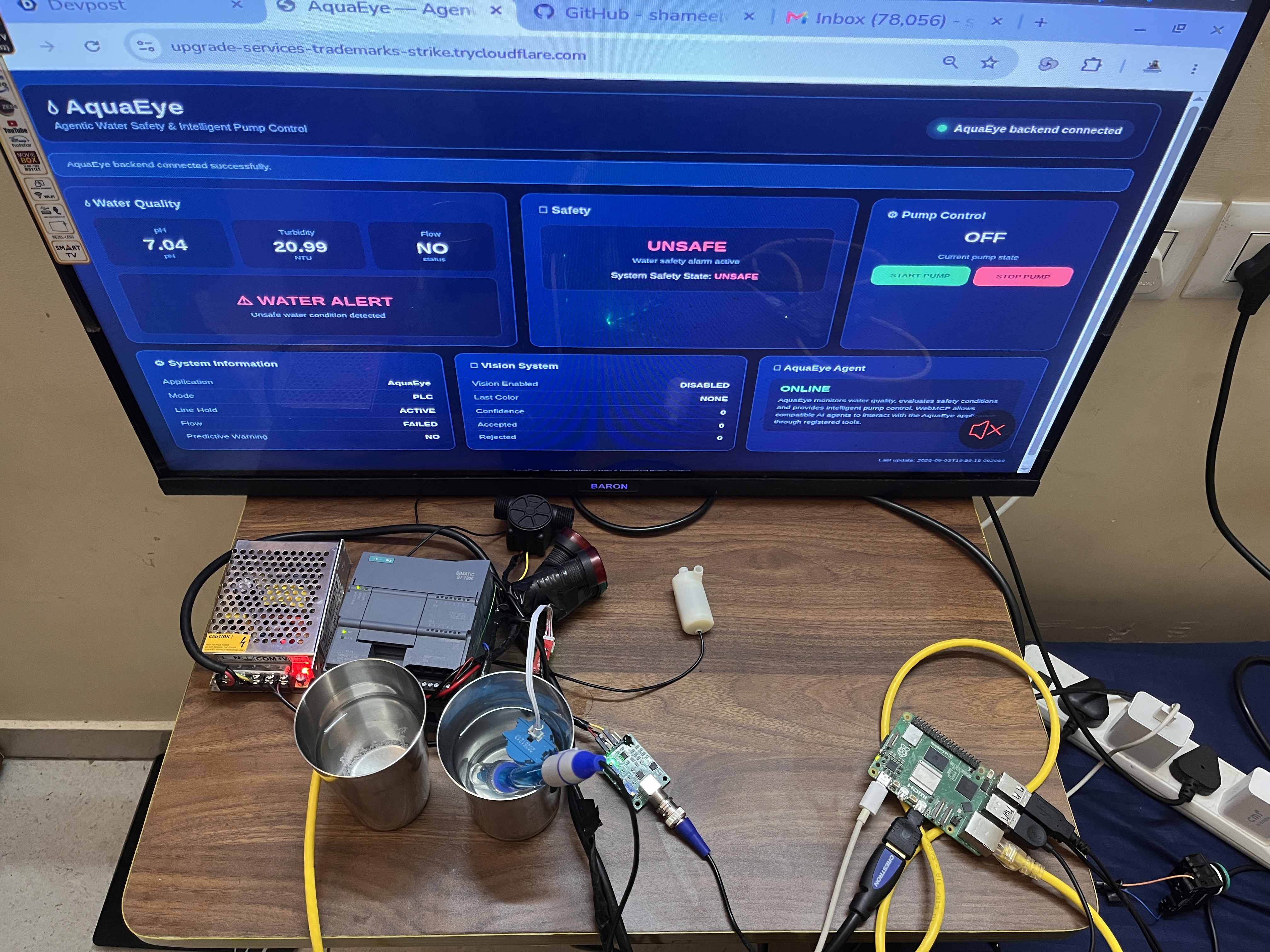
Sensors + PLC + Raspberry Pi
Inspiration## Inspiration
Water safety systems often generate large amounts of sensor data, but operators still need to interpret those signals and interact with industrial control systems manually. We wanted to explore how an AI agent could work with a real physical system while keeping industrial safety logic in control.
This led to AquaEye — an intelligent water safety system combining real-time water sensing, Siemens PLC control, Raspberry Pi edge computing, and WebMCP-based AI-agent interaction.
What AquaEye Does
AquaEye monitors water conditions using pH, turbidity, and flow sensors connected to a Siemens PLC.
The system architecture consists of:
- Industrial sensors for real-time water monitoring
- Siemens PLC for industrial control and safety logic
- Raspberry Pi as the edge-computing layer
- Python backend communicating with the PLC using Snap7
- Web dashboard for human monitoring
- WebMCP tools that allow AI agents to interact with AquaEye through the browser
The backend converts the physical sensor signals into structured information and evaluates the water condition against configured safety limits.
WebMCP Integration
WebMCP is the key interface between AquaEye and AI agents.
AquaEye exposes five tools:
get_water_status— retrieves the current water measurements and system condition.analyze_water_safety— analyzes the current water parameters and returns a safety decision.get_system_status— provides the overall system state.start_pump— provides controlled pump-start interaction.stop_pump— provides controlled pump-stop interaction.
This allows an AI agent to discover AquaEye's capabilities and interact with live system information through the browser instead of relying only on a traditional dashboard.
Human + Agent Collaboration
The dashboard is designed for the human operator, while WebMCP provides an interface for AI-agent interaction.
The human can visually monitor the physical system and dashboard, while an AI agent can request structured system information and analyze the current water-safety condition.
Importantly, the AI interaction does not replace the industrial safety layer. The PLC and programmed safety logic remain responsible for the physical control system.
How It Was Built
The physical sensors are connected to the Siemens PLC. The Raspberry Pi communicates with the PLC using Snap7 and runs the AquaEye backend.
The Flask backend exposes the system data through APIs. The web frontend presents the live information to the operator.
WebMCP is implemented directly in the frontend using document.modelContext.registerTool(...). Each registered tool connects an agent request to the corresponding AquaEye backend capability.
Challenges
One of the main challenges was connecting the browser-based WebMCP layer to a real industrial PLC system.
We had to integrate PLC communication, Raspberry Pi networking, the Python backend, the web dashboard, and WebMCP while maintaining a clear separation between AI interaction and physical safety control.
Another challenge was making the system work with live industrial data rather than a simulated software-only environment.
What I Learned
This project demonstrated how WebMCP can become an interface between AI agents and real-world systems.
I learned how to combine industrial automation, PLC communication, edge computing, web technologies, and agent-facing tools into one architecture.
The project also showed that AI-agent interaction can be added on top of an existing industrial control architecture without removing the deterministic safety logic that protects the physical system.
What's Next
The next stage for AquaEye is to expand the system with additional water-quality parameters, richer historical analysis, predictive monitoring, and more intelligent agent workflows.
The long-term goal is to develop AquaEye into a platform where AI agents can assist operators in monitoring, diagnosing, and managing industrial water systems while maintaining appropriate industrial safety boundaries.
Built With
- flask
- html
- industrial-automation
- javascript
- plc-edge-computing
- python
- raspberry-pi
- siemens-plc
- snap7
- water-monitoring
- webmcp

Log in or sign up for Devpost to join the conversation.