-
-
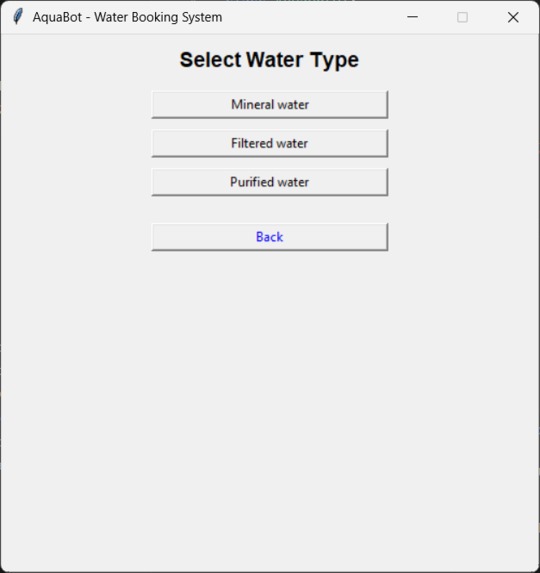
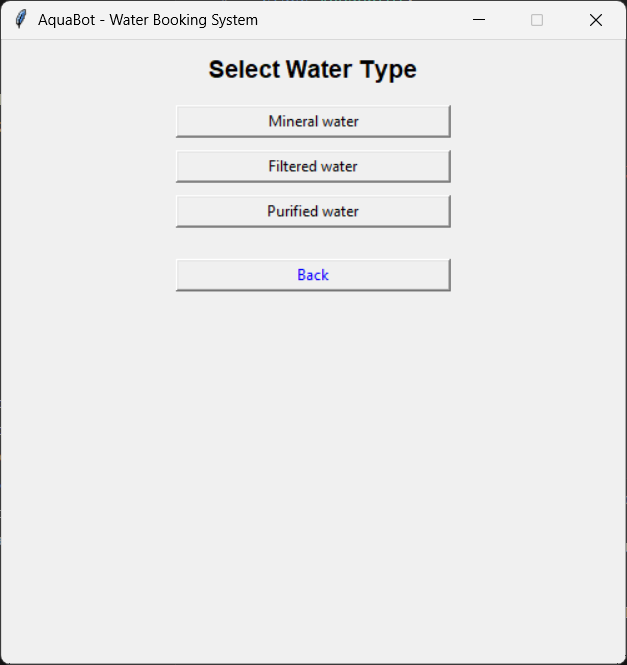
It’ll ask you to choose one, If you choose one, it’ll ask user to choose sub water type
-
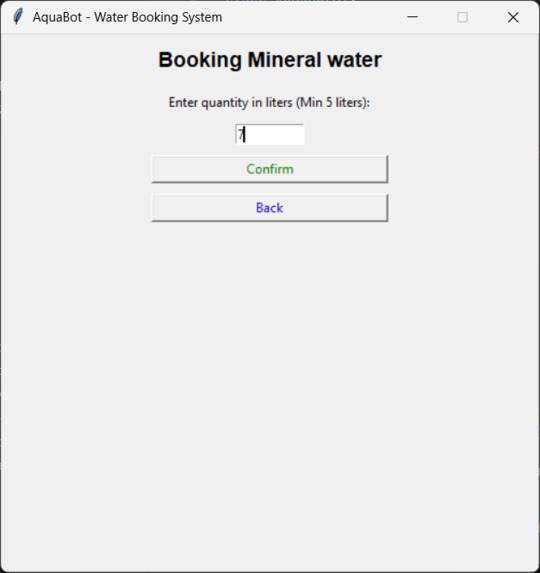
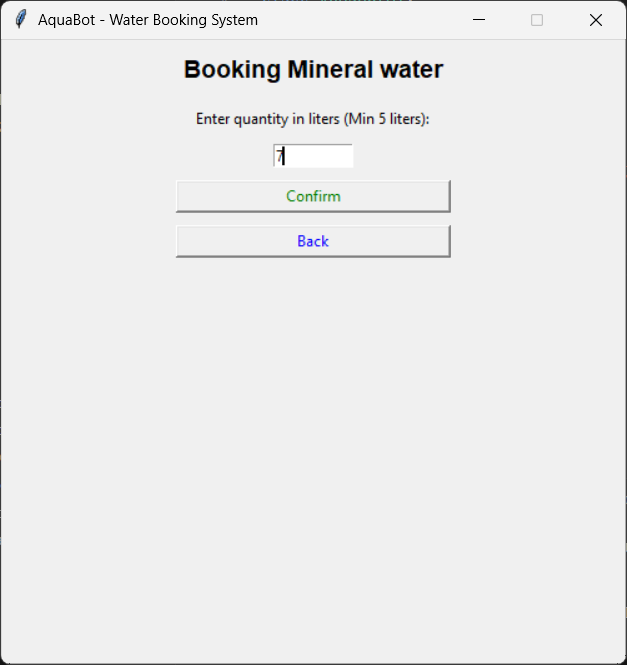
Later it’ll ask user to enter quantitycof water required, and it’ll ask to confirm.
-
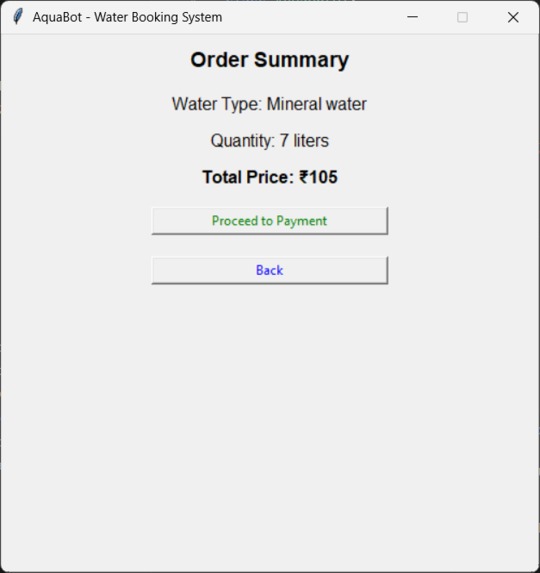
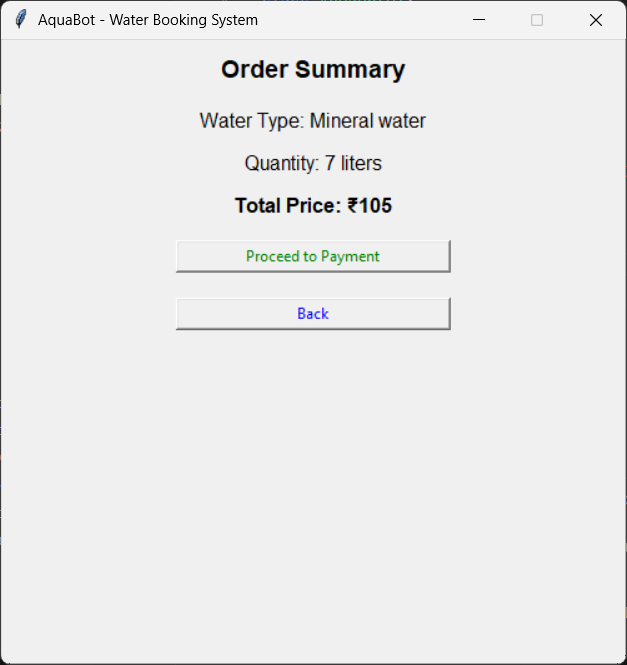
It’ll display order summary as shown in fig.
-
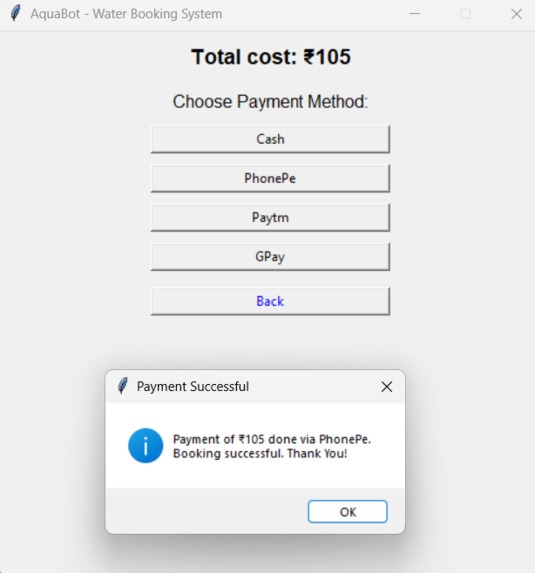
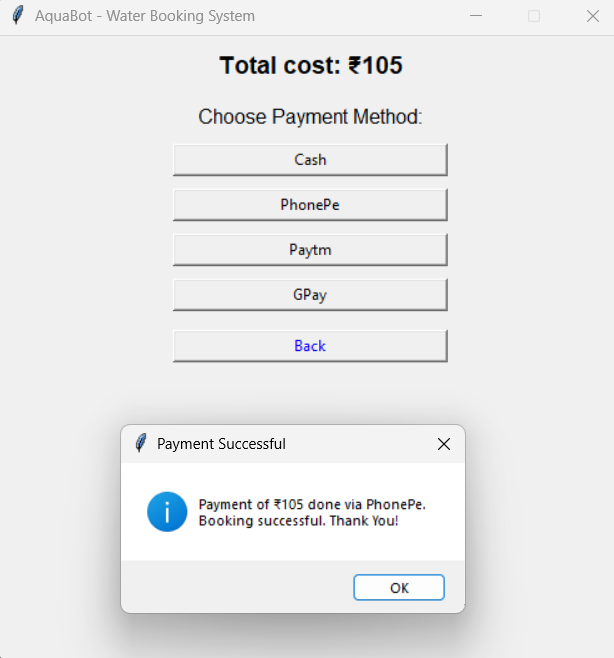
It'll ask user to choose payment method, if you choose online payment, and after booking, it’ll display pop up like this.
-
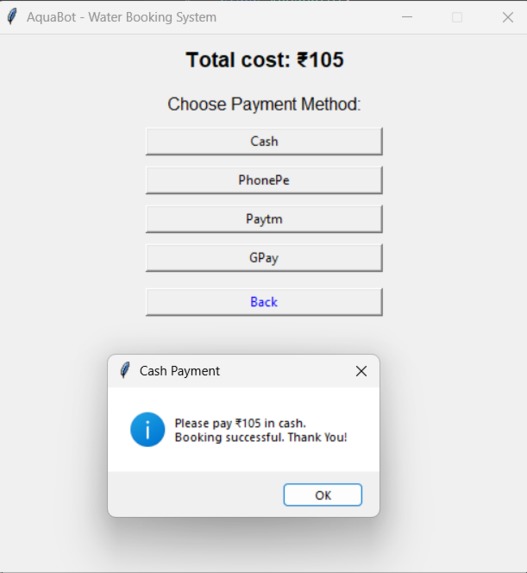
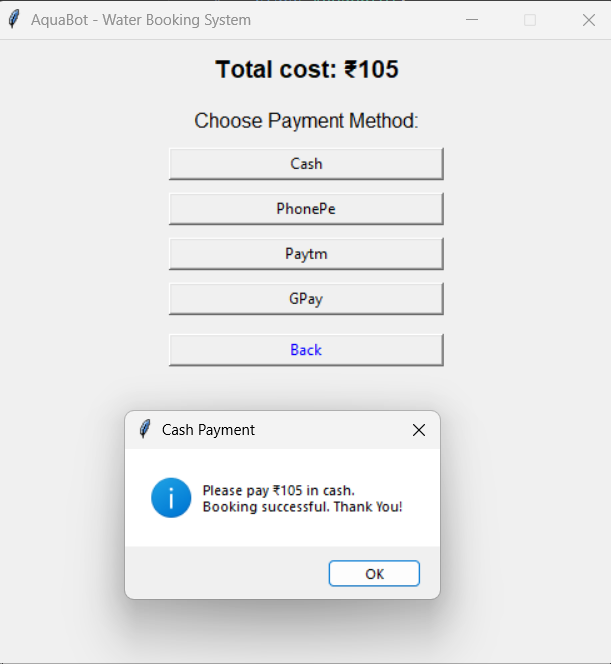
You can even choose cash payment, and after booking, it’ll display pop up like this.
AquaBot: A Water Booking System
What Inspired Me As I've always been passionate about creating innovative solutions, I was inspired to build a bot that makes a positive impact on people's lives and real-world problems. During my daily routine, I noticed how often people struggle to access clean drinking water, especially in metropolitan cities like Mumbai, Bangalore, etc. This gave me an idea to create a system that could simplify the process of booking water supplies that could deliver you water at your doorsteps. That's where I got this idea, and in the process I fell in love with the project, cause it's still not widely spreaded over india, and I think this would help people a lot.
What I Learned Designing and developing a user-friendly GUI using Tkinter Implementing efficient booking system Integrating payment options and handling transactions Troubleshooting and debugging code Documenting the code
How I Built My Project AquaBot was built using Python as the primary programming language with Tkinter for the GUI. Designed a user-friendly GUI with Tkinter, allowing users to select their water type, quantity, and payment method. Implemented a booking system that handles user input, validates data, and updates the system. Integrated payment options, including cash, and other online payment options, so it can be user-friendly.
Challenges I Faced Managing my college works and this was bit challenging for me, and being a 2nd year UG student it's always a challengiung task to build some bot that solves real-world problem, thankfully, with all our efforts we did it successfully. It's been an incredible learning experience, allowing me to develop a water booking system. Through this project, I've gained valuable skills in software development, problem-solving, and critical thinking. And yeah, hope my efforts help people in overcoming their water worries. And in upcoming days, i'm looking forward to proceed further with web development and all, where I can completely implement in real world.
Use this link to access/view PPT: https://1drv.ms/p/c/9470cb5b1644ede4/EfYR7k6aBCJDitXBrGukh5cBGm4TcpnbM9Xy8MPn2C6X3g?e=lRObG4
Introduction AquaBot is a water booking system designed to simplify the process of ordering water for various purposes. This user guide will walk you through the steps of using AquaBot.
Getting Started
- Launch the AquaBot application.
- You will see the main menu with options to select the purpose of water booking.
Selecting Purpose
- Click on the button corresponding to your purpose (Drinking, Construction, Household, Water Bottles, or Other).
- You will be taken to the water type selection page.
Selecting Water Type
- Choose the type of water you want to book (e.g., Mineral water, Filtered water, etc.).
- Click on the button corresponding to your chosen water type.
Booking Water
- Enter the quantity of water you want to book in the specified unit (bottles or liters).
- Click the "Confirm" button to proceed.
- If the quantity is less than the minimum required, an error message will be displayed.
Order Summary
- Review your order summary, including water type, quantity, and total price.
- Click "Proceed to Payment" to continue.
Payment Options
- Choose your preferred payment method (Cash, Bank Transfer, Paytm, or Google Pay).
- Click on the button corresponding to your chosen payment method.
Payment Confirmation
- If you choose Cash, a message will be displayed with payment instructions.
- For other payment methods, a payment successful message will be displayed.
Exit
- To exit the application, click on the "Exit" button in the main menu.
- Confirm your exit by clicking "Yes" in the prompt.
Conclusion Project Summary: The AquaBot - Water Booking System is a GUI-based application built using Python and Tkinter. It allows users to order different types of water for various purposes, including drinking, household use, construction, and bottled water. The system calculates the total cost based on the selected water type and quantity, and provides payment options for order completion. The future scope of the AquaBot - Water Booking System includes database integration, order tracking, mobile app development, multi-language support, user authentication to enhance functionality and user experience.
To watch AquaBot's working, kindly go through the link given: https://vimeo.com/1065783076/43a7a6709d
Built With
- python
- tkinter
- visual-studio


Log in or sign up for Devpost to join the conversation.