-
-
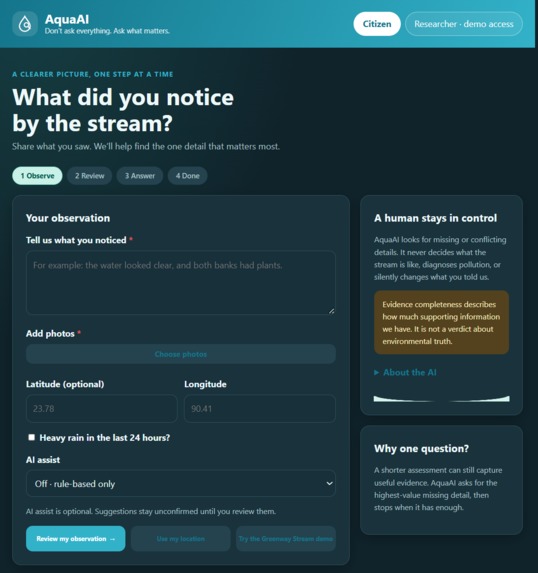
homepage in dark mode
-
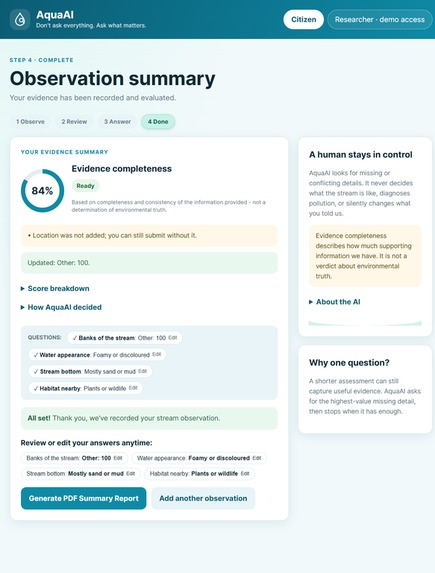
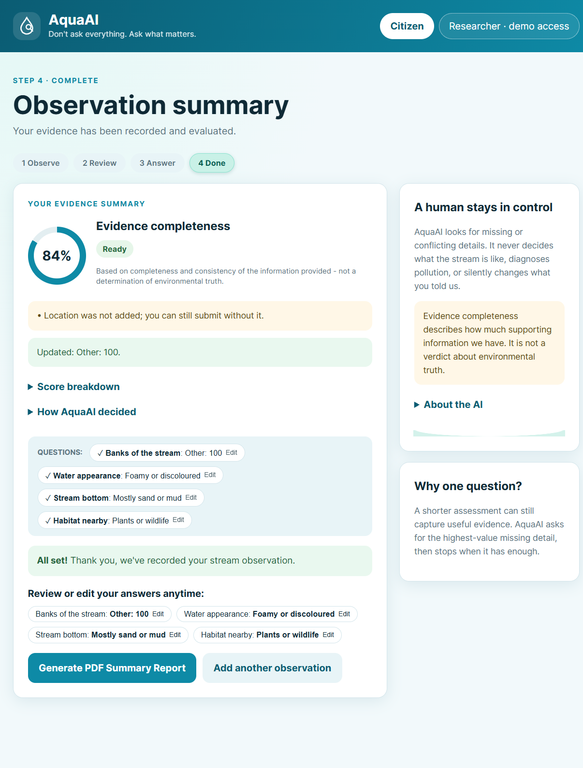
observation summary page
-
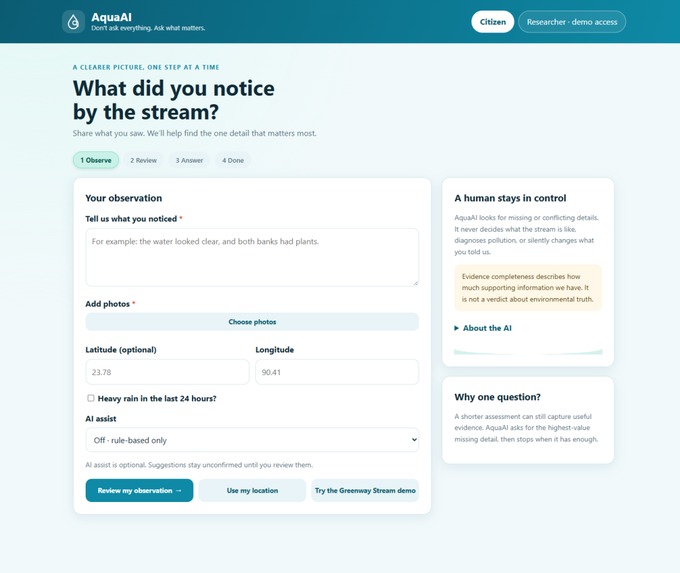
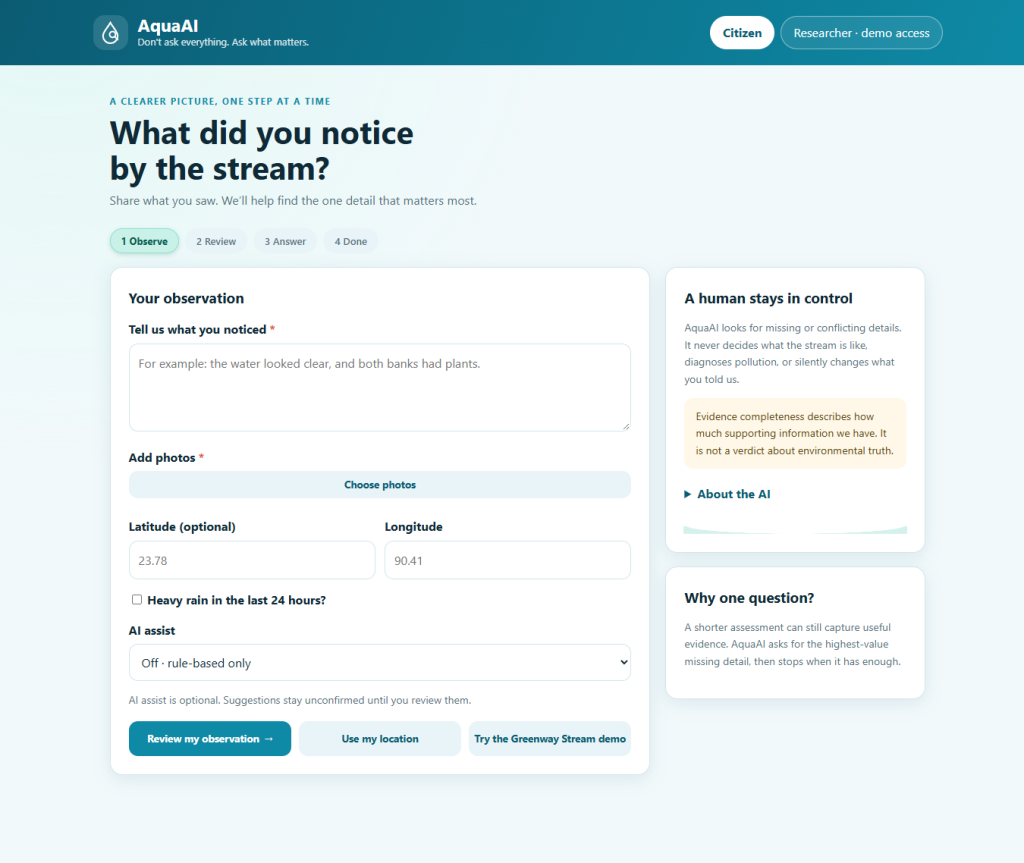
homepage in light mode
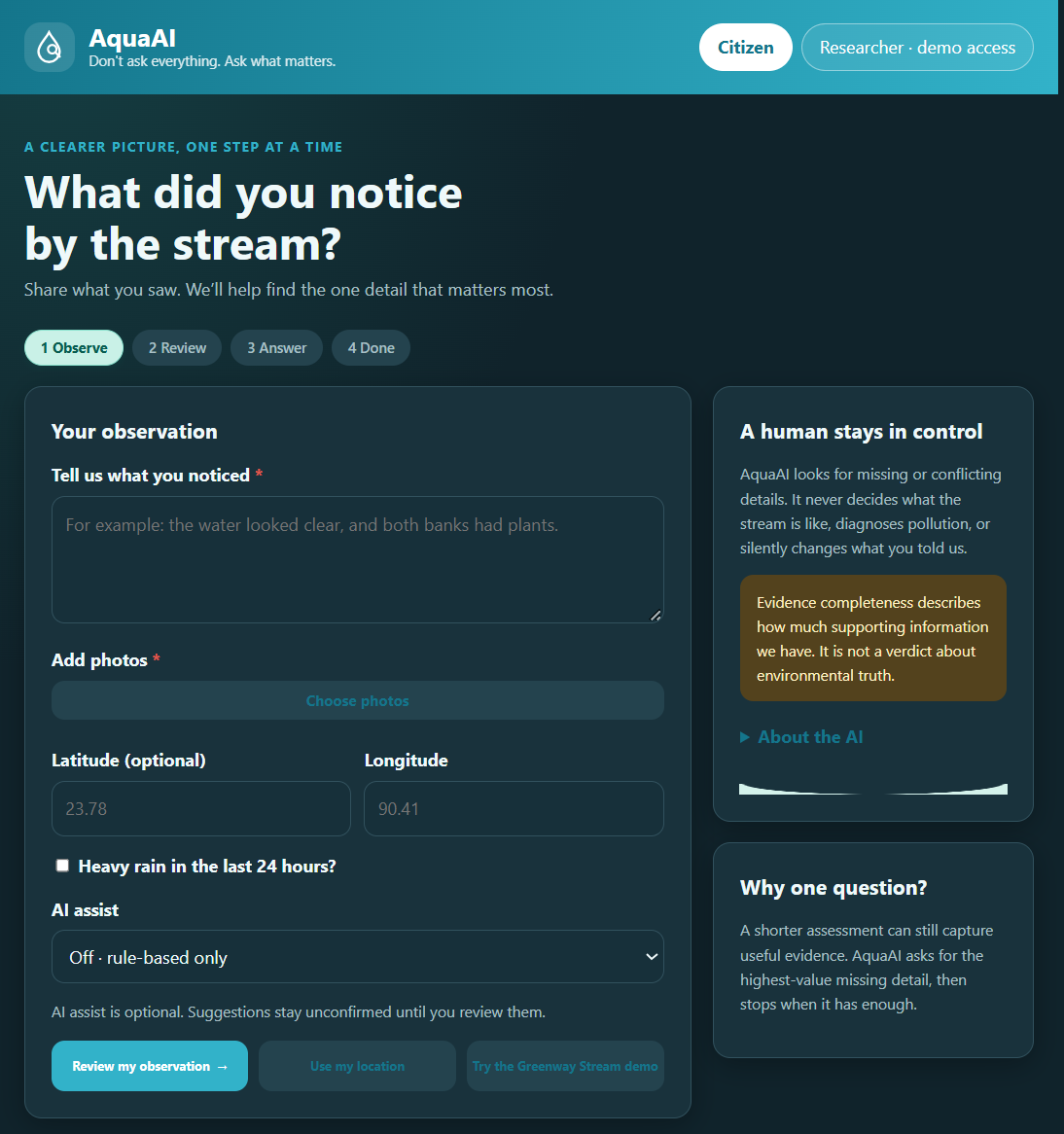
Inspiration
Urban streams are some of the most overlooked parts of a city, yet they connect biodiversity, climate and public health. Citizens can help monitor them, but their reports are often incomplete or inconsistent: a blurry photo, no location, a vague word like "weird" or "dirty". Experts then have to chase the missing details or discard the report.
The obvious fix is to ask citizens a long list of questions, but long forms make people quit. We wanted to flip that: don't ask everything, ask what matters. And since Track 3 is about using AI responsibly, we wanted a system where AI helps but never replaces human judgment.
What it does
AquaAI helps a citizen turn a quick stream observation (text, photo, location) into a reliable record:
- Scores evidence completeness, based on how complete and consistent the information is. It is not a verdict on the water. Every score carries this note: "Based on completeness and consistency of the information provided - not a determination of environmental truth."
- Finds the single most valuable missing or contradictory detail and asks one plain-language question, with an "I'm not sure" option every time. A real answer is never downgraded to "unsure".
- Shows the score going from before to after the answer, with a "Why am I being asked this?" explanation.
- Routes conflicts to experts. If an answer contradicts the photo, it isn't silently corrected. Once the citizen confirms it, a researcher reviews it.
- Keeps AI under human control. AI can suggest details from text or photos, but suggestions don't count toward the score until a person confirms them. Every AI-touched value is labelled and carries its provenance.
- Gives researchers a review view: a queue, a detail panel (AI suggestion vs. final human value), verify and correct actions with an audit trail, a site history, and a map.
- Exports a FHIR R4 Observation. The extension URLs are placeholders, and we don't claim conformance with the OneAquaHealth FHIR profile.
It works fully with no API key and no internet. The default photo signals are simulated and clearly labelled as such.
How we built it
- Deterministic core. The scoring, question ranking and stop rule live in a dependency-free Python engine. No AI model ever computes the score or chooses the question.
- Validation layer. AI output is treated as untrusted input: schema and range checks, an allow-list of keys, and a fallback to the rule-based path on any failure. Plausibility checks (location, timestamp, rain context, duplicate photos) raise flags rather than silently editing anything.
- Versioned AI prompts. Prompts are stored as files with fixed JSON schemas, temperature 0, and an instruction to return
nullfor anything unclear, so vague words aren't guessed into data. Providers sit behind one interface: simulated by default, with optional live vision and text models when a key is set. - Explainability. The app shows per-field provenance tags, a score breakdown, a decision log of why a question was chosen, and an "About the AI" panel stating what the AI does and never does.
- Stack. FastAPI backend, SQLite storage, a mobile-first vanilla JS frontend, Leaflet and OpenStreetMap for the researcher map, and Open-Meteo for optional rainfall context.
- Testing. Unit tests, API tests and Playwright end-to-end checks: [N] tests in total, [all passing / state the real result]. We also ran a small evaluation on a synthetic set, and the measured numbers are in the README [add numbers from
eval.pyoutput]. They are not evidence of real-world accuracy.
We built much of it with an AI coding assistant, which is fitting for a project about using AI carefully, with a human reviewing and running everything.
Challenges we ran into
- Keeping AI in its lane. The hardest design question was where AI helps without taking over. We settled on a rule: AI suggests, a human confirms, and only confirmed values count.
- Asking one question, not ten. Ranking missing details by value against effort, and knowing when to stop asking, took several iterations.
- Contradictions without blame. When an answer conflicts with the photo, we wanted a friendly "please look again" message instead of an accusation, with a clean path to expert review.
- Practical build problems. A sandboxed dependency install failed with permission errors, an automated Chrome crashed during testing, and a bug rendered the whole page twice. We fixed each one and added a regression check for the duplicate-UI bug.
- Staying honest. We had to resist showing impressive-looking numbers. Every number in the app comes from the engine, and demo data is labelled "Demo data".
Accomplishments that we're proud of
- A working flow where different observations get different questions, with the score visibly moving before and after.
- An AI design where unconfirmed AI suggestions can't change the score, and this is covered by a test.
- Full offline operation: no key and no internet required.
- Explanations a non-expert can follow, from "why this question" to the field-by-field breakdown.
- A researcher view with an audit trail, so human corrections never overwrite the original value.
What we learned
- Responsible AI is mostly about constraints: what the model is not allowed to do matters more than what it can do.
- Asking fewer, better questions beats long forms for both citizens and data quality.
- Simulated AI is useful, but only if it is clearly labelled as simulated.
- Explainability works best when it is built into the interface, not added as a separate document.
What's next for AquaAI
- Pilot with real citizen scientists and the OneAquaHealth app, and measure real accuracy and completion rates.
- Test the live vision and extraction models against expert-labelled photos.
- Align the FHIR output with the official OneAquaHealth profile once available, replacing our placeholder extensions.
- Add multilingual support and offline-first mobile capture.
- Feed verified observations into trend analysis and early-warning tools for Track 2 and Track 6 style use.
- Gather researcher feedback to refine the question-ranking rules.
Built With
- css
- fastapi
- html
- javascript
- python
- uvicorn


Log in or sign up for Devpost to join the conversation.