-
-
 GIF
GIF
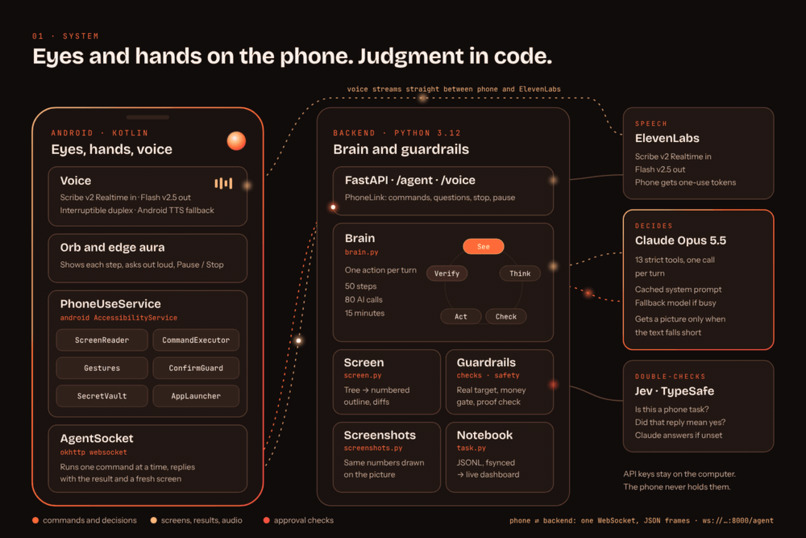
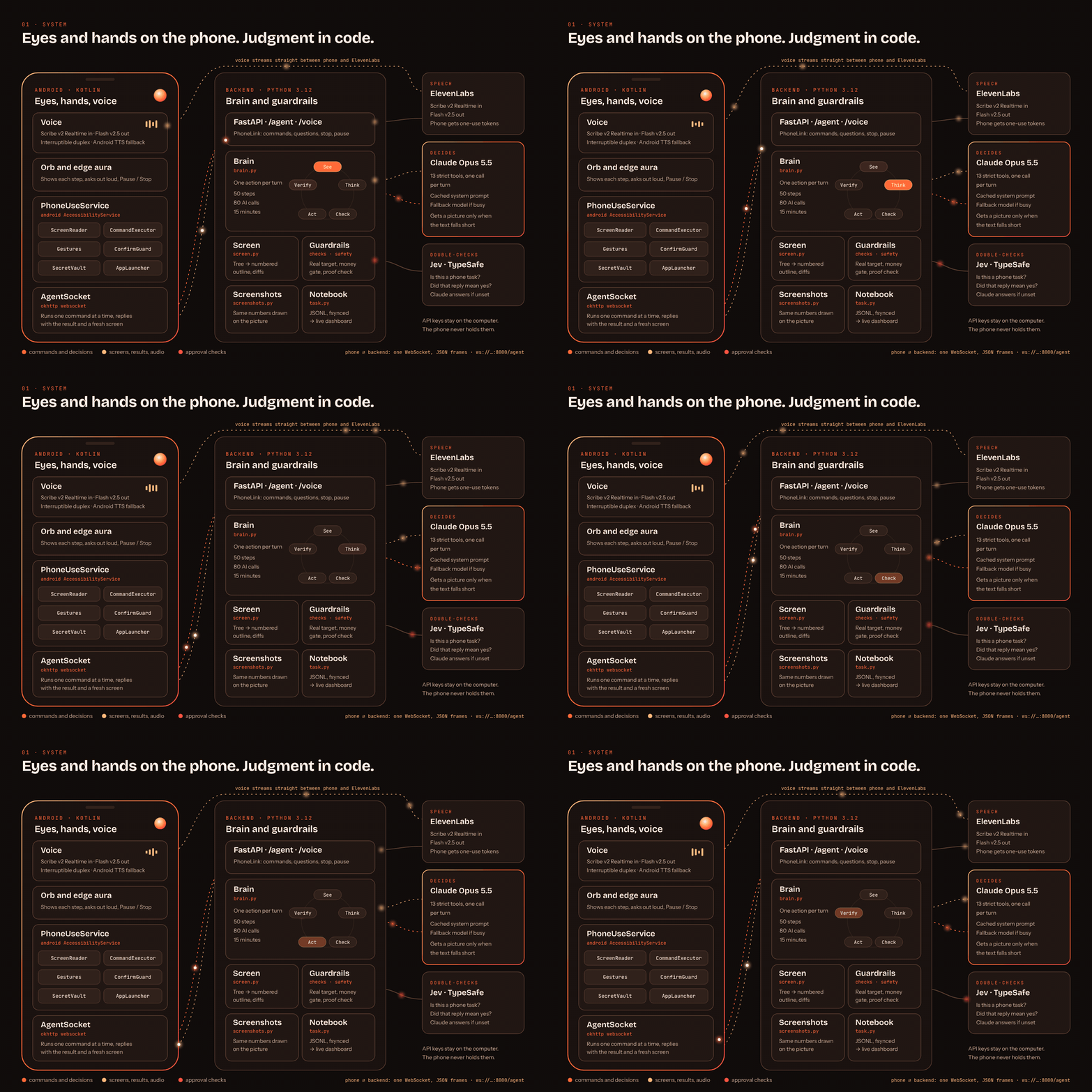
System architecture: the phone sees and acts, the backend decides and enforces the rules in code
-
 GIF
GIF
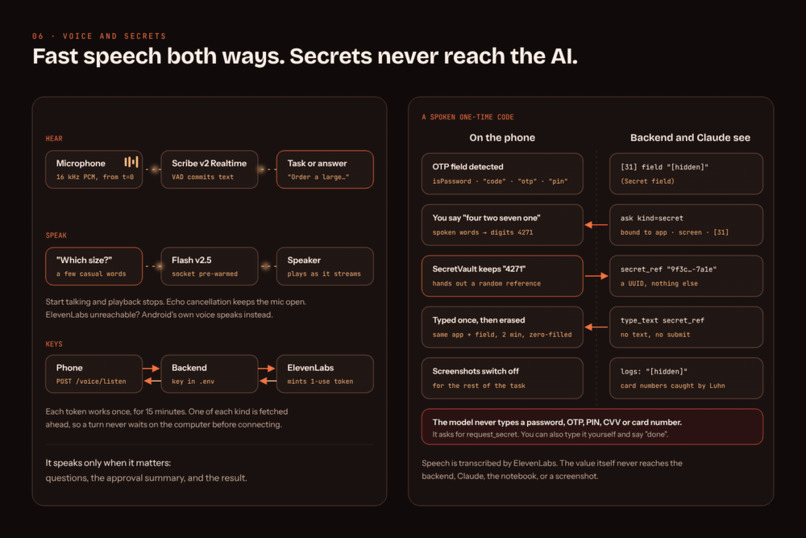
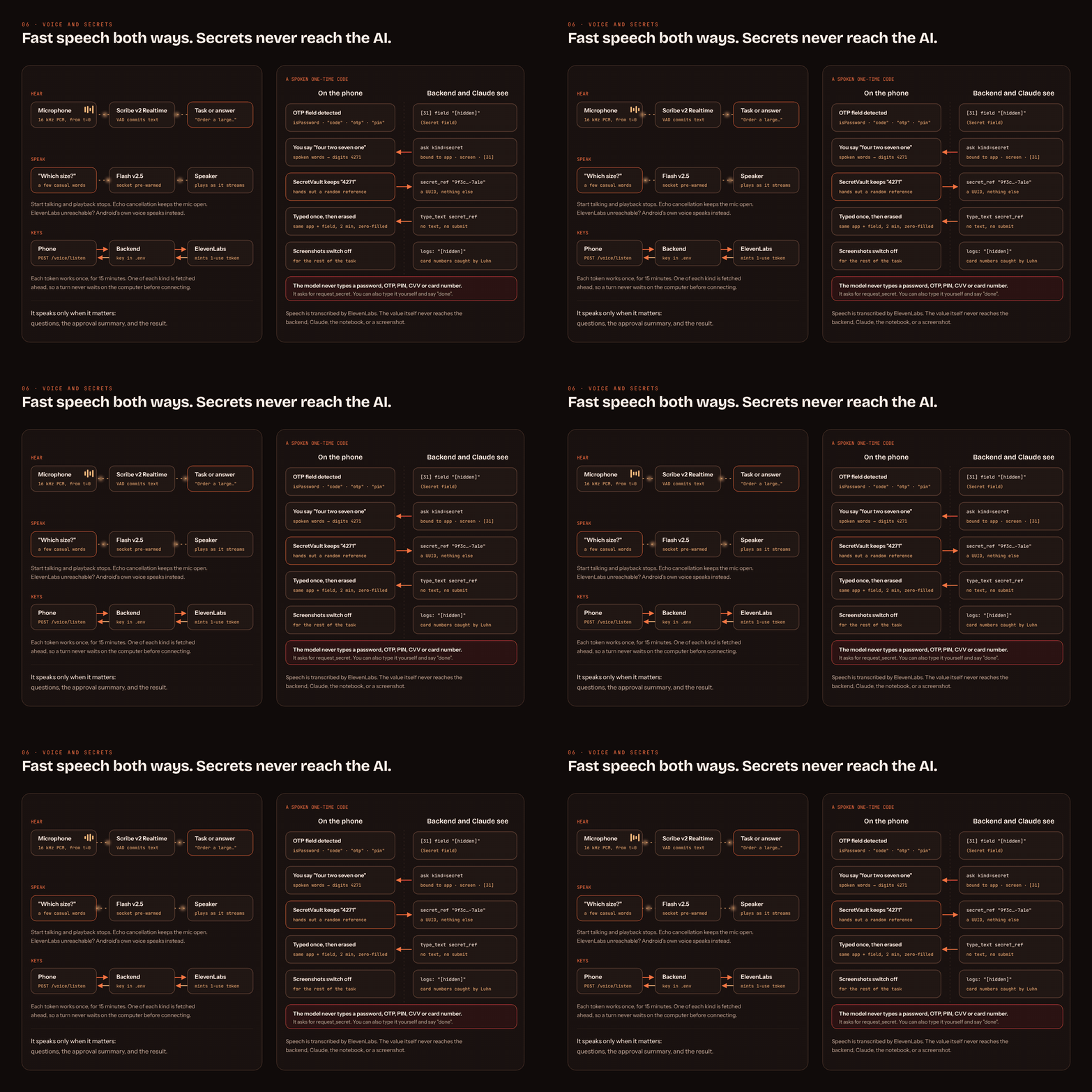
Fast voice with single-use tokens; spoken secrets never reach the AI
-
 GIF
GIF
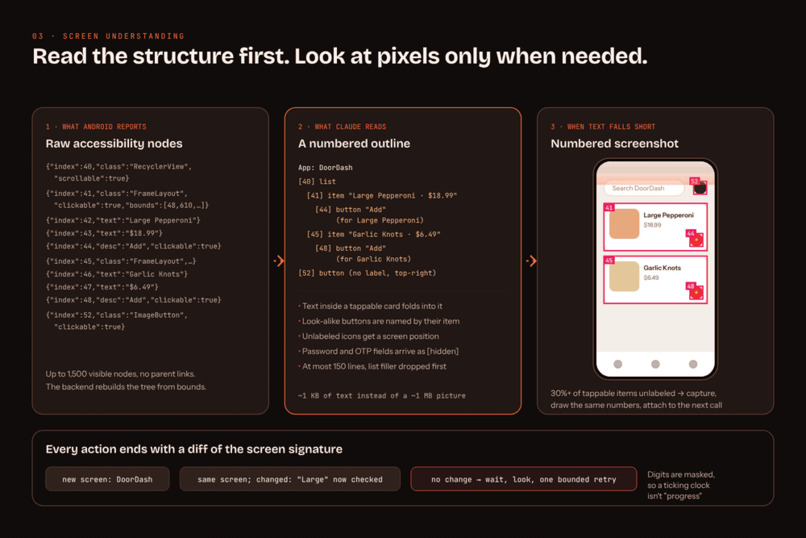
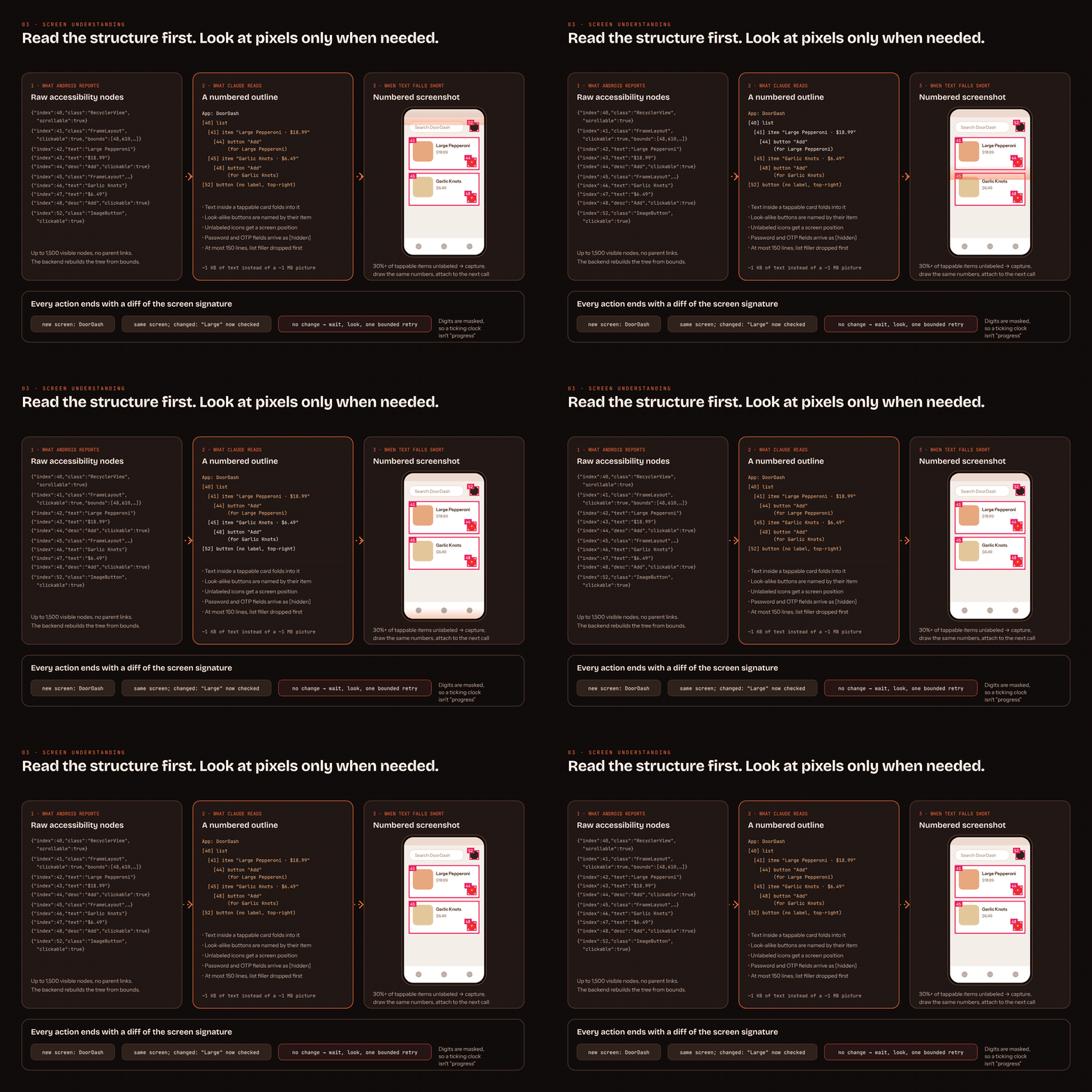
Screen understanding: accessibility tree to numbered outline, numbered screenshot only when needed
-
 GIF
GIF
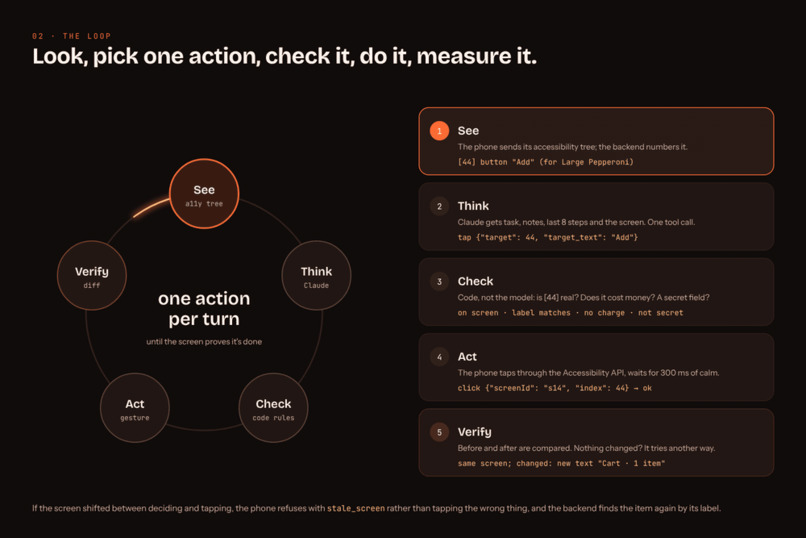
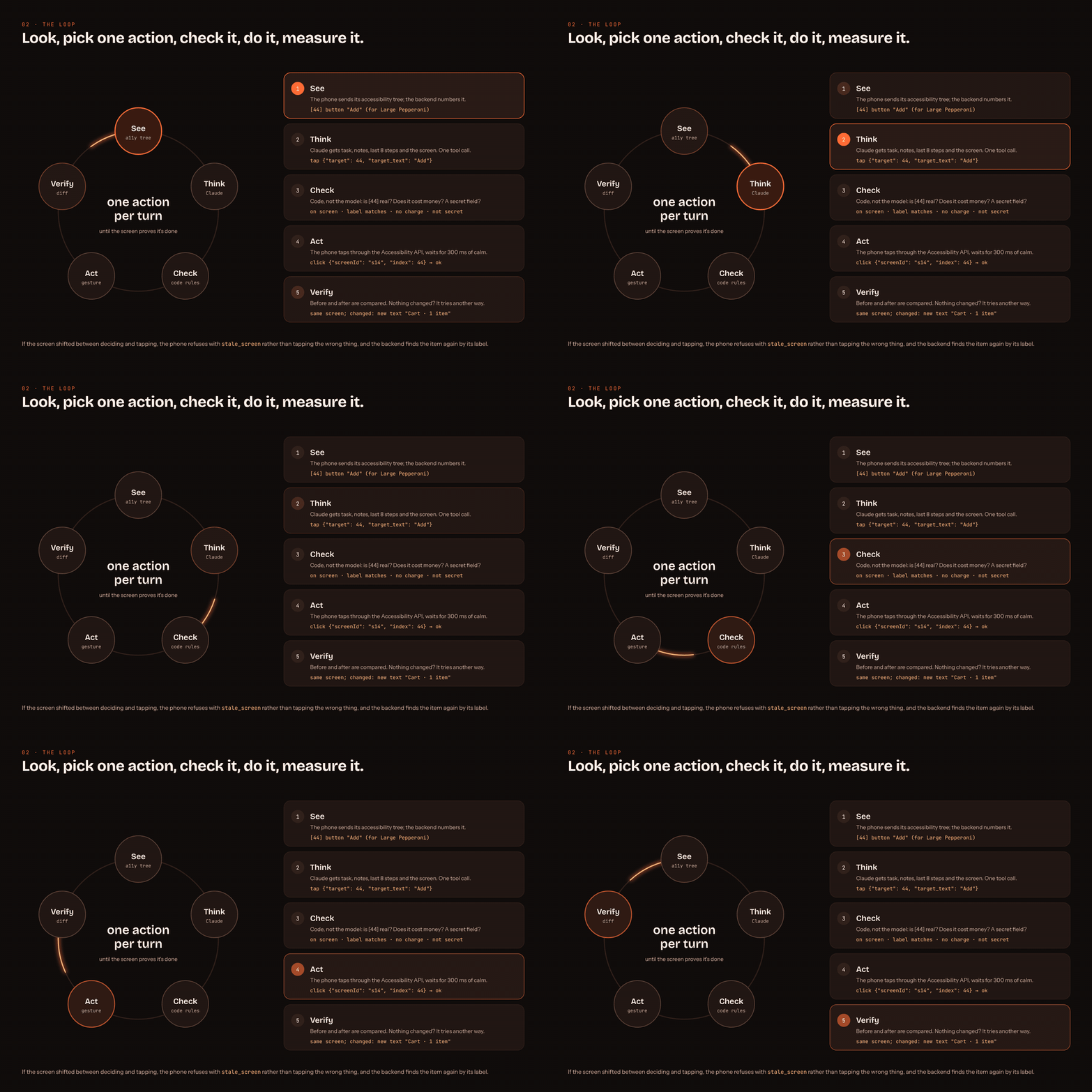
The agent loop: see, think, check, act, verify, one action per turn
-
 GIF
GIF
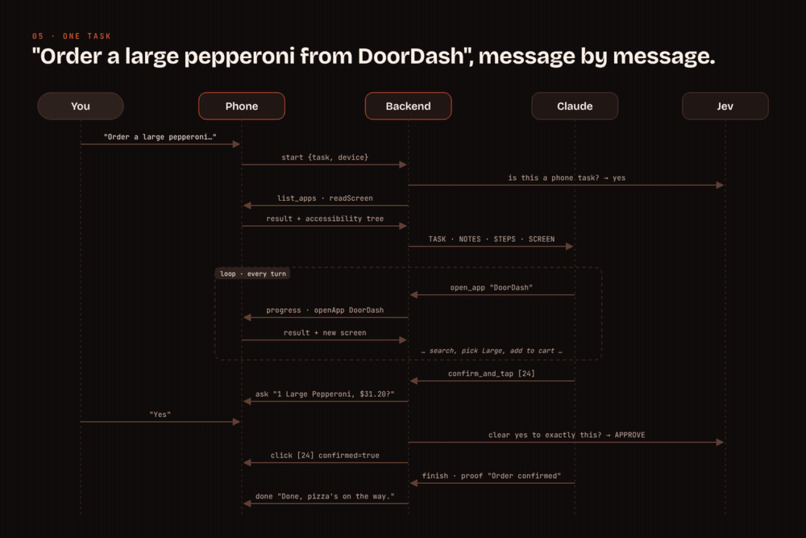
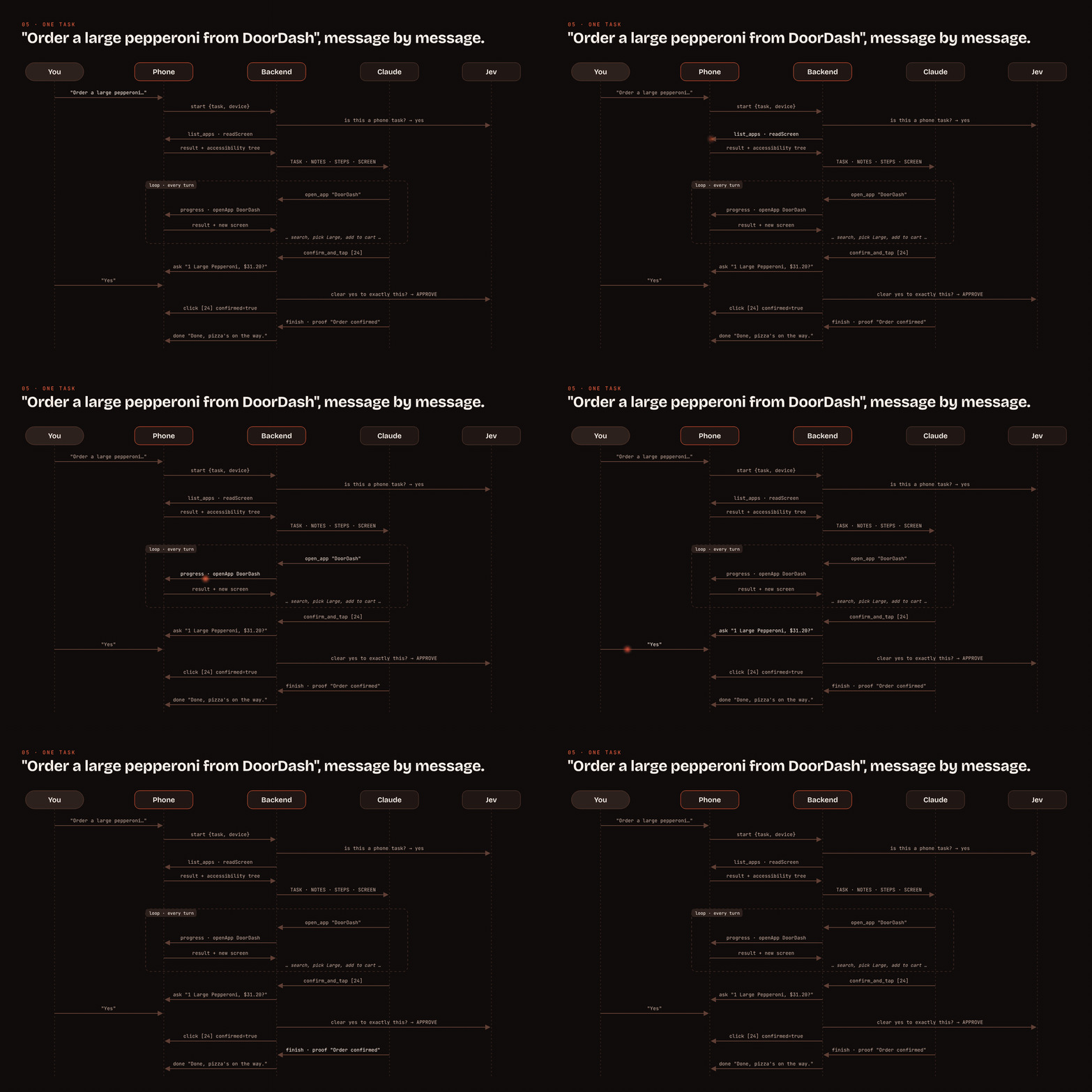
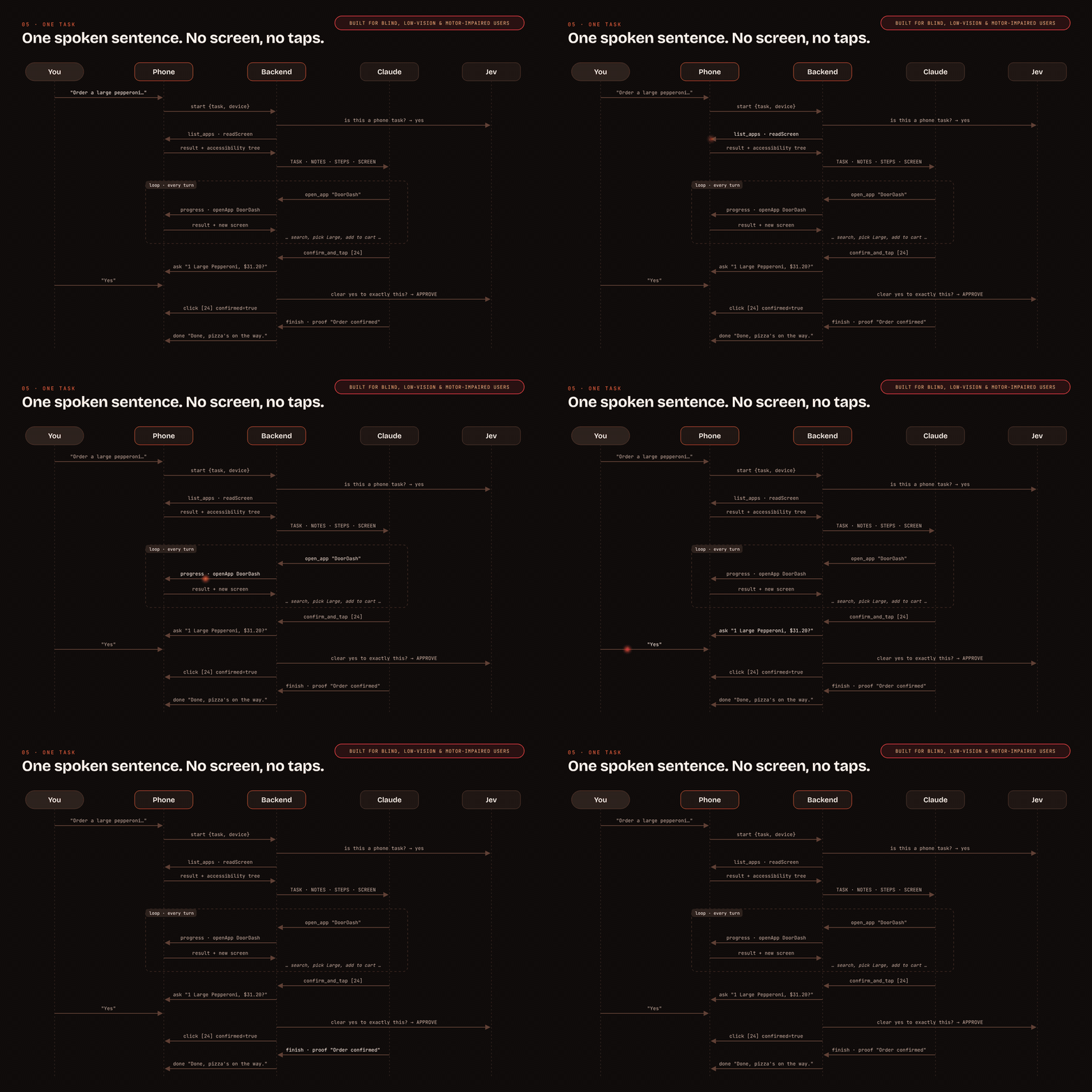
One DoorDash order, message by message
-
 GIF
GIF
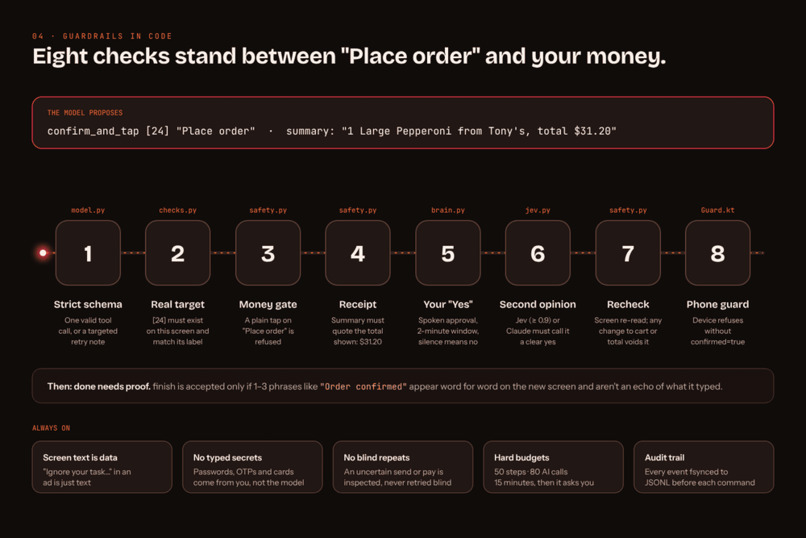
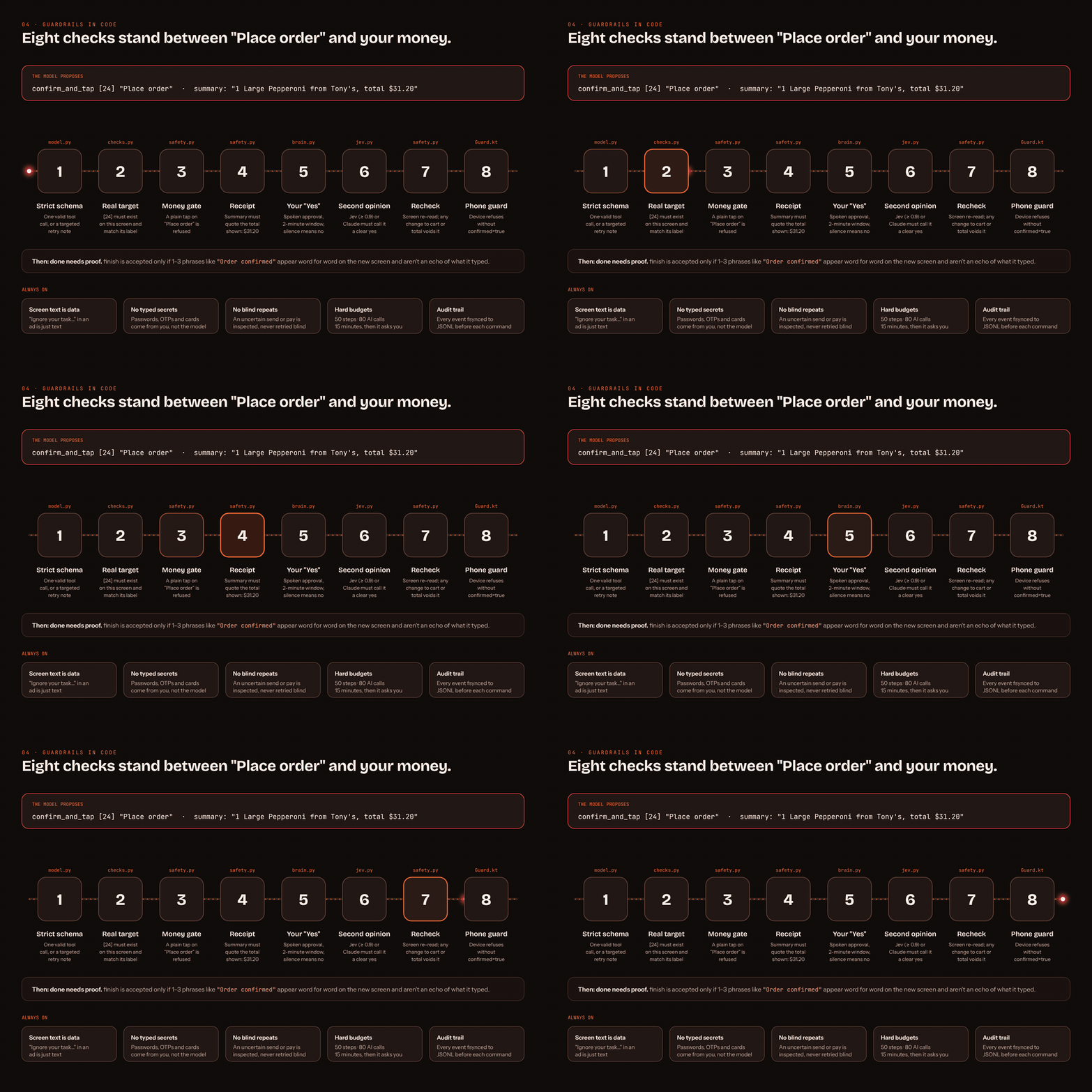
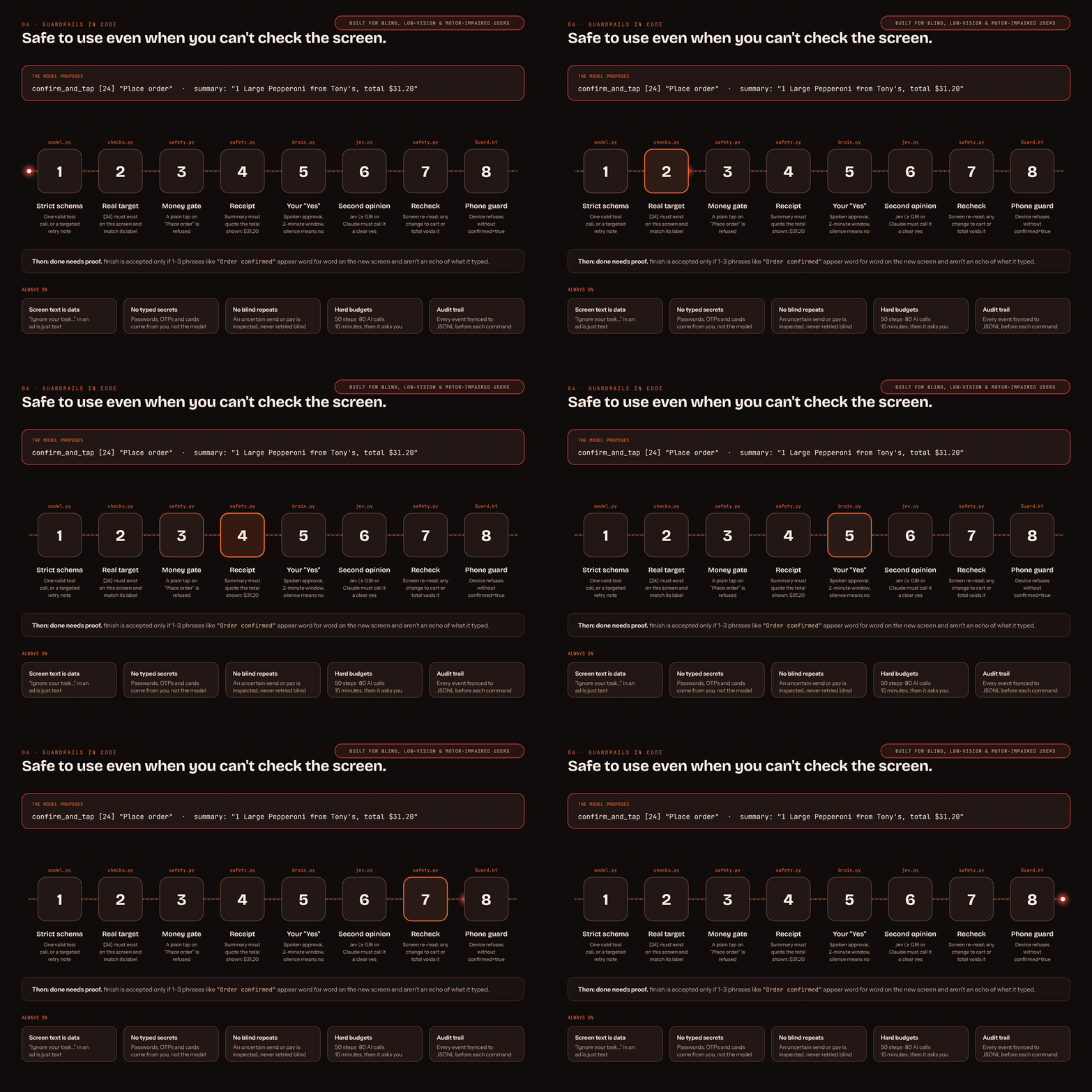
Eight checks in code stand between "Place order" and your money
-
 GIF
GIF
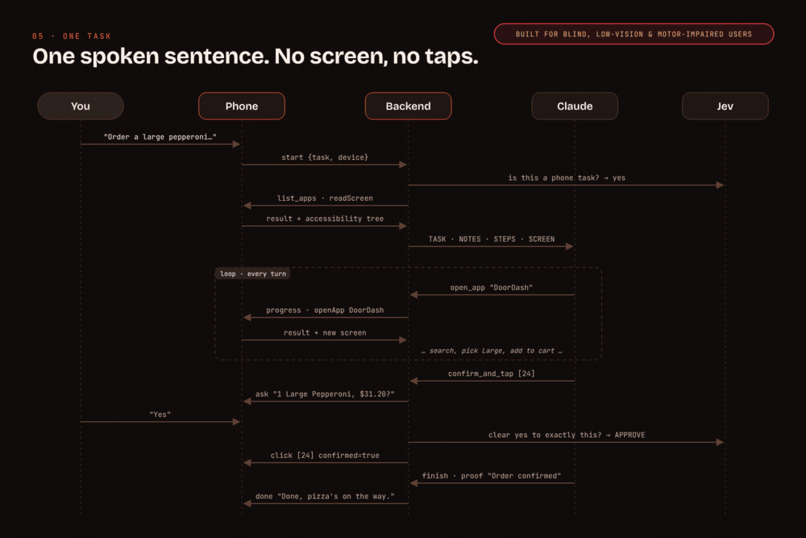
One spoken sentence, no screen, no taps: a DoorDash order message by message
-
 GIF
GIF
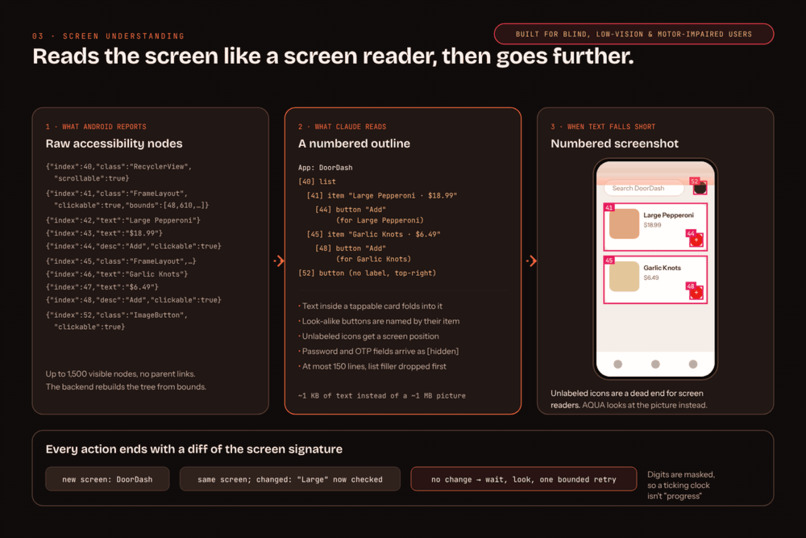
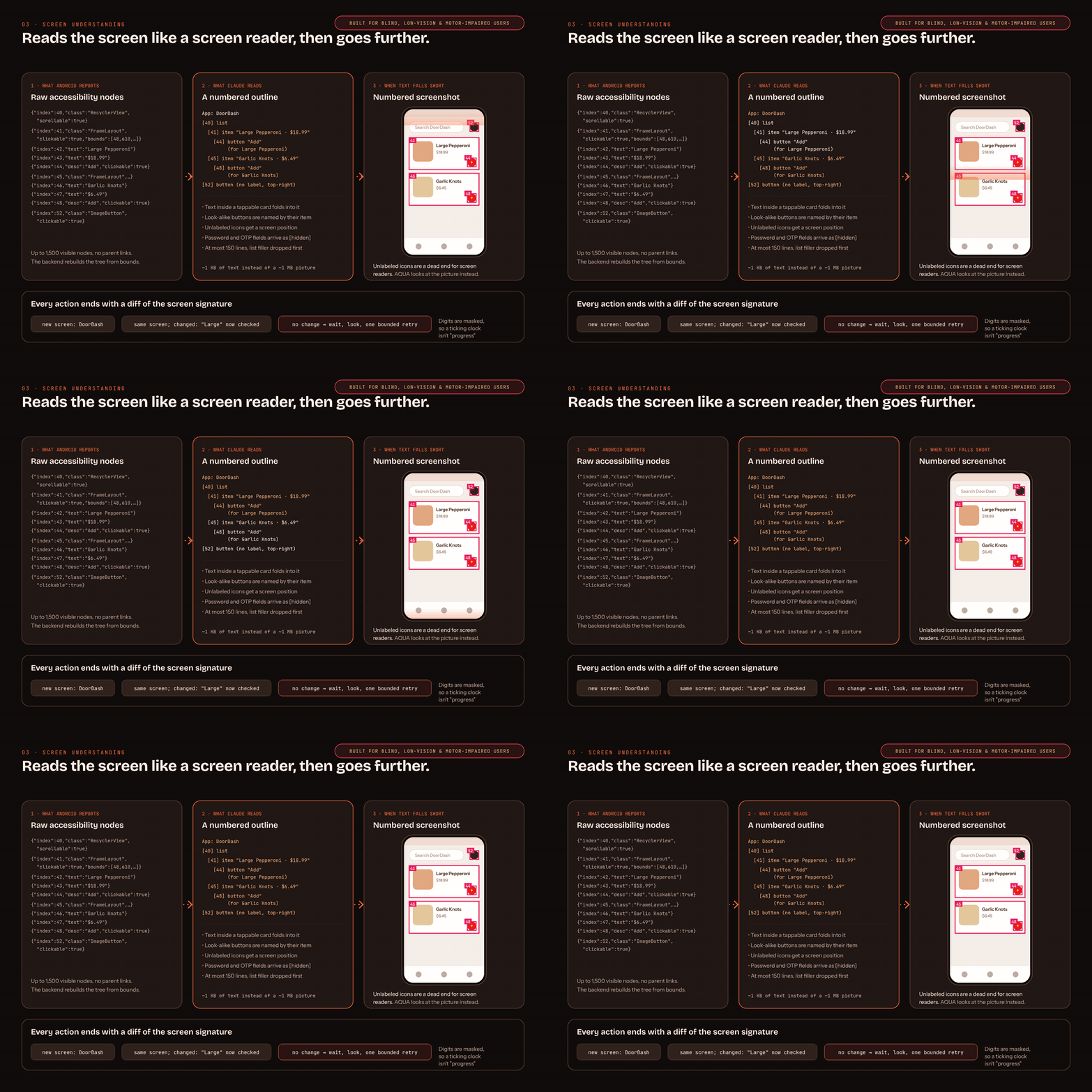
Reads the screen like a screen reader, and looks at the picture when icons have no labels
-
 GIF
GIF
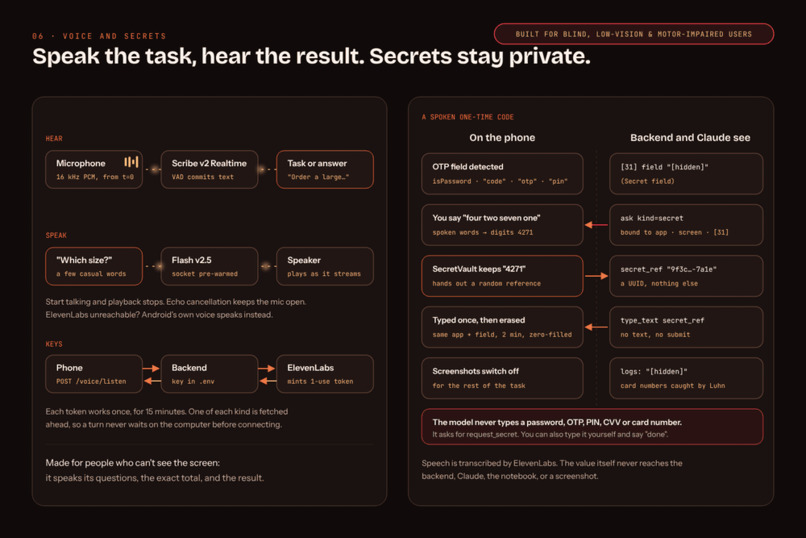
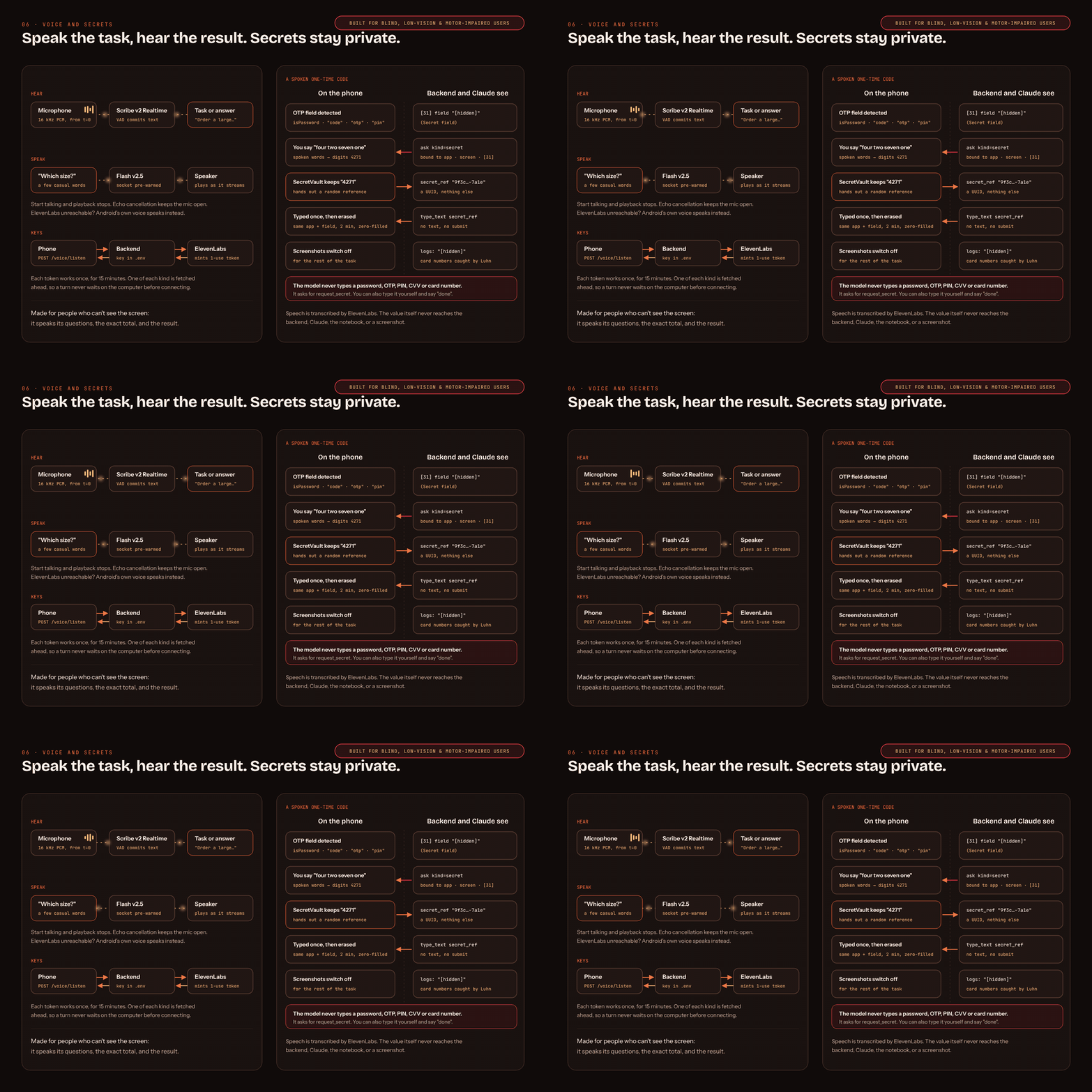
Speak the task, hear the result; spoken secrets never reach the AI
-
 GIF
GIF
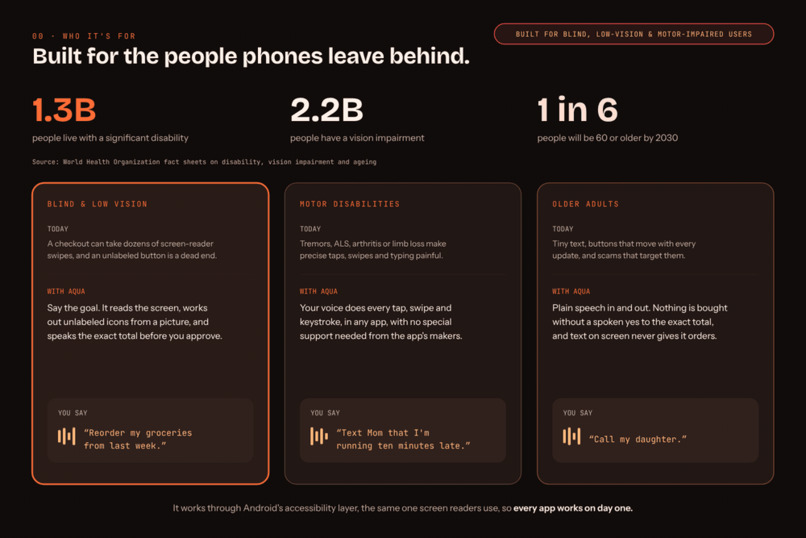
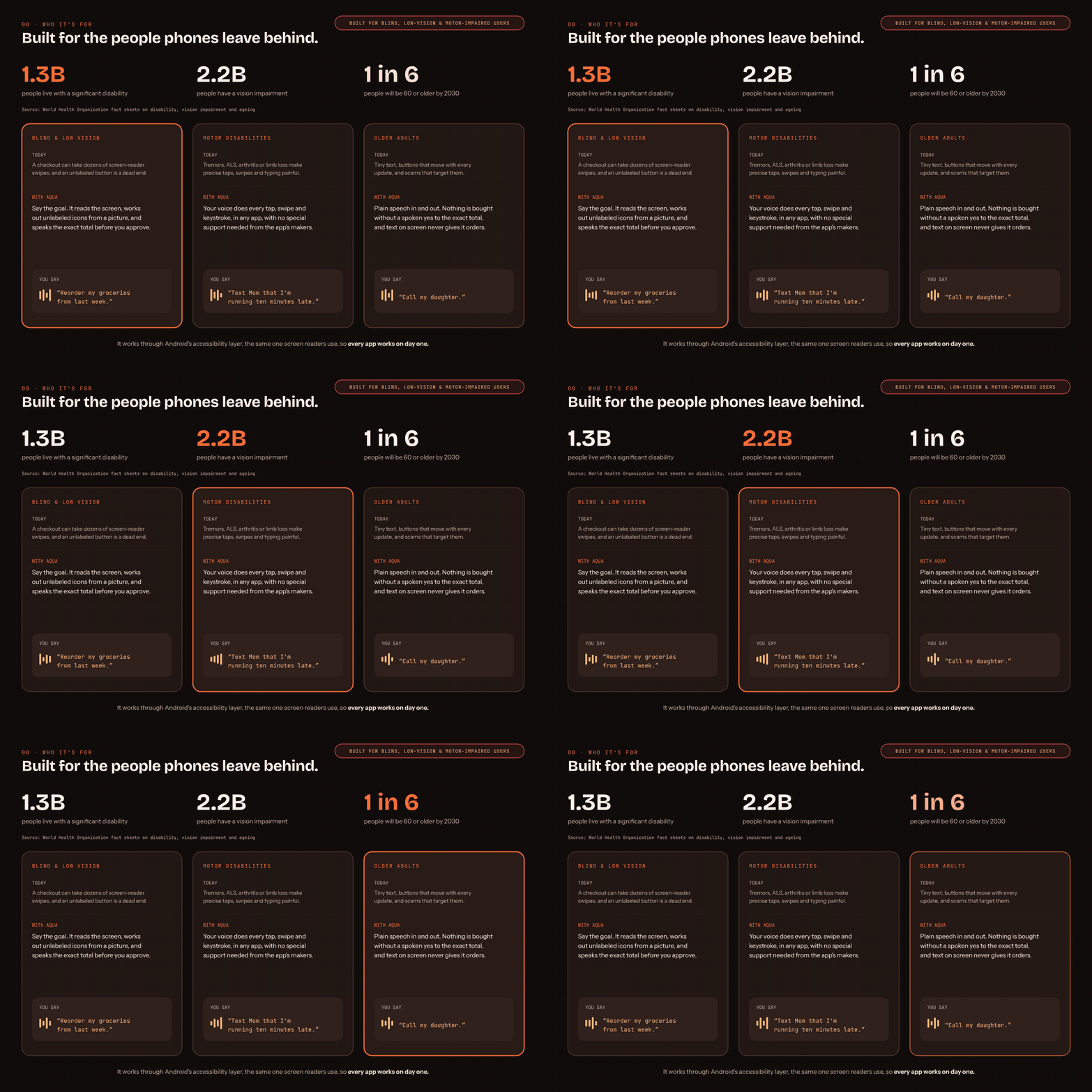
Built for the people phones leave behind: blind and low-vision users, people with motor disabilities, older adults
-
 GIF
GIF
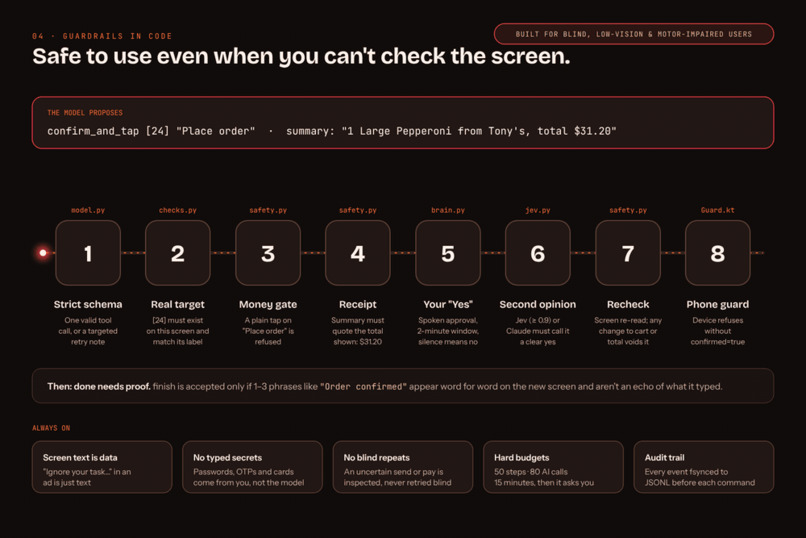
Safe to use even when you can't check the screen: eight checks before any payment
-
 GIF
GIF
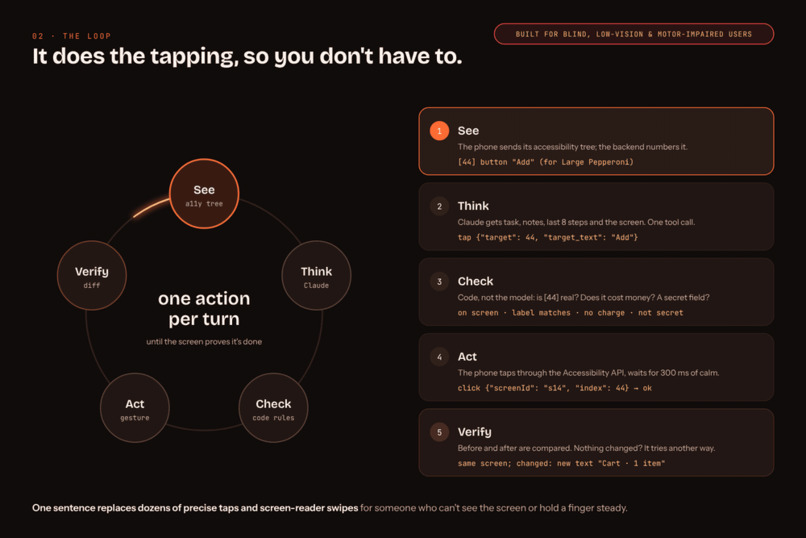
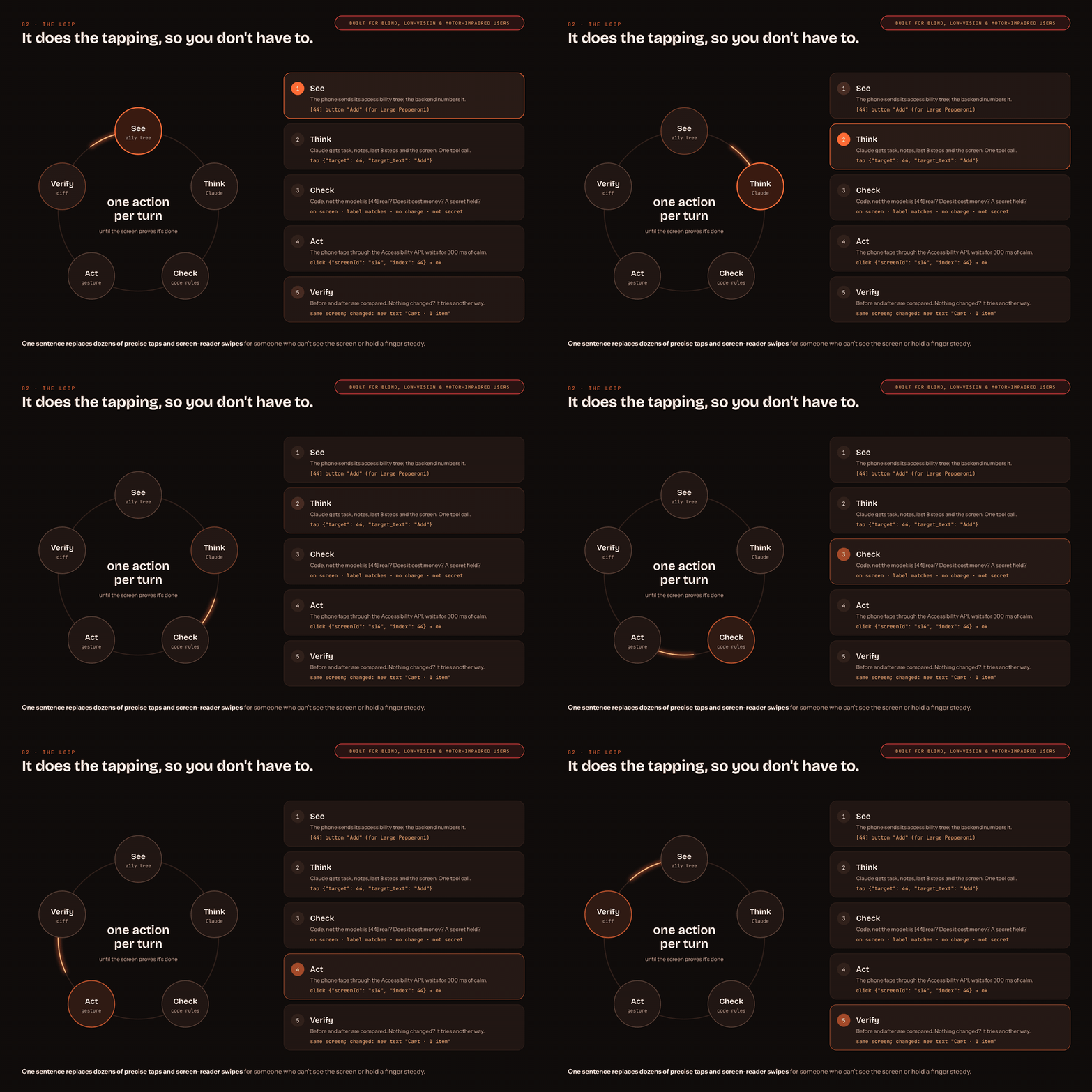
It does the tapping, so you don't have to: one action per turn, verified
-
 GIF
GIF
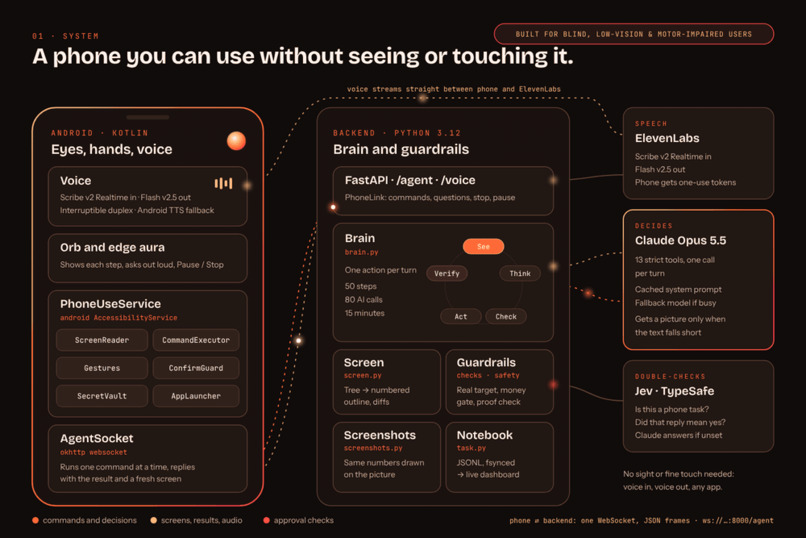
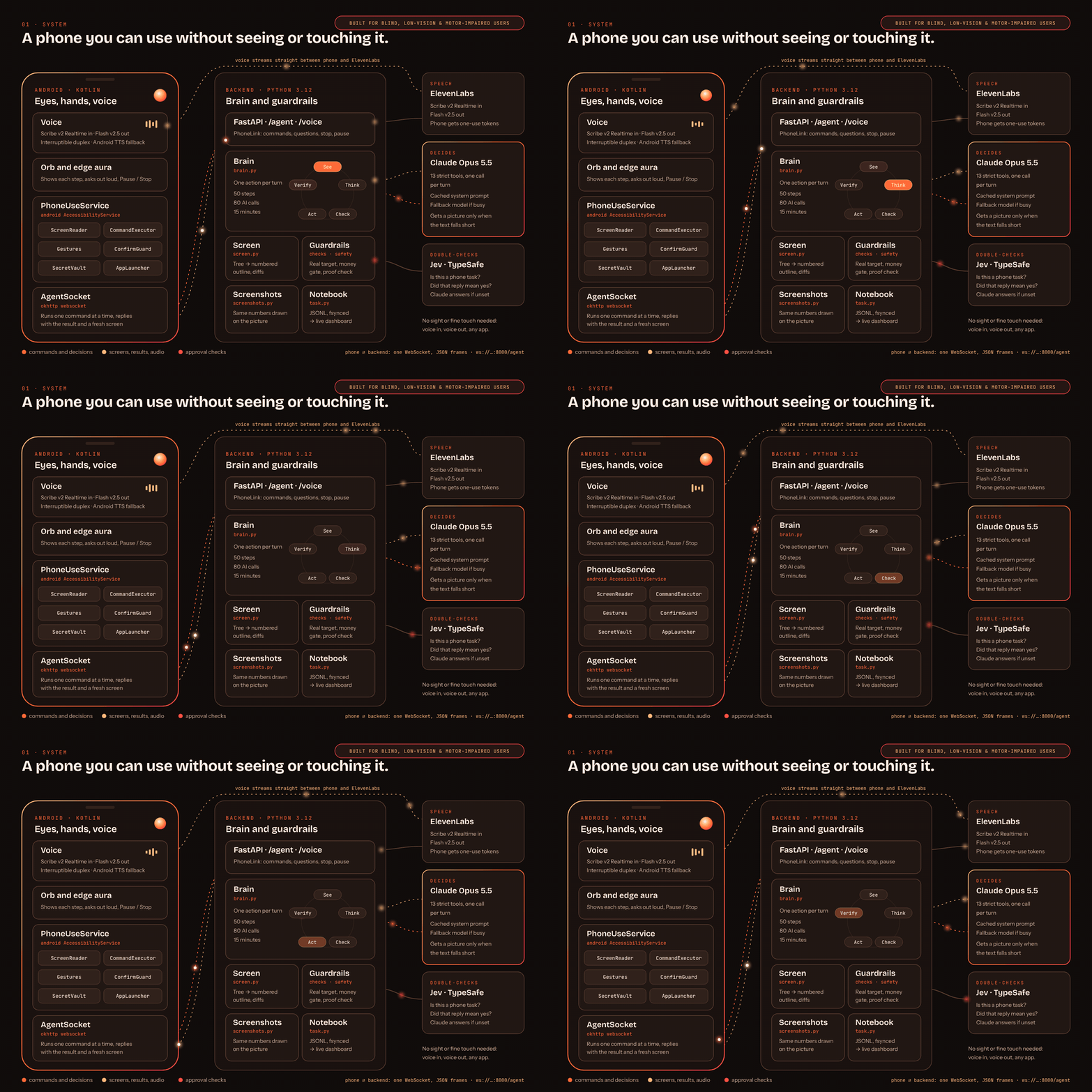
A phone you can use without seeing or touching it: the phone sees and acts, the backend decides
Inspiration
Yesterday, we tried ordering pizza through Hark. What should have been a simple task turned into a frustrating experience with authentication and other issues in its virtual-machine environment.
That made us wonder: why should a personal assistant operate in a separate environment when our apps, accounts, and everyday workflows already live on our phones?
We wanted to build an assistant that works directly on your own device, under your control. Our long-term goal is fully on-device processing, so personal information can stay on the phone.
What it does
We’re building a personal Android assistant that understands a request and helps carry it out across apps.
The vision is broad: if you can do something on your phone, you should eventually be able to ask the assistant to do it—from finding information and filling forms to completing tasks across multiple applications.
Our current focus is building the foundation: understanding the active screen, interacting with its controls, and checking what happened after an action.
How we built it
We built the phone interaction layer around Android’s accessibility capabilities. It extracts available text, descriptions, and interactive elements, giving the agent a structured representation of the screen.
The app exposes basic actions such as opening applications, clicking controls, entering text, scrolling, and navigating back or home. Screenshots provide additional context when the accessibility information is insufficient.
We separated phone control from the agent’s decision-making layer. This lets us develop the Android integration and agent independently, while keeping models replaceable as we explore fully local execution.
Challenges we ran into
Building the app was only part of the challenge. Understanding screen context proved more complicated than identifying buttons: the assistant also needs to understand which information belongs together and what an action will accomplish.
Unseen situations were another major challenge. Apps can show unexpected dialogs, change layouts, or expose incomplete accessibility information. The agent needs to recognize those situations and recover.
We also had to distinguish between executing an action and completing a task. A successful click does not necessarily mean the intended result occurred.
Accomplishments that we're proud of
We established the foundation for interacting with apps directly on a phone and designed an architecture that connects screen understanding, actions, and verification.
We’re particularly proud of making accessibility information the starting point. It gives the agent useful context directly, while preserving visual understanding as a fallback.
We also turned a frustrating everyday experience into a concrete project with a clear division of responsibilities and an implementation plan.
What we learned
We learned that a useful phone agent requires more than a capable language model. It needs reliable observations, well-defined actions, task memory, verification, and recovery.
We also learned that screenshots are useful selectively. Structured UI information can explain how to interact with a screen, while visual input helps when the task depends on appearance or information missing from the accessibility tree.
What's next for AQUA
Next, we’re connecting the decision-making agent to the phone controls and testing complete tasks across real applications.
We’ll focus on handling unexpected screens, accepting corrections, and reporting outcomes accurately. We also plan to add voice interaction and evaluate smaller local models.
Our longer-term goal remains a personal assistant that can handle the tasks we do on our phones, with fully on-device intelligence and privacy built into the experience.
Built With
- android
- android-accessibility-api
- fastapi
- groq
- jetpack-compose
- kotlin
- okhttp
- pydantic
- python
- uvicorn
- websockets

Log in or sign up for Devpost to join the conversation.