-
-
Aqua Guide
-
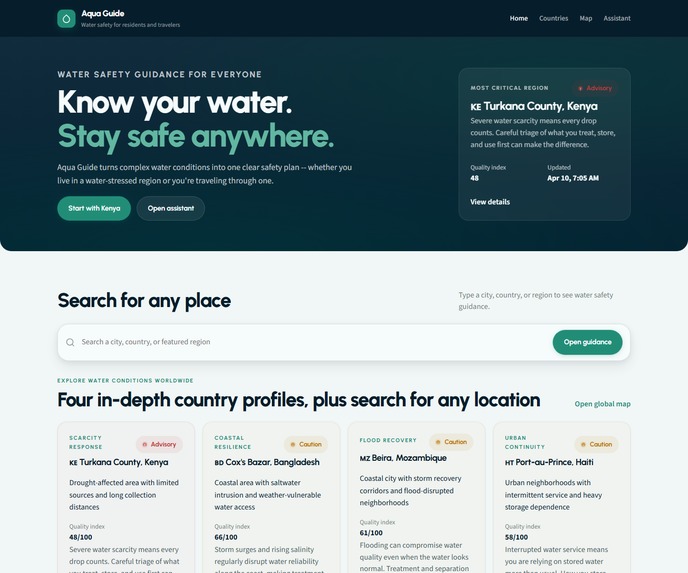
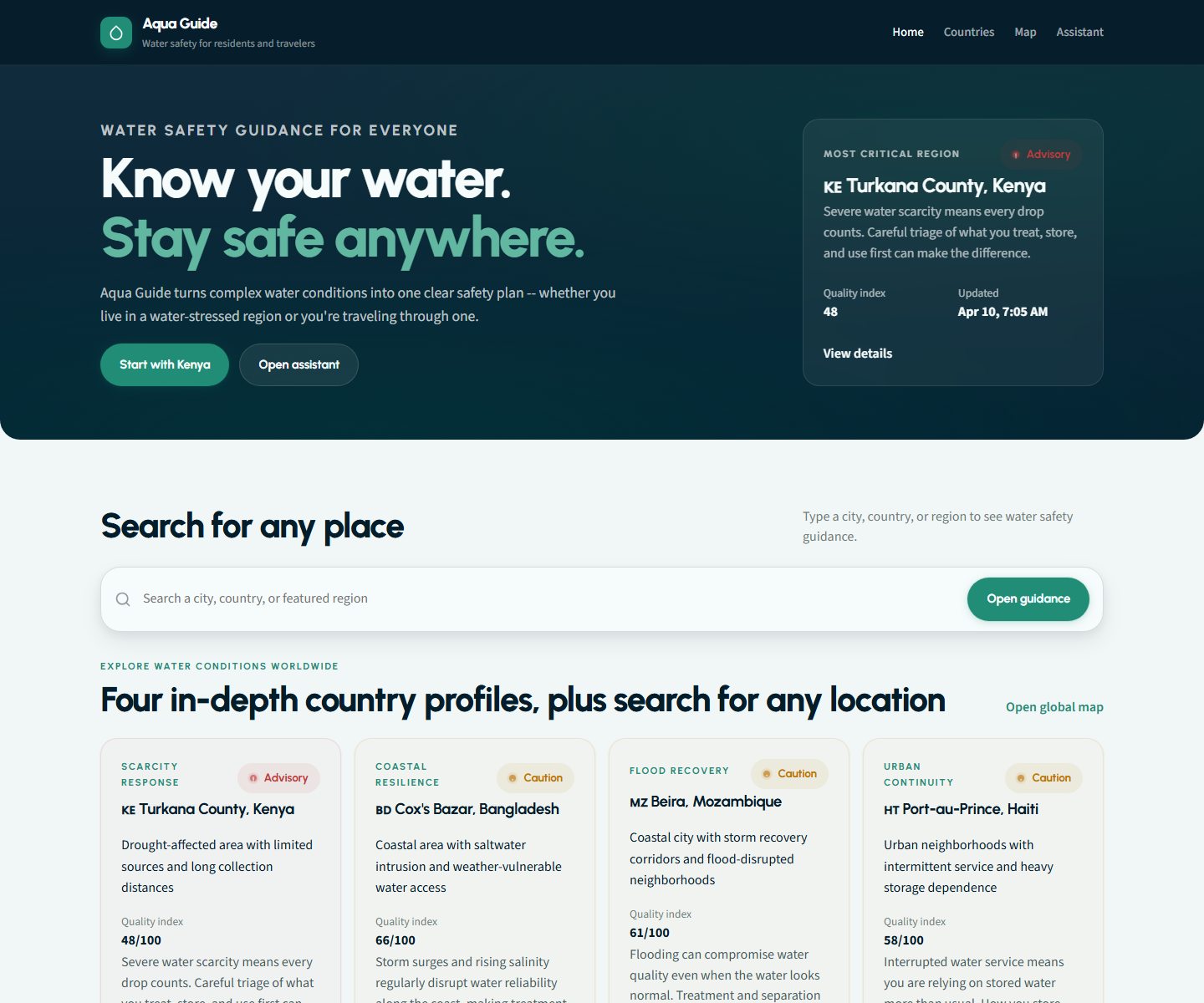
Aqua Guide turns complex water conditions into one clear, local action plan.
-
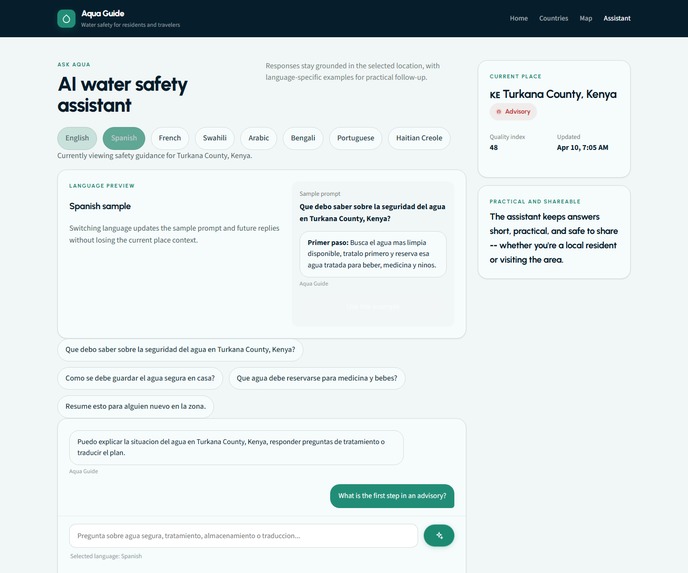
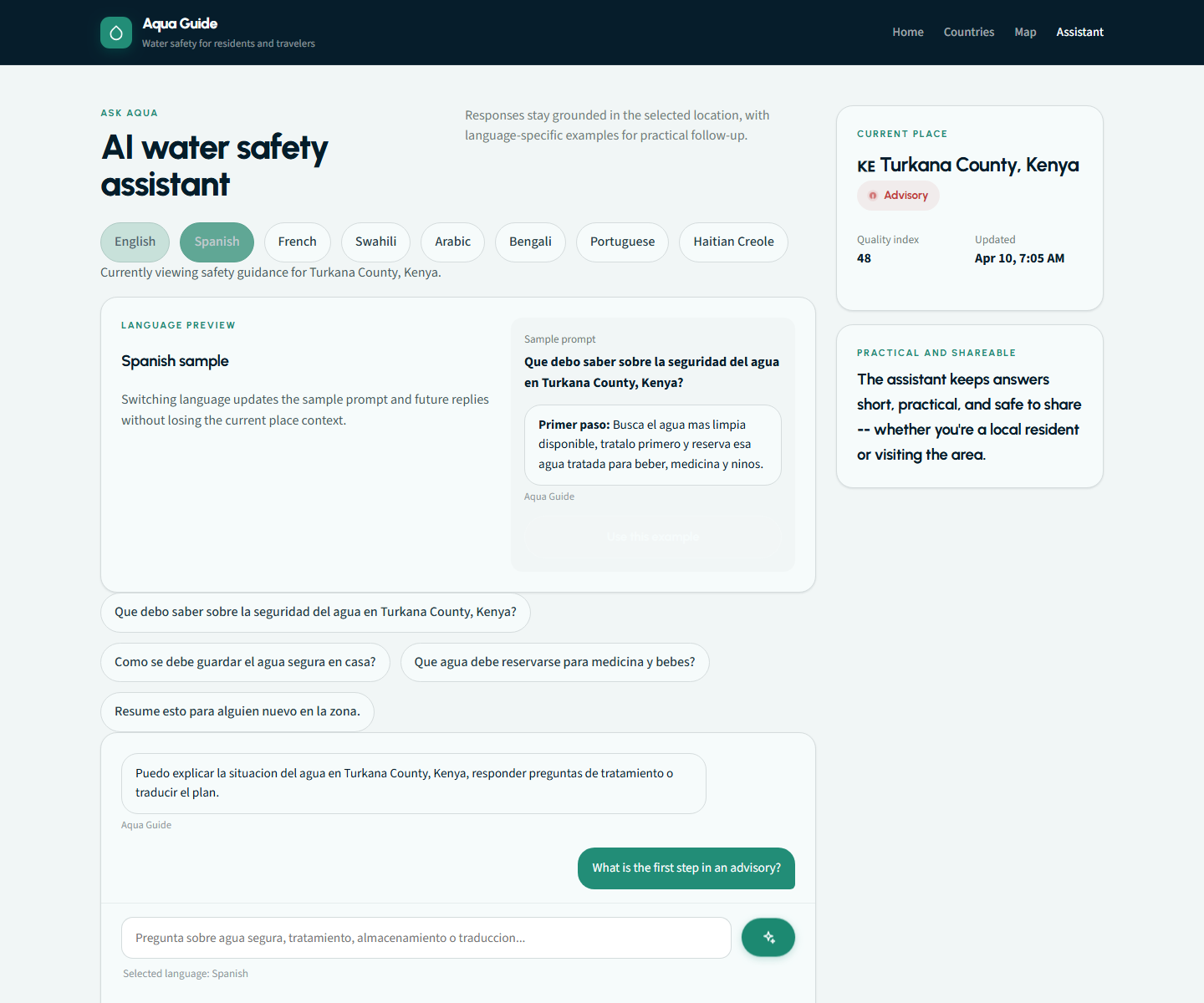
The multilingual AI assistant explains water guidance in a practical, accessible way.
-
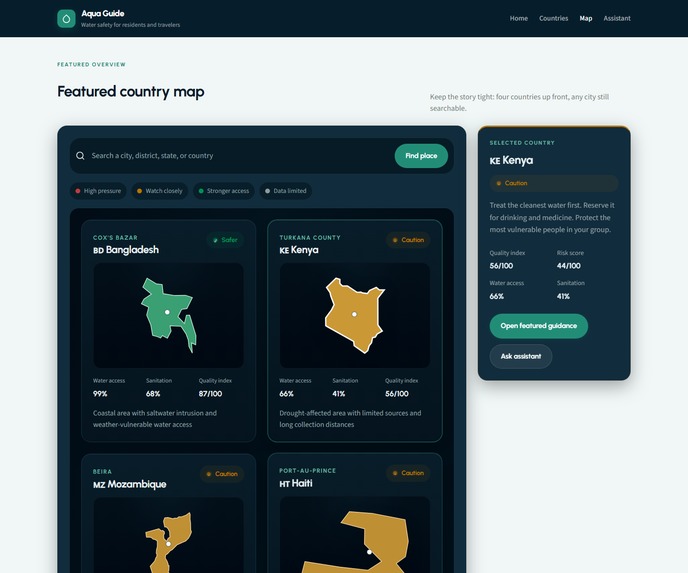
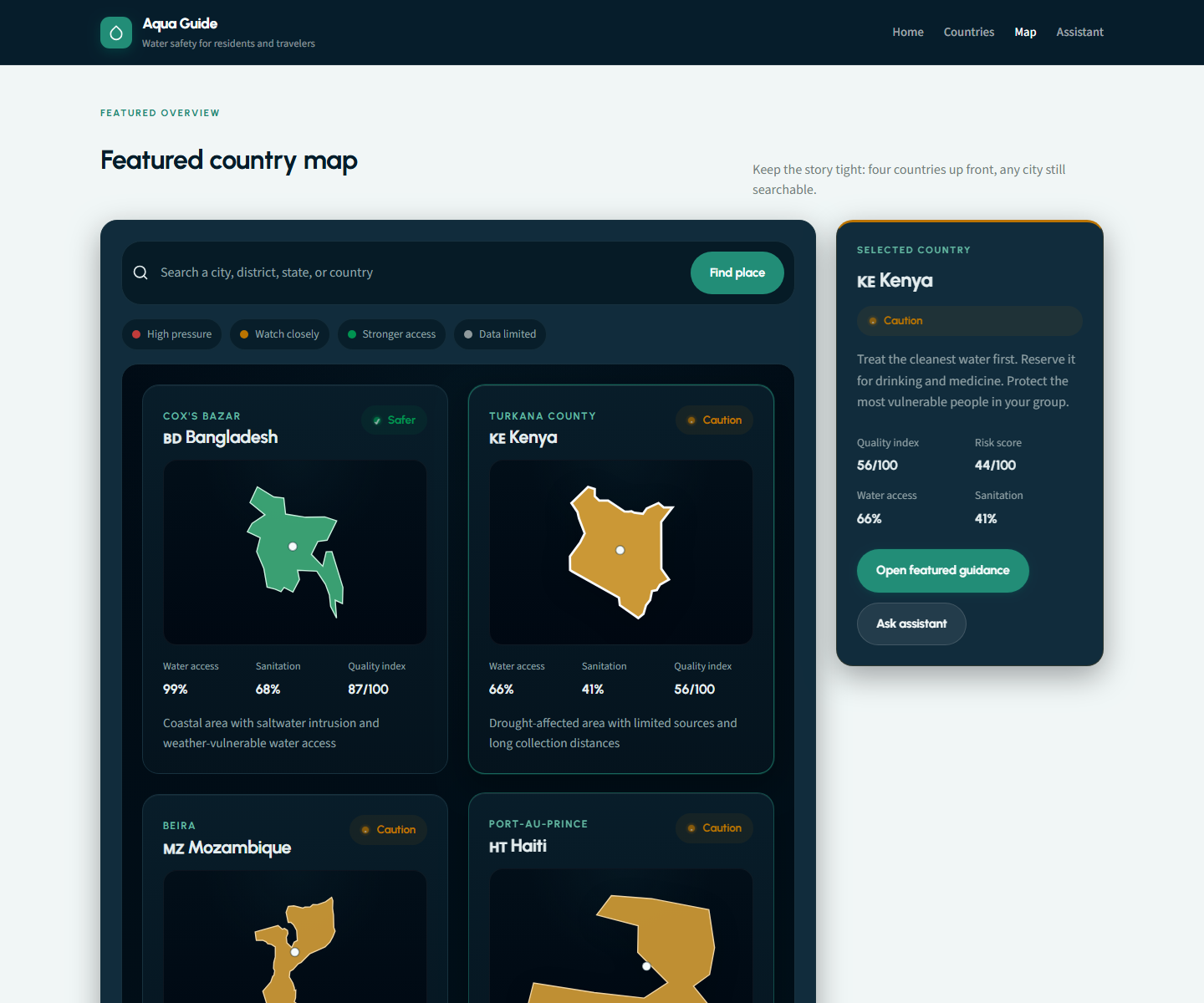
A featured country atlas helps users move from geography into guidance in one click.
-
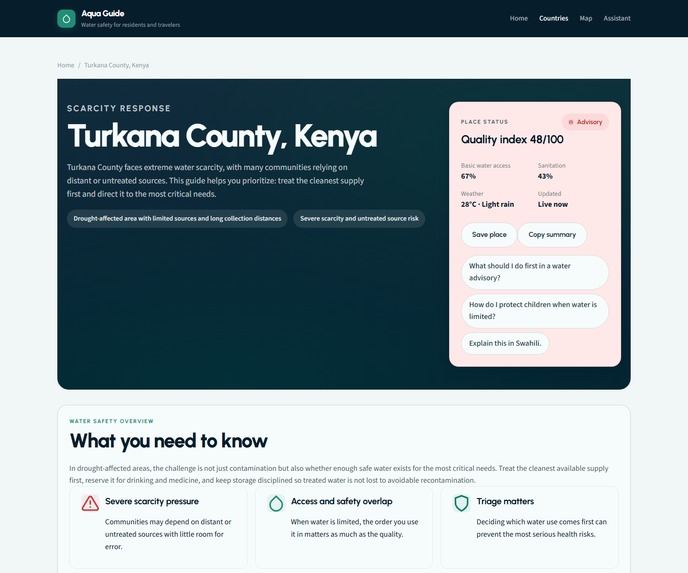
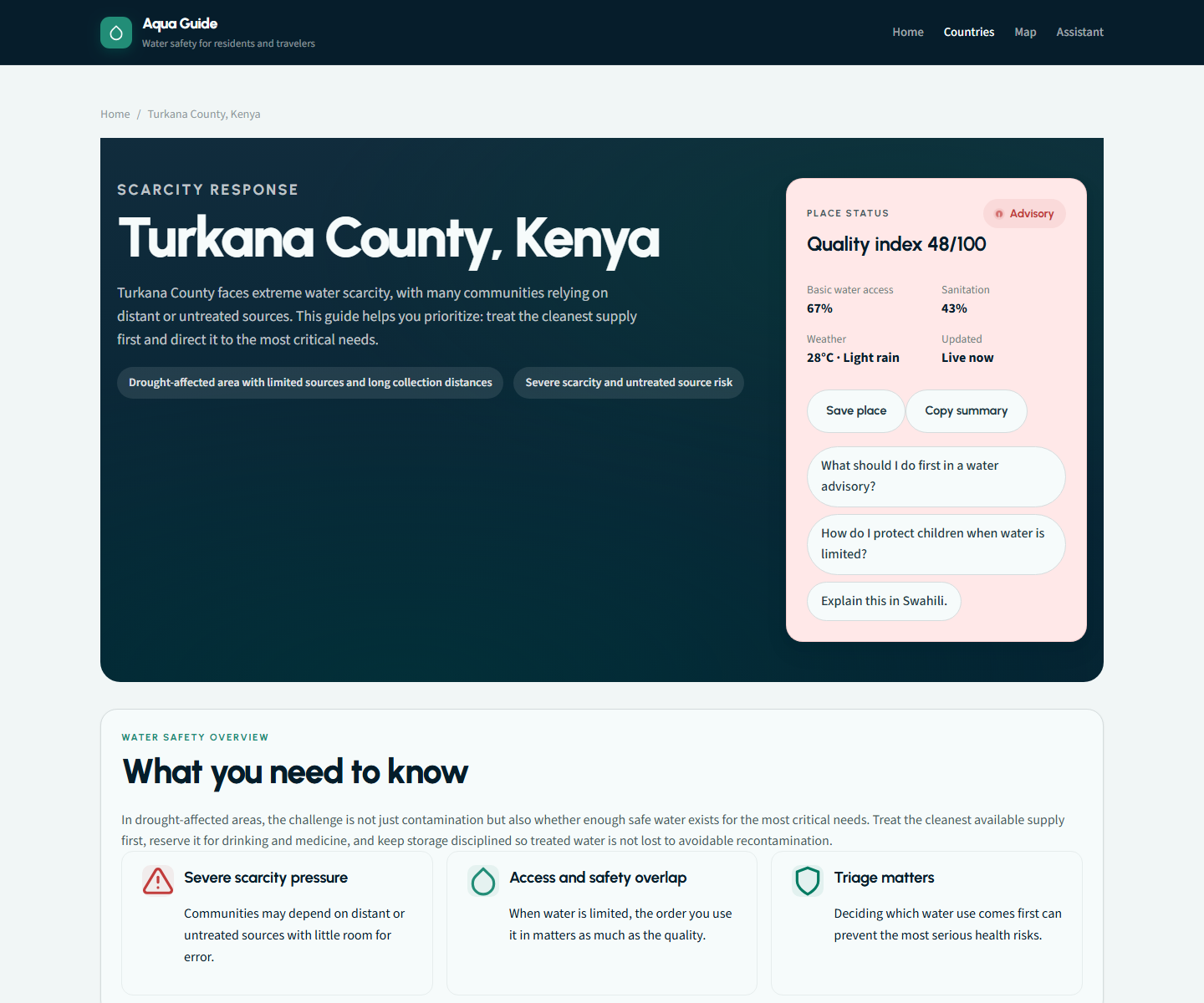
Each place gets a focused safety page with status, summary, and next-step actions.
About the project
Inspiration
We were inspired by a simple problem: when water conditions become uncertain, most people do not need more raw data, they need a clear answer about what to do next.
Water guidance is often scattered, technical, and hard to act on quickly. We wanted to build a website that feels calm, clear, and useful under pressure. Instead of making users interpret fragmented advisories, Aqua Guide turns one place into one understandable action plan.
What it does
Aqua Guide is a water-guidance web platform focused on clarity, usability, and global relevance.
Core features
- Place-based guidance
- Search a city, district, or country and open a focused water guidance page.
- Flagship country stories
- Four polished, presentation-ready country profiles: Bangladesh, Kenya, Mozambique, and Haiti.
- Plain-language action cards
- The product breaks water guidance into practical next steps instead of dense technical summaries.
- Multilingual AI chat
- Aqua Guide includes an Amazon-aligned AI chat experience for follow-up questions, designed around Bedrock-style multilingual assistance and practical household guidance.
- Map-based entry point
- Users can move from a visual country overview into guidance quickly.
- Water-themed design
- The whole product uses aquatic color systems, water-inspired visual language, and calm but serious UI choices.
How we built it
We built Aqua Guide as a multi-page React and Vite application with a lightweight Node backend, a structured data layer, and a place-aware assistant pipeline.
Data and services
- Open-Meteo for geocoding and weather context
- World Bank indicators for public water and sanitation access data
- REST Countries for country metadata
- BigDataCloud for place context
- Render for deployment
Product architecture
- A multi-page frontend architecture for home, country guidance, assistant, and map flows
- A reusable location-service layer that normalizes place search, coordinates, and public-data enrichment
- A structured region dataset for the featured country experiences and their action-card content
- A dedicated assistant-service layer that keeps the chat experience place-aware instead of generic
- A lightweight backend route for AI inference, safety guardrails, and secure key handling
- A featured-country atlas flow that turns country data into a clickable visual navigation experience
- A deployment setup on Render that supports a production-style web workflow instead of a static mockup
Technical architecture
Frontend application structure
- We split the product into focused routes and page-level components instead of building a single scrolling demo page.
- Shared UI elements such as search, language switching, status badges, modals, and assistant flows were componentized so the app stays maintainable.
Data orchestration
- We built a data flow that merges multiple external sources into one readable product experience.
- That includes place lookup, country context, water-access indicators, weather context, and featured-region guidance.
AI system design
- The assistant is not just a generic chat box. It is tied to the active place context, language state, and guidance structure.
- The AI chat architecture was designed around an Amazon Bedrock-style managed AI workflow, where the assistant layer can sit behind a secure server-side route and generate multilingual, place-aware guidance without exposing secrets in the frontend.
- In the current prototype, the runtime uses a secure server-side model call, but the system design and product framing align naturally with an Amazon Bedrock-backed deployment path.
Map and data presentation
- We created a dedicated country-atlas experience for the presentation flow, including clickable country cards, selection states, and guidance handoff.
- We also generated and used country-level data structures to support map interactions and broader geographic context.
Testing and verification
- We added scripted functional validation for critical user flows such as search, guidance, assistant interactions, and map behavior.
- We used browser-based verification and deployment checks to confirm that the live experience matched the intended demo flow.
Deployment and production polish
- We deployed the project on Render and treated it like a real product environment rather than leaving it as a local-only hackathon build.
- The app includes production-minded concerns such as secret handling, deployment structure, and a cleaner public repository presentation.
Challenges we ran into
- Balancing realism with clarity
- We wanted global relevance, but we also needed the product to be understandable in under two minutes.
- Designing for trust
- Water guidance is serious, so the UI had to feel polished and credible, not like a rough prototype.
- Map usability
- Early versions tried to show too much and became visually noisy, so we simplified the map into a stronger presentation-first experience.
- Making AI feel useful
- We did not want a generic chatbot. We wanted the assistant to feel grounded in the selected place and practical for real questions.
Accomplishments that we're proud of
- We turned a complex global issue into a web experience that is easy to scan and easy to present.
- We built a product that feels polished, intentional, and visually strong.
- We created a multilingual assistant layer that adds both accessibility and technical depth.
- We made the experience broad enough to matter globally, while still focused enough to demo clearly.
- We built real architecture behind the presentation: route structure, data orchestration, AI integration, validation, and deployment.
What we learned
- Clarity is a feature
- Good design and clear writing can be just as important as the underlying data.
- Presentation changes product value
- A tool becomes much stronger when people can understand it immediately.
- Scope control matters
- Simplifying around the strongest user flow made the project better, not smaller.
- Strong products need strong systems
- Even a hackathon project benefits from real structure in its frontend architecture, data flow, testing, and deployment.
What's next for Aqua Guide
- deeper city-level guidance
- more verified local advisory integrations
- more languages
- offline-first or low-connectivity delivery
- SMS or WhatsApp-style guidance delivery
- stronger AI workflows for more adaptive place-specific support
Built With
- amazon-web-services
- api
- bigdatacloud
- javascript
- node.js
- open-meteo
- openai
- react
- render
- rest
- router
- vite


Log in or sign up for Devpost to join the conversation.