🎮 AppWhiz – Can You Guess the App?
Ever wondered what it would be like if your favorite apps lived in fictional stories?
Meet AppWhiz, an AI-powered guessing game that challenges players to uncover the name of an app... hidden inside a short story.
Part trivia, part storytelling, part detective work — and 100% fun.
✨ This project is submitted under the Fun / Creative category.
🔧 This project is manifested through two separate GitHub repositories:
- Frontend Repository: https://github.com/Elby2112/appwhiz-perplexity-backend
- Backend Repository: https://github.com/Elby2112/appwhiz-perplexity-frontend
💡 Inspiration
I’ve always been a bookworm 📚, a fan of simple, fun games 🎮, and a proud tech enthusiast 💻. These three passions inspired the creation of AppWhiz.
A special shoutout to my dear cousin and friend Donia, who introduced me to Notion—a productivity app that completely transformed how I organize my life and projects. Before Notion, I hadn’t realized how a single app could revolutionize my daily routines. Its flexibility and efficiency boosted my productivity and helped me manage my tasks more effectively.
That experience sparked a thought: What if discovering useful apps could be as engaging as reading a captivating story or playing a game? Stories and games have a unique power to capture attention and deepen learning. So, I decided to combine storytelling, gaming, and tech exploration into one experience.
Building AppWhiz was made much more manageable thanks to powerful AI tools like Perplexity and Sonar. These AI assistants helped generate rich, creative story content and streamline backend processes, enabling me to manifest this idea into a playable game much faster than I could have imagined.
The result is AppWhiz — a guessing game where players uncover the names of apps hidden inside short fictional stories. It’s not only entertaining but also a fresh way to explore technology that might change your life—just like Notion did for me.
What it does
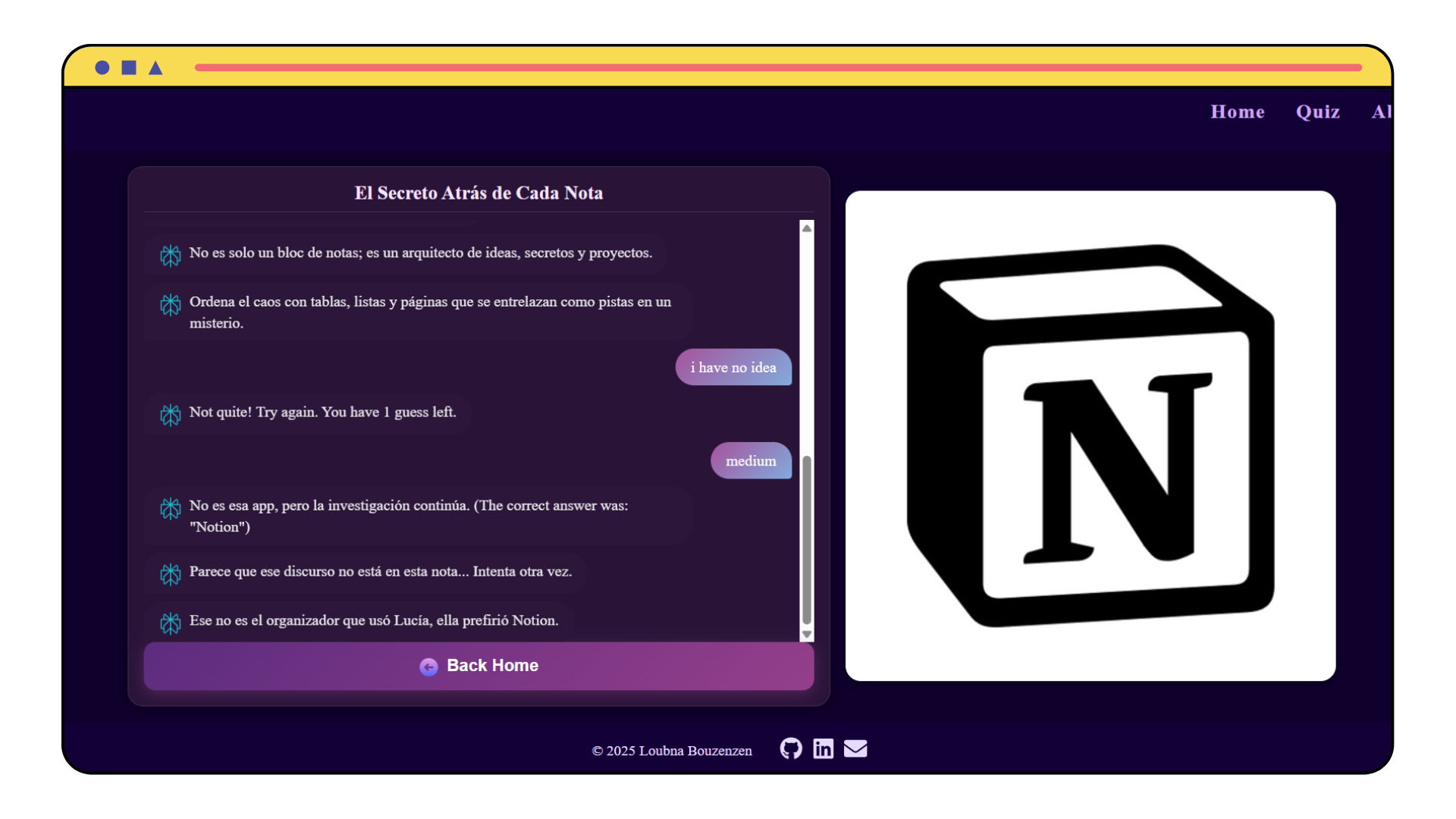
AppWhiz is an AI-powered guessing game that turns discovering apps into an interactive storytelling experience. Players are presented with short fictional stories crafted around real-world apps. The challenge? To guess the app hidden within the story.
Key Features
- Story Generation: AI-generated narratives based on selected genres and difficulty levels.
- Hint System: Up to three hints per story to assist users in making accurate guesses.
- Customization: Users can select the genre, difficulty, number of guesses, and language preferences.
- App Logo Fetching: When a user guesses the app correctly or runs out of guesses, the backend fetches the app's official logo from the iTunes API, enhancing the visual feedback on the frontend.
The frontend is designed to offer a clean, intuitive, and engaging interface. Built using React and Tailwind CSS, it provides a responsive and visually appealing user experience.
The backend utilizes the Perplexity Sonar API to generate fictional stories inspired by real-world applications. Each story is crafted to subtly hint at a specific app, providing users with an engaging challenge that blends logic, pop culture, and tech-savviness.
🛠️ How it was Built
AppWhiz was developed as a full-stack web application using a Python backend, a React frontend styled with Tailwind CSS, and Perplexity’s Sonar API for advanced story generation. Below is an in-depth look at the core structure, the technologies we chose, and how each component brings the experience together.
🧱 Overall Architecture
AppWhiz follows a client-server architecture with clear separation between frontend presentation and backend logic. Here’s an overview:
Frontend: Built using React and Tailwind CSS, the frontend delivers an interactive and responsive user experience. It handles user input (like guesses, genre, difficulty, etc.) and dynamically displays the AI-generated story, hints, and game outcomes.
Backend: Developed in Python using FastAPI, the backend serves as the brain of the game. It communicates with the Perplexity Sonar API to generate stories, provides up to three hints, validates user guesses, and fetches official app logos using the iTunes API.
Perplexity Sonar API: Acts as the creative engine, producing fictional stories based on the selected genre, difficulty, and language — each subtly hinting at a real-world app.
iTunes API: Used to retrieve official app logos, enriching the visual feedback when a user guesses correctly or runs out of attempts.
Docker: We containerized the backend using Docker for easier deployment, consistency across environments, and scalable infrastructure management.
This modular architecture made development agile, scalable, and easy to iterate on as features evolved.
📌 A system architecture diagram can be added here to illustrate the flow visually.
               +-------------------------------------------+
               |              AppWhiz Frontend             |
               |         (React + Tailwind CSS)            |
               +-------------------------------------------+
                               |
                               |
                        [ HTTP REST API ]
                               |
                               |
               +-------------------------------------------+
               |              AppWhiz Backend              |
               |              (FastAPI - Python)           |
               +-------------------------------------------+
               |     |              |              |       |
               |     |              |              |       |
           Game API  |   Perplexity Sonar API     iTunes API
          Endpoints  |   (Story Generation)   (App Logo Fetch)
                     |
               Dockerized & Deployed for Production
Frontend
We used React to build the frontend. The app lets users pick story options like genre, difficulty, and language, then sends these choices to the backend. The backend returns a story and hints, which we show in a chat-style interface.
The UI is clean and simple, with easy-to-use buttons and input fields. We used React hooks to handle state and update the display when new data comes in. CSS was used to style the app and keep it responsive.
Here is a simple example of how we fetch and display the story on the frontend using React:
import React, { useState, useEffect } from 'react';

function Story() {
  const [story, setStory] = useState(null);
  useEffect(() => {
    fetch('/api/get-story')
      .then(response => response.json())
      .then(data => setStory(data))
      .catch(error => console.error('Error fetching story:', error));
  }, []);
  if (!story) {
    return <div>Loading story...</div>;
  }
  return (
    <div>
      <h2>{story.title}</h2>
      <p>{story.narrative}</p>
    </div>
  );
}
export default Story;
Backend Integration with Perplexity Sonar
The core functionality of generating storytelling-based app guessing challenges was built around the Perplexity Sonar language model, accessed via the OpenRouter API. The model generates rich, context-aware narratives and multi-level hints based on the user’s preferences.
🔗 API Setup and Authorization
To securely connect to the OpenRouter endpoint, the API key is stored in environment variables. This allows the backend to authenticate and authorize requests seamlessly:
from dotenv import load_dotenv
import os

load_dotenv()
api_key = os.getenv("API_KEY")

headers = {
    "Authorization": f"Bearer {api_key}",
    "Content-Type": "application/json",
    "HTTP-Referer": "http://localhost",
    "X-Title": "GuessTheAppGame"
}
Prompt Design for Story Generation
A carefully crafted prompt is dynamically constructed to guide the Perplexity model into generating:
- A short fictional story (without revealing the app name),
- Three progressively easier hints,
- Success and failure messages,
- A title, and
- A reference to the hidden app.
It also embeds constraints to encourage app variety and stylistic diversity:
prompt = (
    "You are a creative AI storyteller... \n"
    f"Style: {STYLES[style]}\n"
    f"Difficulty: {DIFFICULTIES[difficulty]}\n"
    f"{LANGUAGES[language]}\n\n"
    "...Return ONLY in this exact JSON format..."
)
Calling Perplexity Sonar via OpenRouter
The actual call to the model is made via the /chat/completions endpoint. The user message and prompt are structured in OpenAI-style format:
data = {
    "model": "perplexity/sonar",
    "max_tokens": 700,
    "messages": [{
        "role": "user",
        "content": [{"type": "text", "text": prompt}]
    }]
}

response = requests.post(
    url="https://openrouter.ai/api/v1/chat/completions",
    headers=headers,
    data=json.dumps(data)
)
If the response is successful, the backend extracts the generated JSON content. Otherwise, it retries based on the configured number of attempts.
if response.status_code == 200:
    result = response.json()
    return result['choices'][0]['message']['content']
App Icon Retrieval (Bonus Feature)
To enhance the visual appeal of each story, the app attempts to fetch a real icon of the guessed app using Apple’s iTunes Search API:
url = f"https://itunes.apple.com/search?term={app_name}&entity=software&limit=1"
res = requests.get(url)
if res.status_code == 200:
    icon_url = data["results"][0]["artworkUrl100"]
    high_res_url = icon_url.replace("100x100bb", "512x512bb")
If the icon is not found, a fallback placeholder image is used.
⚠️ Challenges I Ran Into
Integrating AI Smoothly:
Getting consistent, structured outputs from the AI was tricky. Even when we asked for JSON, the model sometimes responded with extra text or markdown. We solved this by writing a parser to extract just the JSON content.
Managing Real-Time Flow:
The AI responses could take several seconds, which disrupted the game flow. We added a loading animation, cached responses, and reduced token limits to speed things up.
Matching App Icons Correctly:
Sometimes the iTunes API gave the wrong or no image. We fixed this by limiting results to one and adding a fallback generic icon.
Fine-Tuning the Prompt:
It took a lot of testing to get the right balance of creativity, clarity, and difficulty in the hints. We added style and difficulty toggles to give users more control.
🏆 Accomplishments I'm Proud Of
A Working AI-Driven Game:
We built a full game experience where players guess mobile apps based on AI-generated stories—live and dynamic with every round.
Clean Backend API:
The backend handles prompt creation, AI requests, JSON parsing, and image retrieval smoothly through a simple /play endpoint.
Scalable System Design:
The backend is lightweight, stateless, and deployable anywhere. With just a few environment variables, it’s ready to scale.
Simple But Flexible Prompting:
Our prompt structure is reusable and adaptable, making it easy to change the theme or tone of the game.
Fun + Function:
We managed to create something playful but technically solid—an experience that’s enjoyable while showcasing AI capabilities.
🧠What I Learned
We discovered the power of blending education with entertainment.
- We deepened our experience with API integration and custom prompt engineering.
- Learned how to balance user control (via story customization) with randomness (hello, Surprise Me genre!).
- And most importantly, we learned how to create a game that makes users read, think, and guess — all while having a good time.
🚀 What’s Next for AppWhiz
- Expanding Story Variety: Add more app categories and story styles to keep the game fresh and exciting.
- Longer Stories Option: Introduce longer, more detailed stories for users who enjoy immersive reading experiences.
- Multiplayer Mode: Develop a competitive multiplayer feature where players race to guess the app first. This will pave the way for UI enhancements like user login, levels, and a points system to boost engagement.
- Enhanced AI Integration: Improve prompt designs to generate more accurate and engaging stories.
- Mobile App Development: Build a dedicated mobile app for better accessibility and smoother gameplay.
In Summary
AppWiz isn’t just a guessing game. It’s a way to make people think. To learn through fiction. To discover apps that matter. And to bring education and fun together — powered by Perplexity Sonar AI.
We’d love to hear your thoughts!
Feel free to share your ideas and your suggestions!


Log in or sign up for Devpost to join the conversation.