Inspiration
Kids learn by watching someone do a thing once, then trying it themselves. Robots are supposed to learn the same way, from demonstrations, but today that usually means thousands of training videos. Recording and training on all of that takes a huge amount of computing power and energy, which is not friendly to the environment. We kept asking: what if one demonstration could teach both? A parent or teacher builds something once, and then a child and a robot each try to repeat it, graded by the same camera with the same rules. Nobody has to hover over the child, and the robot gets honest feedback too.
What it does
Apprentice turns one demonstration into a lesson that two very different students can learn: a person and a robot arm.
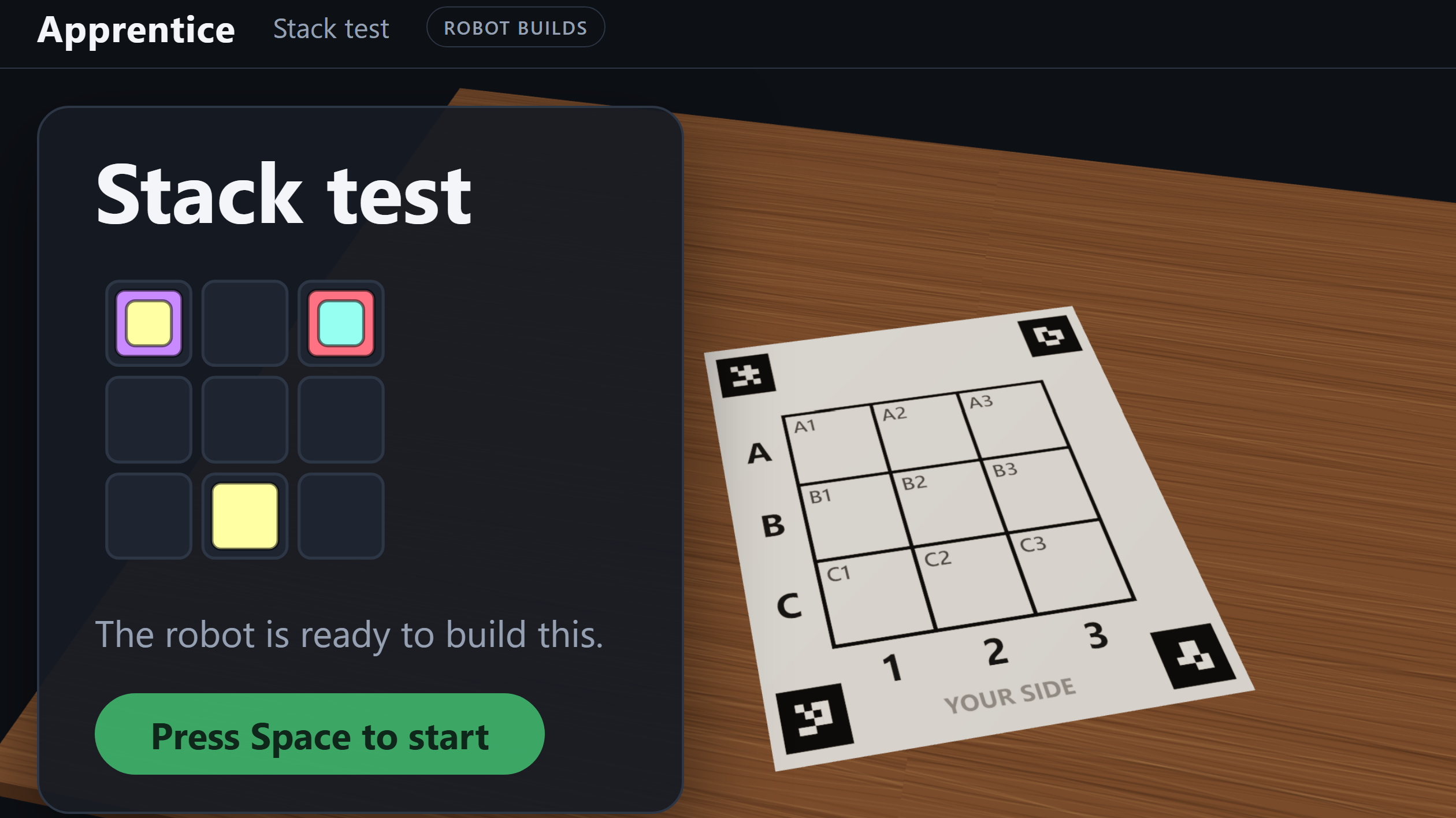
- Teach: someone builds a pattern with blocks on a 3x3 board, or records a video of it. Apprentice watches with an overhead camera and turns the build into a step-by-step lesson.
- Learn: a student rebuilds it while a monitor shows a 3D view of the board. A holographic intro replays the build first. Then, as the student places each block, the camera checks it and gives kind, specific hints like "Close! Move the yellow block one cell to the right", with an arrow on the 3D board.
- Repeat: press one key and the SO-101 robot arm builds the same lesson. The same camera grades the robot's work with the same checker. When the arm misses, it measures its own error and corrects the next try.
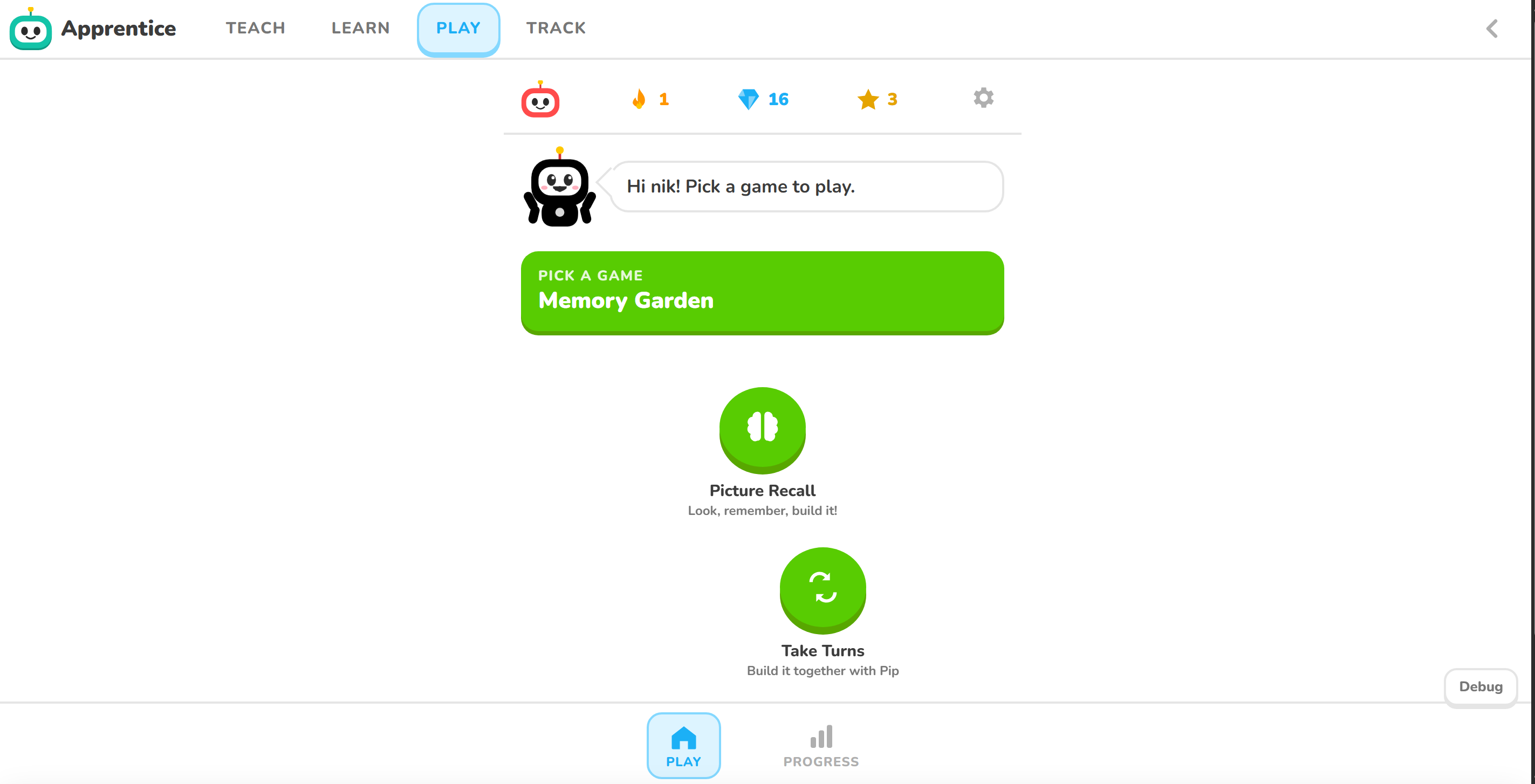
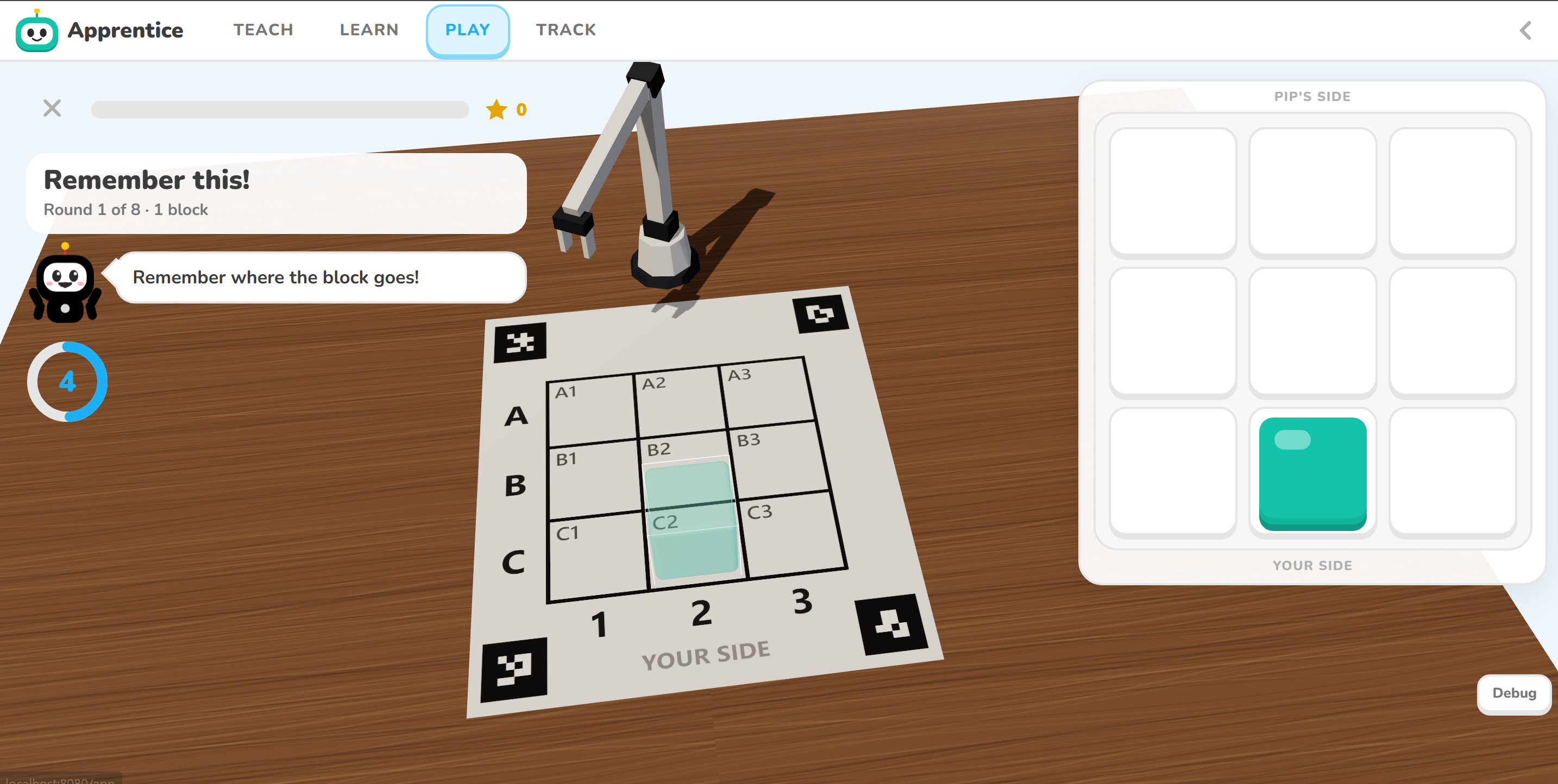
- Play: Apprentice Buddy is a kids' version on a tablet. Picture Recall shows a pattern, hides it and asks the child to rebuild it from memory. Take Turns has the child and our robot character, Pip, build a picture together. Pip can point at a square for a hint, or take wrong blocks off.
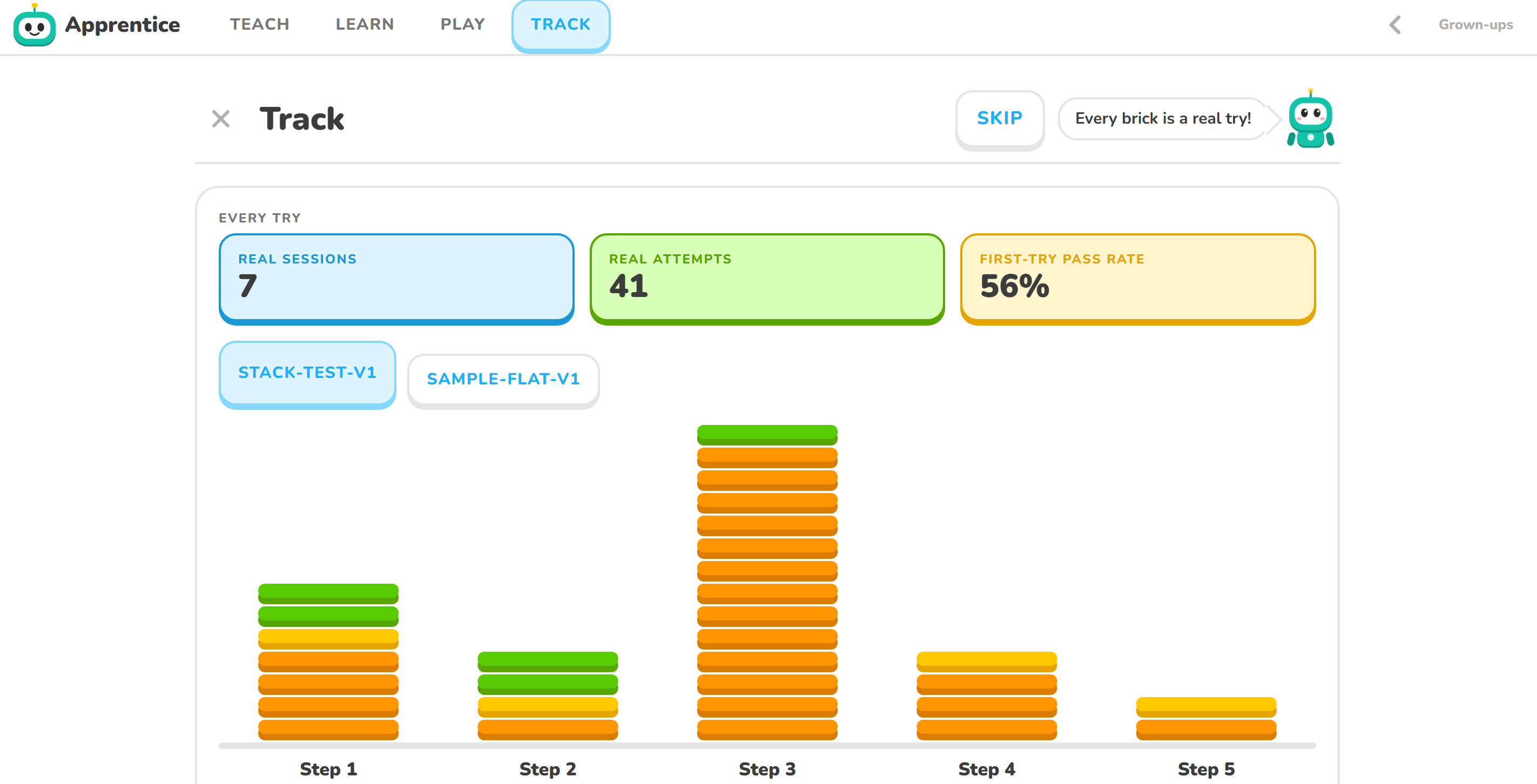
- Learn from the data: every placement, mistake, hint and timing goes into a journal. A Databricks pipeline turns the journals into tables and a dashboard, such as which steps are hardest and which cells cause the most mistakes.
How we built it
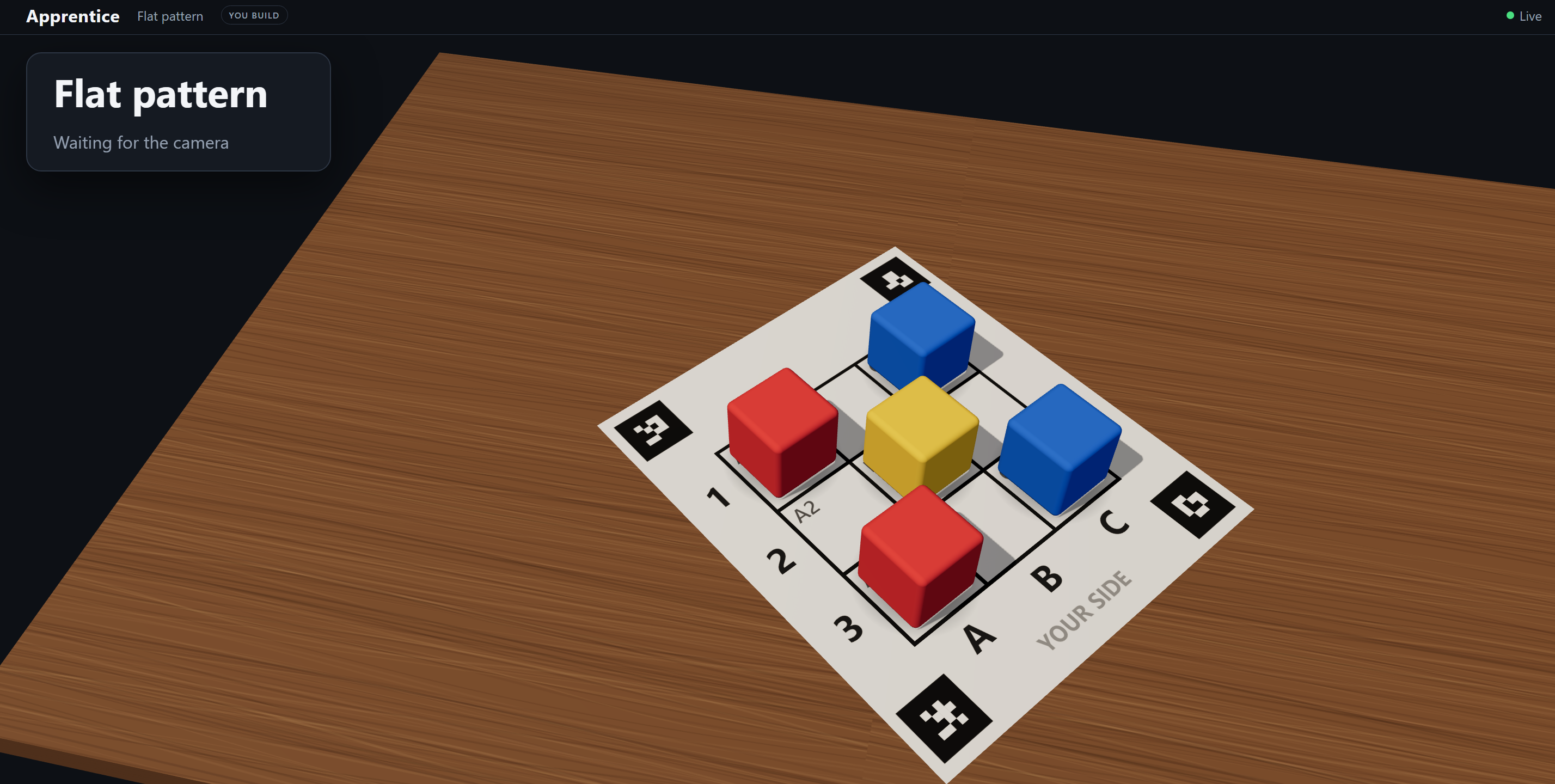
- Hardware: an NVIDIA Jetson runs the overhead webcam, the vision pipeline, the robot API and the Buddy server. The board is a printed sheet with four AprilTags at the corners. The arm is an SO-101, driven through LeRobot.
- Perception (OpenCV, on the Jetson): we lock the board's position once, using the tags on an empty board. Then we read the board cell by cell: for each of the 9 cells, the system draws what every possible stack (empty, or 1 or 2 blocks of each color) would look like from the camera's angle, compares that with the live image, and keeps the best match. It corrects for the camera's angle, reads stacks from the colors on their sides, votes over a few frames, and treats a hand over the board as "wait", never as a pass.
- The brain (Python): a stabilizer waits for a steady board. Then a deterministic checker compares it with the lesson and returns a verdict: pass, wrong cell, wrong color, wrong level, missing, or extra. Unknown is never a pass, and no language model ever decides pass or fail. A session tracks progress straight from the board, so lifting off a finished block moves the lesson back a step.
- Lessons from demonstrations: the extractor watches a live build or a video, turns the settled boards into steps, and runs a gate that refuses lessons it can't trust. Gemini only names a color when our camera and color memory can't, and only while processing a recording, never in the live checking.
- The robot: a FastAPI service wraps our executor. It plans each pick and place from what the camera sees, clears blocks in the way, verifies every placement with the camera, and learns a correction from where its blocks actually land.
- Interfaces: a three.js 3D monitor with a lesson picker, the intro replay and live hints, and Buddy's tablet app, which reuses the same 3D board.
- Data: an append-only journal for every session, with each session tagged real (graded by the camera) or simulated, uploaded to Databricks and turned into bronze, silver and gold Delta tables plus a dashboard.
- Team process: four people, frozen shared contracts, and a fake camera feed and fake robot, so everyone could build without waiting on hardware.
Challenges we ran into
- Our cell names were the mirror image of the printed sheet. Only the three diagonal cells meant the same square in the camera code and on the paper and robot side, so the arm and the hints disagreed with the paper. We switched everything to the sheet's convention.
- The blocks hid the corner tags. Our silicone blocks are 47 mm, so a block in a corner cell always covers part of a tag, and the board kept "disappearing". We lock the board's position once on an empty board and then only check the tags we can still see.
- Tall towers broke the view. Our camera sits only 432 mm above the table, so the top of a 3-block tower leans a full cell over in the image. In real sessions, the 3-high lesson left 45% of boards unreadable, versus 8% on a flat lesson. We used that data to cap stacks at two blocks.
- The arm knocked over its own towers and pressed down on blocks as it released them. We raised its travel height above the tallest stack, stopped it pushing on release, and made retries learn the arm's error at each height.
- Lag stacked up. Four separate waits (the camera's vote, its stack memory, the brain's stabilizer and the UI's celebration) added 3 to 4 seconds. We shortened each one without weakening "unknown is never a pass".
- Speeding things up broke safety. One of our speed-ups made a hand over the board read as unknown blocks instead of a hand. A test caught it, we reverted the change, and we added a guard: several unreadable cells at once means a hand.
- Colors: under the venue lighting, orange and yellow, and teal and light blue, read as the same color, so we play with four colors that the camera separates clearly.
Accomplishments that we're proud of
- One camera grades a human and a robot with the exact same deterministic rules.
- A cell-by-cell vision model that reads stacks and stays honest: it says "I can't tell" instead of guessing.
- A robot arm that checks every placement with the camera and corrects itself.
- A full path from a physical build to a lesson to a game to analytics
- Our design decisions came from our own data: the stack cap came straight from measured session results.
What we learned
- In physical AI, the hard part is the boring part: lighting, camera angle, line endings, which way the grid is named.
- Determinism builds trust. Letting language models write hints but never grade made the system predictable enough to put in front of a child.
- Measure before arguing. Our journal and Databricks tables settled debates that opinions couldn't.
- Fakes and frozen contracts let four people build one system without blocking each other.
What's next for Apprentice
- Learn from any video: a parent films a build, and Apprentice turns it into a lesson at home.
- More than blocks: cooking steps, chemistry lab setups, physical therapy exercises, anything with steps a camera can check.
- Adaptive difficulty and parent reports built on the learning data: memory span over time, hints needed, common confusions.
- A camera mounted higher, for taller stacks and bigger builds.
- Robots that keep improving with every lesson they repeat.
Built With
- apriltags
- css
- databricks
- delta-lake
- fastapi
- gemini-api
- html
- javascript
- lerobot
- numpy
- nvidia-jetson
- opencv
- python
- so-101
- three.js
- websockets


Log in or sign up for Devpost to join the conversation.