

Inspiration
We wanted to utilize the extreme portability and easy access of the Apple Watch and implement a way to study with it. From past experience and a little bit of research, we have found that repetition is the best way to learn something new, so having something right on your wrist that you can glance at was a simple and elegant solution to our problem.
What it does
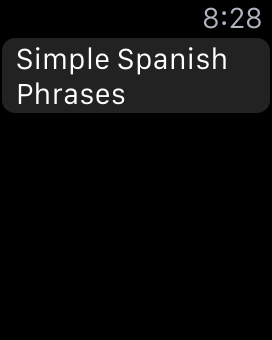
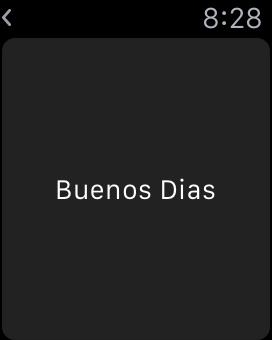
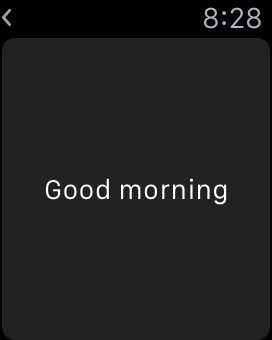
Our application allows you to use custom decks and study from them on the Apple Watch. It opens as a list of your current decks. After selecting a deck, your first "card' will show on screen. A single tap allows the user to flip "card" over and see then answer or flip the card back to the original side. A force tap allows the user to navigate to the next card in the deck. The force touch starts by navigating to a confirmation page. From this, the user can click above or on the text to go to the next card or press below the text to remain on the current card. After finishing the final card of the deck, another force touch will return the user to the first card of the deck. A back button on the top left side of the watch face returns the user to the deck list at any time.
How I built it
We built the application using Xcode, specifically WatchKit and WatchOS
Challenges I ran into
The biggest challenges we ran into was learning how to switch between interfaces. We've never code on iOS or Apple Watch and this problem was the hardest of all the transitions.
Accomplishments that I'm proud of
We are very proud of the force touch feature we added to the applications functionality. We used tap to flip the notecards, and force touch to move on to the next card.
What I learned
We learned a lot about coding for iOS/Apple Watch, and learned a lot of the syntax for Objective-C. We learned a lot of the basic features for iOS and about how to implement features such as force touch.
What's next for Apple Watch Flashcard Study App
We would like to add in more aesthetically pleasing designs and the ability to import sets from sites, like Quizlet.
Built With
- watchkit
- xcode


Log in or sign up for Devpost to join the conversation.