-
-
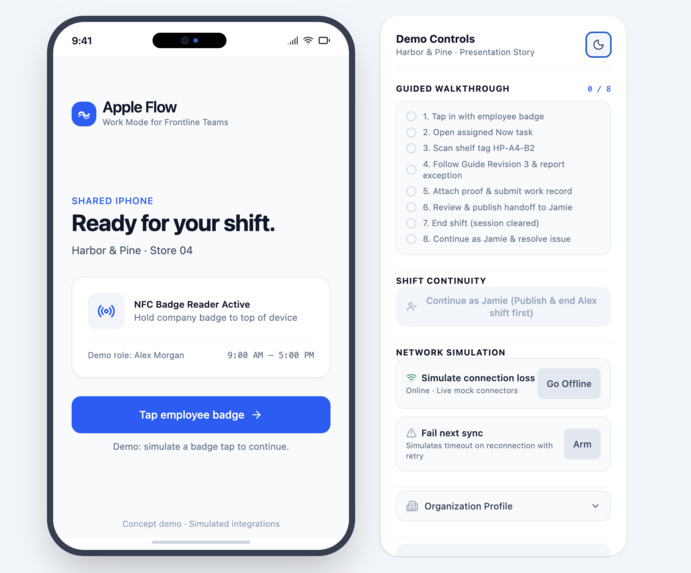
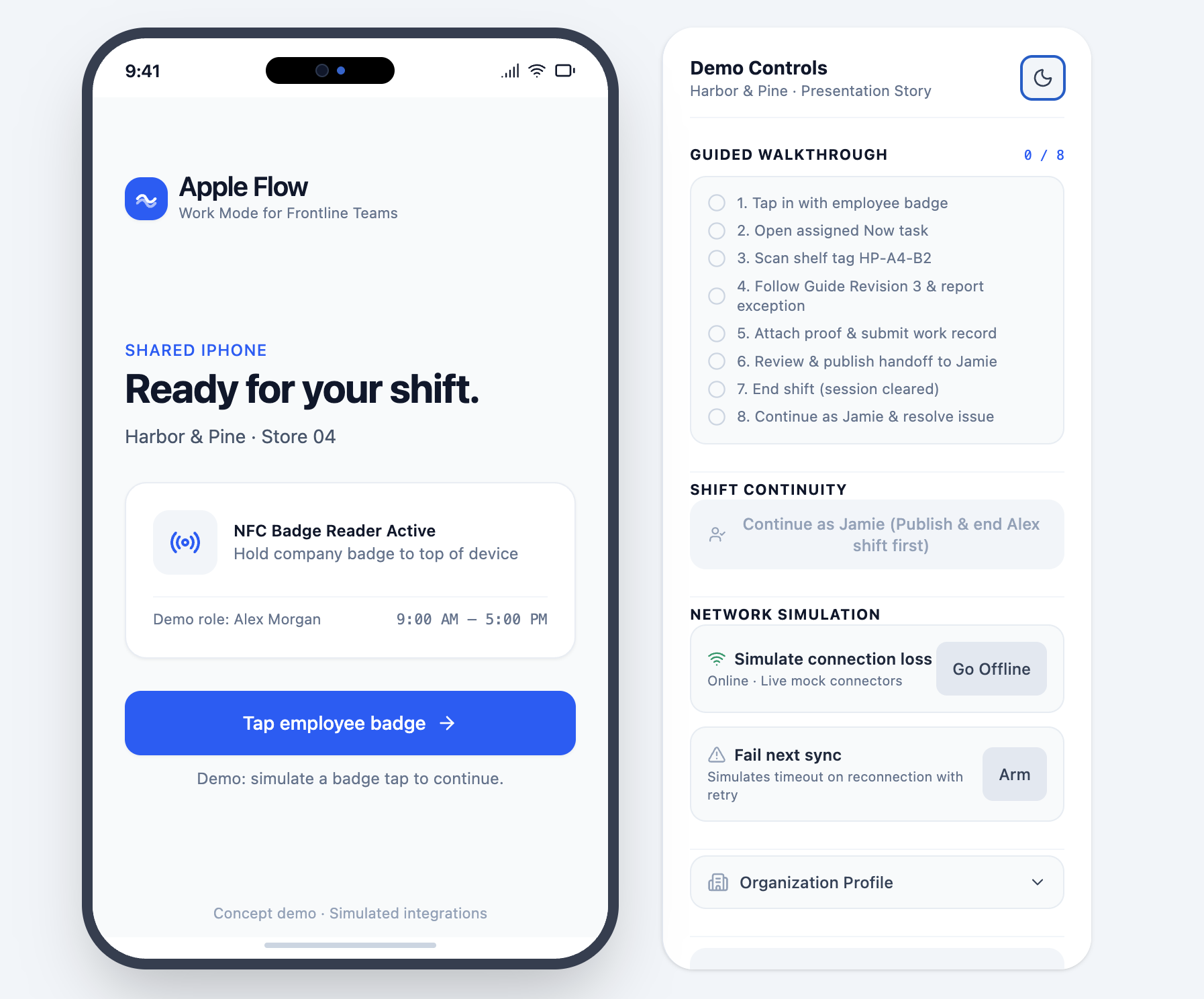
Employee badge sign-in interface with guided demo controls.
-
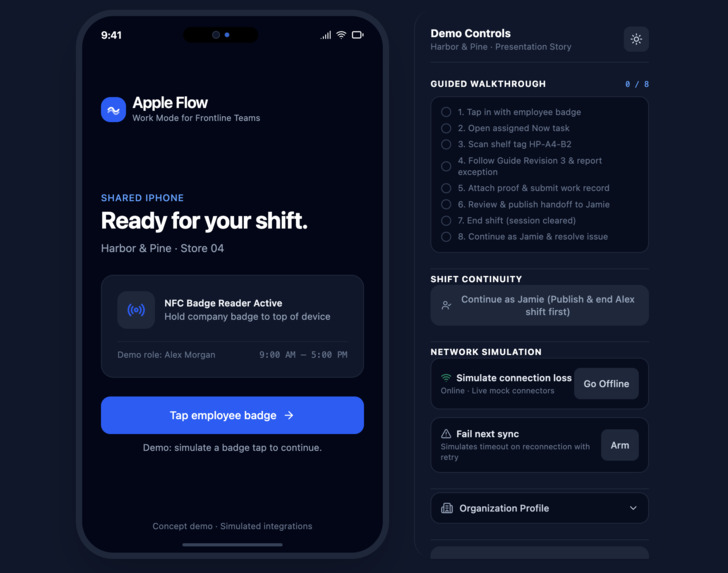
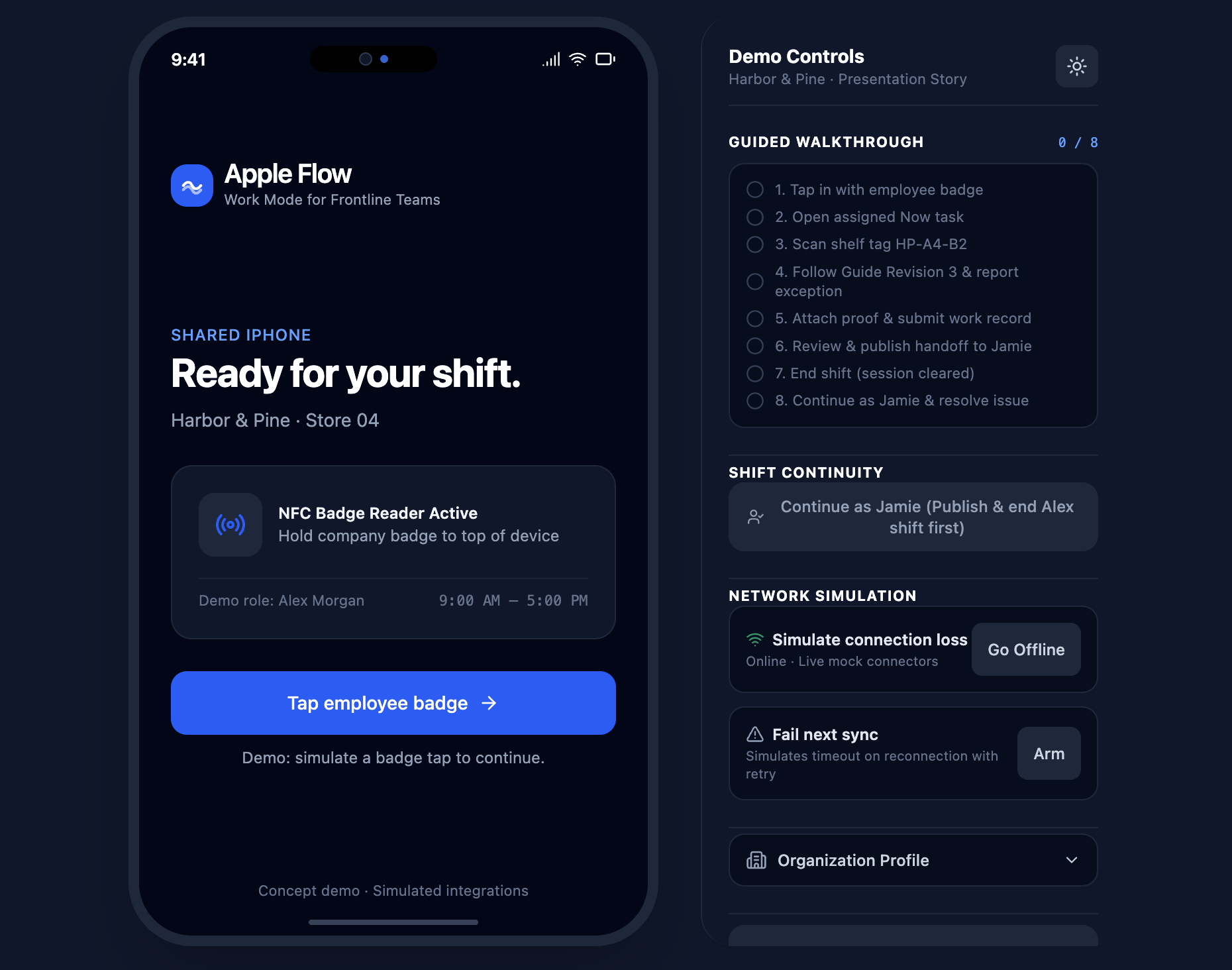
Dark-mode version of the employee sign-in screen.
-
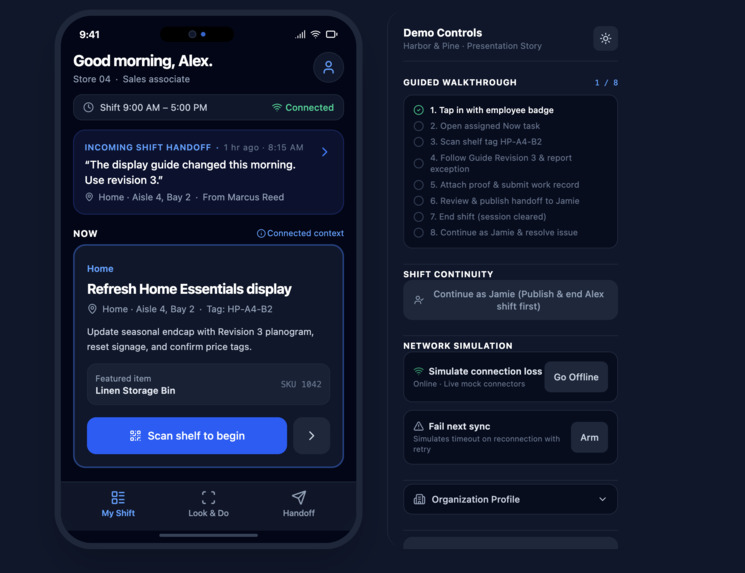
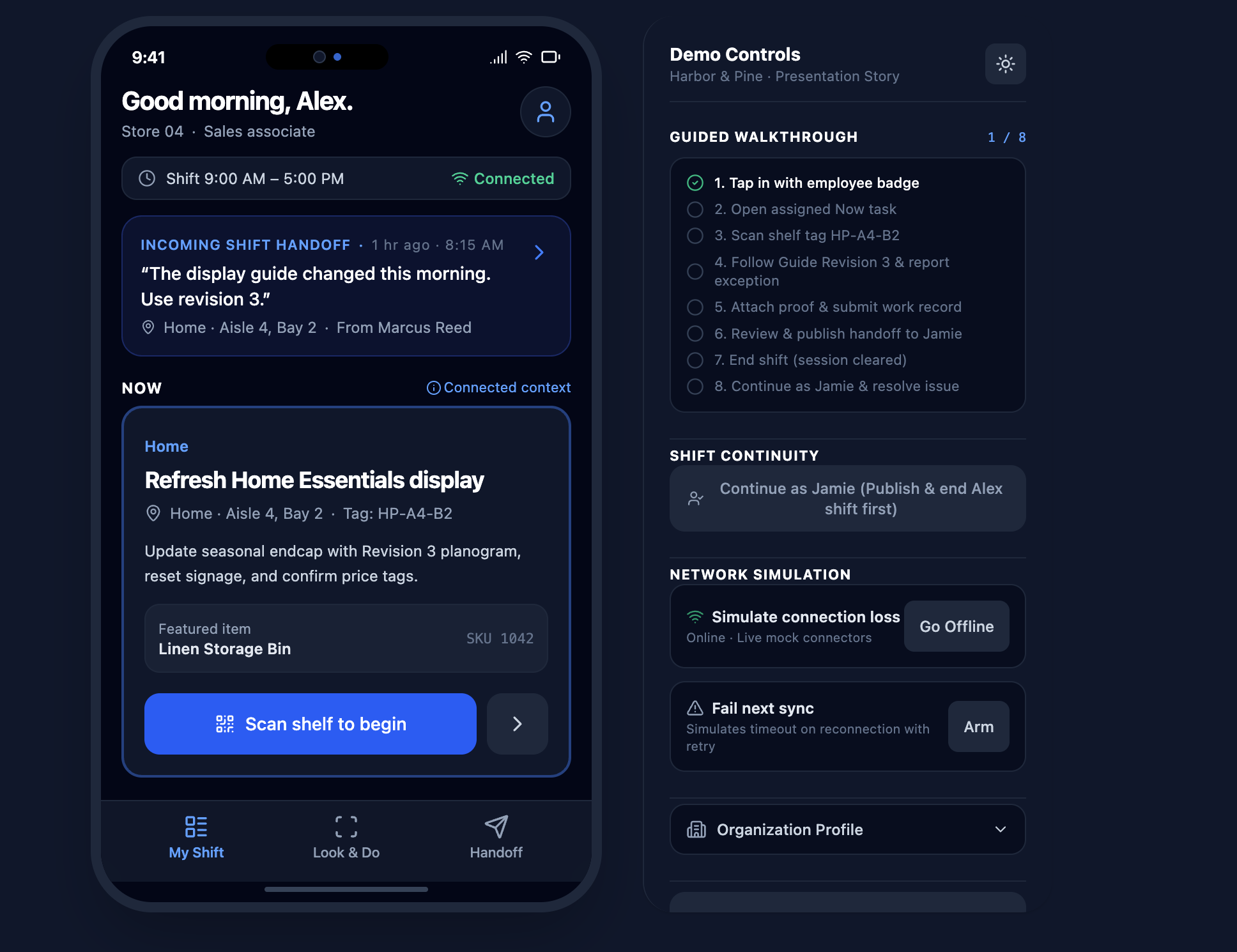
Assigned tasks, shift details, and incoming handoff updates.
-
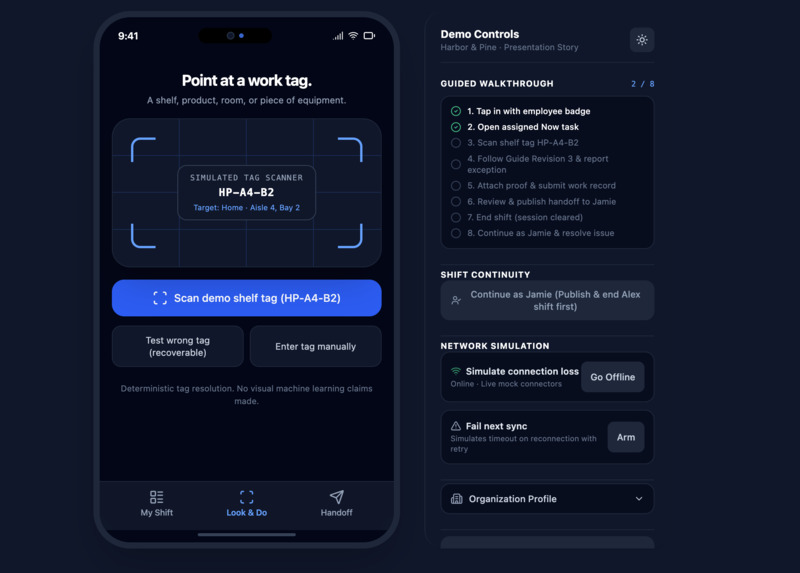
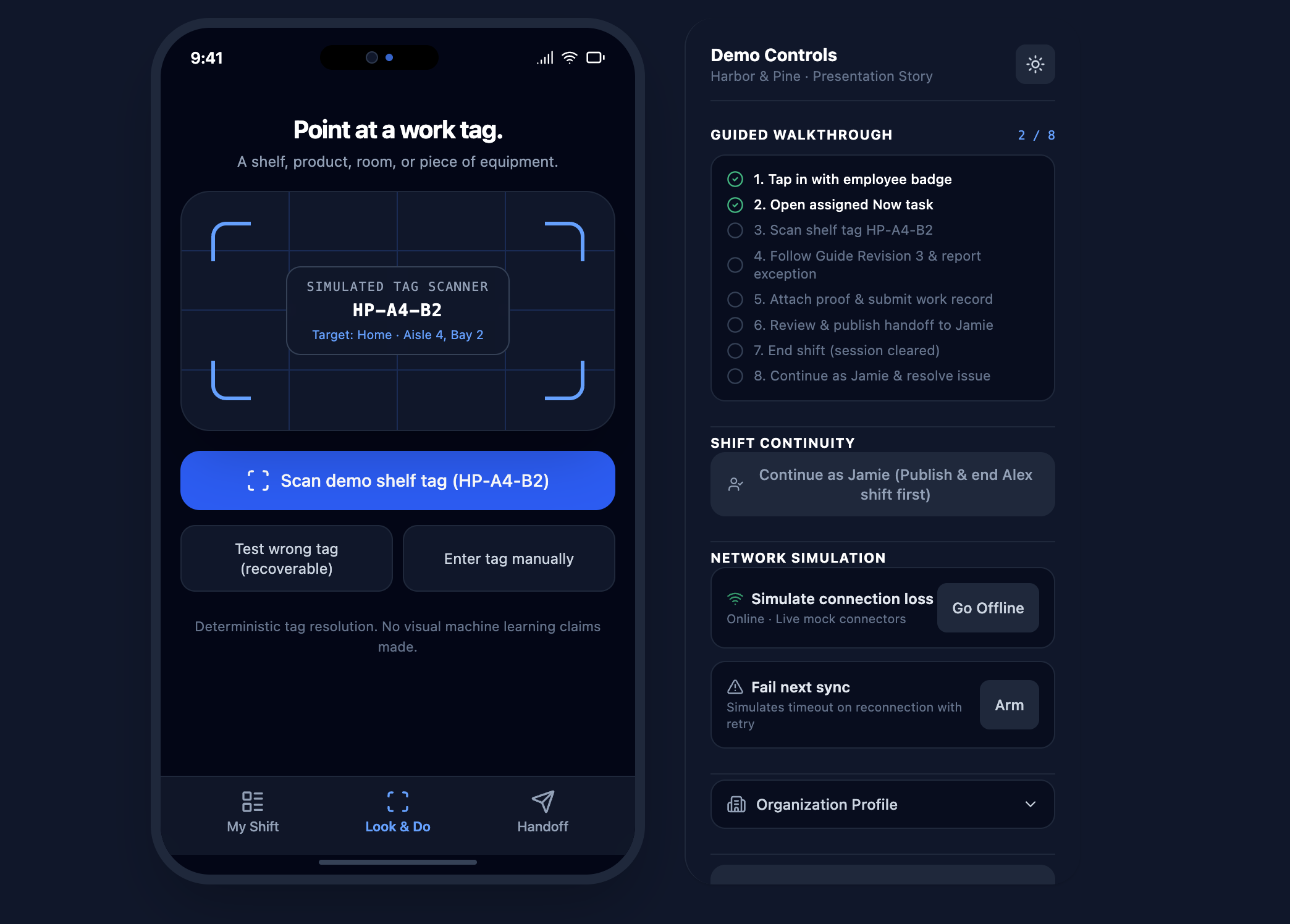
Simulated shelf-tag scanning to access location-specific tasks.
-
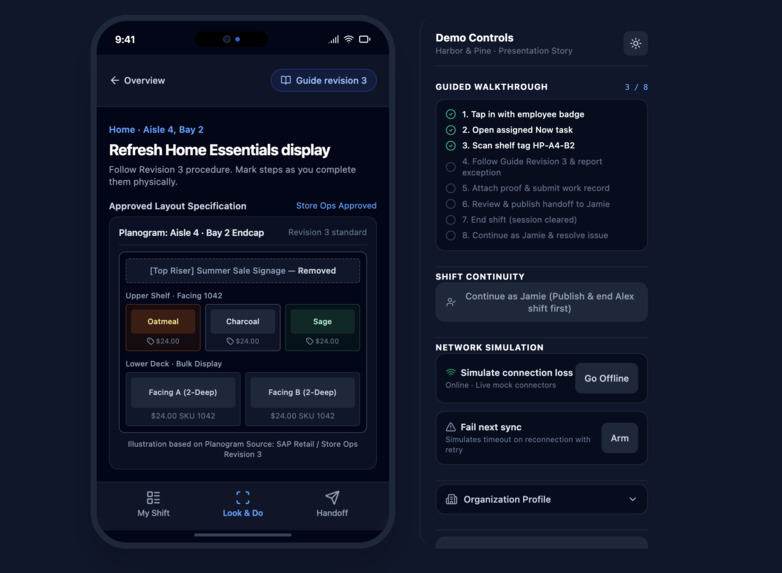
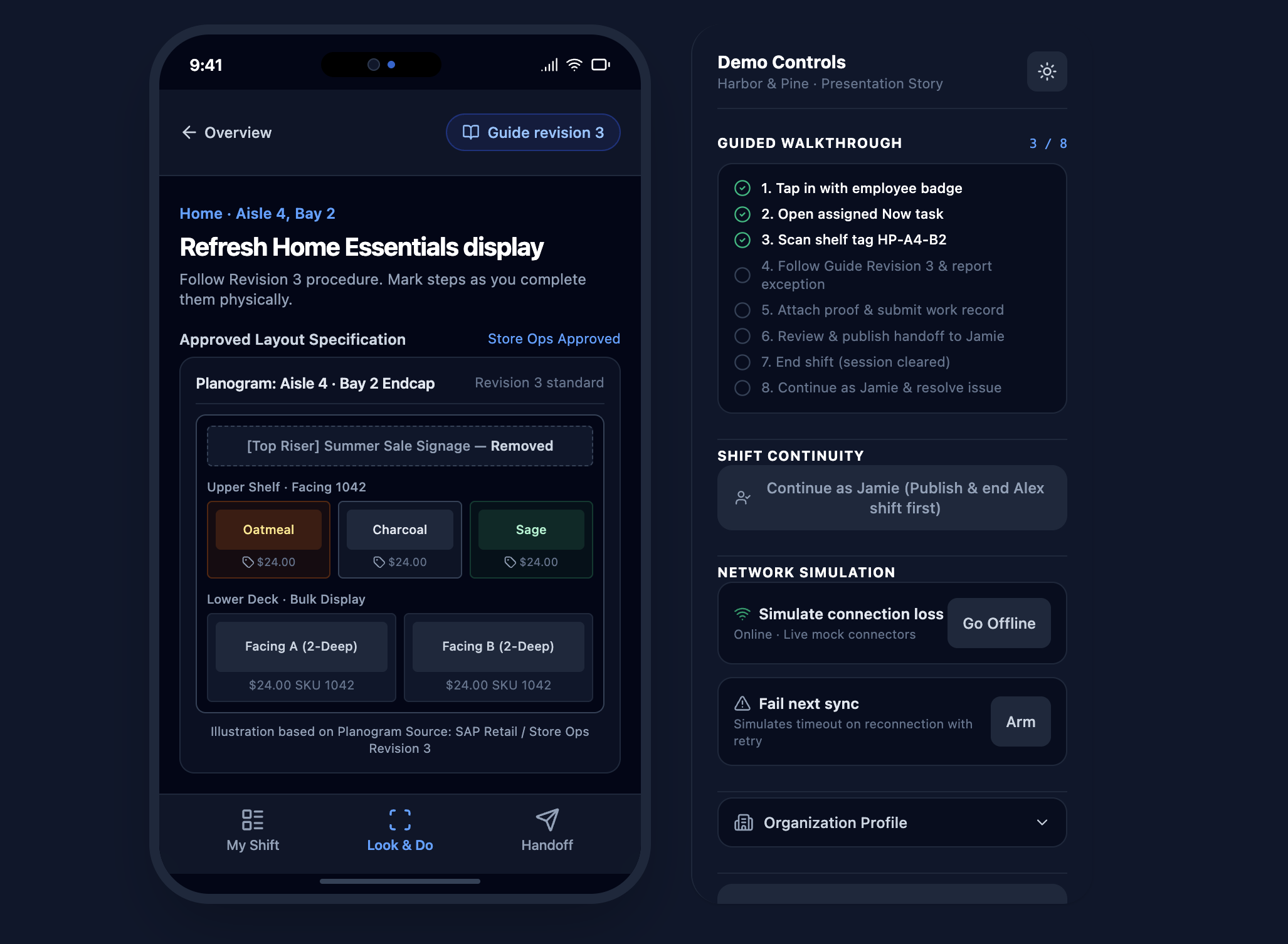
Approved planogram and display instructions for the assigned task.
-
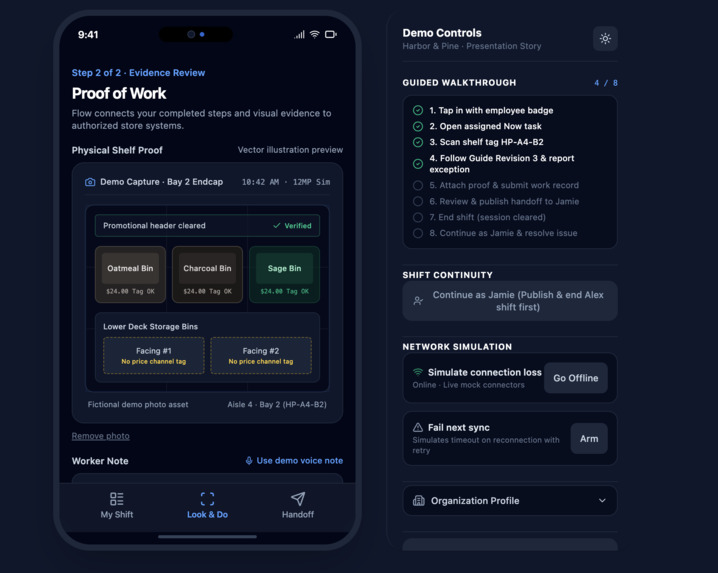
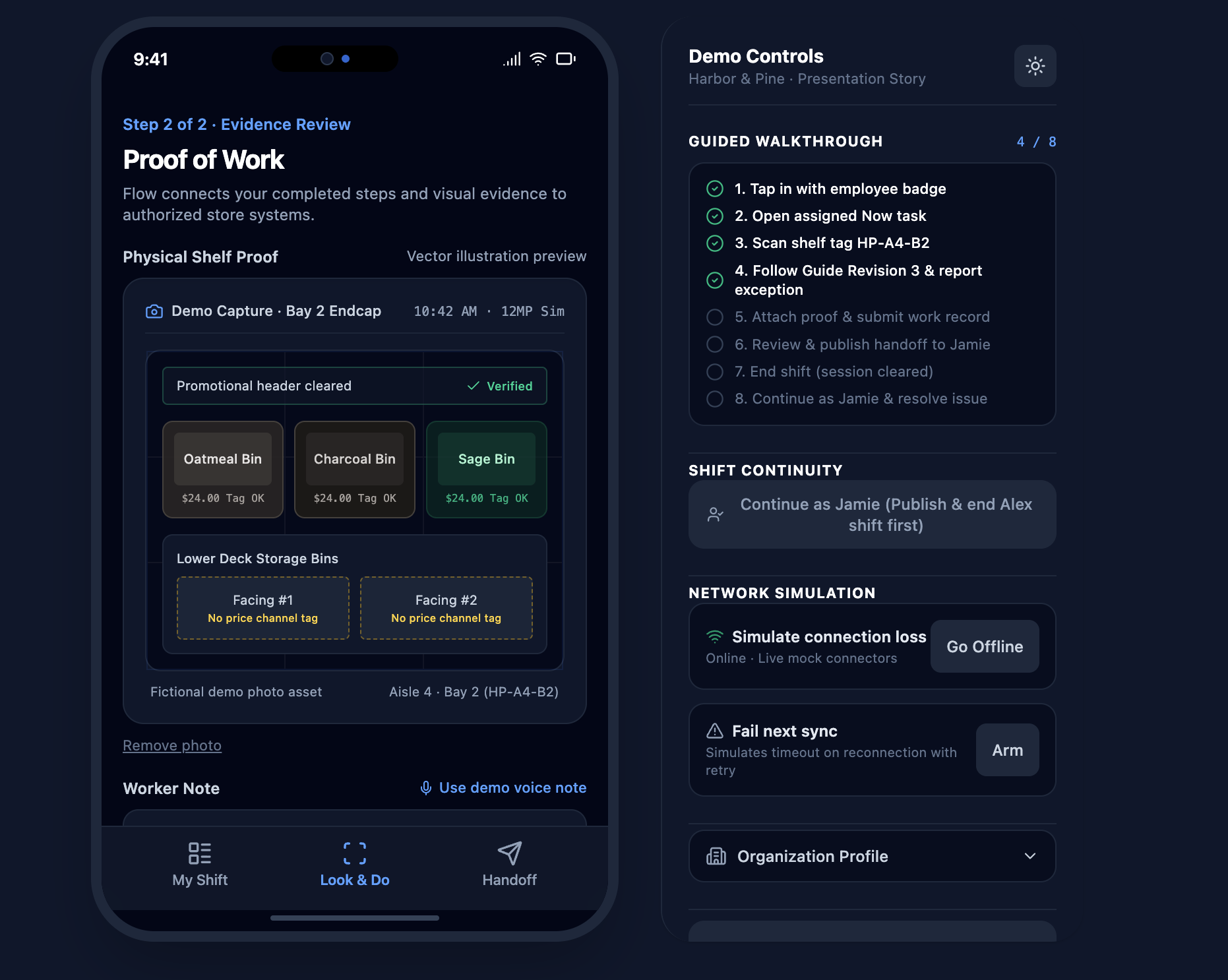
Visual evidence review and task documentation.
-
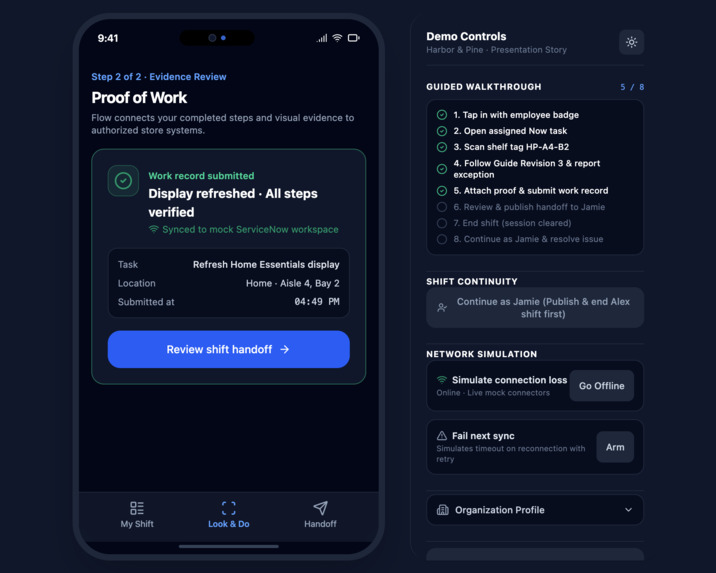
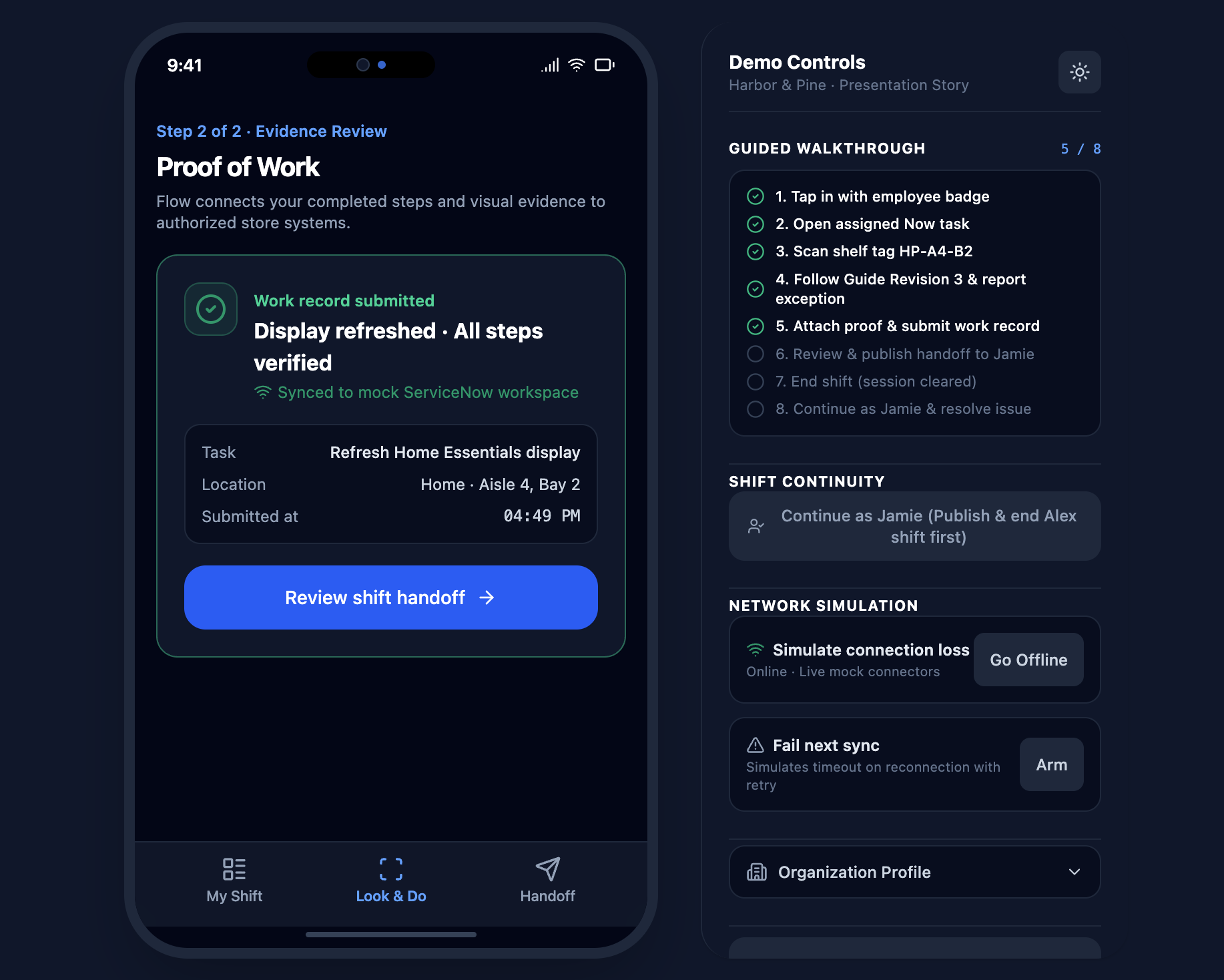
Completed work record submitted to a simulated store system.
-
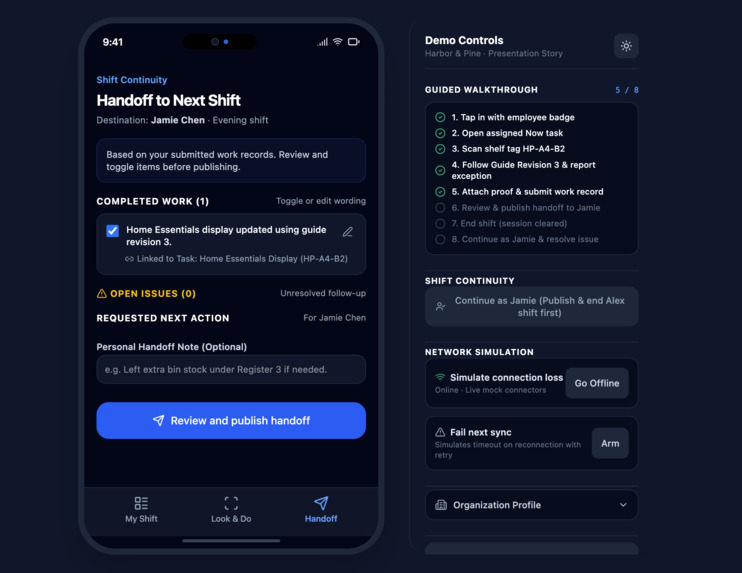
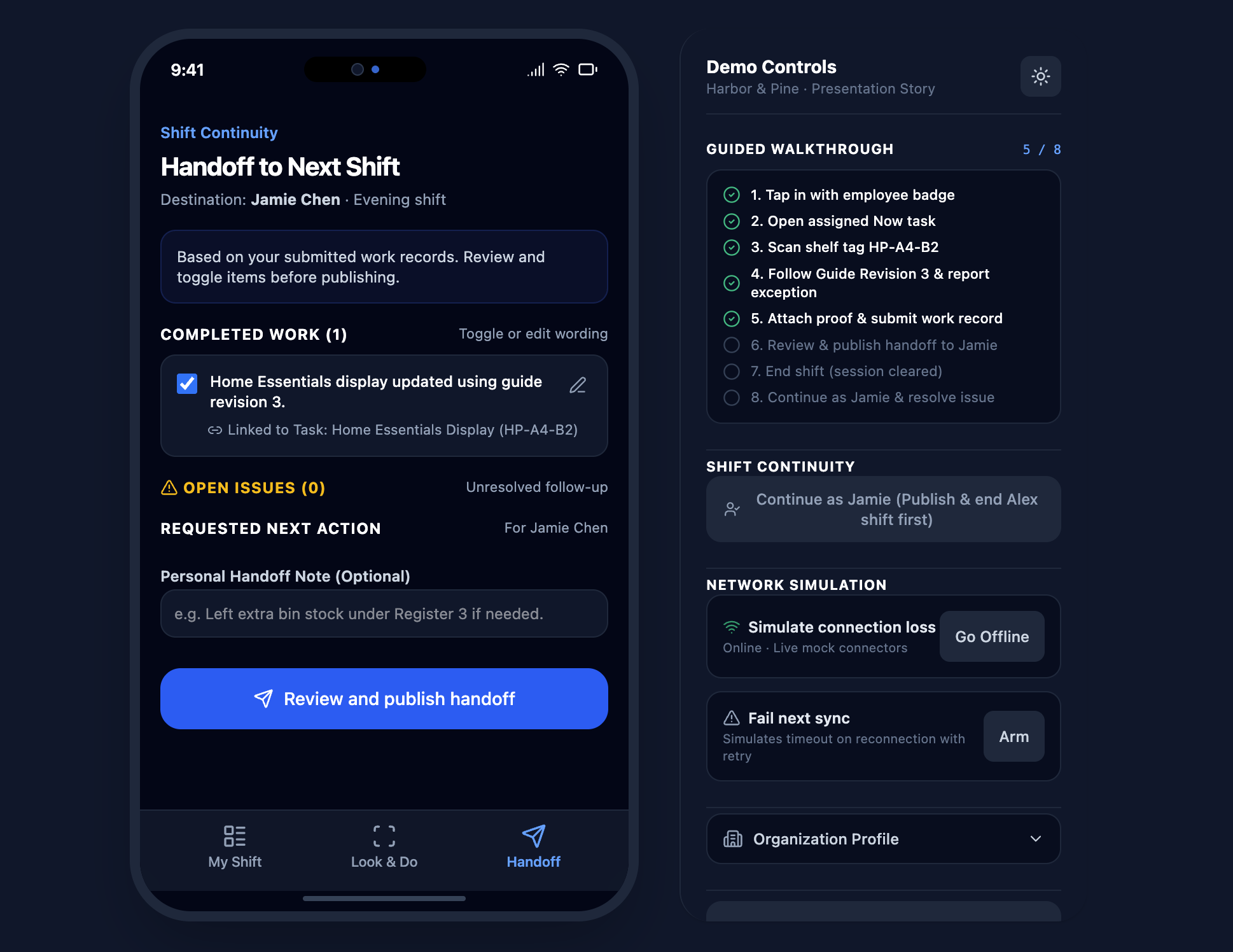
Summary of completed work, open issues, and next-shift actions.
-
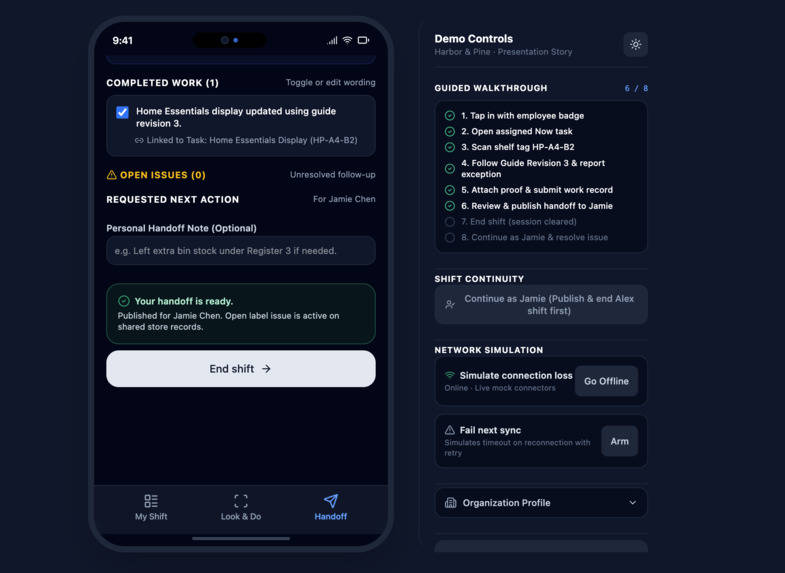
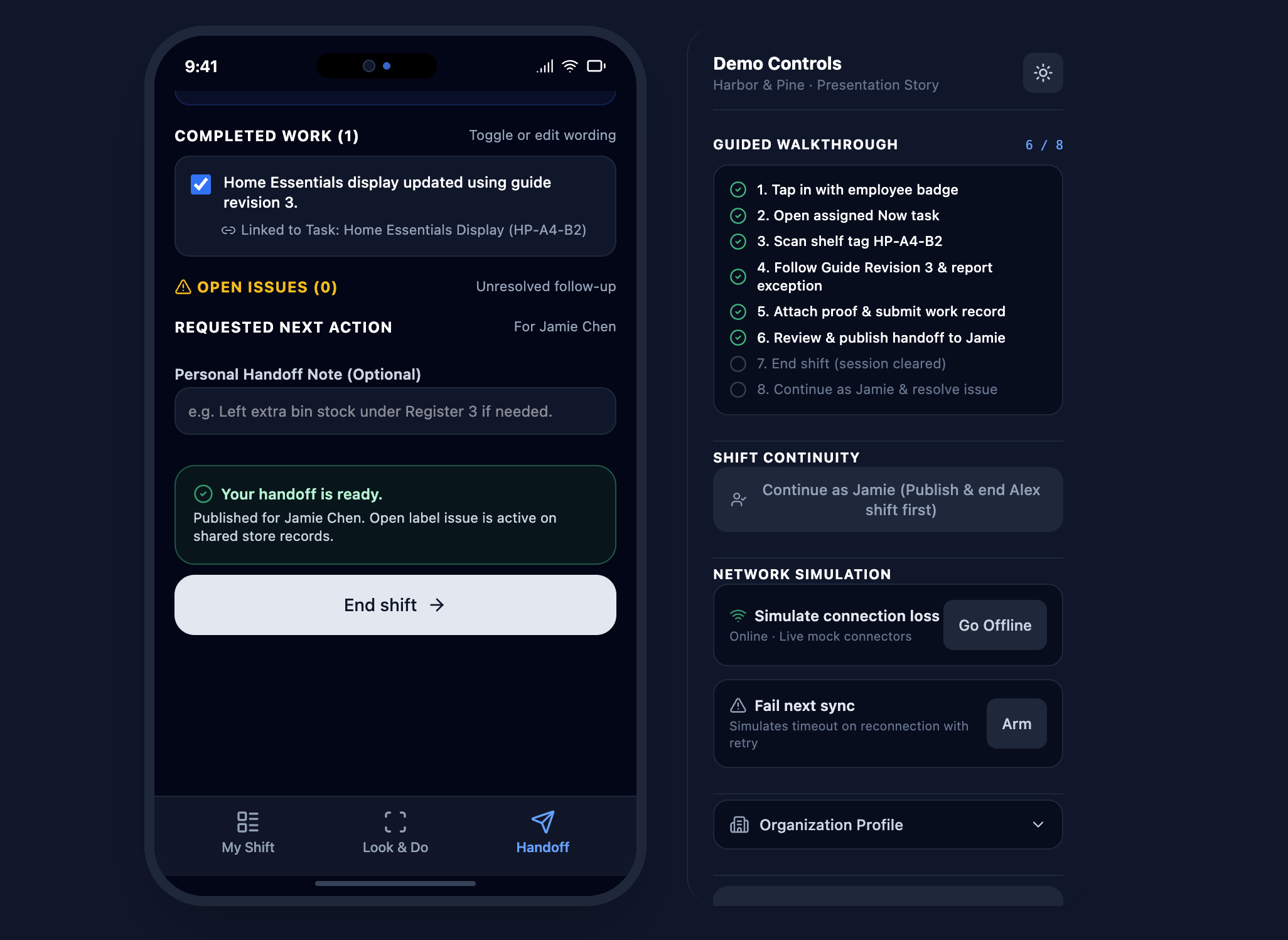
Published handoff confirmation and employee session closure.
-
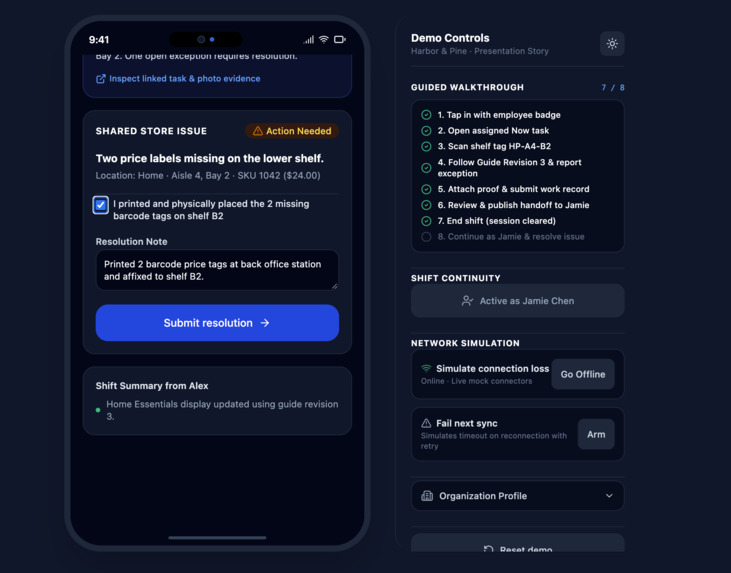
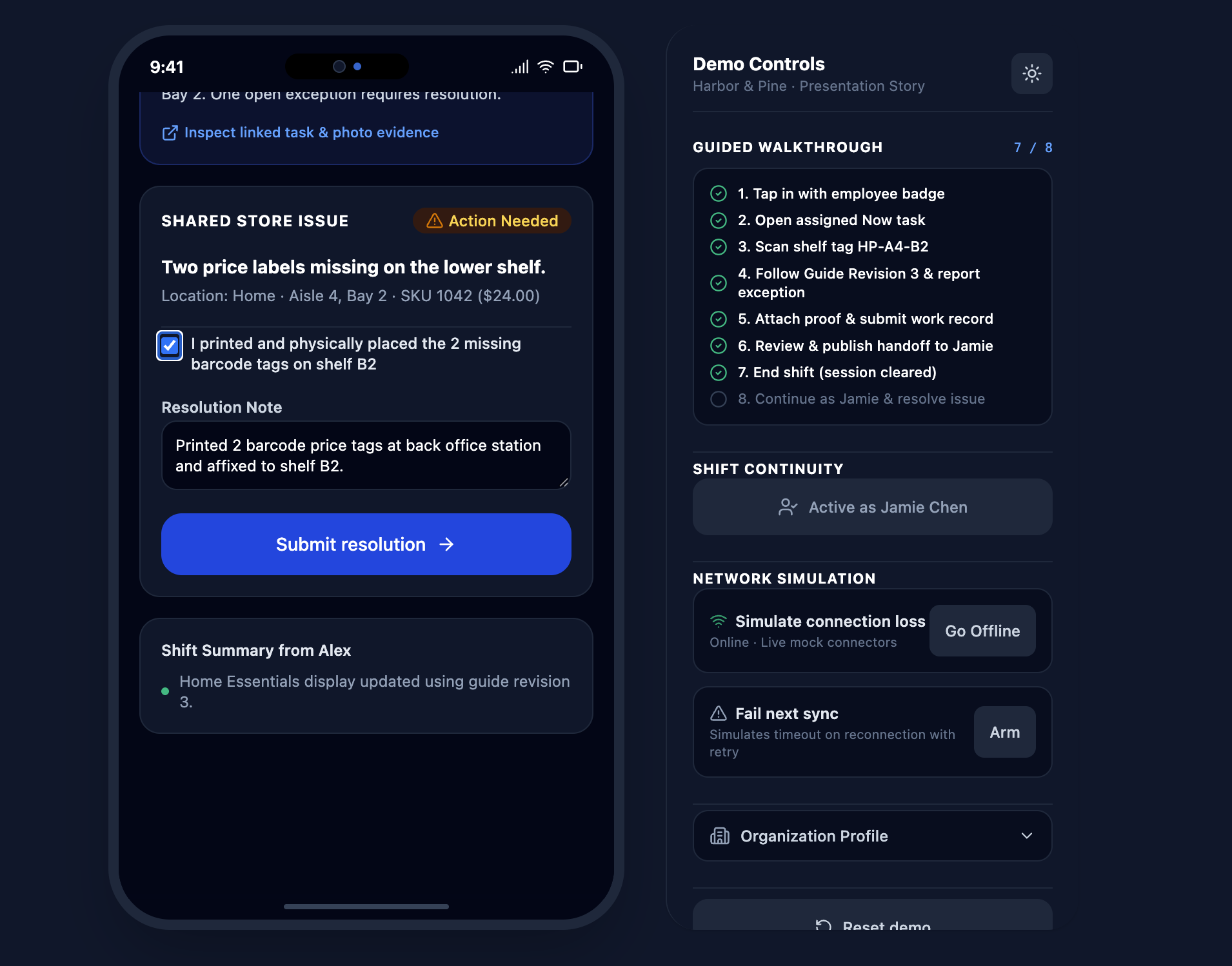
Next employee reviews and resolves an outstanding issue.
Inspiration
Apple has built an ecosystem that makes everyday life more connected, intuitive, and productive. From communication to creativity, its products are designed to work together and make daily tasks easier. We wanted to explore how that same experience could extend beyond personal use and into the workplace, particularly for people whose jobs aren't spent behind a desk.
Frontline employees often rely on disconnected systems to manage tasks, communicate updates, and keep track of their work. We saw an opportunity to bring these responsibilities together through a device people already know how to use.
That idea became Apple Flow, a concept that brings the simplicity of the Apple ecosystem into frontline work.
What It Does
Apple Flow transforms a shared iPhone into a personalized workspace for frontline employees, bringing tasks, work information, and team communication into one streamlined experience.
Our prototype focuses on three main features:
- My Shift: Employees sign in through a simulated NFC badge tap and access their assigned tasks, shift details, and important updates.
- Look & Do: Employees interact with location-specific work tags to access relevant instructions and connect physical workspaces with digital tasks.
- Handoff: Employees document completed work, identify unresolved issues, and pass important information to the next shift.
Together, these features create a more organized workflow while maintaining a clear separation between personal information and workplace activity.
How We Built It
We developed Apple Flow as an interactive, mobile-first prototype, using Apple's design principles as inspiration for the overall experience.
Rather than creating separate tools for each responsibility, we focused on connecting the entire employee workflow, from signing in at the beginning of a shift to passing along updates at the end.
Using a simulated retail environment, we designed interfaces for employee identification, task management, work-tag interactions, and shift handoffs. We prioritized simple navigation, clear instructions, and a consistent user experience.
Challenges We Faced
Our biggest challenge was finding the right balance between functionality and simplicity. We wanted Apple Flow to support the responsibilities of frontline employees without making their work more complicated.
We also had to consider how shared devices could provide personalized experiences while respecting employee privacy. Designing a workflow that could transition between different employees and shifts required us to think beyond individual features and focus on how the system would work as a whole.
What We Learned
Developing Apple Flow gave us a better understanding of how product design can improve everyday workflows. We learned that productivity isn't just about completing tasks faster; it's also about making information more accessible, reducing unnecessary steps, and helping people work together.
We also gained experience thinking about technology from the user's perspective and designing around the practical needs of a workplace rather than simply adding more features.
What's Next
While our prototype focuses on retail, we see potential for Apple Flow in other environments that rely on frontline and shift-based work, including hospitality, healthcare operations, and logistics.
Future development could introduce real NFC authentication, physical work-tag integration, and connections to existing workplace management systems.
Our broader goal is to explore how the familiarity and connectivity of the Apple ecosystem could extend into more aspects of everyday life, making technology just as useful at work as it is outside of it.
Built With
- figma
- googleaistudio
