-
-
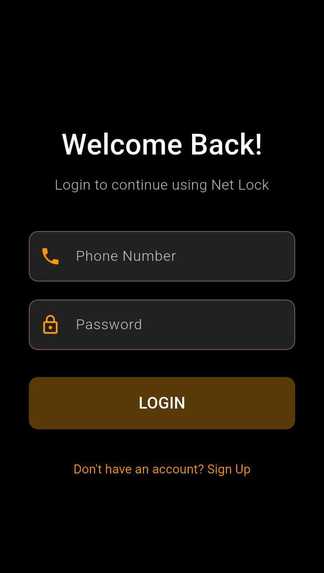
Login Screen
-
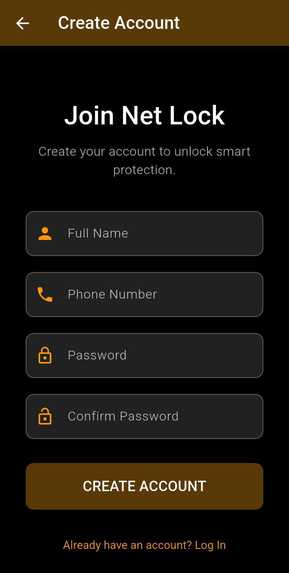
Signup Screen
-
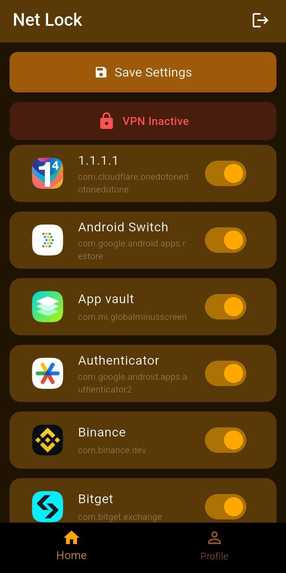
Home Screen
-
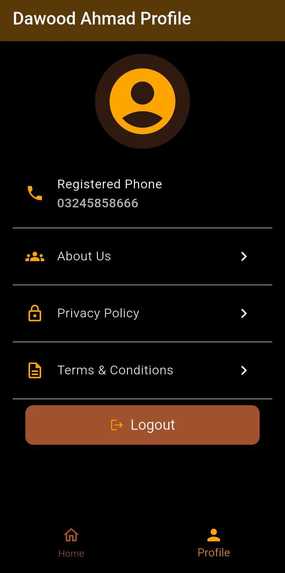
User Profile Screen


Inspiration
Many Android users want control over which apps can access the internet, especially for productivity, privacy, and data saving. Existing solutions are often complicated, filled with ads, or require root access, which can be risky. This inspired us to build a simple, clean, and secure solution that works without root and is accessible to normal users.
What it does
App Firewall lets users control which apps can access the internet on their Android device. You can block or allow internet access per app, even when running in the background. It works without root, is ad-free, and gives real-time control over network usage. Users can quickly enable or disable internet access for any app with a single tap.
How we built it
The project is built using Flutter for the user interface and native Android code for system-level networking control. Flutter handles authentication, UI, and app listing. Native Android uses VPN-Service to create a local VPN tunnel. Network traffic is filtered inside the tunnel based on user-defined rules. A Method-Channel bridge connects Flutter with native Android code. User preferences are saved locally to ensure fast performance. This hybrid approach allows us to achieve deep system control while keeping the app user-friendly.
Challenges we ran into
Understanding Android’s VPN-Service and making it work reliably across different devices. Handling apps that try to bypass standard network rules. Maintaining good battery life while monitoring network traffic continuously. Bridging Flutter with native Android code efficiently without causing lags. Managing user expectations and creating a simple, intuitive UI for complex functionality.
Accomplishments that we're proud of
Successfully built a root-free solution to control per-app internet access. Achieved smooth communication between Flutter UI and native Android networking code. Created a minimal-permission, privacy-focused app that works on most Android devices. Developed a real-time, responsive system that filters network traffic without slowing down the device.
What we learned
How Android VPN-Service API works internally Managing per-app network traffic without root access Bridging Flutter with native Android using Method Channels Handling background services and lifecycle limitations Designing privacy-focused apps with minimal permissions
What's next for App Firewall – Per-App Internet Control
Advanced scheduling: Allow users to block or allow apps at specific times (e.g., during work or night hours). Usage analytics: Show detailed data usage per app for better control and awareness. Cloud sync: Save user rules across devices securely. Enhanced filtering: Support domain or IP-based filtering for more granular control. UI improvements: Make rule management even more intuitive with drag-and-drop and favorites. Cross-platform expansion: Explore similar control for tablets or integration with future Android versions.
Built With
- android
- android-studio
- dart
- firebase
- flutter
- gradle
- kotlin
- methodchannels
- sharedpreferences
- vpn-apis
- vpnservice-api


Log in or sign up for Devpost to join the conversation.