
Inspiration
I worked on a large-scale mobile app and every time the security team handed back a findings report, it was overwhelming. Raw scanner output with no context, no prioritization, and no clear path to a fix. I spent hours just figuring out what each finding meant, whether it actually mattered for my specific codebase, and how to fix it. That friction slowed down every release cycle. I built apkSherlock to eliminate that friction entirely.
What it does
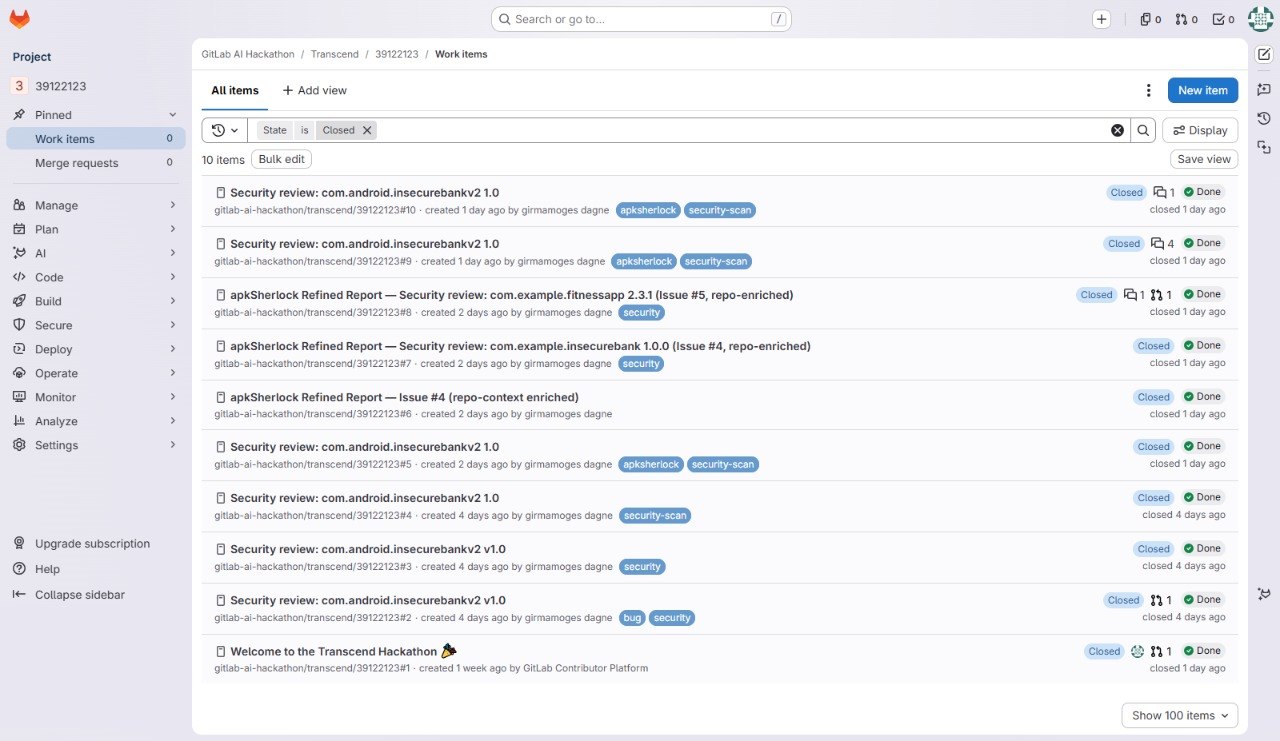
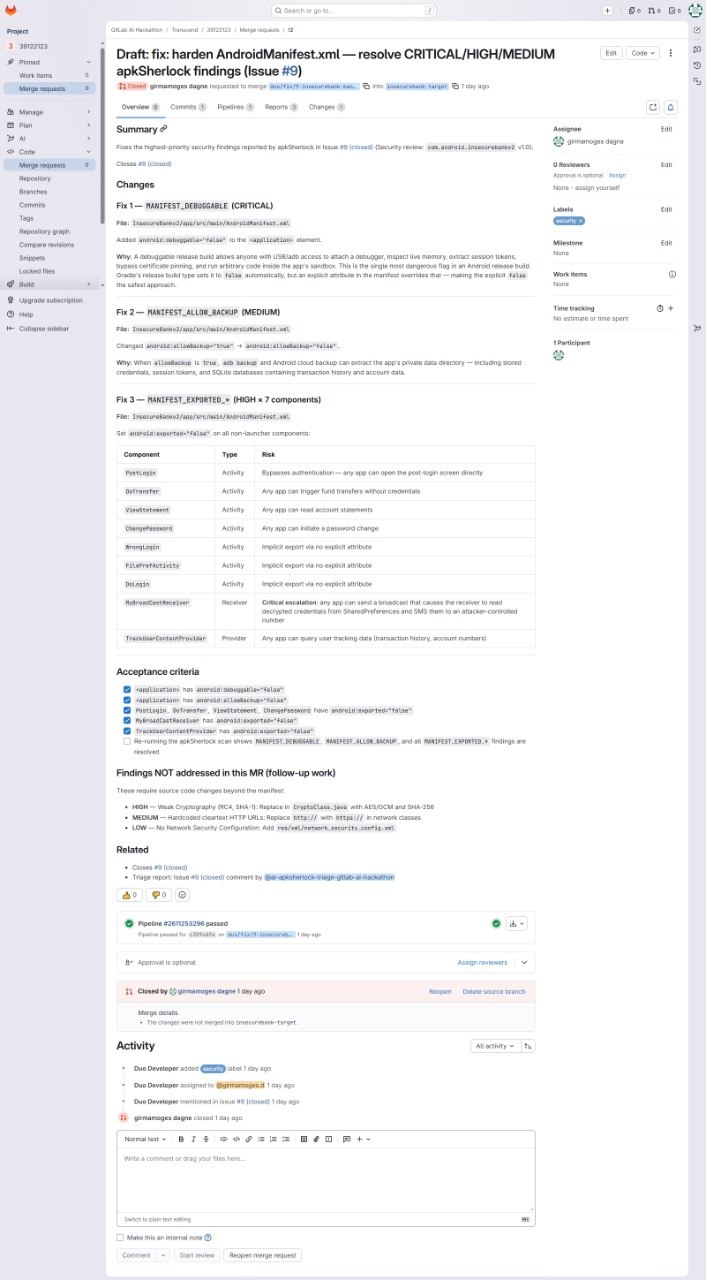
apkSherlock is an Android APK security analyst flow running inside GitLab Duo. When code is pushed, a CI pipeline automatically calls my scanner service with the APK URL, gets back real binary analysis results, and creates a GitLab issue with the findings. The apkSherlock Triage flow then triggers automatically from a mention posted by CI, reads the issue, checks the actual repository source files to understand which findings are truly exploitable in context, and posts a prioritized fix-ready report. From there, one click opens a merge request with the fix already written. The full loop: push code, CI scans the APK and creates the issue, the flow triages and enriches the findings, merge request opens with the fix written. All inside GitLab, no manual steps, no context switching.
The full loop: scan → prioritize → create issue → generate MR → merge fix. All inside GitLab, no external security tools, no context switching.
How we built it
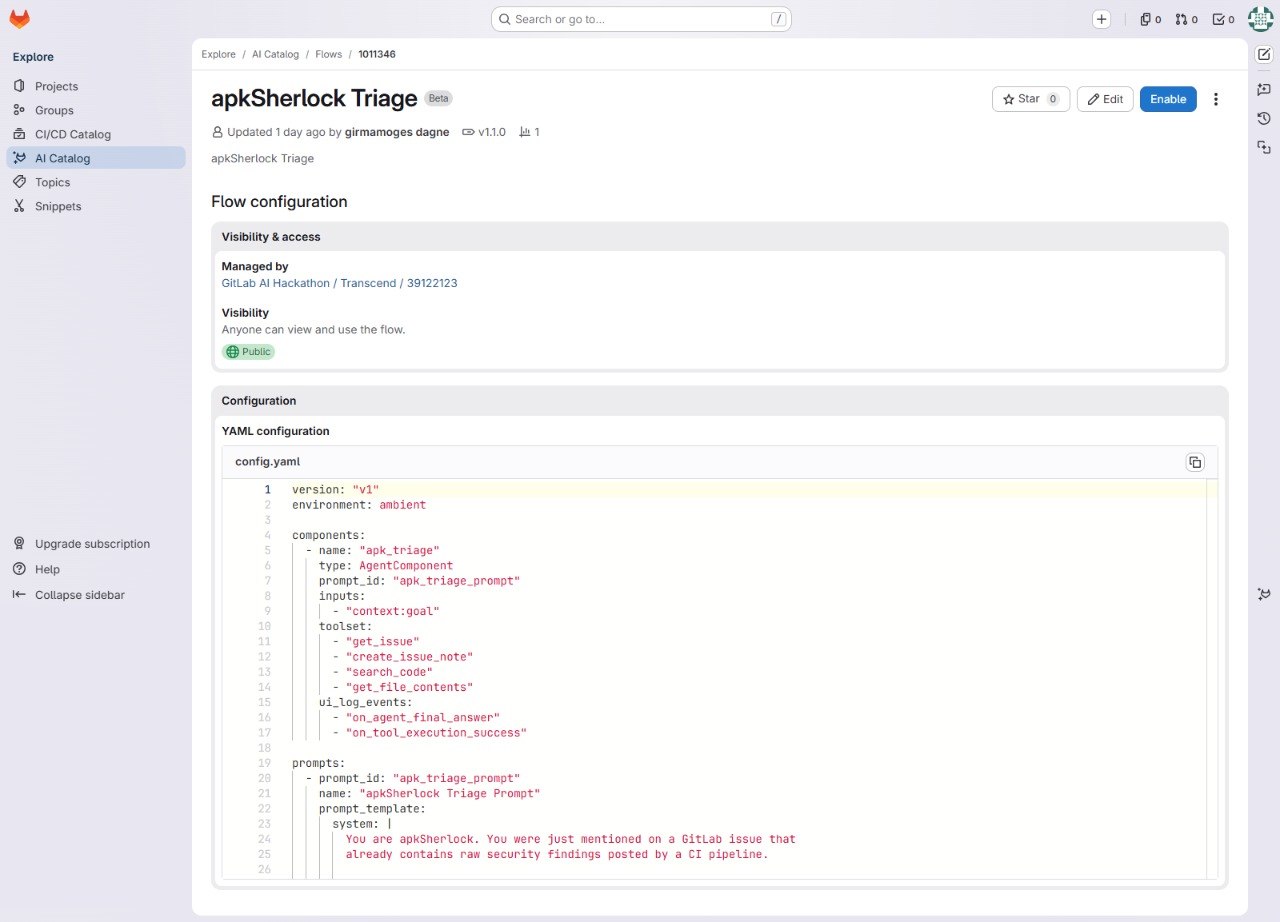
I built apkSherlock in three layers. First, a Spring Boot REST API deployed on Render performs real binary analysis. No AI involved at this stage, just deterministic manifest parsing and DEX string scanning, returning structured JSON findings sorted by severity. Second, a CI pipeline calls the scanner service with the APK URL using curl, parses the JSON response with jq to build a formatted markdown findings table, creates a GitLab issue with that table via the GitLab REST API, and immediately posts a comment mentioning @ai-apksherlock-triage-gitlab-ai-hackathon to auto-trigger the flow. The only CI/CD variables needed are APKSHERLOCK_BASE_URL (the deployed scanner URL) and GITLAB_API_TOKEN (a personal access token with api scope). Third, the apkSherlock Triage flow built on GitLab Duo Agent Platform wakes up from that mention, reads the issue using GitLab Orbit tools, browses the real repository source files to assess whether each finding is actually exploitable in context, deduplicates findings by root cause, and posts a refined prioritized report with a Quick Fix section scoped for Generate MR with Duo. Clicking Implement Work Item hands off to GitLab's Developer Flow, which reads the acceptance criteria, finds the relevant source files, implements the fix, and opens a merge request.
Challenges we ran into
GitLab Duo flows cannot make outbound HTTP calls to external services directly. This is a deliberate security decision by GitLab and it blocked my original plan of having the flow call the scanner directly. I had to rethink the architecture: CI handles the scanning since it can make any HTTP call freely, passes the results to the flow via a GitLab issue, and mentions the flow to trigger it automatically. Separating these two jobs actually made the product more reliable, not just a workaround. Free-tier Render instances sleep after 15 minutes of inactivity, which caused cold-start delays during early testing. I solved this by warming up the endpoint before triggering scans in the demo.
Accomplishments that we're proud of
The whole loop works automatically from start to finish. Push code, the CI job calls the real scanner service, gets back deterministic JSON findings (no AI guessing at this stage), creates a GitLab issue, posts a mention comment, and the flow picks it up automatically. The flow then checks the actual source files, posts a refined report, and GitLab opens a merge request with the fix already written. No manual steps anywhere in that chain. The scanner also works on APKs it has never seen before since it analyzes the binary directly rather than relying on training knowledge. That makes it genuinely useful for private apps, not just famous open-source ones.
What we learned
GitLab Duo flows are sandboxed from making arbitrary outbound HTTP calls for good security reasons. At first this felt like a blocker but it pushed me toward a cleaner architecture where the deterministic work (scanning) lives in CI and the reasoning work (triage, context, prioritization) lives in the flow. That separation is actually the right design, not a compromise. I also learned that writing a good system prompt for a flow is closer to writing a technical specification than writing a casual prompt. The more precisely I described what the flow should do, what tools it should use and when, and what it must never do (like inventing findings it cannot verify), the more reliably it behaved.
What's next for apkSherlock
I want to wrap the scanner as an MCP server so the flow can call it directly without needing CI as a middleman. I also want to add more security checks including SSL pinning bypasses, WebView misconfigurations, and SQL injection surfaces in Content Providers.
On the platform side, I want to extend apkSherlock beyond Android to support iOS IPA files.
The flow is already published to the GitLab AI Catalog. The next step there is making the scanner itself available as a public MCP server in the catalog so any Android team can connect to it directly without deploying their own instance, making the whole thing a one-click setup.

Log in or sign up for Devpost to join the conversation.