-
-
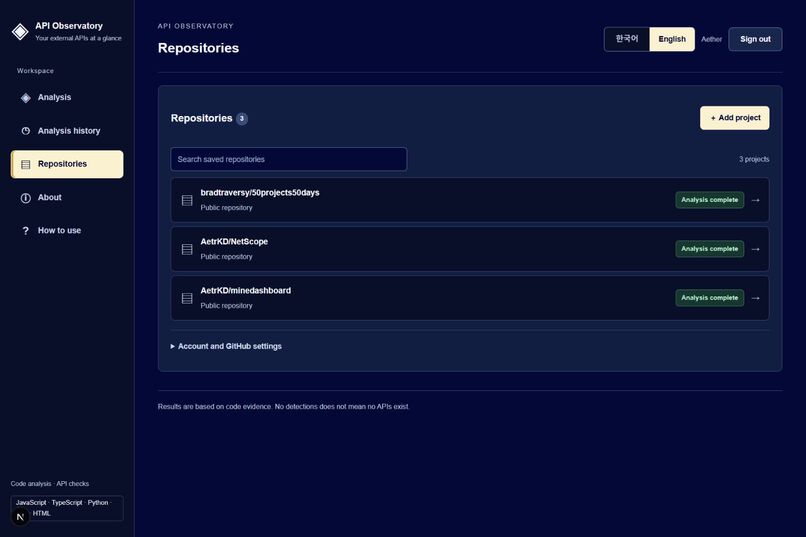
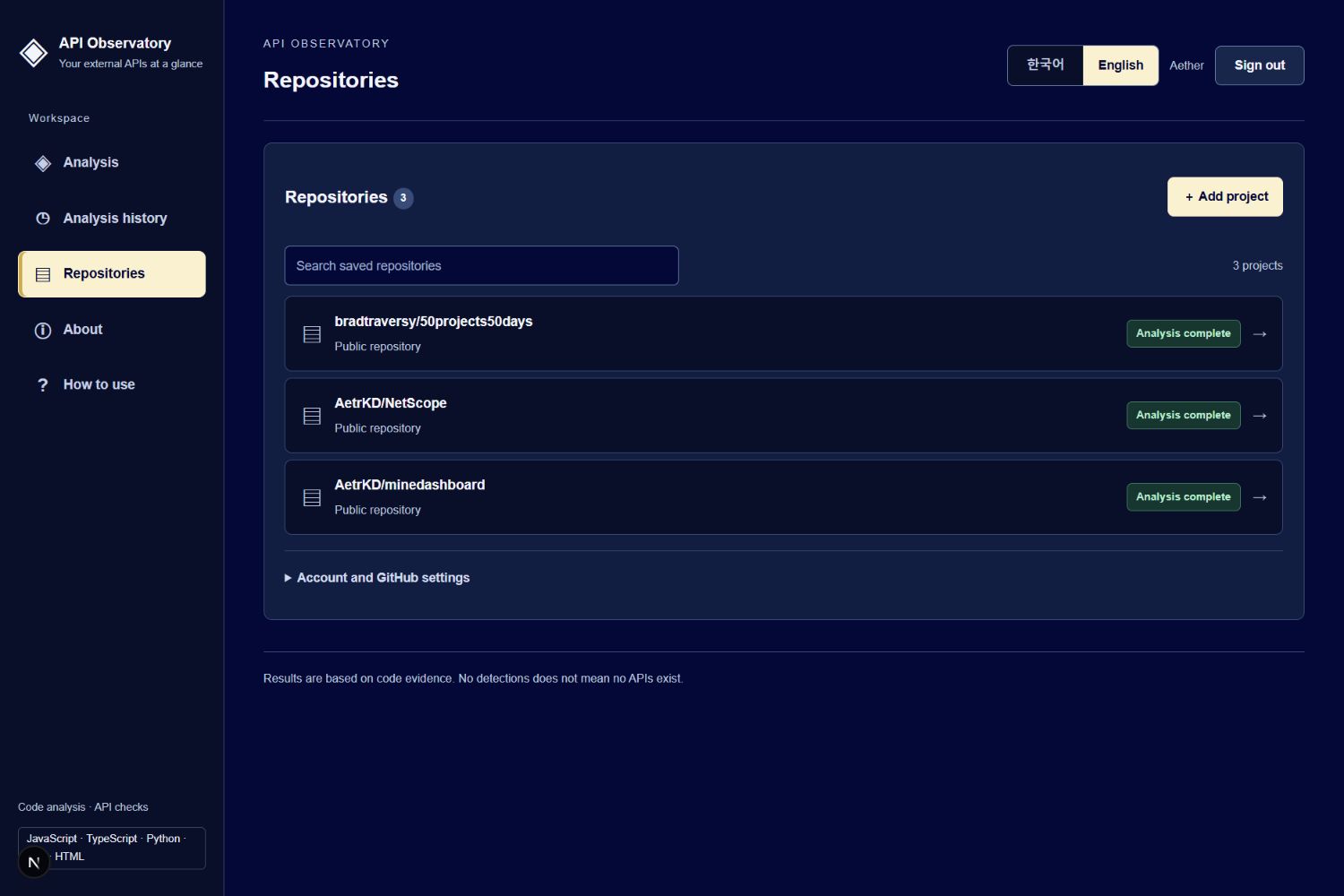
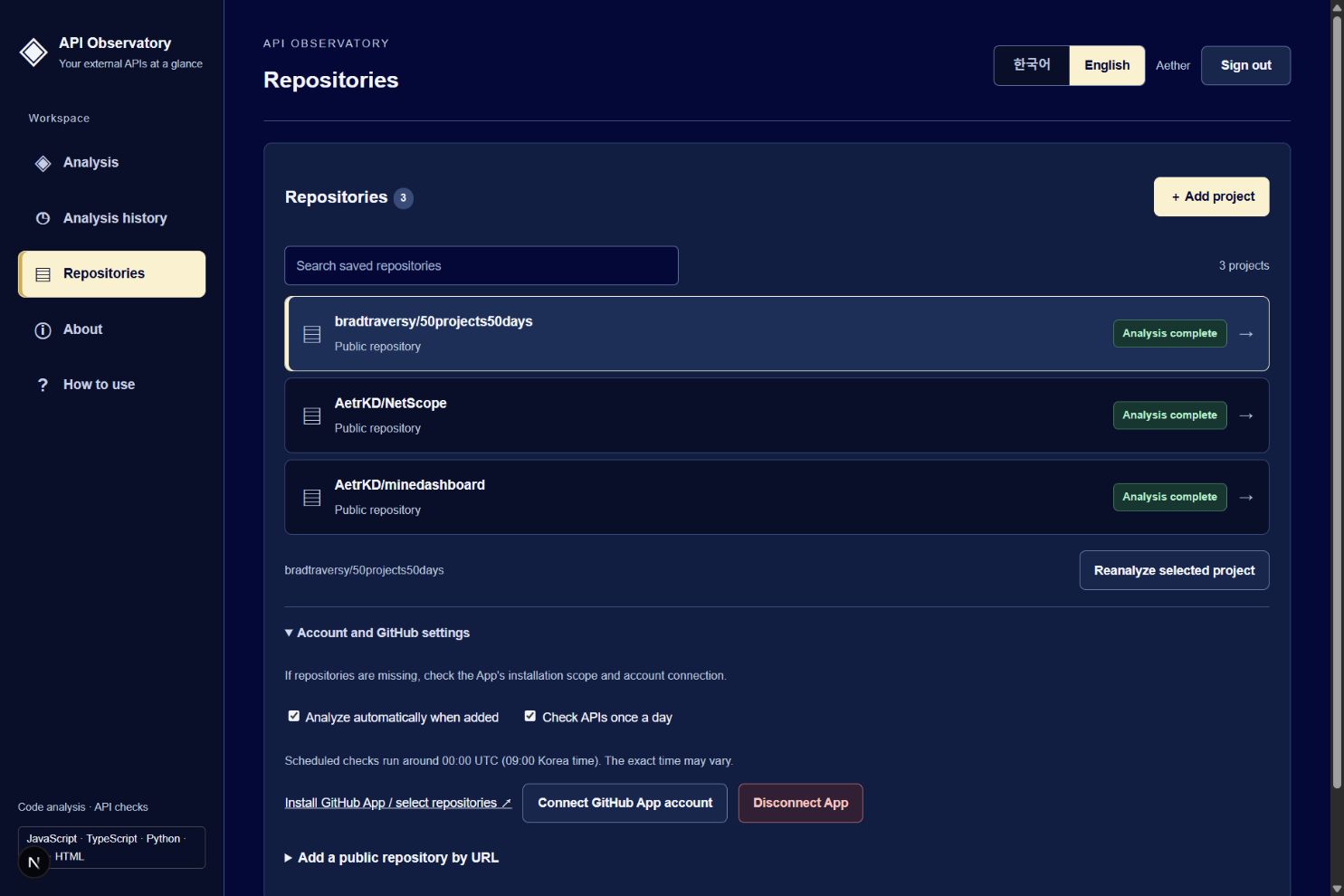
1. repo
-
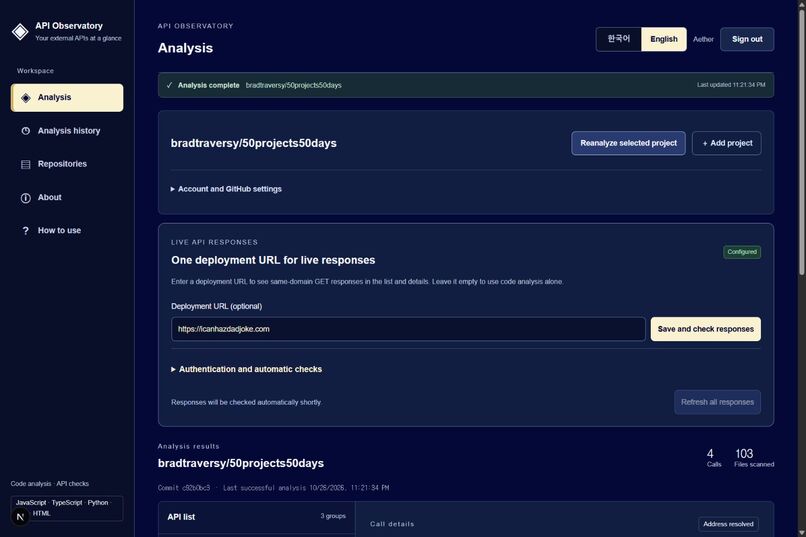
2. overview
-
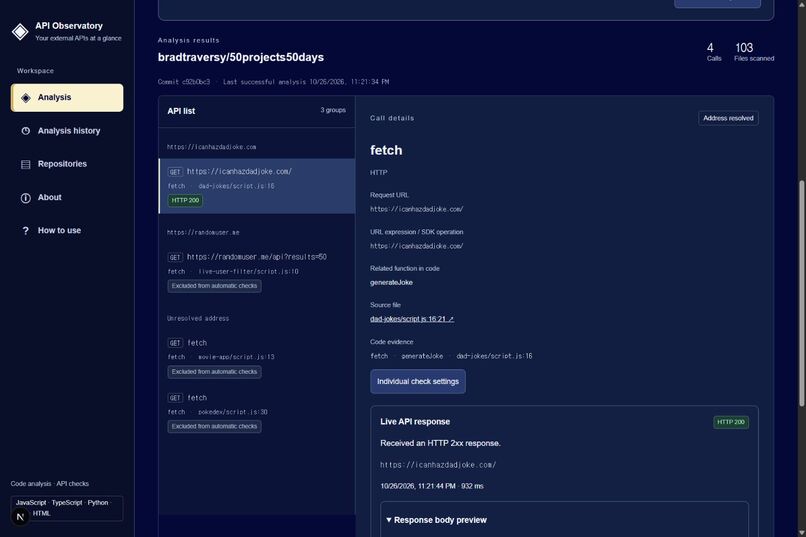
3. api call details
-
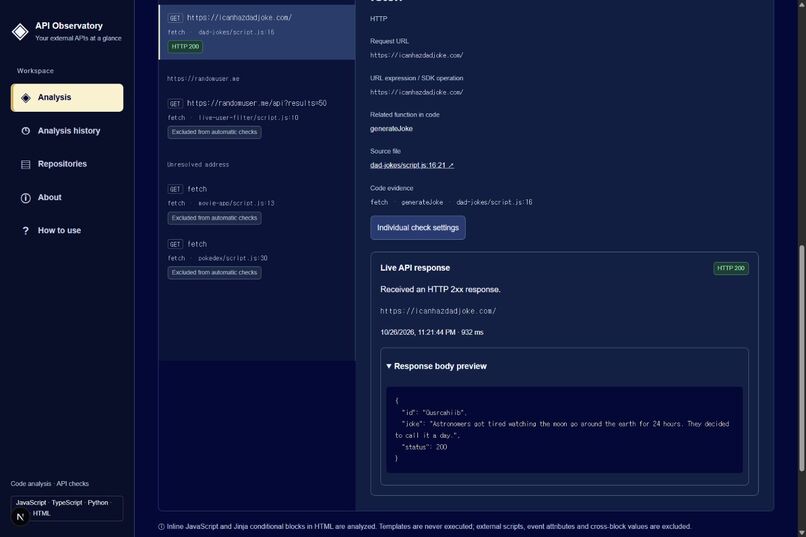
4. live json response
-
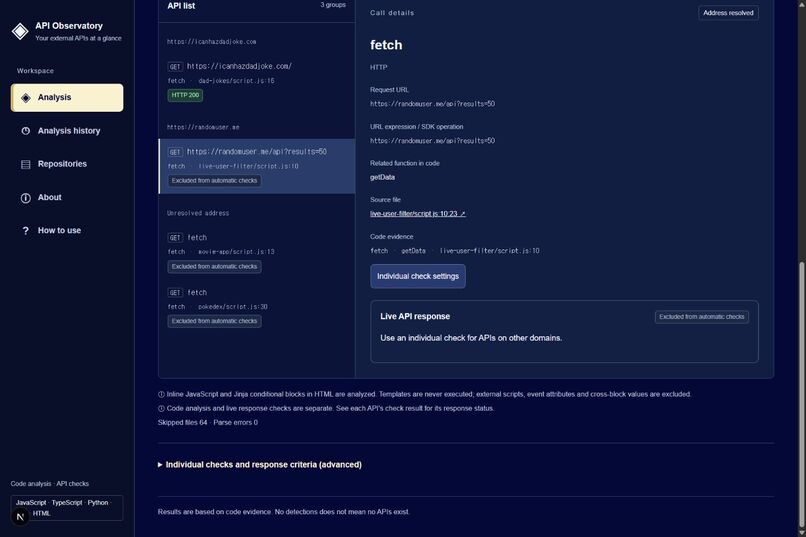
5. check exclusion
-
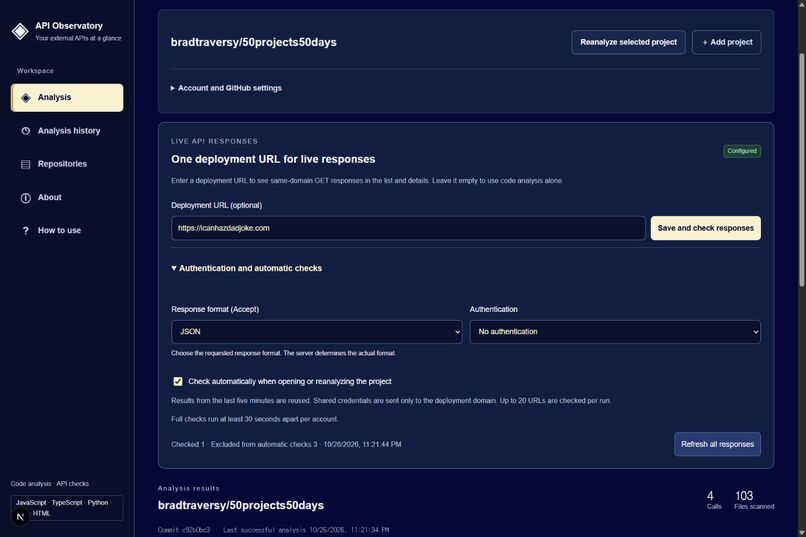
6. response setting
-
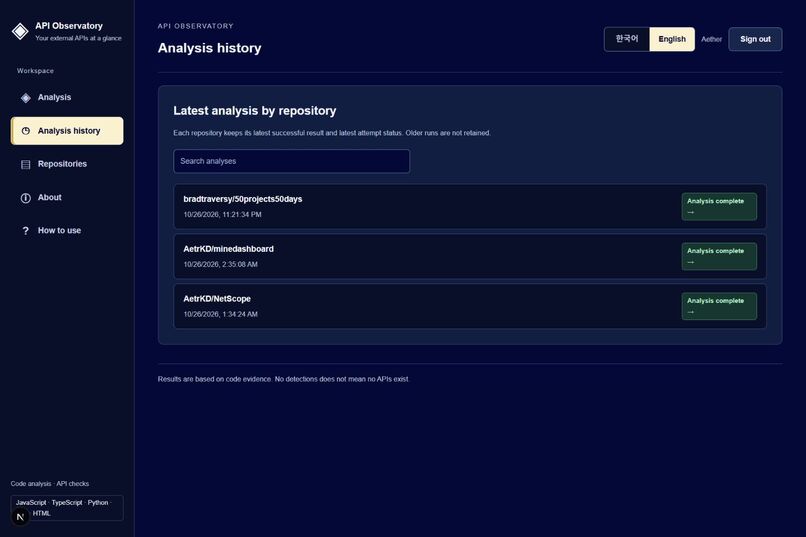
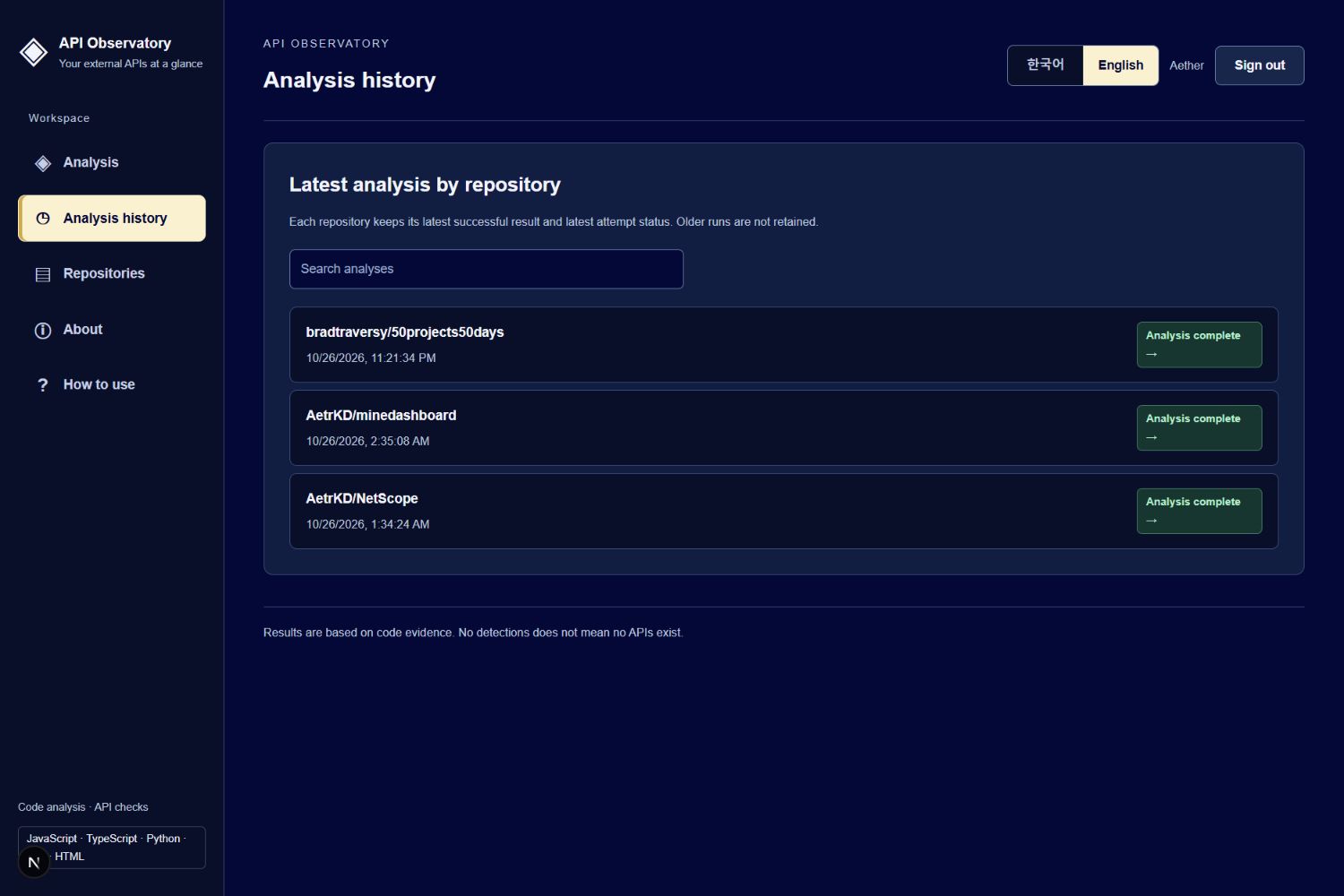
7. history
-
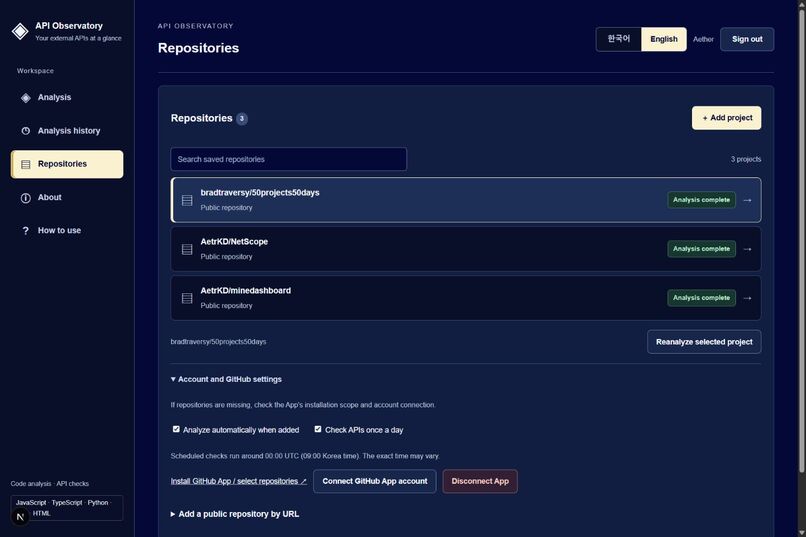
8. account setting
-
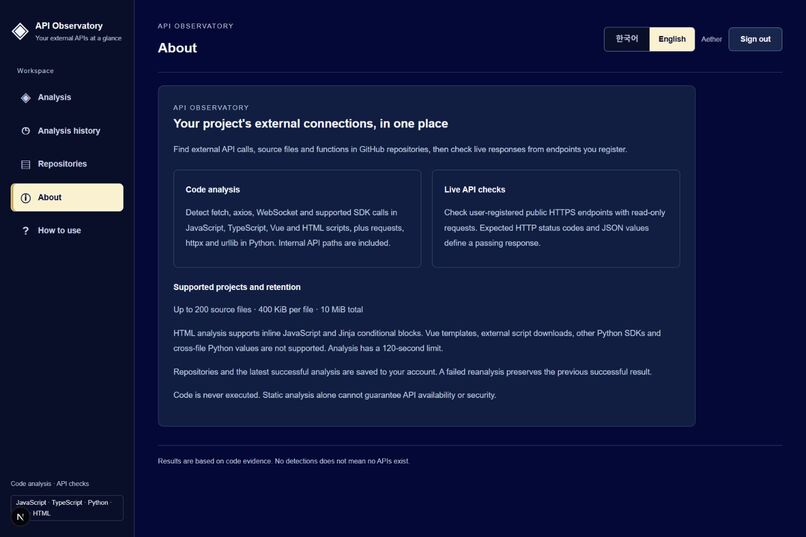
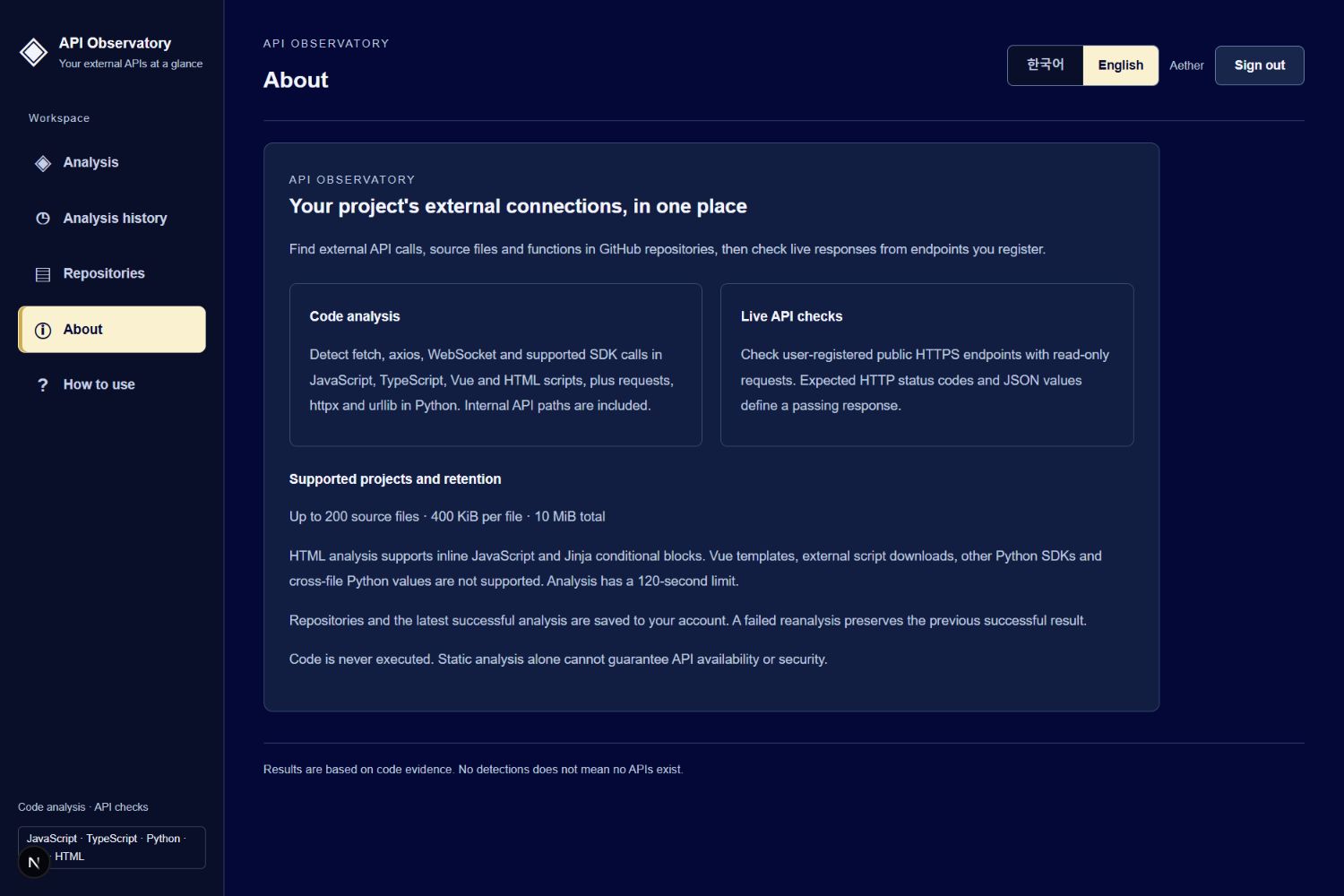
9. about
-
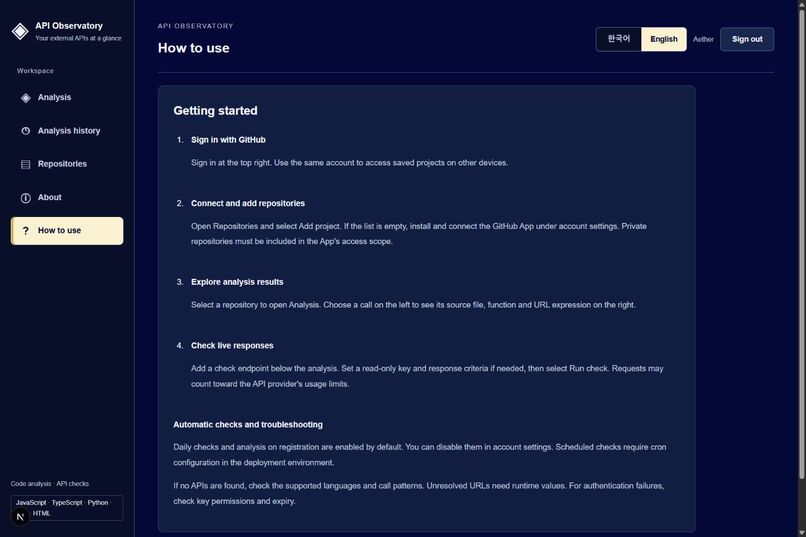
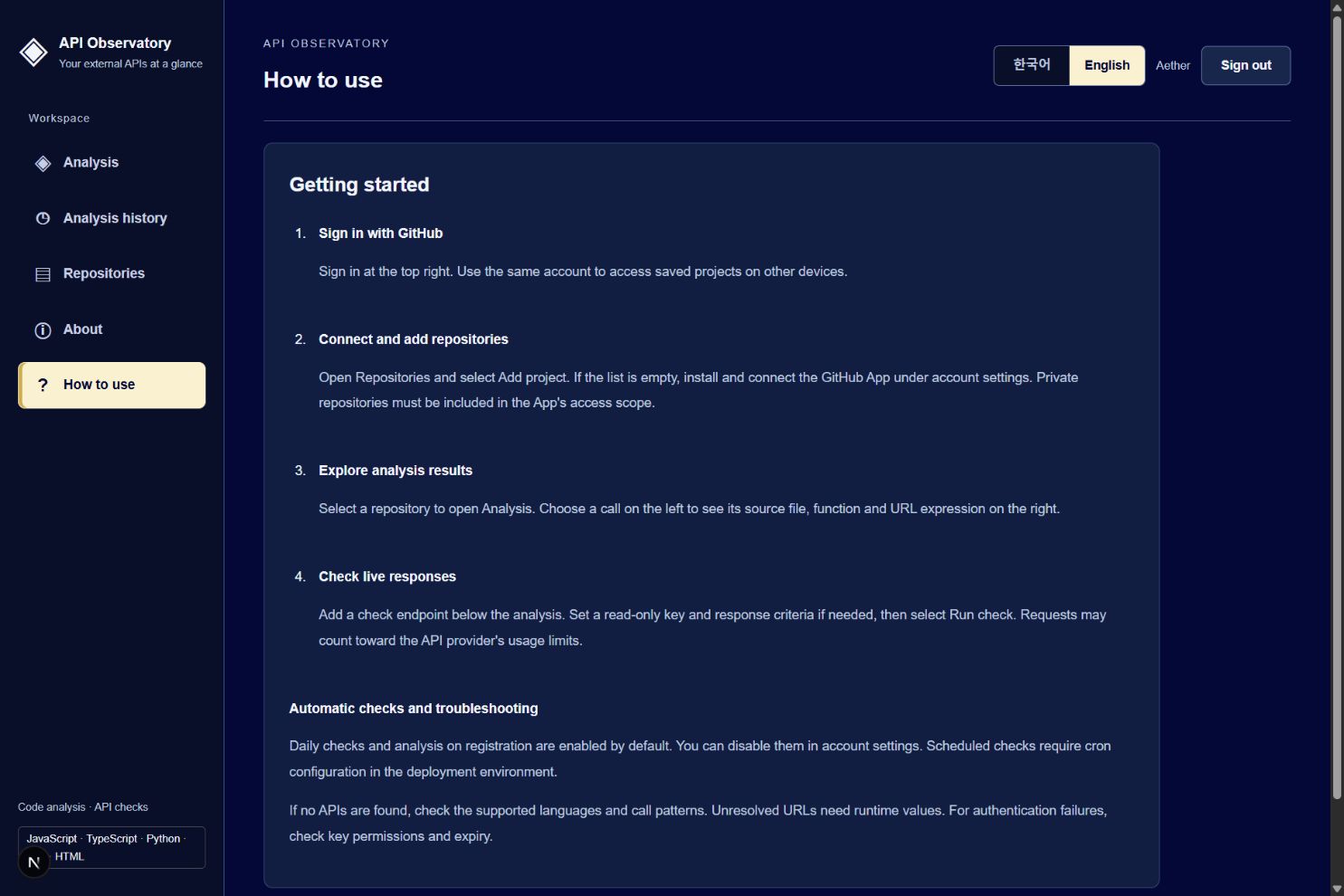
10. how to use
Inspiration
Modern web applications depend on external APIs, but understanding which APIs they use often requires searching through multiple files and testing each endpoint separately.
I wanted to see which APIs a project calls, where those calls originate, and what responses they return—all in one place. API Observatory started with the idea of using a GitHub repository as the starting point for exploring an application's API connections.
What it does
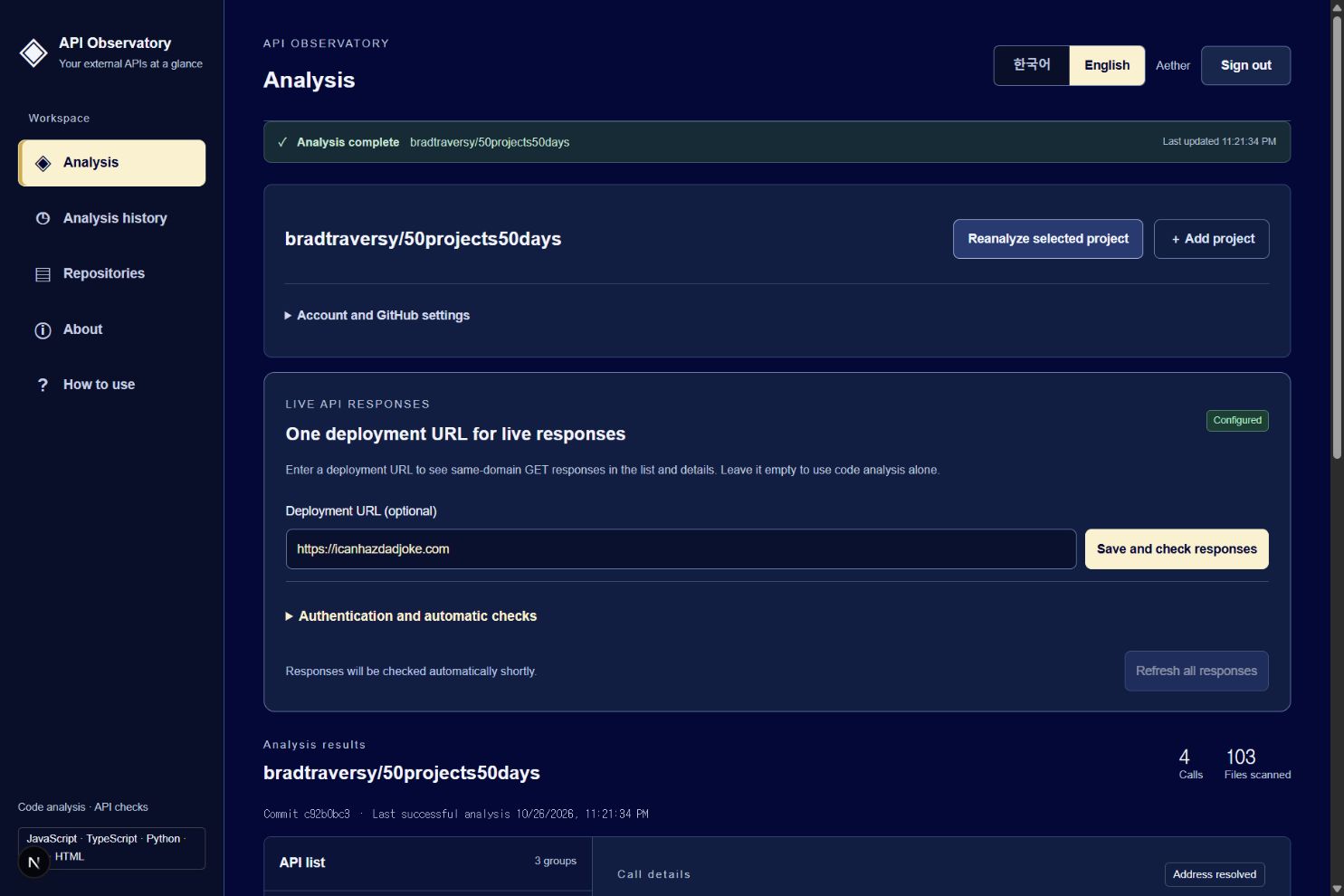
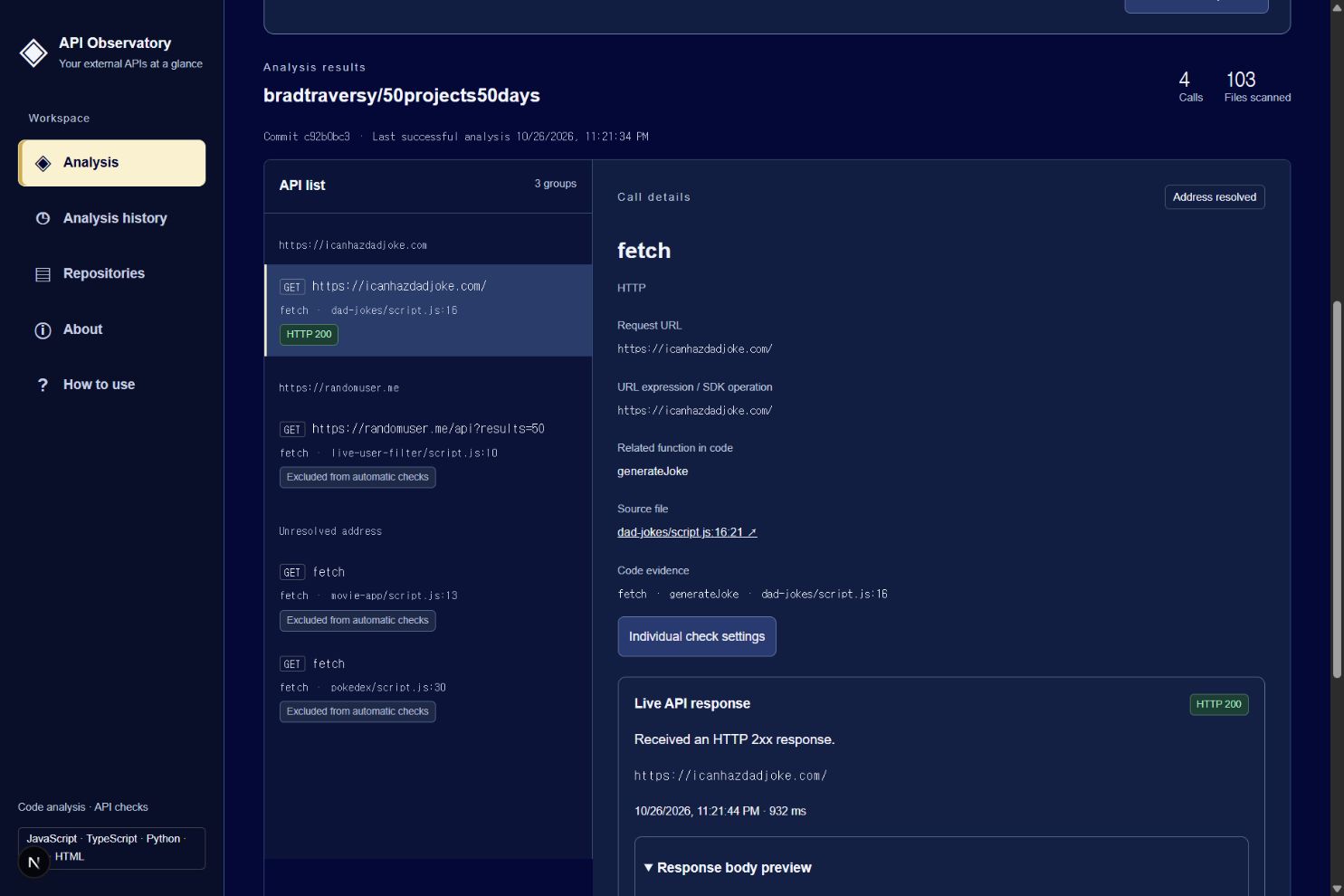
API Observatory analyzes GitHub repositories and organizes detected API calls into an interactive dashboard.
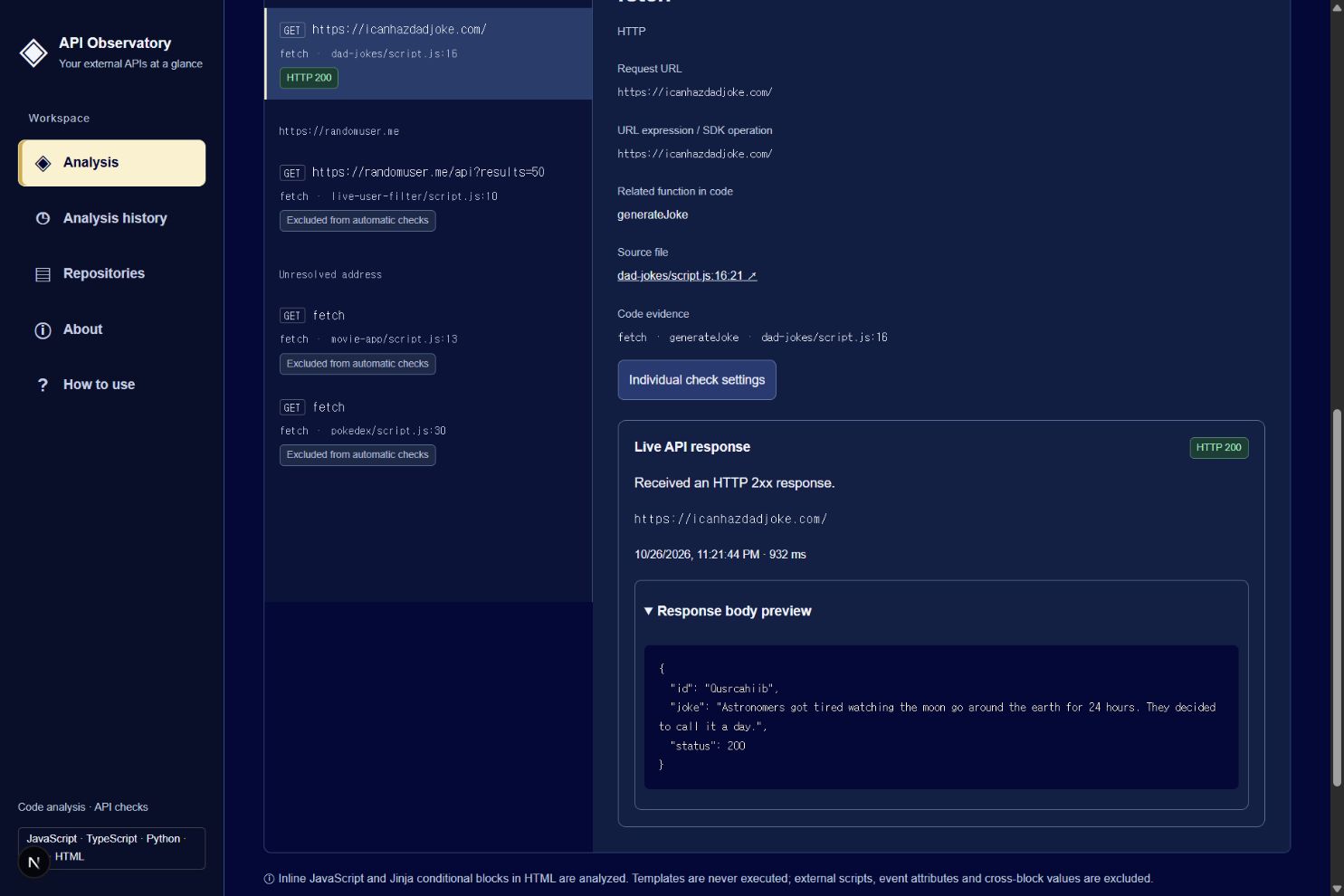
Developers can select an API call to inspect its URL, source file, line number, and related function. It supports common request patterns in JavaScript, TypeScript, Python, Vue, and inline HTML scripts.
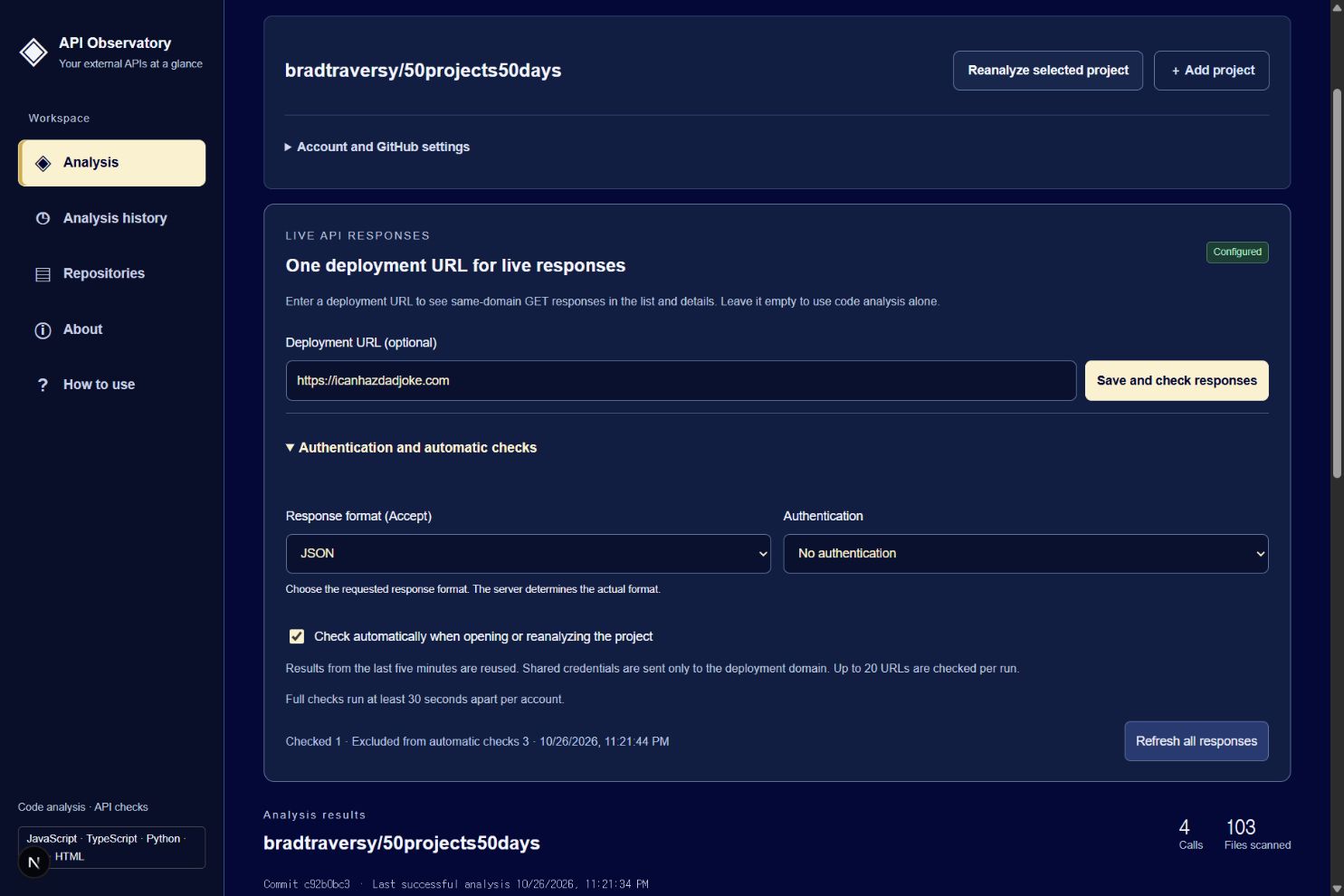
Optionally, users can register an API base URL to test eligible same-domain GET requests. They can inspect HTTP status codes, response times, and response previews, including JSON. Individual checks also allow users to configure authentication and expected response criteria.
GitHub sign-in lets users save repositories, settings, and their latest successful analysis results. Through a GitHub App, users can also analyze private repositories they have authorized the app to access. The interface is available in both Korean and English.
How we built it
I built the application with Next.js, React, TypeScript, and Node.js. Turso stores account settings, registered repositories, and analysis results, while Better Auth handles authentication.
The application retrieves repository metadata and source files through GitHub APIs. Language-specific parsers detect supported API calls without executing repository code.
With help from AI coding tools, I defined the development scope, implemented features, and tested the application against real repositories. I then used those results to iteratively improve its functionality and interface.
Challenges we ran into
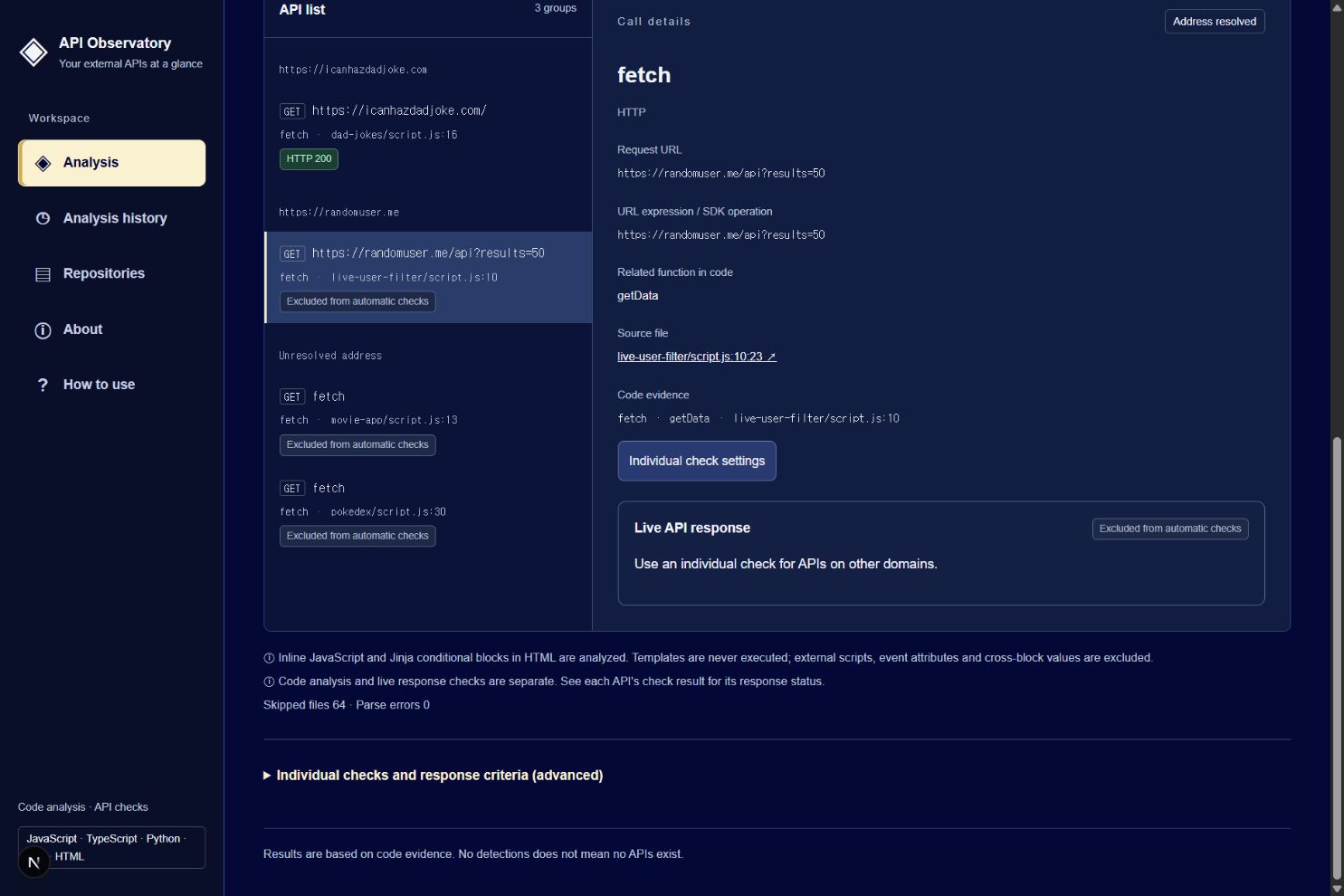
API addresses are not always written as complete URLs. They can depend on variables, environment settings, SDKs, or runtime values. I needed to distinguish calls whose addresses could be resolved from those that required additional information.
Separating code analysis from live request testing was another important challenge. Finding an API call does not mean it works correctly, and receiving a successful HTTP response does not necessarily mean the application received the data it expected.
I also refined repository navigation, analysis progress indicators, Korean and English wording, and testing controls to make the workflow easier to understand.
Accomplishments that we're proud of
I implemented a workflow that starts with a repository URL and lets users discover API calls, trace their source code, and inspect actual responses.
Testing real repositories helped me expand detection across several project formats and explain unresolved addresses more clearly. I also completed account-based data storage, authorized private repository access, and a bilingual interface.
What we learned
I learned how to break a broad, abstract idea into an actionable implementation plan and improve it through real examples.
I also learned that developer tools need clear evidence and explanations of their limitations. Showing call locations, explaining why checks were excluded, and separating code analysis findings from actual responses made the results easier to understand.
AI coding tools helped with iterative development, but hands-on testing remained essential for verifying behavior.
What's next for api-observatory
I would like to improve detection of dynamically constructed URLs, values defined across multiple files, and calls made through additional SDKs.
I also want to strengthen authentication diagnostics, support failure testing in controlled environments, and add features that explain timeout, retry, and fallback behavior more clearly.
To make the tool more useful during development, I plan to add a consolidated overview of registered repositories and generate test cases by analyzing API request parameters in project code. I will also verify that scheduled checks work across a wider range of deployment environments.
Built With
- nextjs
- react
- sqlite
- typescript

Log in or sign up for Devpost to join the conversation.