-
-
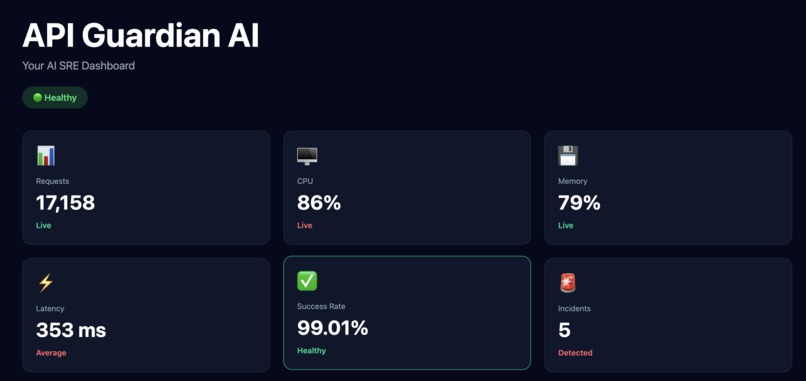
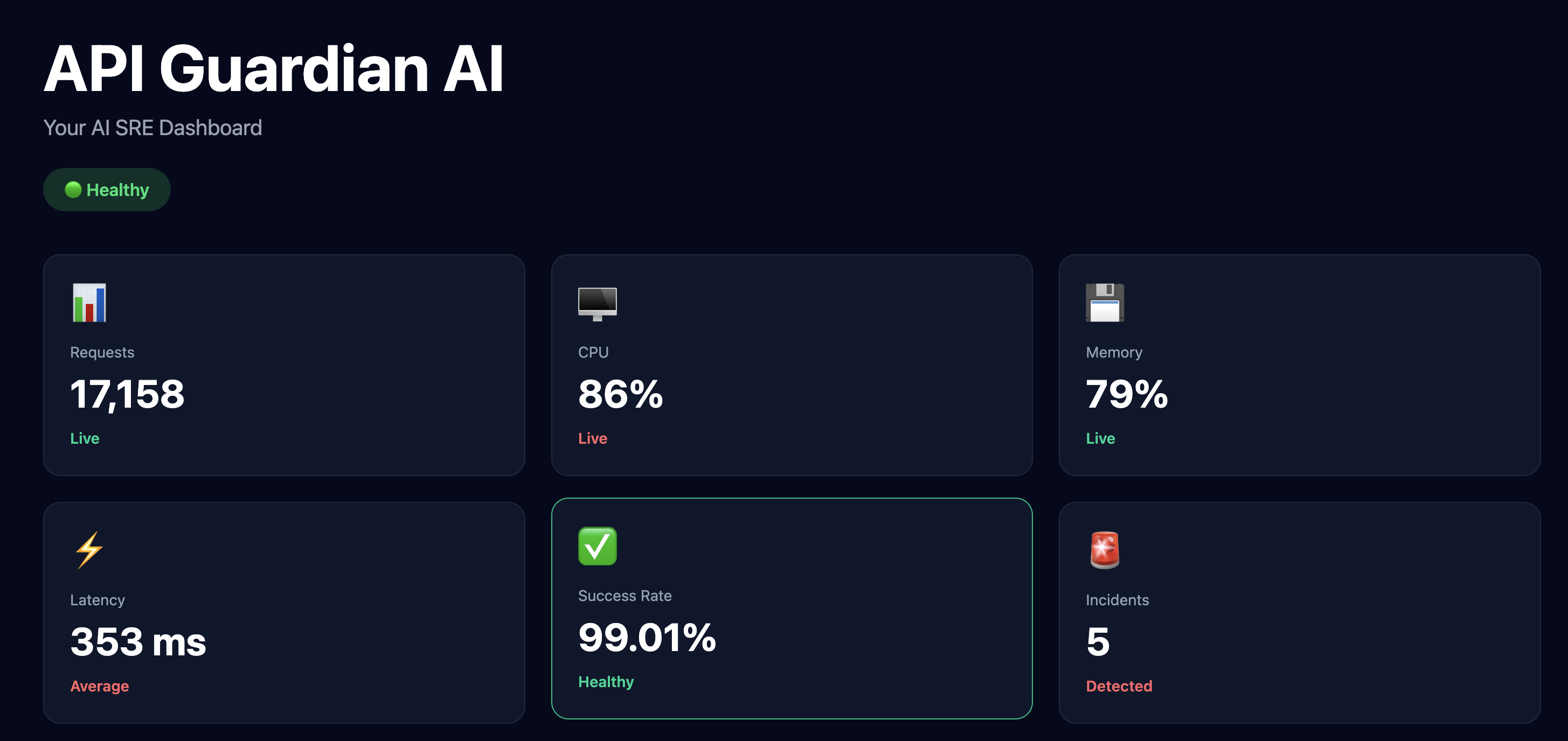
Real-time API health dashboard showing requests, CPU, memory, latency, success rate, and incident monitoring.
-
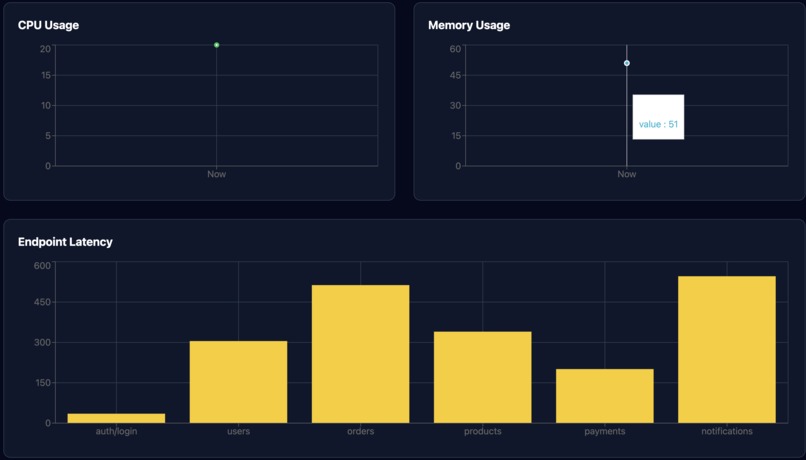
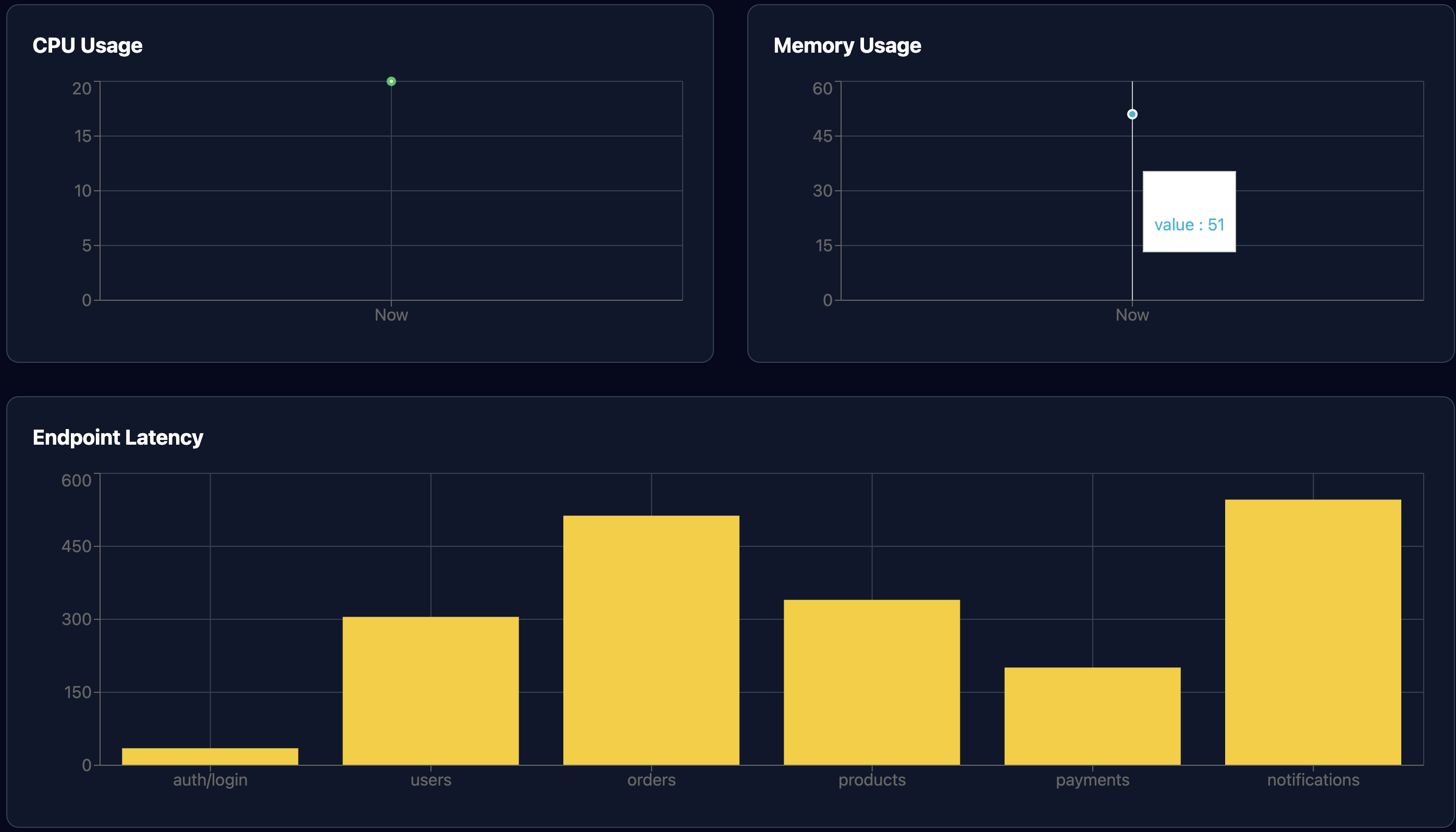
Interactive analytics with CPU usage, memory monitoring, and endpoint latency visualization.
-
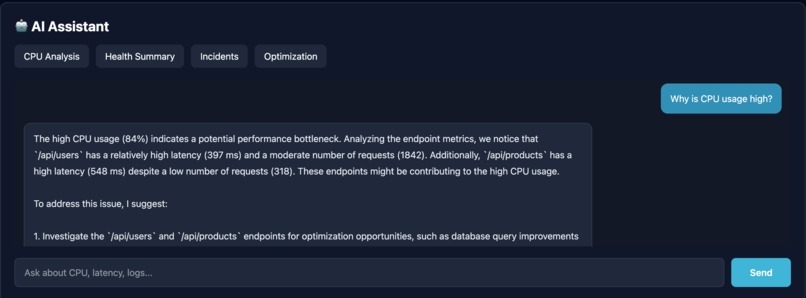
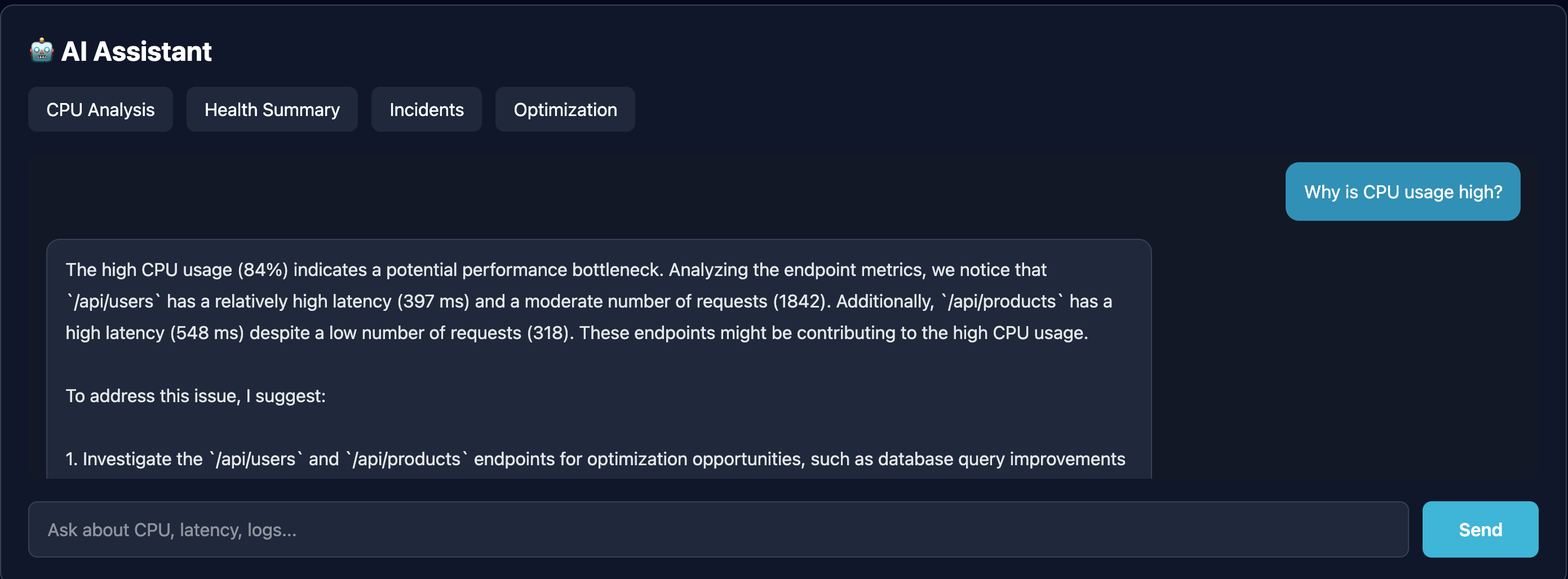
AI-powered assistant providing root cause analysis and optimization recommendations from API health metrics.
-
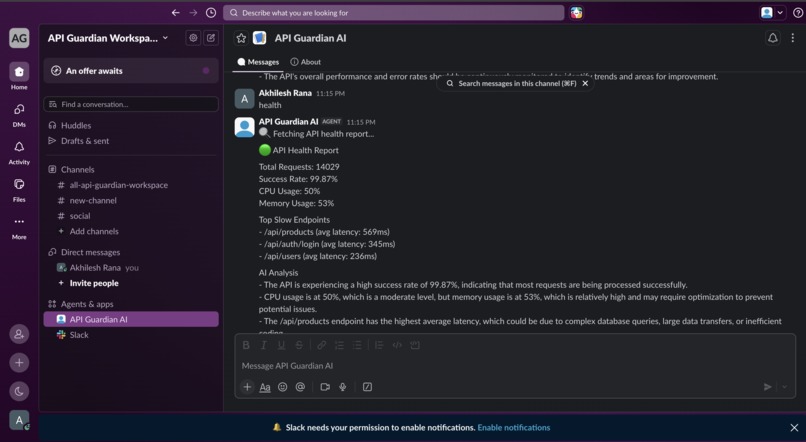
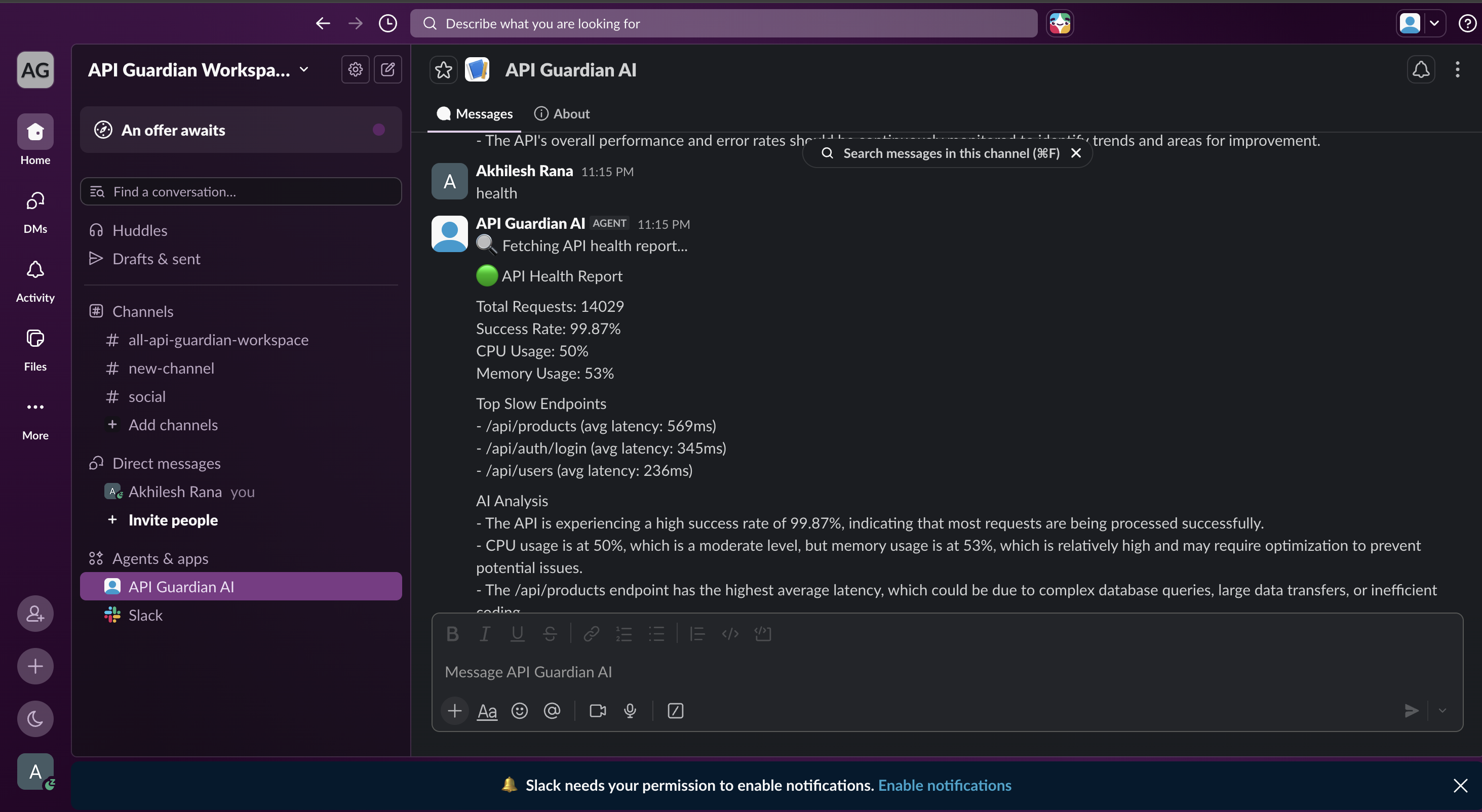
Slack AI Agent delivering API health reports and intelligent insights directly inside Slack.
API Guardian AI
Inspiration
Modern backend systems expose dozens of APIs, making it difficult for developers and DevOps teams to continuously monitor system health, identify performance bottlenecks, and respond quickly to incidents.
Most monitoring tools provide metrics but still require engineers to manually interpret dashboards and logs. I wanted to build an AI-powered assistant that not only monitors API health but also explains what is happening in plain English and provides actionable recommendations directly inside Slack.
This led to the creation of API Guardian AI.
What it does
API Guardian AI is an AI-powered API monitoring platform that combines a real-time analytics dashboard with a Slack AI Agent.
The platform continuously analyzes API metrics including:
- Total Requests
- Success Rate
- CPU Usage
- Memory Usage
- Endpoint Latency
- Error Counts
- Incident Detection
The web dashboard visualizes system health through interactive charts and analytics.
Developers can also interact with the Slack AI Agent using natural language questions such as:
- Why is CPU usage high?
- Show API health summary
- Which endpoint is slowest?
- Give optimization recommendations
The AI analyzes the latest monitoring data and returns intelligent explanations instead of raw metrics.
How I built it
Backend
- Node.js
- Express.js
- Groq LLM API
- Slack Bolt SDK
- REST APIs
Frontend
- React
- Vite
- Tailwind CSS
- Axios
- Recharts
Deployment
- Backend hosted on Render
- Frontend hosted on Vercel
Challenges I ran into
One of the biggest challenges was integrating multiple systems together.
I had to connect:
- React dashboard
- Express backend
- Slack Agent
- Groq AI
- Deployment across Render and Vercel
Another challenge was handling production deployment because frontend and backend were hosted separately. I had to debug API routing, CORS configuration, environment variables, and deployment issues before everything worked correctly.
Designing meaningful AI responses from monitoring metrics instead of returning generic text was another interesting challenge.
Accomplishments that I'm proud of
- Built a complete AI monitoring platform from scratch.
- Integrated an AI-powered Slack Agent.
- Created a responsive analytics dashboard.
- Implemented live API monitoring and incident reporting.
- Successfully deployed the full stack application.
- Learned how to combine AI with developer tooling to improve operational workflows.
What I learned
This project helped me gain practical experience with:
- Slack Agent development
- LLM integration using Groq
- React dashboards
- API monitoring systems
- Deployment on Render and Vercel
- Building AI-powered developer tools
What's next
Future improvements include:
- Real-time log ingestion
- Database integration for historical analytics
- Authentication and team workspaces
- Alert notifications via Slack
- Predictive incident detection using AI
- Support for Prometheus and Grafana integrations
Built With
- ai
- axios
- express.js
- groq
- javascript
- llm
- monitoring
- node.js
- react
- recharts
- render
- rest
- slack
- tailwind
- vercel
- vite


Log in or sign up for Devpost to join the conversation.