Inspiration
We often think of language as a way to exchange information. But for most people—including a family friend I grew up with who lives with aphasia—language is how we tell stories, comfort our families, joke with friends, and remind the people we love that we're still here. Aphasia can interrupt those moments, not because someone's thoughts disappear, but because expressing them becomes incredibly difficult. I wanted to build a tool that helps people reconnect with the conversations that make life feel human.
That same belief extends beyond aphasia. Growing up in a predominantly Asian community in America, I saw many friends, neighbors, and relatives navigate life in a language that wasn't their first. Even when they knew exactly what they wanted to say, pronunciation often became a barrier to confidence and connection. I hope to use technology to help English learners practice pronunciation in a supportive, judgment-free environment, making everyday conversations feel a little less intimidating.
Whether someone is relearning language after a stroke or learning English for the first time, my goal is the same: to use technology to help people express themselves with confidence and stay connected to the people around them.
What it does
Sometimes you know exactly what you want to say—you just can't find the word.
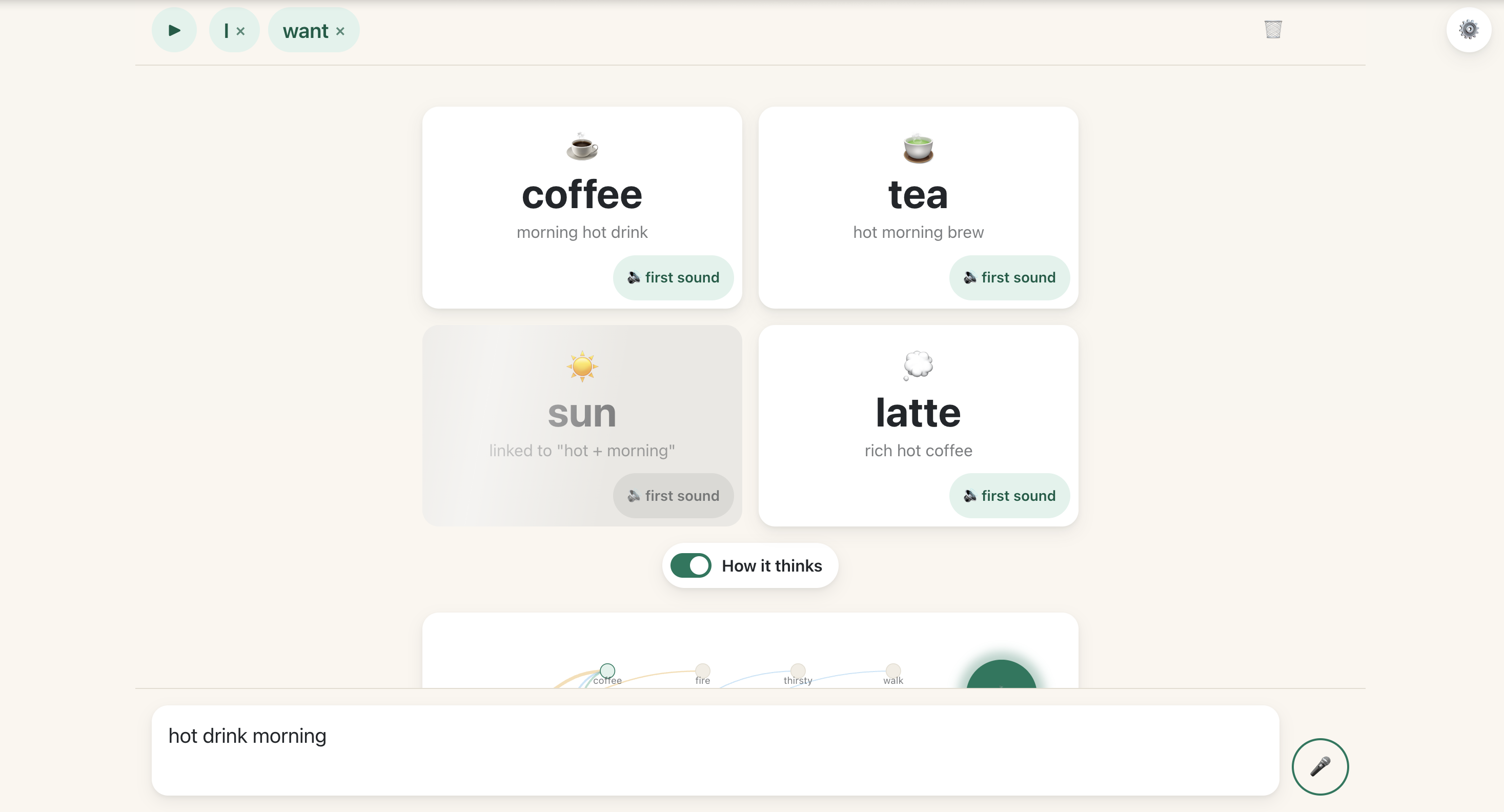
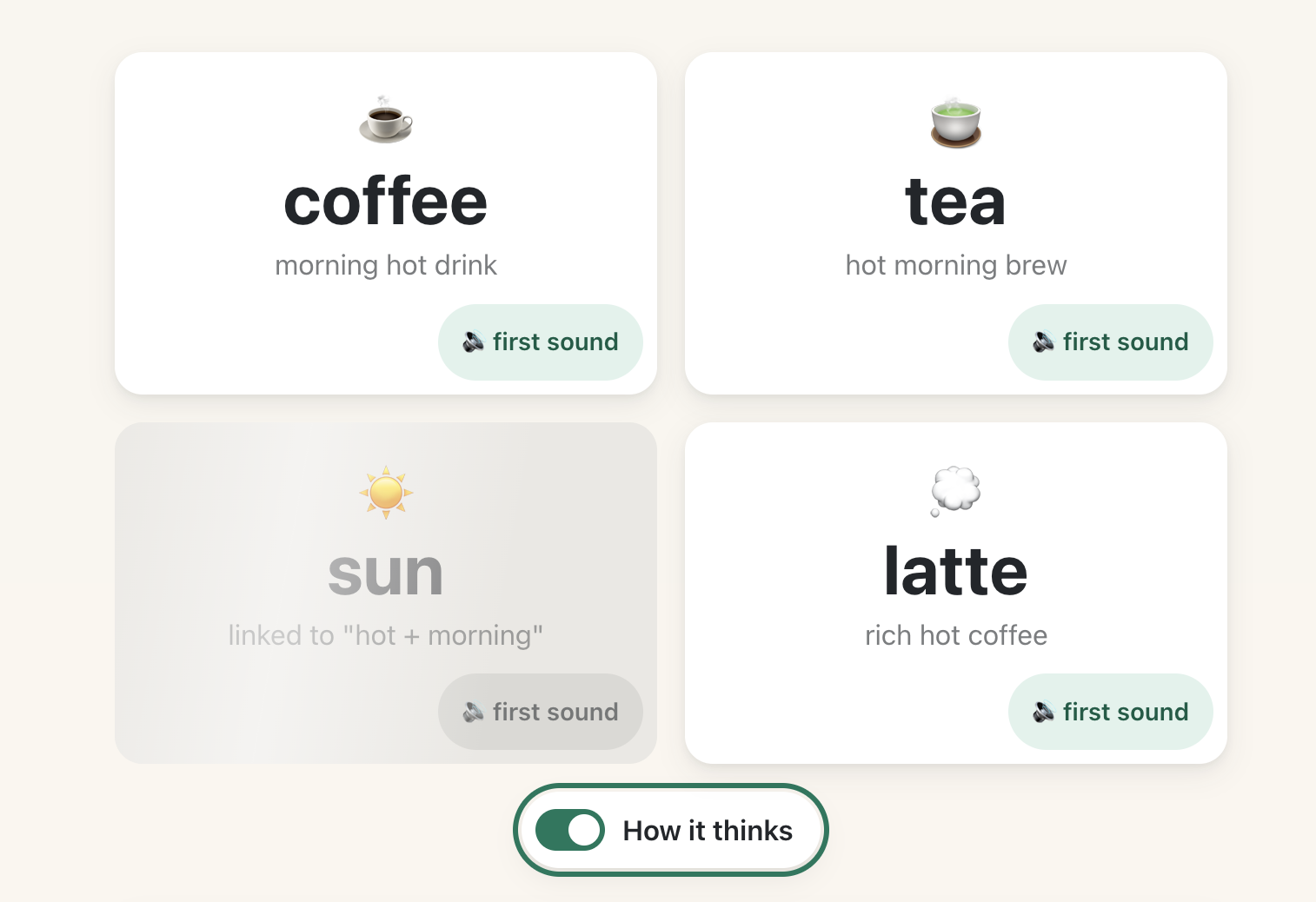
This tool is designed for those moments. Whether someone is living with aphasia or learning English, they can speak or type whatever they remember: what the word does, what it looks like, when they use it, or anything else that comes to mind. The app then suggests the most likely words they meant, helping them continue the conversation instead of stopping it.
To keep suggestions fast, two retrieval systems work together. A lightweight word-association engine instantly generates likely candidates, so helpful suggestions appear almost immediately. At the same time, a Llama 3.2 1B language model running entirely in the browser uses the surrounding context to refine those suggestions. If the device doesn't support the model, the app still works seamlessly using the association engine alone.
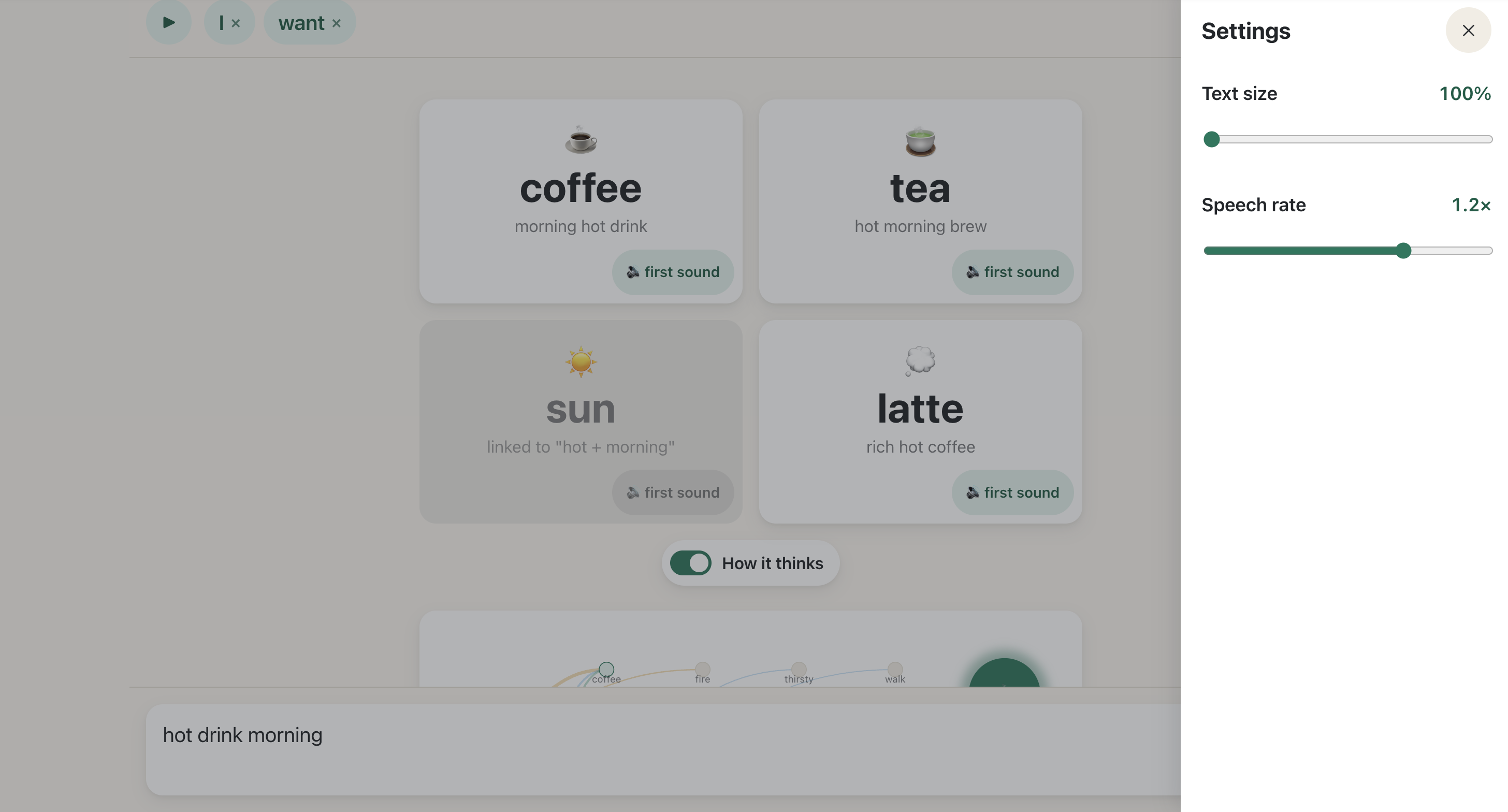
Once the right word appears, a single tap speaks it aloud and adds it to a sentence builder, allowing users to construct complete thoughts one word at a time and replay the finished sentence.
For users who are close to remembering a word but need a small nudge, each suggestion also includes a first-sound cue. Rather than saying the entire word, the app plays only its opening sound or syllable—the same phonemic cueing technique commonly used by speech-language pathologists to help trigger independent word retrieval.
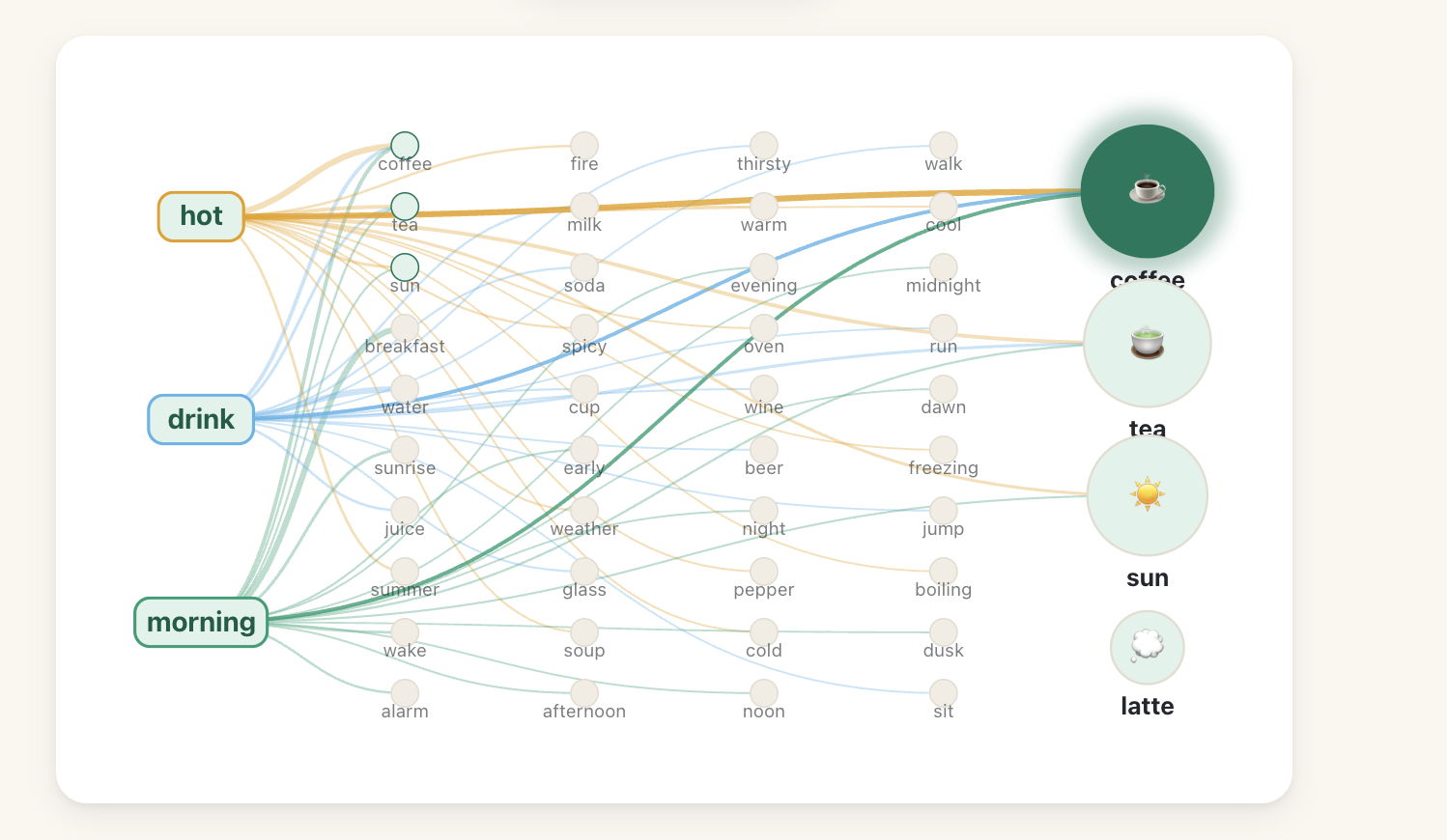
The app also supports live voice input, updating suggestions continuously as someone speaks, even if their speech is slow or interrupted. A visual "How It Thinks" view makes the retrieval process transparent by showing how each clue contributes to the final suggestion, helping users, caregivers, and clinicians understand why a particular word was chosen.
Everything runs entirely on the user's device. There are no accounts, no cloud processing, no API keys, and no internet connection required. Conversations remain private, and the app is free to use—even on low-cost devices like Chromebooks.
How we built it
I designed Aphasia Bridge to be useful immediately, even on inexpensive devices and unreliable internet connections. Everything therefore runs entirely in the browser, with no accounts, servers, or cloud processing.
To make retrieval feel conversational, the system uses two complementary approaches that work in parallel.
The first is a lightweight semantic association engine. As users describe a missing word—what it does, what it looks like, or where they use it—the system activates related concepts in a hand-curated word association network. Because this computation is extremely small, suggestions appear almost instantly on virtually any device.
While those first suggestions are already available, a second layer begins running in the background. Using a Llama 3.2 1B language model through WebLLM, the app considers the broader context of the user's description and re-ranks the candidate words. Rather than replacing the first results, the model improves them, allowing the interface to stay responsive while still benefiting from deeper language understanding. If a device cannot run the model, the instant retrieval system continues working on its own.
To support conversation rather than isolated word lookup, selected words are spoken aloud, added to a sentence builder, and can be replayed as complete utterances. Live speech recognition continuously updates suggestions as users speak, and an interactive visualization shows how each clue contributes to the final recommendation, making the retrieval process transparent for users, caregivers, and clinicians alike.
The entire application is built with React and Vite, deployed as a static website on Vercel, and runs completely on-device for speed, privacy, and accessibility.
Challenges we ran into
The biggest challenge I ran into was building a reliable system even when the components behaved imperfectly.
Designing the retrieval algorithm required balancing relevance against frequency. Early versions favored extremely common words, even when several user clues pointed much more strongly toward a less frequent answer. I ultimately prioritized semantic agreement between multiple clues before considering word frequency, producing suggestions that better reflected how people actually retrieve words.
Speech recognition presented perhaps the hardest challenge. Browser speech APIs naturally interrupt and restart recognition sessions, creating synchronization problems that repeatedly corrupted transcripts. Rather than continuing to patch edge cases, we redesigned the architecture so speech could only ever be appended—not overwritten—eliminating an entire class of bugs by construction.
Throughout development, I found that improving the underlying architecture was far more effective than fixing individual symptoms.
Accomplishments that we're proud of
My proudest accomplishment is that the application remains useful even without the language model. The instant retrieval engine alone can recover common everyday words in well under a second, allowing people to communicate immediately regardless of their hardware.
Most importantly, every computation happens locally, so users never need to send recordings, conversations, or personal information to external servers.
Finally, I learned to solve problems at the architectural level instead of endlessly patching symptoms. Several of my most difficult bugs disappeared only after redesigning the underlying system so those failures became impossible
What we learned
Building Aphasia Bridge taught me that individual clues are often highly ambiguous, but several independent clues rapidly narrow the possibilities. A description like "hot" could refer to hundreds of concepts. Combined with "drink" and "morning," however, the intended word becomes much easier to recover. This observation became the foundation for my entire retrieval approach.
What's next for Aphasia Bridge
My immediate goal is to expand the association network so the system covers a much larger everyday vocabulary while preserving its speed and offline capabilities. I also plan to incorporate phonological cues, allowing users to provide information about how a word begins in addition to what it means. Because many people with aphasia retain partial sound information, combining semantic and phonological retrieval should substantially improve accuracy. Longer term, I want the system to learn each user's personal vocabulary entirely on-device, prioritizing names, places, and routines that matter most in daily life without compromising privacy.
Most importantly, I want to evaluate Aphasia Bridge with speech-language pathologists and people living with aphasia. Their experiences—not benchmark scores—will determine whether the system truly helps people reconnect with conversation. Future versions will also support sentence-level prediction, multiple languages, and richer pronunciation and learning tools for English learners.

Log in or sign up for Devpost to join the conversation.