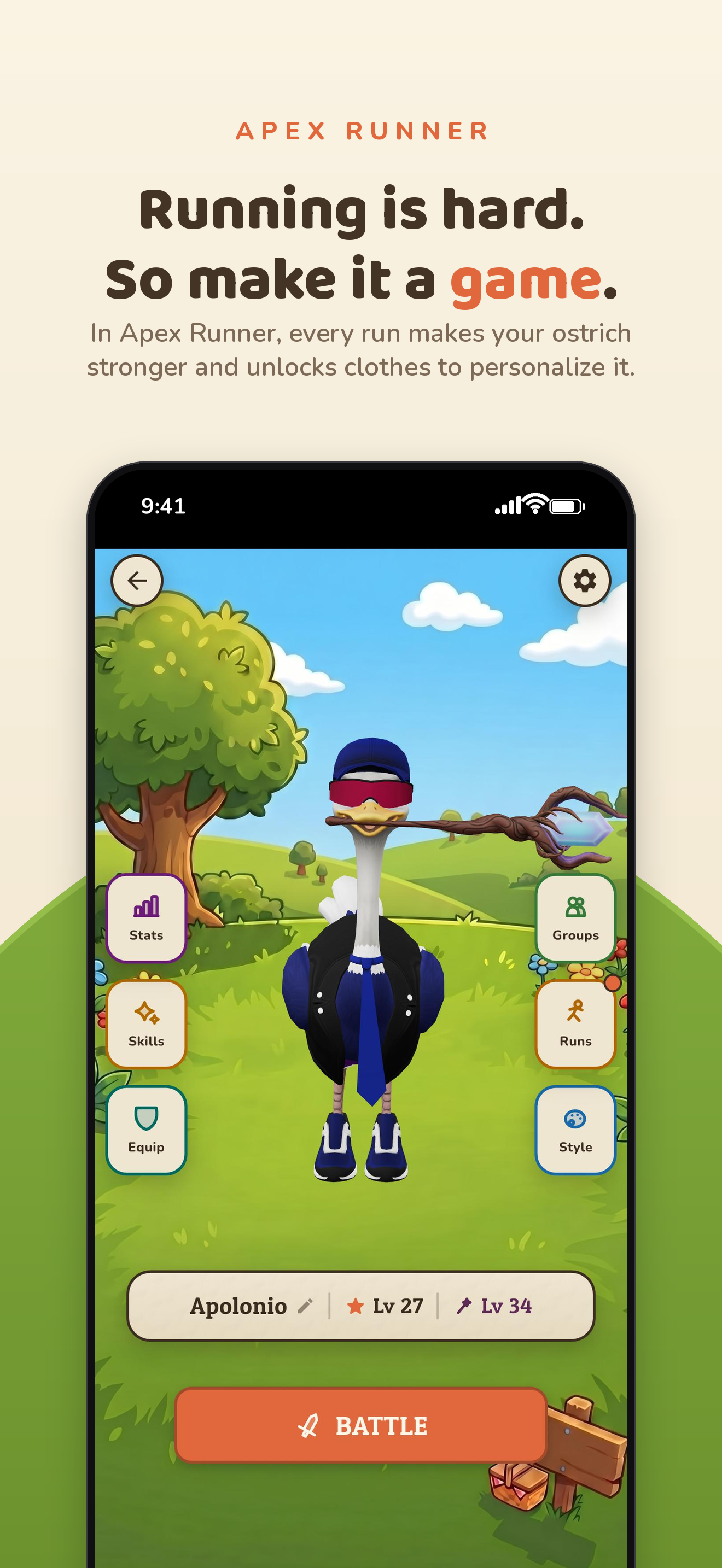
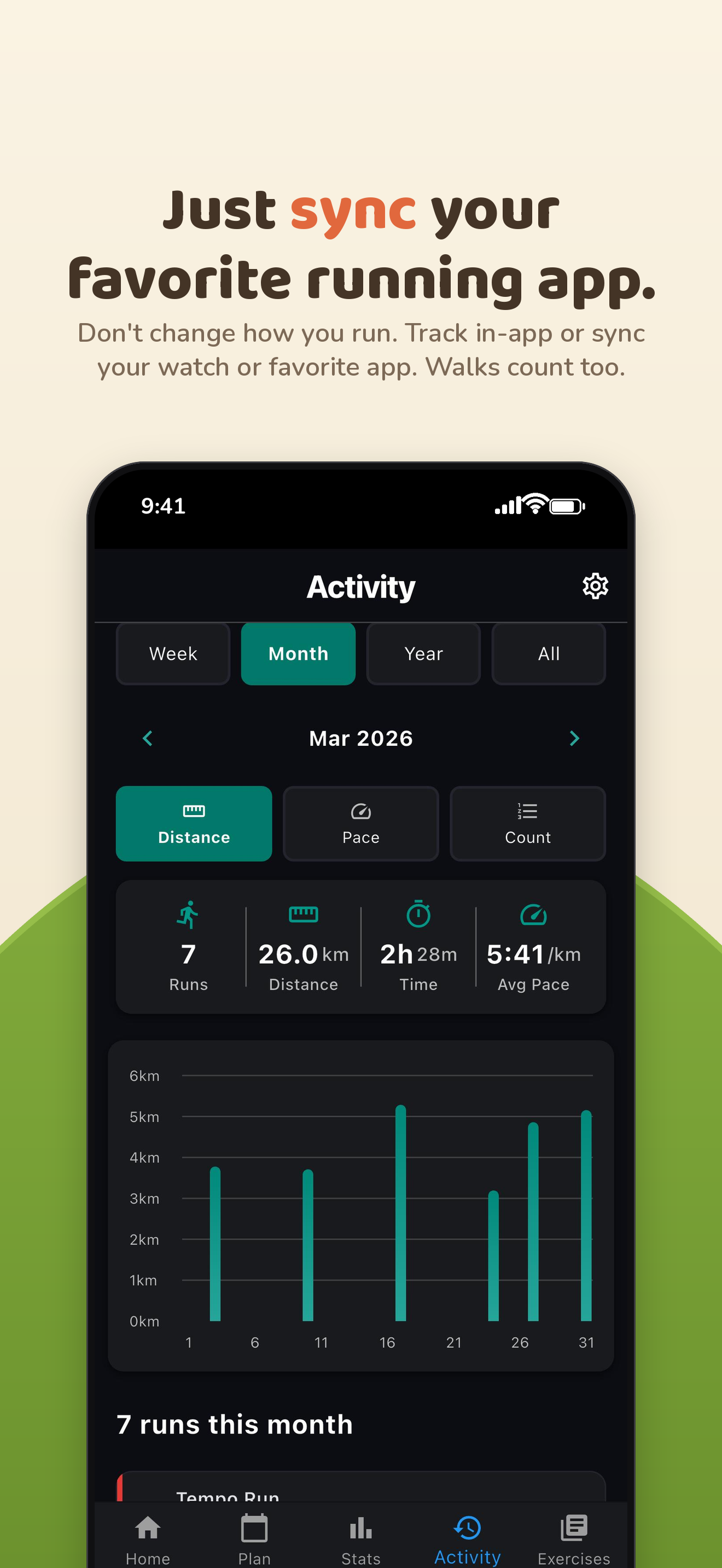
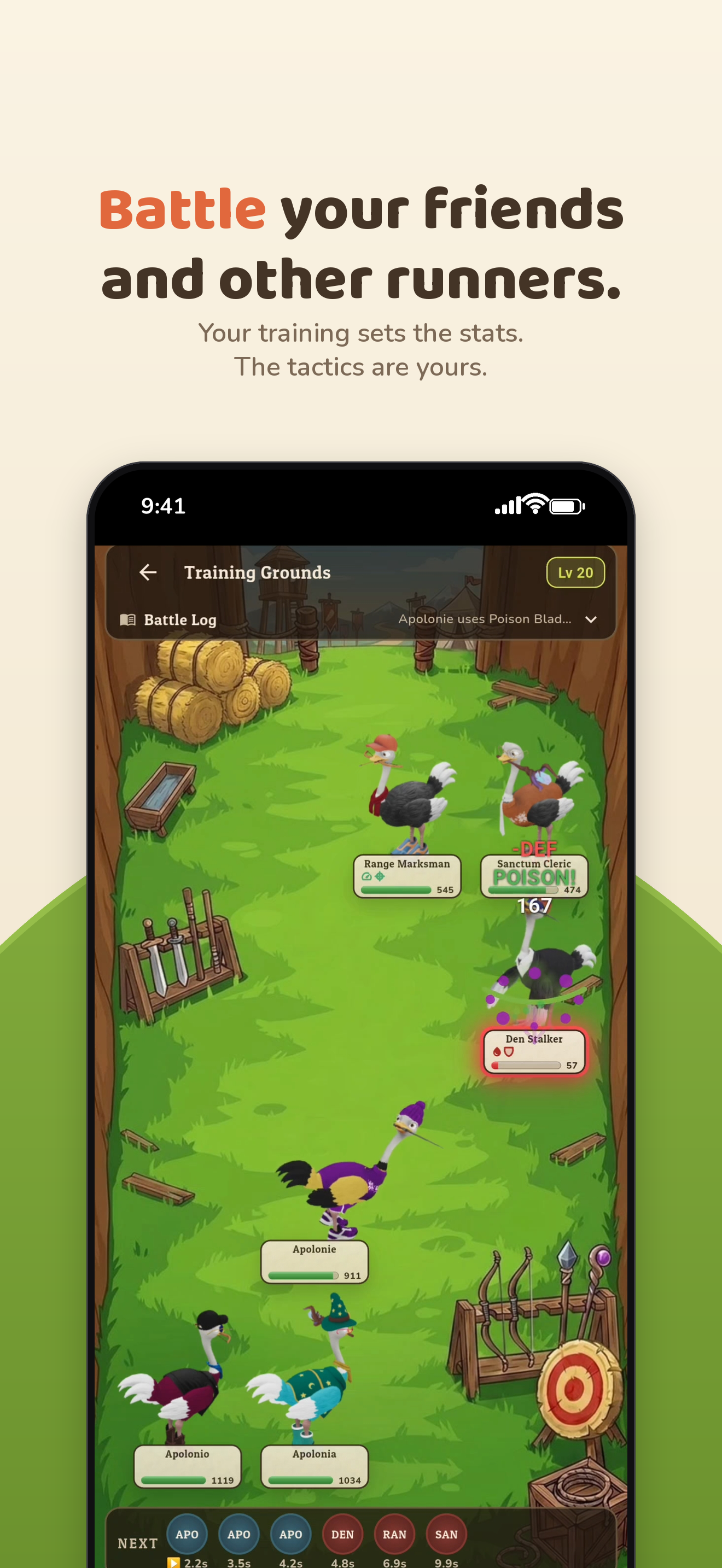
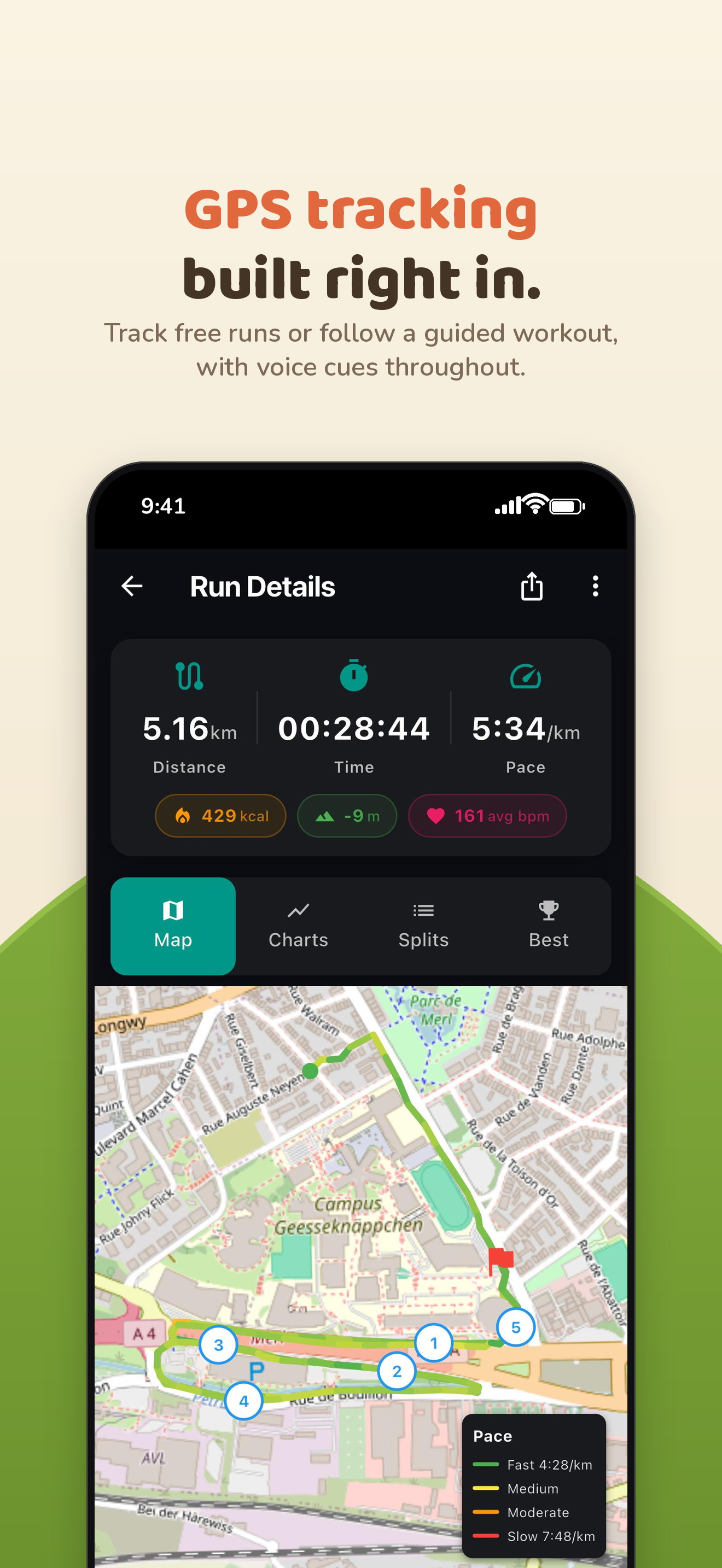
Apex Runner is a running app and videogame where every run and walk makes your character stronger. You can track your workouts in the app with live GPS or import it from other apps or your watch via Health Connect / Apple Health. After your run, you can jump into the game and battle with your friends and other runners.
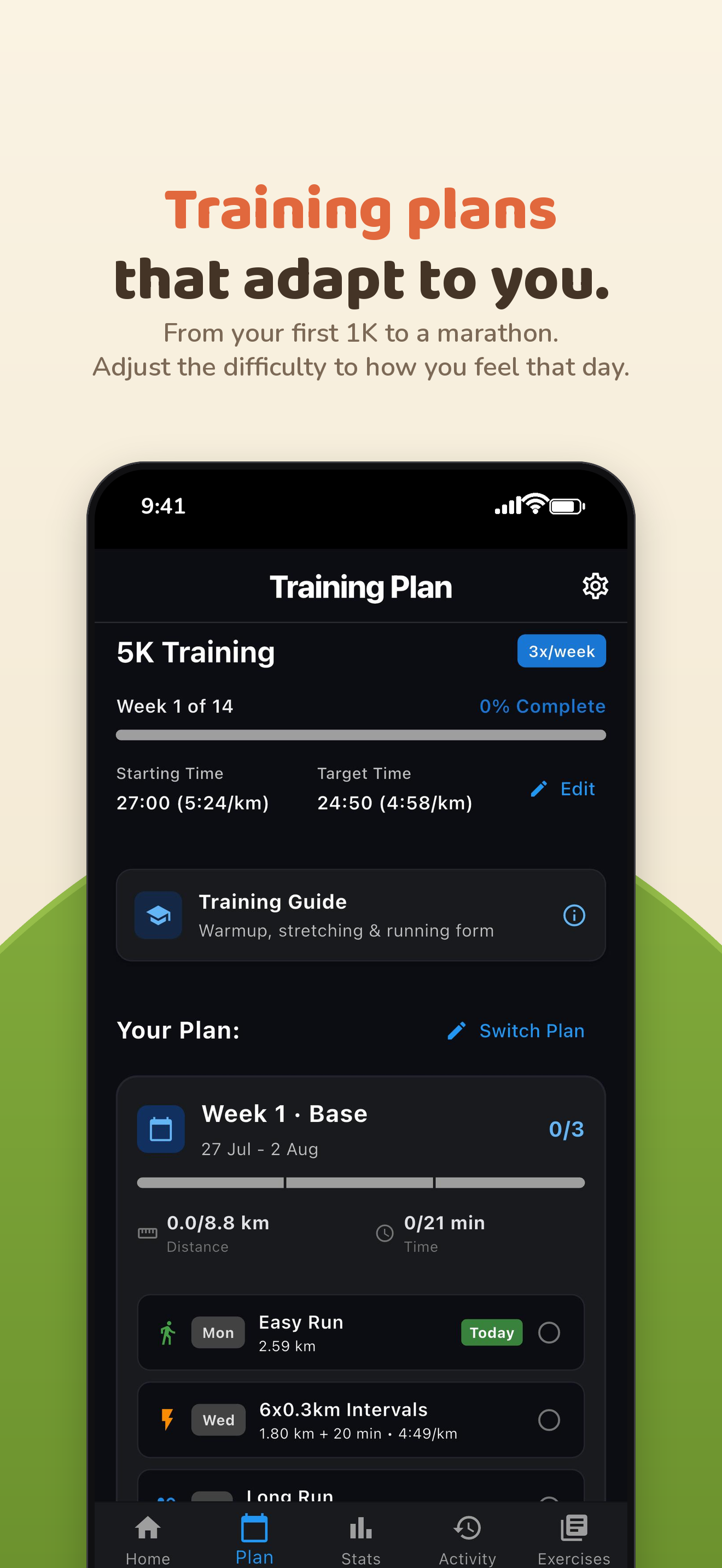
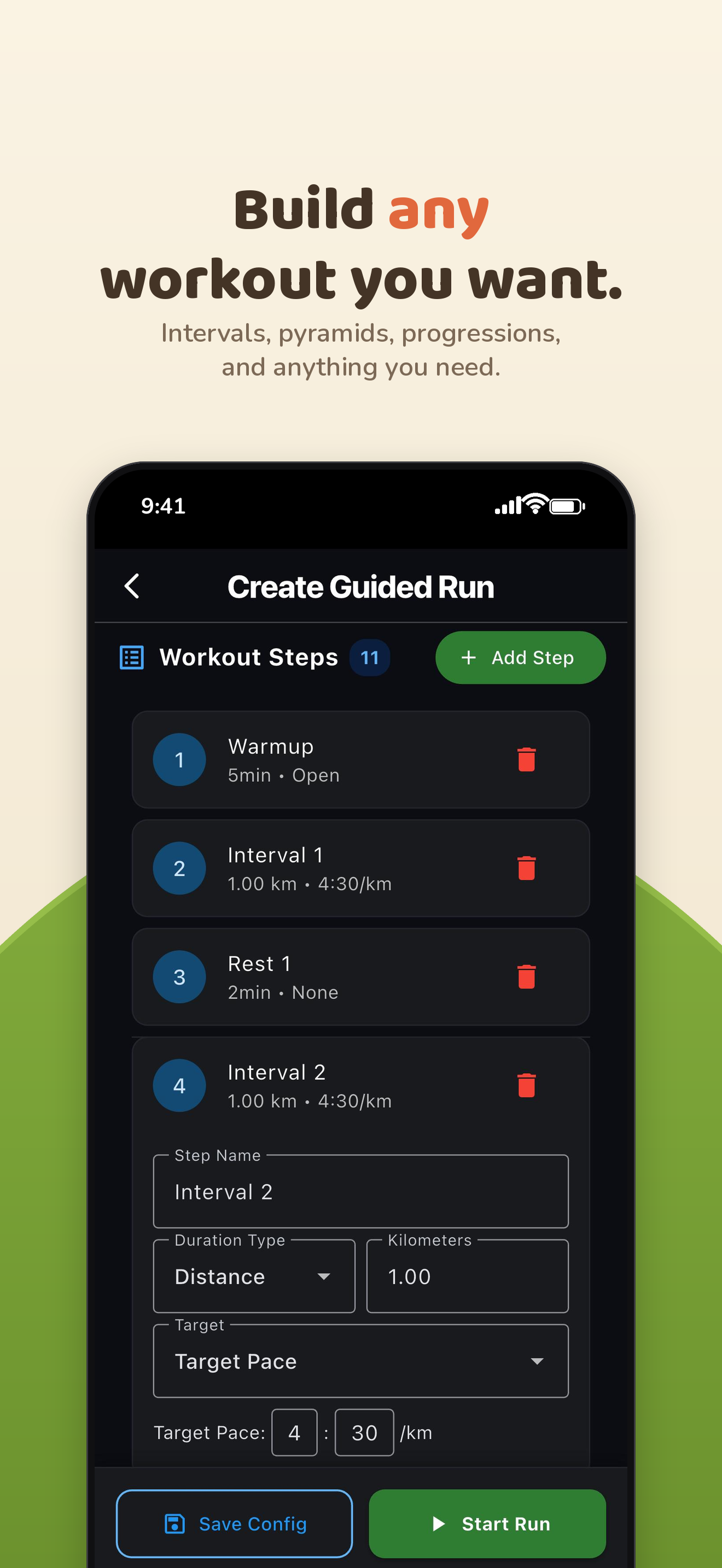
The app has an adaptive training plan generator. Tell it your goal, schedule, and fitness level, and it builds a full plan for you. It covers everything from a first 1K up to a marathon. The app has a voice coach so you never have to look at your phone during a run: it tells you when to speed up, when to recover, and calls your splits as you go. Warm ups, stretching routines, strength workouts and a running form guide are also in the app.
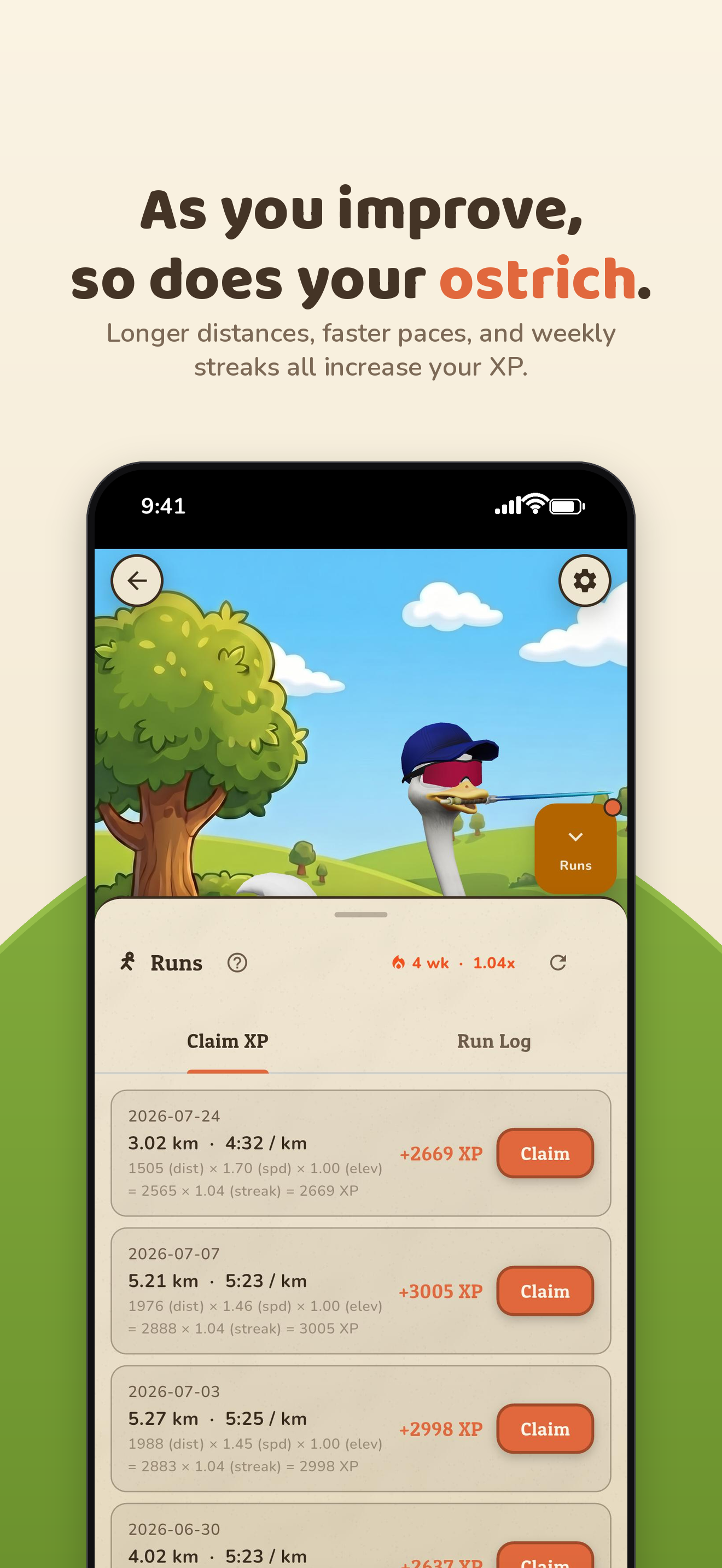
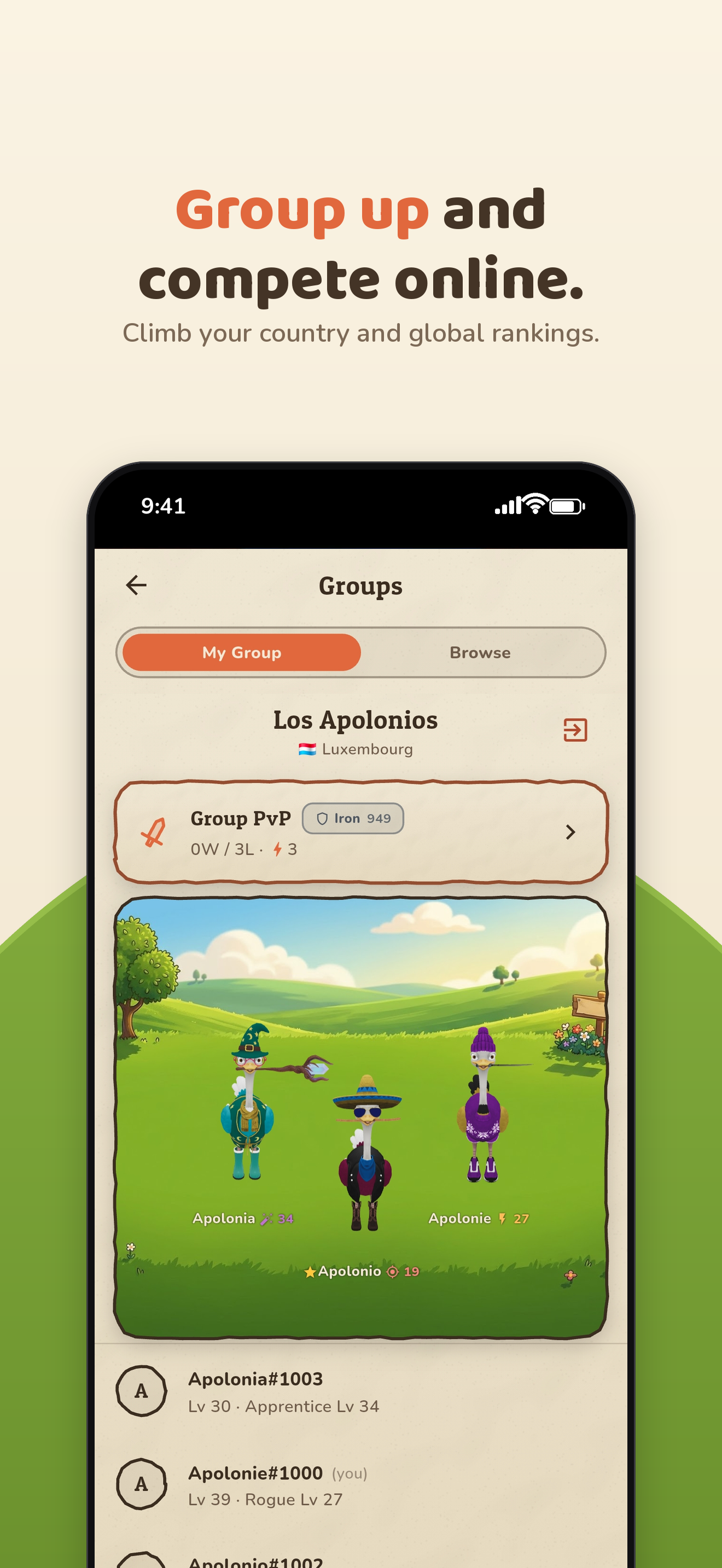
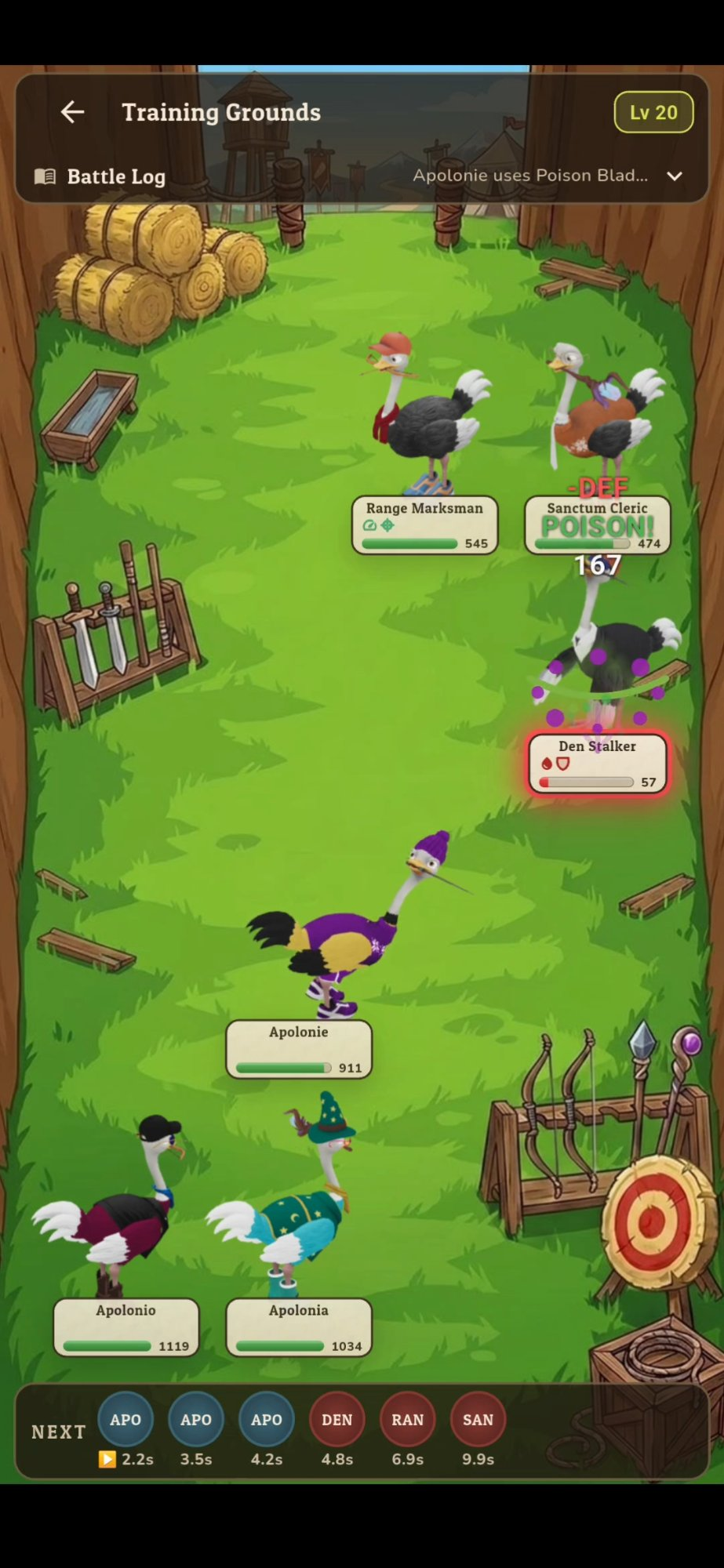
The game is a turn-based RPG. The kilometers you run give you XP and clothes for a customisable 3D ostrich you take into battle alongside two friends or AI companions. Level up to beat harder areas and unlock new classes and gear. Create or join a group and fight other runners to climb the leaderboards. You cannot buy power. The only way to get stronger is to go running.
Inspiration
I started running this year because I started having health issues due to a lack of exercise. To guide me through the process, I looked for an app that offered training plans that adapt to your fitness level. I found one I liked but I was surprised by how expensive it was for just a schedule of runs and some pace targets. This bothered me a lot, so I decided to build an app and make it completely free so that anyone can start running with guidance in order to not get hurt.
I started building the game part of the app after I had already finished the running app. After asking some runner friends to test it, I realized that I needed something to make the app stand out from just another running app. My friends told me that they liked the app but they also liked the apps that they were already using or their watches and they did not want to change.
So I looked for another angle that no other apps were offering, giving people motivation to keep running without having to change how they run. That's why the app allows you to sync runs from Apple Health and Health Connect rather than only from the app's tracker. If you love Strava or your Garmin, you can keep them and still play the game with your friends.
How I built it
I used Flutter for the app, Firebase for analytics, auth, and storage, and Blender for the 3D model of the ostrich.
The adaptive plan generators are the part I'm proudest of. I spent weeks learning about how to build a good training plan and tweaking the parameters of the generators so that plans stayed relevant for all fitness levels. Also, to give more flexibility to the users, I added a feature where they can swap a planned run or adjust the difficulty. Just in case one day they are feeling more tired than usual or on the contrary, they want to push themselves.
Since the idea for the game came after the running app was already built, I had to come up with a way to make the game in Flutter, which is not really made for 3D games. The ostrich is a GLB model exported from Blender, and Flutter renders it through model-viewer inside a WebView.
Challenges I ran into
GPS lying to me. When I started building the app, I though tracking runs via GPS would be super easy since all maps applications do it already. I was very wrong, showing your position may be easy, but accurately tracking your positions and speed while running is much harder. To fix this, I found a way to implement a Kalman filter, which solved many of the tracking issues that appeared in turns, accelerations, and zones with bad reception.
Time is not a number. I was stepping through training weeks by adding Duration(days: 7) to a date. I got lucky that I was testing during a period where we turn the clock one hour back and managed to find this bug. On the clock change, runs drifted an hour, week boundaries slid, and a run that was planned for Wednesday was now on Thursday. I had to rewrite every date step in the app to use calendar arithmetic anchored at noon.
Release version is not the same as the debug version. When I first launched my app, the android version was built without an essential notification icon. This blocked new users from completing the onboarding and this is something that I could never replicate when I was testing the debug version.
What I learned
That building an app is much harder than people think, and that AI doesn't change that as much as you'd expect. AI is very good in some parts, it can design a good-looking UI, build features in an afternoon instead of weeks, and analyze and fix bugs quite quickly. However, it is still up to you to test the app as a user and see what really works and what doesn't.
I realized that trial and error is part of the process and early user feedback is invaluable. Sometimes, an idea that sounded really good in my head was actually terrible once it was implemented. And sometimes, features that I thought were pretty clear confused my testers because they did not know my thought process.
This is the reason I think you should build something you want to use yourself. I run with this app. I have had it tell me I was going at 2min/km when I was walking because my GPS jumped positions, I have received 100 run reminder notifications in a single day, and I have left my house in my pajamas to ensure that a fix was working. Since I'm the user, I can find and fix the annoyances that users may never report and I want to make it as good as possible because it is part of my life.

Log in or sign up for Devpost to join the conversation.