-
-
Human-in-the-Loop
-
-Meal-to-Macros
-
-APEX-Hero
-
Fuel-Deep-Dive
-
Why-APEX-Wins
-
Meditation-In-Action
-
One-Shared-Record
-
Debrief-In-Action
-
Coach-With-Context
-
Breathwork-In-Action
-
Strength-In-Action
-
Cardio-In-Action
Inspiration
For years I dealt with the same loop: anxiety, distraction, weight creeping up, forgetting to drink water, workout streaks that started strong and fizzled. And I had no real way of knowing whether my daily habits were helping me or quietly working against me.
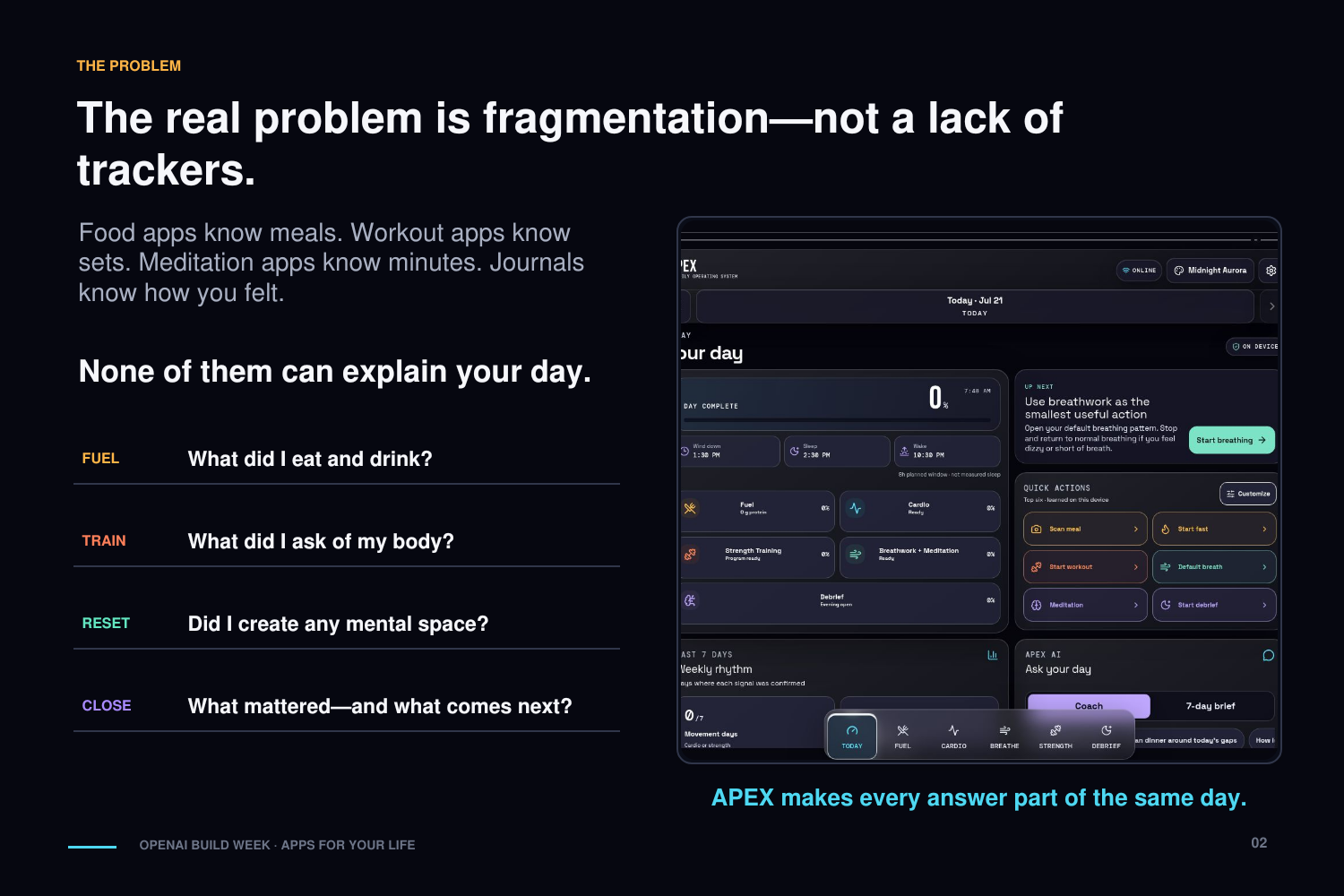
I tried the obvious fix — separate apps for food, fasting, workouts, meditation, productivity. Each one saw a tiny slice of my life and nothing else. My nutrition app didn't know I'd trained. My workout tracker didn't care that I hadn't meditated in a week. None of them could show me how any of it connected.
So I started building small tools for myself. One for logging food. One for strength training. One for breathing and meditation. One for closing out the day with a short reflection. I used them daily, kept fixing whatever annoyed me, and over time they genuinely made me healthier and calmer.
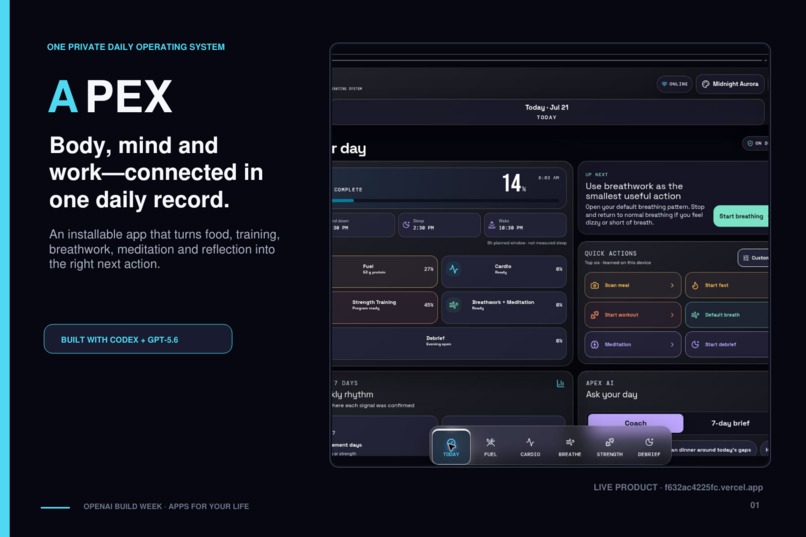
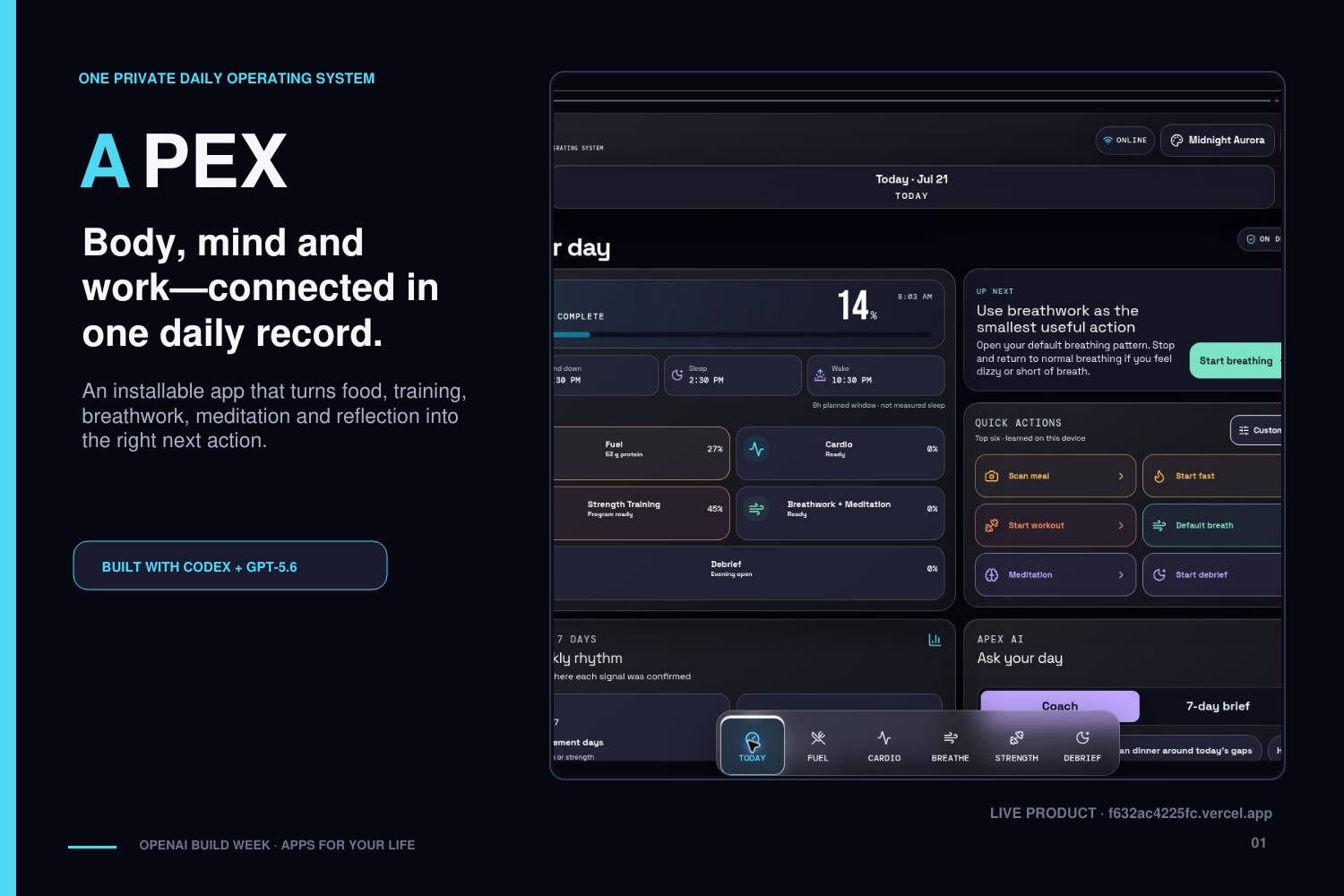
When I saw this competition, I decided to stop treating them as separate experiments and merge everything into one product: APEX, a private daily operating system for health, body, mind, and productivity.
I didn't want another app that collects numbers. I wanted something that helps you understand your day, pick the right next action, and slowly build a better life.
What it does
APEX pulls nutrition, hydration, fasting, cardio, breathwork, meditation, strength training, reflection, sleep planning, and productivity into one installable app.
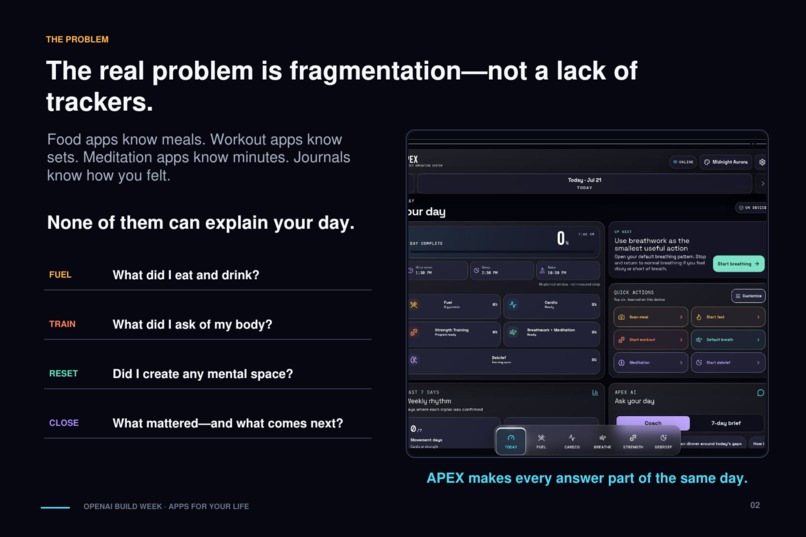
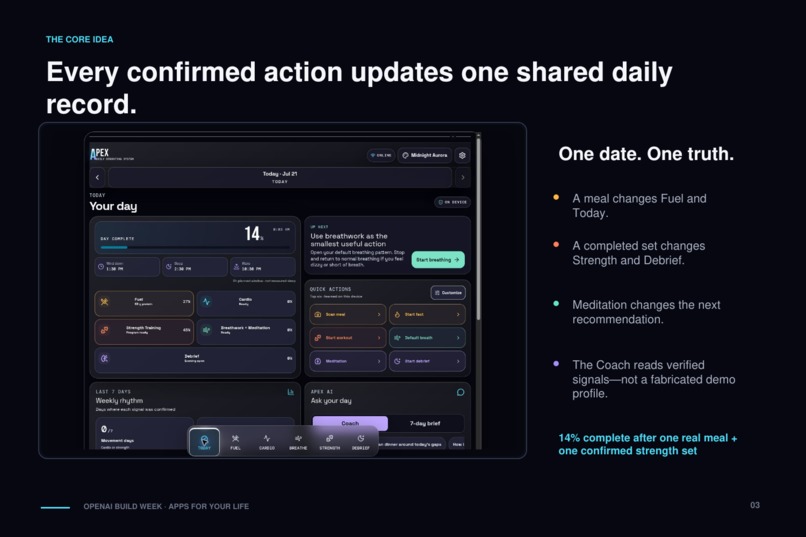
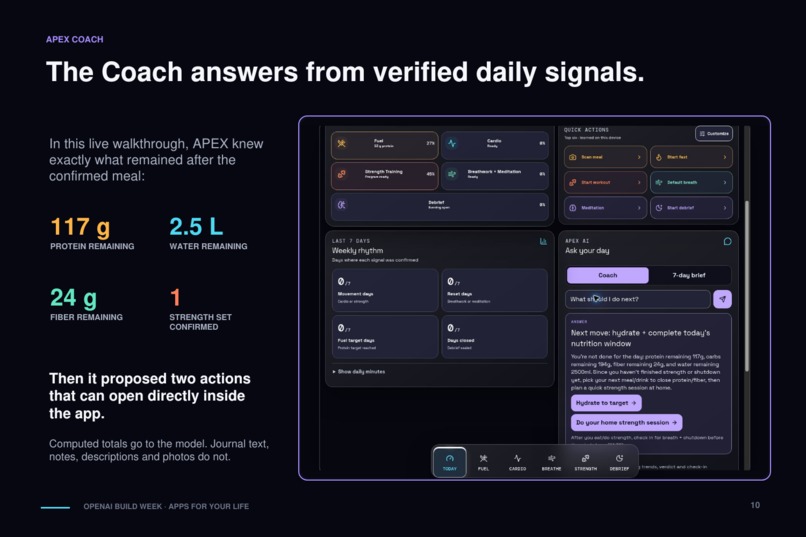
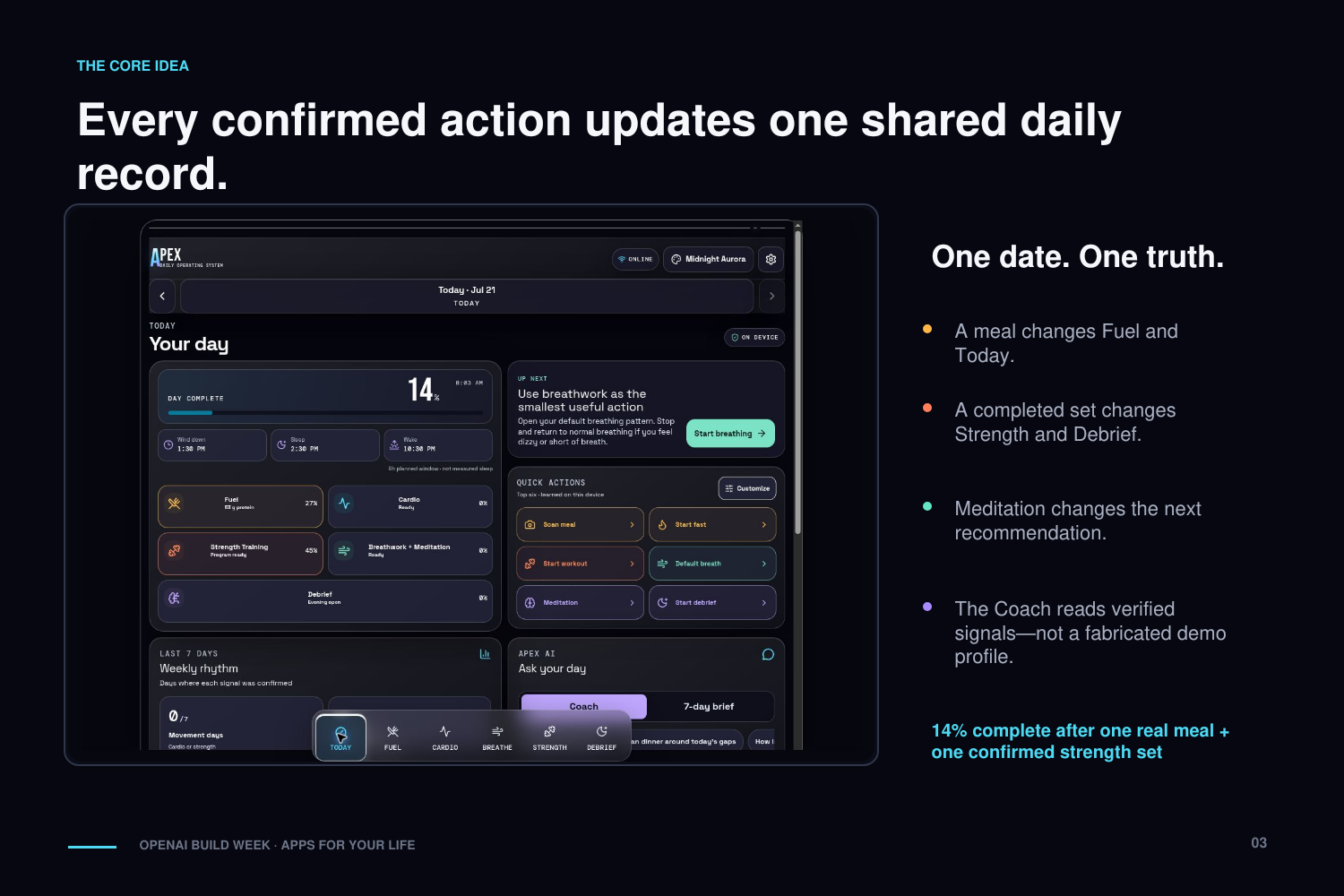
Here's the difference from stitching five apps together: everything reads and writes the same daily record. Log a meal, finish a workout, meditate, close out your evening — the rest of the app knows about it immediately.
Today
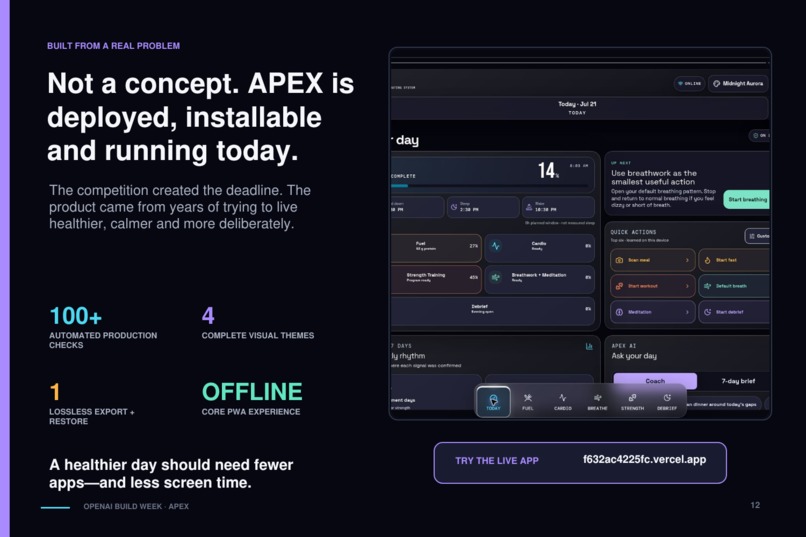
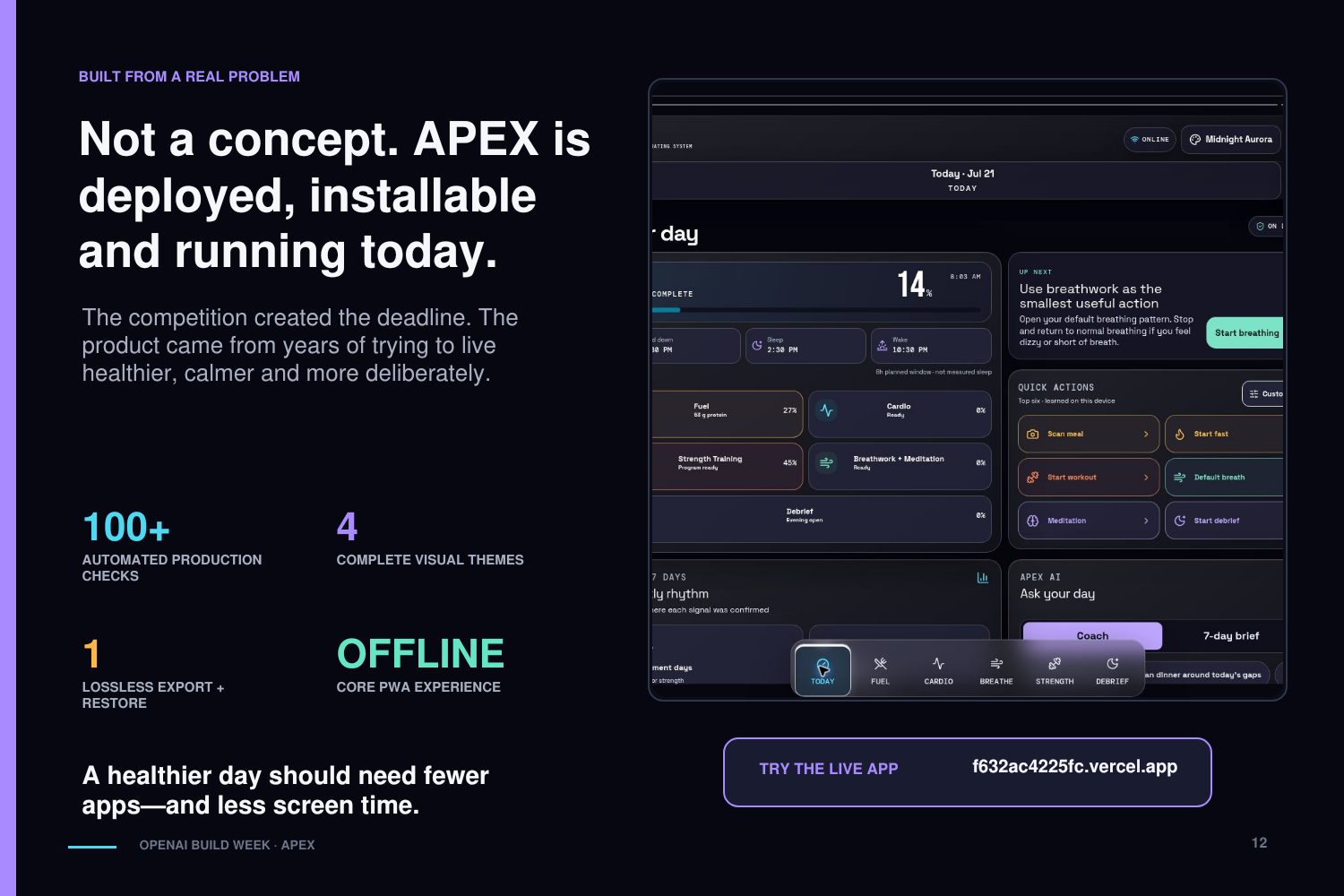
Today is the command center. One screen shows where you stand on nutrition, cardio, breathwork and meditation, strength, and the evening debrief.
It also gives you:
- Quick actions that adapt to what you haven't done yet
- Done/not-done signals for the day at a glance
- Streaks for training, fasting, breathing, and shutdown
- Wind-down, sleep, and wake-time planning
- A seven-day observations view
- An AI-generated weekly operating brief
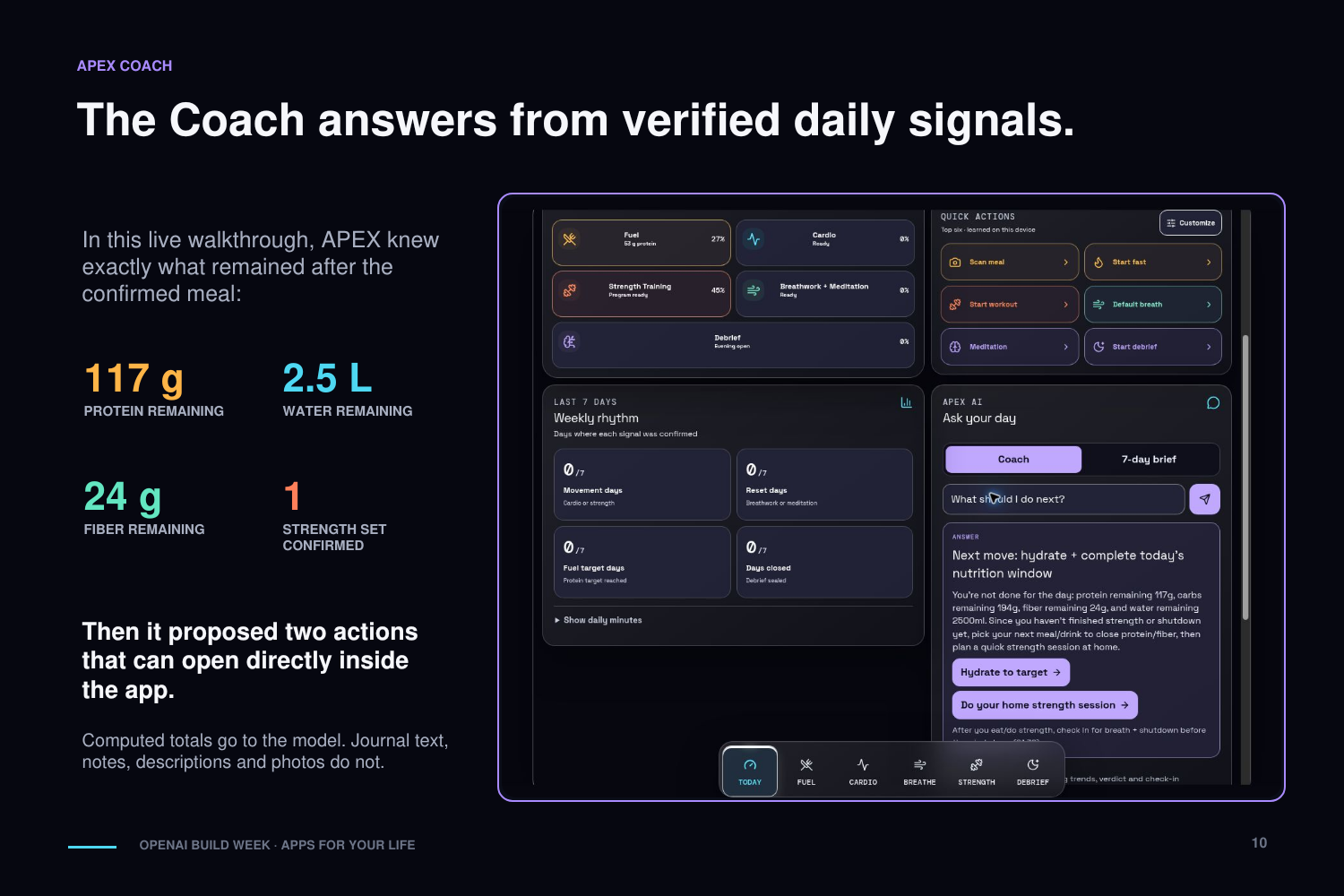
- An APEX Coach that can recommend an action and open it right inside the app
Fuel
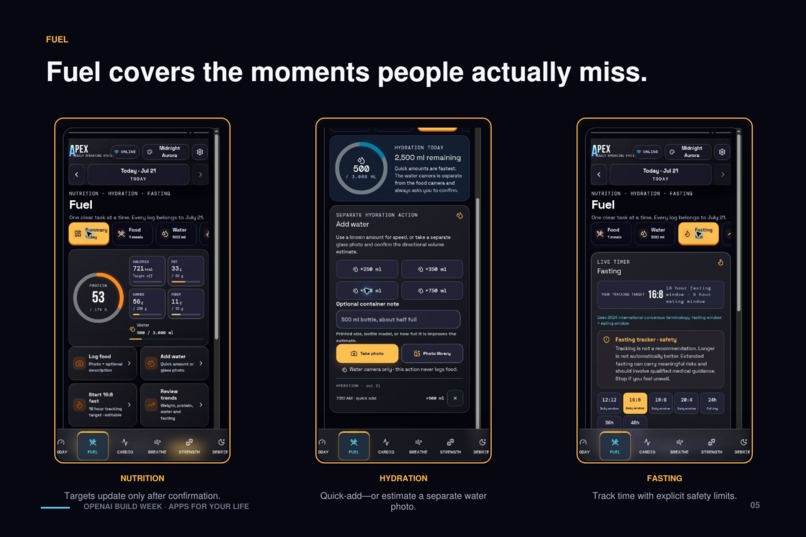
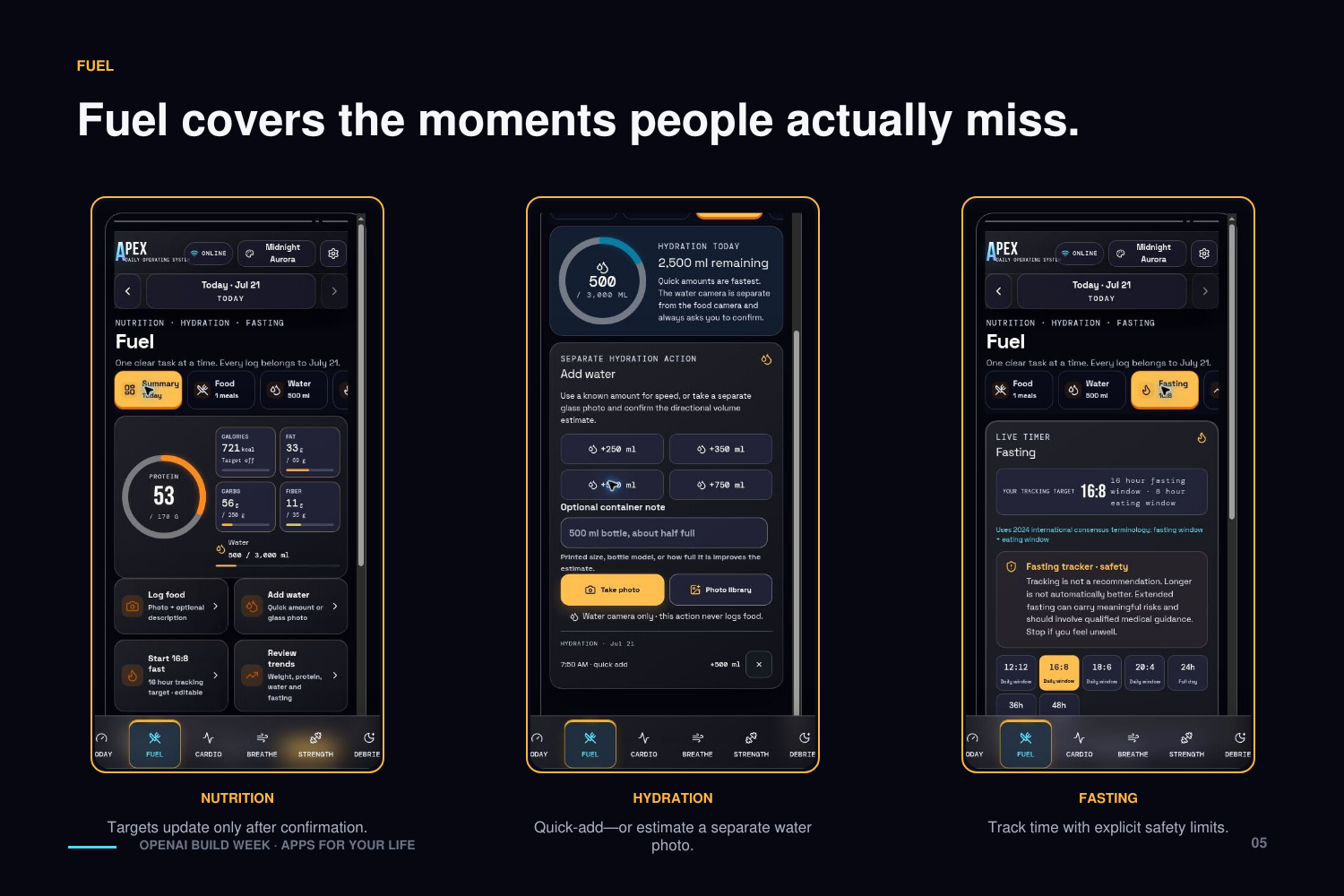
Fuel handles food, water, body weight, and fasting.
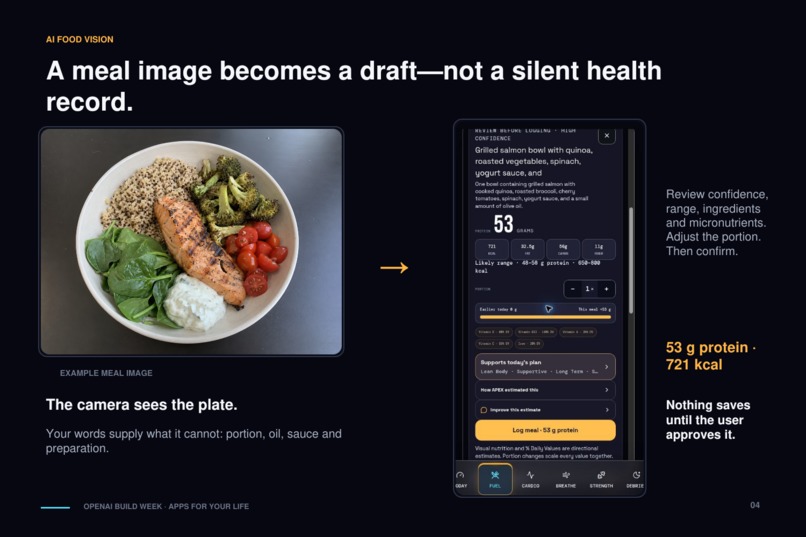
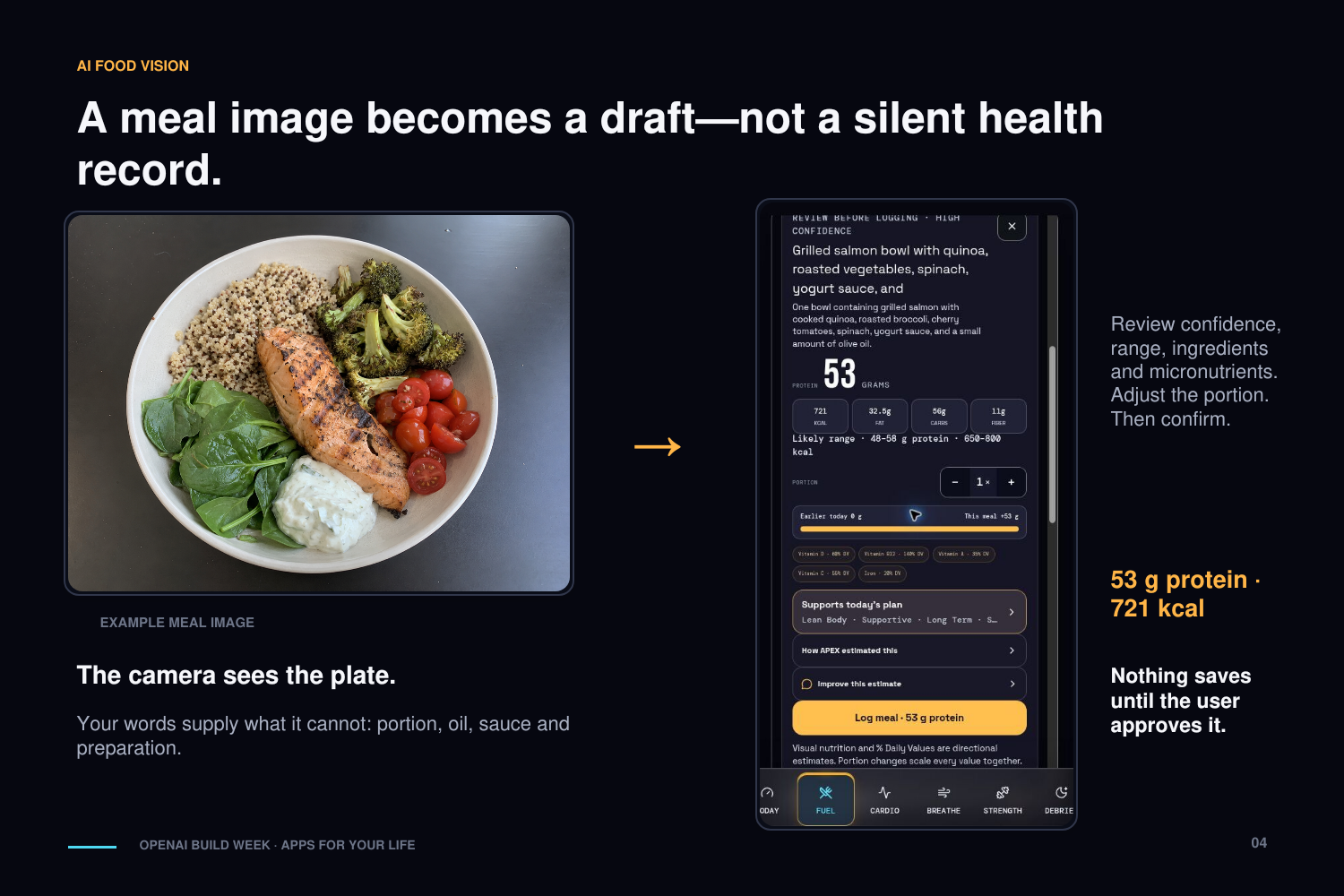
The core flow: photograph your meal, then optionally describe what the camera can't see — the oil, the ghee, the sauce, how big that portion really was. APEX runs it through AI vision and comes back with protein, calories, fat, carbs, fiber, relevant micronutrients, ingredient-level estimates, and a confidence rating with a plausible calorie range.
Then — and this part matters to me — nothing gets saved until you review it. Adjust the portion and every nutrient rescales automatically. The AI guesses; you get the final say.
Fuel also covers:
- Cut, maintenance, and muscle-gain targets
- Manual entry for when you'd rather type than photograph
- Water tracking, including estimating volume from a photo of your bottle or glass
- "Should I eat this?" suitability checks and menu-photo analysis
- AI meal ideas based on whatever's left in your targets today
- Body-weight history plus thirty-day nutrition and hydration trends
- Live fasting timers with realistic, honest milestones — no miracle claims
- Backfilling past days when you forgot to log
Cardio
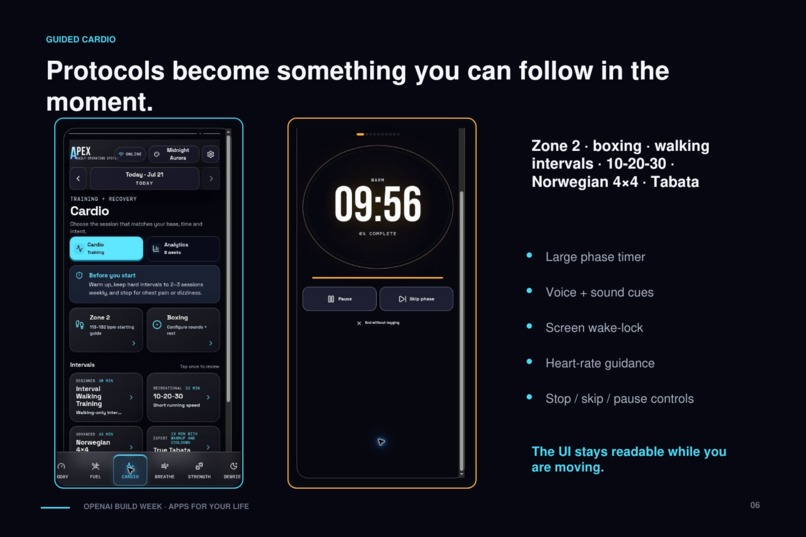
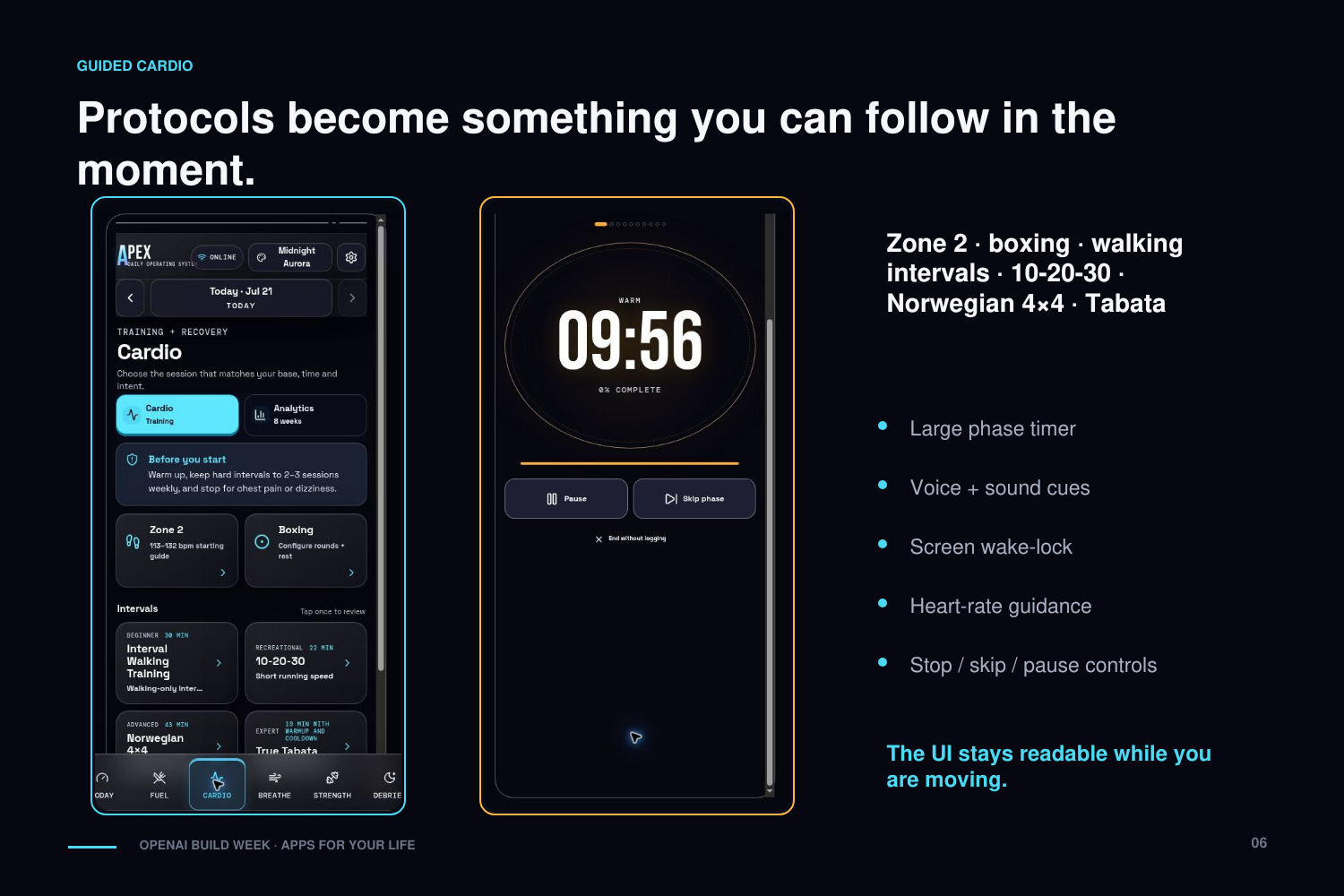
APEX ships with guided cardio protocols that have actual research behind them, across fitness levels:
- Interval Walking Training
- 10-20-30 intervals
- Norwegian 4×4
- Tabata
- Zone 2 training
- Boxing rounds
- Swimming intervals
Every session runs a big phase timer with visual transitions, countdowns, sound cues, voice guidance, vibration, and wake-lock so your screen doesn't die mid-interval. Heart-rate zones are estimated from your age, and you can override them manually. Cardio keeps its own history, streaks, and eight-week analytics.
Breathwork and Meditation
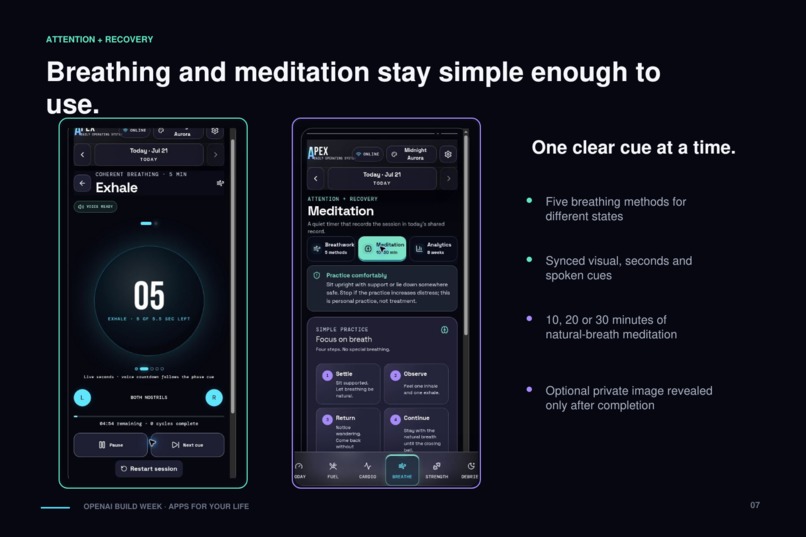
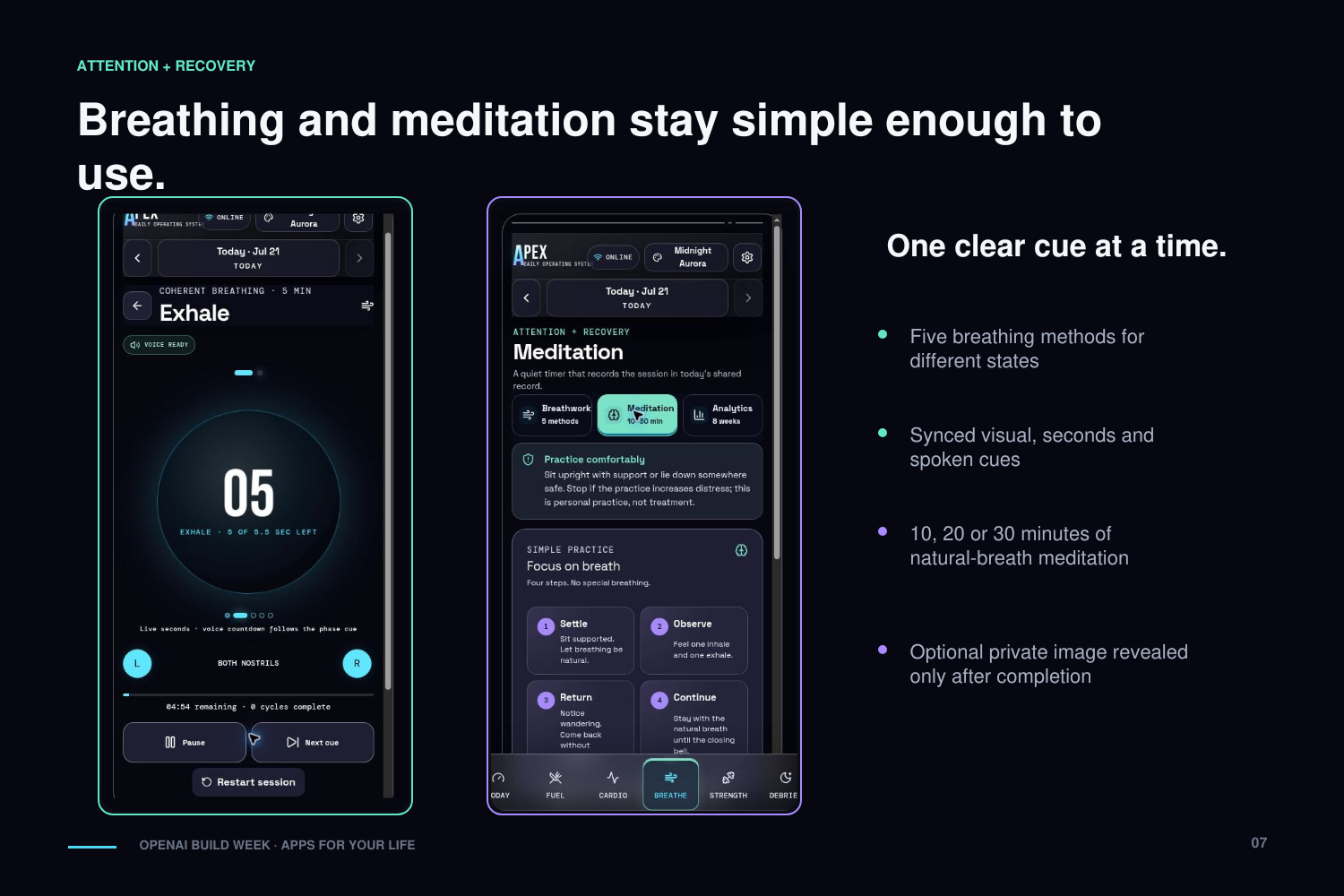
The breathing section covers practices for different states:
- Anulom Vilom
- Coherent breathing
- Cyclic sighing
- Box breathing
- Relaxation breathing
Each one comes with a synchronized visual breathing guide, phase-by-phase instructions, spoken cues, and a few session lengths to choose from.
Meditation is deliberately simple: breath awareness with optional 10-, 20-, and 30-minute timers. The starting phase speaks the elapsed seconds aloud, and there's one small feature I'm fond of — you can attach a private affirmation image that only reveals itself when you complete the session.
Strength Training
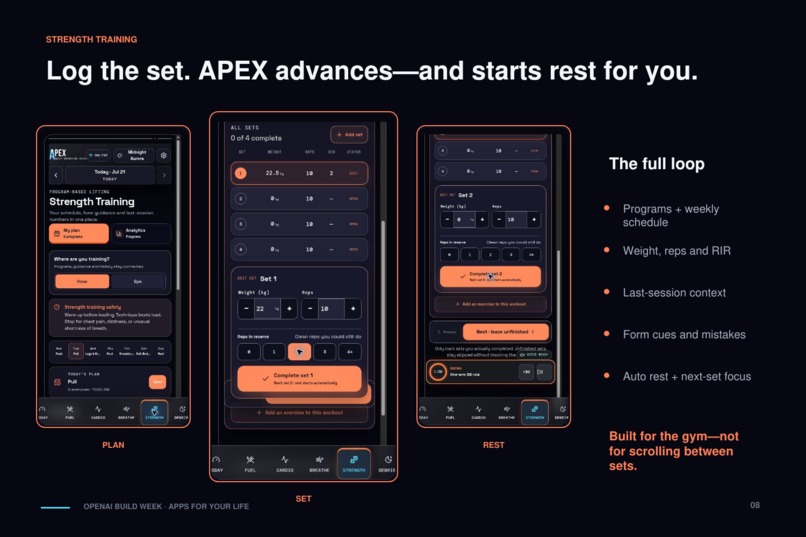
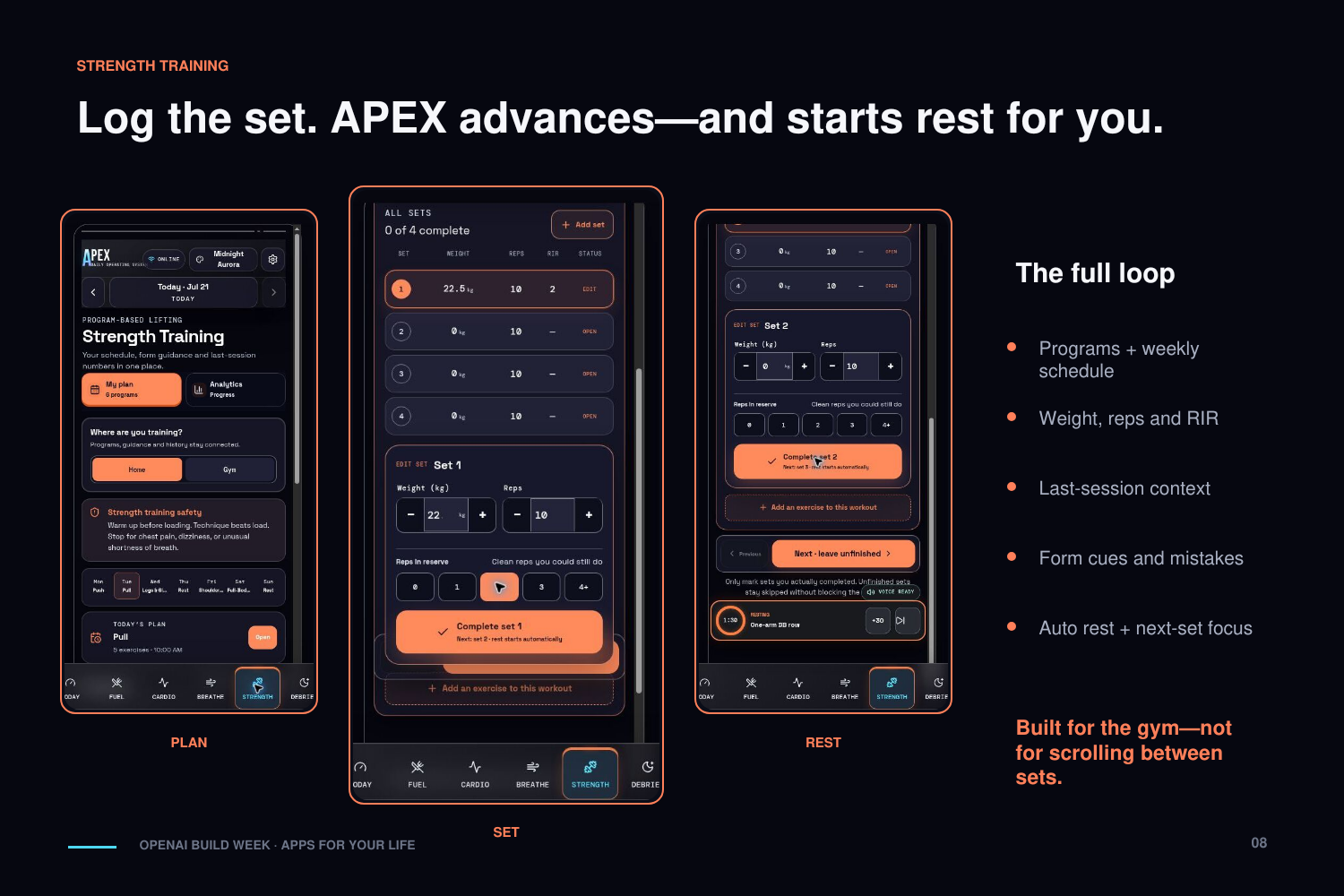
Strength is a full program-based workout tracker. Build and edit your programs, schedule them across the week, add reference video links for quick exercise guidance, and follow each exercise through a compact set-by-set interface.
What's in there:
- Home and gym workout programs
- Target sets and reps, with logging for weight, reps, and reps-in-reserve
- Last session's numbers right where you need them
- Rest timers that start themselves the moment you complete a set
- Form cues and common mistakes for each exercise
- Progressive-overload recommendations
- Weight records and estimated one-rep maxes
- Weekly muscle-volume analysis, exercise progress charts, adherence, and history
Finish a workout and you get a summary: duration, total volume, sets completed, and any personal records you hit.
Debrief
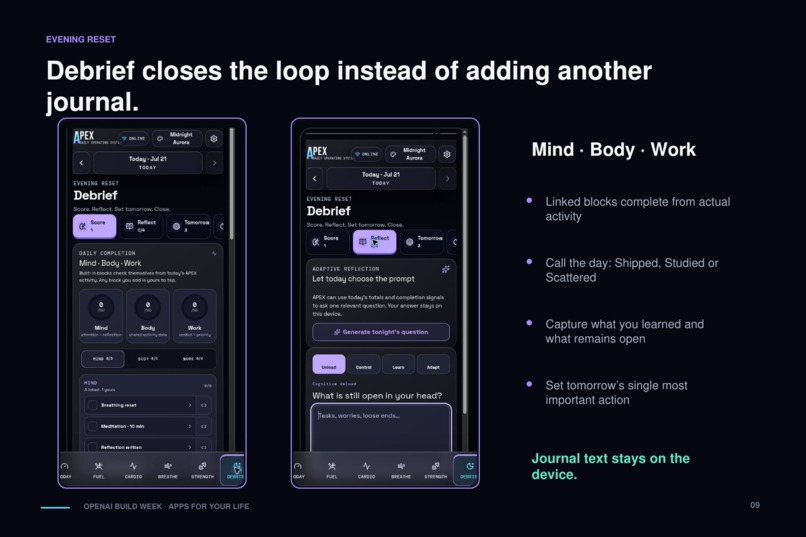
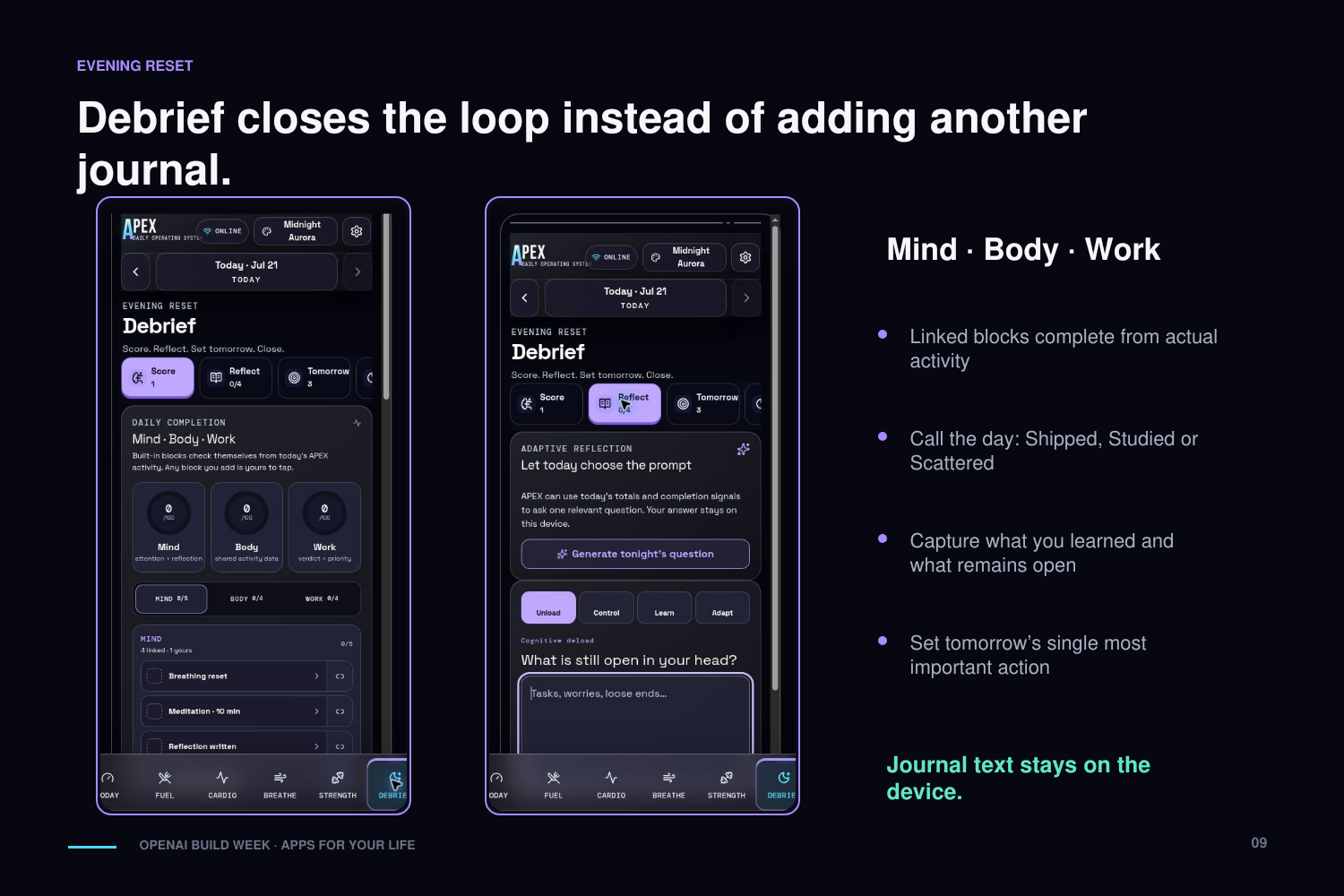
Debrief is APEX's evening shutdown ritual.
It pulls signals from the rest of the app to build Mind, Body, and Work completion scores. Hit your water target, finish a workout, meditate, reach your protein goal — the linked Debrief blocks complete themselves.
From there, you:
- Call the day: Shipped, Studied, or Scattered
- Do a quick mental-state check-in
- Write through four short reflection prompts
- Name what was actually within your control
- Record something you learned and how you responded to difficulty
- Set tomorrow's single most important action
- Track progress across your personal life pillars
- Close and seal the day — deliberately
APEX can generate one context-aware reflection question from the day's aggregate signals, but your answers and journal entries stay private on the device.
How we built it
APEX is a ChatGPT5.6 VibeCoded mobile-first Progressive Web App. The stack:
- React + TypeScript + Vite
- Tailwind CSS
- Custom SVG charts and progress rings
- Vercel serverless functions
- OpenAI vision, structured outputs, and language models
- Browser audio, speech, vibration, and wake-lock APIs
- Service-worker caching for offline use
But the real foundation isn't any of those — it's the unified daily data model. Nutrition, water, fasting, workouts, meditation, and reflection all read from and write to one date-based record through a single storage service. That one decision is what makes everything else work. In simplified form:
// simplified — the whole app hangs off one record per day
type DayRecord = {
  date: string;            // "2026-07-20"
  nutrition: Meal[];
  waterMl: number;
  fasting?: FastingWindow;
  workouts: Workout[];
  meditation: Session[];
  debrief?: Debrief;
};
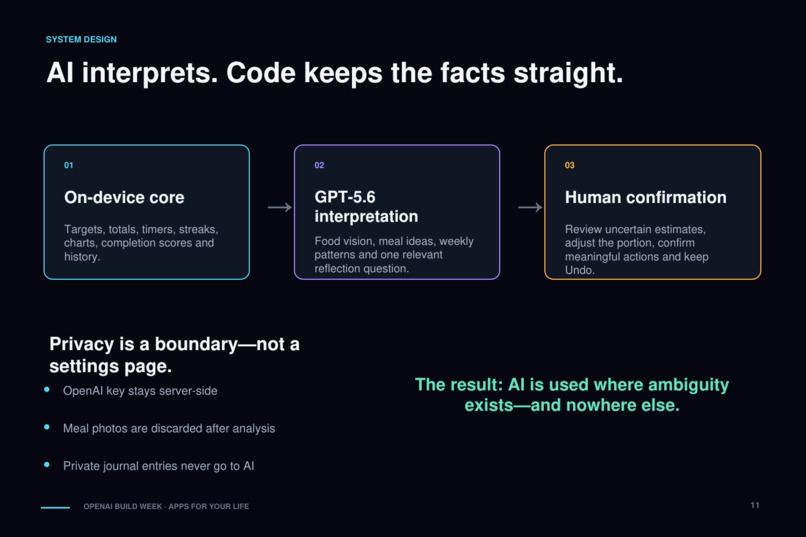
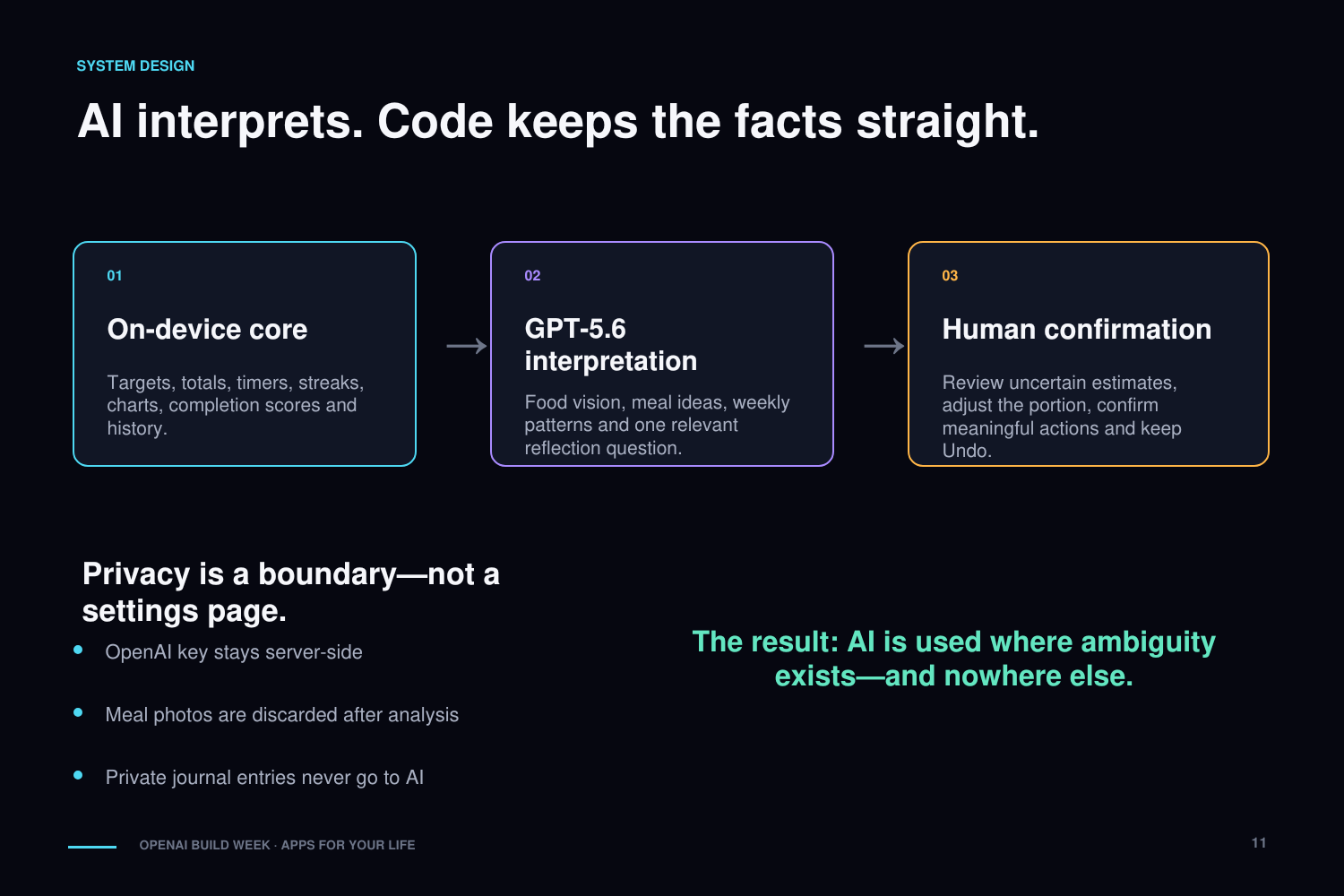
Almost everything is calculated deterministically on the device: calorie targets, nutrient totals, workout volume, personal records, timers, streaks, completion scores, charts. AI only gets involved where interpretation genuinely adds something — reading food photos, refining meal estimates, generating meal ideas, spotting weekly patterns, and choosing a relevant reflection question.
The OpenAI key never leaves the server. Photos are discarded after analysis. Journal entries are never sent to the AI. And no AI-generated health record gets saved without the user confirming it first.
Install it once and the app works offline, except for the features that explicitly need AI. There's also a full lossless export and restore — because it's your data.
Challenges we ran into
The hardest part wasn't any single feature. It was making several independent tools behave like one product. Dropping them into the same interface wasn't enough; they had to actually understand and influence each other through the shared data model.
Food photos were the second big fight. A photo can't reveal hidden oil, exact portions, sauces, or how something was cooked. My answer: let the user's own description override the vision model's assumptions, show ingredient-level estimates with confidence, and force a review step before anything is logged.
Then there was mobile audio. iOS is brutal about delayed speech and background sound, so the guided timers took a lot of audio unlocking, prerecorded cues, and testing on an actual phone in my actual hand before the voice guidance became reliable.
Some of the others, in no particular order:
- Fitting a feature-dense system onto a small screen without it feeling like a cockpit
- Making timers survive screen locks and interruptions
- Keeping the PWA genuinely useful offline
- Stale service workers serving old versions (if you know, you know)
- Drawing a hard line between private local data and what the AI is allowed to see
- Writing about fasting without drifting into exaggerated medical claims
- Letting AI be useful without ever letting it touch the deterministic math
- Testing long sessions without sitting through them in real time
Accomplishments that we're proud of
The thing I'm proudest of is simple: APEX is real. It's deployed and running on my phone — not a stack of concept screens.
Every major section works and talks to the others. A finished workout shows up in Today and Debrief. Nutrition feeds the daily summary and the AI meal suggestions. Meditation writes to the same record. The weekly insights come from actual behavior, not fabricated demo data.
Beyond that, I'm proud of:
- One unified record across body, mind, and productivity
- An installable app that keeps working offline
- AI estimates that are reviewable — never silently treated as facts
- An API key and sensitive information that never touch the client
- Photos and private journals kept out of persistent server storage
- Four complete visual themes
- Guided experiences for lifting, cardio, breathing, and meditation
- More than 100 automated production checks
- Shipping it and testing on real mobile devices, not just a desktop browser
And underneath all of it: APEX came out of problems I actually lived with. I built the thing I wanted to exist. The competition just gave me the deadline.
What we learned
The biggest lesson: the value was never in any single tracker. It's in the connections. A workout app knows you exercised. A nutrition app knows what you ate. A journal knows how you felt. Only something that sees all three can tell you anything real about your day.
I also learned that health apps need friction in exactly the right places. Logging water should take one tap. Accepting an uncertain AI food estimate should not.
Related: AI shouldn't do everything. Code is better at totals, timers, targets, streaks — anything with a right answer. AI earns its keep when it interprets already-verified information, handles ambiguity, or helps you decide what to do next.
And privacy can't be bolted on at the end. It has to shape the data model, the AI architecture, the interface, and every request from day one — or it never really happens.
What's next for APEX
Right now, you operate APEX. Next, I want it to understand you.
The centerpiece is a deeply integrated, real-time voice layer. You'll just say things like:
- "Log 500 milliliters of water."
- "What should I eat to hit my protein target?"
- "Start my Push workout."
- "Open a ten-minute meditation."
- "Why has my bench press stalled?"
- "Help me debrief today."
APEX will respond immediately, open the right part of the app, and prepare the action using your actual data. Anything meaningful will still require confirmation, and everything comes with Undo.
Also on the roadmap: encrypted cross-device sync, wearable integration, deeper long-term insights, stronger accessibility, and a carefully run public beta.
The long-term goal hasn't changed since the first small tool I built for myself: a trusted operating system for human performance — one that leaves you healthier, calmer, and more capable, and less dependent on your phone, not more.
Built With
- api
- canvas
- css
- github
- html5
- javascript
- localstorage
- node.js
- openai
- pwa
- react
- tailwind
- typescript
- vercel
- vibecode
- vite
- workbox

Log in or sign up for Devpost to join the conversation.