-
-
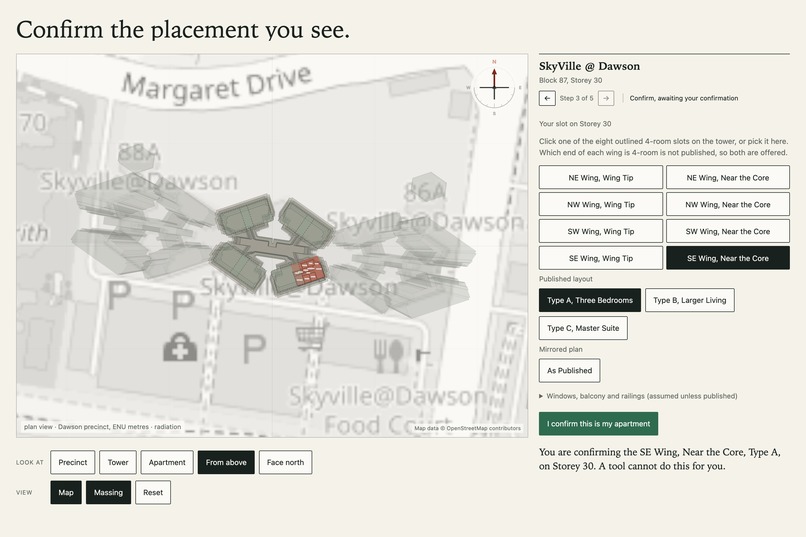
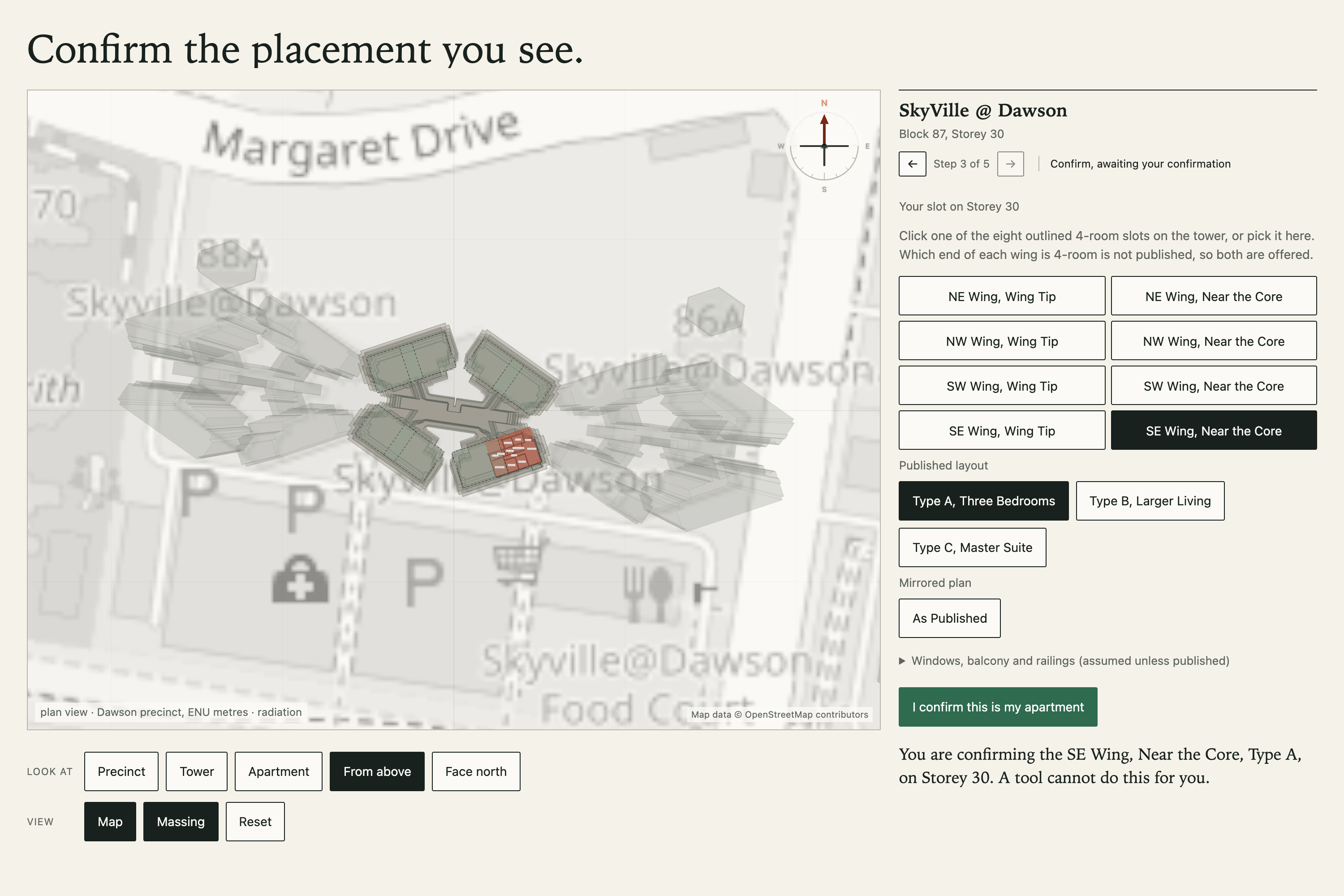
Step two: eight outlined 4-room slots on the tower, the chosen one in red.
-
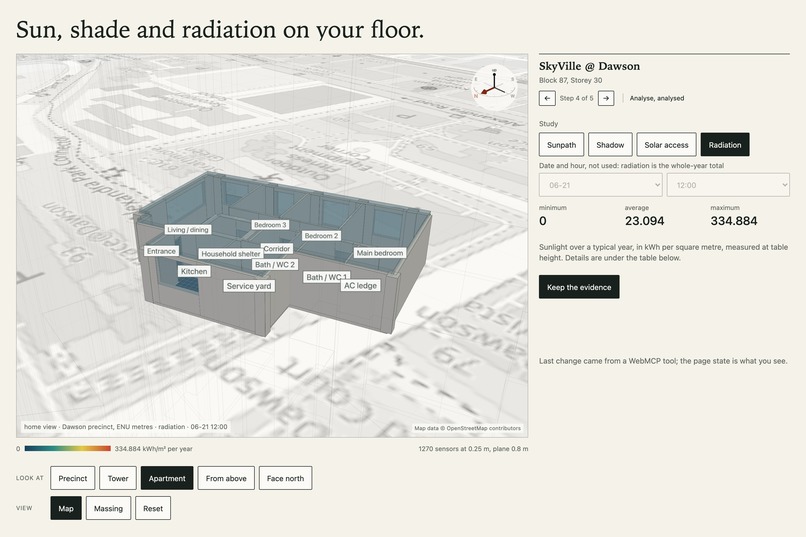
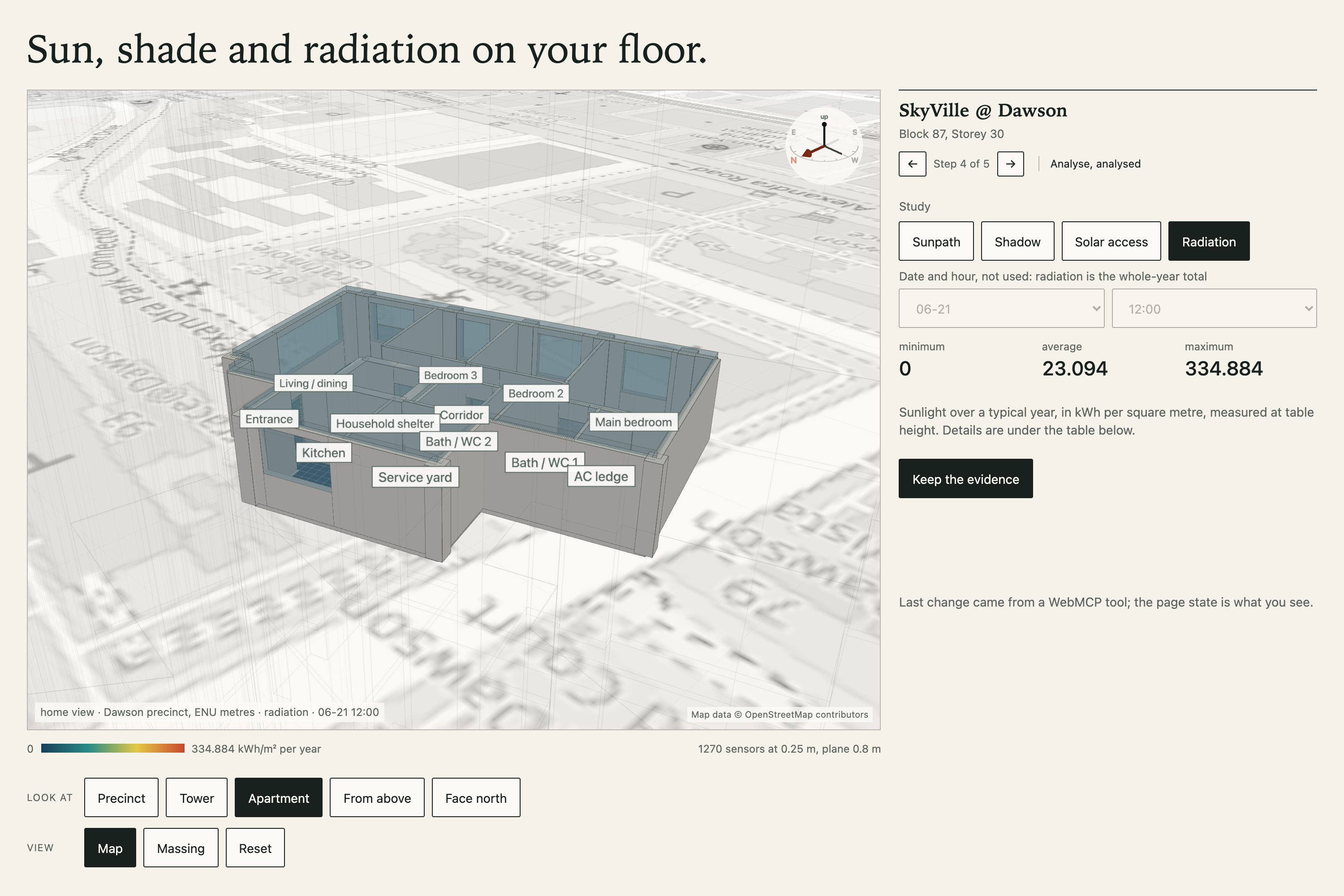
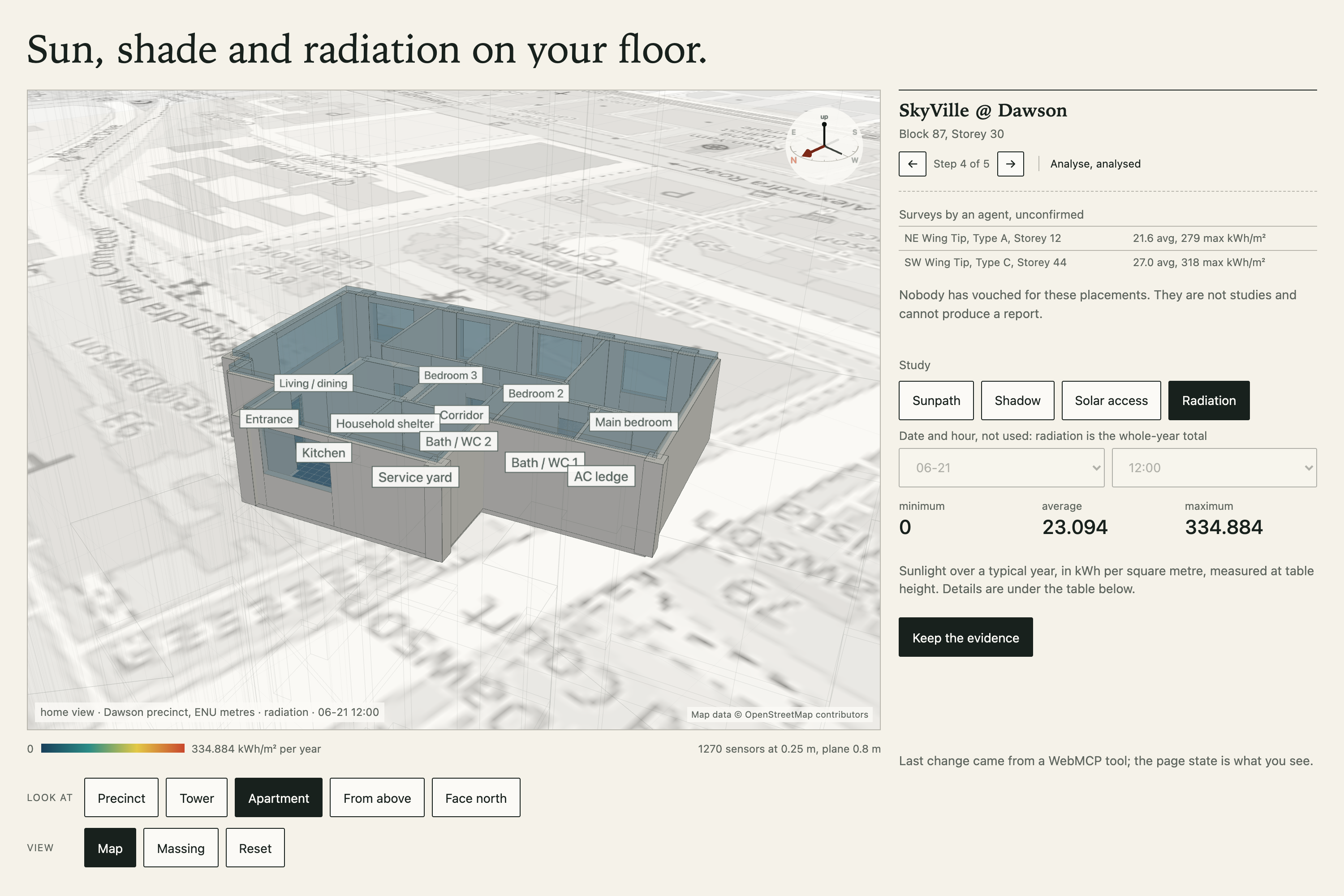
Step four: annual radiation on the floor of the confirmed apartment, room by room, in the Isometric view with the walls cut above the floor.
-
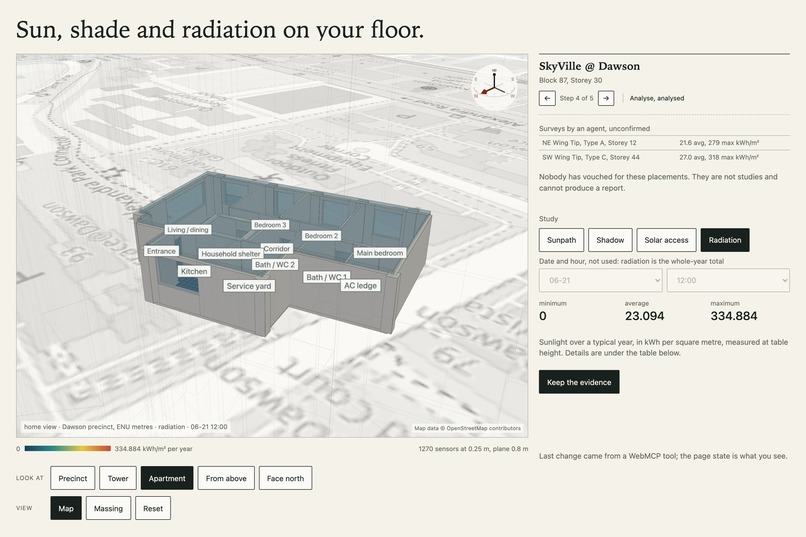
The rail after an agent ran survey_unit twice. Each row is an unconfirmed survey: numbers an agent may compare.
-
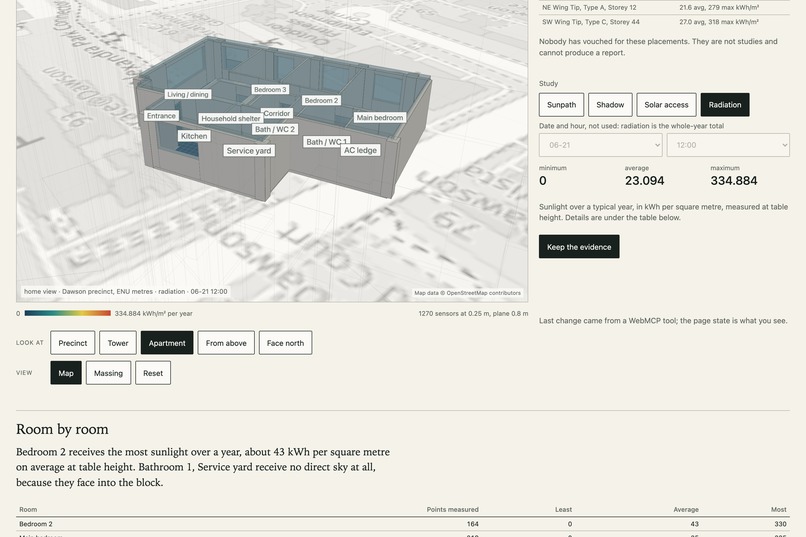
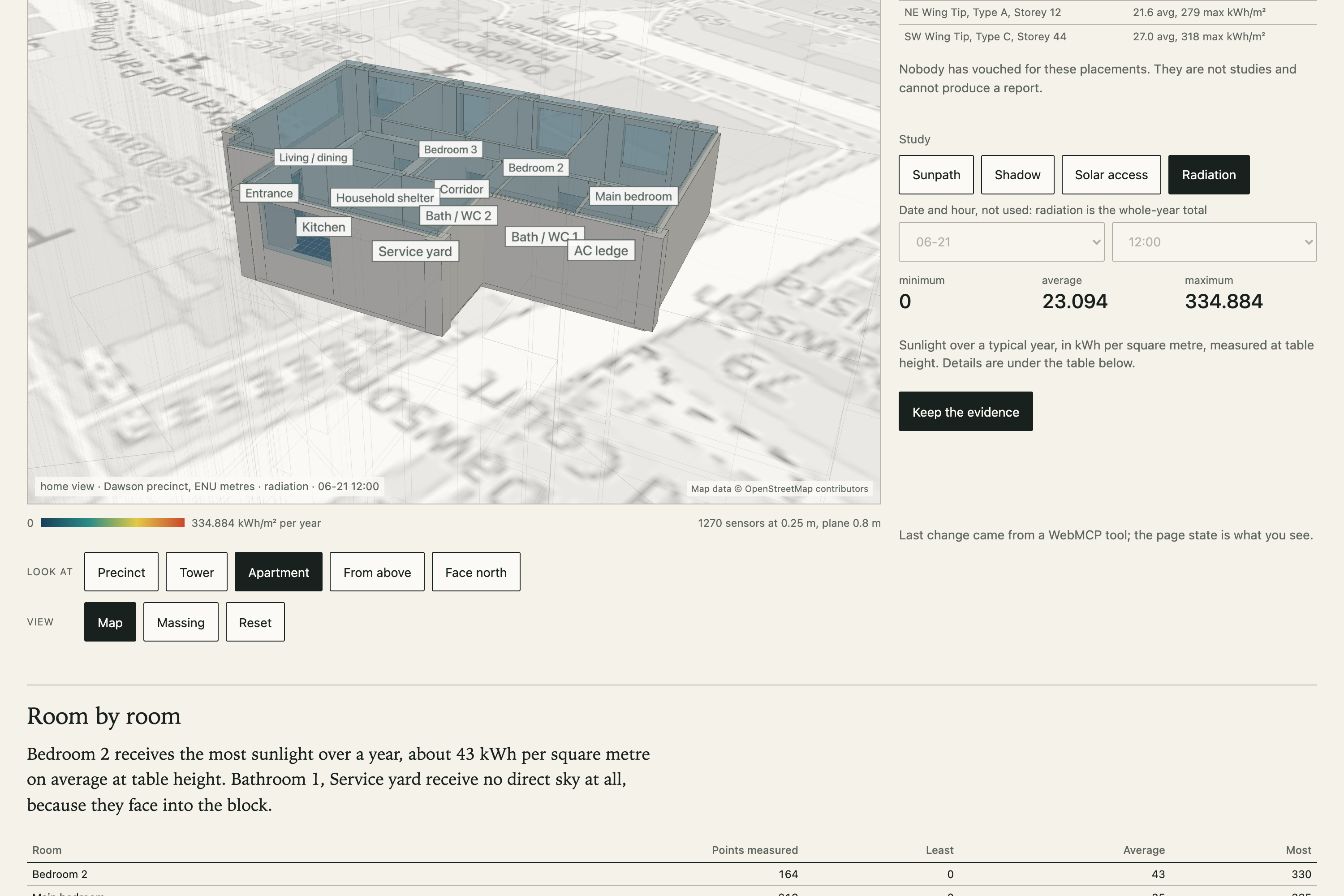
The room-by-room table under the canvas: points measured, least, average and most, in kWh per square metre a year.
-
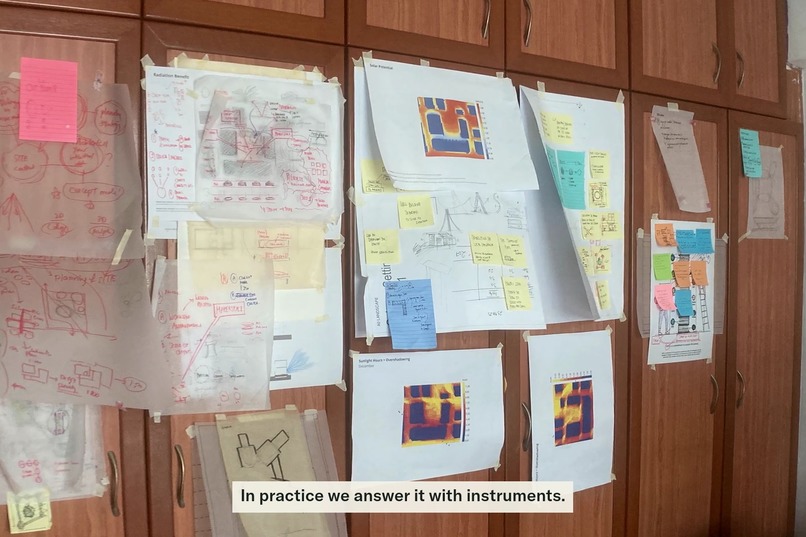
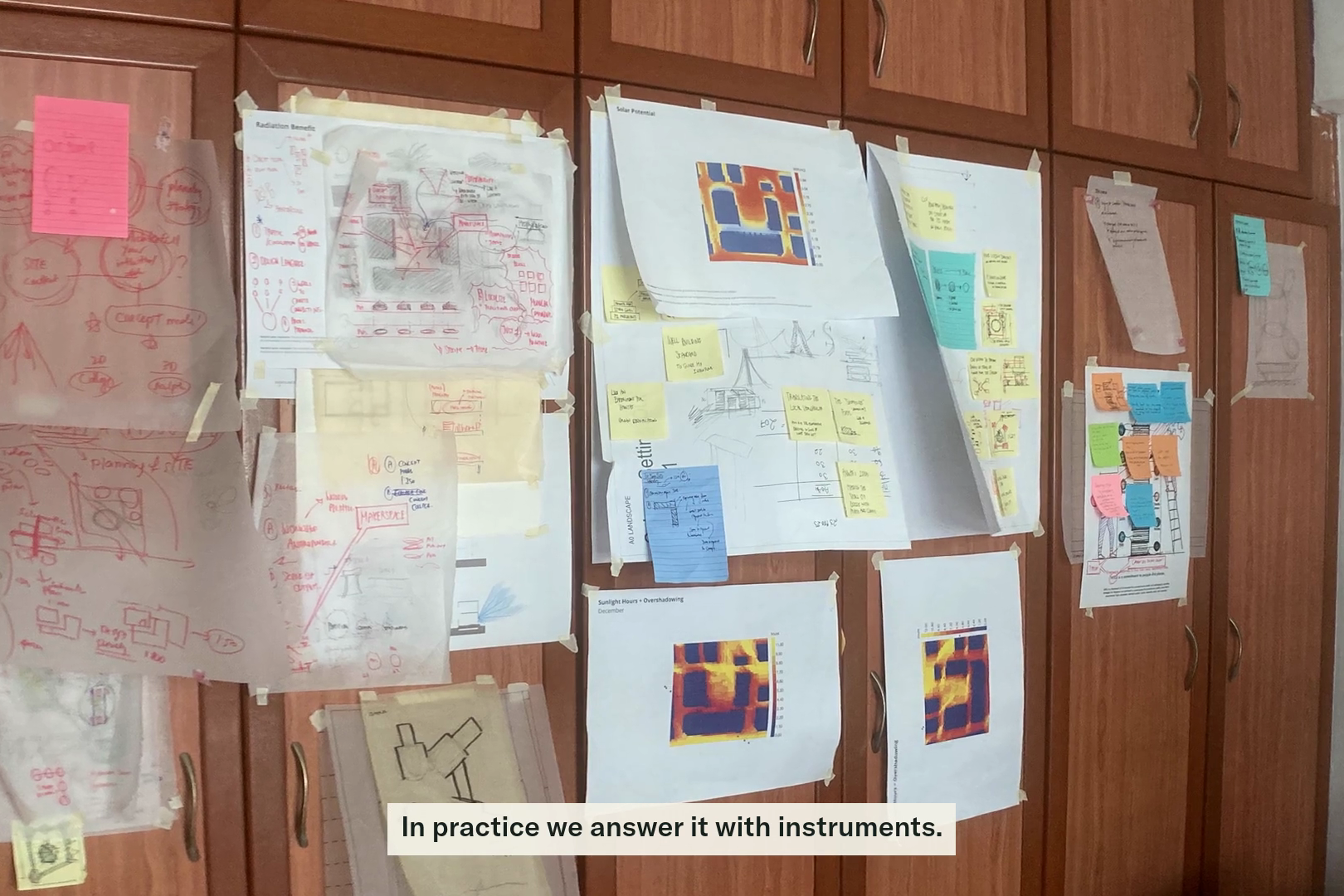
From the film: a studio wall from architecture school, where this question is first answered with instruments rather than adjectives.
-
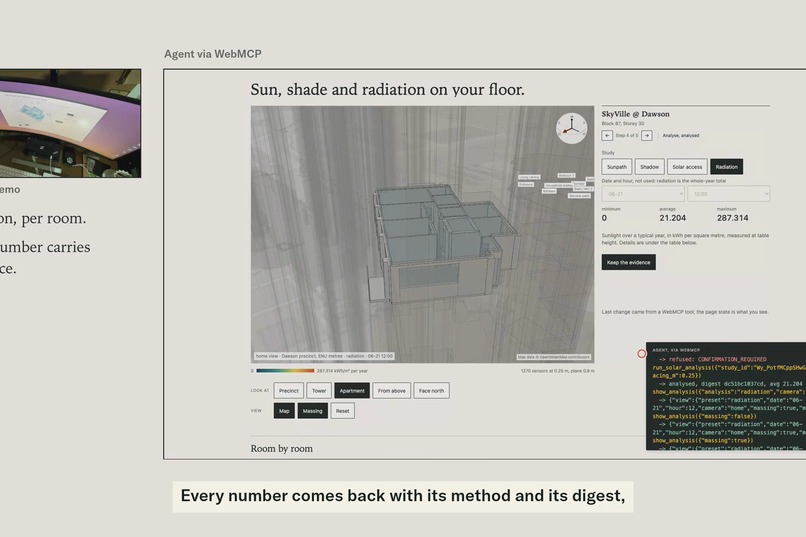
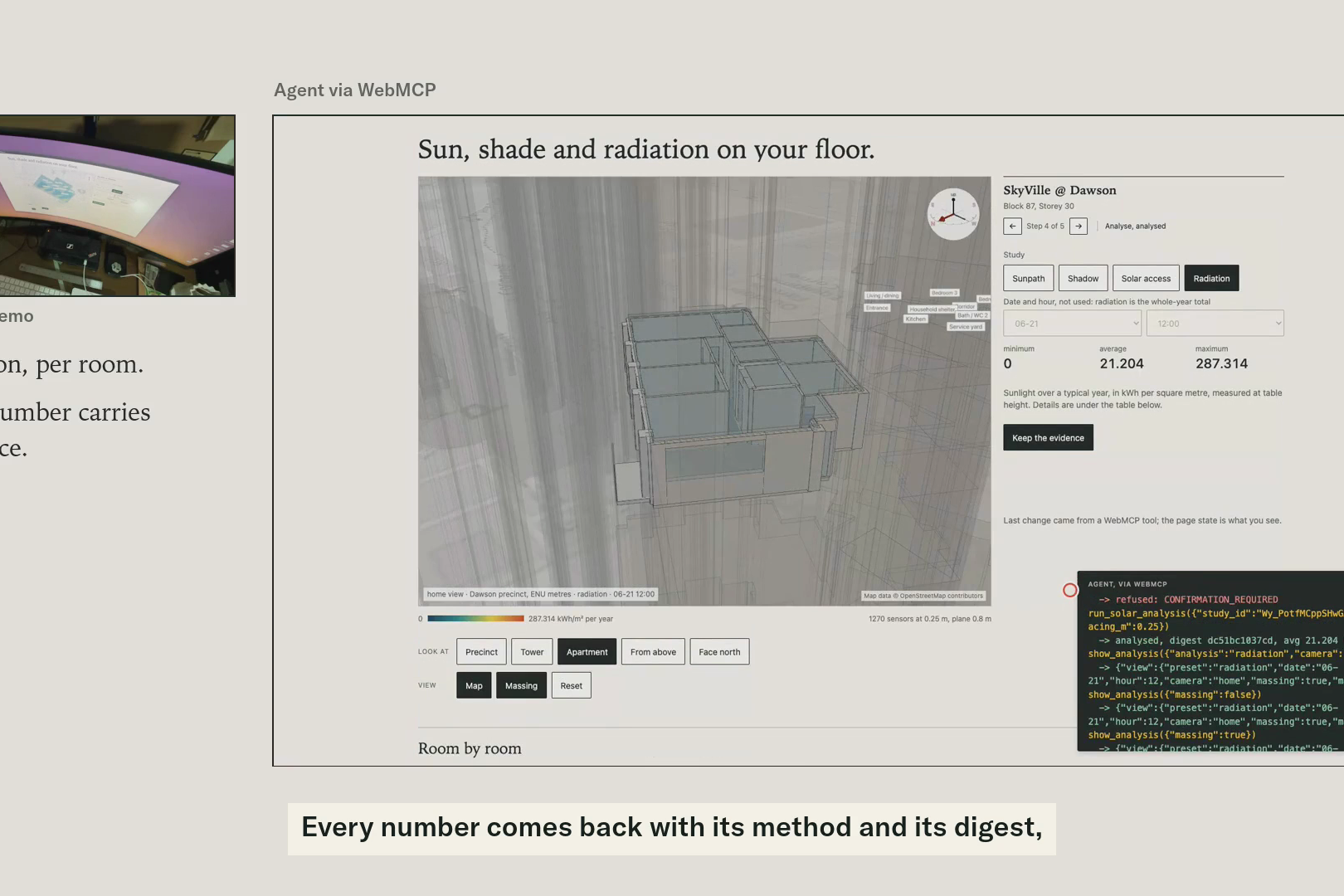
From the film: the desk on the left, the page as the agent drives it on the right.
Inspiration
Will this apartment get the sun a buyer expects? An architectural practice answers that question with instruments: a 3D model of the building and its neighbours, a sun path for the site, radiation on every square metre of floor, hours of direct sun on the days that matter. When a home is sold, the same question gets a sentence. "Bright and airy." "Afternoon sun." Nobody measures it. We wanted the instruments a practice uses for a whole building in the hands of the prospective or current resident of one apartment.
What it does
The resident picks a real block and storey (SkyVille @ Dawson, Singapore, is covered), chooses the wing and layout they recognise on a 3D model of the tower, and confirms it with one click. The engine, Ladybug and Radiance, the same daylight tools an architectural practice runs inside Rhino and Grasshopper, its 3D modelling software, then computes sun path, shadow at sixteen instants, direct-sun hours on four key dates and annual radiation on a 0.1 to 0.5 m floor grid, room by room, and shows it on the apartment in 3D. A result opens as a steep isometric with the apartment's walls sliced 1.2 m above the floor, the way an architect draws a plan, so every room's hot spots read at once; both are ordinary buttons and both are driven by show_analysis. The resident can export a report with the cover, the plans, a north arrow, room labels and the result digest on every page, or the model as GLB, OBJ or 3DM.
How WebMCP fits
The page registers nine tools on 'document.modelContext'. An agent in the browser can list covered homes, open a study, stage a placement, run the analysis, switch the view, explain any number, export, and survey placements without a study. Tools and buttons share one state, so what the agent does is what the person sees.
Study: the resident confirms the unit they will live in with a visible click, and only that path produces the report.
Survey: survey_unit lets an agent analyse any placement without a click and compare units in a row, with every number labelled survey_unconfirmed. Agents explore, people vouch.
There is no confirmation tool. A confirmed argument is rejected. The click is exchanged for a ten-second single-use server challenge. This is the human-agent boundary made concrete: the agent does everything except the one thing only a person can vouch for.
Delegation, added on the extended final day. Once the resident understands what a placement is, clicking confirm for each one the agent stages becomes the bottleneck. So there is a second button: "Let my agent confirm the next 3 placements". One click grants a permission bound to this study and this browser session, ten minutes long, five uses at most, revocable from the rail. Under it the agent's 'propose_unit_placement' comes back already confirmed, and the result carries 'resident_delegated' in its provenance and its digest, never 'resident_confirmed'. The agent cannot grant this to itself; delegate is rejected like confirmed. It can only ask the person. The person stays in the loop as the one who opens the gate and can close it, not as a button pressed a dozen times, and the rate limits that protect the server are unchanged.
How we built it
Frontend: React, Three.js, TypeScript. No LLM in the runtime, no scraping, no accounts, no database.
Backend: Python runs Ladybug and Radiance headless in one Docker container on Render. Geometry is a coordinate recipe of the published 4-room plans and the reconstructed tower plate, labelled sourced, inferred, reconstructed, assumed or human-confirmed. Every result is bound to a SHA-256 digest of recipe, placement, weather and method.
Challenges
- Getting the practice capability out of Rhino at all. In practice these studies live inside Grasshopper on a licensed desktop, driven by hand. Our first attempt kept that shape: a Windows machine at home, a tunnel to the internet, a custom analysis loop that only imitated the real one. It worked once and taught us it could not be the product. The rebuild threw it away as we went towards a backend of Ladybug and Radiance running headless in one Docker container on Render, geometry as a coordinate recipe instead of a CAD file, and no Rhino, Grasshopper or Revit in the runtime. That is what lets a consumer page run a practice-grade study in ten seconds.
- Choosing where it could live. Our web work normally ships on Vercel, and the first plan put the page there with the analysis somewhere else. It cannot work that way we thought it could hahaha. Radiance is a native x86-64 binary that has to sit on disk next to Python, run for several seconds per study, and keep a warm sky matrix between requests. Vercel's static and serverless model has no place for that. Render runs the whole thing as one Docker web service in Singapore, page and engine from one origin, rebuilt from the repo on every push, for about US$25 a month (covered by a Render hackathon coupon, thanks Team Render!). Radiance ships Linux x86-64 only, so the image is amd64 and the analysis has a 15-second budget on one CPU; the fine 0.1 m grid runs in 10.6 s live.
- Making a confirmation that a tool cannot fake without making the product tedious. The answer was two modes with different labels, not a switch.
- A race that only showed on the live host: the page re-sent a placement an agent had staged, and on a slower network the re-send landed after the click and made the confirmation stale. Found by running the browser journeys against production, not localhost.
- Seeing the result at all. The floor heat map sits inside real walls, so from most angles a wall hid the very room you wanted to read. The fix is what an architect does on paper: cut the walls 1.2 m above the floor and look down steeply. Section and Isometric are now the default view of a result, and an agent can ask for them through 'show_analysis'.
- Working with one hand. An accident left my wrist too painful to type with, so this was dictated. More under What we learned; the last forty seconds of the film are about it.
Accomplishments
- A real ChatGPT desktop agent discovered all nine tools, surveyed three units, chose one, staged it, was refused, waited for the click, then ran and explained the confirmed study.
- A practitioner read the report and said it was what a sustainability consultant takes weeks to produce.
- Every export is byte-stable and digest-bound; the same inputs give the same file.
- Delegation shipped on the extended final day: one click by the resident, and the agent staged and analysed a new placement with no further click, the result labelled resident_delegated inside its digest, and a Revoke button in the rail the whole time. Covered by the API, unit and browser test suites.
- The whole build was dictated, and the outputs were reviewed rather than the code. It still passes 22 API and geometry tests, 5 reducer tests and 9 browser journeys across three viewports.
What we learned
- Agents need labels more than they need permissions. Once every number said "confirmed" or "unconfirmed", we could open the analysis to agents without weakening the evidence.
- The rate limit that protects the server is the first thing an agent hits when it tries to be useful. Separate budgets by mode fixed it.
- Test against the deployed URL. Two bugs lived only there.
- The hard part was never the physics. It was taking a tool that lives inside a desktop CAD licence and making it a service. Once it was a service, both the consumer page and a practice could call it.
- The same engine that answers one resident can answer a practice. That is the door this challenge opened for us.
- How it was made is itself a lesson. Two weeks before the deadline an accident left my wrist too painful to type with. This project was dictated: I spoke the briefs into Codex, Codex wrote the code, and we went round and round, me reviewing every screen, every number and every export and sending back what was wrong. I read less code and judged more results. I cannot vouch for every line the way I could for a hand-written codebase, and I say so; I can vouch for what it does. That meant letting go: less reading code, more judging results. Two things surprised me. Speaking lets a thought arrive whole, in a way typing never did, so briefs got longer and clearer. And trusting the agent with the code freed me for the decisions only a person can make, which is exactly what the product asks of its own users. I will keep working this way, and I would tell anyone who has not tried dictating to an agent to try it.
What's next
- Proper base geometry. Today the tower and the apartments are coordinate recipes traced from published plans. The next step is to model the developments properly in Rhino or Revit once, keep provenance on every element, and feed that one model to everything: the 3D view, the analysis mesh, the plan cards and the exports. The engine stays headless; only the source of the geometry changes.
- The rest of SkyVille @ Dawson first: Block 87 also has a published 3-room plan, and Blocks 86 and 88 add 4- and 5-room plans; then the nine developments already drawn on the grid.
- Let the agent ask for a delegation in words the resident can accept with one click, with the scope written out in the page before the click.
- A survey progress indicator ("2 of 24 surveyed") and separate badges for survey and confirmed evidence in chat, both suggested by the ChatGPT agent that tested it.
- The practice-side version of the same engine.
Built With
- docker
- fastapi
- ladybug
- python
- radiance
- react
- render
- three.js
- typescript
- webmcp


Log in or sign up for Devpost to join the conversation.