-
-
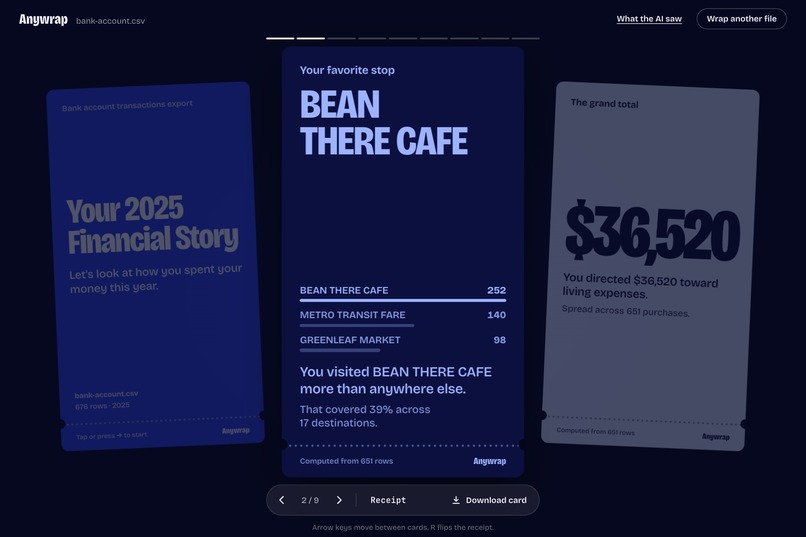
A story card, computed in the browser from every row
-
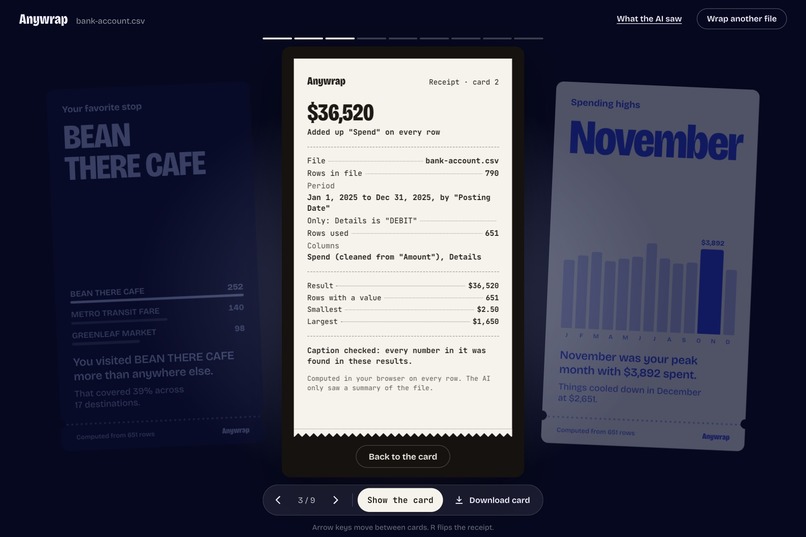
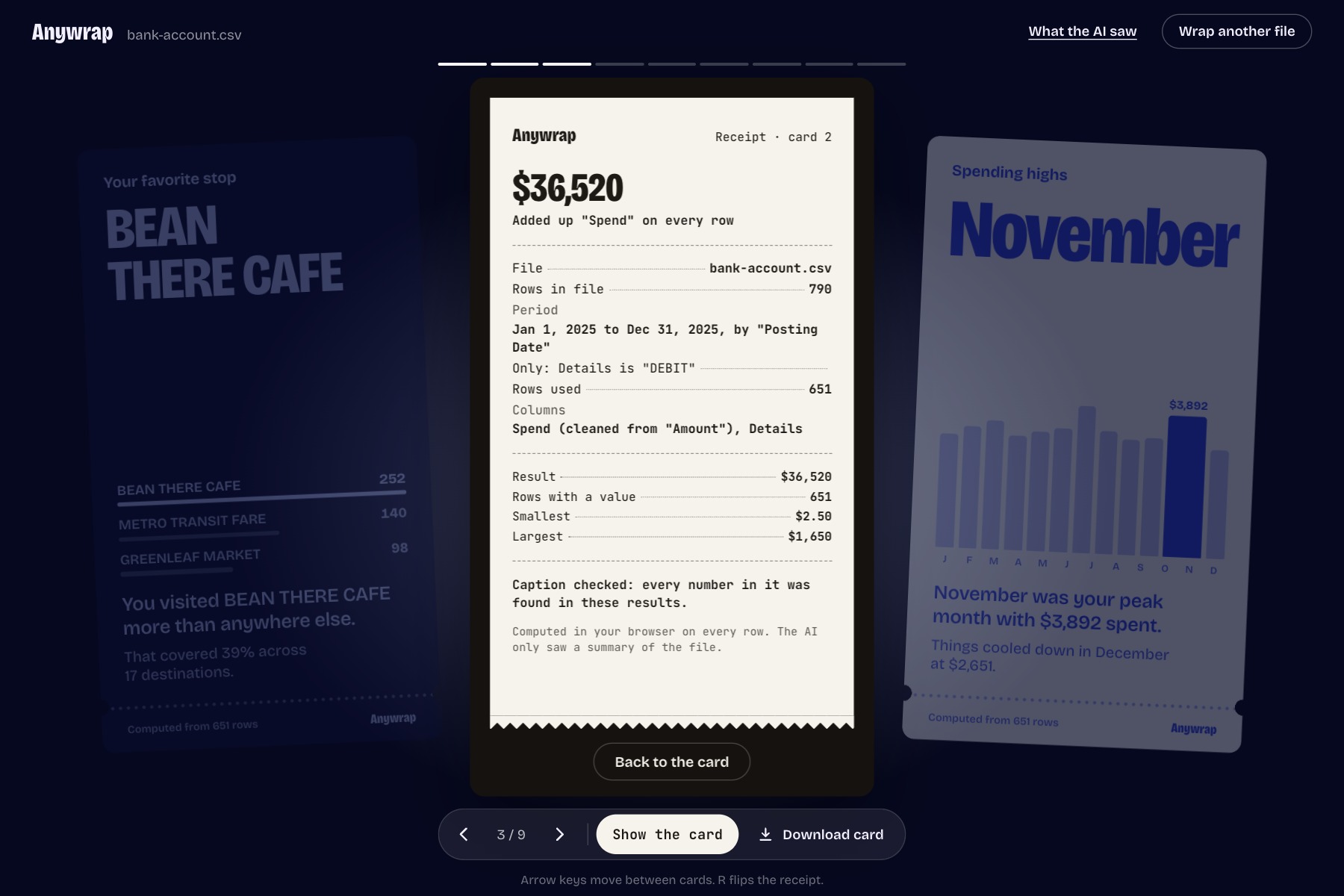
Flip any card to see its receipt: columns, period, rows used, and the checker's verdict
-
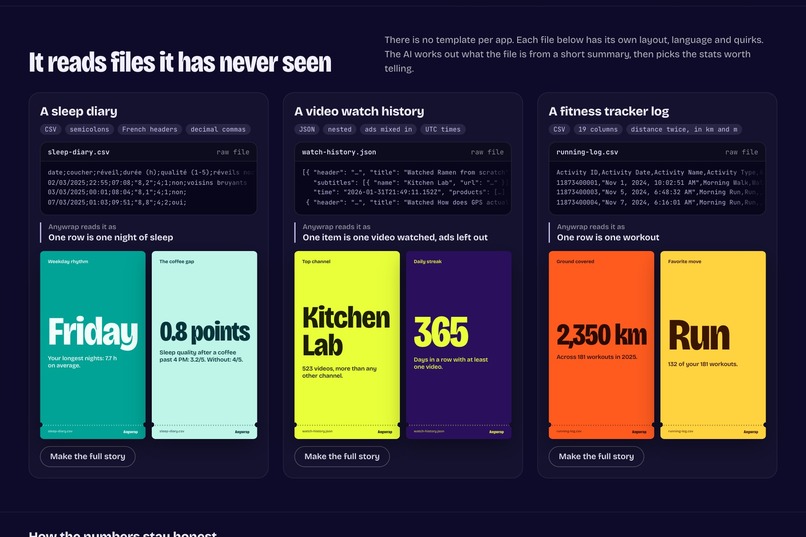
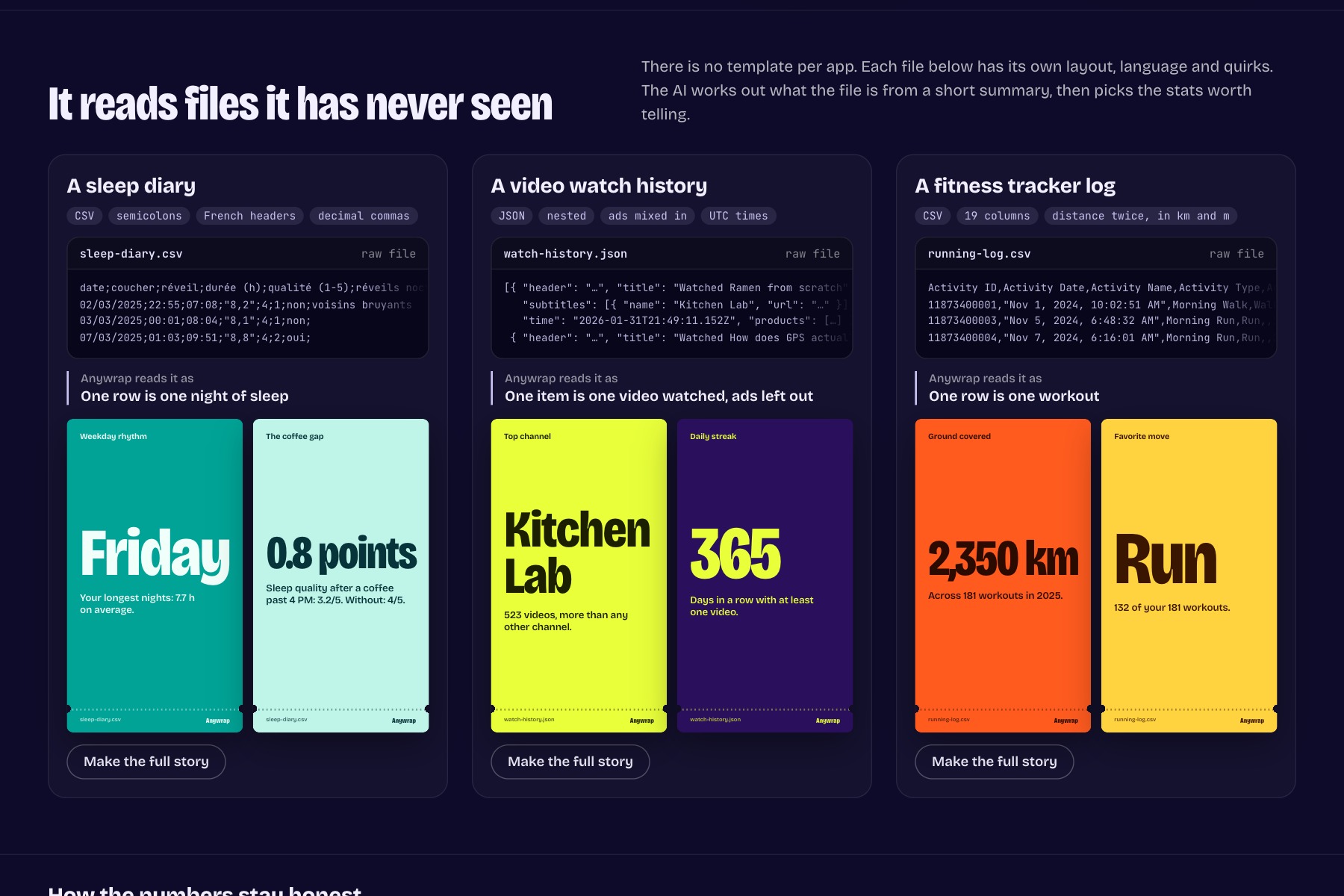
Three very different files: a French sleep diary, a nested JSON watch history, a 19-column fitness log
-
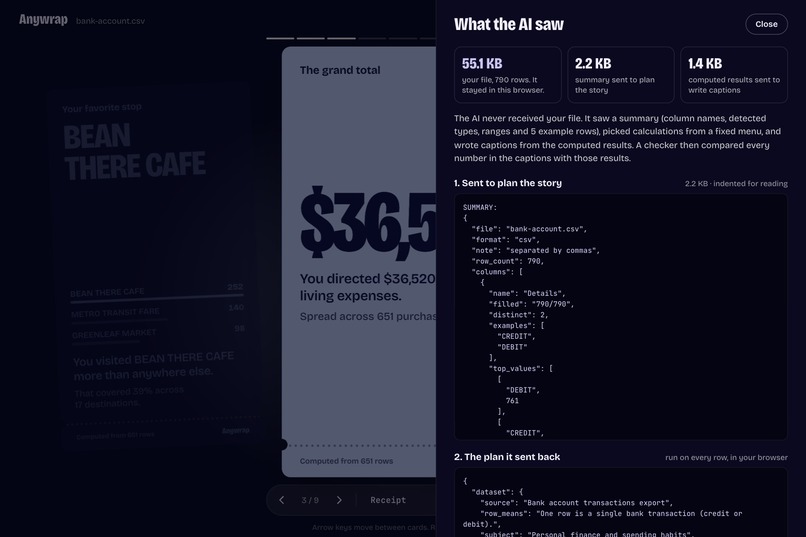
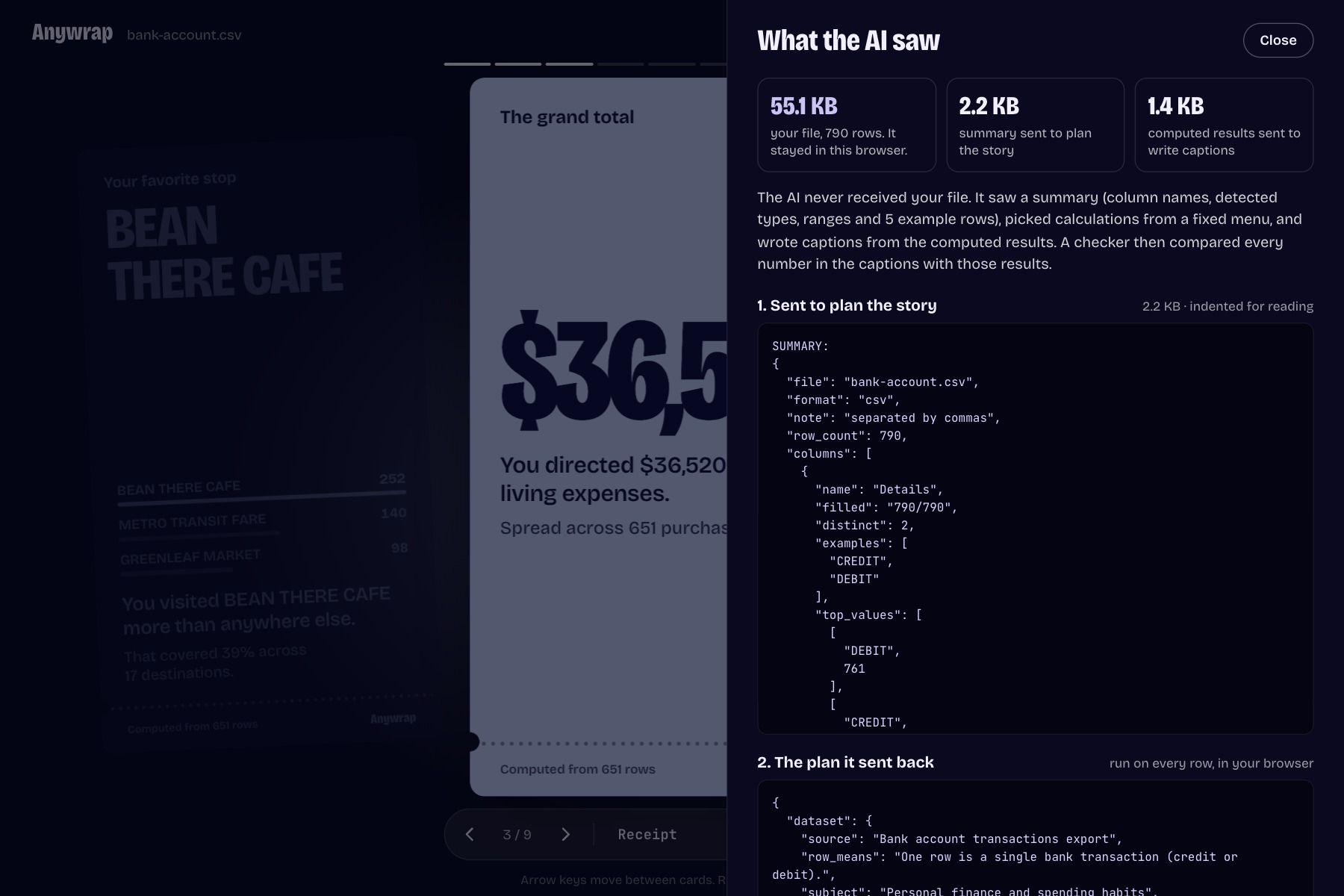
What the AI saw: a 2.2 KB summary of a 55 KB file
-
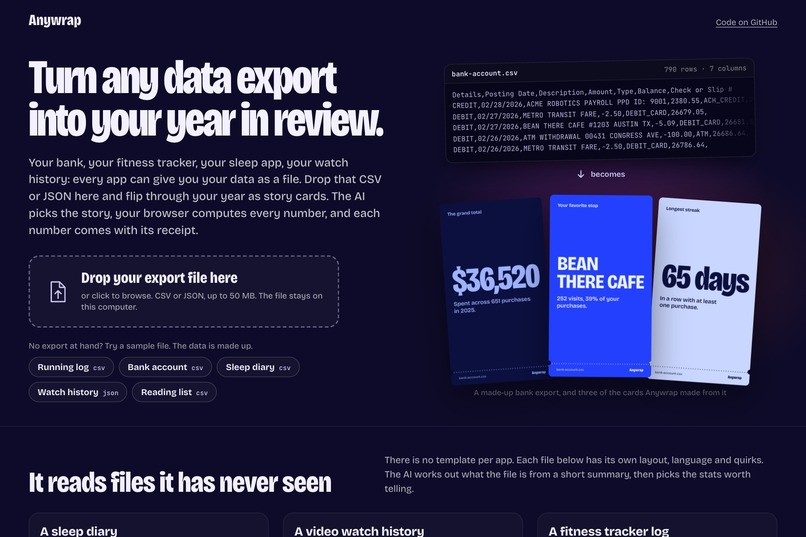
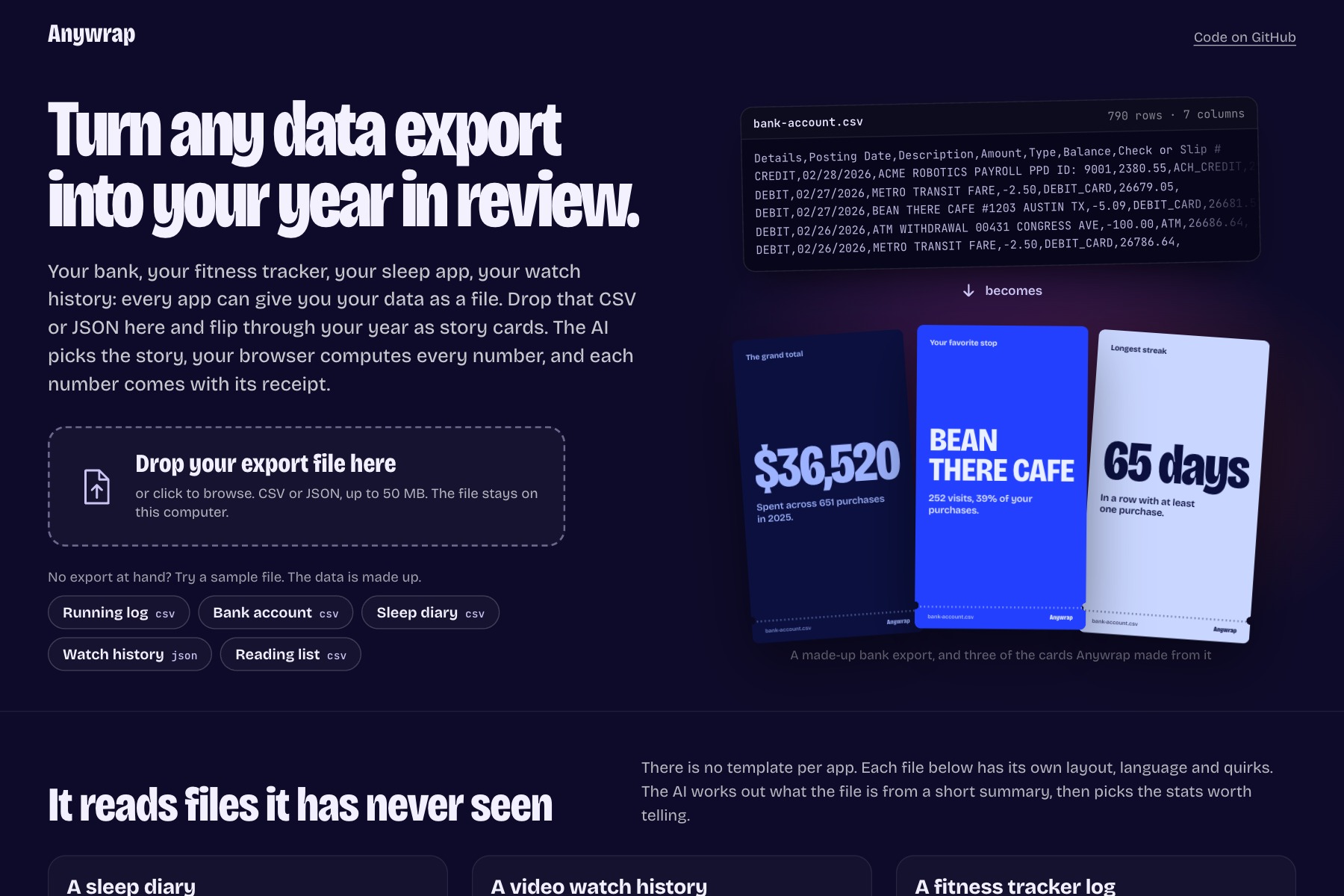
Home: a raw bank export and three of the cards Anywrap made from it

Inspiration
Every December, Spotify turns a year of listening into a story, and people can't stop sharing it: 200 million of them opened Wrapped 2025 within a day. Meanwhile, every other app we use keeps the same kind of record about us. Runs, purchases, sleep, what we watched. Thanks to laws like GDPR and CCPA, you can ask most of them for a copy. What arrives is a pile of CSV and JSON files that nobody opens twice.
The obvious fix is to paste the file into a chatbot. It will happily give you numbers. You just can't tell which ones it made up.
What it does
You drop a CSV or JSON export, or tap one of the five sample files, and Anywrap plays it back as a year-in-review: a title card, 7 or 8 full-screen stat cards with charts, and a closing "persona". It works on files it has never seen. The samples are deliberately awkward: a fitness log with 19 columns (some of them duplicated), a US bank CSV with negative amounts, a nested video-history JSON, a book tracker export, and a sleep diary with French headers, semicolons and decimal commas.
Flip any stat card and you get its receipt: the calculation in plain words, the columns, the period, which rows were left out and how many, and the table behind the chart. A "What the AI saw" panel shows the exact text that was sent to the model, next to the size of your file. For the bank sample, the AI got a 2.2 KB summary of a 55 KB file. Any card can be saved as a 1080×1920 image.
How it works
The AI never writes a number. It's called twice, and code does everything in between.
First, the browser reads the file and builds a short summary: column names, detected types, ranges, a few example rows. Gemini gets only that summary and sends back a plan: what the file is, which rows to leave out (incoming payments, rent, ads…), and 6 to 8 calculations picked from a fixed menu (total, average, record, top, timeline, busiest day, streak, share, comparison). The API holds the plan to a JSON schema.
Then the browser runs the plan on every row. If a calculation fails, say on a misspelled column, the errors go back to the AI once for a corrected plan.
Finally, Gemini gets the computed results and writes the captions. A checker compares every number in every caption with that card's results, including numbers spelled out in words and words like "twice". A rejected draft gets one rewrite. If it still fails, Anywrap writes a plain caption from the results itself.
A small local Node server holds the API key and the prompts, so the key never reaches the browser. It runs on Gemini's free tier, so trying it costs nothing.
Who it's for
Anyone who has requested their data from an app and given up halfway through the first file. People who keep their own logs in a spreadsheet. And people who would rather not paste their bank statement into a chatbot to find out where the money went.
Challenges I ran into
The API rejected my first plan schema with "compiled grammar is too large" as soon as it had optional fields. I flattened it: every field is required, an empty value means "not used", and a small normalizer turns the answer back into a clean plan.
Dates were the other fight. Month-first or day-first, timestamps in UTC, bedtimes after midnight. Averaging 11 PM and 1 AM has to give you midnight, not noon.
The checker also had to be strict without being silly. Its first version rejected "the books you finished in 2025", because 2025 wasn't a computed result.
Late in the build I moved the whole thing to Gemini's free tier, so nobody needs a paid key to try it. The bigger Flash models kept answering "high demand" that night, so it runs on Flash-Lite. A smaller model plans a bit worse, and I could see it right away: it skipped captions, repeated filters, showed a workout time as 648,779 seconds. Each of those became a rule in the code instead of a hope in the prompt. Only one file talks to the AI, and the checker didn't change at all.
Accomplishments I'm proud of
The AI recognized all five formats from the summary alone. On every sample, the engine's numbers match a separate recalculation in the test suite. The full pipeline passes on all five files against the real API. The checker earns its place: on the sleep diary it caught "zero awakenings", a number written in words, and sent it back. A 30 MB file gets read and summarized in under a second.
What I learned
Test the scary part first. Before any real code, my coding agent ran a one-hour throwaway test: five fake exports, two models, every number checked again in Python. It worked, and that hour shaped the whole design.
Models are good at reading the shape of data. I don't want them doing arithmetic inside a sentence. Splitting "choose" from "compute" made the AI more useful here, because I could finally trust what it chose.
And showing the work changes how an AI feature feels. The receipts started as a safety net. They ended up being my favorite part of the app.
What's next
Whole archives, like a full Google Takeout zip with several files merged into one story. Captions in the file's own language.
Try it
Since submitting, I put a web version online: https://g-hostin.github.io/anywrap/. The samples work without a key: they replay the AI's answers from a real Gemini run, and everything else (reading the file, every calculation, the checker) runs live in your browser. To wrap your own file, paste your own free Gemini key. It stays in your browser and only goes to Google.
A note on the data
Everything in the demo and in the repository is made-up sample data: fictional merchants, channels and gear, and public-domain book titles. The project started from an empty folder with the Devpost Learn skill pack, and the planning documents (scope, PRD, spec, checklist) are in the repo's devpost/ folder.
Built With
- gemini
- google-ai-studio
- html-to-image
- node.js
- react
- typescript
- vite

Log in or sign up for Devpost to join the conversation.