-
-
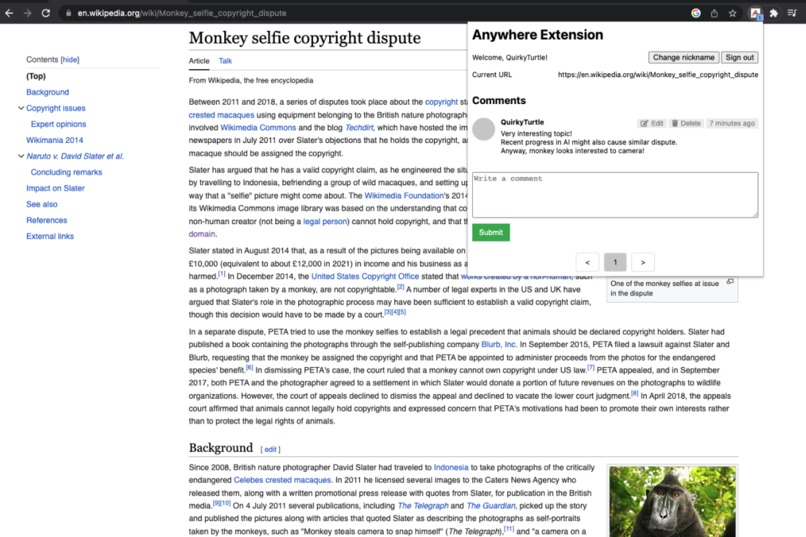
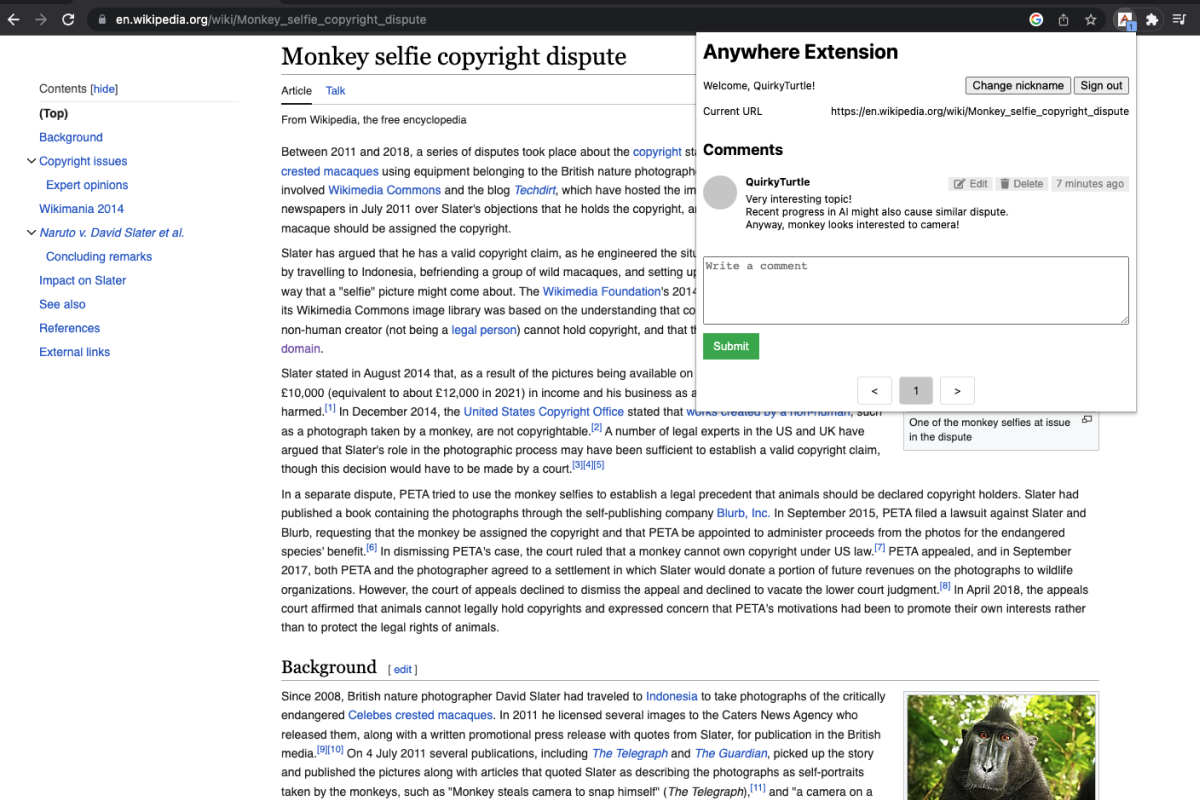
Screentshot of Anywhere Comment Extension
-
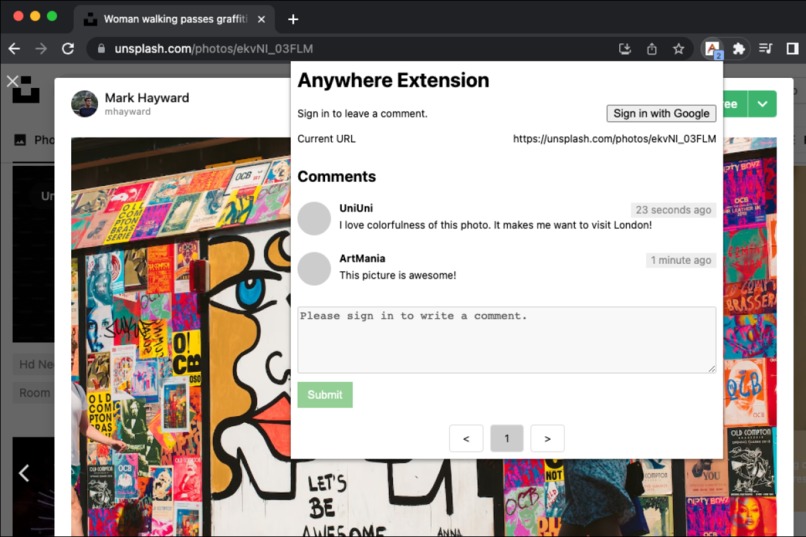
Screentshot2 of Anywhere Comment Extension
-
Thumbnail of Anywhere Comment Extension

Inspiration
Have you ever stumbled on the website that makes you want to ask a question or talk about the topic on it, but doesn't support comment feature? Well, I had experience that I wanted to ask some question on API documentations or talk about interesting document on Wikipedia, but they don't support comments.
So I developed Anywhere Comment Extension, a browser extension to enable you to comment on any website.
What it does
- View comments on the website
- Write/Update/Delete comment on the website
- Preview count of the comment
- Authentication (required to register a comment)
How we built it
I built three components: extension, website, and server. I built website to support mobile users, because mobile Chrome doesn't support extension. Website only supports viewing comments.
Extension is built with HTML, CSS, and Javascript. This was my first time to build an extension. I spent some time to learn it and it was very fun. I submitted it to Chrome Web Store but I think it takes some time to be approved.
Website is also built with HTML, CSS, and Javascript. I wanted minimal dependency, so I just used Vanilla javascript and Parcel build tool. It is served on Google Cloud's Cloud Bucket (object storage), Cloud CDN.
Application server is built with Node.js using Koa framework. I used passport package to implement authentication. I used Sign in with Google, and JWT authentication with access token and refresh token for authentication. I used MongoDB Atlas for database. Server is hosted on GKE(Google Kubernetes Engine).
Challenges we ran into
- MongoDB Atlas Serverless instance does not support Private Service Connect
I chose the serverless instance to minimize the cost. But serverless option did not support Private Service Connect. I wanted to restrict network access to database for security. I had some struggle to resolve this and at last I used Cloud NAT to fix the source IP address of outbound traffic from my application server so that I can whitelist the ip address of my server.
- GCE Ingress does not support backend bucket
My project serves static contents from Cloud Storage and it can be configured as backend bucket in load balancer. However, in GCE ingress configuration, it doesn't support routing to backend bucket. I wanted to route to bucket according to path, but it seemed not possible at the moment. I mitigated this issue by using two domains and two load balancers, and adding CORS policy.
- Authentication
To make things easier in the Kubernetes environment, it's good not to have stateful API calls, because pods can easily terminated or reinstantiated and also service can route request to different pod each time. So, I used JWT authentication. After user is authenticated by Google OpenId Connect, our server issues two token: short lived access token and long lived refresh token. Setting access token's valid time short and issuing refresh token can add more security to authentication.
- Support for mobile users
Since mobile chrome doesn't support extension, I needed another way to provide service to mobile users. I chose to create a website for mobile users.
Accomplishments that we're proud of
My first browser extension: This is my first extension I developed. So it feels great!
Stateless Authentication with JWT: Stateful API doesn't mix well with Kubernetes, since pods can be easily terminated or instantiated and service can route the traffic to different pod each time request is received. So I chose to use JWT authentication. I think choosing JWT authentication made implementation much easier.
What we learned
MongoDB Atlas: I learned quite a lot about MongoDB while building this project. Concepts like replica set, read/write concern, sharding and actually using it made me more confident in MongoDB.
Google Cloud: This was my first time using the Google Cloud (except using Google OAuth service in the past), and I learned a lot about it and had a great experience. Especially, using
gcloudCLI tool made me quite happy.Developing browser extension
What's next for Anywhere Comment Extension
- Show popular websites with most comments
- Reporting a offensive comment
- More beautiful styling
- etc
Built With
- chrome
- css3
- extension
- gcp
- gke
- google-cloud
- html5
- javascript
- koa
- kubernetes
- mongodb
- mongoose
- node.js
- passport
- rest

Log in or sign up for Devpost to join the conversation.