-
-
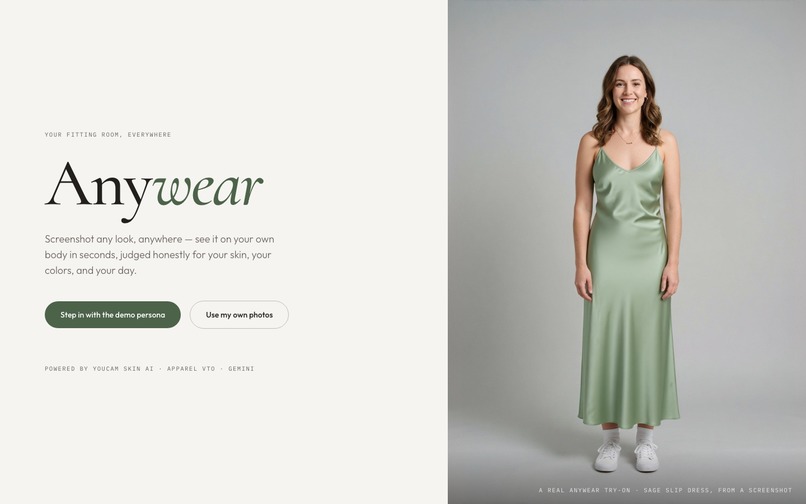
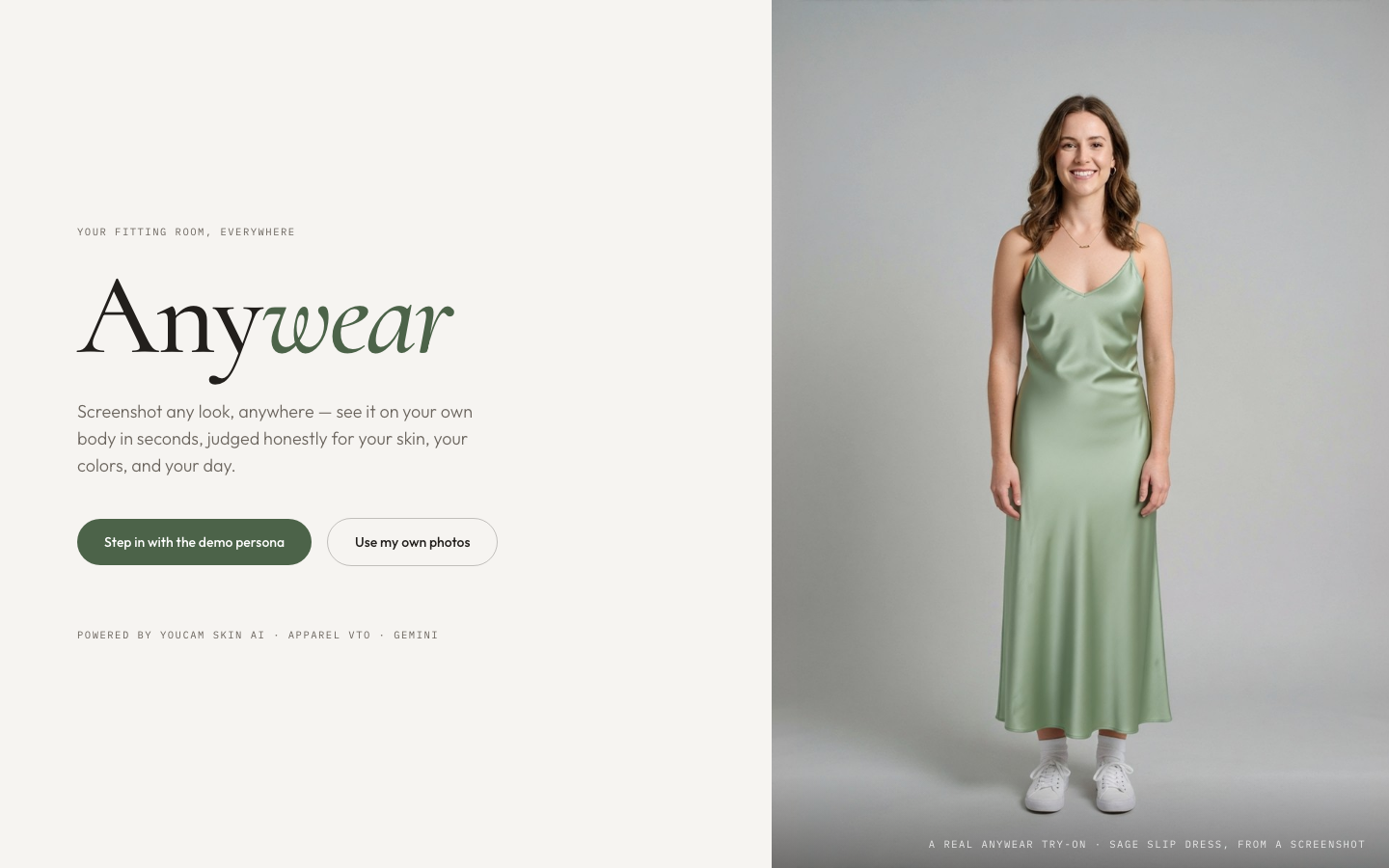
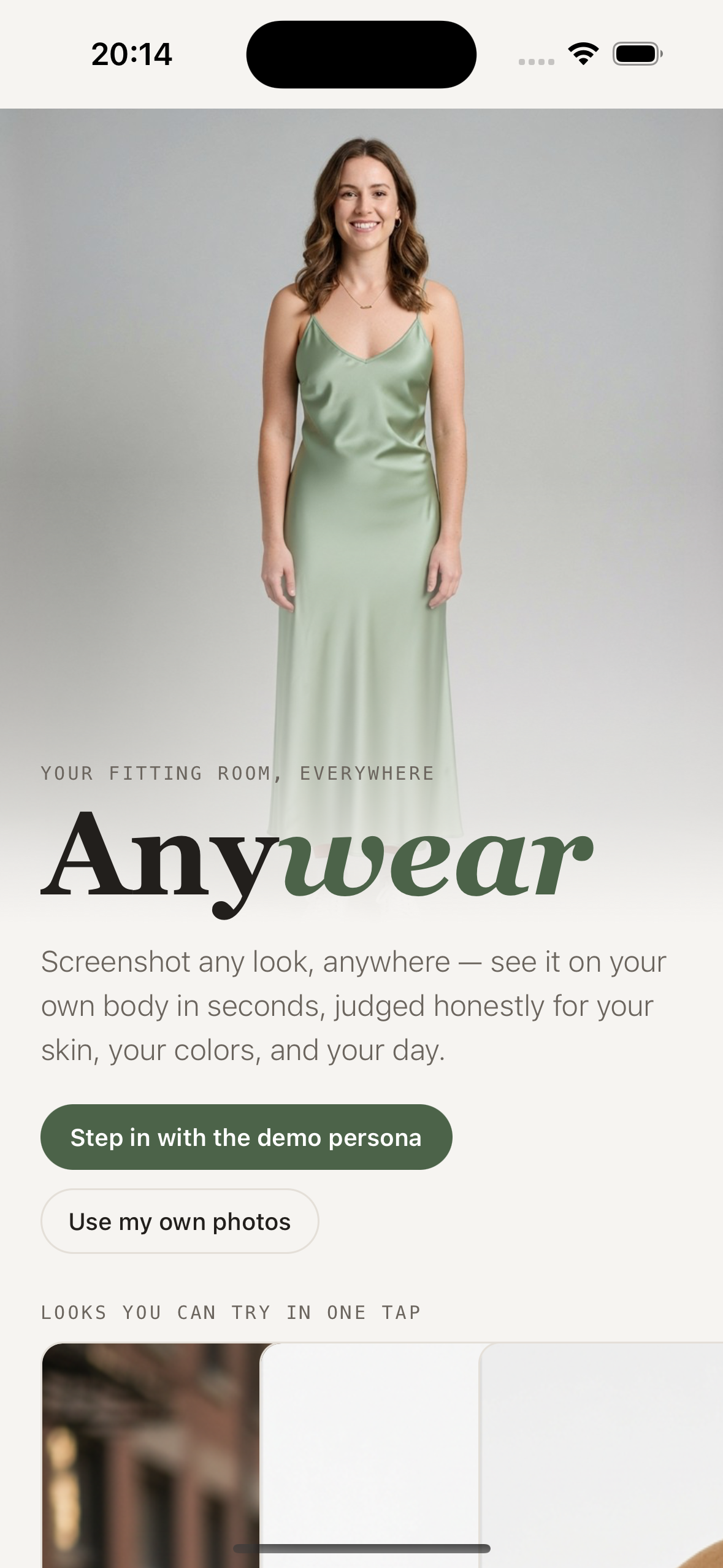
Anywear turns any fashion screenshot into a personal fitting room.
-
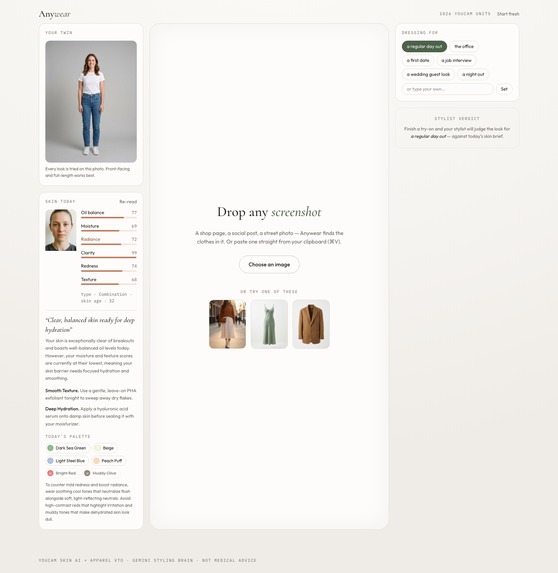
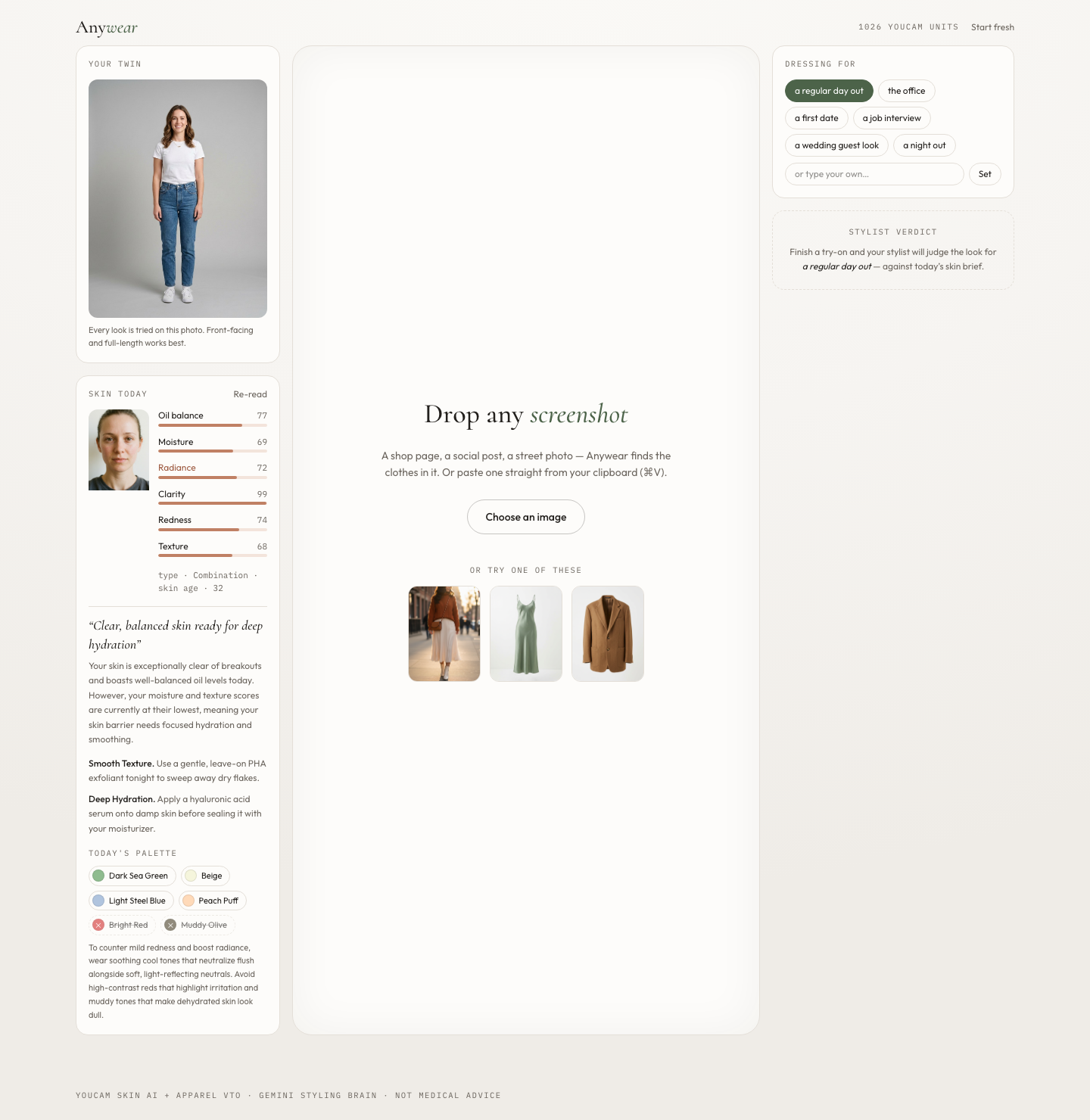
YouCam Skin AI measurements become practical care and clothing-color guidance.
-
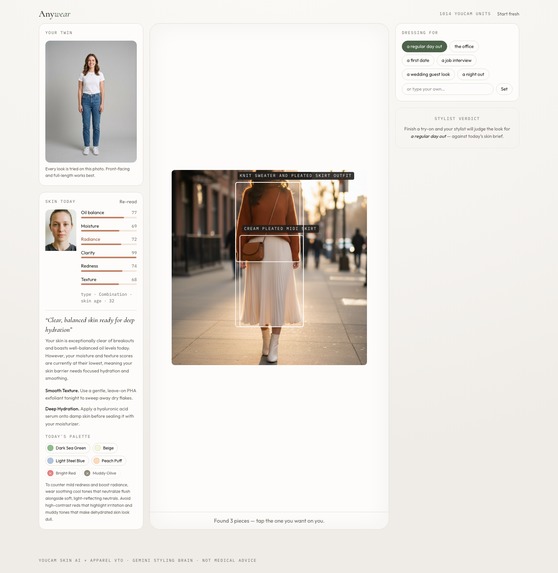
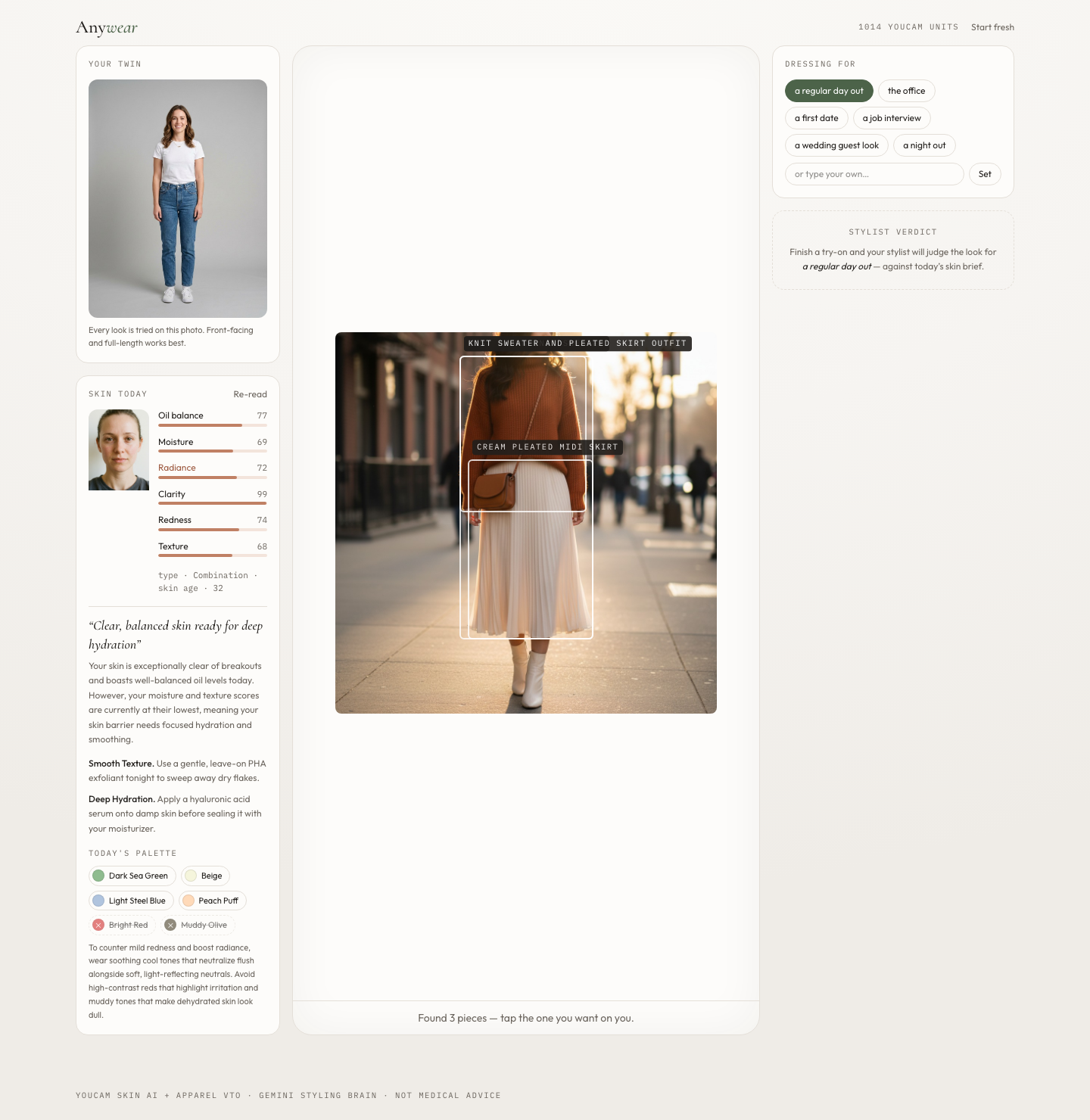
Gemini identifies and crops wearable garments from an arbitrary screenshot.
-
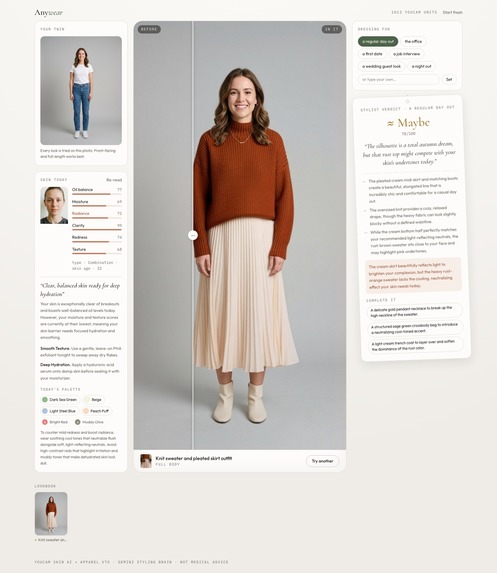
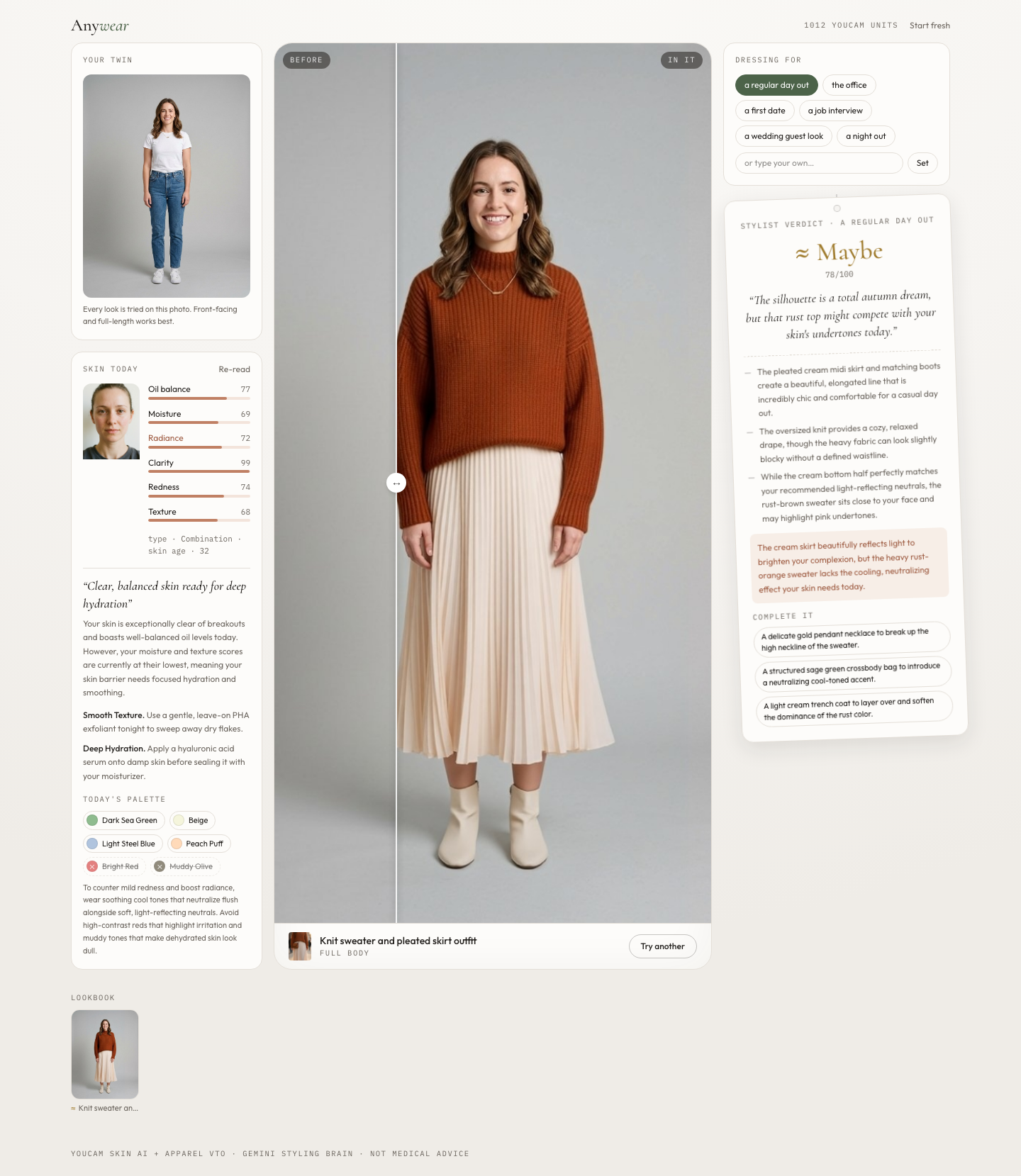
The finished try-on is judged against today's skin brief and occasion.
-
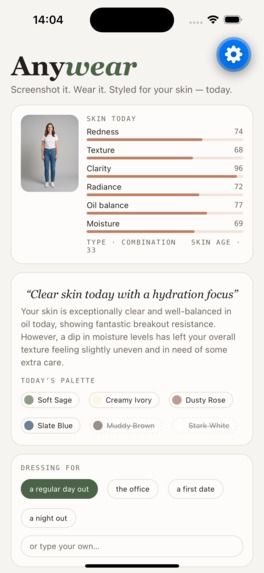
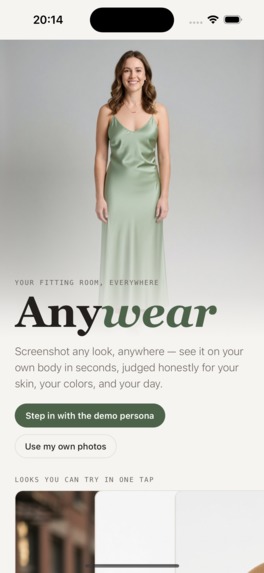
The complete Anywear experience also runs as an Expo mobile app.
-
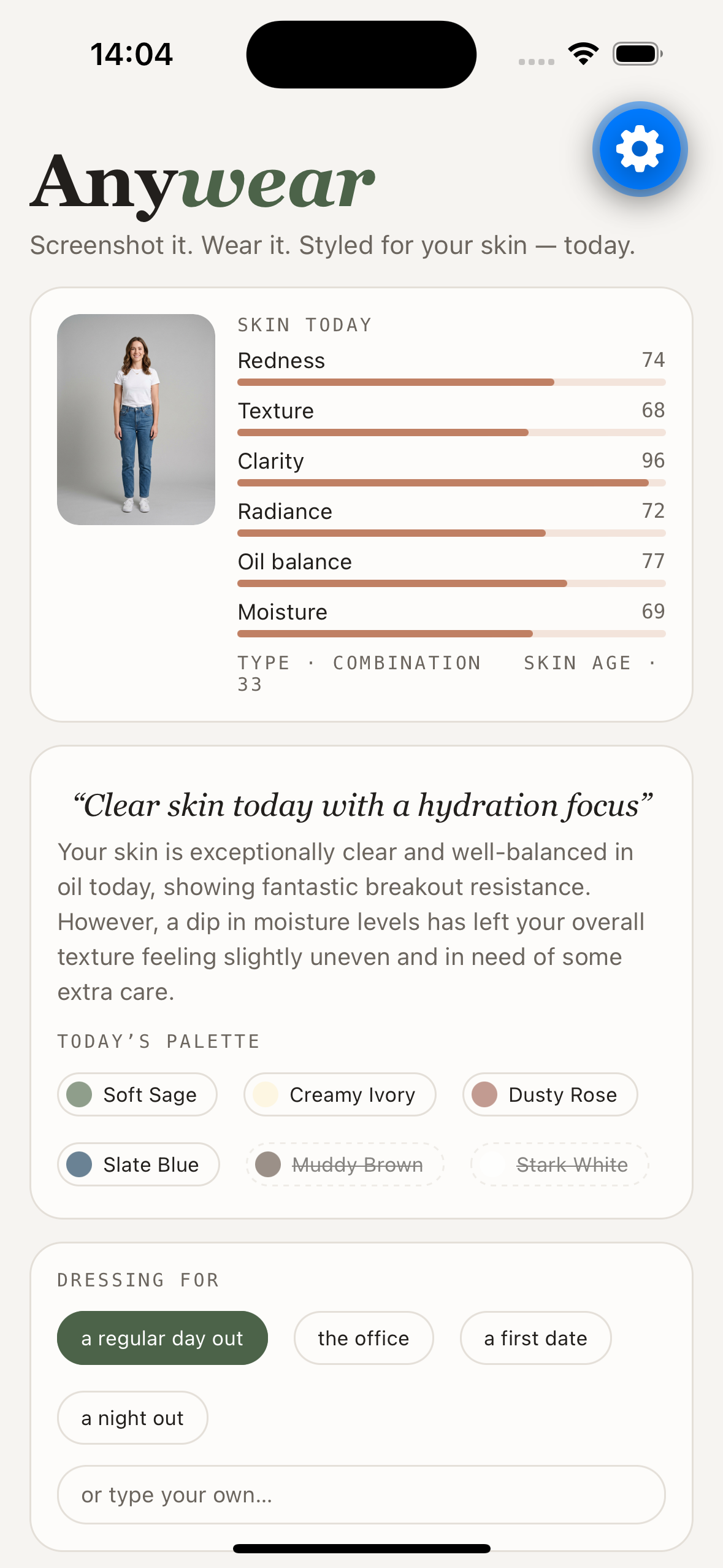
Skin measurements and the daily brief on mobile.
-
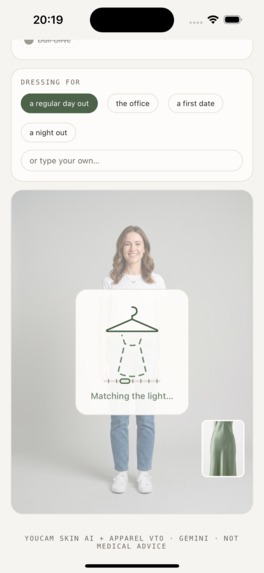
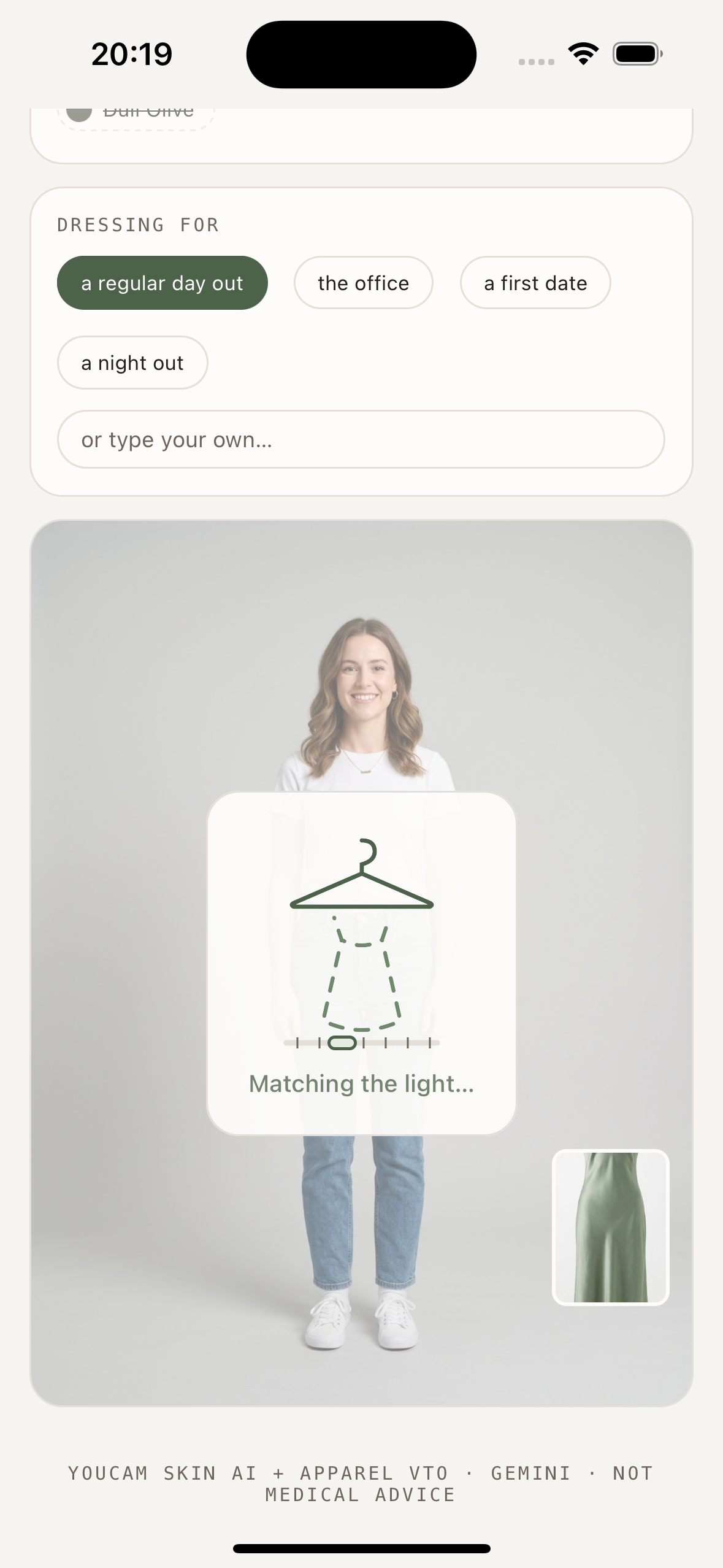
A crafted tailoring experience while YouCam generates the outfit.
-
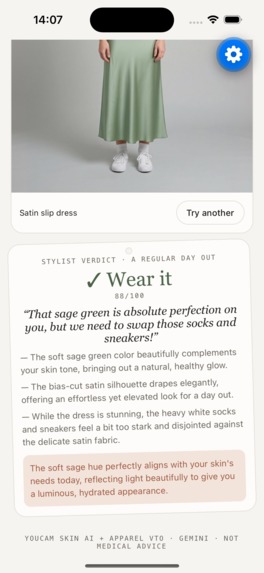
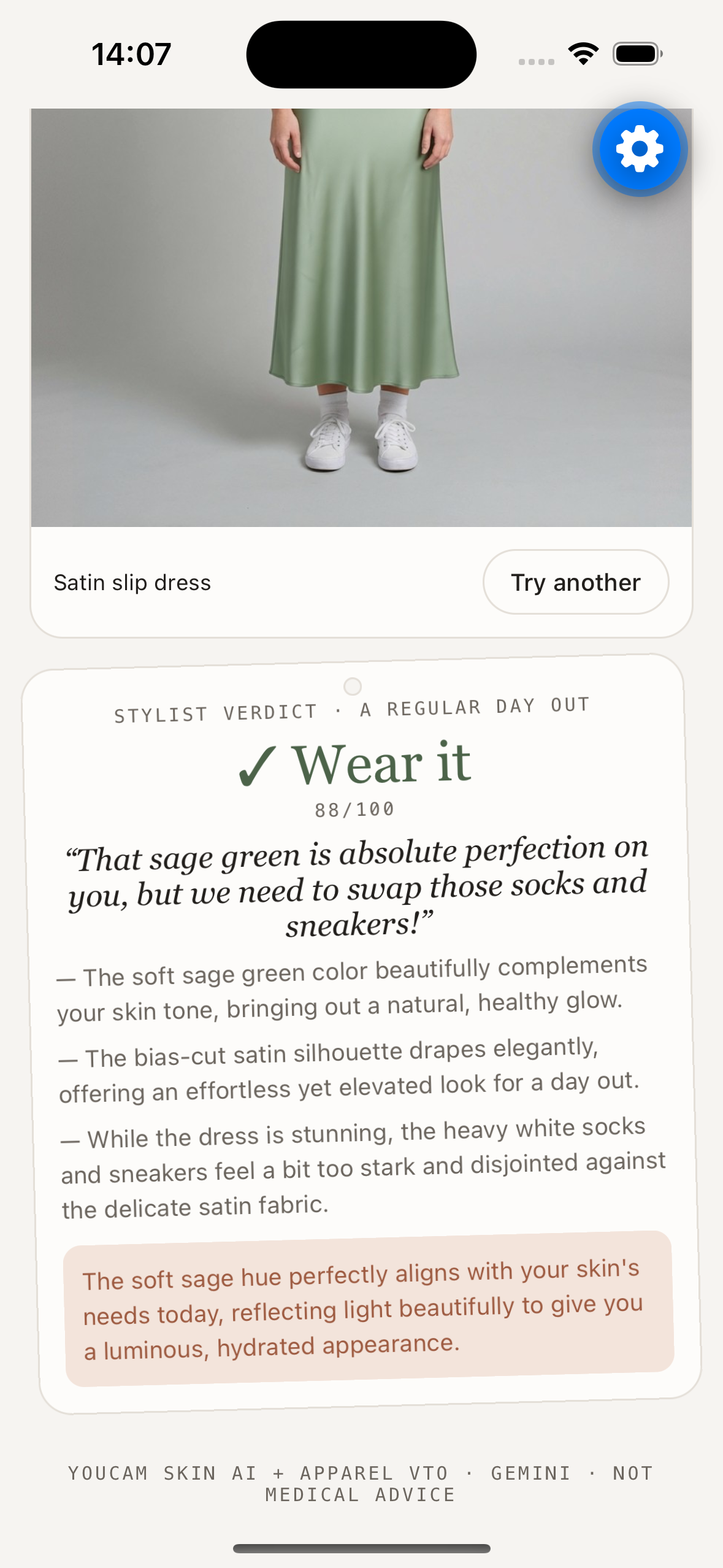
The occasion-aware stylist verdict on mobile.
Inspiration
Fashion inspiration lives in screenshots: a shop page, a social post, or a street-style photo. But a screenshot cannot answer the two questions that decide whether you will actually wear something:
How will this look on me? Does it work for me today?
Most products also treat skincare and clothing as separate worlds, even though skin condition, color, fabric, and occasion all affect how an outfit reads. Your mirror does not separate them, so we built one experience that connects them.
## What it does
Anywear is a portable AI fitting room with an honest stylist inside.
Create your twin. A full-body photo becomes your virtual try-on model, while a bare-faced selfie establishes your current skin baseline.
Understand your skin today. YouCam AI Skin Analysis evaluates redness, oil balance, moisture, radiance, clarity, texture, skin type, and skin age. Users can inspect concern-specific masks on their own face. Gemini turns those measurements into a daily brief with practical care actions and a wearable color palette for that day.
Try anything you find. Upload or paste a fashion screenshot. Gemini Vision identifies the wearable garments—even through prices, buttons, and other page clutter—labels them, classifies them as upper, lower, or full-body, and returns precise crop coordinates.
See it on yourself. The selected garment is sent to YouCam AI Clothes Virtual Try-On v4. Seconds later, the generated result appears in a draggable before-and-after mirror.
Get an honest verdict. Gemini examines the actual generated try-on, combines it with the skin brief and selected occasion, and returns Wear it, Maybe, or Skip it, with grounded reasons, skin-color harmony guidance, and pairing suggestions.
Build a lookbook. Every judged outfit is stored on-device for side-by-side comparison.
The complete loop is:
Measure → reason → generate → critique → decide.
## How we built it
The web application uses React 19, TypeScript, Vite, Tailwind CSS, and Zustand. A Hono server running on Node.js keeps all provider credentials away from the browser and serves both the production SPA and API.
The backend implements the YouCam server-to-server lifecycle:
- RSA-encrypted authentication with token caching
- File creation and presigned uploads
- AI Skin Analysis task creation and polling
- AI Clothes Virtual Try-On v4 task creation and polling
- Live API credit monitoring
Gemini 3.5 Flash through Vertex AI powers three structured reasoning stages:
- Garment detection and classification
- Interpretation of skin-analysis results
- The final stylist verdict
Each Gemini stage uses a strict JSON schema. A browser-side canvas pipeline resizes uploads, crops garments from normalized bounding boxes, and enlarges small crops to meet virtual try-on input requirements.
We also built a complete React Native app with Expo SDK 54. It supports the same twin, skin brief, screenshot detection, virtual try-on, comparison, and verdict flow on iOS and Android.
The production application is packaged with Docker and deployed to Google Cloud Run in Tokyo.
## Challenges we ran into
### Making arbitrary screenshots usable
Fashion screenshots are hostile inputs. They contain navigation bars, prices, buttons, several products, and people already wearing garments. We combined Gemini bounding boxes with padding, validation, canvas cropping, and minimum-size upscaling to produce reliable VTO references.
### Producing a verdict that feels credible
Judging only the source garment produced generic advice. The important change was feeding the completed virtual try-on back into Gemini. The stylist now judges what the garment actually looks like on the person, grounded in current skin measurements and the chosen occasion.
### Handling asynchronous AI services
Skin analysis and virtual try-on are long-running tasks. We built task polling, stale-response protection, retry states, upload recovery, and crafted waiting experiences instead of leaving users with generic spinners.
### Safely operating a public demo
Every virtual try-on consumes paid API units. We added upload limits, per-client rate limiting, a daily spending guard, non- leaking error responses, and restricted image fetching with HTTPS host allowlists, redirect rejection, timeouts, and response-size limits.
### Working with expiring results
YouCam result URLs expire upstream. Anywear converts completed looks into smaller local copies so saved looks remain available in the on-device lookbook.
## Accomplishments that we're proud of
- Two YouCam capabilities genuinely compound: skin analysis changes the advice given about clothing.
- The full measurement-to-verdict loop completes in under a minute of real API time.
- Arbitrary screenshots become usable virtual try-on inputs with one selection.
- The stylist is intentionally allowed to say “Skip it,” which makes positive verdicts more trustworthy.
- Both a deployed web experience and a working Expo mobile application were completed.
- All people and garments in the demo were generated specifically for this project, with no third-party photography or trademarks.
## What we learned
YouCam's raw_score and ui_score serve different purposes: consumer-facing values are suitable for display, while raw
measurements provide better grounding for reasoning.
We also learned that generation alone is not enough. The most useful AI workflow generates a result, examines that result, and helps the user make a decision.
Finally, honest prompting matters. Explicitly telling the stylist that a justified rejection builds trust produced more useful advice than asking it to make every outfit sound good.
## What's next
- A browser extension for right-click-to-try-on
- Seasonal color typing with Face Tone Analysis
- Makeup transfer from the same inspiration screenshot
- Wardrobe memory for pairing new garments with items the user already owns
- Support for shoes, bags, and accessories through additional VTO endpoints
- Shareable comparison boards for friends or professional stylists

Log in or sign up for Devpost to join the conversation.