-
-
Logo
-
Icon
-
In action, seamlessly
About AnyText
It all started with a stubborn typo in a DM, and a quiet wish that my browser could fix it with a tap.
That small frustration sparked the idea for AnyText: an AI-powered Chrome extension that upgrades every text box on the internet.
From the beginning, the goal was simple: build something that feels invisible, is always there when you need it, and never compromises your privacy. I didn’t want another tool that takes over your screen or ships your words to the cloud. I wanted something that simply helps you write better, right where you already are.
Building AnyText was a wild mix of engineering, design, and curiosity. It meant diving deep into Chrome’s new Gemini Nano APIs, learning how to run AI models locally with zero network calls, and figuring out how to make those capabilities feel seamless and human. Most of the challenge wasn’t the AI itself, it was making it disappear into your workflow, so it just feels like your browser got smarter overnight.
Along the way, I learned a lot about Chrome internals, local AI, and how much joy comes from small design details. Things like when the AI button appears, how fast it responds, or how gently it fades out when you’re done, they all add up to that feeling of it just works.
But the best part wasn’t the code. It was seeing people smile when their writing got just a little easie, when an email felt more natural, a post more confident, or a message just clearer. That’s when it clicked: the real magic isn’t in AI, it’s in helping people feel more capable using it.
Features
- Works everywhere: Instantly improve your writing on any website, Gmail, Twitter, LinkedIn, forms, or text areas.
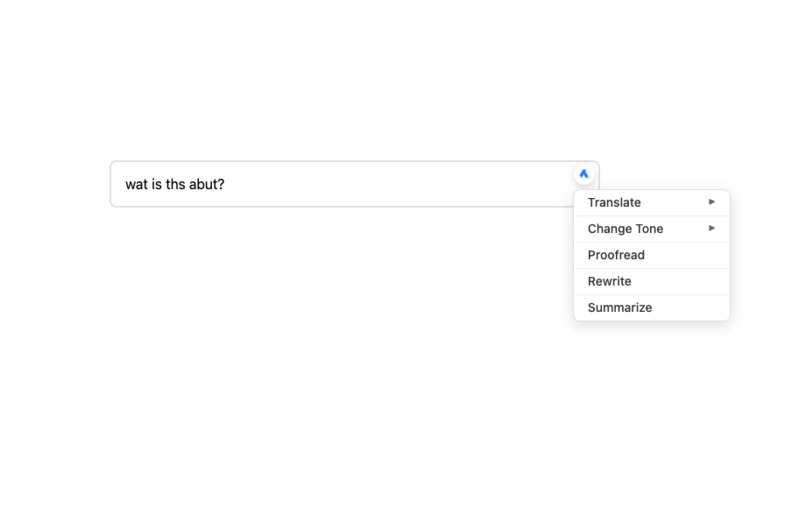
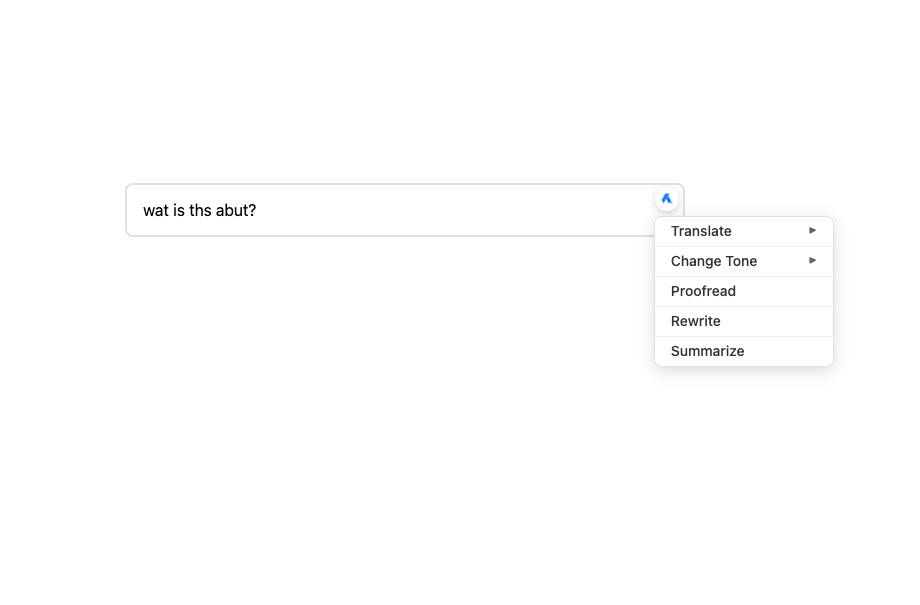
- Right-click or tap: Access AI-powered tools for proofreading, rewriting, translation, and more, directly in place.
- Runs locally: All AI processing happens offline with Gemini Nano, no data ever leaves your device.
- Tone control: Switch between friendly, formal, or concise tones with one click.
- Instant feedback: Get real-time suggestions and diff-style highlights that show exactly what changed.
Challenges
Taming the wild web:
Every website handles text differently. Getting the AI button to appear in the right place, at the right time, without breaking layouts, took endless trial and error, and a lot of Chrome debugging.
Keeping it invisible:
Designing for minimalists meant hiding complexity. The AI had to feel like part of Chrome itself, not an add-on. That meant subtle animations, contextual triggers, and careful UX decisions that make it feel effortless.
Why It Matters
AnyText was born from a simple question:
“Why can’t my browser just help me write better?”
It’s more than a Chrome extension, it’s a quiet step toward browsers that support you instead of distracting you.
It’s proof that when technology gets out of the way, creativity comes forward.
Built With
- chrome-built-in-ai-apis-(gemini-nano
- css
- html
- javascript
- languagemodel-api
- prompt-api)


Log in or sign up for Devpost to join the conversation.