-
-
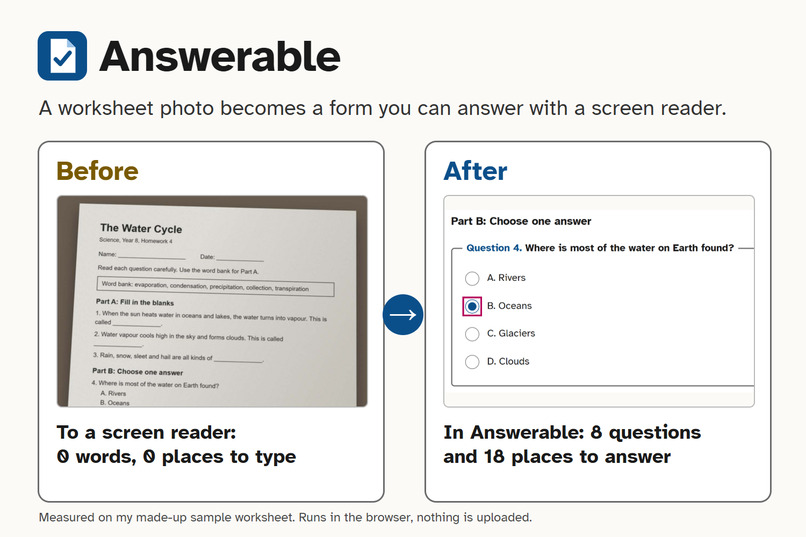
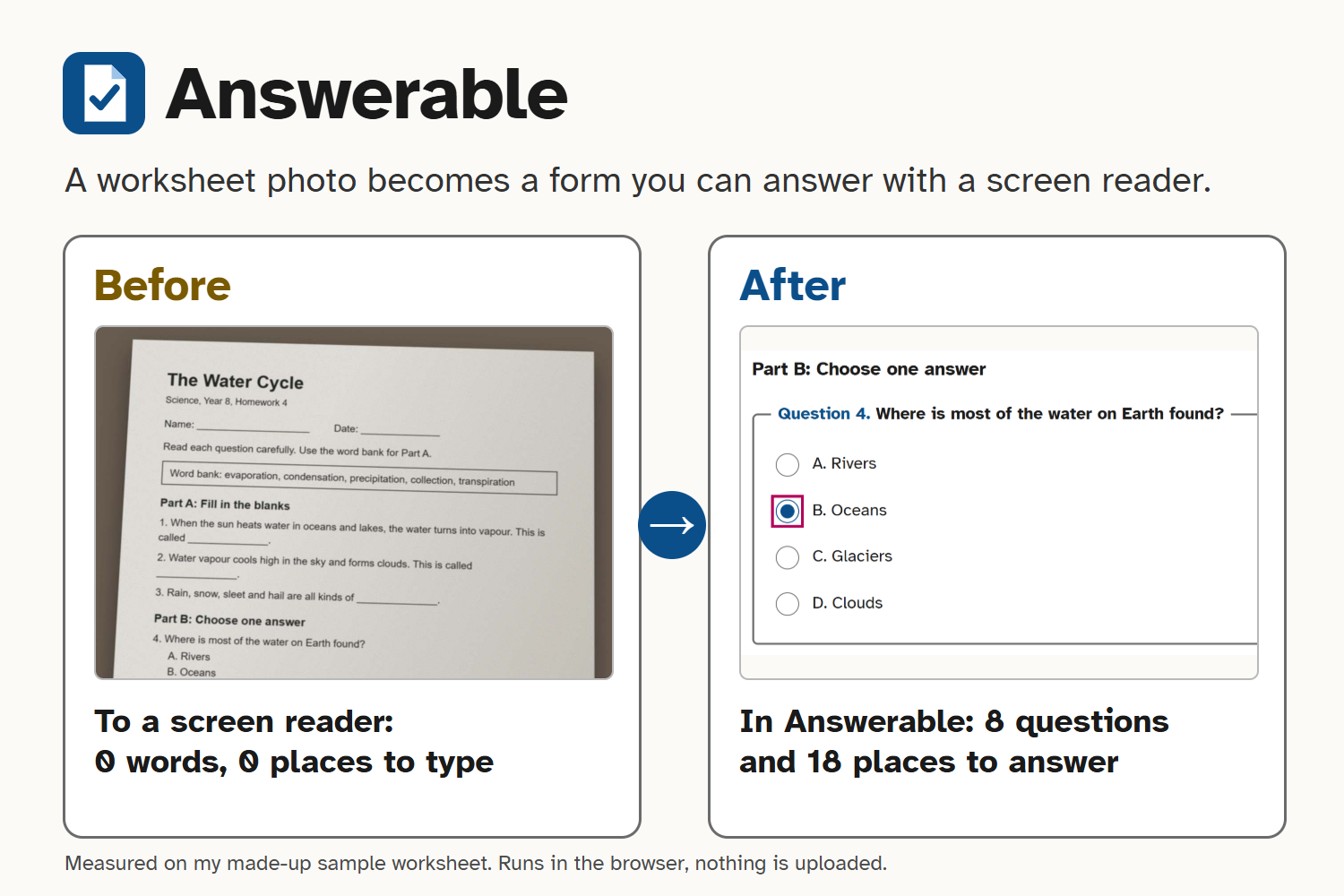
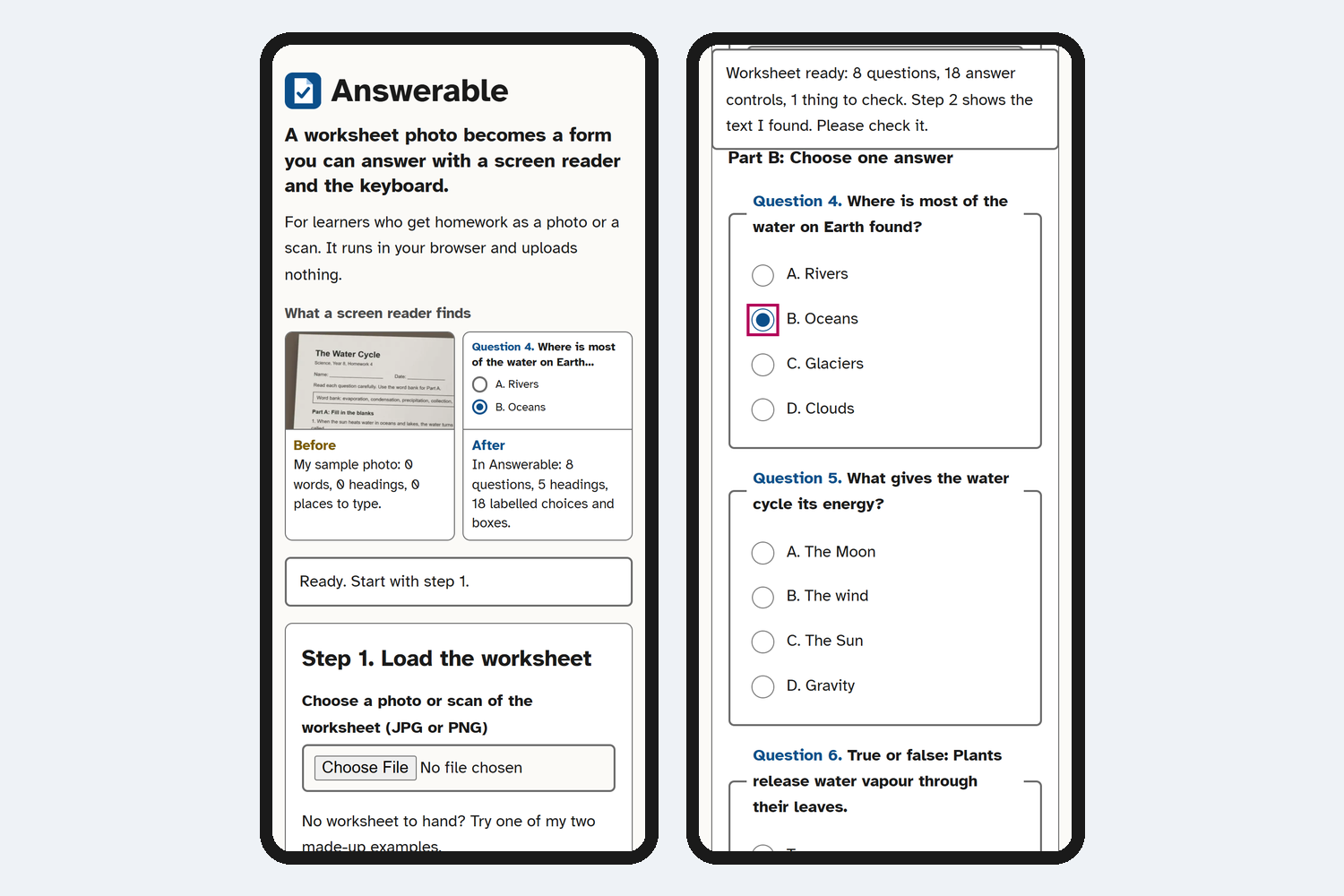
Before: my sample worksheet photo gives a screen reader 0 words and 0 places to type. After: 8 questions and 18 places to answer.
-
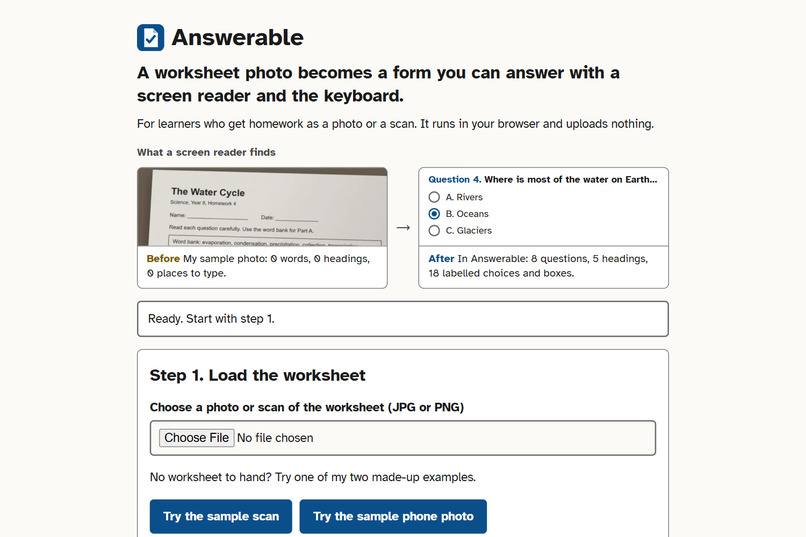
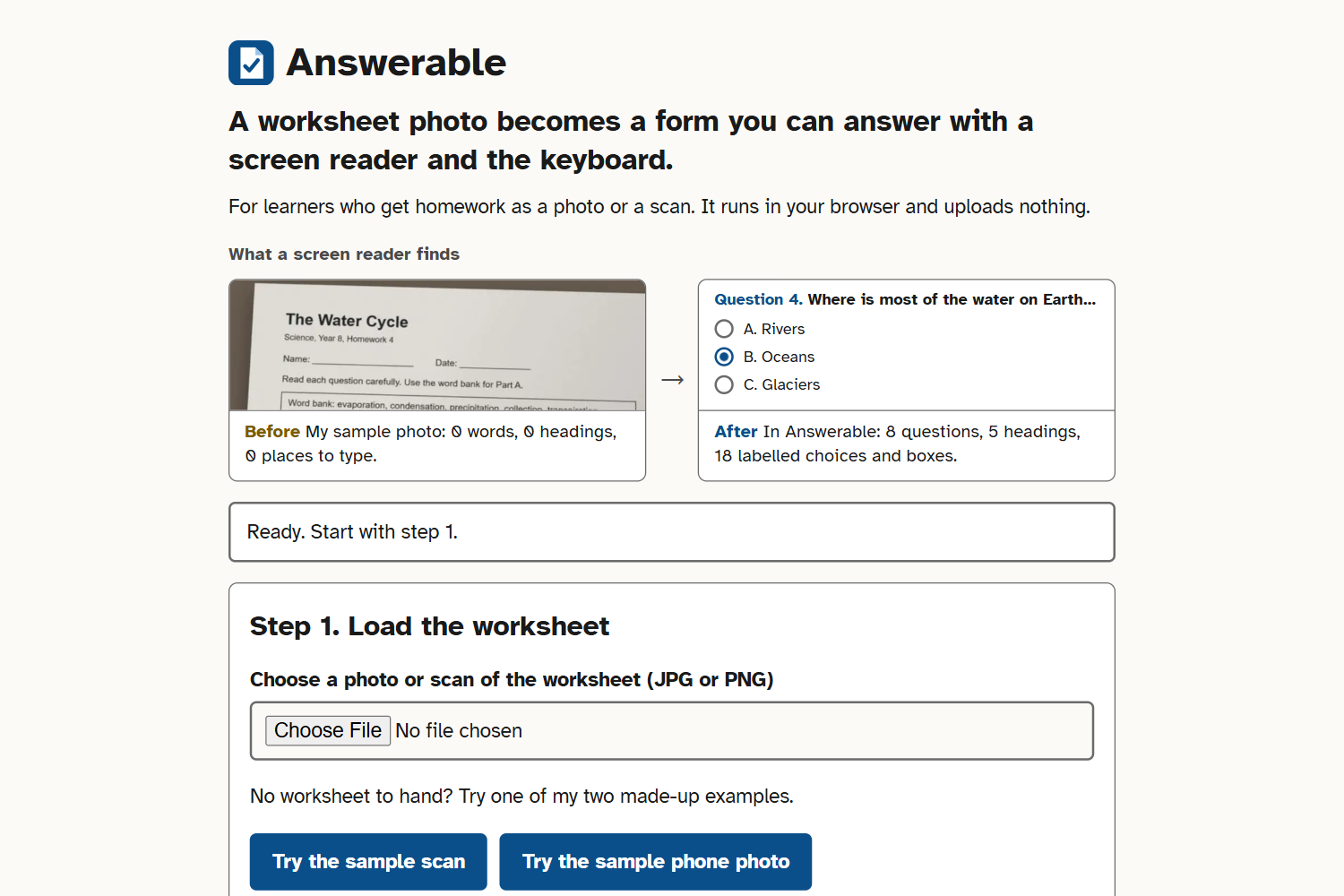
Start screen. Load a photo or a scan, or try one of my two made-up samples; nothing's uploaded and there's no login.
-
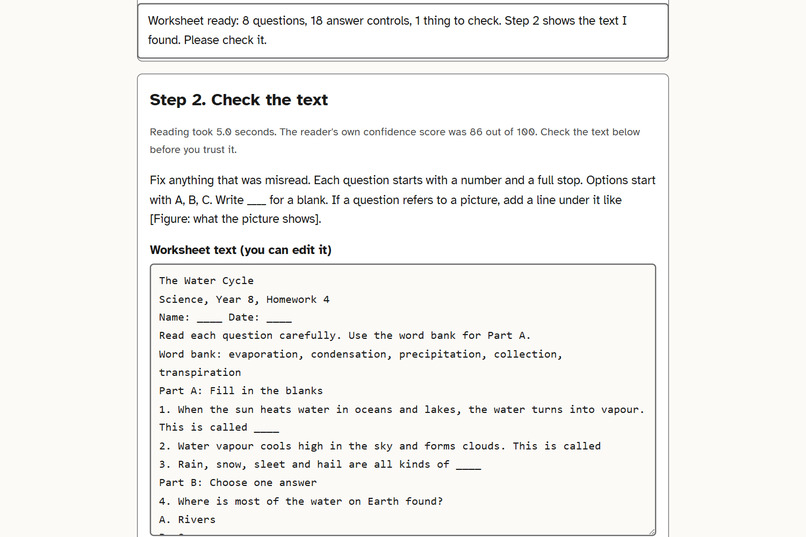
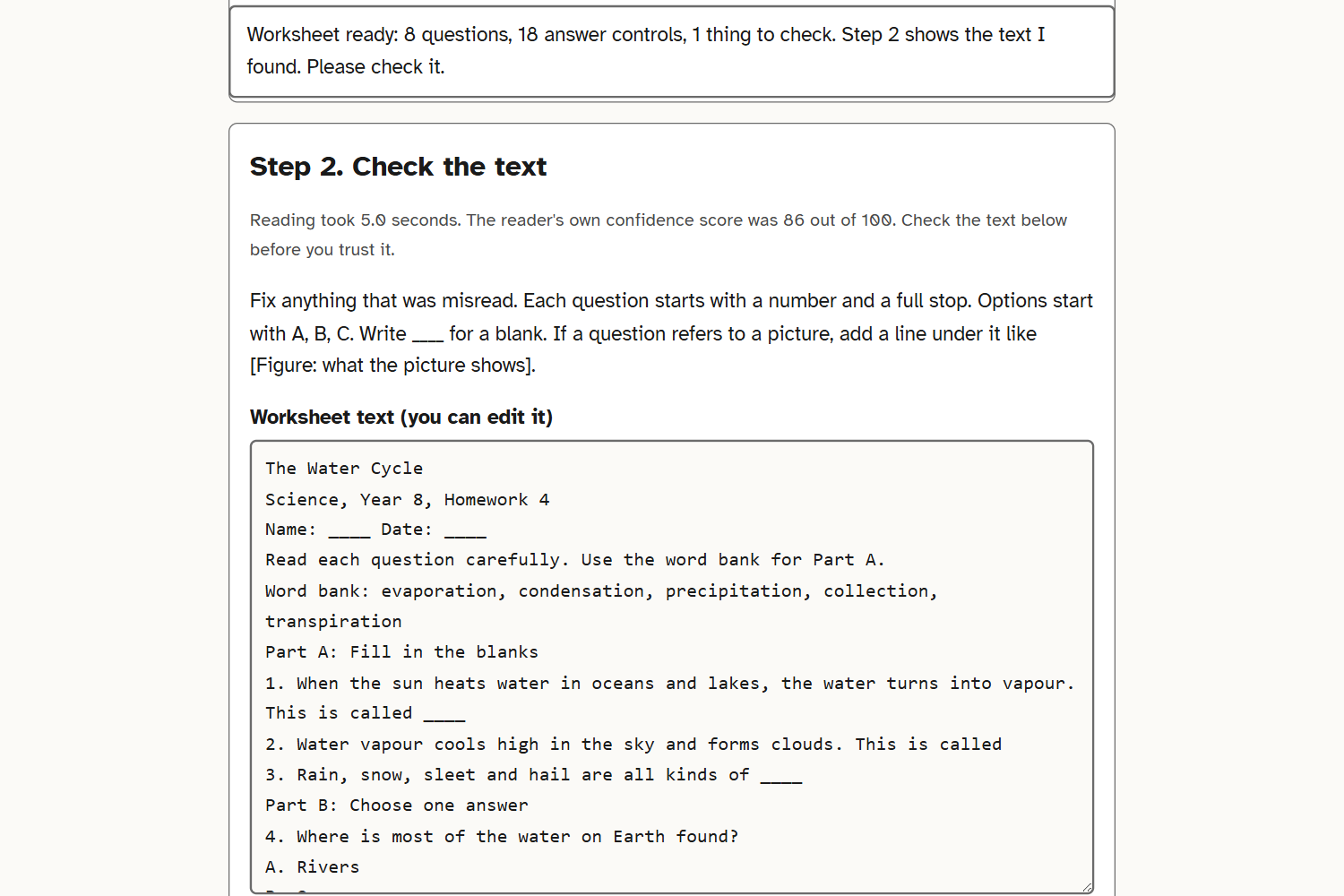
Step 2: the text read from the photo, in a box you can edit, so a misread word can be fixed before the form's built.
-
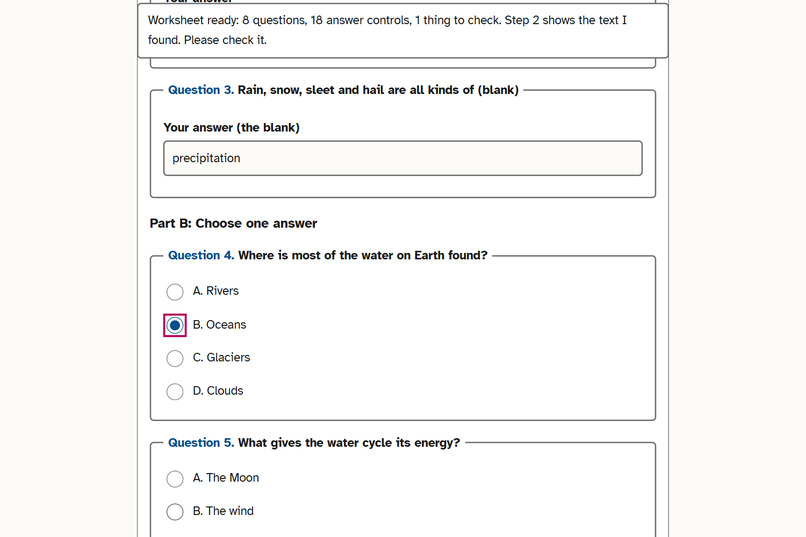
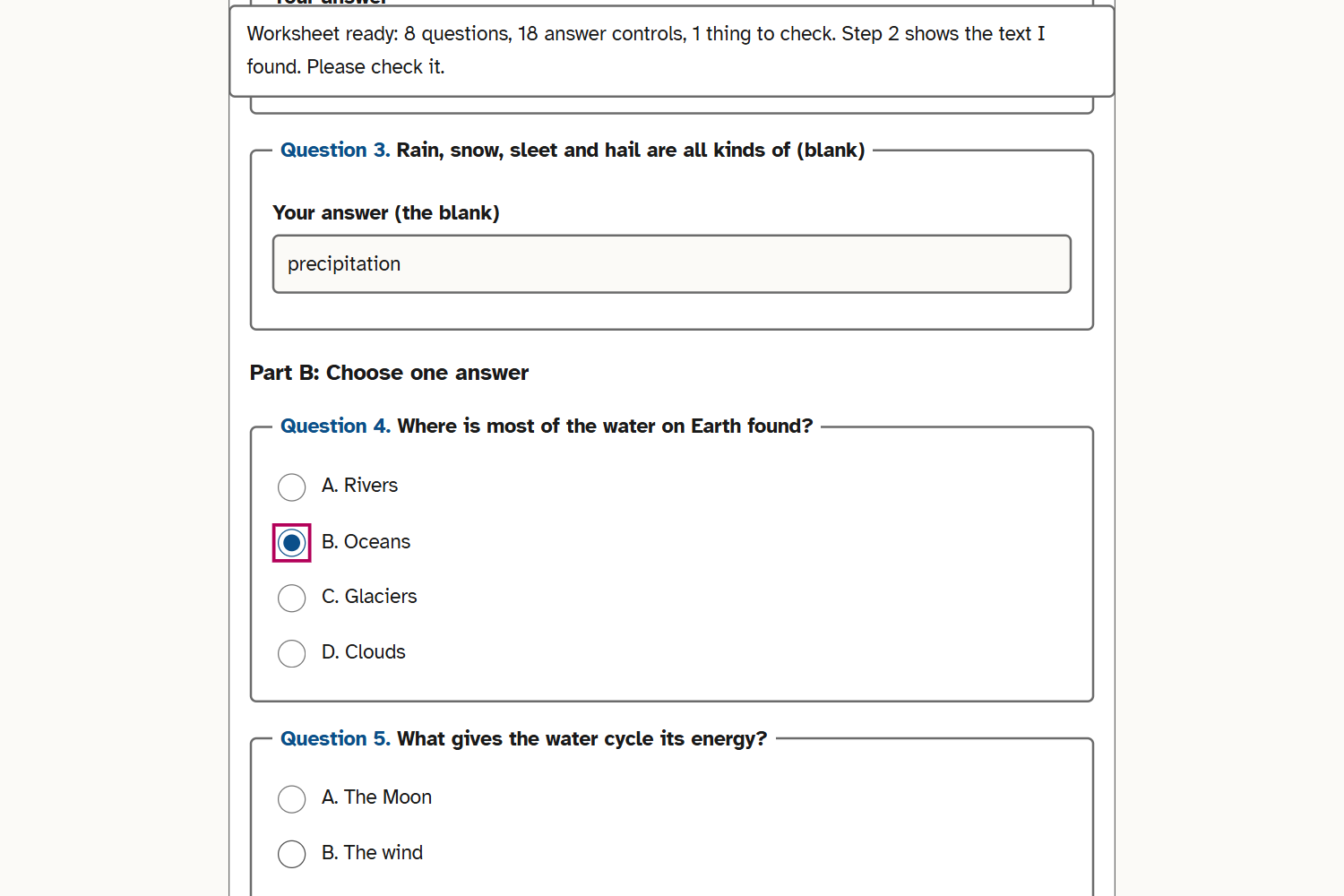
Step 3. Each question is a named group, each box has a label, and I picked B with the arrow keys. Pink ring = focus.
-
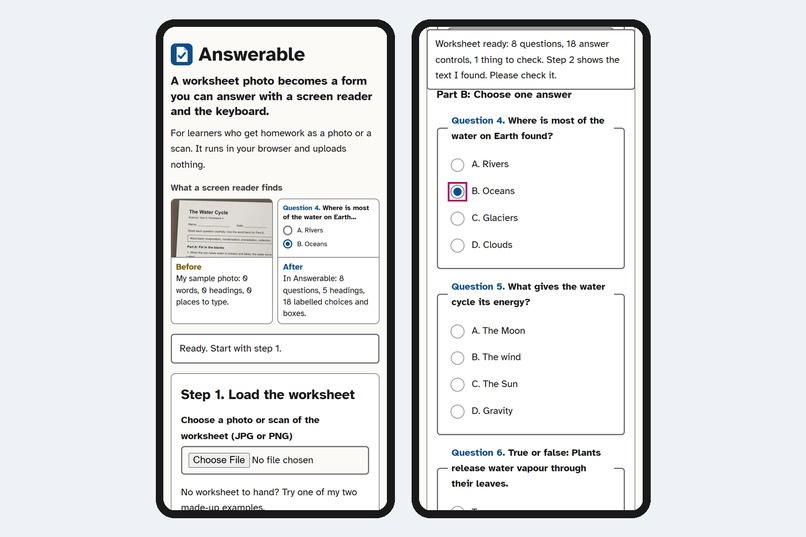
Phone, 390 px. No sideways scrolling.
Imagine a blind student in Year 8. Tonight's science homework arrives as a phone photo of a printed sheet. To her screen reader it's just an image: no words, nowhere to type. Answerable turns that photo into a form she can read and answer on her own, with the keyboard.
Door: Interact. Learner: a student who uses a screen reader. Task: do a homework worksheet and hand in the answers. Barrier: the worksheet is a picture, with no text and nowhere to type. Change: the same worksheet becomes headings, questions and labelled answer boxes.
One before and after
I made a synthetic worksheet, "The Water Cycle" (8 questions in 3 parts, a word bank and a diagram), and rendered it two ways: as a flat scan, and made to look like a phone photo, tilted, shadowed and a bit blurry.
Before: when I open the photo as a plain image in the browser, there are 0 characters of text, 0 headings and 0 form controls for a screen reader to find. There's no alt text either.
After: Answerable reads the same photo in a few seconds on my PC and gives me 5 headings, 8 questions as named groups and 18 labelled controls. Using only the keyboard I answered all 8 questions with 117 key presses (101 of them typed letters) and downloaded the answers with Enter.
How it works
- Load a photo or a scan, or press "Try the sample scan". Nothing leaves your device: Tesseract.js reads the image inside the browser.
- Check the text. OCR makes mistakes, so you see the text in an editable box before anything's built. A helper can add a line like [Figure: what the diagram shows] under a question.
- Answer. My parser turns the text into a real form: a heading per part, the word bank as a list, one fieldset per question, radio buttons for choices and true or false, and text boxes for blanks and longer answers. If a question mentions a picture, the page says so. The answers download as a text file the learner can send back.
Why it matters for learning
The learning task is the worksheet itself: reading the questions, using the word bank, choosing and writing answers, handing them in. With Answerable the learner does that at the same time as the rest of the class, on the same sheet, without waiting for someone to read it aloud and type for them. I don't claim better grades. I claim the task can now be done alone.
Inclusive by design
- I built it around how screen readers move. There are headings to jump between parts, a legend on every question and a name on every control. While the image is read, one status line announces progress about 6 times, not at every percent.
- You only need the keyboard: Tab, the arrow keys and Space. The focus ring is 3 px, and the status line at the top never covers the control you're on.
- I kept it easy to read: Atkinson Hyperlegible, text contrast of 6.38 to 1 or more, a dark mode, no animations and no sideways scrolling at 320 px.
- It costs nothing to use. There's no account, no upload and no paid API. The page weighs 73 KB, the 7.2 MB text reader downloads only when you read an image, and after one visit it all works offline.
Testing evidence
- I ran axe-core 4.11 (WCAG 2.0 to 2.2, A and AA, plus best practices) on five screens, in light and dark mode and at 320 px: 0 violations.
- Lighthouse 13.6 gives 100 for performance, accessibility, best practices and SEO, on phone and desktop. I ran it on the live site on 31 Oct, and locally on the updated start screen on 5 Nov before publishing it.
- I automated the keyboard walkthrough with Playwright: that's where the 117 key presses come from.
- Chromium's accessibility tree, which is what NVDA, JAWS and VoiceOver receive: 8 named question groups and a name on every control. This test caught a real flaw. The status line announced every percent of the reading, dozens of messages in a row, and now it says about 6.
- A keyboard pass of my own caught another one that axe doesn't check. Going back with Shift+Tab at 1440 px wide, the sticky status line hid 51 of the 53 pixels of the focused answer box (WCAG 2.2, 2.4.11). It's fixed, and the test suite now walks 20 stops backwards to make sure.
- Not done yet: a real screen reader, and testing with learners.
How I built it
I used plain HTML, CSS and JavaScript, with no build step. Tesseract.js 7.0.0 does the OCR, the font is Atkinson Hyperlegible, a small service worker handles offline use, and the tests run on Playwright and axe-core.
Challenges
OCR output isn't a worksheet. Ruled answer lines turn into rows of junk, blanks pick up stray marks, and sometimes a blank vanishes. I wrote the cleanup and the parser against real OCR output from both samples, and the fallback is a plain answer box, so a misread blank never blocks a question.
What I learned
The hard part of making a scanned page accessible isn't reading the letters. It's rebuilding the structure around them. I also learned that letting a person fix the text before the form is built matters more than a higher OCR score.
Try it
Demo: https://answerable-accessed.vercel.app (no login). Press "Try the sample scan", check the text in step 2, then answer step 3 with Tab, the arrow keys and Space.
Run it locally: npm install, then npm start (http://localhost:4173). npm test runs the unit and browser tests.
Limits
English only; it expects numbered questions with A, B, C options; it can't read handwriting or pictures; it's been tried on two synthetic worksheets (question types right for 7 of 8 and 6 of 8, and the misses still work as answer boxes); and nobody who uses a screen reader has tested it yet.
Credits, event work and AI assistance
I built it on 27 Oct 2026 and polished it on 31 Oct and 5 Nov, all inside the event window, with no earlier code (commits in CONTRIBUTIONS.md). Third-party and unmodified, in vendor/: Tesseract.js 7.0.0 and its core (Apache 2.0), the English model and Atkinson Hyperlegible (SIL OFL). Test tools: axe-core and Playwright. Claude Code, an AI coding tool, helped me write the code. I chose the idea and the scope, checked the results and wrote the claims. Both sample worksheets are synthetic.
Built With
- axe-core
- css
- html
- javascript
- playwright
- tesseract.js

Log in or sign up for Devpost to join the conversation.