Note: I spent most of HackIllinois this year talking with interesting mentors and learning more about PyTorch and OpenCV, plus helping out different teams from my university with different challenges they encountered, in the spirit of open source! This project was something I did on the side to solve a real problem that our organization has. In the future, I'm planning on making this integrated with some of our other tooling at https://github.com/vandyhacks/.
anon-feedback-slackbot
Slackbot that is triggered on slash command, publishing anonymous, public, and easy feedback to a channel.
Motivations
Background
I created this Slackbot for VandyHacks, the hackathon organization at Vanderbilt University in Nashville, Tennessee. In short, I am the current co-president, and wanted people to voice their feedback anonymously, publicly, and easily.
Problems
We found that the feedback loop was inefficient for people that had criticism, but did not feel as if they had the power to speak up in meetings or in public Slack channels. Therefore, we needed something that was anonymous.
Furthermore, we needed something that was public. Our previous usages of Google Forms or private messages meant that it was difficult to see if information and criticisms were being created or not. Therefore, we wanted to be transparent.
Finally, we wanted something that was easy to use to reduce friction, allowing people to submit feedback in a centralized location–making Slack the obvious choice, since most non-meeting discussions are held on Slack.
Solution
A Slackbot that could be called with a simple slash command was the easiest way for users to be able to submit feedback from a global context.
Furthermore, since the Slackbot would be the one outputting the feedback, it would be anonymous.
Finally, since the Slackbot was submitting it publicly to a channel where not only the recipient of the feedback could respond in a thread but also anyone else could view the feedback and respond, it would be very public.
Demonstration
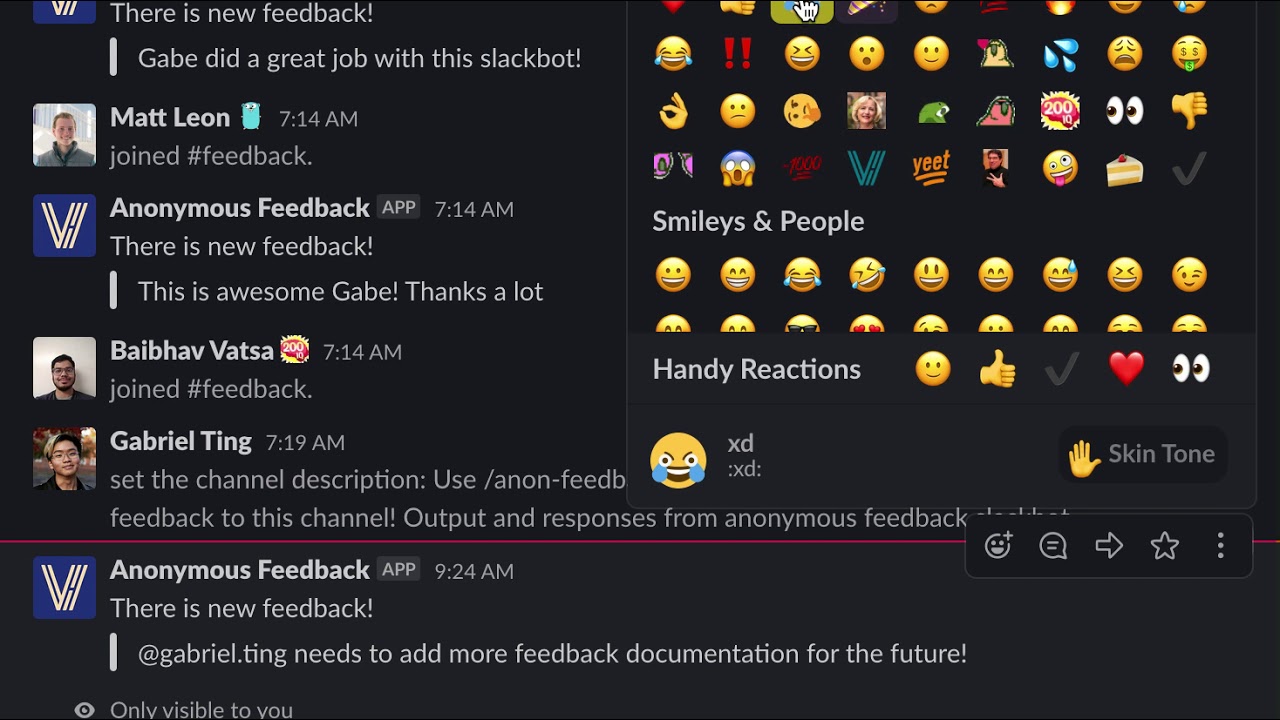
Video demonstration of using the slash command:
Installation
First, start off with installing npm and git if you do not have them.
You will need to create an application on your Slack workspace with permissions for Incoming Webhooks and for Slash Commands. Save the Webhook URL that's exposed for you–that will become the SLACKBOT_WEBHOOK private environment variable that you will utilize later.
Then, git clone the repository, and then npm i the repository. You will need to create a .env file with your SLACKBOT_WEBHOOK.
Deployment
There are a couple of options for deployment–I used Zeit Now for ease of rapid deployment. If using it, then deploy your bot utilizing now --prod in your terminal. Use the resulting URL with /action afterwards for your slash command url.


Log in or sign up for Devpost to join the conversation.