-
-
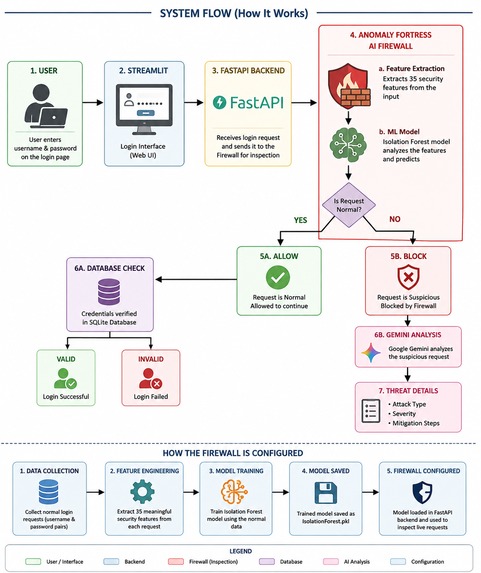
Simple Quick Workflow
-
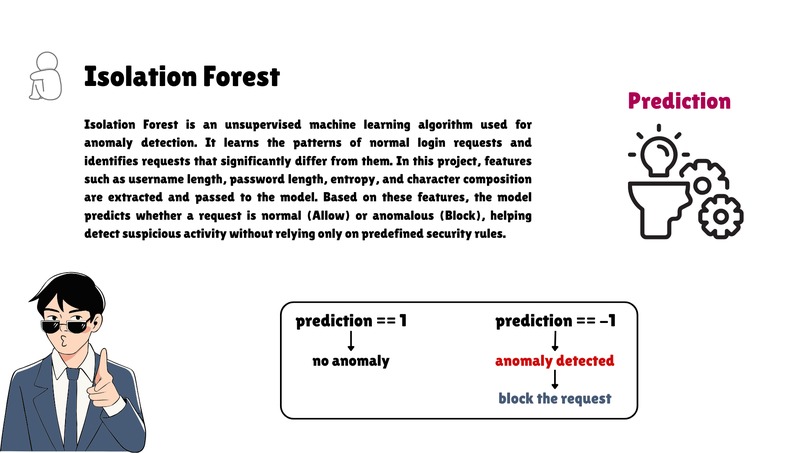
What is Isolation Forest ?
Why Anomaly Fortress?
Imagine you've built a website where people also create accounts and log in. Normally, the website simply checks whether the username and password are correct.
However, some people may try to send harmful or unusual login requests instead of normal ones. If these requests reach the application, they could exploit vulnerabilities and put users' data at risk.
Traditional Web Application Firewalls (WAFs) mainly rely on predefined rules to detect known attacks. While they're effective for many common threats, they may not recognize new or unusual attack patterns.
Anomaly Fortress adds an intelligent security layer before the login request reaches the database. Instead of relying only on fixed rules, it uses Machine Learning to identify requests that look unusual, helping detect suspicious behaviour and block potentially harmful requests before they reach the database.
How It Works
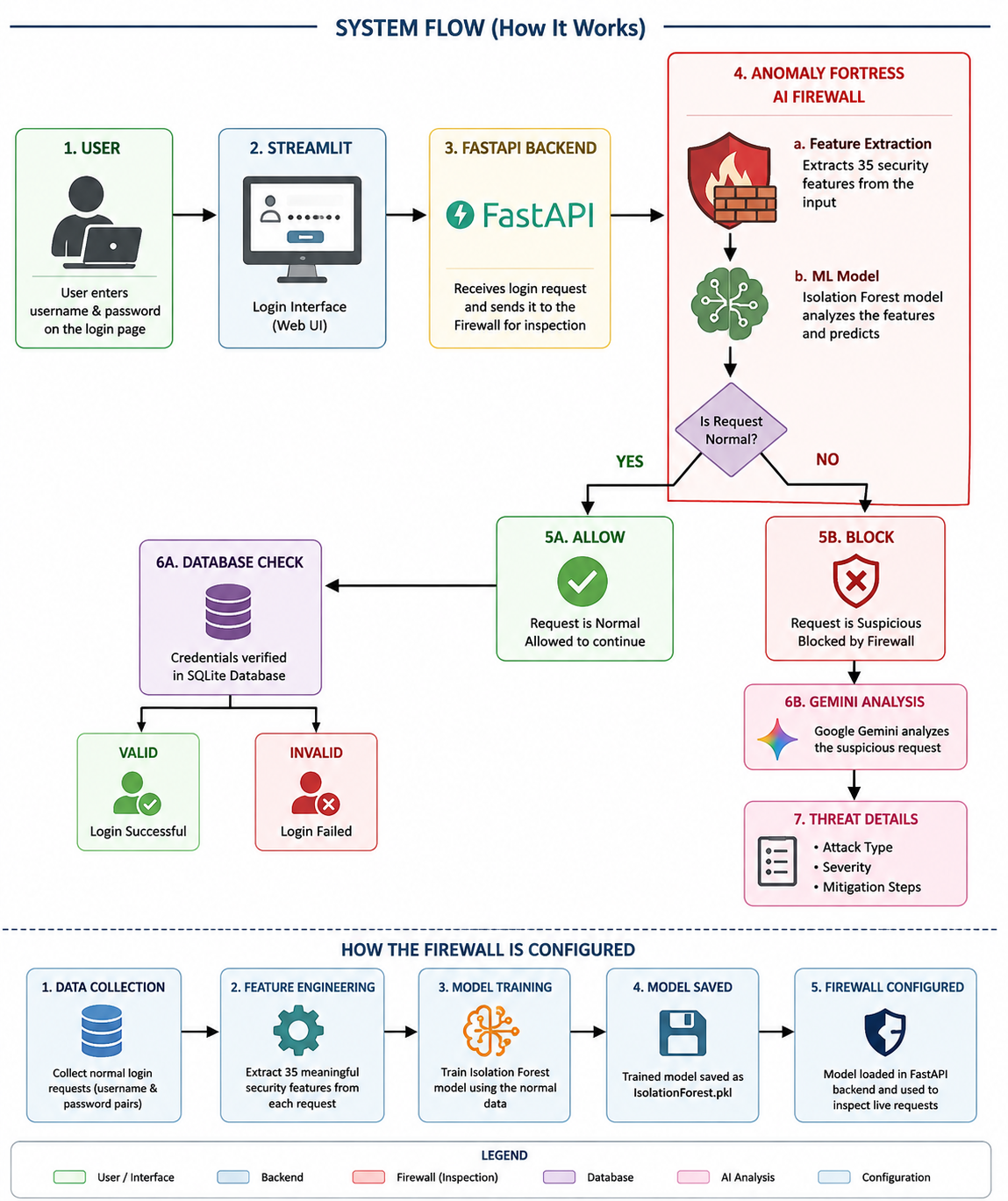
A user enters a username and password using the Streamlit web interface.
The login request is sent to a FastAPI backend, which acts as the bridge between the website and the firewall.
Before the request reaches the database, the firewall extracts 35 characteristics from the username and password, such as length, character patterns, special characters, and suspicious keywords.
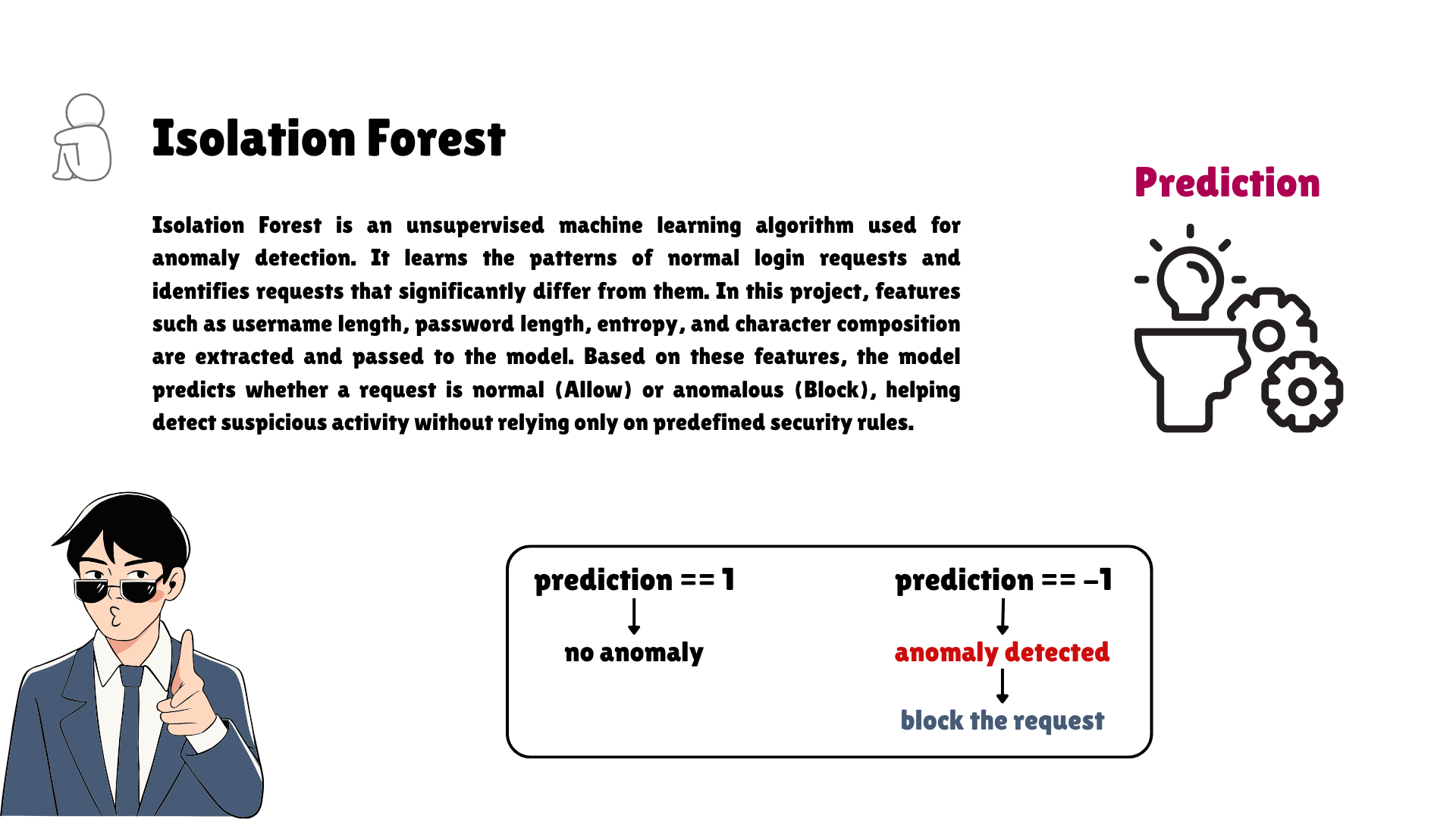
These characteristics are sent to an Isolation Forest machine learning model. The model was trained using normal login requests, so it has learned what a typical login usually looks like.
If the request looks normal, it is allowed to continue and the database checks the username and password.
If the request looks unusual or suspicious, it is blocked immediately before reaching the database.
Finally, the blocked request is sent to Google Gemini, which explains:
- The likely attack type
- The severity of the threat
- Recommended mitigation steps in simple language
What Makes This Project Unique?
Unlike traditional rule-based systems, Anomaly Fortress uses machine learning to identify unusual request patterns instead of relying only on predefined attack signatures.
The integration of Google Gemini also makes the firewall easier to understand by converting technical security detections into clear, human-readable explanations, making the system useful even for users with little cybersecurity knowledge.
Technologies Used
- Python – Core programming language
- Streamlit – Interactive user interface
- FastAPI – Processes login requests and connects the website with the firewall
- Scikit-learn (Isolation Forest) – Machine learning model used to detect suspicious requests
- Google Gemini API – Generates AI-powered explanations for blocked requests
- Pandas & Joblib – Data processing and loading the trained machine learning model
Accomplishments
I'm proud that I successfully integrated multiple technologies into one project. The application not only detects suspicious login requests in real time but also explains the possible attack, its severity, and recommended mitigation using Google Gemini, making cybersecurity easier to understand.
Future Scope
- Support Additional Attack Types – Extend detection beyond login requests to monitor SQL Injection, Cross-Site Scripting (XSS), Command Injection, and other web attacks.
- Continuous Model Learning – Retrain the machine learning model with new traffic to improve detection accuracy over time.
- Cloud Deployment – Deploy the firewall on cloud platforms to protect real-world web applications.
- Advanced Security Dashboard – Visualize attack trends, anomaly scores, and security reports with interactive analytics.
- Multi-User Authentication – Add secure user registration, password hashing, and role-based access control.
- Rate Limiting & Brute-Force Protection – Detect repeated login attempts and automatically block suspicious IP addresses.
- Real-Time Alerts – Send instant email or SMS notifications when high-severity threats are detected.
- Enhanced AI Analysis – Enable Google Gemini to generate detailed incident reports, security recommendations, and remediation steps for developers.
Demo Highlights
- Login with valid credentials
- Login with invalid credentials
- Submit a suspicious request
- Observe the request being blocked
- View AI-generated attack explanation from Google Gemini
Built With
- data-preprocessing
- fast-api
- gemini-api
- isolation-forest
- machine-learning
- python
- scikit-learn
- streamlit

Log in or sign up for Devpost to join the conversation.