-
-
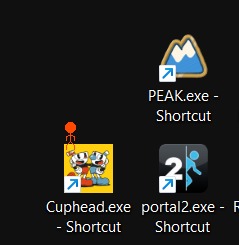
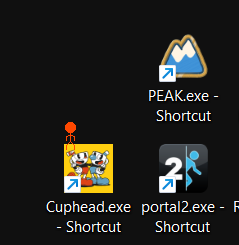
collides with desktop
-
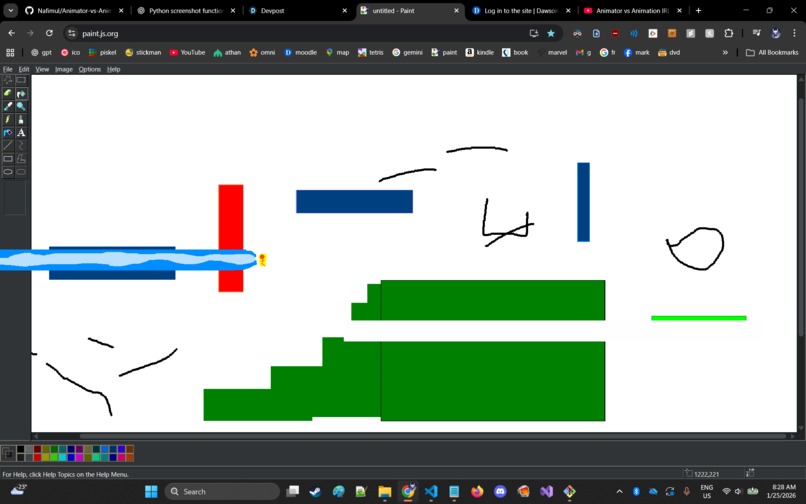
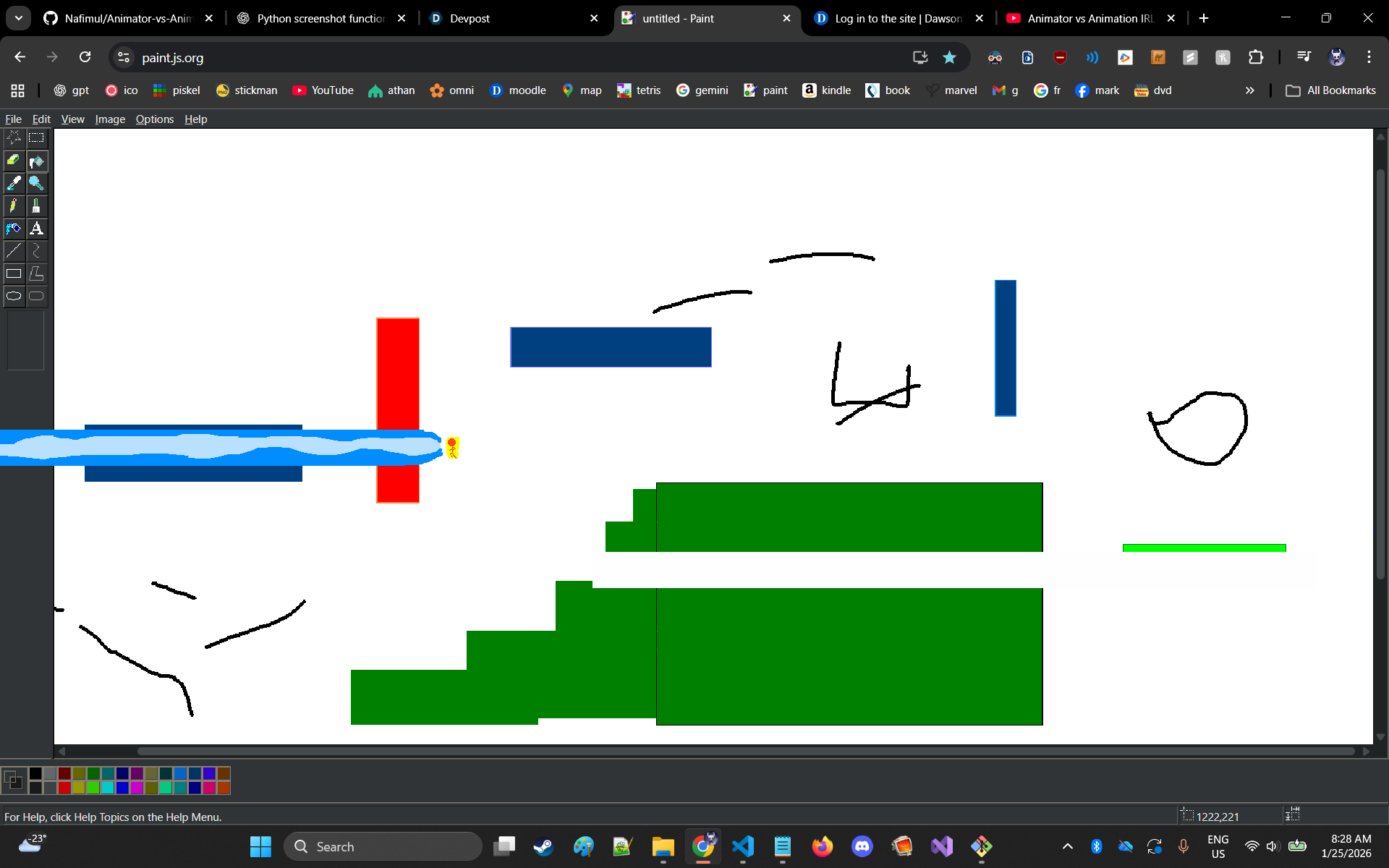
voice controlled super sayian and kamehameha
-
-
Animator vs Animation IRL - Bring Your Desktop to Life!
🎬 Inspiration
Remember the iconic "Animator vs Animation" stick figure battles on YouTube? We thought: "What if we could bring that chaos to YOUR desktop?" This project was born from the desire to create an interactive, physics-based stickman that lives on your screen, interacts with your actual applications, and even trash-talks you with AI!
🎮 What it does
Animator vs Animation IRL brings a fully animated stickman character directly onto your Windows desktop as a transparent overlay. The stickman:
- 🏃 Runs, jumps, and flies across your screen with realistic physics
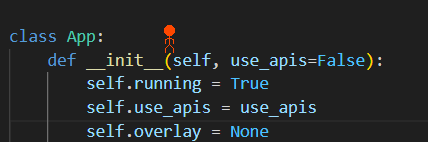
- 💥 Collides with real UI elements - he can stand on your browser tabs, jump on buttons, and interact with any visible window
- ⚡ Performs epic attacks including punches and the iconic Kamehameha blast that destroys elements on your screen
- 🎤 Responds to voice commands - say "kamehameha" and watch him attack or scream and watch him fly!
- 🤖 Trash-talks you using Google's Gemini AI and ElevenLabs text-to-speech - get roasted while you work
- 🖱️ Teleports to your mouse for quick repositioning
- 🎭 Has personality with multiple sprite animations and sound effects
All while you continue using your computer normally - browse, code, game, whatever! The stickman is YOUR desktop companion (or enemy).
🛠️ How we built it
Core Technologies:
- PyQt6 - Transparent, always-on-top overlay window
- OpenCV & PIL - Real-time screen capture and collision detection
- Pygame - Sound effects and audio playback
- Pynput - Keyboard/mouse input handling
- NumPy - Efficient pixel-level collision map processing
AI Integration:
- Google Gemini API - Generates contextual snarky comments
- ElevenLabs API - Text-to-speech for AI voice
Physics System:
- Custom physics engine with gravity and collision detection
- Pixel-perfect collision with any visible UI element
Key Technical Achievements:
- Screen Reading: Captures and processes desktop screenshots to build collision maps
- Transparent Overlay: Runs as a clickthrough window that doesn't interfere with your workflow
- Multi-threaded Design: Separate threads for physics, AI, voice detection, and rendering
- Smart Color Sampling: Identifies UI elements the stickman interacts with for visual effects
🚧 Challenges we ran into
Performance Optimization: Screen capture at 60 FPS was too slow. We implemented a multi-rate system:
- 60 FPS for smooth animation
- 5 FPS for collision map updates
Background Color Detection: Continuously sampling thousands of pixels to determine the desktop background color caused massive lag spikes. We optimized by caching the background color and only recalculating it periodically, plus using NumPy's vectorized operations for efficient pixel processing across the entire screen.
Pixel-Perfect Collision Detection: Getting collisions to work reliably was tricky - we needed to distinguish UI elements from the background without false positives. This required fine-tuning color thresholds so that every non-background color was properly detected as a collision surface, while ignoring subtle color variations in the wallpaper. We ended up using a tolerance-based approach that worked across different desktop themes.
Voice Command Latency: Getting voice commands to trigger instantly while avoiding false positives was challenging. We implemented custom voice activity detection with keyword matching to balance responsiveness and accuracy.
🏆 Accomplishments that we're proud of
- ✨ Actually works! A physics-based character that truly interacts with your desktop
- 🎨 Smooth 60 FPS animations despite heavy screen processing
- 🎤 Real voice commands - it feels magical to shout "KAMEHAMEHA!"
- 🤖 Personality - The AI comments genuinely make you laugh (or groan)
- 🔧 Clean architecture - Modular code that's maintainable and extensible
- 🎮 Zero interference - Use your PC normally while the stickman does his thing
📚 What we learned
- Performance matters: Real-time screen processing requires aggressive optimization
- Multi-threading is hard: Especially when combining Qt event loops with Python threads
- User experience > features: A responsive stickman is better than a feature-bloated laggy one
- APIs have limits: Need to design around rate limits and latency
- Sound design matters: Good audio feedback makes interactions feel impactful
- Physics are fun: Building a custom physics engine taught us a lot about collision detection
🚀 What's next for Animator vs Animation IRL
Planned Features:
- 🎯 Multiple stickmen - Let them fight each other!
- 🎨 Customization - Different stickman skins and abilities
- 🎮 Game modes - Tower defense, survival, boss battles on your desktop
- 📱 Mobile companion - Control the stickman from your phone
- 🎬 Recording mode - Capture and share your stickman's antics
Technical Improvements:
- Hardware acceleration for screen capture
- Machine learning for better collision prediction
- Distributed computing for more complex physics
- WebGL renderer for smoother effects
🎮 Controls!
Download the latest release and watch the chaos unfold! Press Z to exit when you've had enough (we know it's addictive).
- 'G' - Resample backgroud color, for example if you go from a black to white background
- 'J', 'I', 'K', 'L' - Movement
A- Teleport to mouseEor SCREAM - Toggle flyingS- PunchRor say KAMEHAMEHA - Kamehameha blastZ- Exit
Built With
- Python
- PyQt6
- Google Gemini AI
- ElevenLabs TTS
- Pygame
- NumPy
- PIL/Pillow
Credits
*Inspired by Alan Becker's legendary Animator vs Animation series.
*stickman animation based off of the one by Angelina at https://www.pngitem.com/middle/ThbJJm_stickman-fight-sprite-sheet-hd-png-download/ *walking sound effect by freesound_community at https://pixabay.com/users/freesound_community-46691455/ on pixabay *Fire Crackling Sounds sound effect by DRAGON-STUDIO at https://pixabay.com/sound-effects/nature-fire-crackling-sounds-427410/ on pixabay
*Code, readme and devpost made with the assistance of chatgpt and github copilot


Log in or sign up for Devpost to join the conversation.