-
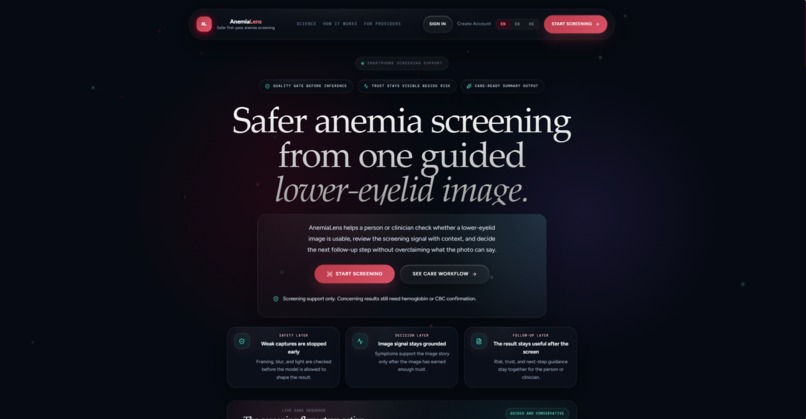
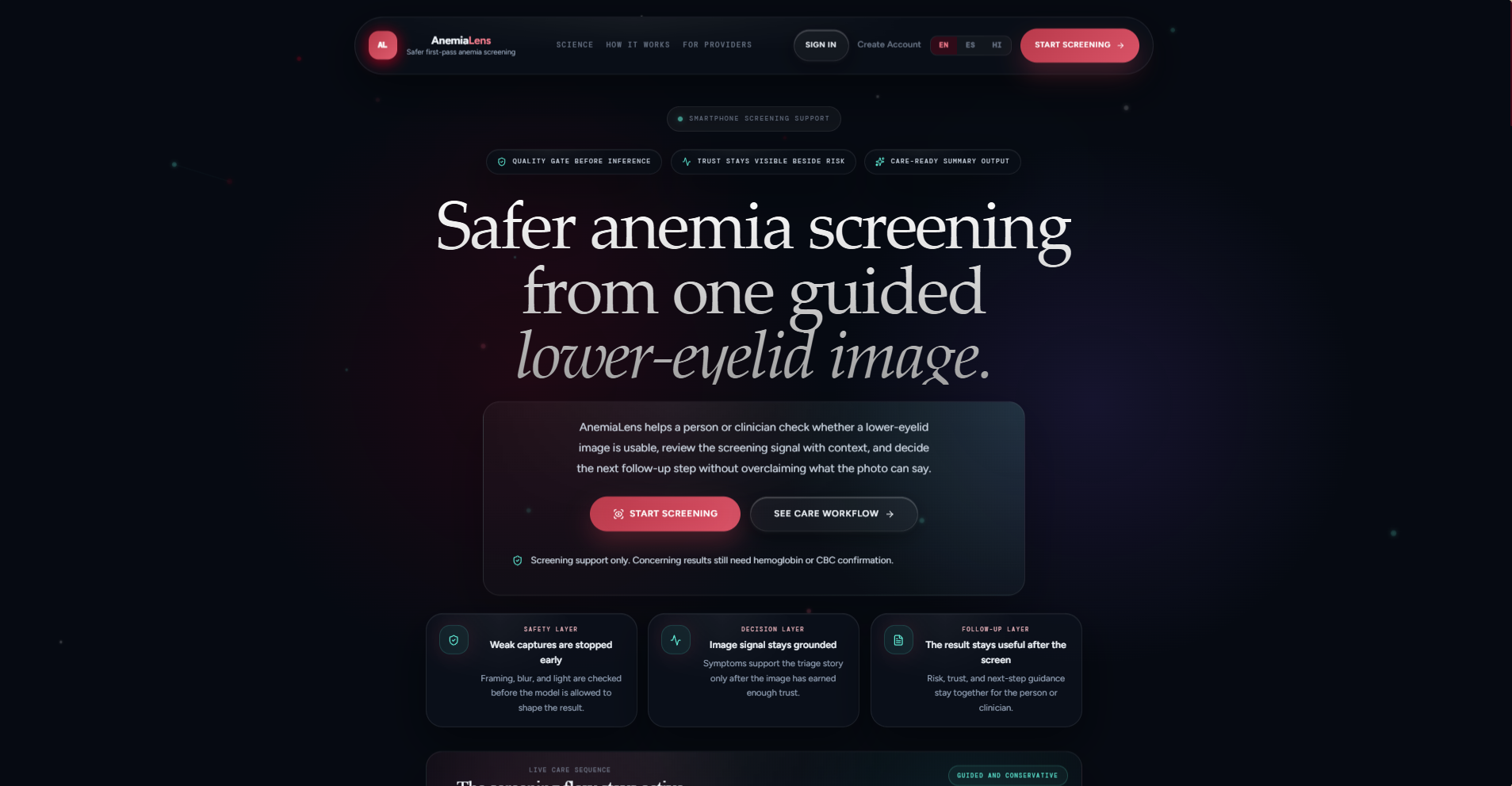
AnemiaLens introduces safer anemia screening from one guided lower-eyelid smartphone image.
-
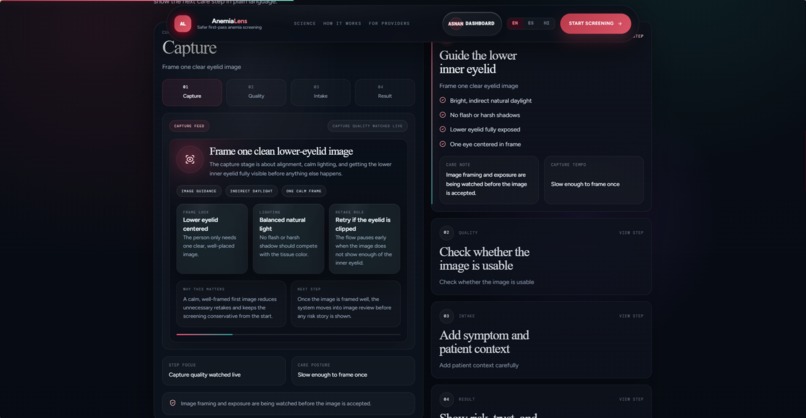
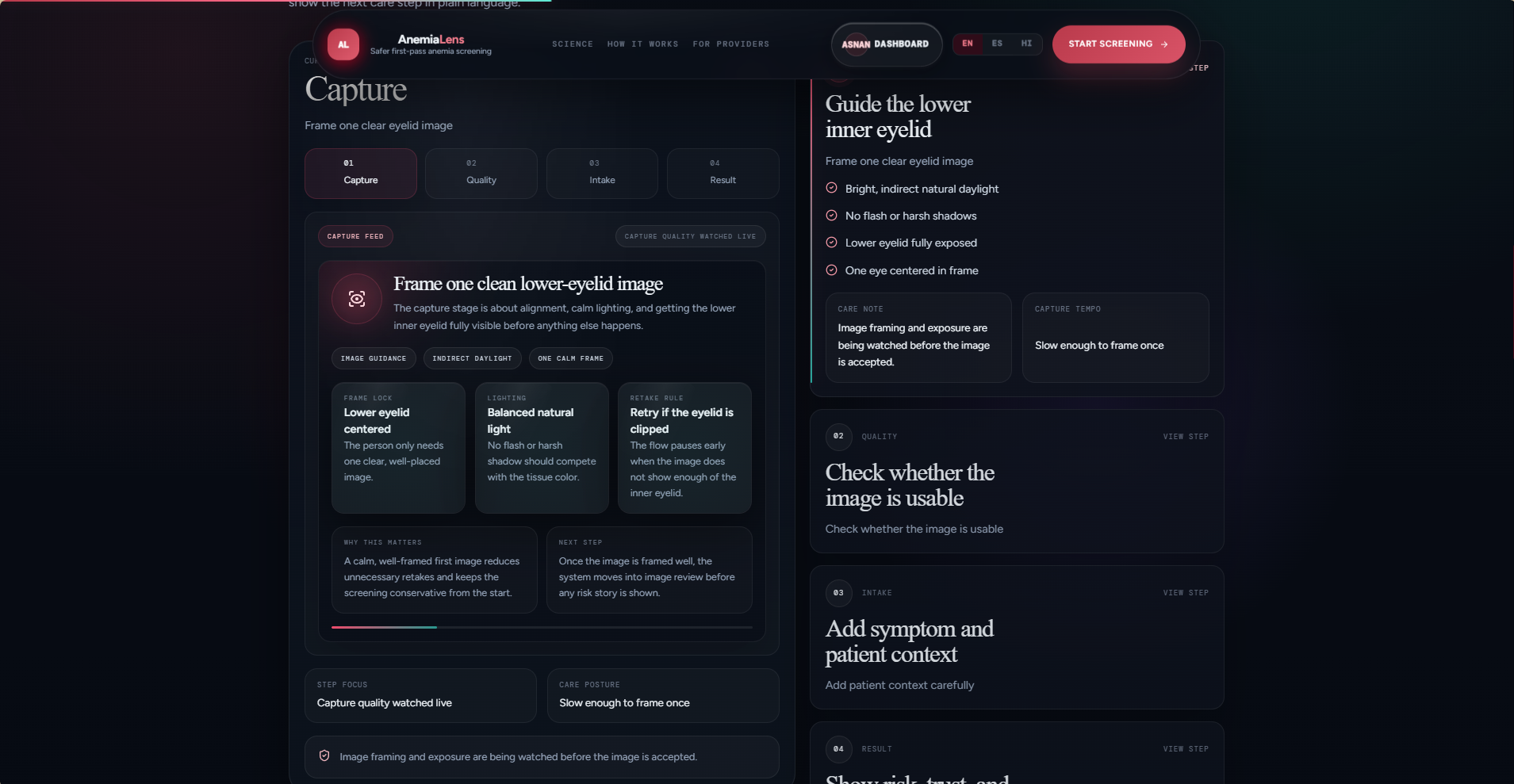
Users follow a clear four-step flow: capture, quality check, symptom intake, and AI screening.
-
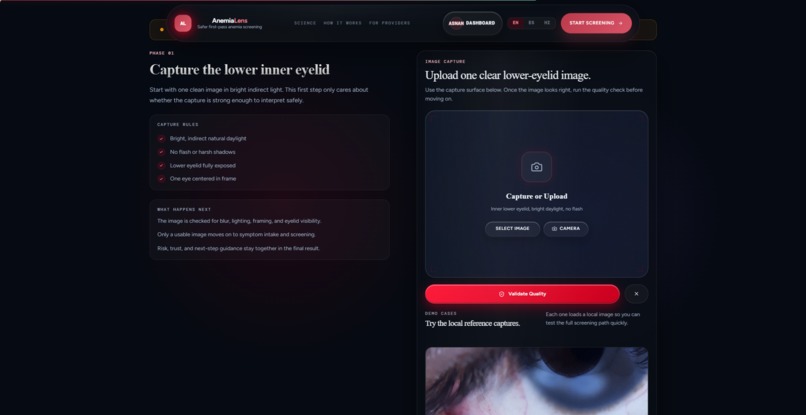
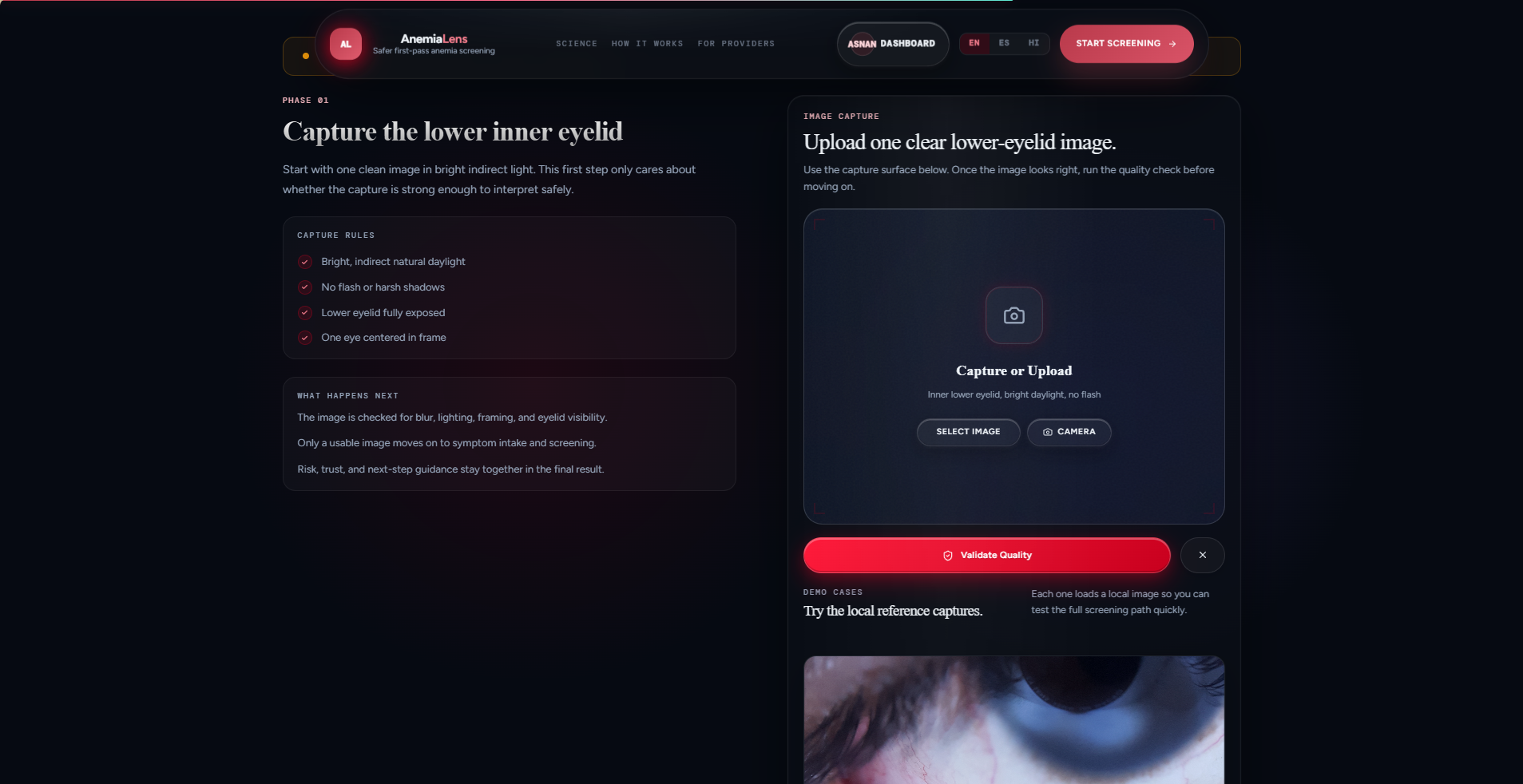
The app guides users to upload a proper conjunctiva image for more reliable AI analysis.
-
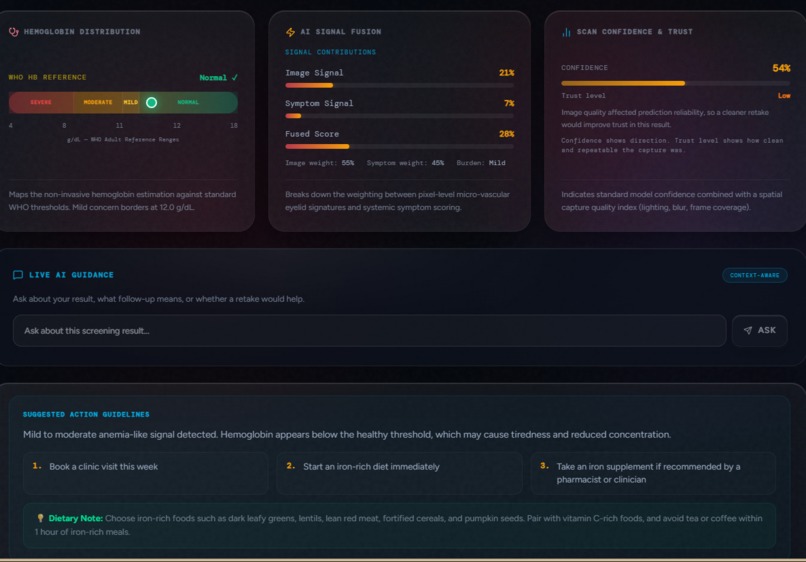
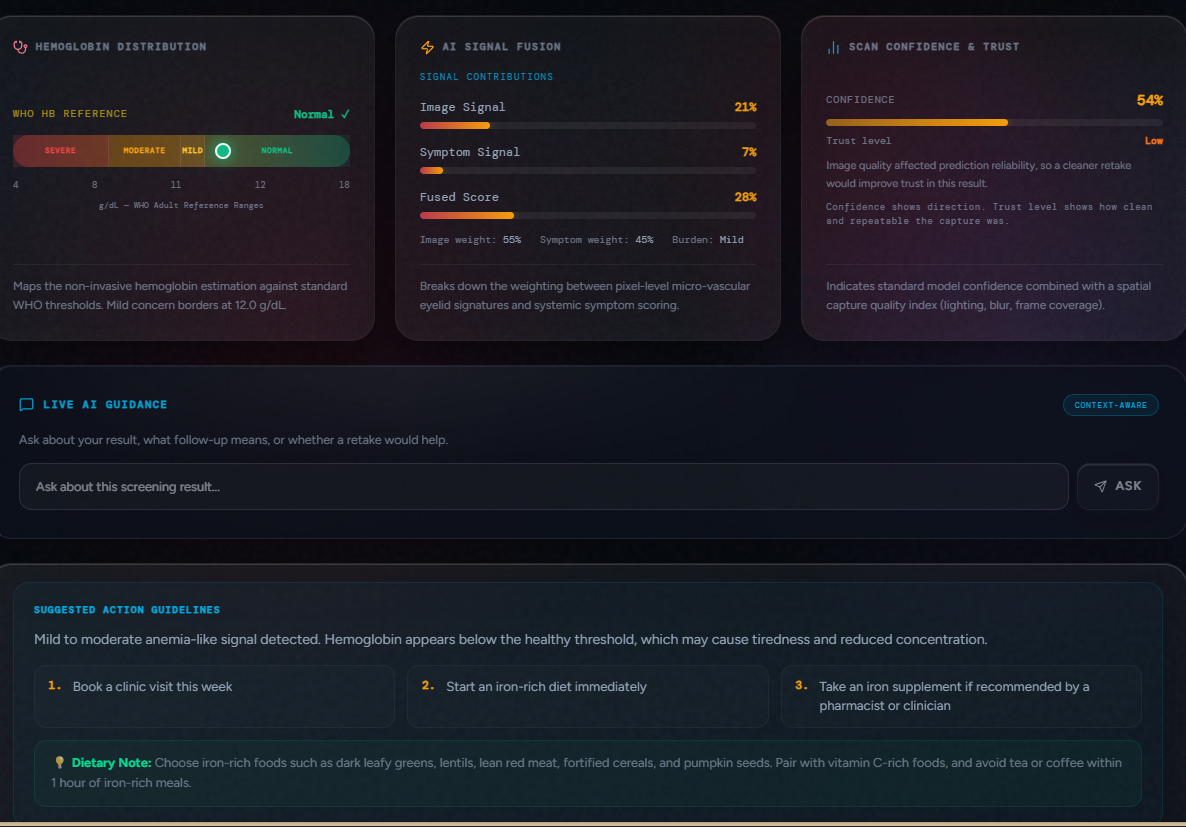
AnemiaLens shows risk band, confidence, Hb estimate, and safe next-step guidance in one view.
-
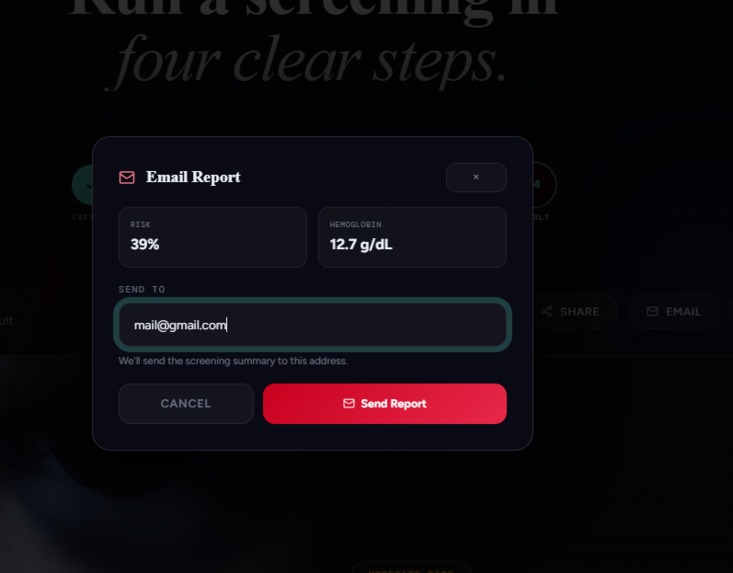
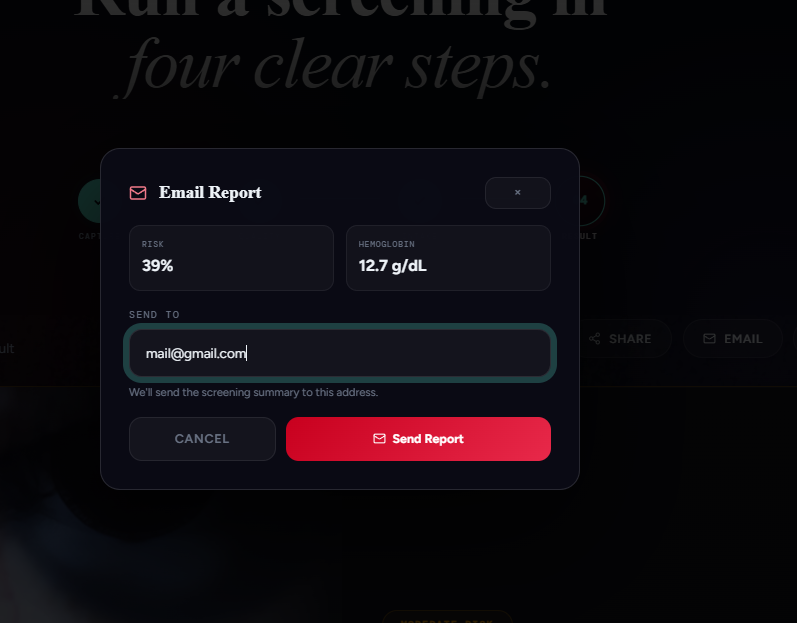
Users can send a screening summary to support follow-up with a healthcare professional.
AnemiaLens — AI-Powered Anemia Awareness From a Smartphone
Elevator Pitch
AnemiaLens helps people notice possible anemia risk earlier using AI-powered smartphone screening, symptom awareness, and safe next-step guidance.
Inspiration
Anemia is a major health problem affecting people across the world, especially in communities where regular blood testing is difficult because of distance, cost, time, or lack of medical infrastructure.
For many families, getting a hemoglobin test is not simple. It may require traveling to a clinic, waiting for lab results, and spending money that may not be easy to afford. In rural or underserved communities, this delay can cause people to ignore symptoms like fatigue, dizziness, weakness, or pale appearance until the problem becomes more serious.
I wanted to build a project that uses AI for something meaningful: not just convenience, but early awareness. That is why I built AnemiaLens.
What It Does
AnemiaLens is a smartphone-based anemia awareness and early-risk screening assistant. A user can upload or capture an image of the inner lower eyelid, also called the conjunctiva, and answer a short symptom checklist.
Before giving any result, AnemiaLens checks the image quality. It looks for problems like blur, poor lighting, bad framing, glare, and shadows. If the image quality is not good enough, the system asks the user to retake the image instead of giving an unreliable result.
After the image and symptom intake, the AI provides:
- A possible anemia risk band
- A confidence score
- A simple explanation
- Safe next-step guidance
- A reminder to consult a qualified healthcare professional for proper diagnosis
AnemiaLens is not a diagnosis tool. It is a screening and awareness assistant designed to help people decide when they should take symptoms seriously and seek medical testing.
How It Works
The user flow is simple:
- Capture or upload a conjunctiva image
- Run image quality checks
- Complete a short symptom intake
- AI analyzes the visual and symptom information
- The app shows a risk band and confidence score
- The user receives safe next-step guidance
This makes the experience easier for people who may not understand medical language. Instead of giving complicated results, AnemiaLens converts AI output into clear, human-friendly guidance.
How AI Is Used
AnemiaLens uses AI in multiple parts of the workflow.
First, computer vision is used to analyze the conjunctiva image and identify visual patterns related to paleness and possible anemia risk. The model uses a quality-gated image pipeline so that poor images do not produce misleading results.
Second, the system combines visual screening with symptom context. This makes the output more useful than a simple image classifier.
Third, AI guidance helps explain the result in simple language and suggests safe next steps, such as seeking a blood test, speaking with a healthcare professional, or monitoring symptoms.
The main goal is responsible AI: the system should help users understand risk without pretending to replace doctors or lab tests.
Key Features
- Smartphone-based anemia awareness flow
- Conjunctiva image upload or capture
- Image quality gate for blur, brightness, glare, shadows, and framing
- Symptom checklist for possible anemia signs
- AI-powered risk band output
- Confidence-aware result display
- Simple explanation of results
- Safe next-step guidance
- Medical disclaimer
- Accessibility-focused user experience
Real-World Problem It Solves
Many people delay anemia testing because they do not know if their symptoms are serious, or because medical testing is not easily accessible. AnemiaLens gives users a simple first awareness step using a device they already have: a smartphone.
This can be useful for:
- Students
- Families
- Rural communities
- Health awareness camps
- Community volunteers
- People who need a simple explanation before visiting a clinic
AnemiaLens does not replace healthcare. It helps start the health conversation earlier.
Why It Matters
The strongest part of AnemiaLens is not only the AI model. It is the complete safe screening journey.
A normal AI app might simply accept an image and produce a prediction. AnemiaLens is designed more responsibly. It checks image quality, considers symptoms, shows confidence, explains uncertainty, and reminds users that medical confirmation requires a qualified professional.
This is important because health AI must be careful. A wrong or overconfident answer can harm people. AnemiaLens is built to be helpful, but also honest about its limits.
Challenges I Faced
One major challenge was image quality. Real users may upload blurry images, images taken in bad lighting, or images where the conjunctiva is not properly visible. To handle this, I built a quality gate before analysis.
Another challenge was responsible health wording. I had to make sure the app does not claim to diagnose anemia. The wording was carefully designed around risk awareness, screening, confidence, and safe next steps.
A third challenge was making the app understandable for normal users. Health technology should not feel confusing. The result screen needed to be simple, calm, and useful.
What I Learned
I learned that building AI for health is not only about model accuracy. It is also about safety, trust, user experience, explainability, and responsible communication.
I also learned that quality gates can be more important than just making a bigger model. If the input image is bad, the AI output can become unreliable. So the system must first decide whether the image is good enough to analyze.
What I Am Proud Of
I am proud that AnemiaLens focuses on social value. It is not just a chatbot or a basic AI wrapper. It is a real-world AI workflow that can help people understand possible health risk earlier and take safer action.
I am also proud that the project includes safety features such as image quality checks, confidence scoring, and a clear medical disclaimer.
What Is Next
In the future, I want to improve AnemiaLens with:
- Larger and more diverse clinical validation data
- Better calibration across different lighting conditions and skin tones
- More language support
- Offline mobile support
- Stronger accessibility features
- Partnerships with schools, health camps, and community health workers
Medical Disclaimer
AnemiaLens is a screening and awareness assistant only. It does not diagnose anemia and does not replace a doctor, blood test, or qualified medical advice. Users with concerning symptoms should consult a healthcare professional.
Built With
React, TypeScript, Vite, Tailwind CSS, FastAPI, Python, PyTorch, OpenCV, EfficientNet, Supabase/PostgreSQL, and AI guidance tools.
Built With
- docker
- efficientnet
- fastapi
- framer-motion
- hugging-face-spaces
- jwt
- mistral-ai
- onnx
- opencv
- playwright
- postgresql
- python
- pytorch
- react
- supabase
- tailwind-css
- typescript
- vercel
- vite

Log in or sign up for Devpost to join the conversation.