-
-
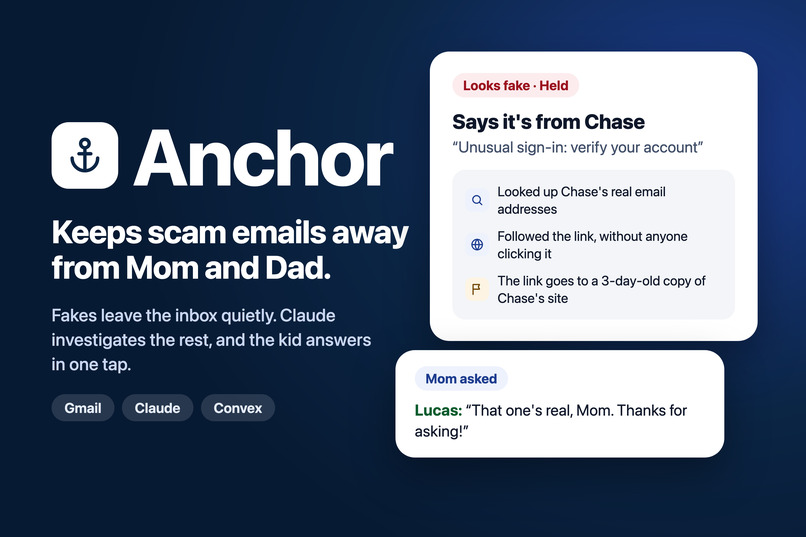
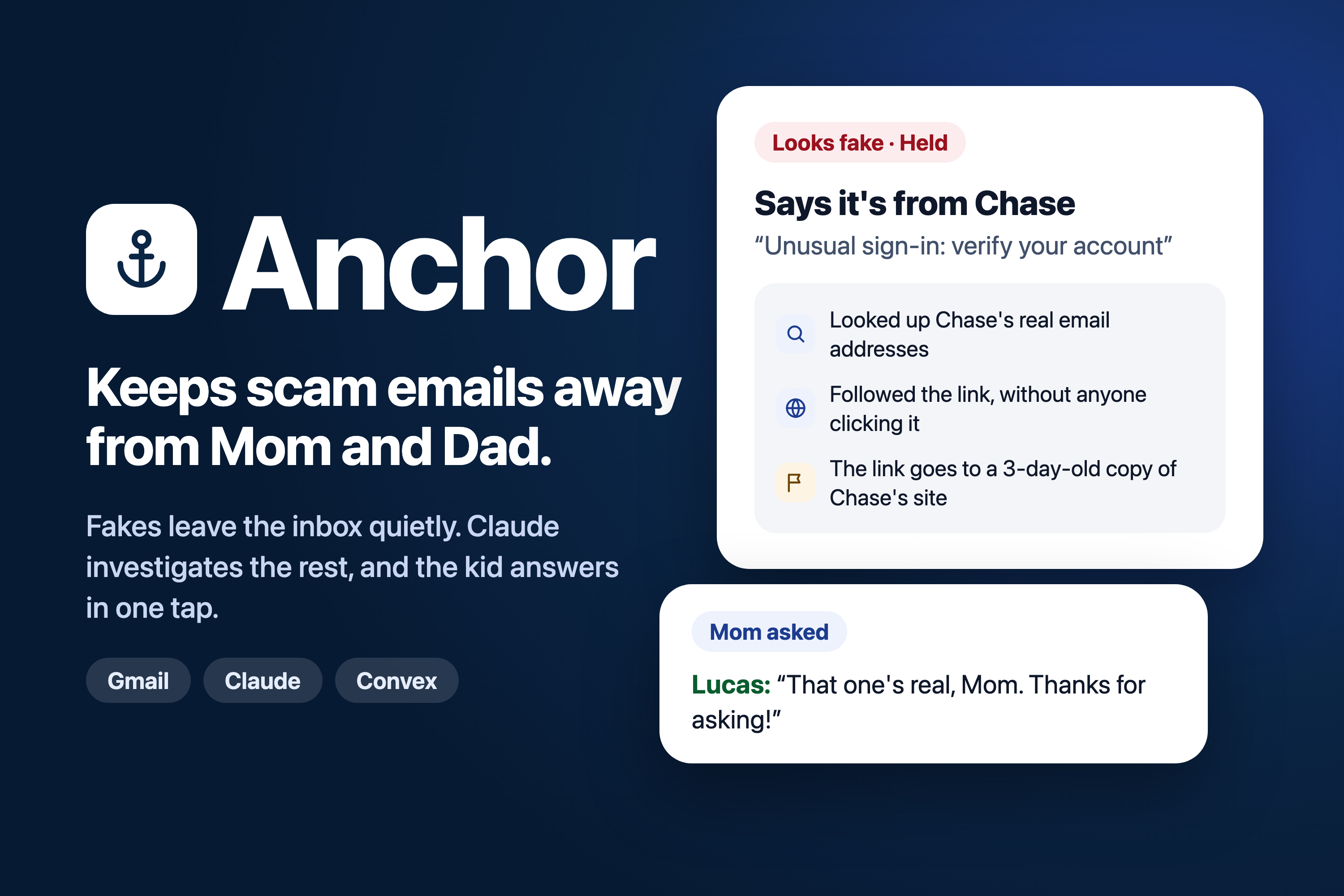
Anchor: scams held before the parent sees them, Claude shows the kid why, and the kid’s answer reaches the parent.
-
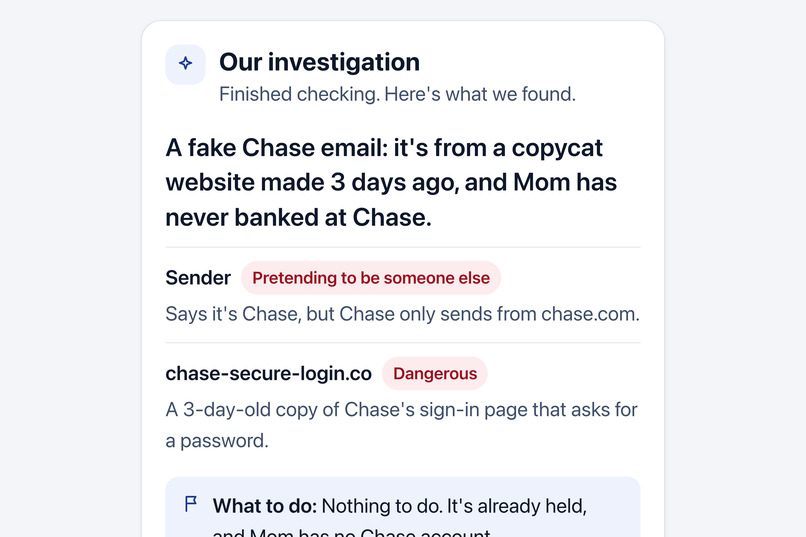
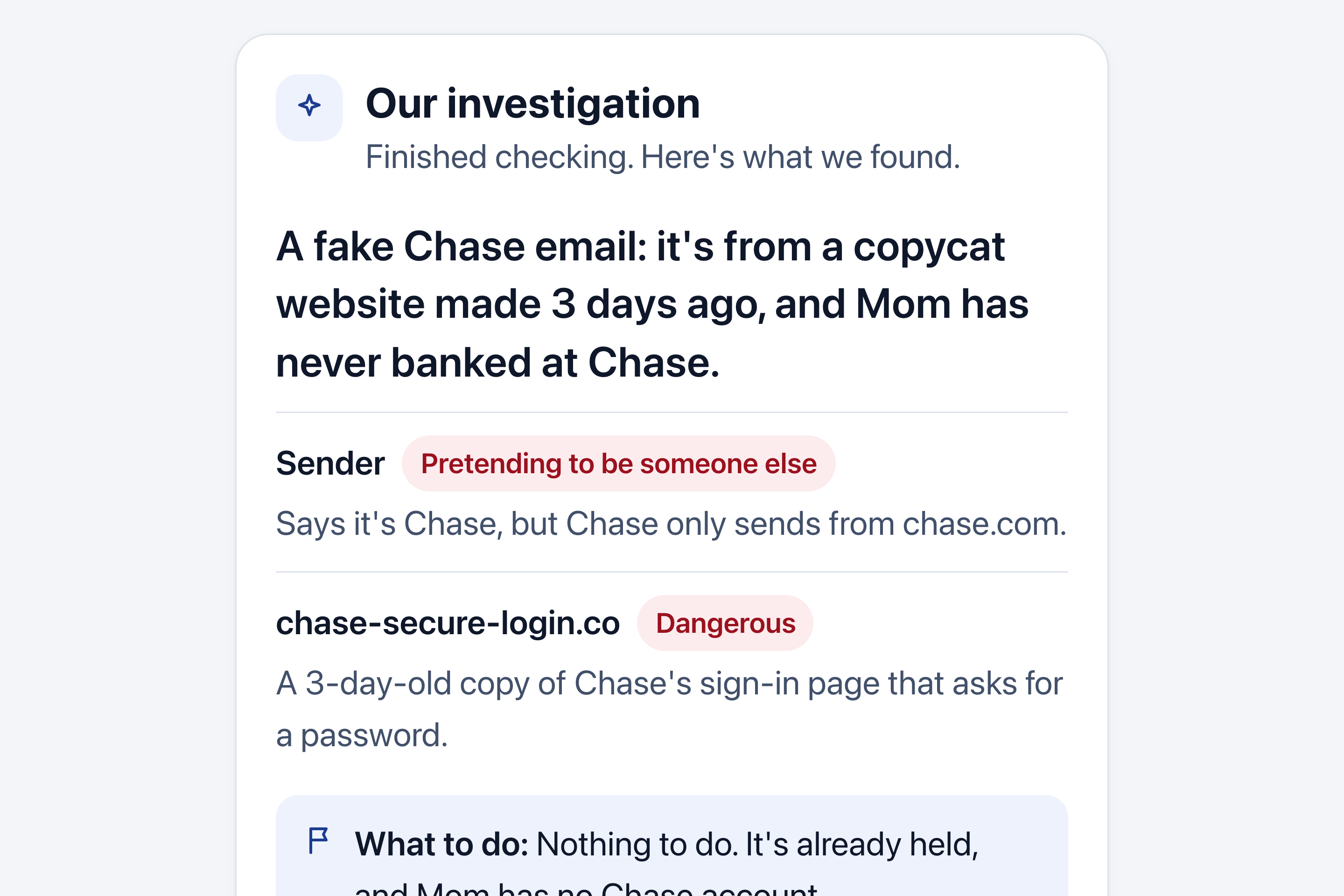
Claude’s investigation of a fake Chase email, live on the kid’s screen: who really sent it, where the link goes, what to do.
-
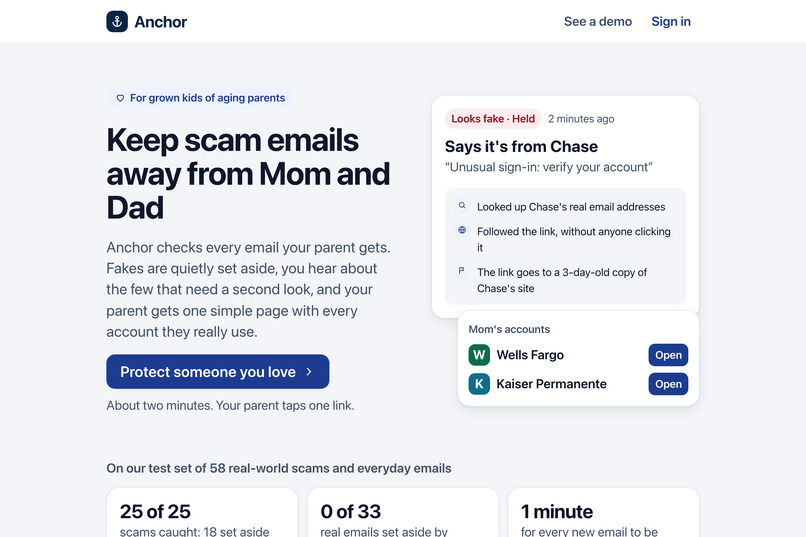
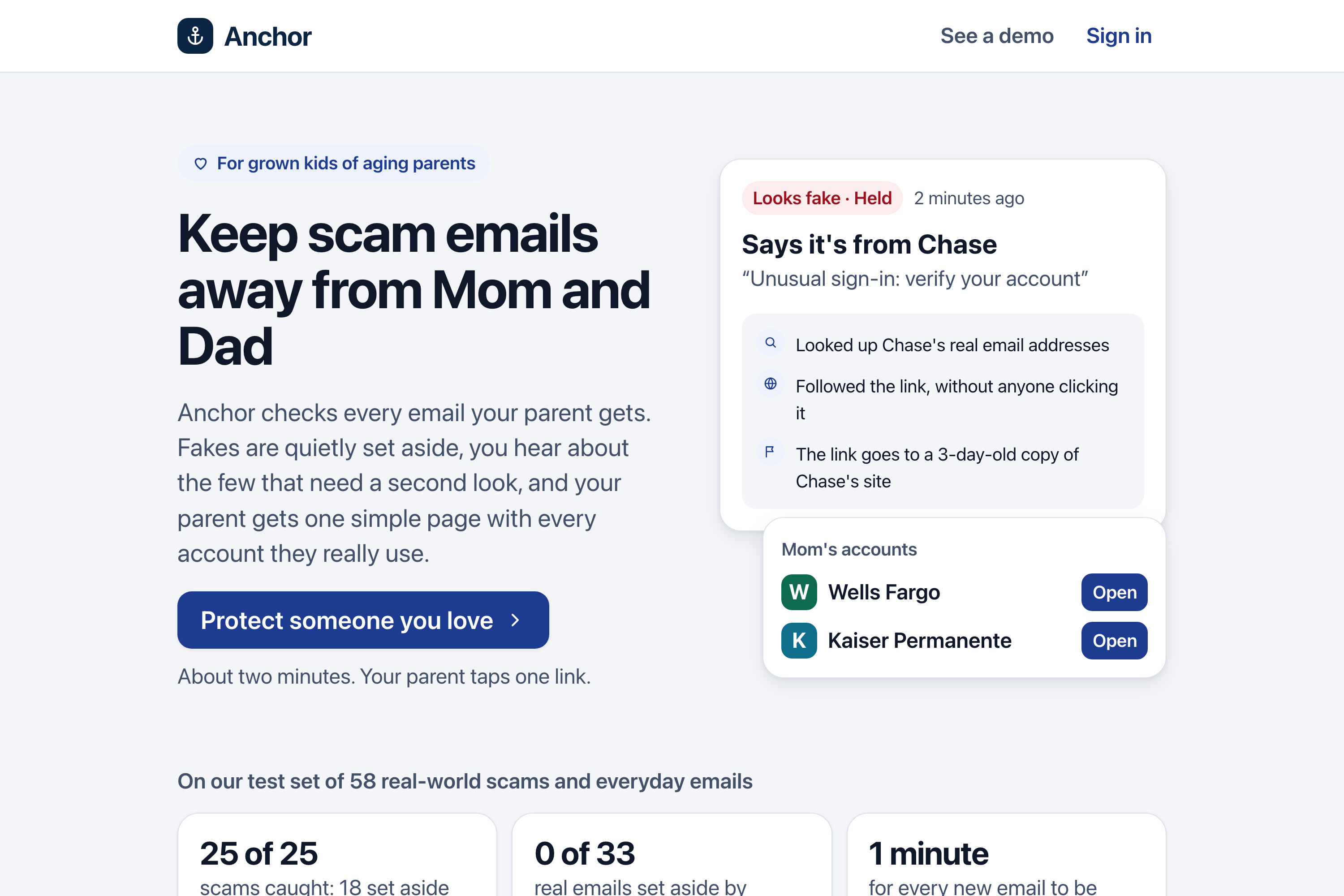
Our front page: what Anchor does, and our measured results: 25 of 25 scams caught, 0 of 33 real emails held.
-
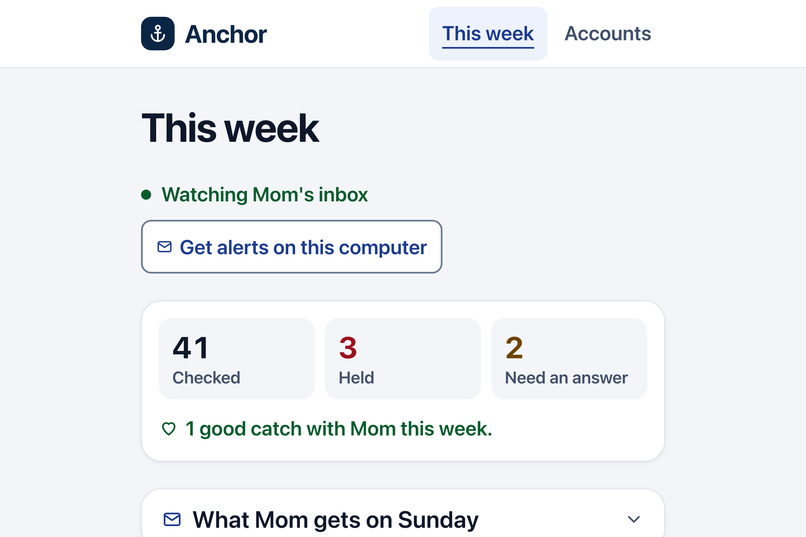
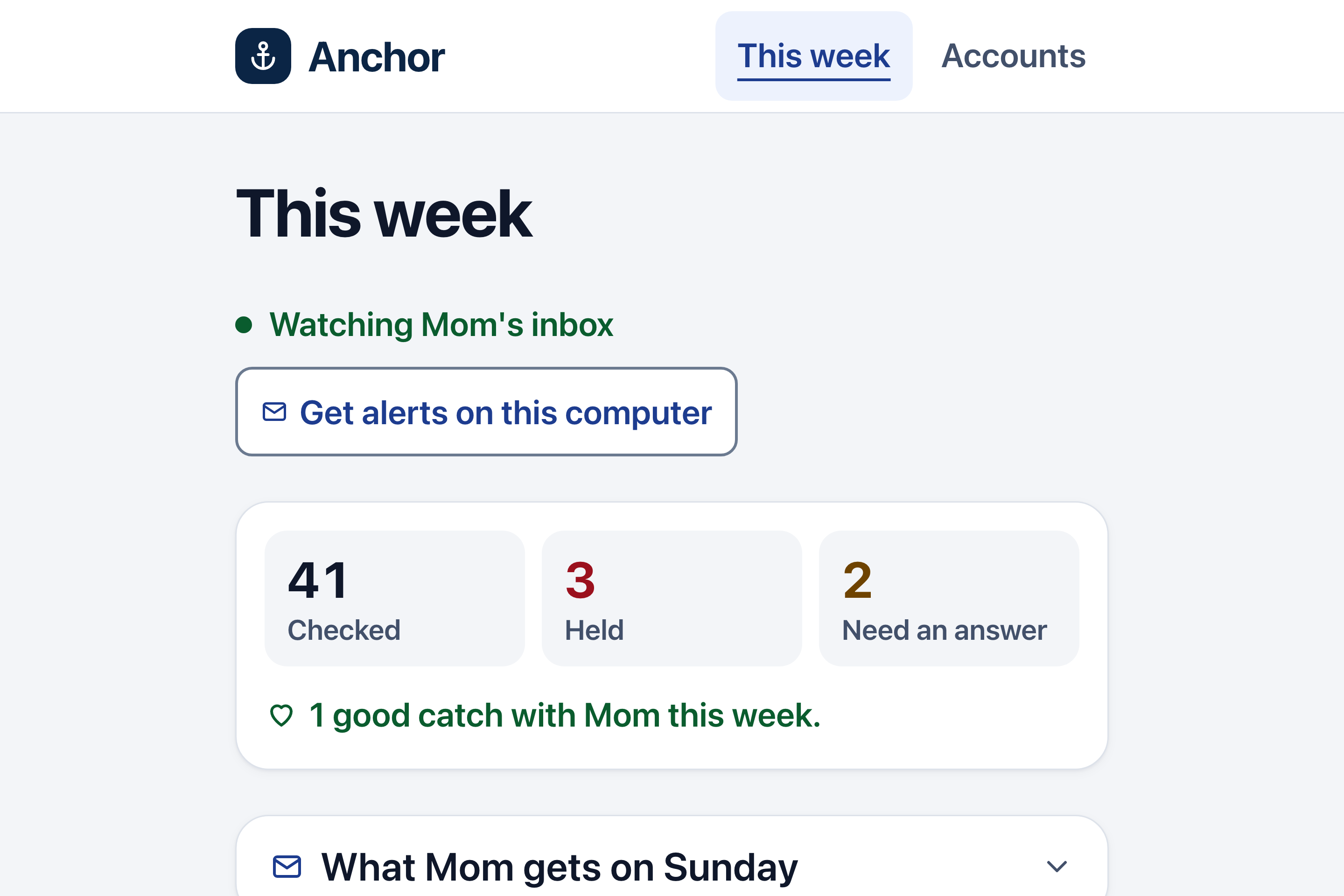
The kid’s week: emails checked, scams held, what needs an answer, and a word-for-word preview of Mom’s Sunday note.
-
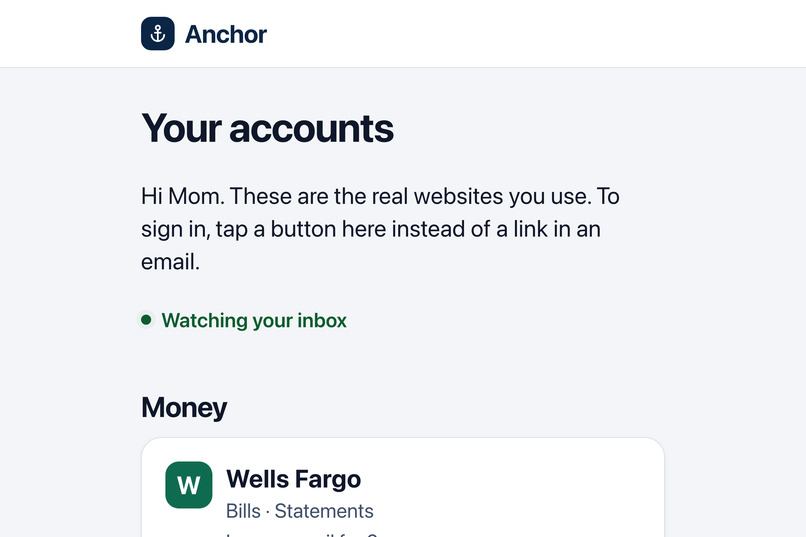
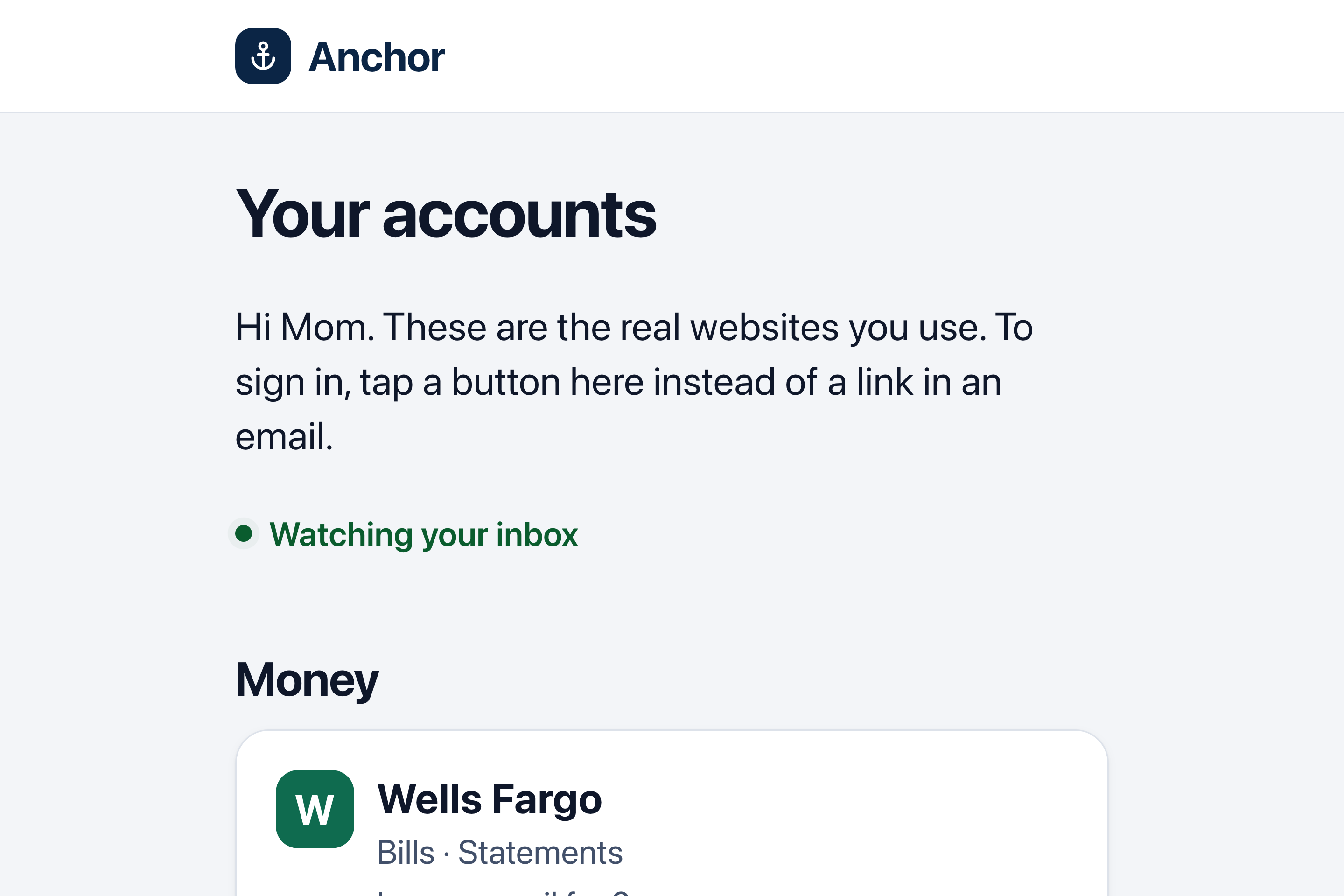
Mom’s page: big buttons to the real sign-in pages of the accounts she actually uses, found from her own email.
Inspiration
We're twin brothers, and our parents are in their 70s. They're frequently targeted by scams, and they often need one of us to look at a message and tell them whether it's real or a scam. To make things worse, scam emails now look exactly like the real thing, and the advice we give our parents ("check the address", "don't click links") asks them to be security experts. Spam filters guess from the message alone. We wanted something that knows who our parents actually deal with, quietly handles the obvious fakes, and brings us in for the rest.
What it does
Anchor connects to a parent's Gmail from a link their kid texts them: one tap, then Google's approval screen. After that the parent does nothing new:
- Scams leave the inbox quietly. Every new email is checked within a minute: who really sent it, where each link really goes (without anyone clicking), and whether it makes sense for this person. A perfect "Chase" email to someone who has never banked at Chase is a scam. Fakes move to an "Anchor: Held" folder they can always open. Nothing is deleted.
- An AI investigator you can watch. For anything suspicious, Claude researches like a careful person would: it looks up the company's real email addresses and follows the links. The kid watches each step live, then reads a plain verdict on the sender and each link, with sources.
- It knows your family. Anchor learns the names of the people the parent writes to. A stranger using a family member's name from a new address, or an address that looks almost like theirs ("sue.miiler"), is flagged for the kid, and held if it also pushes for gift cards or a wire transfer. A son's email asking Mom to pay the PG&E bill by Venmo is left alone, but the same son's hacked account asking for gift cards is caught.
- Mom's front door. One page of big buttons for the accounts she really uses (bank, doctor, phone bill), found from her own email, ranked by real use, and linked to the companies' real sign-in pages. She never has to sign in through an email link again.
- The loop goes both ways. The kid only hears about an email when Anchor catches something or the parent asks (in their feed, with a browser alert if they turn alerts on), answers with one tap, and can add a note that reaches the parent in the kid's own words; the parent can just hit Reply to write back. The parent can ask, too: move any email to the "⚠ Check with Lucas" folder in Gmail, and the kid gets it with the AI investigation, while the parent's page shows "Lucas is looking at it", then the answer. Once a week the parent gets one calm note (the kid can read it word for word first), with one plain lesson from what was caught ("No real person or company asks to be paid in gift cards").
How we built it
- Convex for everything on the server: the database, a cron that checks each family's new mail every minute, scheduled jobs that carry out Gmail actions with retries, actions for Gmail and Claude, Convex Auth for the kid, and live queries that make the kid's feed, the investigation steps and Mom's accounts update the instant something changes.
- Gmail API (gmail.modify only: labels and moving mail; never sending as the parent or deleting). History import reads two years of headers (never bodies) to learn real accounts and relationships; the first accounts appear in about 10 seconds.
- A deterministic pipeline first: SPF/DKIM/DMARC, claimed identity vs. real domains, look-alike and homoglyph domains, link unwrapping, domain age (RDAP), Google Safe Browsing, pressure signals (gift cards, wires, crypto, secrecy), hidden instructions aimed at an AI, and the relationship check against the parent's own history.
- Claude (claude-opus-5-5) in three places: the investigator (with web search and web fetch), the plain-language explanation for the kid, and finding the official sign-in page for companies not on our list (it may only read that company's own site). Its rules are enforced in code, not just asked for in a prompt: it can make a verdict stricter but never lower a deterministic red flag; email text is marked untrusted; after it reads an email's text it can only raise; sources must come from its own tool results; clearing an email requires our own curated data (the company's real, authenticated address), never the model's opinion; the parent never sees model text.
- Next.js + Tailwind for the kid's app and the parent's big-text pages, built for accessibility (text never under 18px, 64px tap targets, AAA contrast).
Measured, not promised
convex/accuracy.test.ts runs a labeled set of 58 emails through the whole pipeline with no AI and no network (the floor): 25 of 25 scams caught (18 held automatically), 0 of 33 real emails held, 6 asked the kid (first-ever emails from a real company, which the AI then clears, and one store's gift card promotion). Its first run caught only 18 of 21: tech-support, streaming and Zelle impostors got through. We added those brands, and the test now fails if a real email is ever held. 690 automated tests in all. Full table: docs/ACCURACY.md.
Where it could go wrong (and what we did)
- A scam email tries to talk the AI into letting it through. Email is evidence, never instructions; the rules decide first and the AI can't overrule them. Our test set includes a hidden-instructions email; it's held.
- Checking a scam link could tip off the scammer. Anchor strips tracking codes before it visits a link, and never follows a link to a private network.
- A real email is held. Nothing is deleted; one tap from the kid puts it back. We measure false holds on our test set and keep them at zero.
- A family member is hacked, or impersonated. Family mail gets ordinary leeway (bills, Venmo, "ASAP"), but gift cards, secrecy, a dangerous link, "your account is locked", or a family name on a new address are still caught. Held scam emails never count as "someone Mom knows", so a scammer can't earn trust by persistence.
- Privacy. We never store email bodies. The kid sees only flagged emails, or ones the parent chose to ask about. Turning Anchor off revokes Google access and deletes the family's data.
- What we chose not to build: password storage, reading or relaying login codes, sending email as the parent. Those are exactly what scammers want an AI to do.
The full list, each risk with its guard in code and the test that proves it, is in docs/SECURITY.md.
Challenges we ran into
- Not flagging family. One of us emails our dad all the time asking him to pay a bill, and an early version would have flagged exactly that: money, a link and a deadline look like a scam. Telling family talk from a hacked account took relationship history, "hard evidence only" rules for familiar senders, and checks that the link, messenger and message fit together.
- Speed. A two-year import of a real inbox took minutes, so accounts now arrive in two passes and fill in live.
- Keeping an AI agent with web access safe on hostile input, and making sure its words never contradict what our checks found.
Accomplishments that we're proud of
- It works end to end on a real Gmail inbox: one-link setup, real accounts, real scams held live.
- A scam email with hidden instructions telling the AI to let it through is held anyway.
- The parent's whole job is tapping one link and saying yes to Google. They install nothing and learn nothing.
What we learned
- The hard part of scam protection isn't spotting a bad email. It's knowing what's normal for one person.
- Limits enforced in code (what the AI sees, which way it can move a verdict) make an AI agent far more trustworthy than prompt instructions alone.
- Designing for a 73-year-old makes every screen better for everyone.
What's next for Anchor
Google's verification and security review to leave testing mode (today only test users can connect, and connections expire every 7 days), Outlook, Yahoo and AOL (many parents don't use Gmail), real-time push instead of a one-minute check, and siblings sharing the watch (we're twins: both of us should see what Mom gets, and whoever answers first is the one she hears from).
Built With
- anthropic
- claude
- convex
- gmail-api
- google-oauth
- google-safe-browsing
- next.js
- rdap
- react
- tailwind-css
- typescript
- vitest


Log in or sign up for Devpost to join the conversation.