-
-
dashboard
-
-
-
-
-
-
-
-
Inspiration
We're Gen Z, the first generation to grow up with smartphones, and we remember "parental controls" from the kid's side: apps that read your messages, blocks with no explanation, and phones taken away as punishment. None of it made us safer. It made us better at hiding, and less likely to tell an adult when something online went wrong.
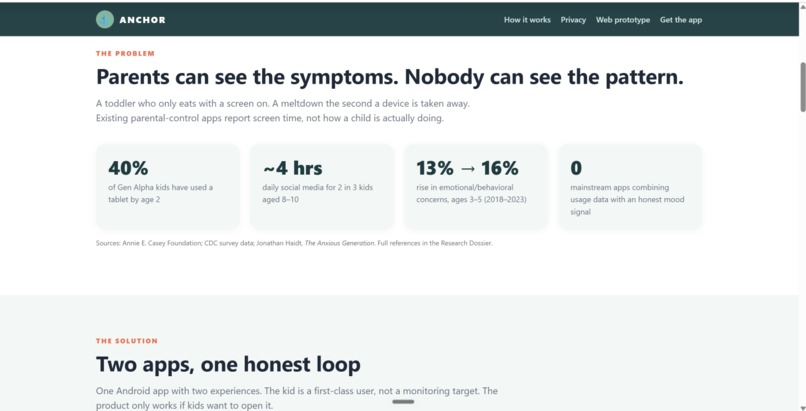
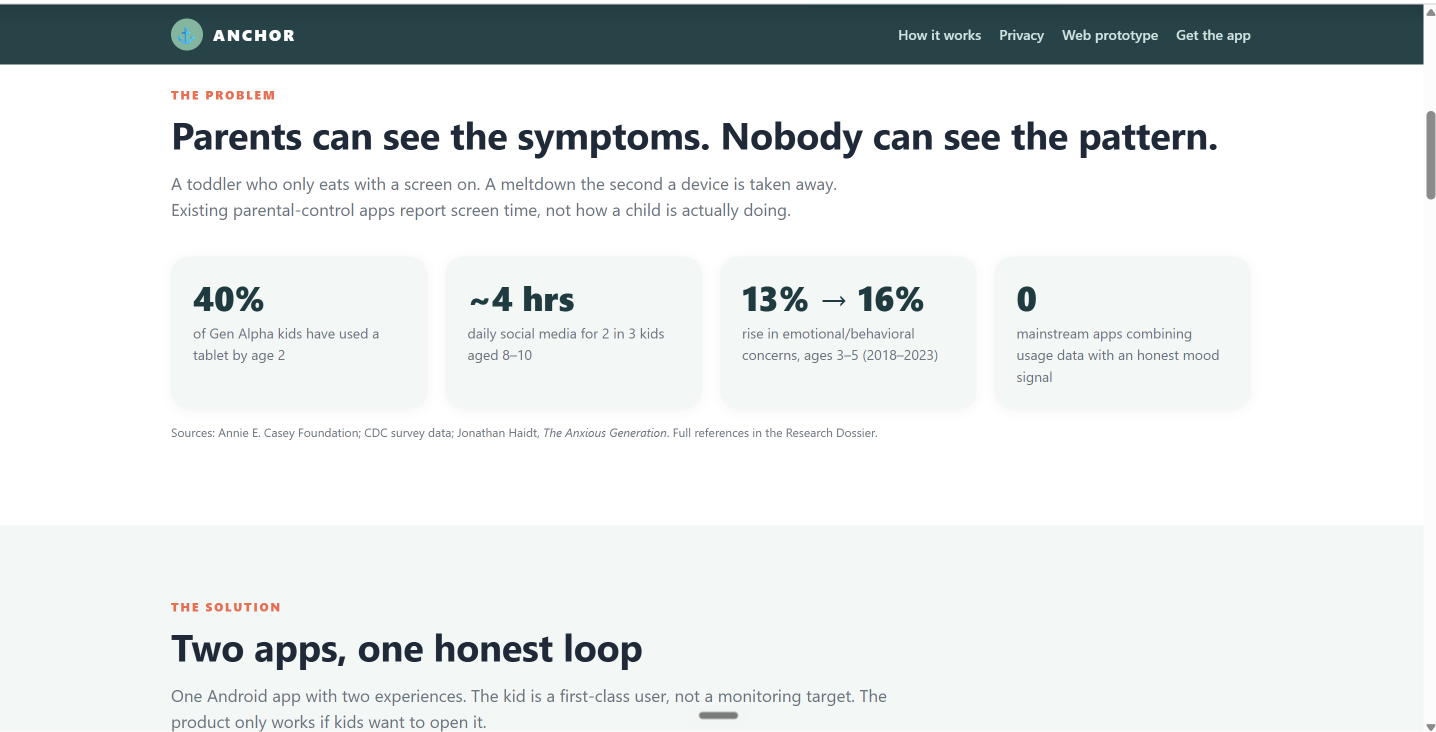
Now Gen Alpha, our younger siblings and cousins, is growing up with endless feeds, autoplay and in-game chat with strangers. Most parents still only get a counter of minutes, which can't answer the questions that matter. How does my kid feel when the screen goes off? Are screens eating into sleep and dinner? Would they tell me if a stranger messaged them?
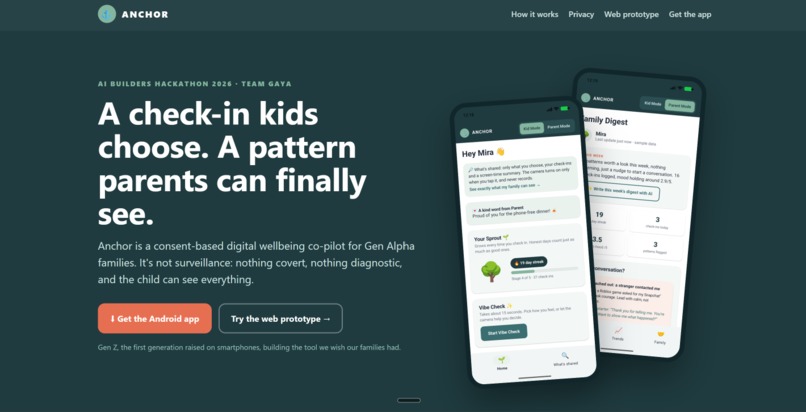
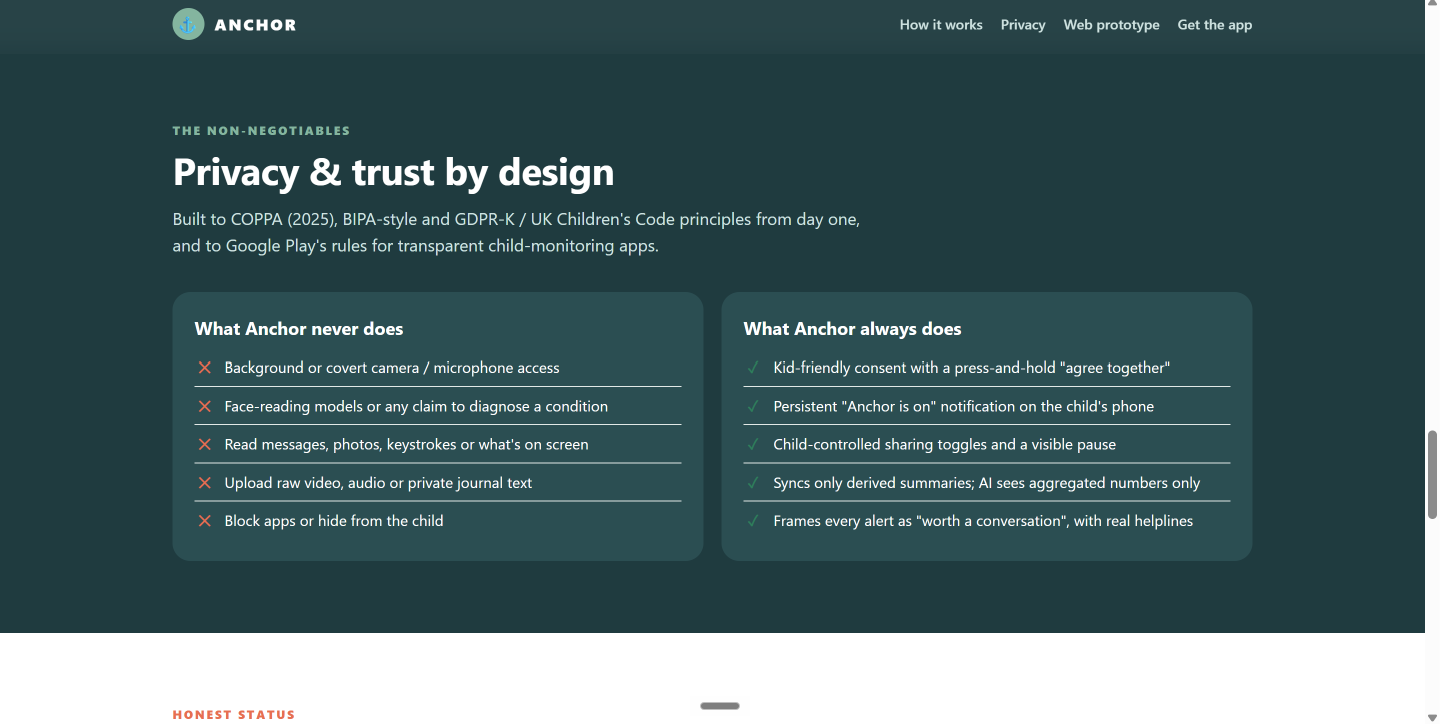
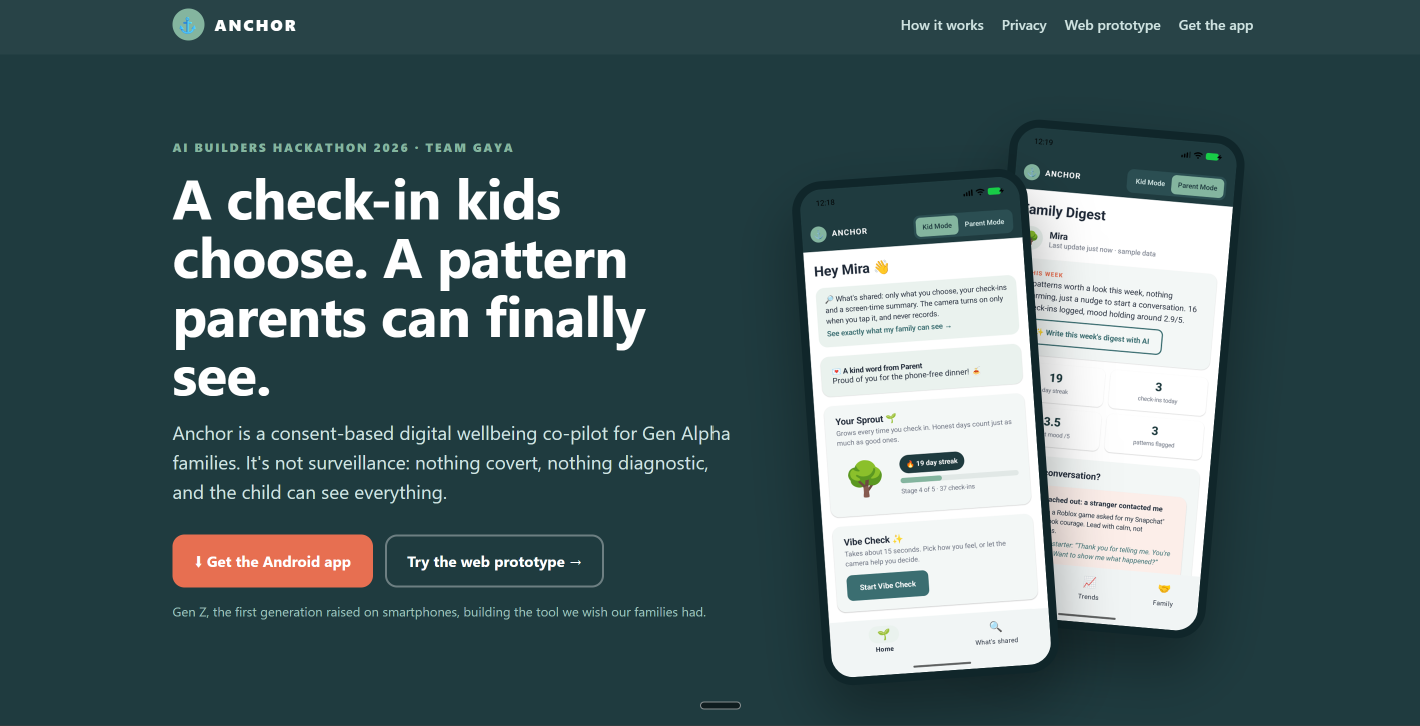
So we built the opposite of spyware. Anchor is a co-pilot kids choose to use. It always shows them exactly what their family sees, and it gives parents patterns and conversation starters instead of surveillance.
What it does
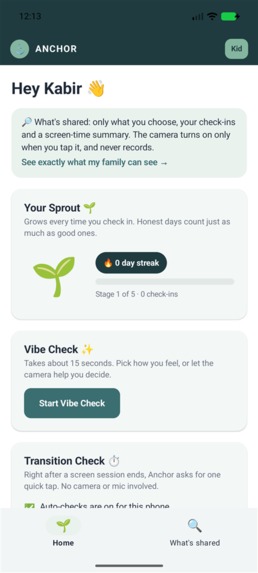
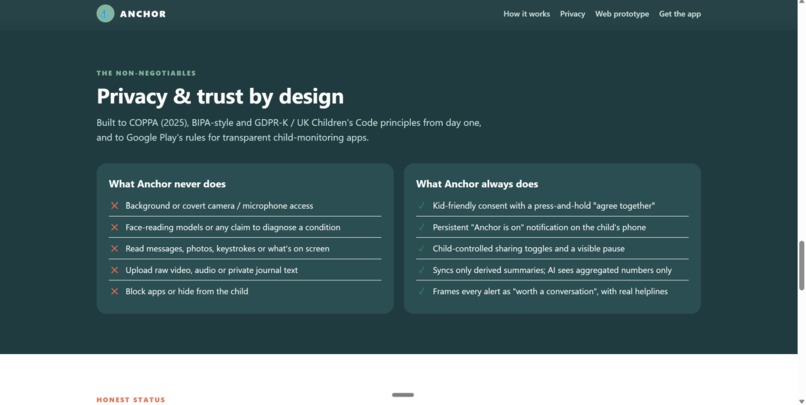
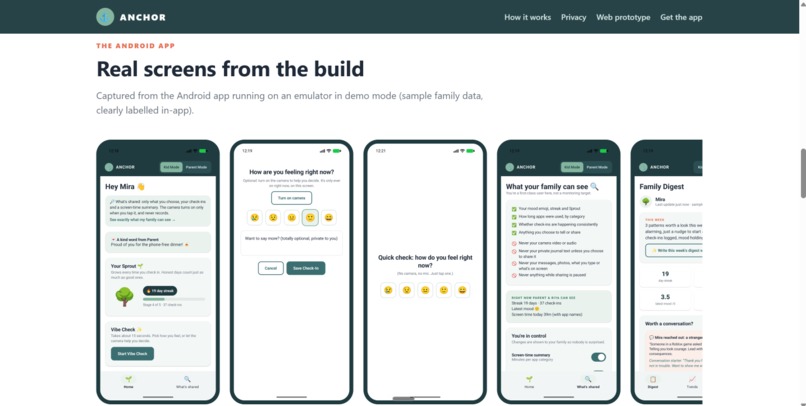
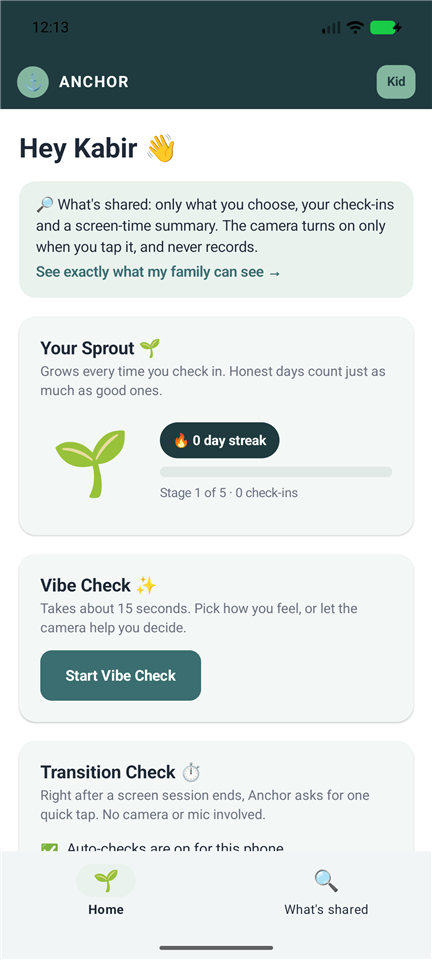
Anchor is a native Android app for families with kids aged about 5–12. It has three roles: Kid, Parent and Gen Z Guide (an older sibling or mentor). They're linked by a shared family log, and nothing goes into it until the child agrees. Anchor never blocks apps and never reads what's on the screen.
For kids
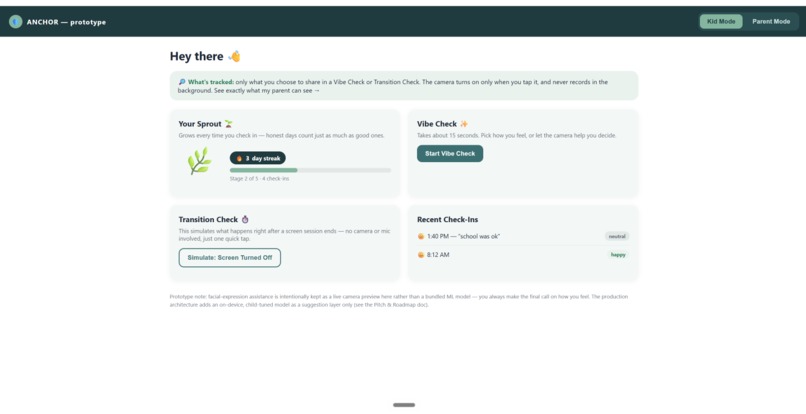
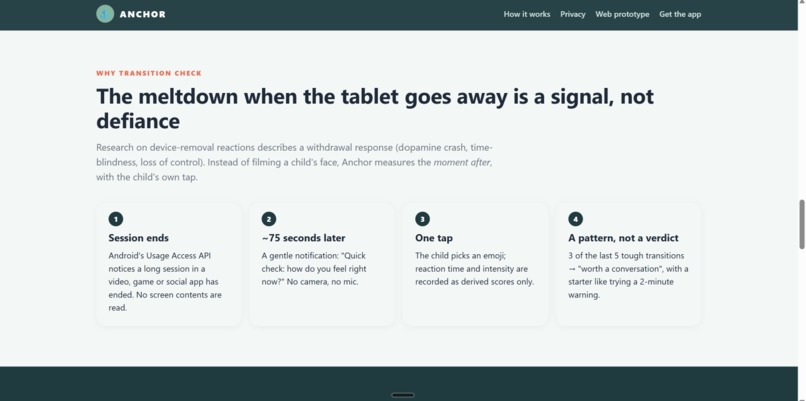
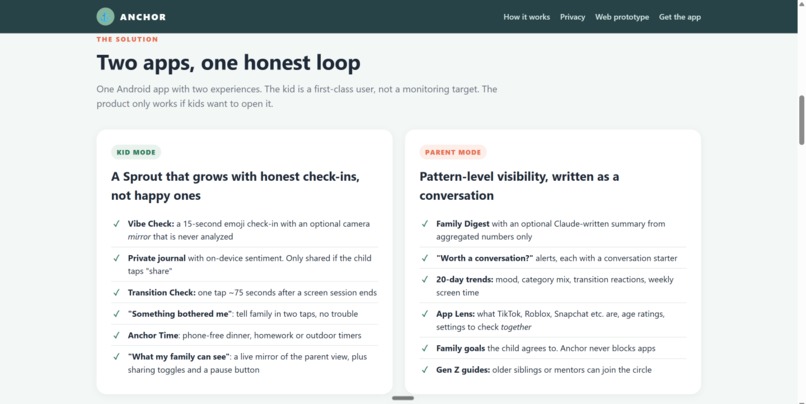
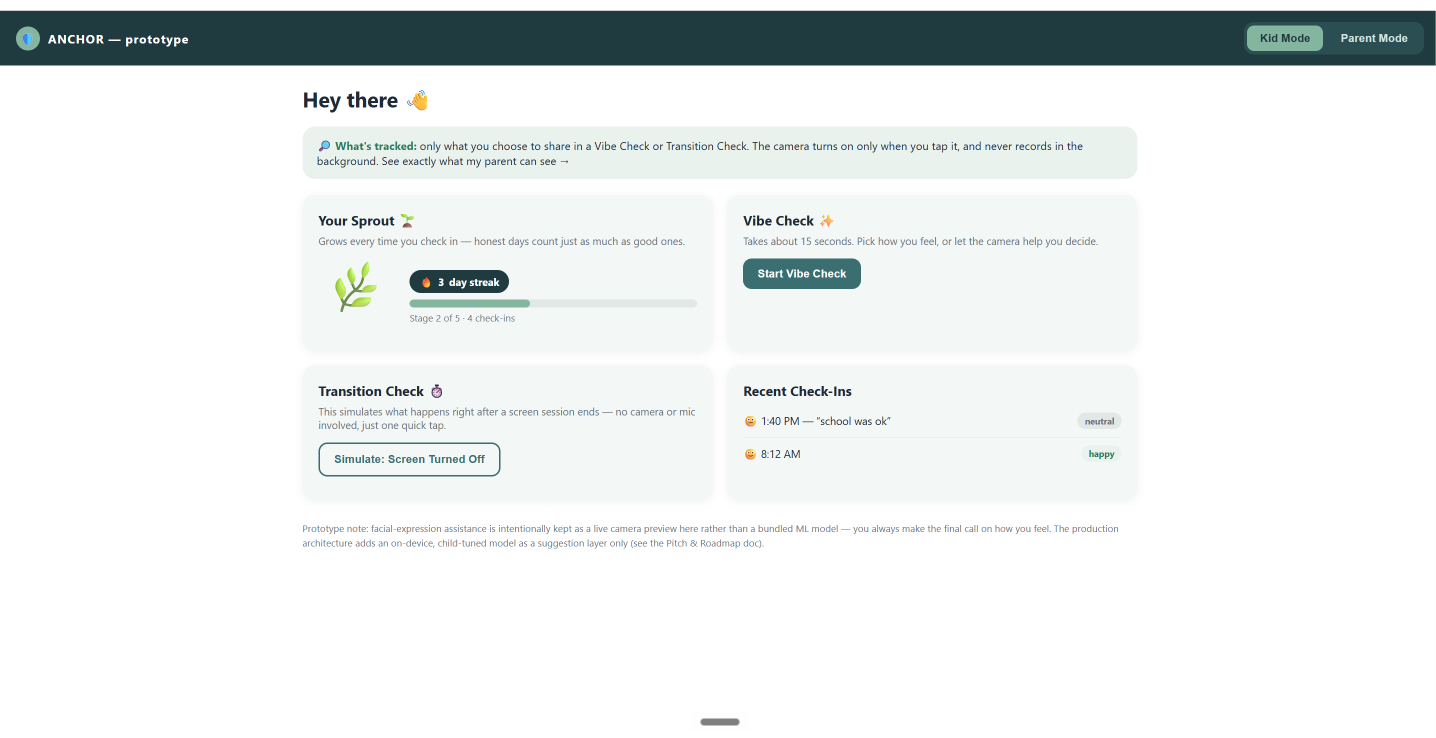
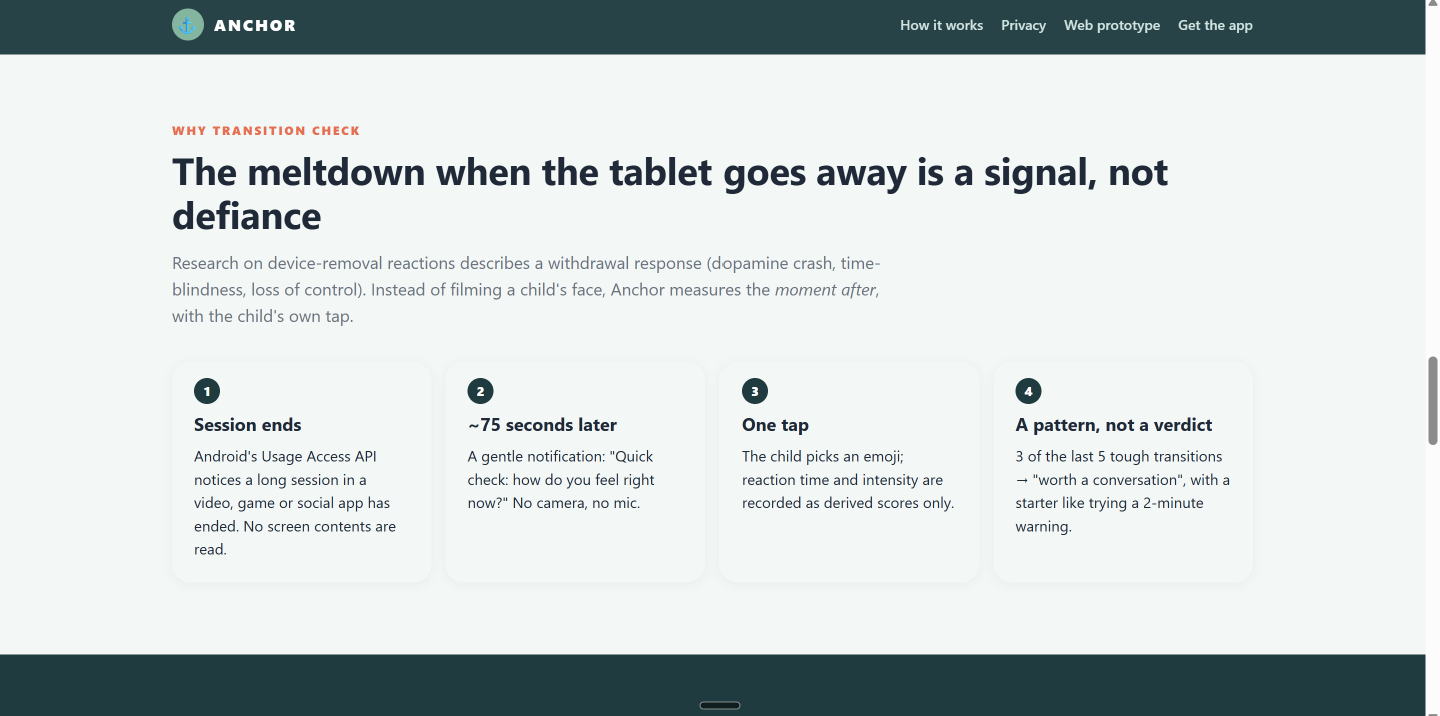
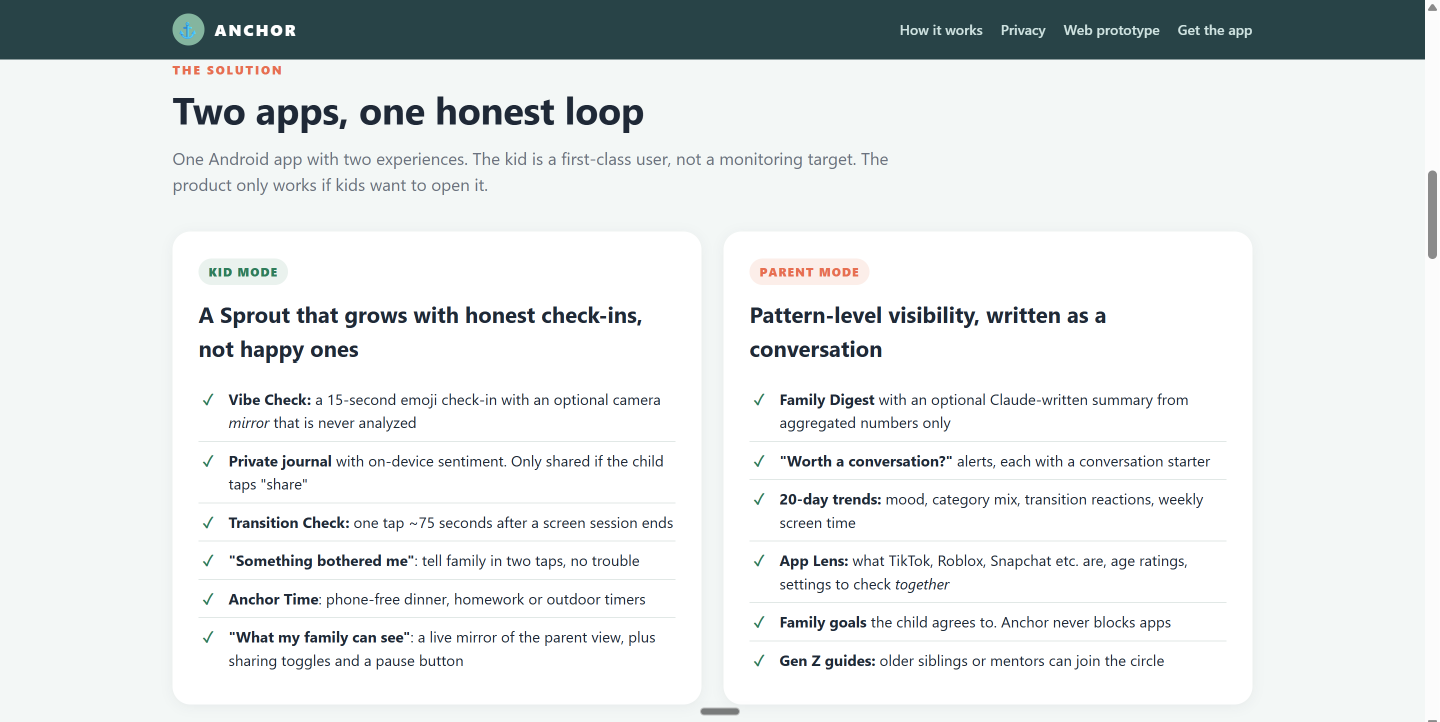
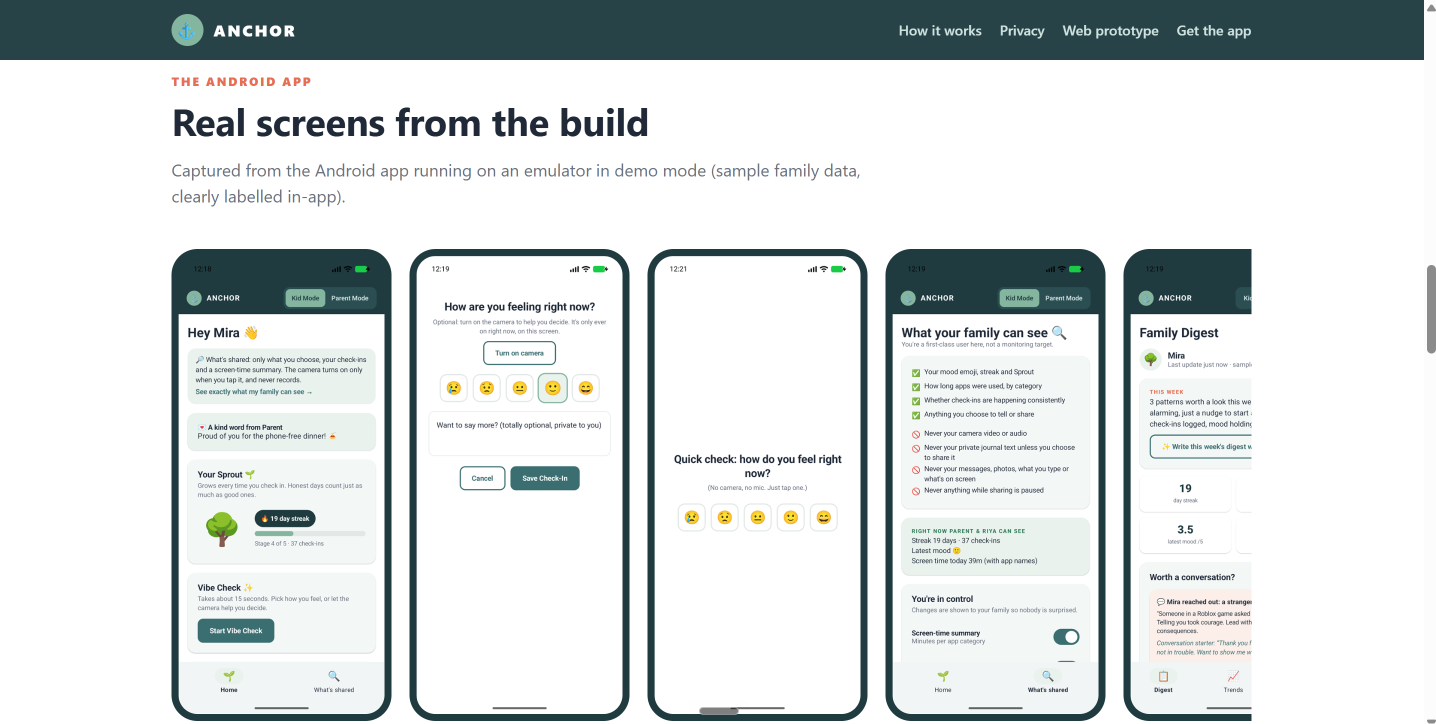
Vibe Check: a 15-second emoji mood check-in. Kids can turn on the front camera as a mirror to see their own face; nothing reads or records the image. They can also write a journal note that stays on the phone unless they share it. Transition Check: about a minute after a 10+ minute session on a video, game or social app ends, Anchor asks for one tap: "How do you feel right now?" That captures the hard moment when the screen goes off, which minute counters miss. Sprout: a plant that grows with every check-in. Honest days count as much as good ones, the plant never shrinks, and one missed day doesn't break the streak. Anchor Time: phone-free time the kid chooses (meals, homework, outside, wind-down), with a breathing timer. Something bothered me 🛟: two taps to tell family about something scary, a stranger, someone being mean or pressure, with "you're not in trouble" built in. Share with family: send a video or link from Android's share sheet, so good things get shared too, not just problems. What my family can see: a live copy of the parent's dashboard, plus switches for screen time, app names (or categories only), moods and transition checks. There's also a pause button, and the family sees every change.
For grown-ups
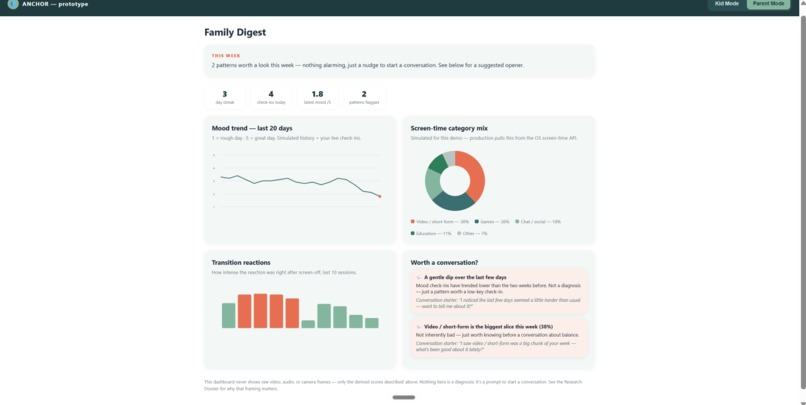
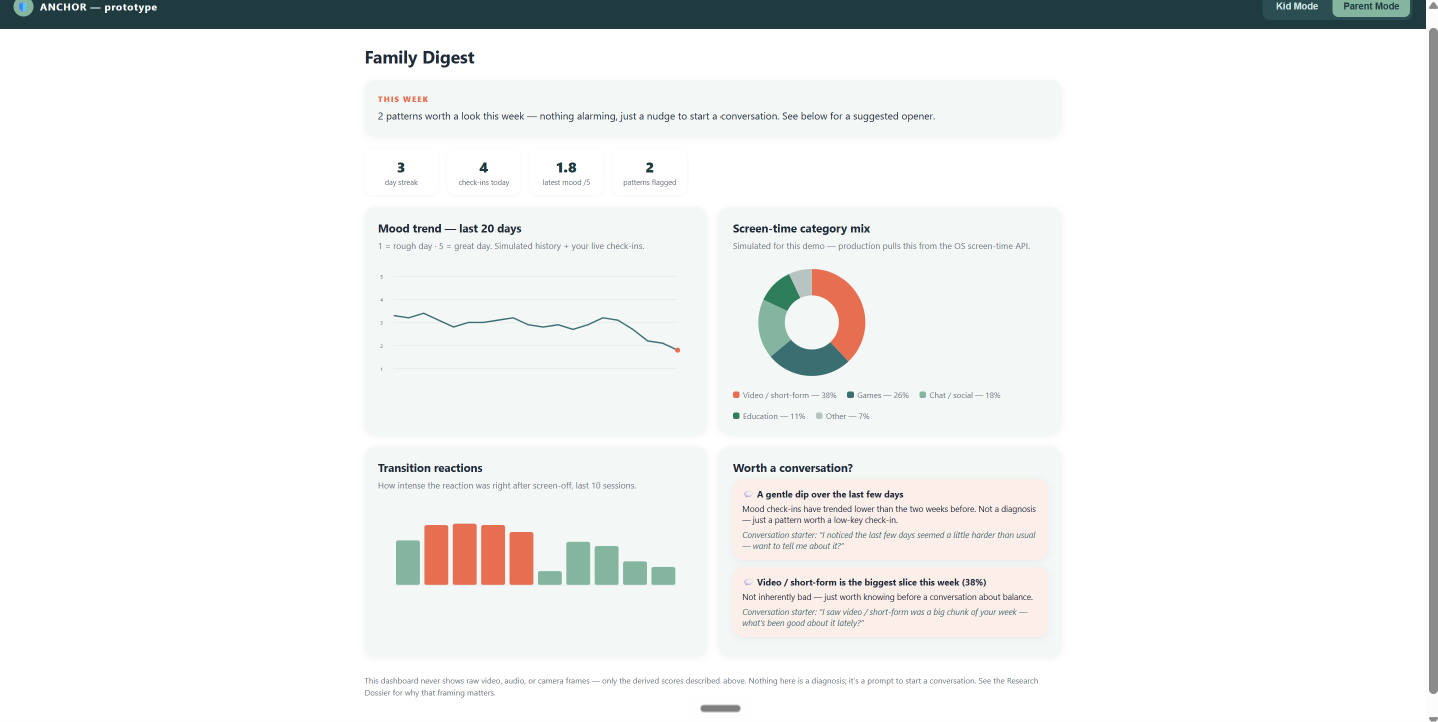
Family Digest: a weekly summary plus "Worth a conversation?" cards. Each card covers one pattern: a mood dip, hard endings to screen time, screens after bedtime or at meals, long unbroken sessions, one category taking over the week, or a kid reaching out. Each comes with a plain-language explanation and a ready-to-say conversation starter. An optional weekly summary can be written by Claude using only totals and averages, with no names. Trends: a 20-day mood trend, the weekly category mix, how hard recent screen-offs were, and screen time against the family goal. App Lens: guides for 20 popular apps (TikTok, Roblox, YouTube, Snapchat, Discord…). Each covers what the app is, its minimum age, what to watch for, settings to check together and a conversation starter. Family Pact: parents suggest goals (daily screen time, bedtime, phone-free meals). Nothing applies until the child agrees. Kind words, Gen Z tips and support resources: send kudos, read a daily tip from Gen Z, and find helplines for India, the US and the UK.
A one-phone demo mode lets anyone switch between Kid Mode and Parent Mode using clearly labelled sample data.
How we built it
We started with a research dossier and a clickable web prototype, then rebuilt Anchor as a native Android app with a small backend.
Android app: Kotlin and Jetpack Compose (Material 3), with coroutines, StateFlow and kotlinx.serialization. Charts are drawn by hand on Compose Canvas. Runs on Android 8.0+. Shared event log: every action (consent, check-ins, screen-time summaries, flags, goals, kudos) is saved as a permanent event. Every phone rebuilds its view from the same log with the same code, so the kid's "What my family can see" screen matches the parent's view exactly. Events are saved on the phone first and synced when online. Screen-time signals: Android's UsageStatsManager (with Usage Access the family grants in Settings) feeds a daily summary. It covers minutes per app and category, sessions, the longest session, an hourly breakdown, unlocks, and minutes during bedtime or meals. The child's sharing choices are applied on the phone before anything is uploaded. Background companion: a foreground service with a permanent "Anchor is on" notification spots finished sessions and triggers Transition Checks. WorkManager syncs every 15 minutes, and a boot receiver restarts everything after a reboot. Privacy built into the code: the camera is set up for preview only, so there's no image analysis or capture. Journal notes get a simple mood read on the phone that handles negation ("not happy"). Cloud backup and device transfer are turned off for app data. Co-pilot engine: fixed, explainable rules, not a black box. Anchor Relay (backend): a Python 3.12 server that uses only the standard library plus the Anthropic SDK, and stores each family's event log. Family codes skip look-alike characters (0/O, 1/I). Login tokens are stored only as SHA-256 hashes. The create, join and digest endpoints are rate-limited, and logs never include payloads. It runs on Render from a single Blueprint file. AI digest: Claude through the Anthropic API. The parent's phone sends only totals: check-in counts, mood averages, category percentages, and pattern titles with the child's name removed. The server filters those fields again and requires a fixed JSON format. The system prompt bans diagnostic language, punishment and covert monitoring. If the AI is unavailable, the rule-based digest still works offline. Demo mode: a sample family ("Mira") generated from a fixed seed, plus a "Simulate: Screen Turned Off" button, so judges can try both sides on one phone.
Challenges we ran into
Telling when a screen session ends without seeing the screen. Android's usage events are messy: apps pause and resume constantly, launchers and system UI show up as apps, and turning the screen off doesn't close apps cleanly. We merged back-to-back intervals, ignored launchers and system apps, treated screen-off as the end of everything, and waited for a quiet period so we don't interrupt a kid who's just switching apps. Helping parents without becoming spyware. Every feature had to pass one test: would we be OK with this if we were the kid? That's why the camera is a mirror and not an emotion detector, the journal stays on the device, and sharing filters run before upload instead of just hiding data in the parent's app. Android background limits and Play policy. Continuous monitoring needs a declared special-use foreground service, a permanent notification, Play's "monitoring tool" declaration, Usage Access granted by hand, and notification permission on Android 13+. Keeping phones in sync. Offline phones, retries and duplicate uploads meant we had to make uploads safe to repeat, sync in pages, and keep only the newest screen-time summary per day, on both the phone and the server. Making AI safe for a kids' product. A digest that says "your child might be depressed" is worse than no digest. We cut down what the model sees, locked its output to a fixed format with strict rules, and kept a fallback that doesn't use AI. Tuning thresholds without real families. Rules like "3 of the last 5 screen-offs were tough" need to catch real patterns without false alarms, even when there's little data. Demoing a multi-device product at a hackathon. We solved it with the one-phone demo mode and a relay that can run on a laptop over local Wi-Fi.
Accomplishments that we're proud of
Privacy enforced by the code, not just a policy. The camera can't analyze images, the private journal never syncs, sharing choices are applied on the child's phone, and the AI never sees names, notes or app names. Kids see exactly what parents see, because both apps build their view from the same log. The Transition Check: a one-tap, camera-free way to learn how a kid feels right after screens. It turns meltdowns into a pattern parents can understand: "a withdrawal response, not defiance." Consent you actually act out, not a checkbox: a press-and-hold "agree together" step, a pause button the kid controls, and goals that only apply once the child agrees. An AI feature built for the worst case: no names or personal details in, a fixed output format, no clinical language, and a rule-based fallback. The Gen Z Guide role, so an older sibling or cousin can be the first person a kid talks to. A complete build: a native app, background companion, sync backend and AI digest, plus a demo that works on one phone.
What we learned
Consent is a feature. Treating the child as a real user, not someone being monitored, changed almost every design decision. Total minutes aren't the story. When screens happen (bedtime, dinner), how long one session runs, and how a kid feels when it ends say far more than a daily total. Explainable beats clever in sensitive areas. A false "diagnosis" is worse than a missed alert, so every insight is a clear rule paired with a conversation starter. Responsible AI is mostly about sending less data. The most important safety step happens before the model is called. Platform rules shape the product. Android's usage events, foreground service rules, notification permissions and Play's monitoring-app policies shaped the architecture as much as our own ideas did. Words matter with kids. "You're not in trouble," streaks that forgive a missed day, and a Sprout that never shrinks all make kids more willing to be honest.
What's next for Anchor:Consent Based Digital Wellbeing Co-Pilot for GenAlpha
Pilot with real families and schools, and check our pattern thresholds and the Transition Check with child psychologists and pediatricians. End-to-end encryption of the family log, so the relay can't read what it stores. Production storage for the relay: a managed database instead of a JSON file. Siblings: multiple kids per family, each with their own consent and sharing choices. iOS, using Apple's Screen Time APIs (FamilyControls / DeviceActivity). An on-device digest model, so even the totals never leave the parent's phone. Translations (starting with Hindi and other Indian languages) and more local support resources. More App Lens guides, separate experiences for ages 5–8 and 9–12, and a Google Play release.

Log in or sign up for Devpost to join the conversation.