Inspiration
I wanted to address a problem that can turn ordinary paperwork into a serious disruption: keeping essential benefits when a confusing notice arrives. A renewal letter might require someone to complete a form, gather proof, schedule an appointment, and respond before a deadline. Those instructions can be especially difficult to navigate while managing work, caregiving, language barriers, or unreliable internet access. I built Anchor to make that process easier. My goal is to help people move from “What does this letter mean?” to “I understand what I need to do next.” I focused on communities in my community, with resources for Santa Clara and San Mateo counties, while designing an approach that could expand to other communities.
What it does
I built Anchor around a connected workflow: understand the notice, prepare a response, and keep track of what happens next.
- Understand: I added PDF reading and browser-based OCR for scanned notices. Anchor identifies potential deadlines and requested documents, links findings to the original wording, and lets users check the information before acting.
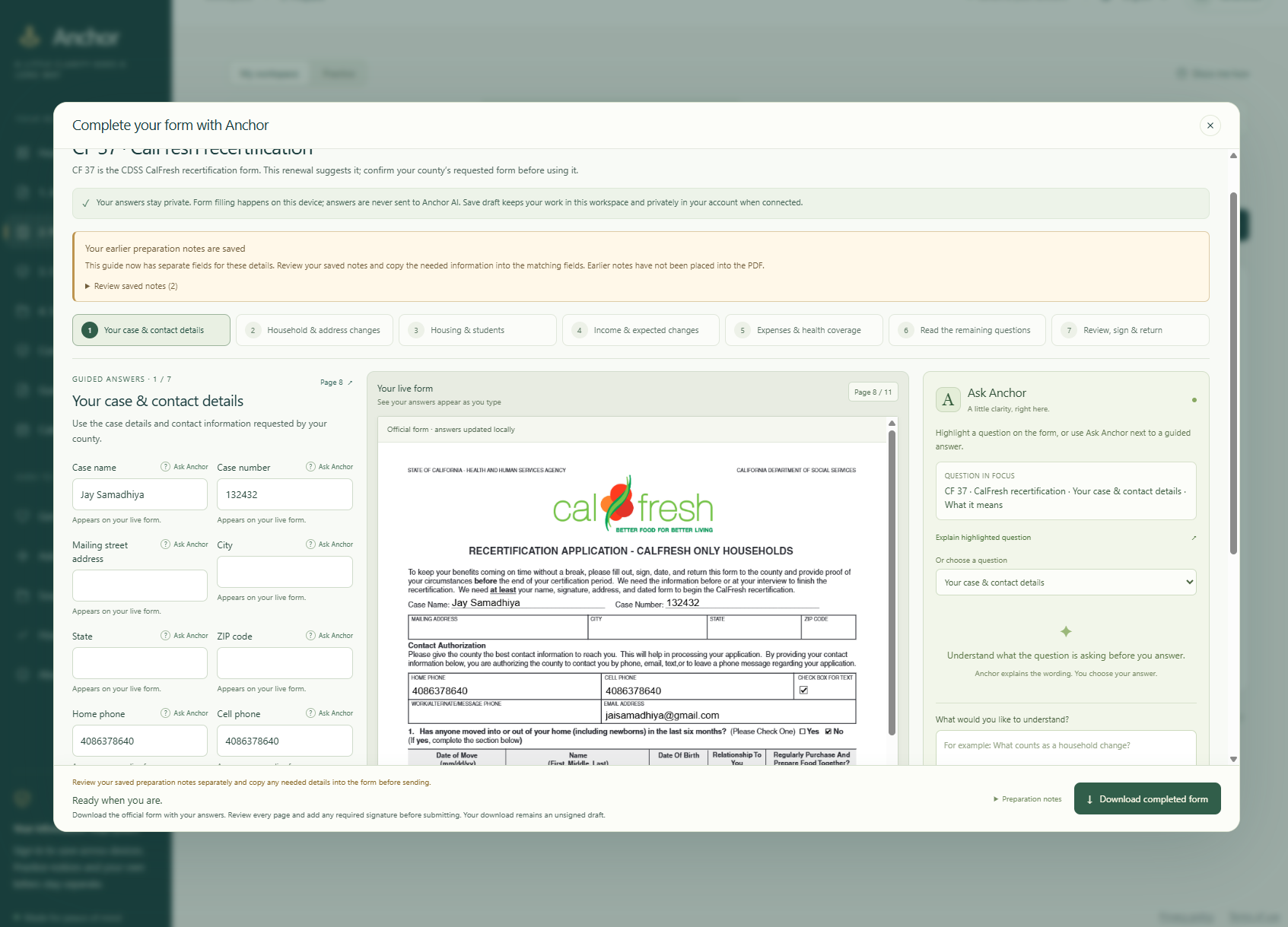
- Prepare: I created guided workflows for official CalFresh CF 37 and SAR 7B forms. Answers appear directly on the actual PDF, which users can review and download. Readiness checks flag missing information or inconsistencies that need attention.
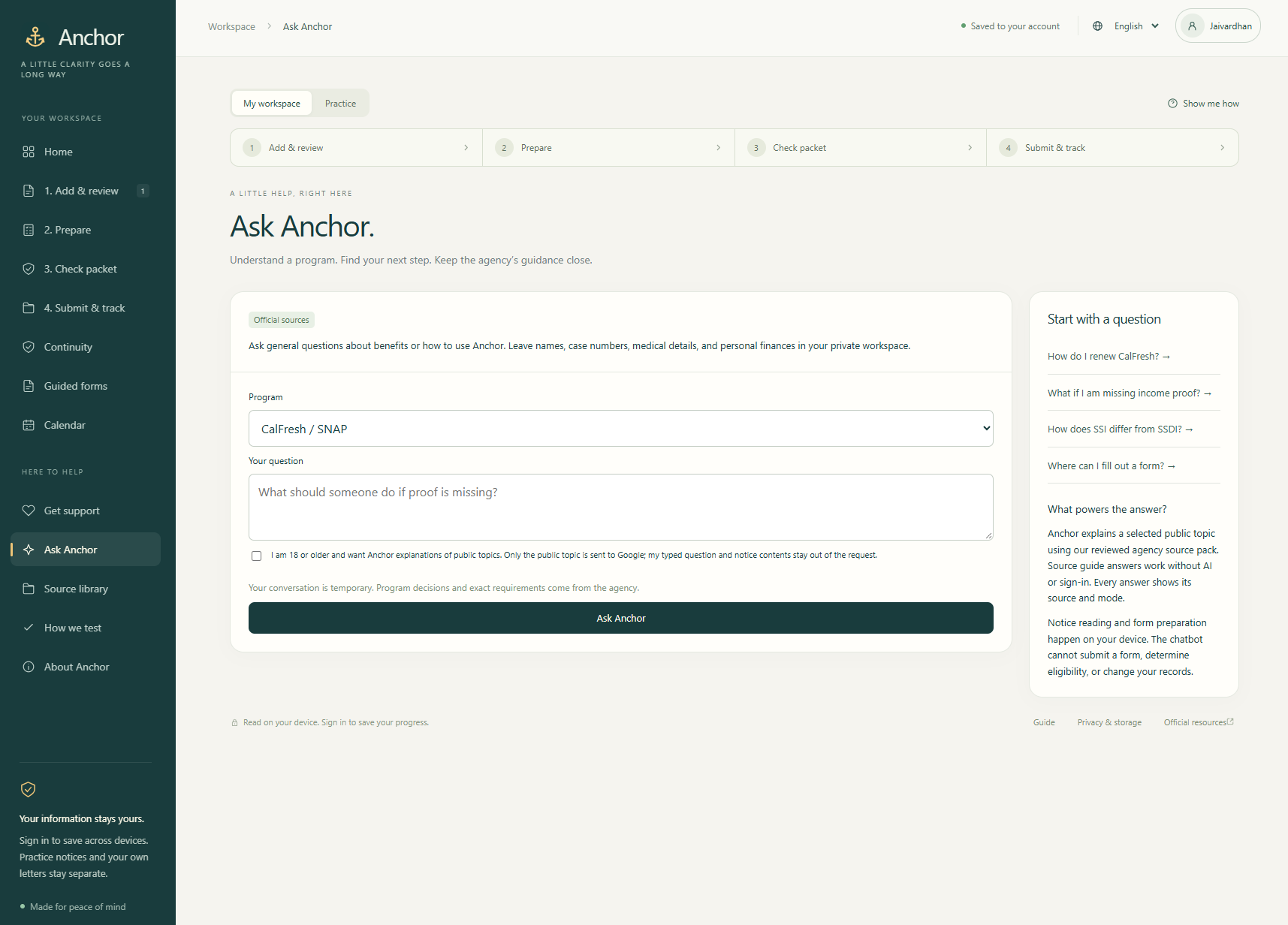
- Ask: I placed Ask Anchor beside the form so users can request explanations of specific questions. Guidance includes official sources, and optional AI explains reviewed public topics without receiving uploaded notices or private form answers.
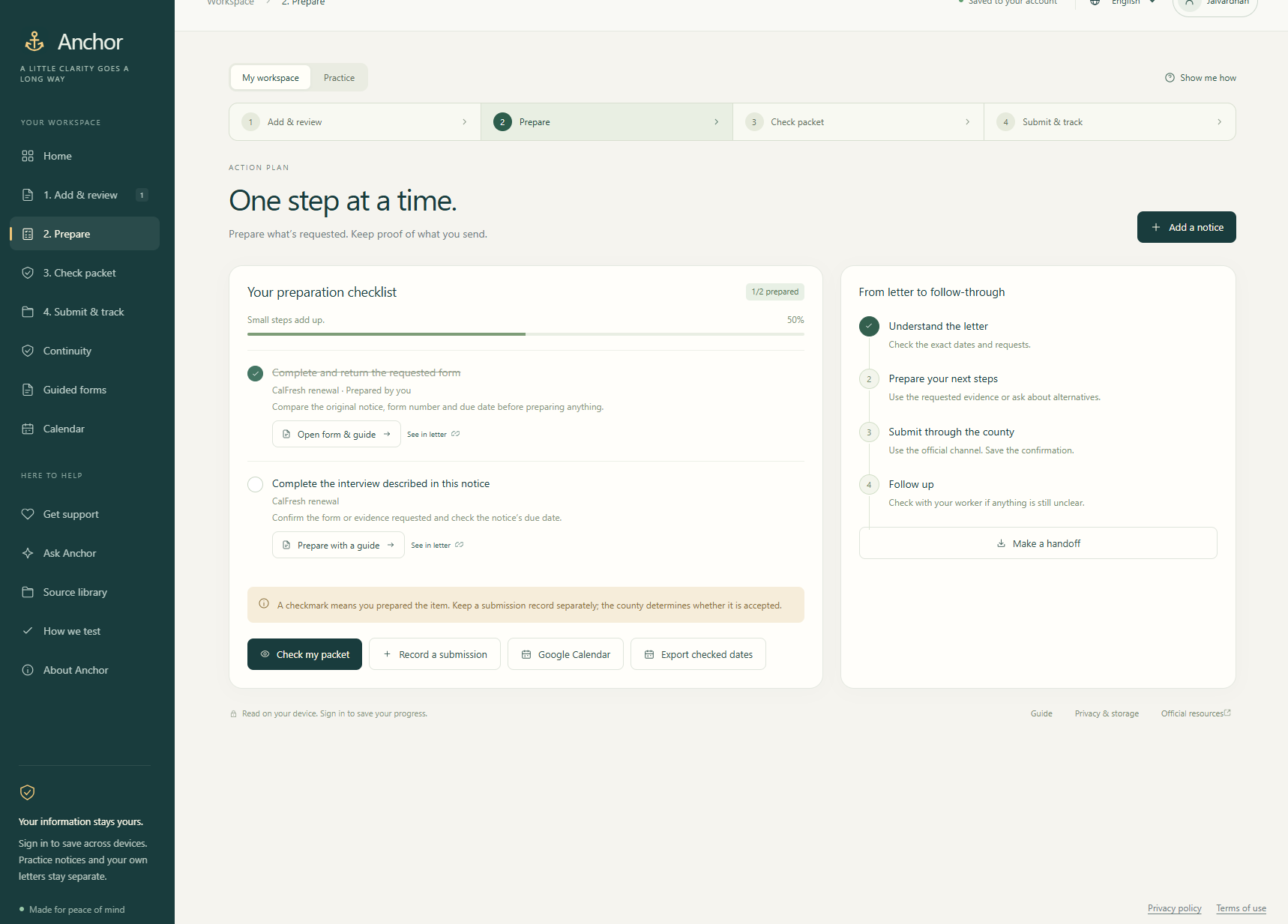
- Follow through: I added checklists, optional Google Calendar reminders, submission records, and downloadable appointment packets containing the materials a user selects.
- Find support: I built a searchable bilingual resource library covering programs including CalFresh, Medi-Cal, Medicare, Social Security benefits, housing assistance, WIC, and unemployment. I also included Google sign-in, optional saved workspaces, an interactive tour, mobile navigation, and English and Spanish workflows.
How we built it
I used TypeScript, JavaScript, Python, SQL, HTML, and CSS, assigning each language a practical role. I used TypeScript for the application’s decision logic, document analysis, form guidance, and integrations. JavaScript connects those modules to the browser interface, while HTML and CSS provide the responsive layout. I used Python to train and evaluate a lightweight document classifier. It combines TF-IDF text features with logistic regression, and its inference runs locally in the browser. I combined that model with document rules and user review rather than treating a model prediction as a confirmed fact. I used PDF.js and Tesseract.js for document reading and OCR, and pdf-lib to place guided answers onto official forms. For the resource library, I implemented BM25 search over reviewed bilingual passages. I connected Gemini through Supabase Edge Functions for optional AI explanations. The server reconstructs prompts from approved public topics and form identifiers; private questions and completed answers are excluded from those requests. I used Supabase and SQL for account-backed persistence and GitHub Pages for hosting, supported by automated build, test, and deployment workflows.
Challenges we ran into
I found that extracting text was only the beginning. Scans can be imperfect, notices can contain several dates, and a confidently selected deadline can still be wrong. I addressed this by preserving original wording, highlighting supporting evidence, and requiring review when information is uncertain. I also had to make form assistance specific enough to be useful. A generic explanation of an address field does not answer someone asking for their mailing city. I improved question routing and added a separate ZIP lookup that sends only the ZIP code and clearly distinguishes its result from full address verification. Another challenge was making a technically complex application feel manageable. I used guided steps, contextual help, and visible next actions so users can focus on one task at a time.
Accomplishments that we're proud of
I’m proud that I built a working path from an uploaded notice to a reviewed plan, a prepared official form, and a record of the user’s next actions. I’m especially proud of the live PDF workflow: users can see their answers appear on the document they will actually download. I also built privacy boundaries into the architecture, added bilingual and offline-capable features, and tested document processing, account behavior, form guidance, cancellation, and failure paths. Those details make Anchor more dependable when a user needs help.
What we learned
I learned that useful civic technology depends on clarity, traceability, and knowing when to ask for confirmation. I also learned how to connect machine learning, document processing, search, authentication, and external APIs into one understandable workflow. Working independently pushed me to consider both the architecture and the small interactions that determine whether someone can successfully use it.
What's next for Anchor
I want to test Anchor with residents and community organizations, measuring task completion, time spent preparing paperwork, and points of confusion. I plan to expand verified form coverage, improve multilingual guidance, and strengthen source maintenance so instructions remain current. I also want to refine accessibility through testing with keyboard and screen-reader users. My long-term goal is to make Anchor a dependable companion for navigating benefits paperwork, helping people spend less time deciphering instructions and more time completing the steps that protect their access to support.
Built With
- css
- deno
- esbuild
- gemini-api
- github
- github-actions
- google-calendar-api
- google-identity-services
- html
- javascript
- node.js
- pdf-lib
- pdf.js
- playwright
- postgresql
- python
- sql
- supabase
- tesseract.js
- typescript
