-
-
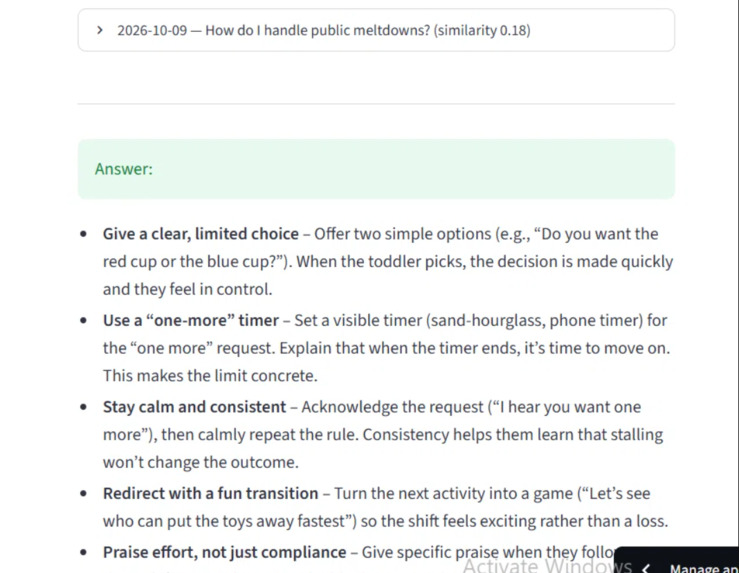
Anchor surfaces similar past questions alongside fresh AI answers — a personal knowledge base, not just a chatbot.
-
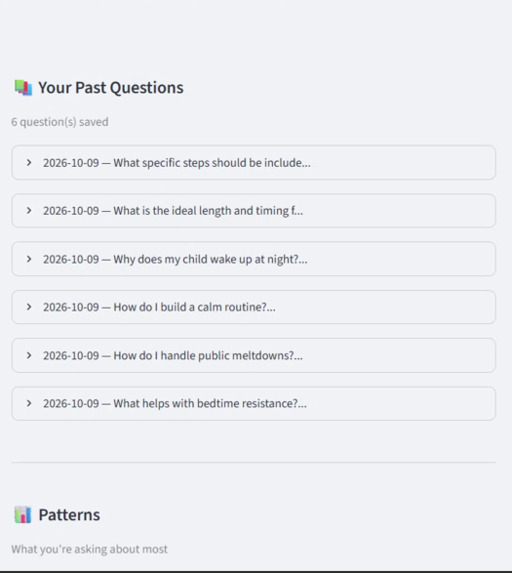
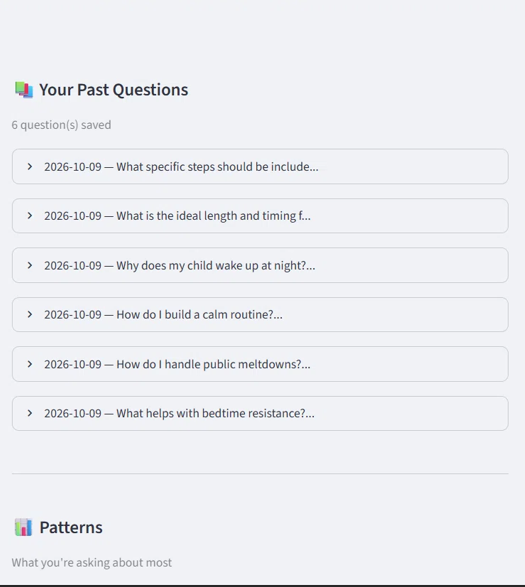
Every question is saved to a personal knowledge base — Anchor remembers what you've asked, so you never lose what you've learned.
-
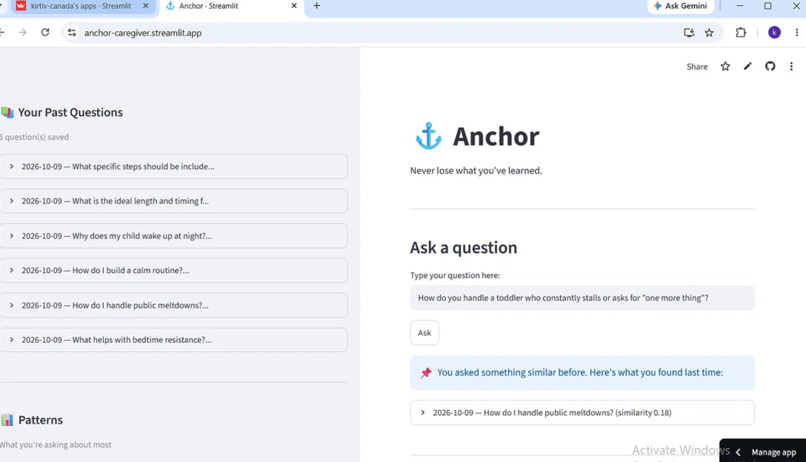
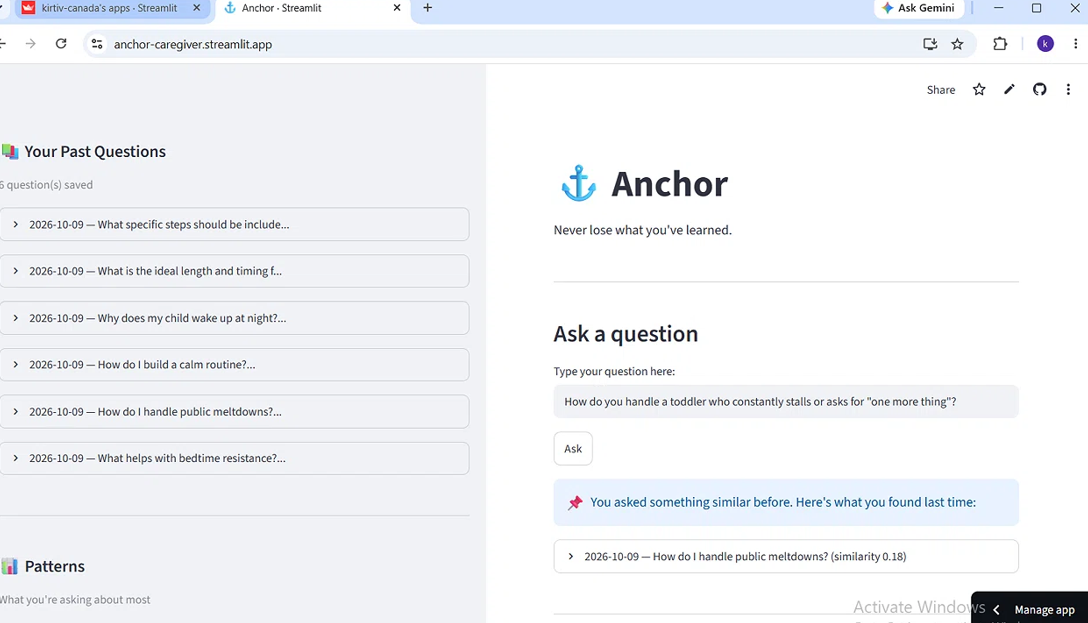
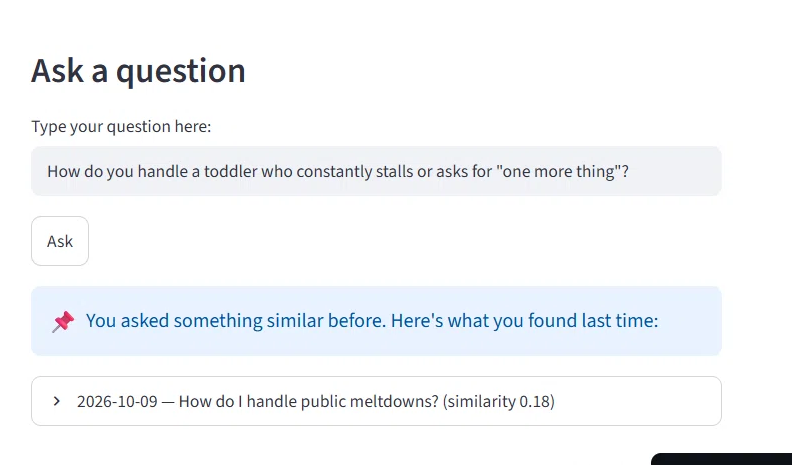
Anchor in action — the sidebar tracks every question, while the main view shows the AI's answer plus a reminder of what you learned before.
-
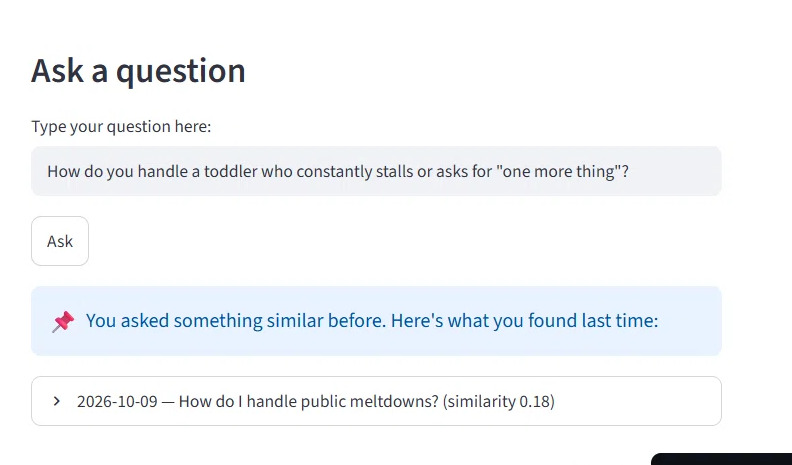
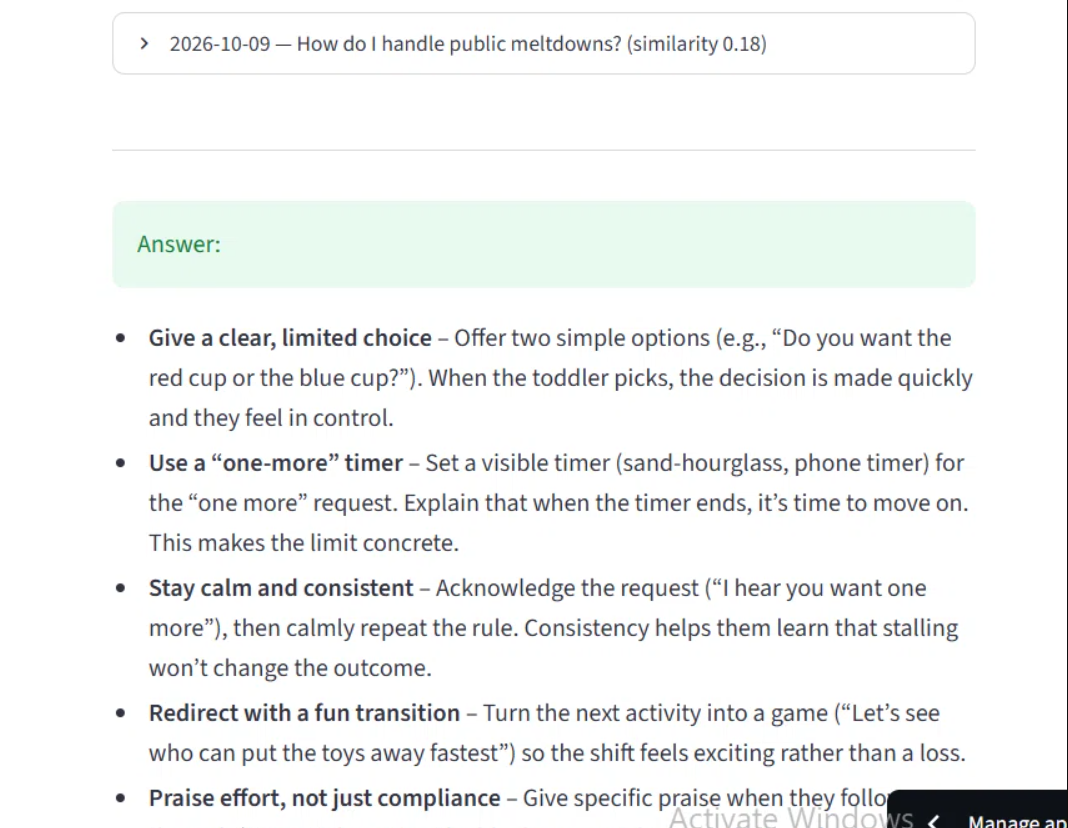
When you ask a similar question later, Anchor finds the answer you saved before — so your past research keeps paying off.
-
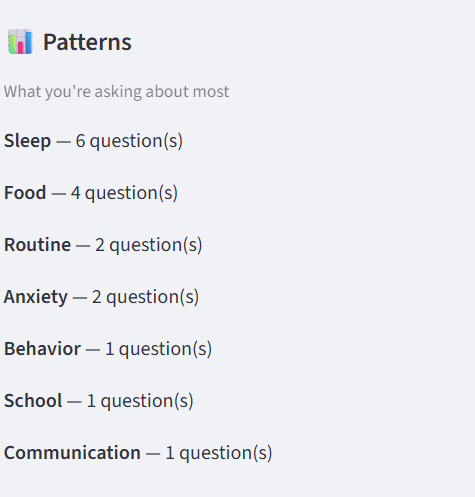
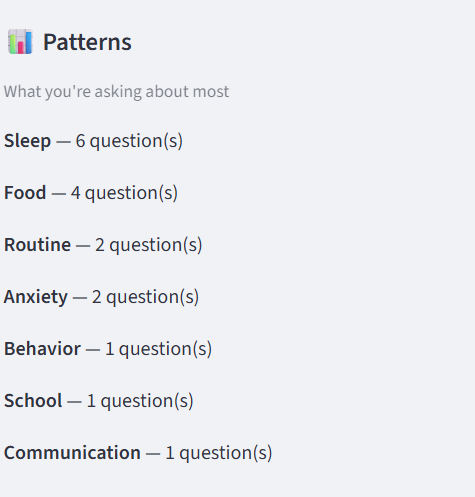
Themes detected automatically from your questions — sleep, food, routine.
What it does## Inspiration
Caregivers ask questions constantly — about sleep, behavior, routines, communication. They search Google, they ask friends, they read articles. Sometimes they find useful answers, sometimes they don't. And almost never can they remember what worked last time.
There is no tool that learns from a caregiver's own experience. I built Anchor to solve that.
What it does
Anchor is a web app for caregivers. Users ask a question, get a fresh AI-generated answer, and rate whether it worked (👍 or 👎). Every question and answer is stored in a persistent knowledge base.
When a similar question is asked later, Anchor surfaces the past answer alongside the new one — using TF-IDF vector similarity to find matches from the user's own history.
Anchor also detects themes across questions — sleep, behavior, routine, communication, anxiety, focus — and tracks what's worked over time.
It's not a chatbot. It's a personal knowledge base that happens to use AI.
How we built it
- Frontend + app logic: Python with Streamlit
- Storage: SQLite (persistent local database)
- LLM: Groq API — using an open-source Llama-based model (openai/gpt-oss-120b)
- Retrieval: scikit-learn — TF-IDF vectorization + cosine similarity to find similar past questions
- Theme detection: keyword-based classification across 8 common caregiver topics
- Secrets management: python-dotenv locally, Streamlit Cloud Secrets in production
- Deployment: Streamlit Community Cloud (free tier)
- Version control: Git + GitHub
Challenges we ran into
- Getting a reliable free LLM API — we tried Featherless first (paid) and Groq second (free, works)
- Model deprecation — Groq retires models periodically, requiring model name updates
- Deployment pitfalls — Streamlit Cloud requires specific package versions and Python versions for some features to work
- Privacy architecture — the free Streamlit Cloud tier doesn't persist SQLite storage, so we designed the app to be session-friendly
What we learned
- How to integrate an LLM API into a production app with proper error handling
- How to implement vector similarity search with TF-IDF (a foundational retrieval technique)
- How to deploy a Python app to a cloud platform with secrets management
- How to design a product around a real user need rather than a technical showcase
What's next for Anchor
- User accounts with Google Sign-In (in progress)
- Mobile-optimized interface
- Export to PDF or share with a child's therapist
- Weekly summary emails
- Bilingual support (English + French)

Log in or sign up for Devpost to join the conversation.