-
-
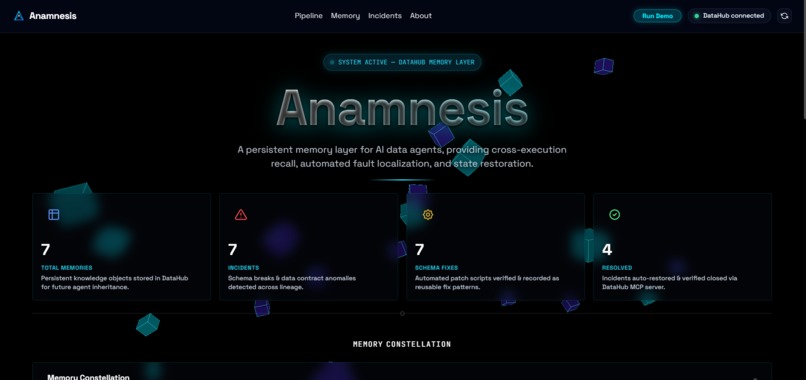
Central command deck showing persistent knowledge objects, active incidents, and automated schema resolutions on DataHub.
-
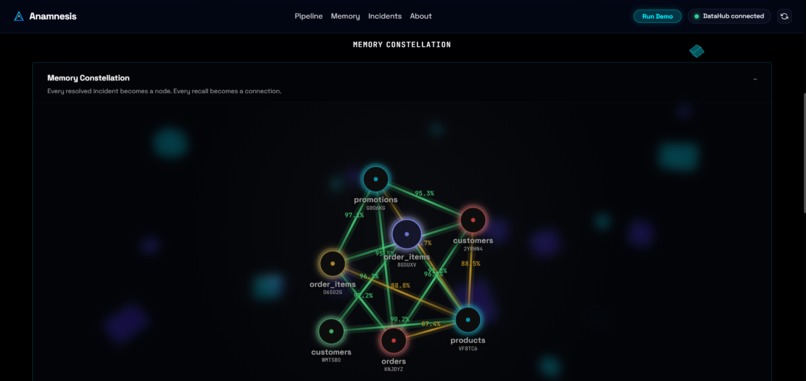
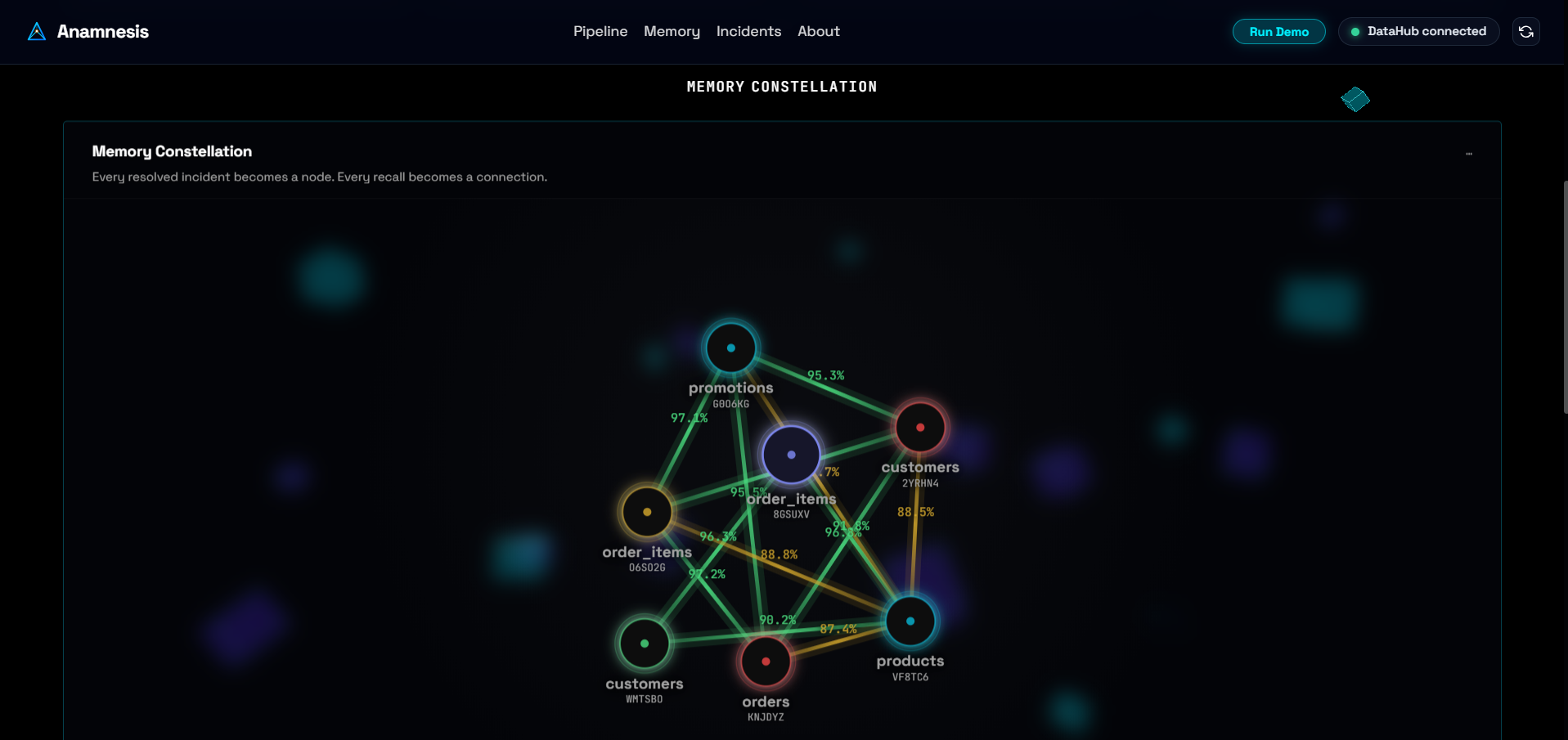
A force-directed D3.js graph — every resolved incident is a node, every recall is a connecting edge, weighted by real similarity score.
-
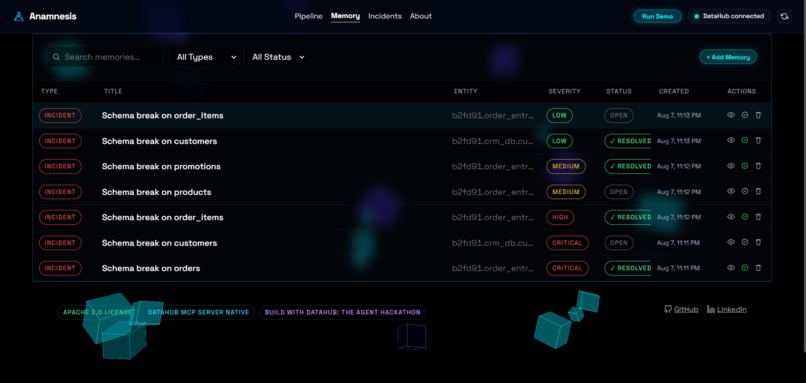
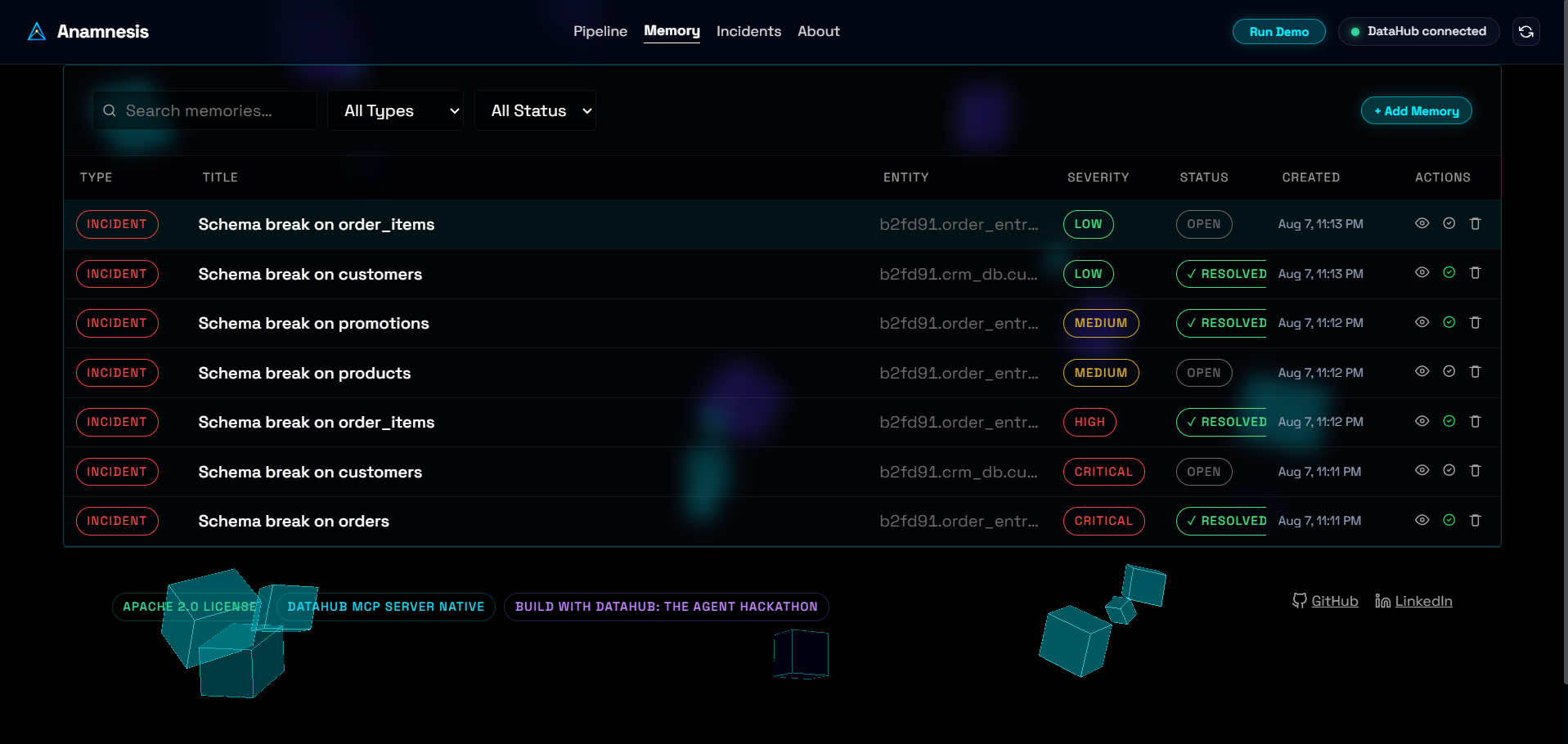
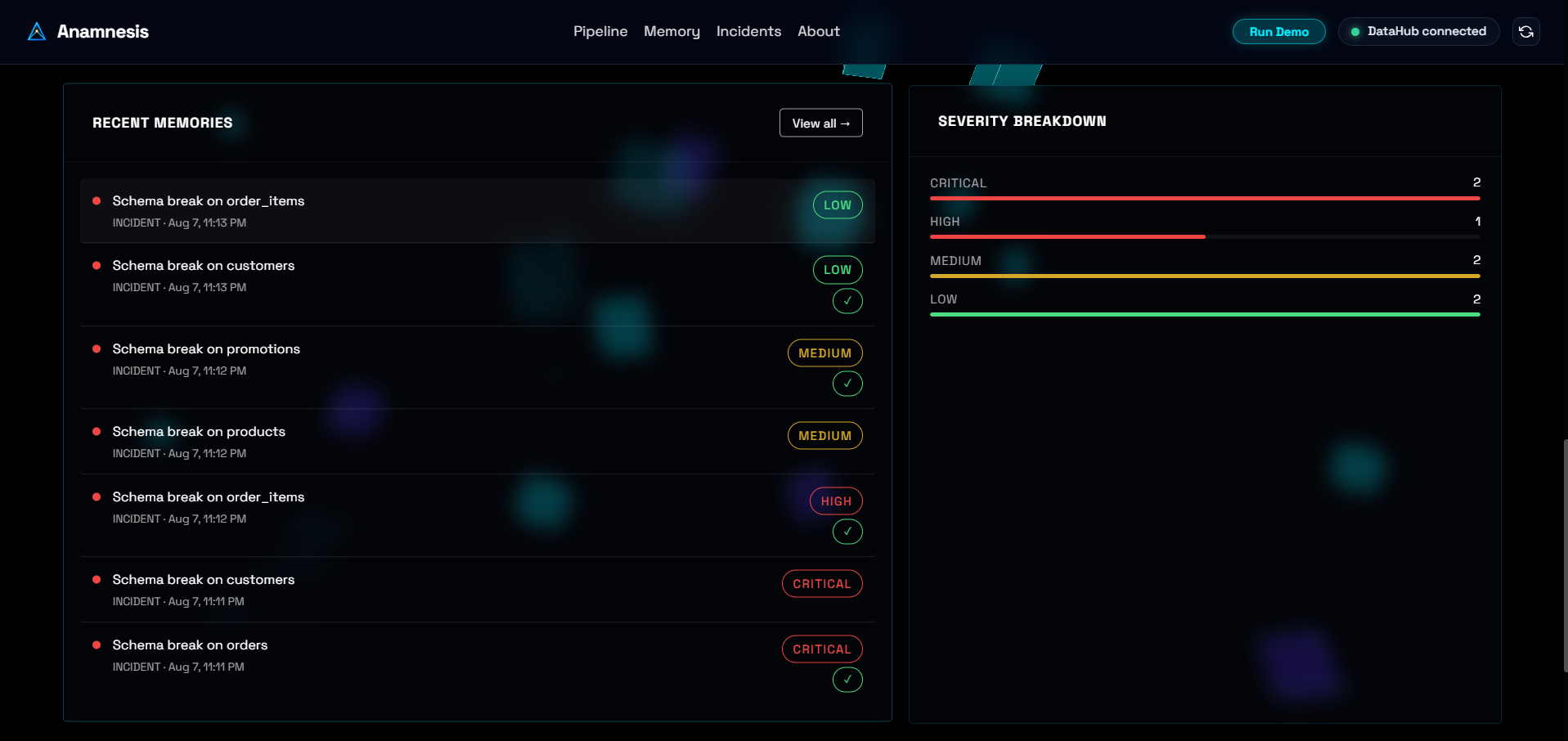
Every stored incident — searchable, filterable, and resolvable — backed by DataHub's graph.
-
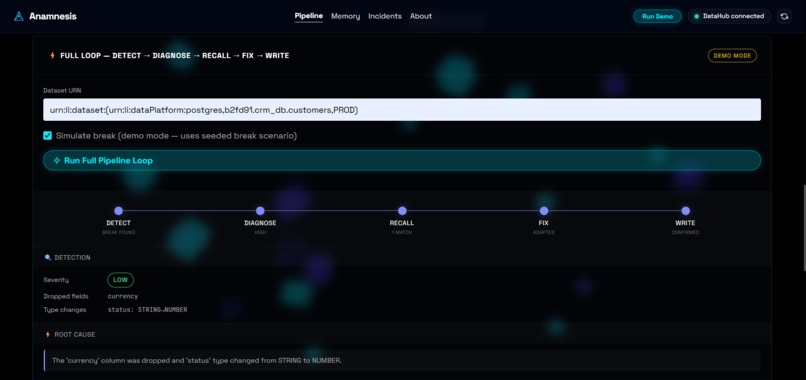
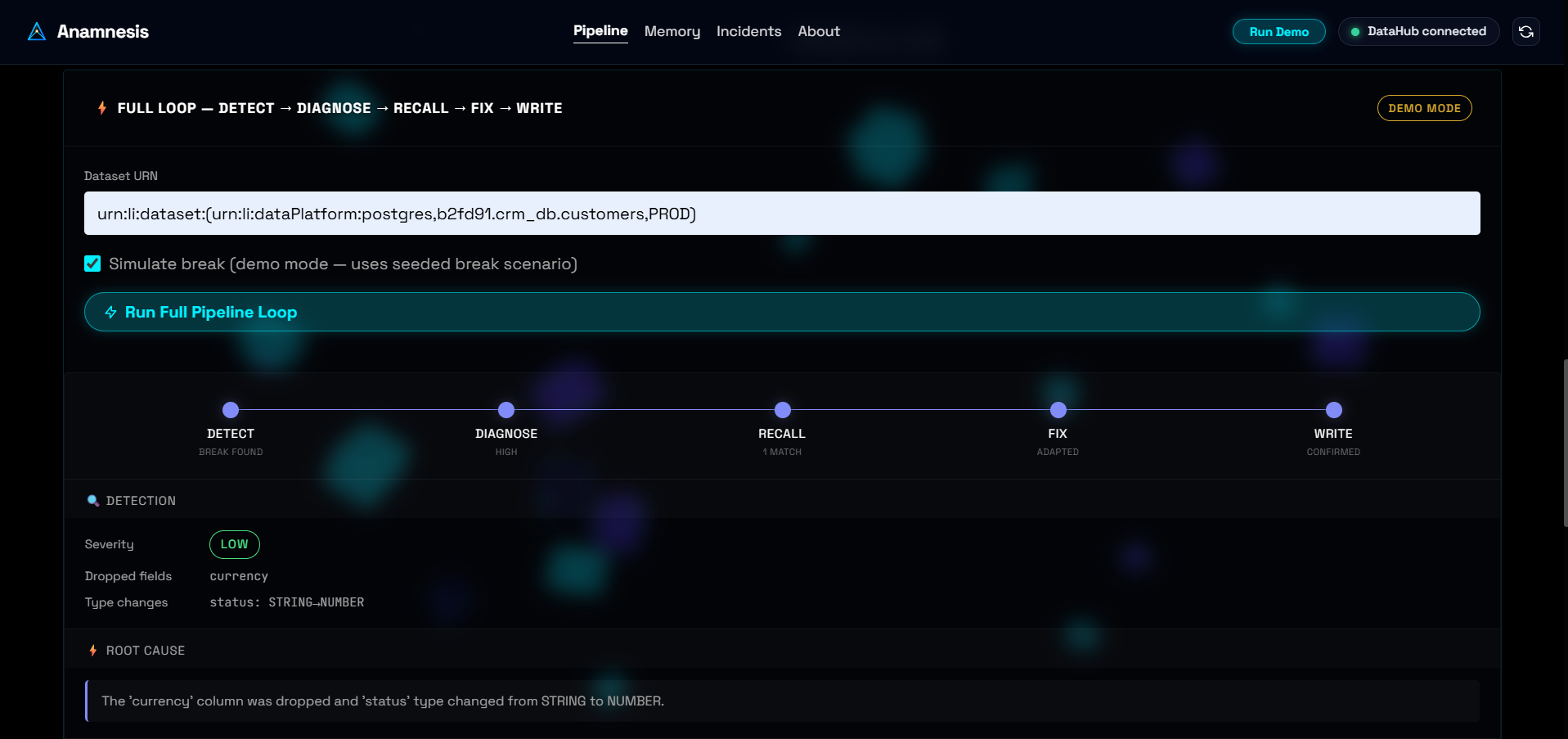
End-to-end pipeline: Detect → Diagnose → Recall → Fix → Write.
-
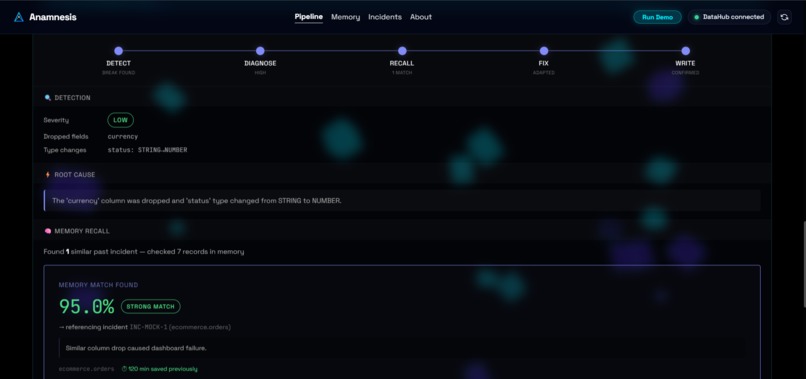
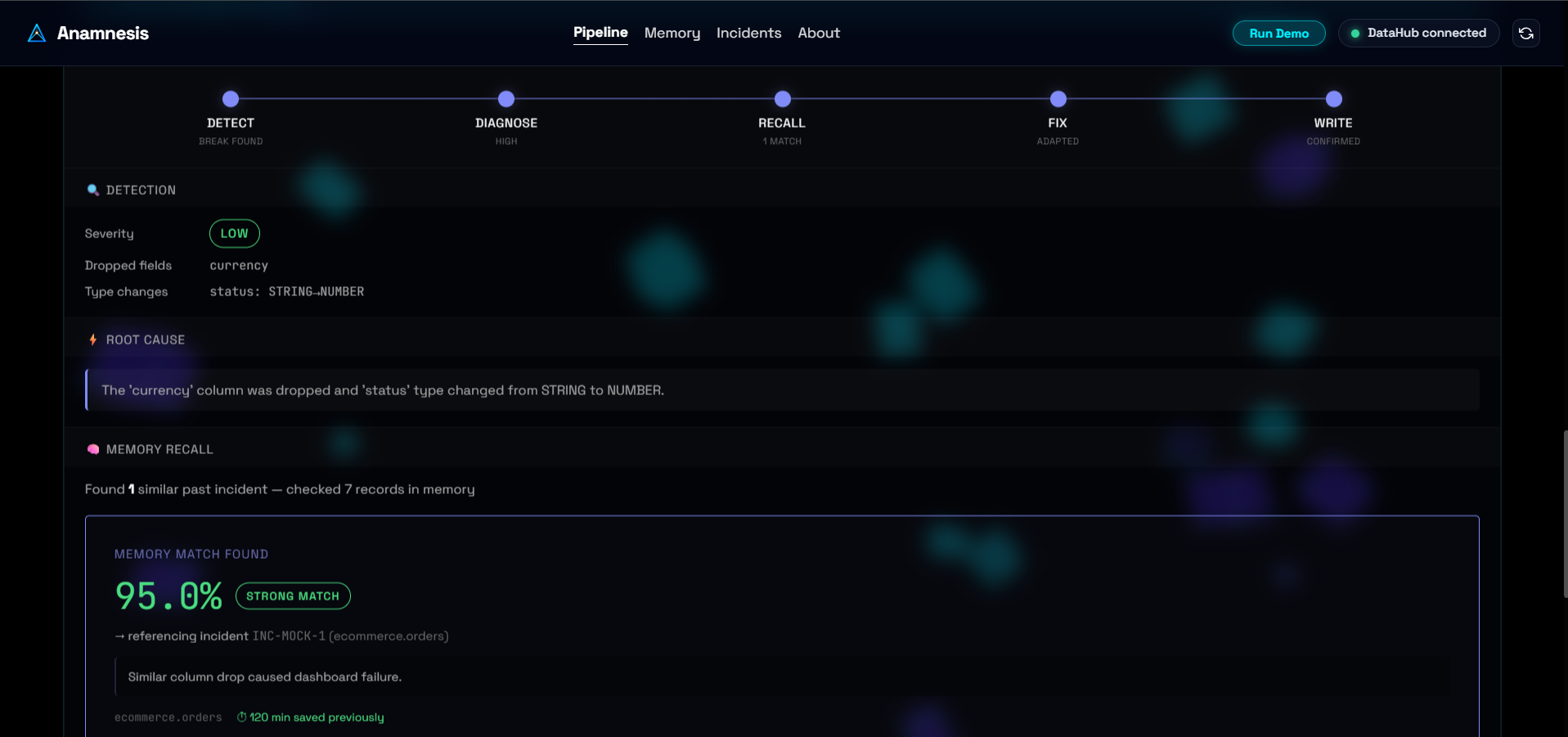
Genuine semantic similarity search surfacing past incidents — ranked by real embedding distance, not keyword match.
-
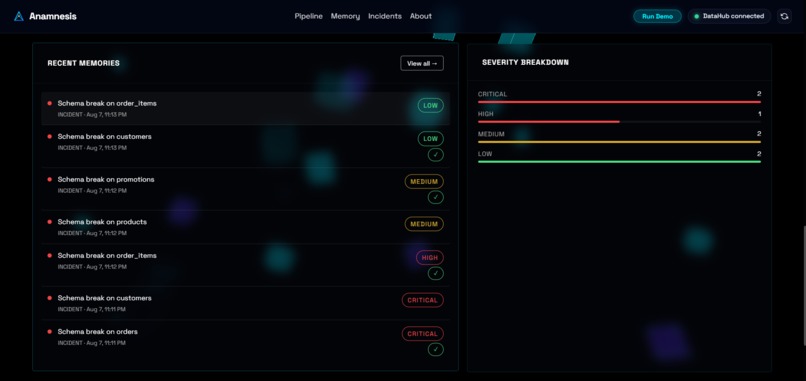
Real severity classification across all stored incidents, at a glance.
-
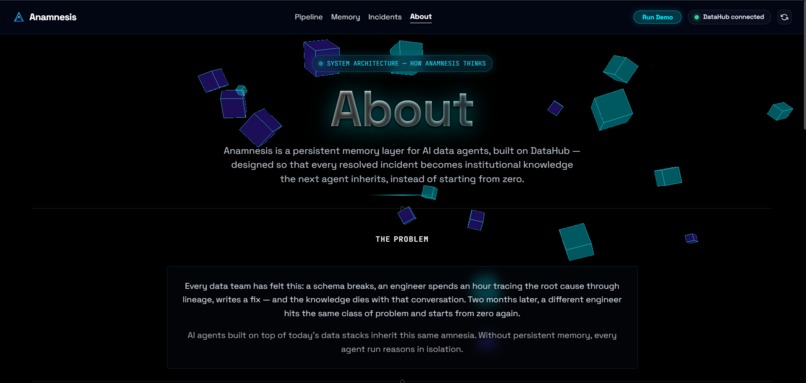
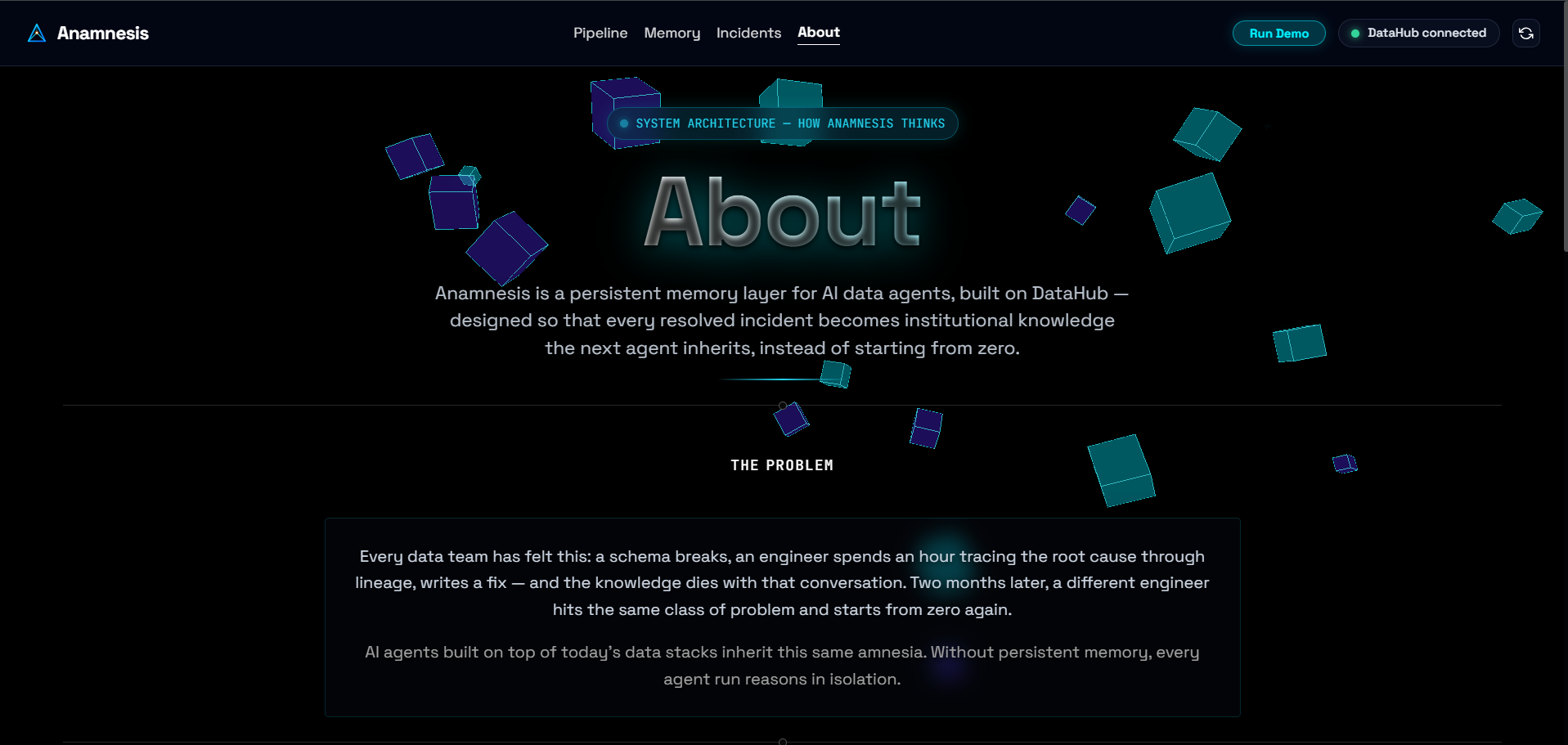
The full pipeline, explained — how every stage reads and writes through DataHub.
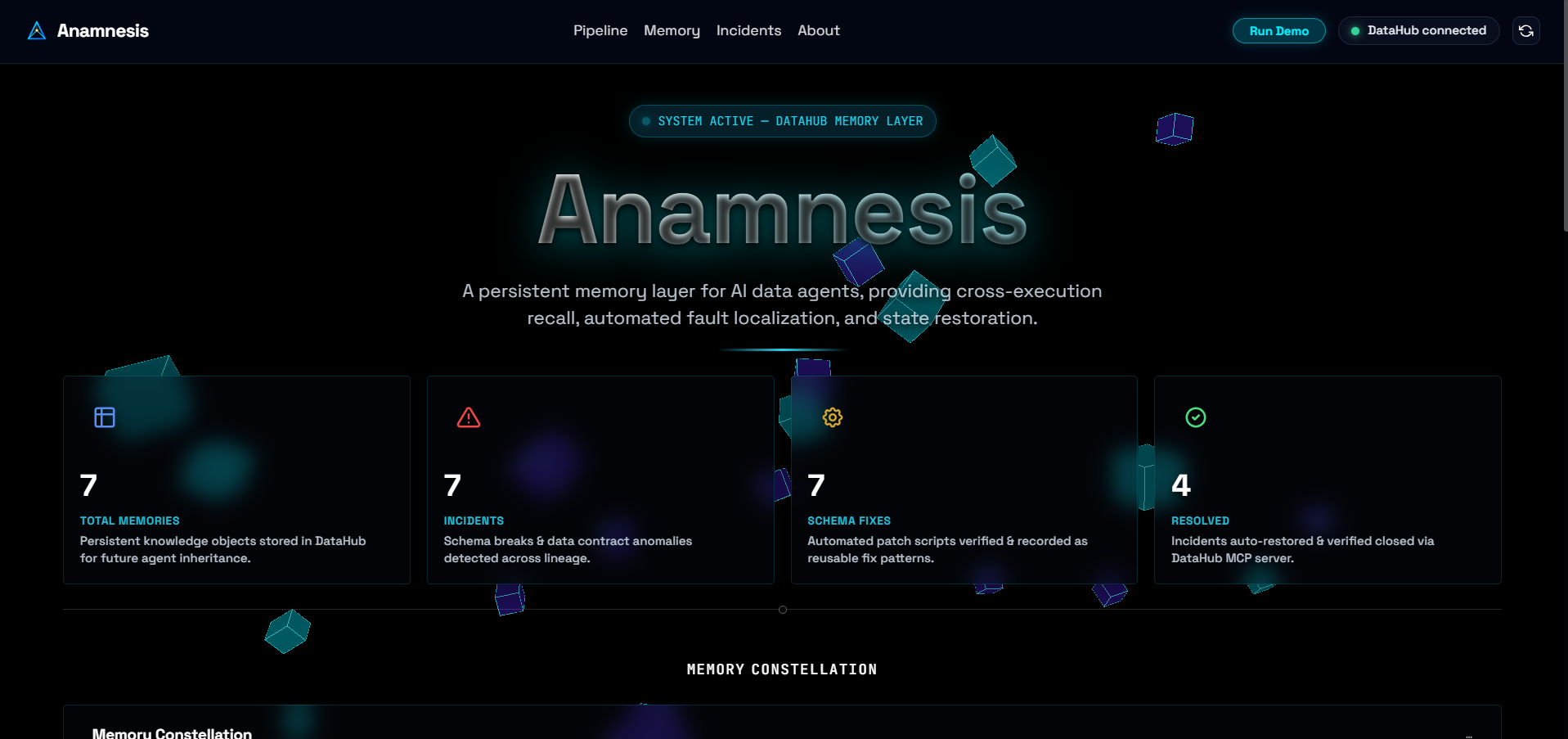
🧠 Anamnesis — Persistent Memory Layer for AI Data Agents
Every resolved schema-break incident becomes institutional memory the next agent inherits.
💡 Inspiration
Every data team has felt this: a schema breaks, an engineer spends an hour tracing the root cause through lineage, writes a fix — and the knowledge dies with that conversation. Two months later, a different engineer hits the same class of problem and starts from zero again.
AI agents built on top of today's data stacks inherit this same amnesia. Without persistent memory, every agent re-solves what's already been solved — no matter how capable the underlying LLM is, it has no way to know "we've seen this before."
DataHub already knows everything about your data — schemas, lineage, ownership. What it doesn't have is a way to remember what's happened to that data over time. We wanted to close that gap.
⚙️ What it does
Anamnesis gives AI data agents a memory. Every time it resolves a schema-break incident, it writes a structured record — root cause, downstream impact, the fix that was applied, and a semantic embedding of the incident — directly back into DataHub's metadata graph as a custom entity aspect.
The next time a similar incident occurs, it searches that memory first. If it finds a close match, it adapts the old fix instead of reasoning from scratch. If not, it solves fresh — and writes the outcome back, so the system gets smarter with every incident it resolves.
A five-agent pipeline runs the whole loop end-to-end:
- Detector — compares a dataset's live schema (fetched from DataHub) against a known baseline and flags dropped fields, type changes, and new fields, with severity classification.
- Diagnoser — traverses DataHub's real lineage graph (upstream + downstream, multi-hop) to explain why the break likely happened and what it will break downstream — real datasets, dashboards, and pipeline jobs, not guesses.
- Memory-Recall — embeds the current incident and searches every past
incidentMemoryrecord already stored in DataHub, using cosine similarity, to find the closest prior incident. - Fixer — if a strong match is found, adapts that incident's resolution to the current context via an LLM call. If not, it reasons a fresh fix from the diagnosis alone.
- Memory-Writer — writes the full resolved incident, including its embedding, back into DataHub as a new
incidentMemoryaspect, closing the loop for the next agent.
The dashboard's centerpiece is a live, force-directed Memory Constellation graph — every resolved incident is a node, every recall match is a glowing, weighted edge labeled with its similarity score. Watching it grow as new incidents are resolved is the clearest way to see the system's memory compounding over time.
🏗️ Architecture Overview
 Detector ──► Diagnoser ──► Memory-Recall ──► Fixer ──► Memory-Writer
    │              │              │             │              │
 Schema         Multi-hop       Vector        LLM Adaptation  Write Custom
 Checks         Lineage         Search        (Groq Llama)    Aspect (PDL)
🛠️ How We Built It
- Metadata layer: DataHub, self-hosted via Docker. We defined and registered a custom
incidentMemoryentity aspect on thedatasetentity using DataHub'smetadata-models-custommodule — a standalone plugin built from a PDL schema and anentity-registry.yaml, requiring no fork of DataHub itself. This is a real, queryable, versioned part of the metadata graph, not a bolted-on database next to DataHub. - Backend: FastAPI (Python), talking to DataHub via its Python SDK, GraphQL, and REST for aspect-level reads/writes.
- Embeddings & recall:
sentence-transformers(all-MiniLM-L6-v2) generates a 384-dim embedding for every incident; recall computes cosine similarity against every past incident's stored embedding, pulled straight from DataHub. - Fix generation: Groq (
llama-3.1-8b-instant) — low temperature for a technical, precise task, not creative writing. It either adapts a recalled fix or reasons a fresh one from the diagnosis. - Frontend: Vanilla JS + D3.js for the force-directed Memory Constellation graph, with a custom design system for the dashboard (pipeline stage tracker, incident cards, recall-match reveal states).
🚧 Challenges We Ran Into
Getting real write-back working was the hardest part. DataHub custom aspects aren't indexed in OpenSearch by default, which meant our first attempt at "find all datasets with an incidentMemory aspect" silently returned zero results every time — we had to fall back to a broader scan-and-probe strategy instead of relying on a GraphQL existence filter. Compiling the PDL schema into a loadable plugin also took real trial and error: DataHub's plugin loader expects a compiled JAR with a pegasus-models.idx index, not raw .pdl source files sitting in a folder, which wasn't obvious from the docs alone.
We also had to be disciplined about what "real" means in a demo. At one point our own tooling introduced a hardcoded mock-data fallback for when the memory store was empty — we caught it, removed it entirely, and made sure every number a judge sees on the dashboard is genuinely backed by a live DataHub read, with independent read-back verification for every write.
🏆 Accomplishments That We're Proud Of
Every agent in the pipeline has a standalone verification script that runs against a live DataHub instance — no mocked responses. We can prove, end-to-end, that:
- A custom aspect write to DataHub actually lands, by reading it back through an independent path (not just trusting a "success" flag).
- A newly resolved incident is immediately recallable by the very next similar incident, with a real, computed similarity score — not a hardcoded one.
- Diagnoser's lineage traversal surfaces genuine downstream blast radius (in our seeded demo, one schema-break incident touches over 20 real downstream datasets, dashboards, and pipeline jobs across Snowflake, Tableau, Power BI, and Looker).
📚 What We Learned
That "reading DataHub" and "contributing back to DataHub" are two very different levels of integration — and that the second one is where the real value (and the real engineering difficulty) lives. We also learned a lot about DataHub's plugin/aspect model at a level of depth that reading the docs alone doesn't get you to.
🔮 What's Next for Anamnesis
- Surfacing this memory natively inside DataHub's own UI, instead of only in our standalone dashboard, so any team already living in DataHub inherits this memory for free.
- Extending recall across teams/domains, not just similar datasets.
- Expanding beyond schema-break incidents to pipeline-failure and data-quality incident types, using the same memory architecture.
What's next for Anamnesis Surfacing this memory natively inside DataHub's own UI, instead of only in our standalone dashboard, so any team already living in DataHub inherits this memory for free.
Extending recall across teams/domains, not just similar datasets.
Expanding beyond schema-break incidents to pipeline-failure and data-quality incident types, using the same memory architecture.
Built With
- css3
- datahub
- docker
- fastapi
- git
- html5
- javascript
- mcp
- postgresql
- pydantic
- python
- render
- three.js
- uvicorn
- vector-search

Log in or sign up for Devpost to join the conversation.