-
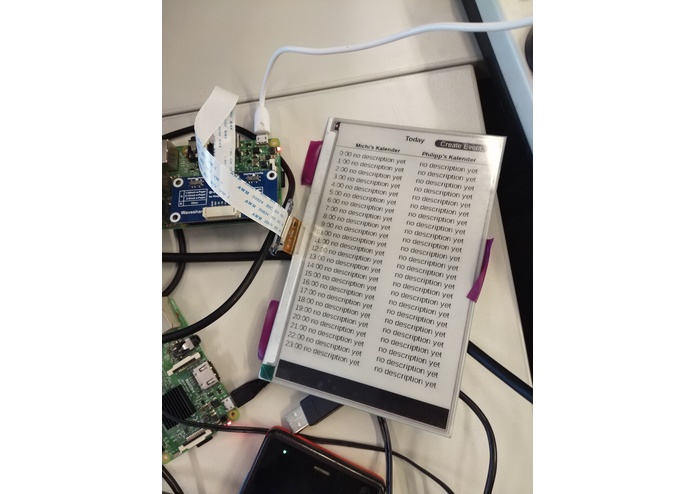
Working prototype
-
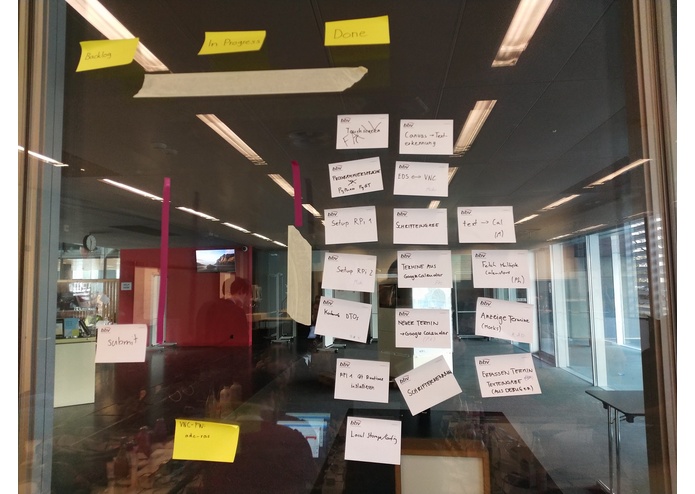
Our Scrum Board
Inspiration
Simplifies the management of different agendas in a household by using an analogue like device (paper calendar).
What it does
Takes the calendar data from google calendar and displays it in a QT Application. This application is then transferred to an e-paper display to show the content. To add new appointments a handwriting recognition is used which supports natural language.
How we built it
An e-paper display is connected to a raspberry pi. To control it, we wrote a small daemon application which loads the GU via a custom VNC client and sends it to the e-paper display using SPI. The calendar is currently only loaded from google calendar, although other sources are easy to add. Due to a defect touchscreen we used a wacom graphics tablet for the handwriting input. We convert the input to a image and send this to the google visions API. After that, we parse the result and create a new appointment from it, which is then insert to the google calendar.
Challenges we ran into
- Defect touchscreen
- Various GUI issues (still hard to design a good GUI, even in 2018)
- Differences between python o raspberry and python on our laptops
Accomplishments that we're proud of
- Handwriting input which good recognition and natural language support
- Working prototype
- Different interfaces working nicely together
What we learned
- Google API easy to use
- Control an e-ink display
- How to do a QML GUI
What's next for Analog Digital Calendar(ADC)
- replace broken touchscreen
- use better and bigger e-ink paper
- optimise UI
- Maybe we see us soon on Kickstarter ;)
Built With
- e-ink
- love
- python
- qml
- qt
- raspberry-pi

Log in or sign up for Devpost to join the conversation.