Inspiration
Beginner electronics projects—like wiring an LED to a Raspberry Pi—feel harder than they should. The concepts aren’t the problem; the process is. You’re juggling a breadboard, a datasheet, and a YouTube video, constantly switching context and second-guessing yourself.
We asked a simple question: What if your phone could see your circuit and guide you in real time—like a patient lab partner sitting beside you?
What Amped Does
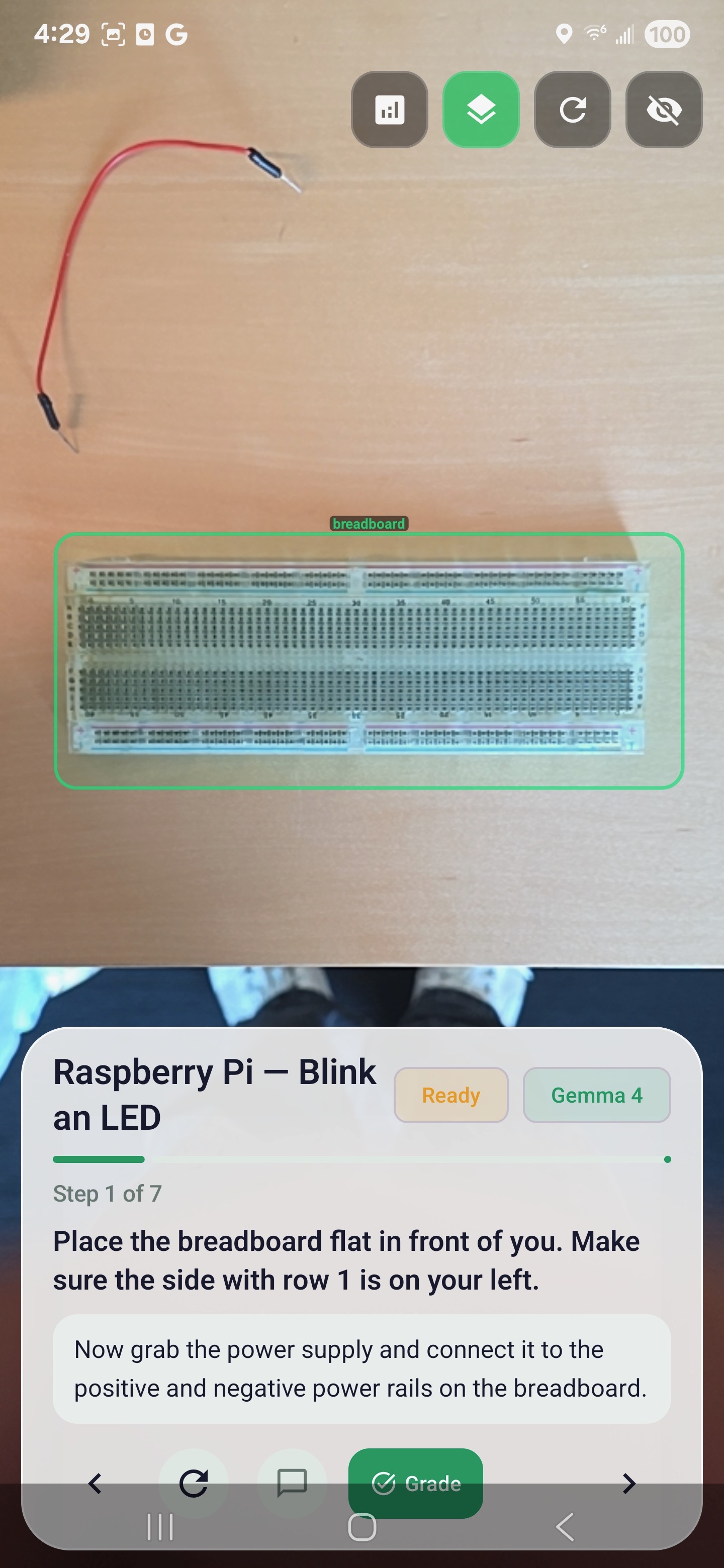
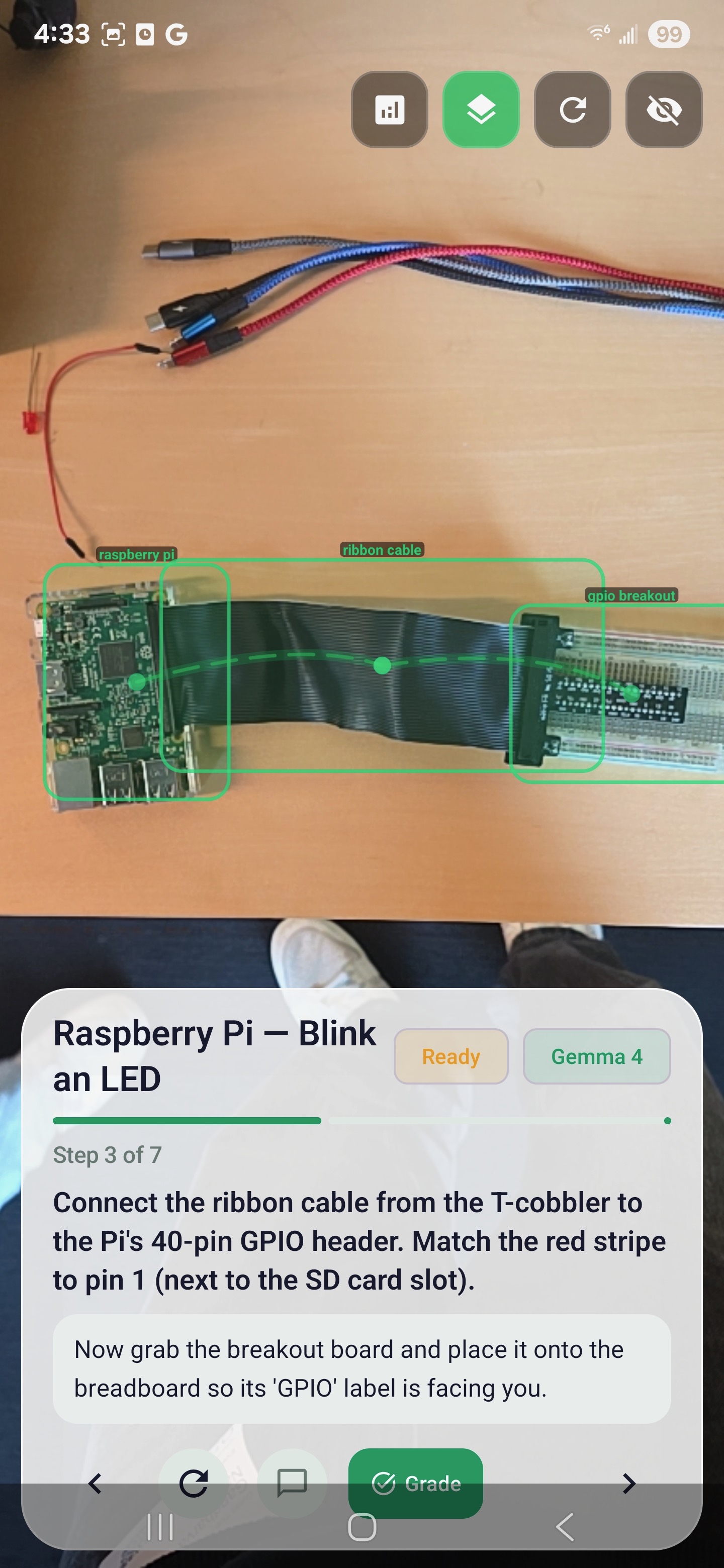
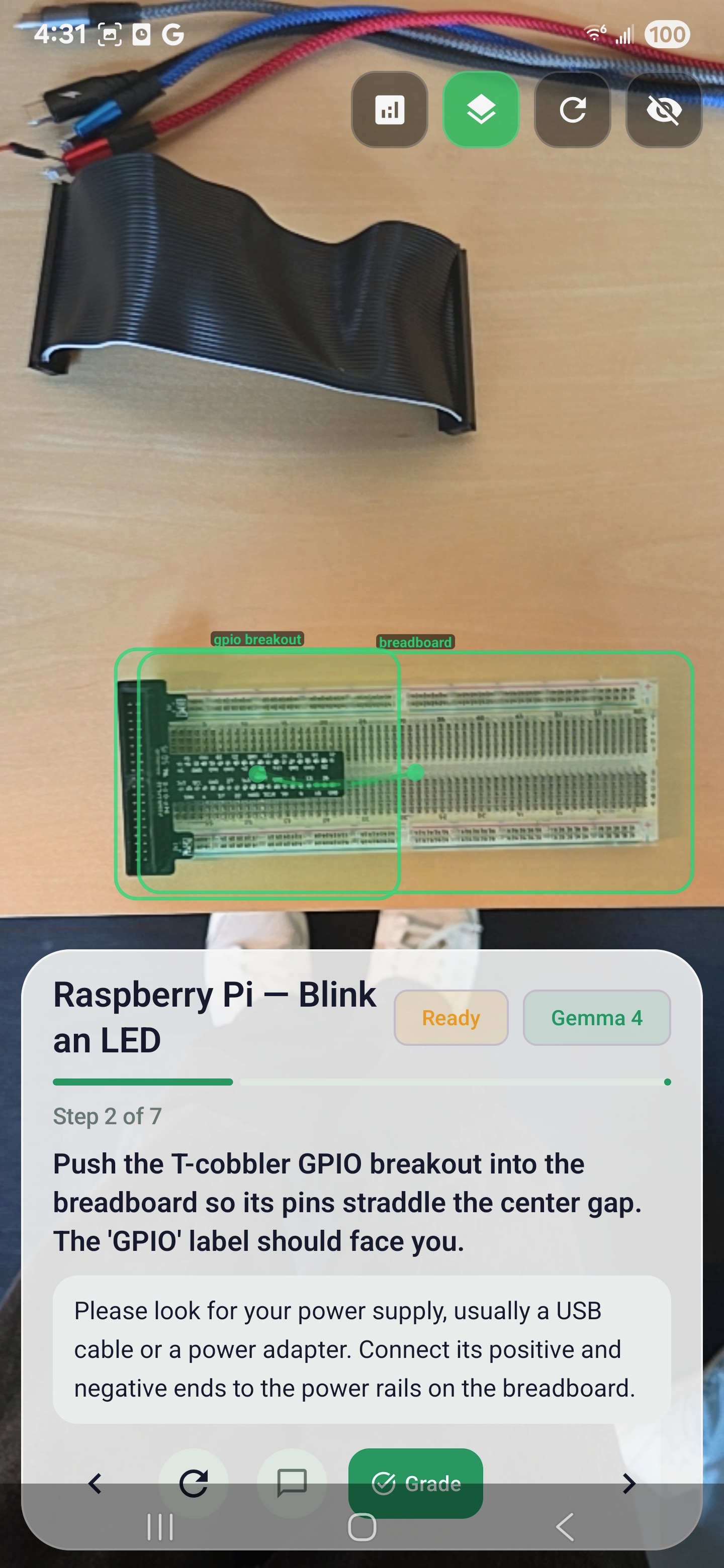
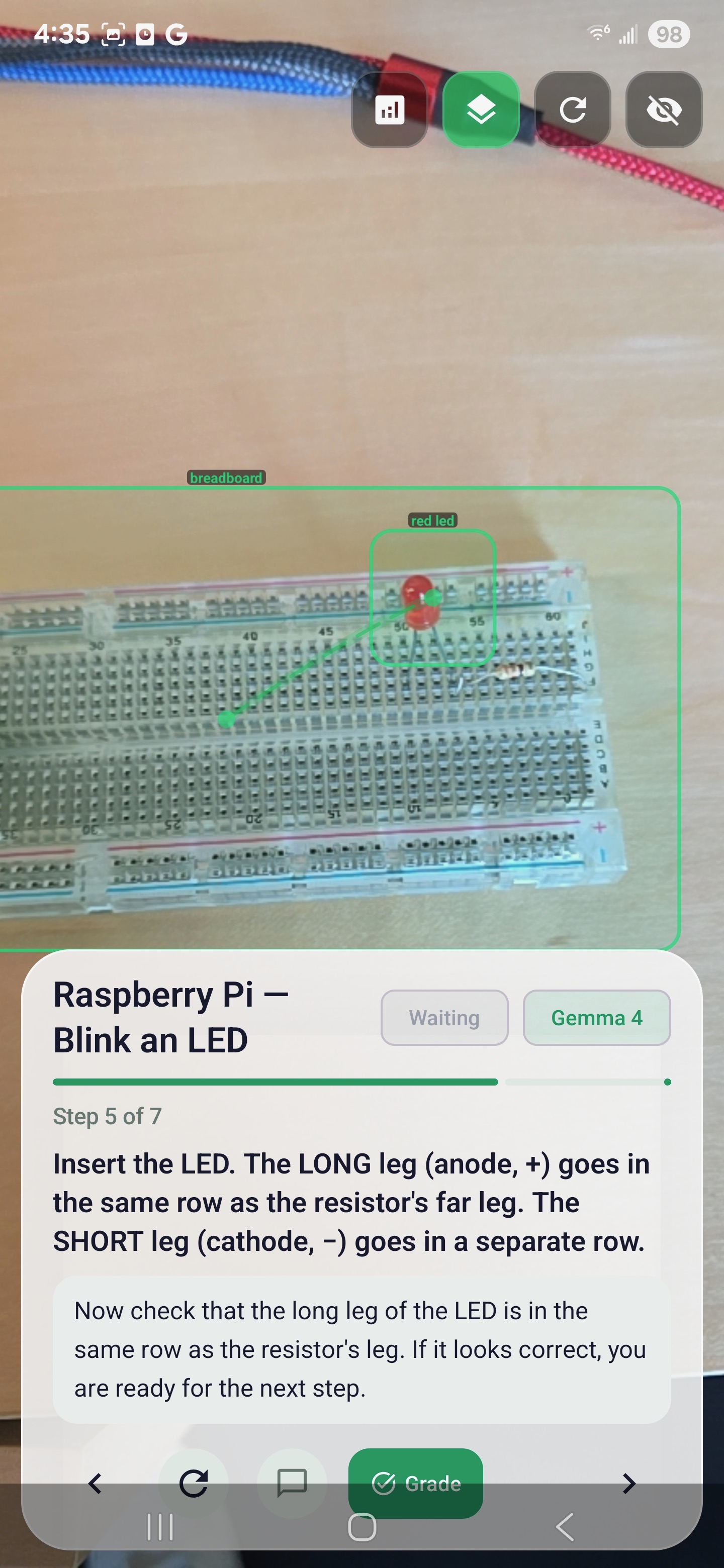
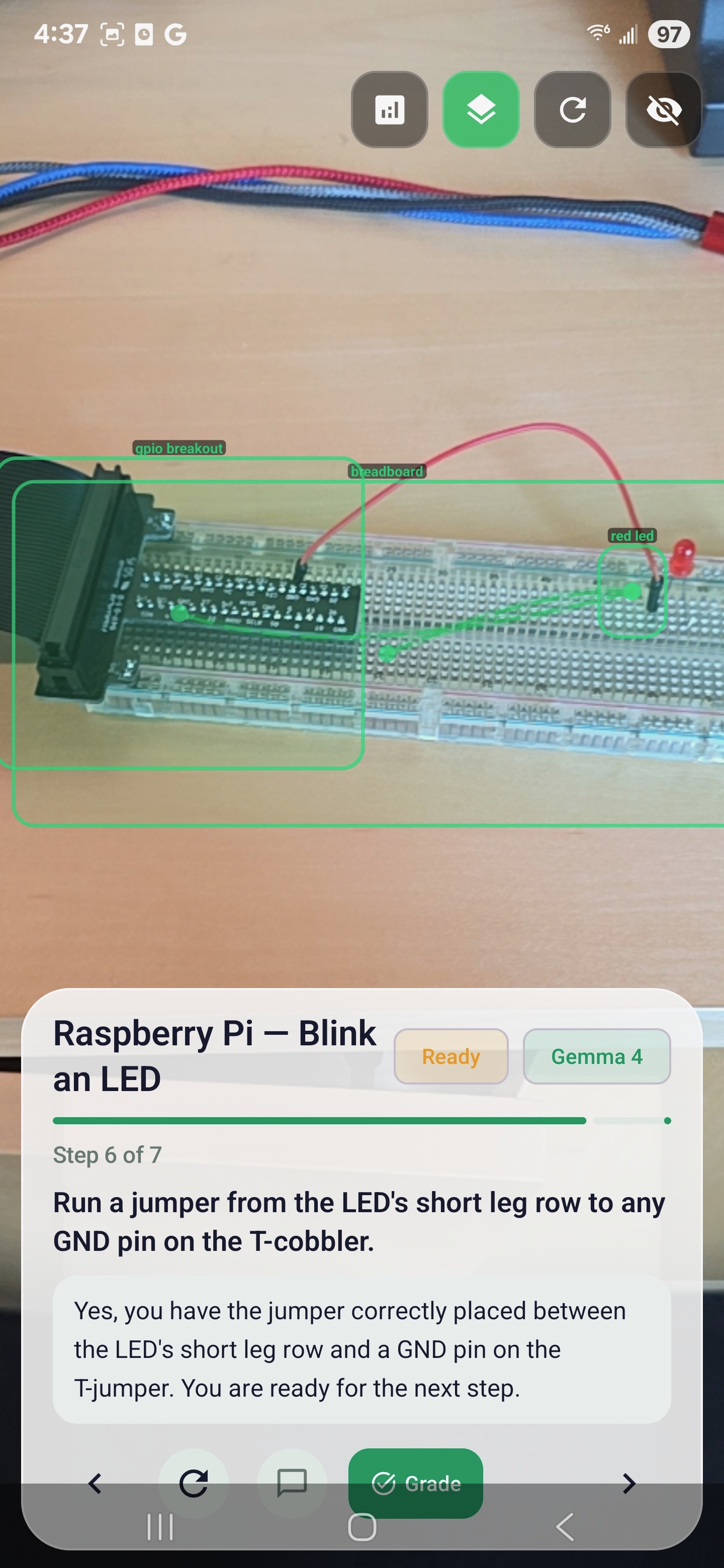
Amped is an on-device AR circuit coach. Point your phone at your workspace and it:
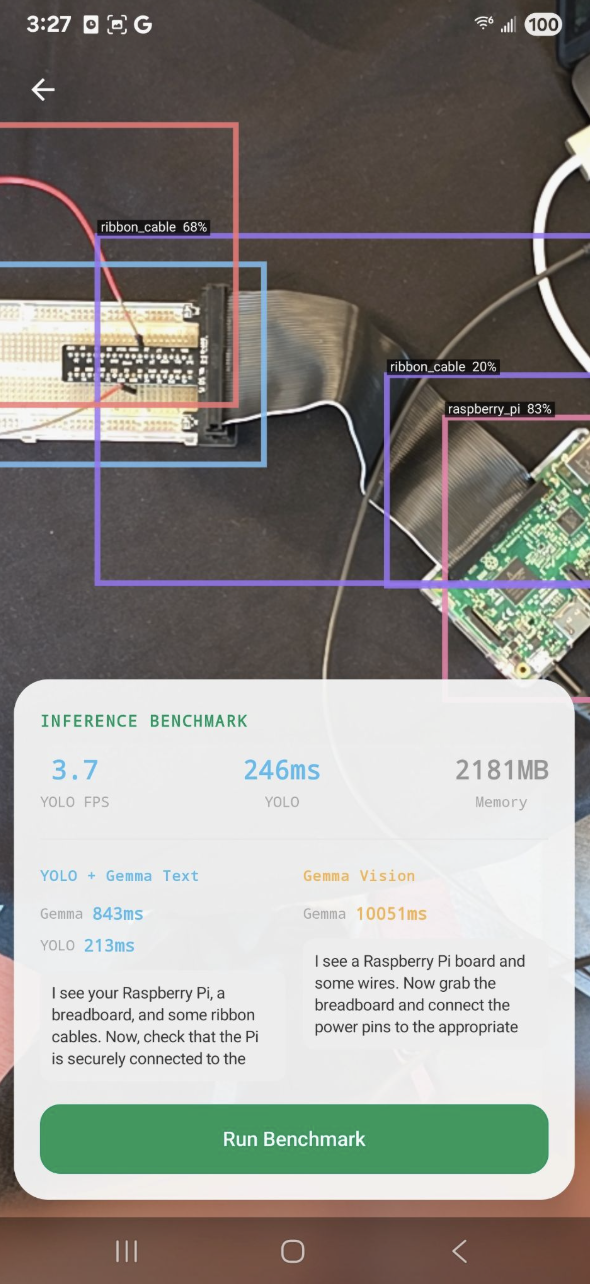
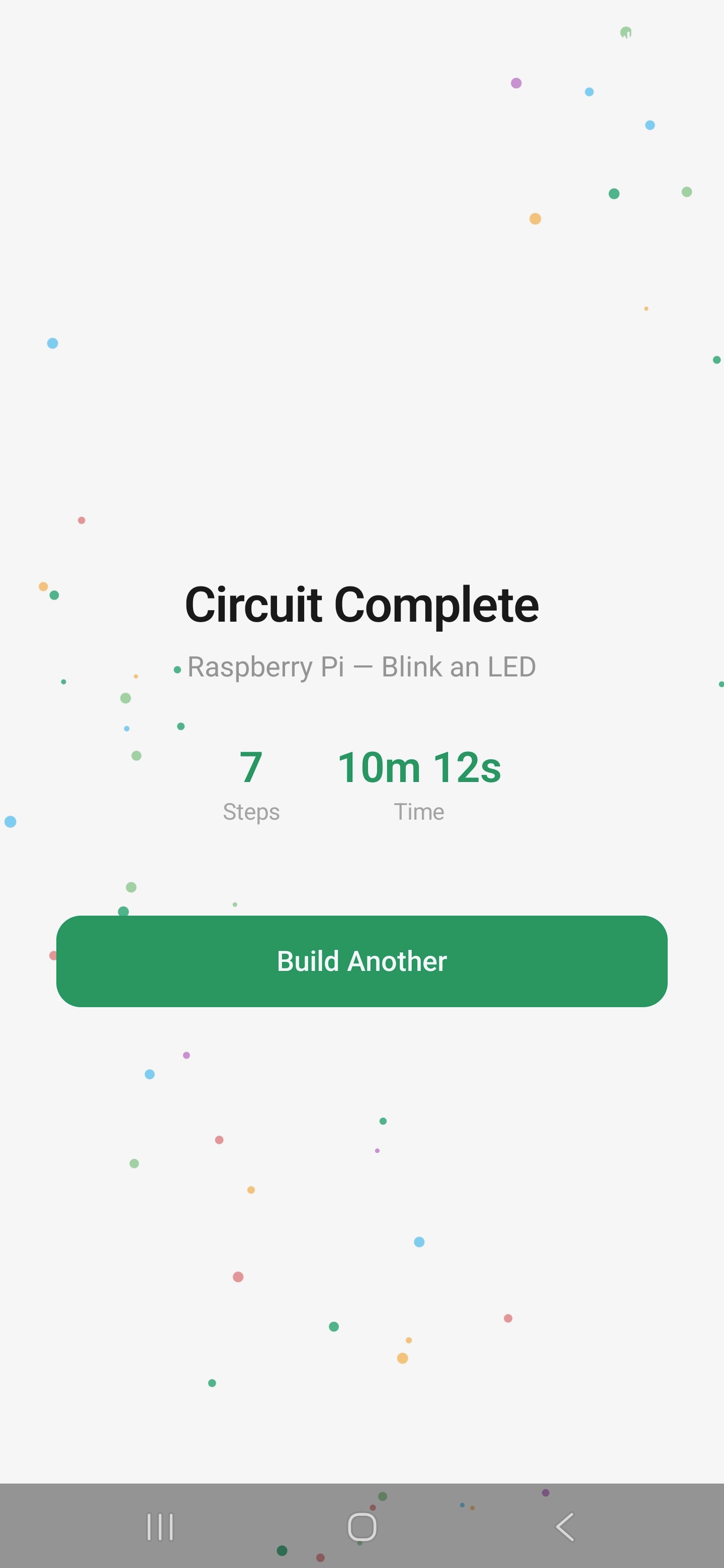
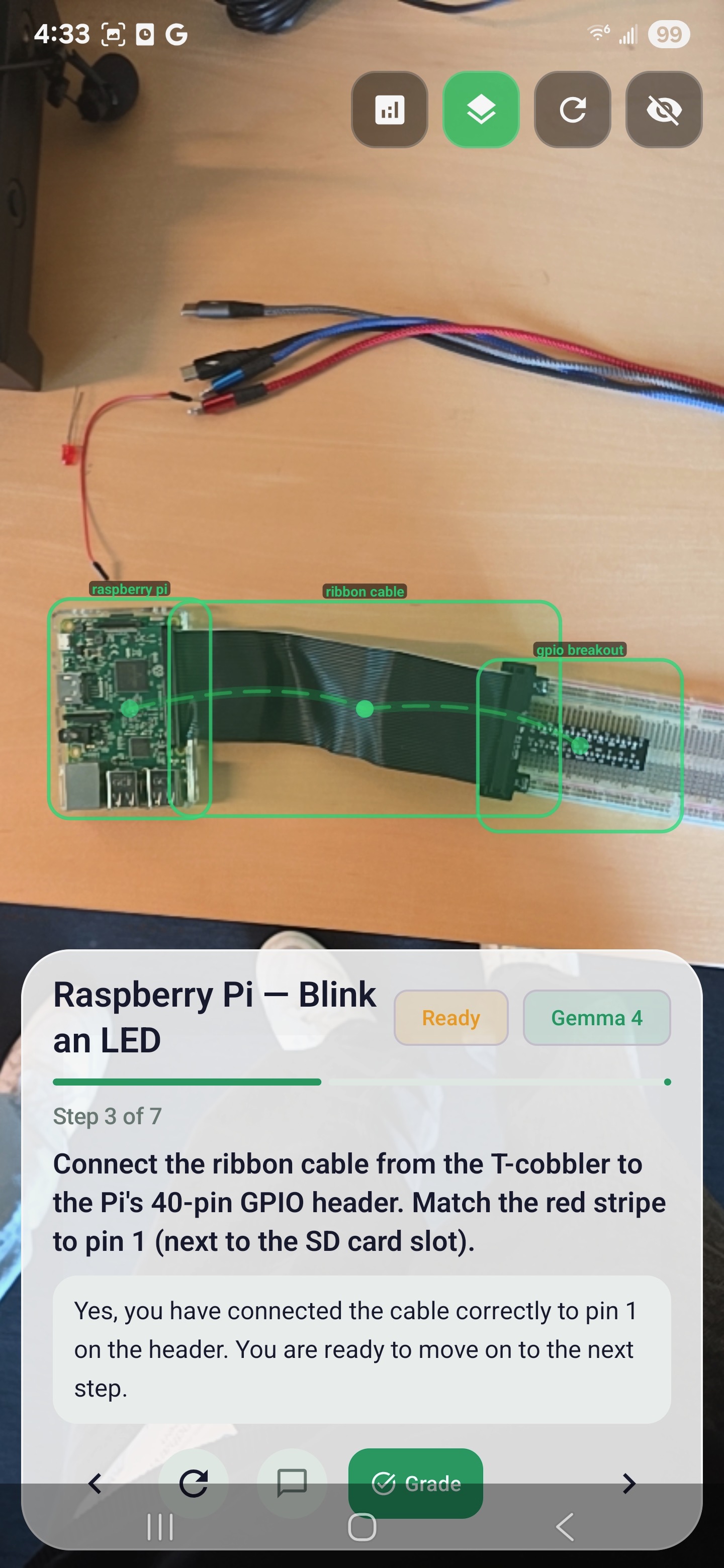
Recognizes components in real time Detects breadboards, Raspberry Pis, LEDs, resistors, GPIO breakouts, and ribbon cables using a custom YOLO model. Guides each step visually AR overlays highlight the exact components you need and draw connection paths between them. Gives actionable coaching Powered by Gemma 4 E2B, it translates detections into clear instructions like: “Connect the resistor’s far leg to the LED’s anode in row 25.” Checks your work Tap a button and the system evaluates whether your current step looks correct. Celebrates completion Finishing a build triggers stats and a bit of confetti.
All of this runs locally—no internet, no cloud APIs. Vision, language, and AR are fully on-device.
How We Built It
Detection Pipeline A YOLOv8 model trained on a custom Roboflow dataset (9 component classes), exported to TFLite (fp16). It runs at ~10 FPS with letterboxing, NMS, and a 5-frame temporal merge to stabilize results.
Gemma Integration Gemma 4 E2B runs via LiteRT-LM with Qualcomm NPU acceleration (fallback to GPU/CPU). A structured prompt pipeline feeds in:
Detection labels + confidence Current step context User input
It responds with short (1–2 sentence) coaching messages, maintaining context within each step.
AR Overlay Built with a custom Compose Canvas layer.
Exponential smoothing (14% lerp per 16ms) keeps overlays stable Bounding boxes glide instead of jitter Dashed Bézier curves connect components for each step
Blueprint System Circuits are defined in JSON:
Step requirements Breadboard coordinates Component constraints (e.g., resistor values)
A StepEngine evaluates completion using the live scene state.
Tech Stack Kotlin, Jetpack Compose, CameraX, TFLite, LiteRT-LM, kotlinx.serialization Single-activity architecture with in-memory routing.
Challenges We Ran Into LiteRT vs. TFLite conflicts Both use org.tensorflow.lite.*, causing duplicate class issues. We resolved this by carefully managing dependencies and avoiding the GPU delegate. Gemma KV cache overflow Resetting context every prompt caused crashes. Fix: only reset when the step changes. YOLO jitter Bounding boxes jumped between frames. Multiple iterations of smoothing were needed to balance stability and responsiveness. Model overfitting A newer 6-class model hallucinated detections. We reverted to a more stable 9-class version. NPU deployment quirks Getting Gemma running on Qualcomm’s Hexagon NPU required debugging native library paths and runtime setup. What We’re Proud Of Fully on-device AI Detection, reasoning, and AR all run offline—even in airplane mode. Polished AR experience Smooth tracking, clean visuals, and intuitive overlays make it feel like a real product—not a prototype. Useful AI coaching Tight, structured prompts keep responses concise and actionable. End-to-end experience From project selection to final confetti, the entire flow works seamlessly. What We Learned Structured prompts beat free-form Feeding labeled detections (e.g., “resistor (330Ω) @62%”) dramatically improves output quality. Temporal smoothing is essential Even accurate detection looks bad without stabilization. NPU acceleration is a game changer Response times drop from 5–8 seconds (CPU) to under 2 seconds. On-device AI is ready Performance is no longer the bottleneck—model size is. What’s Next More circuit blueprints Sensors, motor drivers, audio circuits—expandable via JSON. Gemma Vision integration Move from YOLO text outputs to direct multimodal understanding. Community contributions Let users create and share their own guided builds. Voice coaching Add text-to-speech so users don’t need to look at the screen. Wiring validation Go beyond component detection to verify actual electrical connections.


Log in or sign up for Devpost to join the conversation.