
Inspiration
Plans change in places our calendars never see. A club flyer announces a workshop, a group chat says "Tech Night is now at 5:30," an email says the event is cancelled. Each time, someone has to retype the details into Google Calendar, or forget to and show up at the wrong time. We wanted fixing that to take one keystroke, without sending our screenshots to a paid cloud AI.
What it does
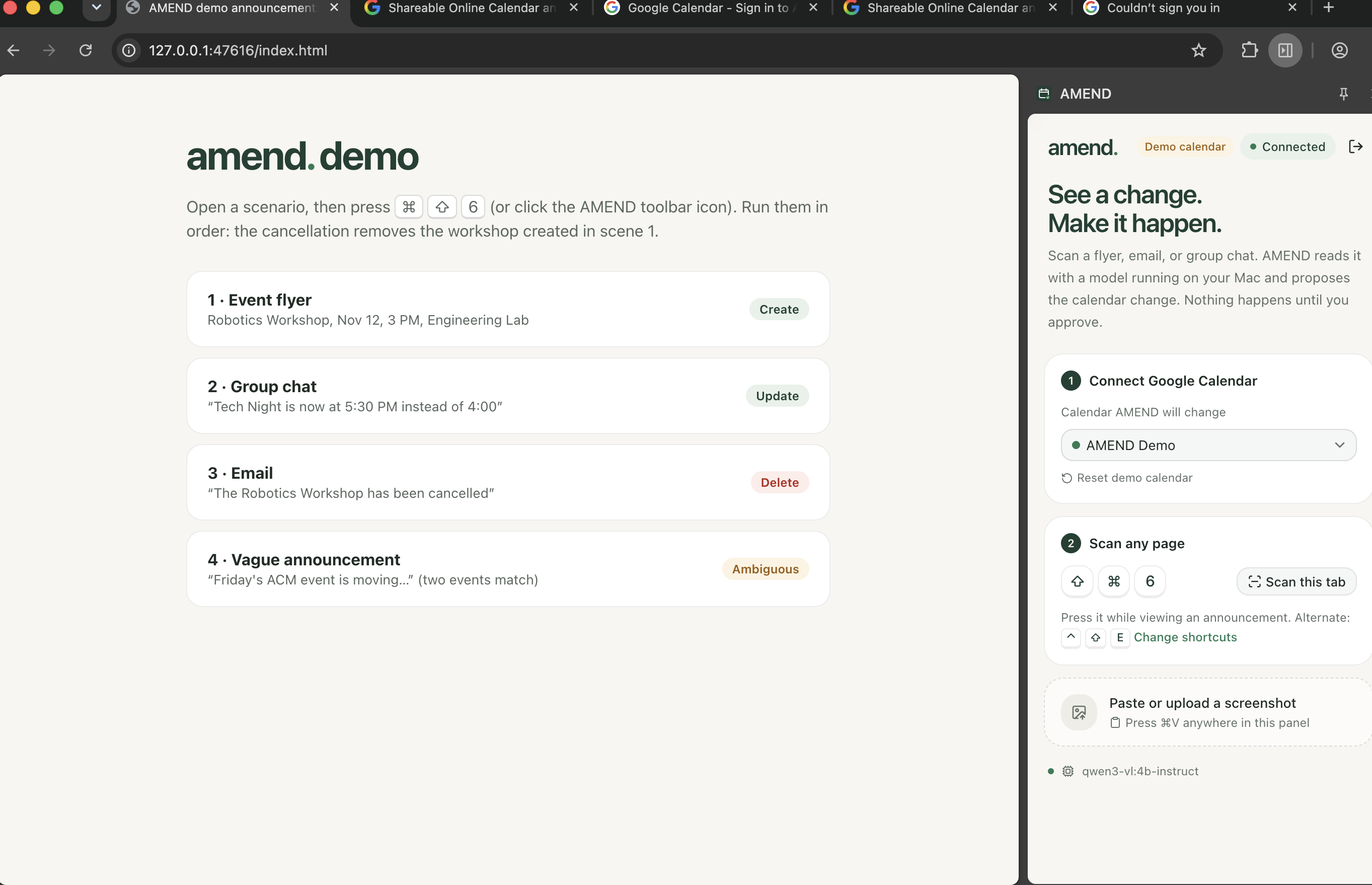
AMEND is a Chrome extension for macOS. Press ⌘⇧6 on any flyer, email, or chat, and AMEND:
- Captures the visible tab.
- Reads it with an open-weight vision model (Qwen3-VL 4B) running locally on your Mac.
- Decides whether the announcement means create, update, or delete.
- Finds the matching event in your Google Calendar for updates and cancellations.
- Shows a review panel with a before/after comparison and the exact sentence it read as evidence.
- Updates Google Calendar only after you click approve.
When it isn't sure (two events look alike, a cancellation is only "maybe"), it asks you to choose instead of guessing. Deletes need a second, explicit confirmation.
How we built it
- Chrome extension (Manifest V3): React, TypeScript, Tailwind, shadcn/ui, and Motion for the side panel. The extension owns the shortcut, the screenshot, Google sign-in, and every calendar write.
- Local AI service: FastAPI on
127.0.0.1, calling Ollama running Qwen3-VL-4B-Instruct (Apache-2.0). The model's output is locked to a JSON schema, so it can only describe events, never take actions. - Deterministic logic around the model: years, relative words like "tomorrow," time zones, and daylight saving time are all resolved in plain, unit-tested Python, not by the model.
- Matching: we list upcoming events and score each candidate:
$$\text{score} = 0.6\,s_{\text{title}} + 0.25\,e^{-d/7} + 0.15\,s_{\text{place}}$$
where \( d \) is the number of days between the announcement and the event. The model is only asked to break a tie when the top two are close, and it can never pick an event that wasn't in the list.
- Google Calendar API through Chrome's Identity API. The OAuth token never leaves the extension and never reaches the model.
Challenges we ran into
- Small models guess dates. For "now at 5:30," the model filled in today's date, and once copied the screenshot's timestamp into the date field. That made AMEND think Tech Night was a week away from itself. We stopped giving the model the capture date and added a guard that drops any "today" date the text doesn't actually mention.
- An over-cautious tie-breaker. The 4B model answered "not sure" even for exact matches, which turned clear updates into pickers. We now consult it only for genuinely close calls.
- Real calendars are unforgiving. We had to prevent double-clicks from creating duplicate events (deterministic event IDs), block edits to events that changed after you reviewed them (
If-Matchetags), avoid emailing invitees, and only touch one occurrence of a recurring event. - Chrome details: the side panel must open synchronously inside the key press, unpacked extensions need a pinned ID for OAuth, and keyboard shortcuts silently go unassigned when another extension already uses them.
- Daylight saving time ends November 1, right before our demo events, so time zone offsets had to be computed, never guessed.
Accomplishments that we're proud of
- The whole loop of shortcut → local AI → review → Google Calendar works end to end, with no paid API and no screenshots leaving the laptop.
- The AI understands, the extension acts: the model has no way to change your calendar on its own.
- Automated tests for the backend logic, plus an end-to-end browser test that runs all four demo scenes.
What we learned
- Open-weight vision models are good at reading, but every judgment about time and identity should be deterministic, testable code.
- Safety in an AI tool comes mostly from design: schema-locked output, validated IDs, and a human click before every write.
- Testing with the real model, not just mocks, surfaced the bugs that mattered most.
What's next
- Screenshots of native Mac apps (Messages, Mail) through a small macOS companion app.
- Outlook and multiple-calendar support.
- Handling several events from one screenshot in a single review.
Built With
- chrome
- chrome-identity-api
- computer-vision
- fastapi
- google-calendar-api
- google-oauth
- local-llm
- manifest-v3
- motion
- ollama
- puppeteerchrome-extension
- pydantic
- pytest
- python
- qwen3-vl
- rapidfuzz
- react
- shadcn-ui
- tailwind-css
- typescript
- uv
- vite

Log in or sign up for Devpost to join the conversation.