
Inspiration
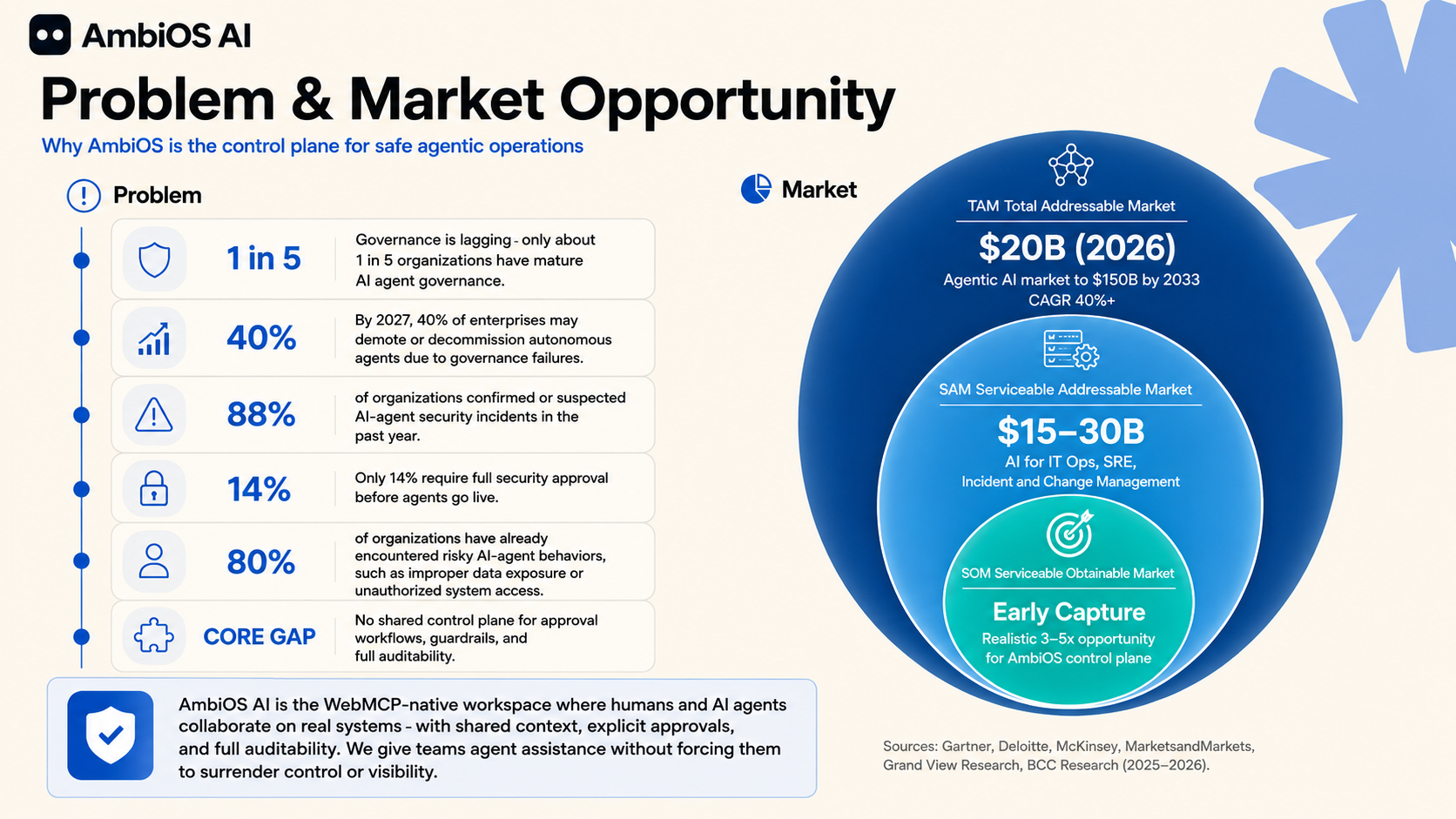
Production incidents often force engineers to switch between dashboards, repositories, deployment tools, security scanners, and incident notes. The important context ends up fragmented across systems. Teams need to understand what happened, decide what to do, control consequential changes, and preserve a reliable record.
AmbiOS AI explores a different model:
What if an AI agent could investigate operational context while people remain responsible for meaningful decisions?
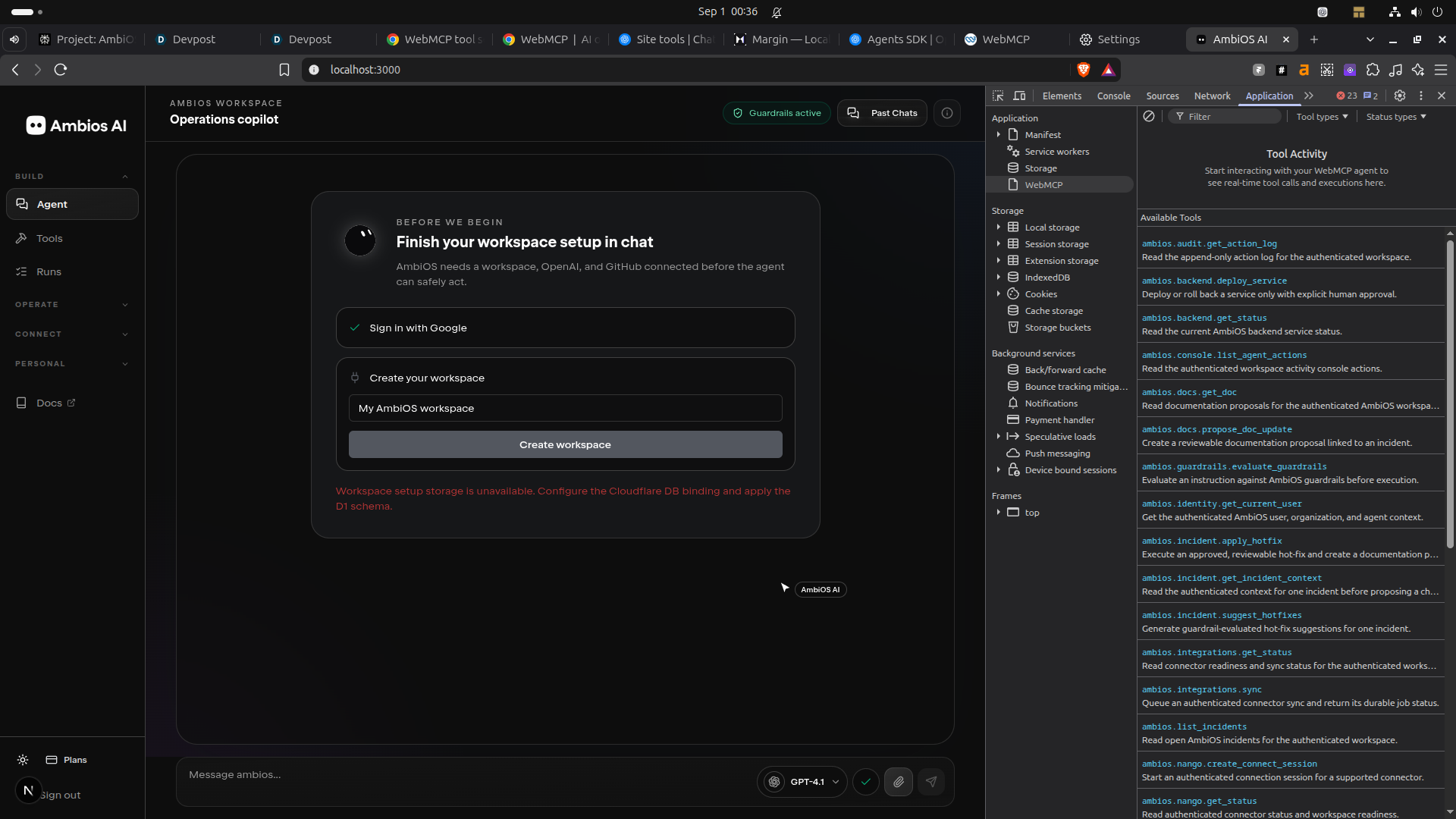
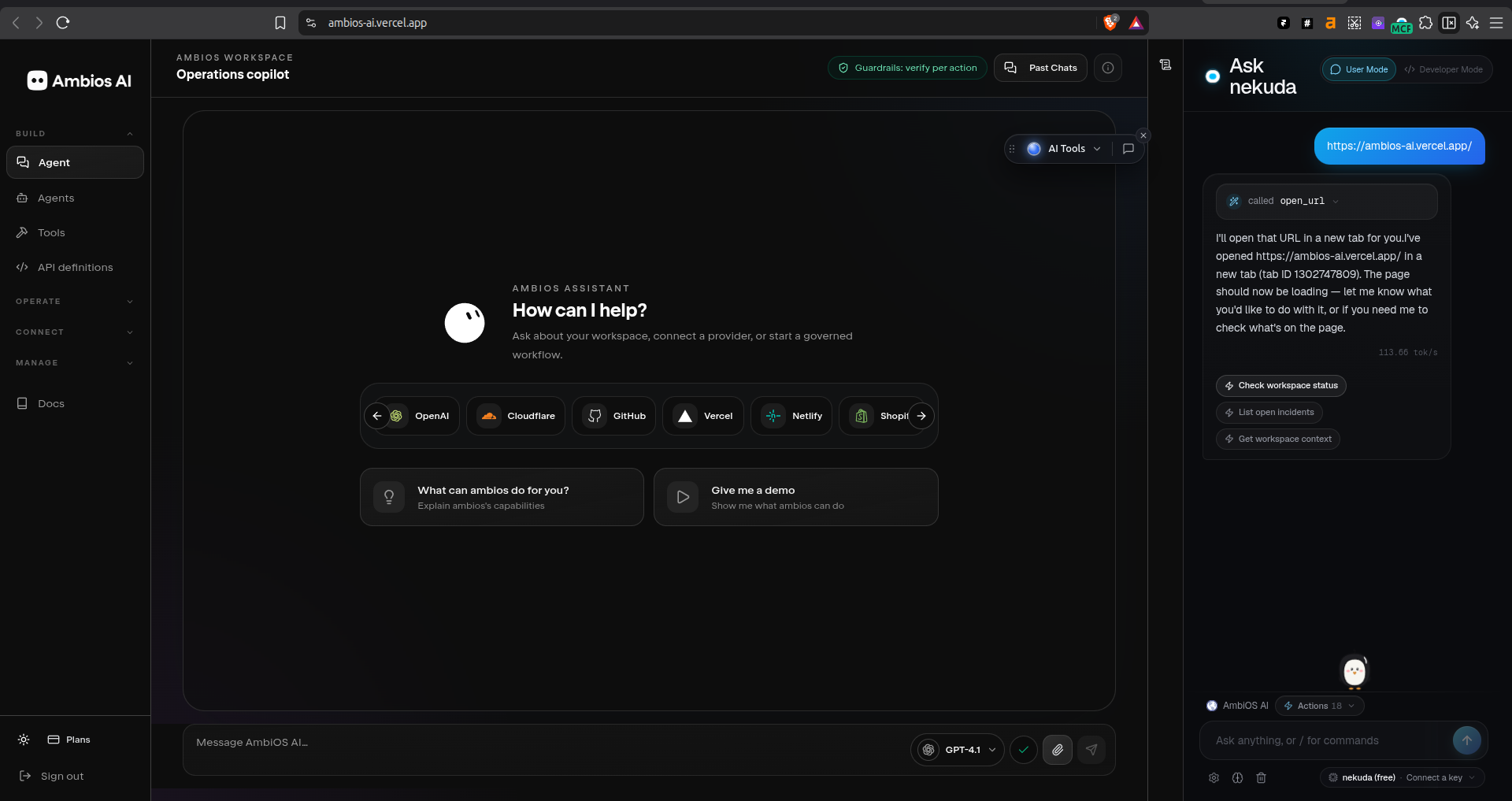
WebMCP helps with the browser side of that model. A compatible browser agent can use structured tools exposed by the active AmbiOS workspace instead of trying to infer state from screenshots, DOM structure, or button locations.
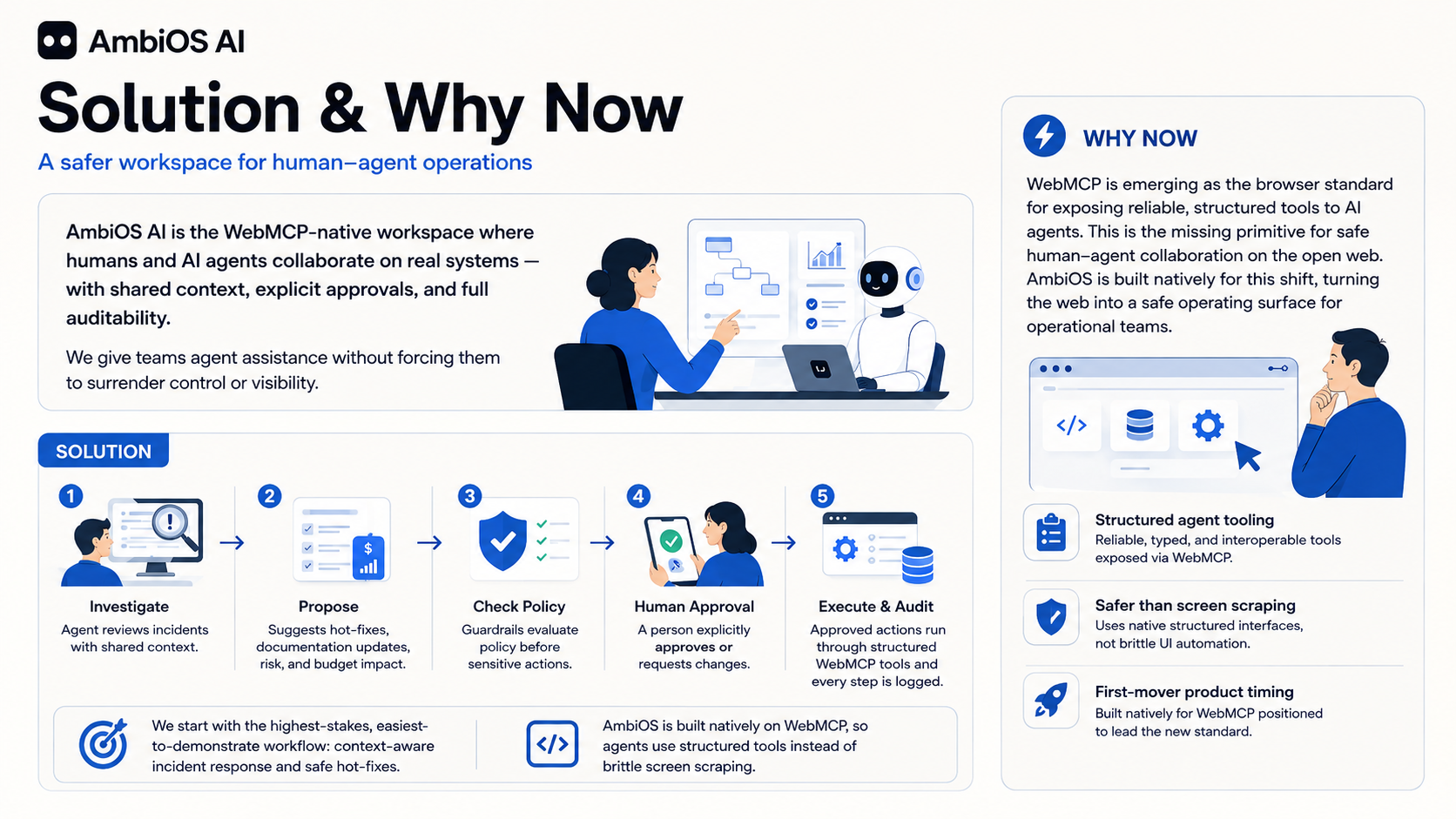
AmbiOS AI is a governed workspace for people and agents working through operational incidents together. The agent investigates available context and prepares structured proposals. AmbiOS keeps identity, workspace scope, policy, approval, execution, verification, and audit authority on the backend.
What it does
AmbiOS AI helps teams investigate operational work across connected systems.
A user opens an AmbiOS workspace and reviews an incident, service, deployment target, provider connection, or action record. A compatible browser agent can use WebMCP tools to retrieve structured context from the active workspace.
The agent can:
- Read workspace readiness and available capabilities.
- Inspect active incidents.
- Review incident context and linked systems.
- Inspect verified provider connection and mapping status.
- Read action, approval, verification, and audit state.
- Prepare a structured proposal.
- Retrieve a backend policy decision.
- Explain what is known, unknown, blocked, or awaiting review.
AmbiOS does not treat chat as permission.
For consequential work, AmbiOS follows this workflow:
Investigate
→ verify available context
→ prepare a structured proposal
→ evaluate policy
→ request exact approval
→ execute through an authorized provider adapter
→ verify the outcome
→ record the audit trail
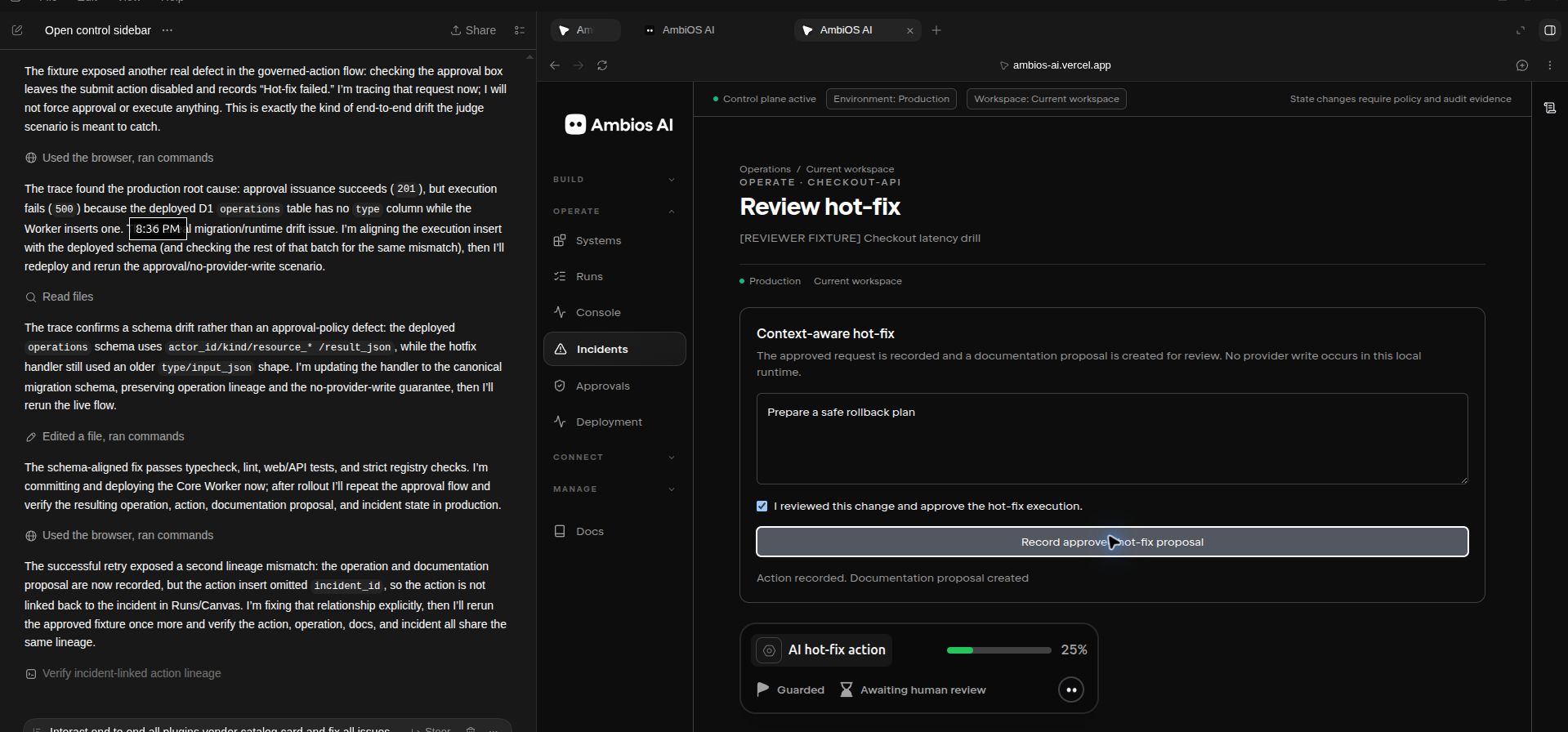
The user reviews the exact target, scope, risk, approval requirement, and verification plan before any consequential external action proceeds.
Core workflow
A typical AmbiOS workflow looks like this:
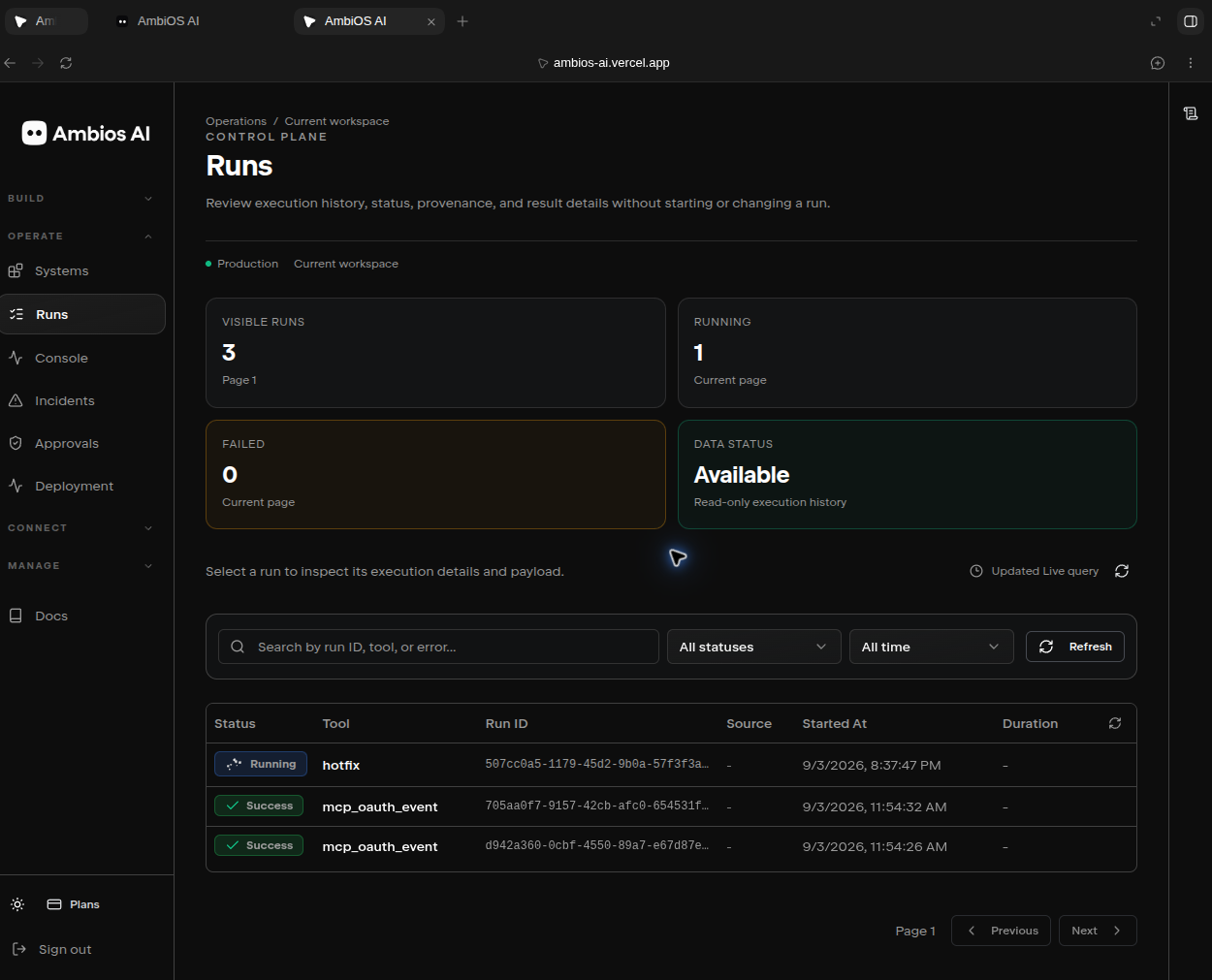
User opens an incident
→ AmbiOS loads workspace readiness
→ Agent inspects incident context
→ Agent reads linked systems and mapped resources
→ Agent identifies verified facts and unknowns
→ Agent prepares a structured proposal
→ AmbiOS evaluates policy
→ User approves or denies the exact proposed action
→ AmbiOS executes only when backend requirements are satisfied
→ AmbiOS verifies the defined outcome
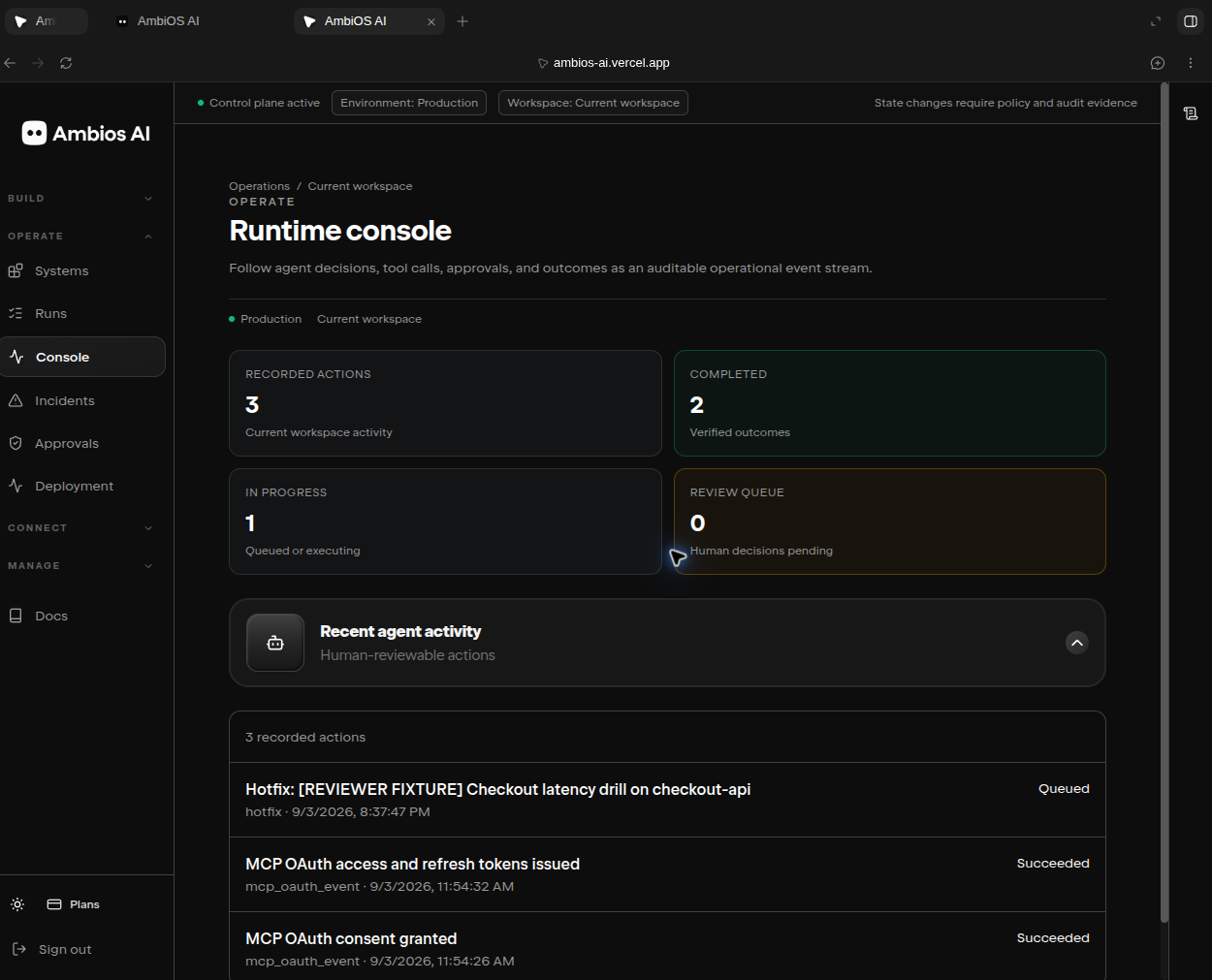
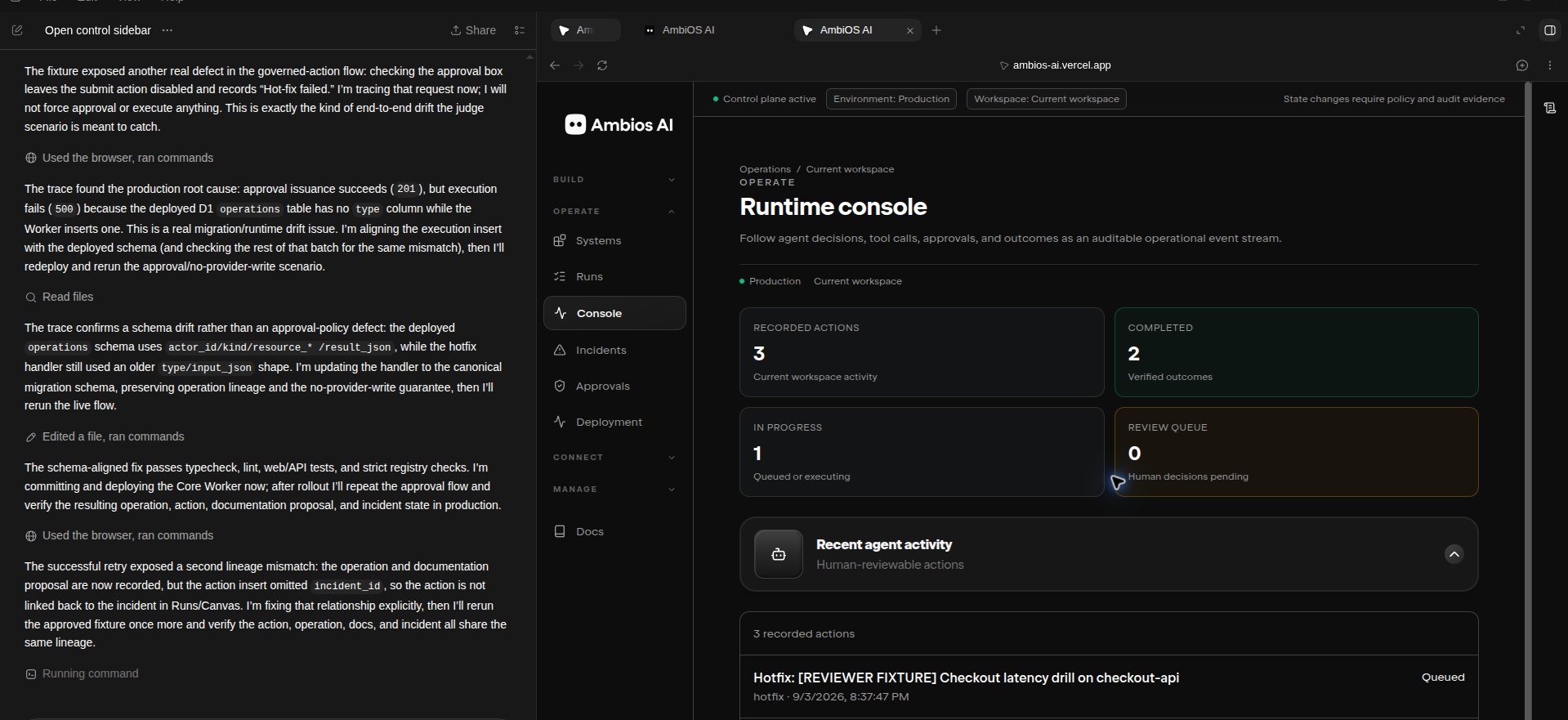
→ Runs, Console, and Canvas show the resulting record
If a prerequisite is missing, AmbiOS does not silently continue.
For example:
Deployment target is not mapped
→ action becomes blocked
→ AmbiOS explains what is missing
→ user configures the required mapping
→ AmbiOS verifies the mapping with a safe read
→ the action resumes from its stored context
→ approval remains required before execution
WebMCP use case
WebMCP fits AmbiOS because the agent needs current, structured workspace context from the browser session.
A chat transcript does not reliably show:
Which workspace is active
Which incident is selected
Which systems are linked
Which provider connections are configured
Which resources are mapped
Which action is blocked
Which approval is pending
Which execution is running
Which verification passed or failed
With WebMCP, the active AmbiOS site exposes structured browser tools for compatible agents.
The agent does not need to scrape the page or guess how the interface works. It receives structured information from the same workspace the user is viewing.
WebMCP supports the browser-side collaboration layer.
AmbiOS still enforces all consequential authority in backend services.
WebMCP
→ browser-native structured context and tool access

AmbiOS backend
→ authentication
→ organization and workspace scope
→ provider capabilities
→ resource mappings
→ policy
→ approval
→ execution
→ verification
→ audit
https://webmcp.com/report/f5270653-0587-4512-acf6-461d86e0ebcb
WebMCP does not grant the agent unrestricted provider access. It does not expose provider credentials. It does not replace approval or backend authorization.
Remote MCP and ChatGPT
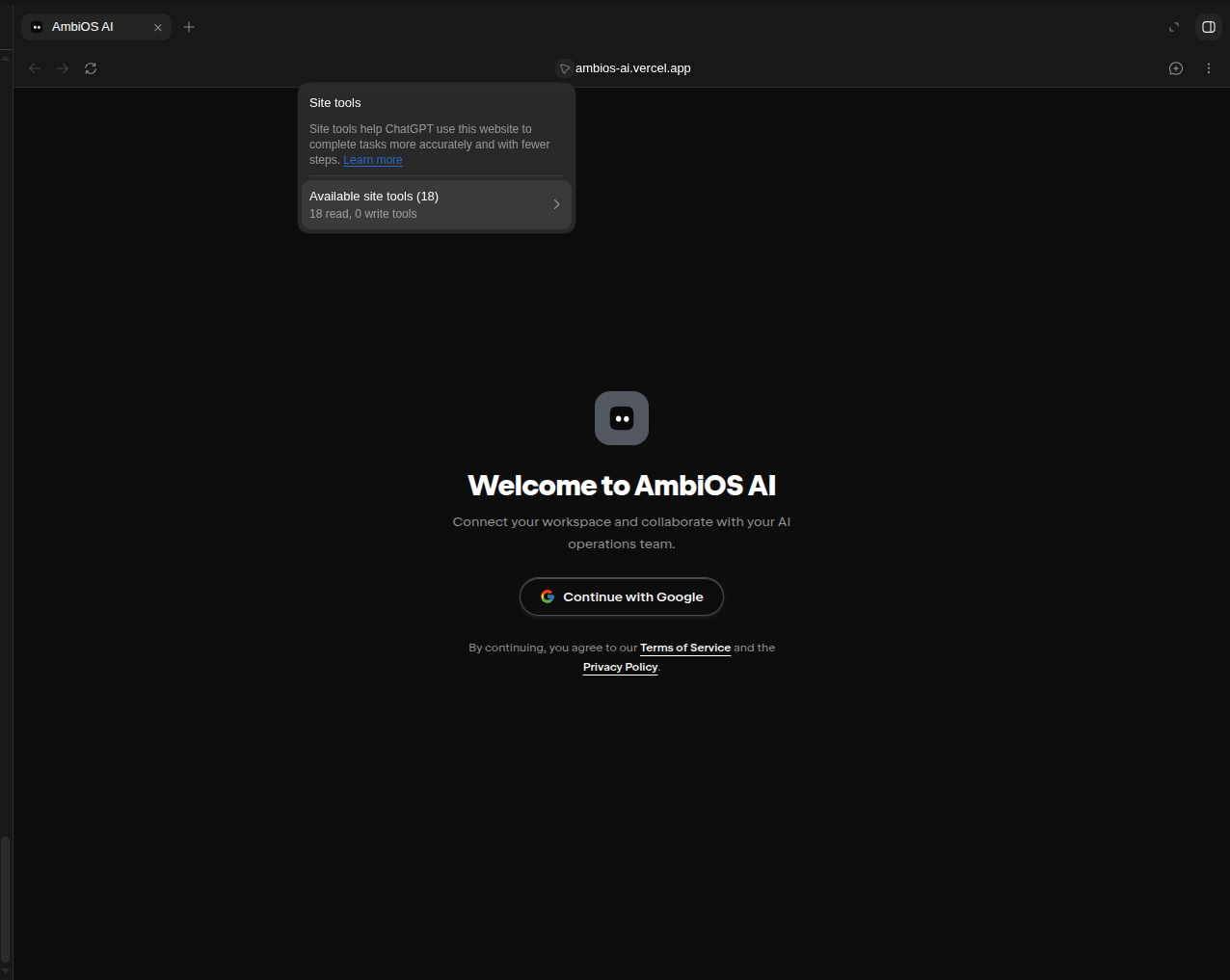
AmbiOS also supports remote MCP access through OAuth.
This lets users connect their own ChatGPT account to their authorized AmbiOS workspace.
ChatGPT
→ MCP OAuth authorization
→ AmbiOS validates user and workspace scope
→ ChatGPT receives authorized MCP tool access
→ AmbiOS returns structured, scoped results
ChatGPT acts as an MCP client.
AmbiOS remains responsible for:
Authentication
Organization and workspace authorization
Provider capability checks
Resource mapping validation
Policy
Approval
Execution
Verification
Audit
A successful ChatGPT OAuth connection does not automatically mean that a provider is connected, a target is mapped, an action is approved, or an external action has completed.
Provider model
AmbiOS treats each connected provider as a separate system with separate permissions, resources, APIs, and failure modes.
A connected account is not the same as an authorized action.
Before AmbiOS can perform a provider action, it must confirm:
Provider connection exists
→ connection belongs to the current workspace
→ safe provider verification succeeds
→ required provider capability exists
→ target resource is visible
→ target resource is explicitly mapped
→ policy allows the action
→ exact approval exists where required
→ action is safe to execute
→ outcome can be independently verified
Provider connection states are explicit:
Not configured
Authorization pending
Connected, verification required
Connected, limited access
Connected, verified
Needs re-authentication
Syncing
Sync failed
Unavailable
Unsupported
Planned
AmbiOS does not imply that every connected vendor works with every other vendor.
Cross-system workflows are controlled sequences.
GitHub action succeeds
→ Cloudflare preview deployment fails
AmbiOS records partial success. It does not claim the workflow completed.
GitHub PR created
Cloudflare deployment failed
No production change confirmed
Review failure details
Retry or create a separately approved compensating action
Security and governance
AmbiOS separates agent reasoning from operational authority.
The agent can inspect data, explain evidence, and prepare a proposal.
The backend controls actual actions.
Authenticated user
→ organization scope
→ workspace scope
→ role and capability checks
→ verified provider connection
→ explicit resource mapping
→ policy evaluation
→ exact human approval
→ execution revalidation
→ independent verification
→ audit record
A message such as “yes,” “approve,” or “do it” is not enough to authorize an external action.
Each approval is bound to the exact action.
Approver
Organization
Workspace
Action
Provider
Target resource
Environment
Arguments hash
Policy decision
Risk level
Expiry
Single-use state
Immediately before execution, AmbiOS rechecks the approval, user role, provider capability, mapping, target, arguments, preconditions, and idempotency state.
Action states
AmbiOS tracks meaningful work through a durable lifecycle:
DRAFT
→ CONTEXT_GATHERED
→ BLOCKED_MISSING_PREREQUISITE
→ PROPOSED
→ POLICY_EVALUATED
→ AWAITING_APPROVAL
→ APPROVED
→ QUEUED
→ EXECUTING
→ VERIFYING
→ SUCCEEDED
→ FAILED
→ PARTIALLY_SUCCEEDED
→ DENIED
→ CANCELLED
→ EXPIRED
The same state should appear across:
Agent
Incidents
Approvals
Deployment
Runs
Console
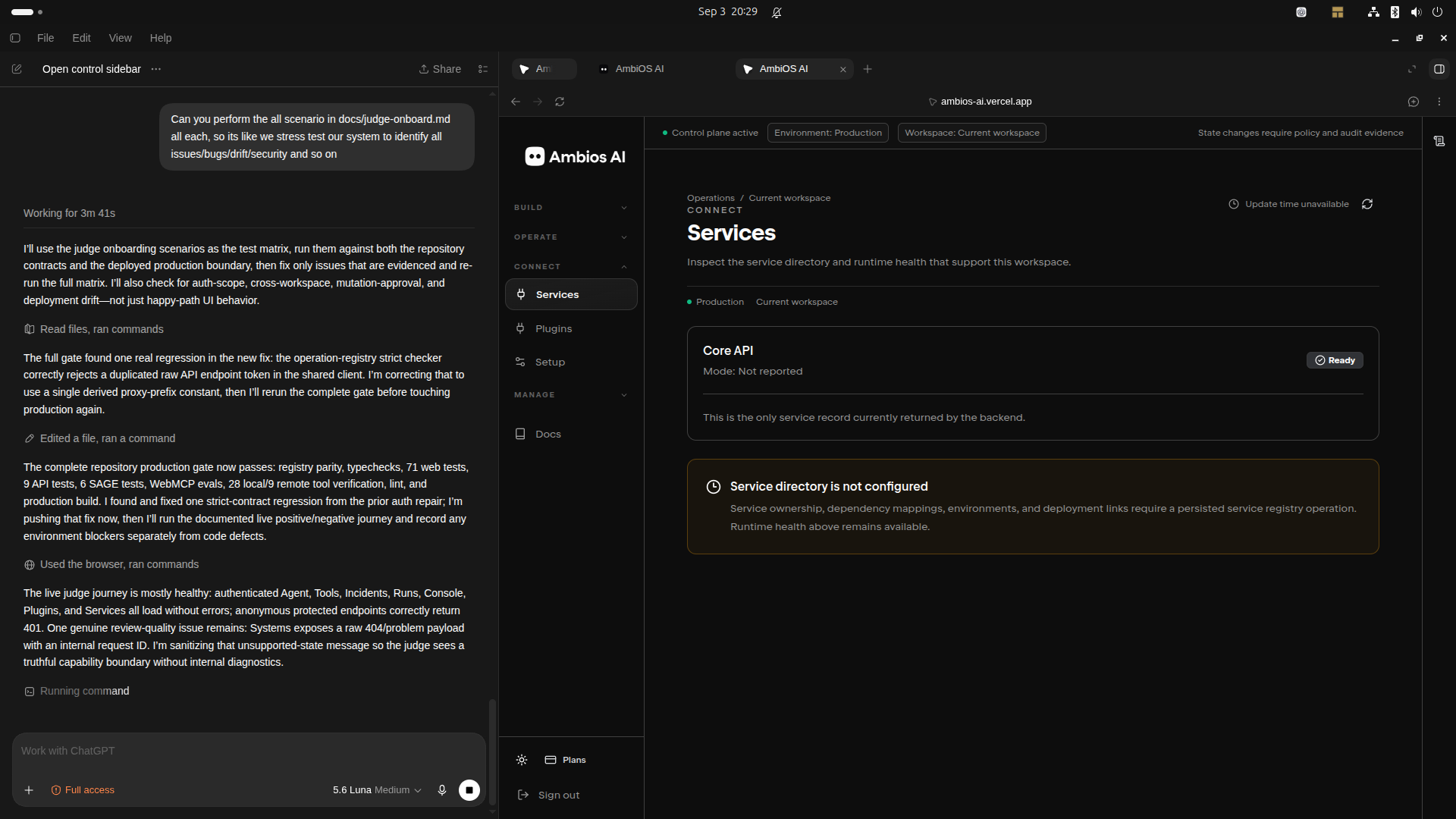
Services
Systems
Canvas
A user should not have to guess whether an action was proposed, approved, queued, running, blocked, denied, failed, or verified.
Audit and verification
AmbiOS does not treat request submission as completed work.
A provider request might be accepted while the desired result still fails.
For example:
GitHub request accepted
does not prove the pull request exists as intended

Cloudflare deployment request accepted
does not prove the preview is healthy

Agent explanation
does not prove root cause or verification
AmbiOS records material workflow events:
Agent run started
Readiness checked
Tool invoked
Proposal created
Policy evaluated
Approval requested
Approval approved
Approval denied
Action queued
Execution started
Provider response received
Verification started
Verification passed
Verification failed
Action completed
Action failed
Action partially succeeded
Verification checks the provider or target independently.
Examples:
GitHub:
Confirm expected branch, pull request, source branch, base branch, and revision.

Cloudflare:
Confirm expected project, preview deployment, deployment status, preview URL, and health endpoint.

Internal record:
Confirm persisted action state, expected derived state, and audit completion.
Canvas collaboration
The AmbiOS Canvas is an operational view of persisted work.
It is not a whiteboard and it is not a decorative vendor graph.
The Canvas can show:
Incident
Service
Repository
Deployment target
Provider connection
Evidence
Proposal
Policy decision
Approval
Execution
Verification
Audit record
Relationships use explicit labels:
source_of_change
deploys_to
requires_approval
verified_by
triggered_proposal
produced_audit_event
awaits_configuration
blocked_by
The agent cursor represents real workflow state.
Inspecting
Blocked
Proposal ready
Awaiting approval
Approved
Queued
Executing
Verifying
Succeeded
Failed
Partially succeeded
The cursor does not imply work that has not occurred.
Technical architecture
Vercel Next.js frontend
→ AmbiOS user interface
→ WebMCP browser registration
→ Agent workspace
→ Canvas
→ typed frontend API client

Cloudflare Hono Core Worker
→ authentication validation
→ workspace and organization scope
→ incident, action, approval, audit, and Canvas APIs
→ MCP OAuth
→ MCP metadata
→ MCP tool endpoints
→ D1-backed durable state

Cloudflare Connector and Execution Worker
→ provider connection lifecycle
→ provider OAuth callbacks
→ webhook validation
→ queue processing
→ approved provider actions
→ verification
→ retries and recovery

Cloudflare D1, KV, R2, and Queues
→ durable state
→ short-lived state
→ artifacts
→ retryable background work
AmbiOS uses Cloudflare Workers for thin request paths and durable background processing for provider-dependent or retryable work. Cloudflare Workers Free currently includes 100,000 requests per day and 10 ms of CPU time per invocation, so request handlers should validate, read minimal state, and delegate long-running work to queues. developers.cloudflare
What has been built
AmbiOS includes:
Next.js frontend
Cloudflare Hono Core Worker
Cloudflare Connector Worker
MCP route handling
MCP OAuth route handling
Protected-resource metadata
Authorization-server metadata
Shared MCP resource registry
Shared service-origin configuration
OpenAPI contract
Interactive smoke-harness structure
WebMCP registration code
Workspace, incident, action, policy, approval, audit, provider, and Canvas foundations
The repository also contains project-level build, lint, test, security, deployment, and documentation foundations. [github_mcp_direct]
What is under verification
AmbiOS should state the current implementation status truthfully.
The following require deployed, authenticated evidence before being described as fully live:
ChatGPT MCP OAuth completion
MCP token exchange
Authenticated MCP tool invocation
WebMCP invocation in a compatible browser
Real GitHub provider connection verification
Real Cloudflare provider connection verification
Real GitHub pull request creation through AmbiOS
Real Cloudflare preview deployment through AmbiOS
Independent deployment health verification
Full approval denial and no-write proof
Full approved execution proof
Canvas, Runs, Console, and audit lifecycle consistency
Snyk provider scans
Socket.dev package analysis
Sage-backed threat detection
ChatGPT Desktop compatibility
ChatGPT Work compatibility
Codex compatibility
Until each item has evidence, AmbiOS should label it:
Not configured
Unverified
Unsupported
Planned
Roadmap
Challenges
WebMCP support is evolving
WebMCP gives websites a way to register structured tools through the browser model context. Compatible browser agents can use those tools instead of relying on page scraping. Browser support and client behavior are evolving, so AmbiOS uses feature detection and preserves normal UI behavior when WebMCP is unavailable. developer.chrome
OAuth must match exactly
Remote MCP requires consistent public configuration.
The MCP URL, protected resource metadata, OAuth issuer, authorization endpoint, token endpoint, resource audience, scope registry, and OpenAI submission configuration must agree.
A mismatch can prevent an MCP client from completing authorization.
AmbiOS uses a shared MCP resource registry and service-origin configuration to reduce URL and scope drift. [github_mcp_direct]
Provider integration is capability-based
OAuth connection alone does not prove an intended resource is accessible or that an action is safe.
AmbiOS separates:
Connection
Capability
Resource mapping
Policy
Approval
Execution
Verification
This prevents a provider logo or connected status from being mistaken for unrestricted authority.
Cross-vendor work is sequential
GitHub, Cloudflare, Snyk, Socket.dev, Notion, Shopify, and other vendors do not share one transaction coordinator.
AmbiOS models multi-vendor workflows as controlled sequences:
Validate prerequisites
→ create proposal
→ evaluate policy
→ obtain approval
→ execute one step
→ verify one step
→ execute next step
→ verify next step
→ record partial success or failure
→ offer recovery option
AmbiOS does not claim atomic cross-vendor execution.
What we learned
WebMCP is a context layer
WebMCP is not the AI model. WebMCP is not the provider API. WebMCP is not the authorization boundary. WebMCP is not a sandbox.
WebMCP gives compatible browser agents structured access to the active web workspace.
AmbiOS provides the governance layer around that access.
Human approval enables safe delegation
The useful alternative to uncontrolled automation is not a blocked workflow.
It is a workflow where:
Agent investigates
→ agent explains
→ agent proposes
→ human reviews exact scope
→ human approves or denies
→ backend executes only approved work
→ system verifies the result
→ audit record persists
A provider connection is only the first step
A connected provider account does not prove:
Correct workspace
Correct resource
Correct environment
Correct permission
Correct policy
Correct approval
Correct outcome
AmbiOS must verify each layer.
UI must represent state
A chat transcript is not enough for governed work.
The user needs visible state for:
Readiness
Evidence
Proposal
Policy
Approval
Execution
Verification
Audit
What is next
Near-term
Complete deployed MCP OAuth verification.
Complete deployed WebMCP verification.
Run reviewer-safe test account flow without MFA.
Prove the five submission test cases.
Prove provider connection and capability verification.
Prove one real, safe GitHub and Cloudflare workflow.
Verify matching Runs, Console, Canvas, and audit records.
Complete privacy-safe tool output review.
Complete tool annotation review.
Future expansion
After the governed core is proven, AmbiOS can support additional workspaces:
Agent workflow debugging
Personal data rights operations
Business operations coordination
Research and decision records
Customer escalation workflows
Educational simulations
Creative production review workflows
The domain changes, but the core model stays the same:
Human intent
→ connected context
→ agent synthesis
→ structured proposal
→ policy
→ approval
→ authorized execution
→ verification
→ durable record
AmbiOS AI
AmbiOS AI is building a shared operational workspace for people and agents.
The agent investigates. The person decides. AmbiOS governs the action. The outcome is verified. The record persists.
Built With
- chatgpt
- cloudflare
- codex
- github
- nango
- netlify
- nextjs
- openai
- react
- render
- shopify
- snyk
- socket
- supabase
- tailwindcss
- typescript
- vercel
- webmcp


Log in or sign up for Devpost to join the conversation.