-
-

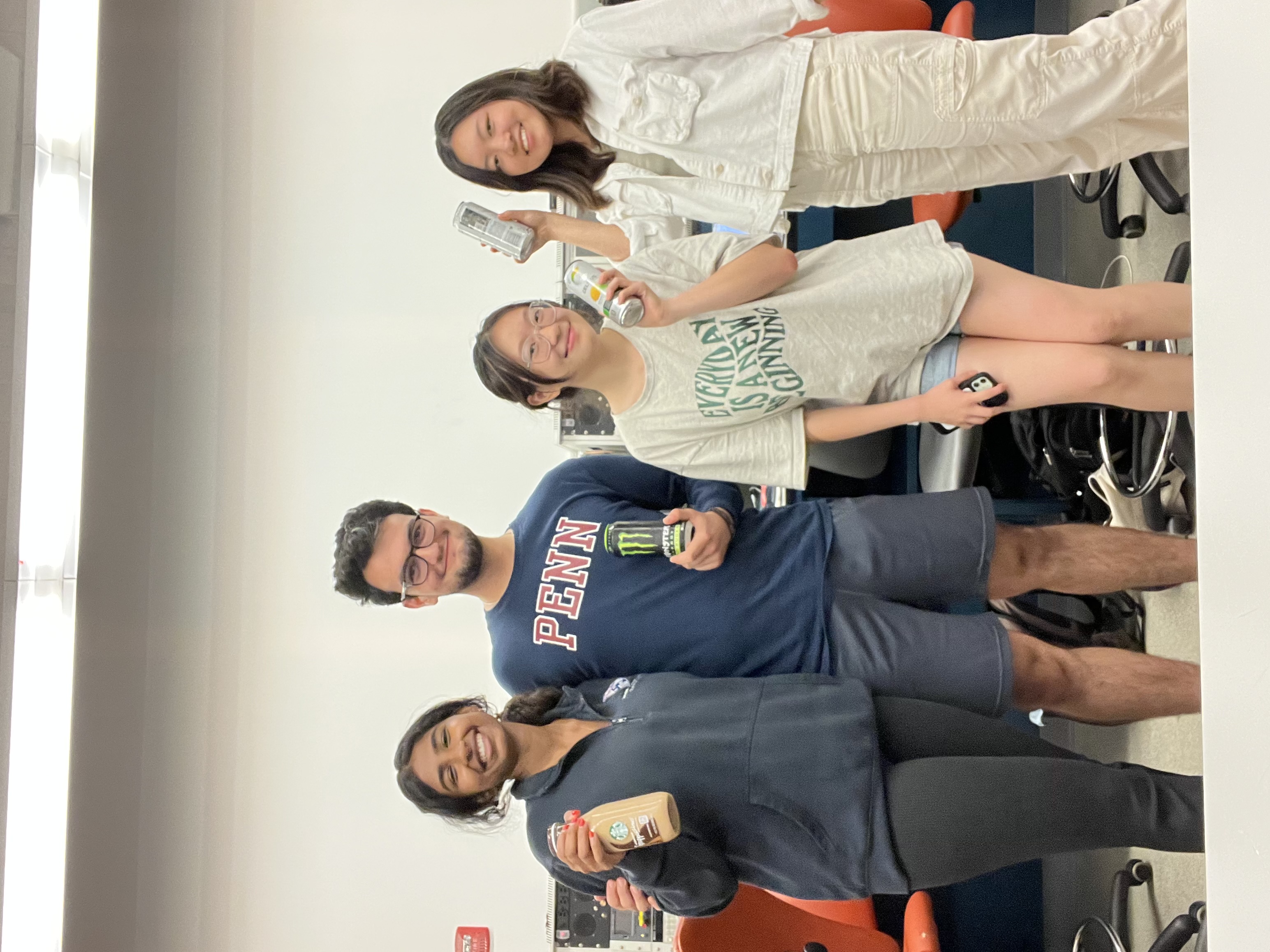
We are ambi.!
-
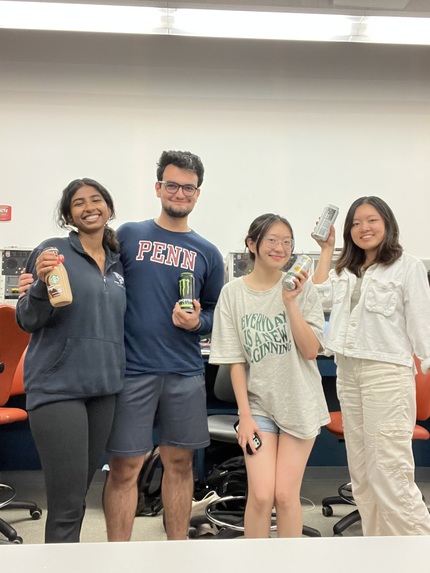
The Ambi. Team
-
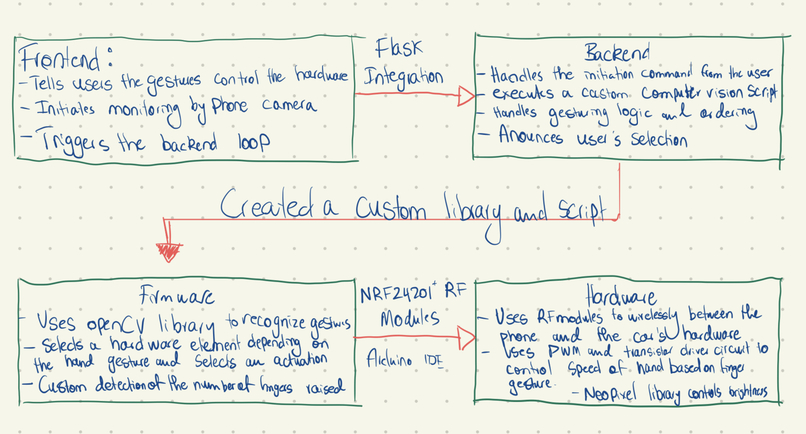
Our Engineering Process
-
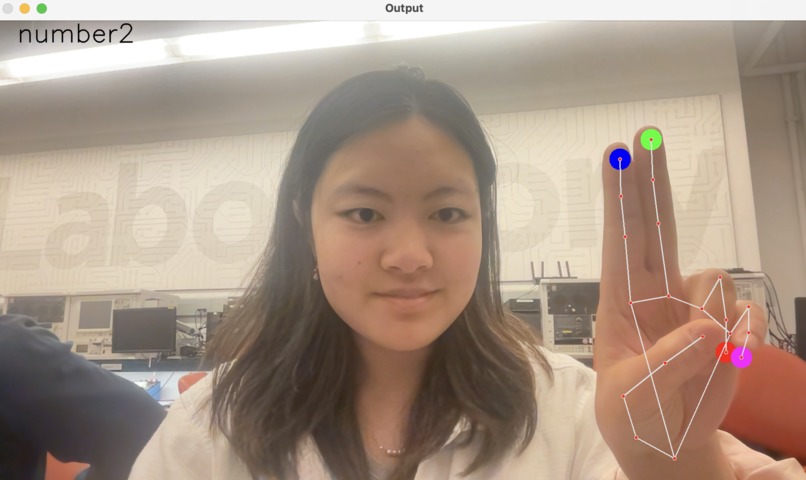
Computer Vision
-
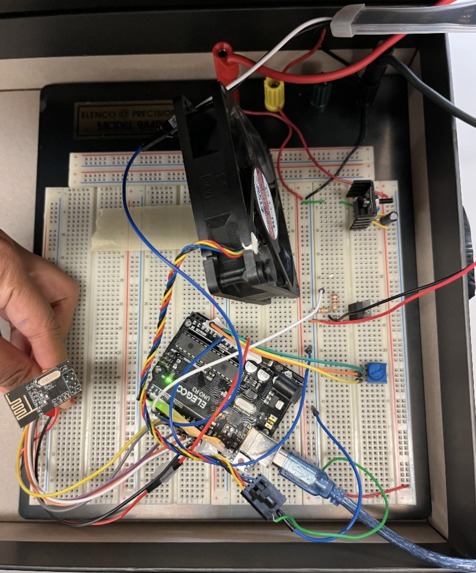
Hardware

Inspiration
Every year, 3,000 people pass away from distracted driving. And every year, it's the leading cause of car accidents. However, this is a problem that can be solved by a transition towards ambient and touchless computing. From reducing distracted driving to having implications for in-home usage (for those unable to adjust lighting, for instance), having ambient and touchless computing entails major impacts on the future. Being able to simply raise fingers to adjust car hardware, such as the speed of the AC fan, the intensity of the lights in the car, or even in homes for those unable to reach or utilize household appliances such as light switches, has implications beyond driving. We hope ambi. will be applicable in increasing safety and effectiveness in the future.
What it does
The ambi. app, downloadable on mobile, provides a guide corresponding to hardware settings with the number of fingers held in front of the camera—integrated into ambi. with computer vision to track hand movements. When the driver opens the app, they are presented with the option to raise one finger to adjust lighting, two fingers for the AC fan, three fingers for the radio volume, and 4 fingers for the radio station. From there, they can choose to adjust the specific hardware based on what they find (1 finger for on, 2 for off, 3 for increase, 4 for decrease). This helps to reduce distracted driving by keeping their hands on the wheel while driving.
How we built it
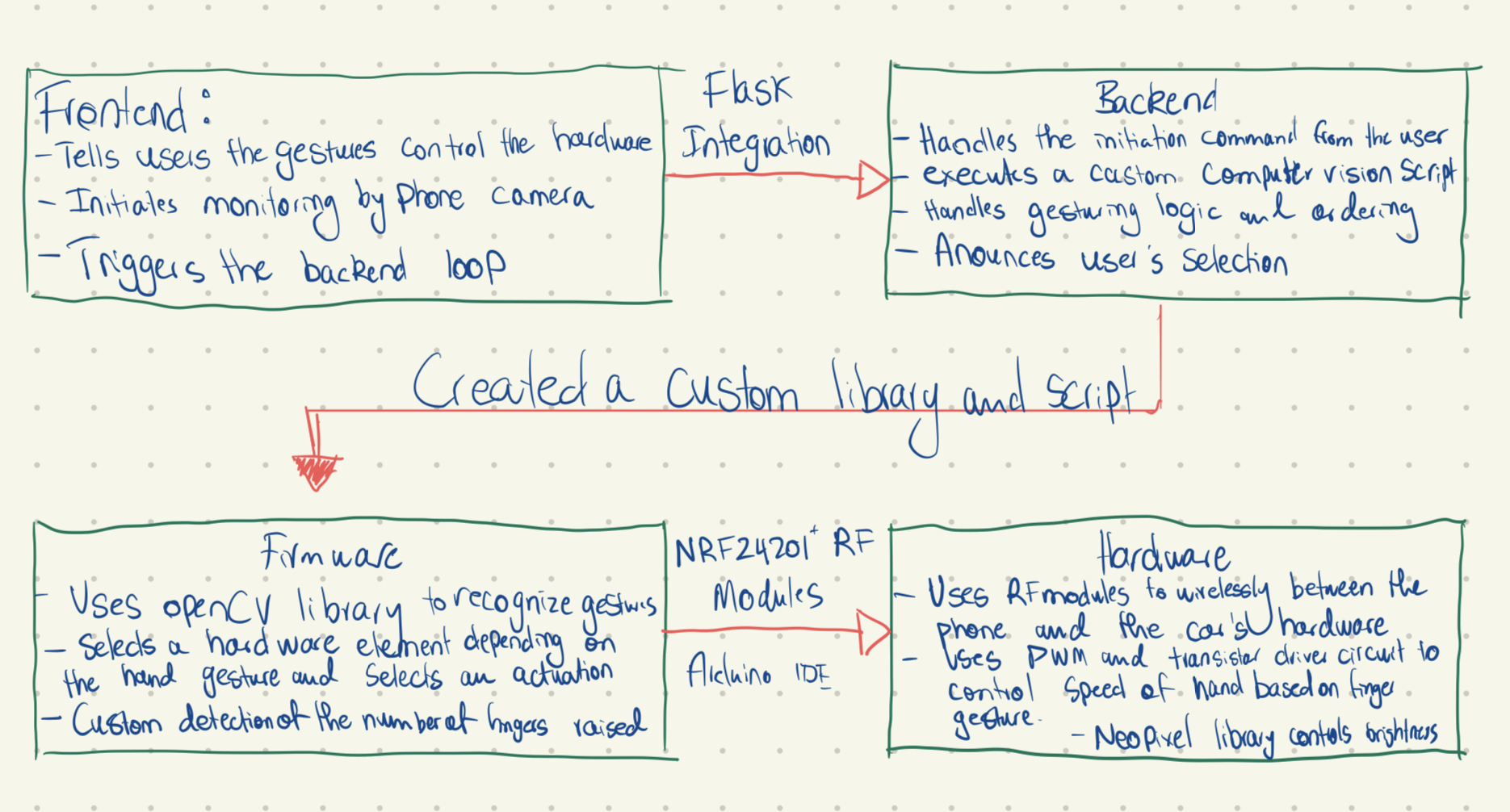
We had four main components that were integrated into this project: hardware, firmware, backend, and frontend. The hardware represents the physical functionalities of the car (e.g. lights, fan, speaker). In our demonstration, we simulated the lights and the fan of a car.
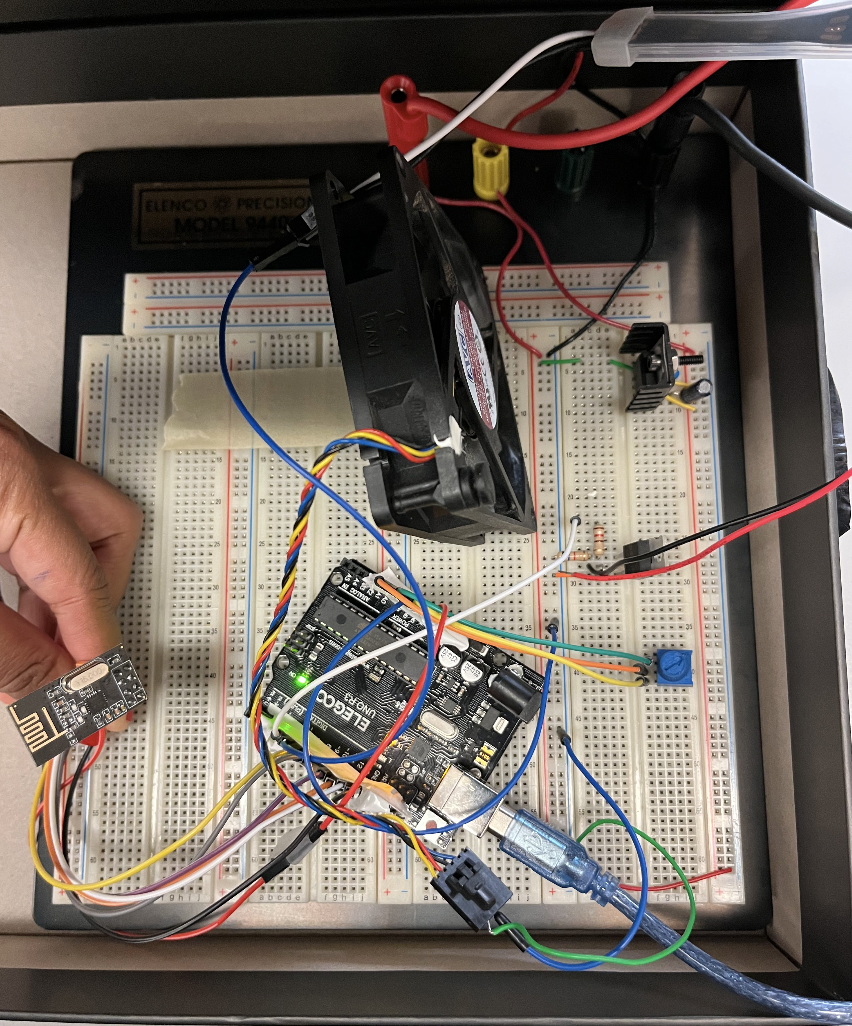
We used hardware to control the peripherals of the car such as the fan and the LED strip lights (Neopixel). For the fan, we used a transistor-driver circuit and pulse width modulation from the Arduino UNO to vary the duty cycle of the input wave and hence change the speed of the fan. Two resistors were attached to the gate of the power transistor to ensure: one to drive the GPIO and the other to ensure that it was not floating when there was no voltage present at it. A diode was also attached between the drain and source in case the fan-generated back EMF. A regulator (78L05) was used to supply voltage and current to the LED since it needed a lower voltage supply but a higher current. This was easier to program as it didn’t require PWM. The Neopixel library was used to control the brightness of the LEDs, their color, etc. A radio module, nRF24L01+, was used to communicate between the first Arduino UNO connected to the peripherals and the second Arduino UNO connected to the laptop running the computer vision python script and the backend. The communication over the radio was done using a library and a single integer was sent that encoded both the device that was chosen as well as its control. More specifically, this was the encoding used - 1: light, 2: fan then 1: on, 2: off, 3: increase, 4: decrease.
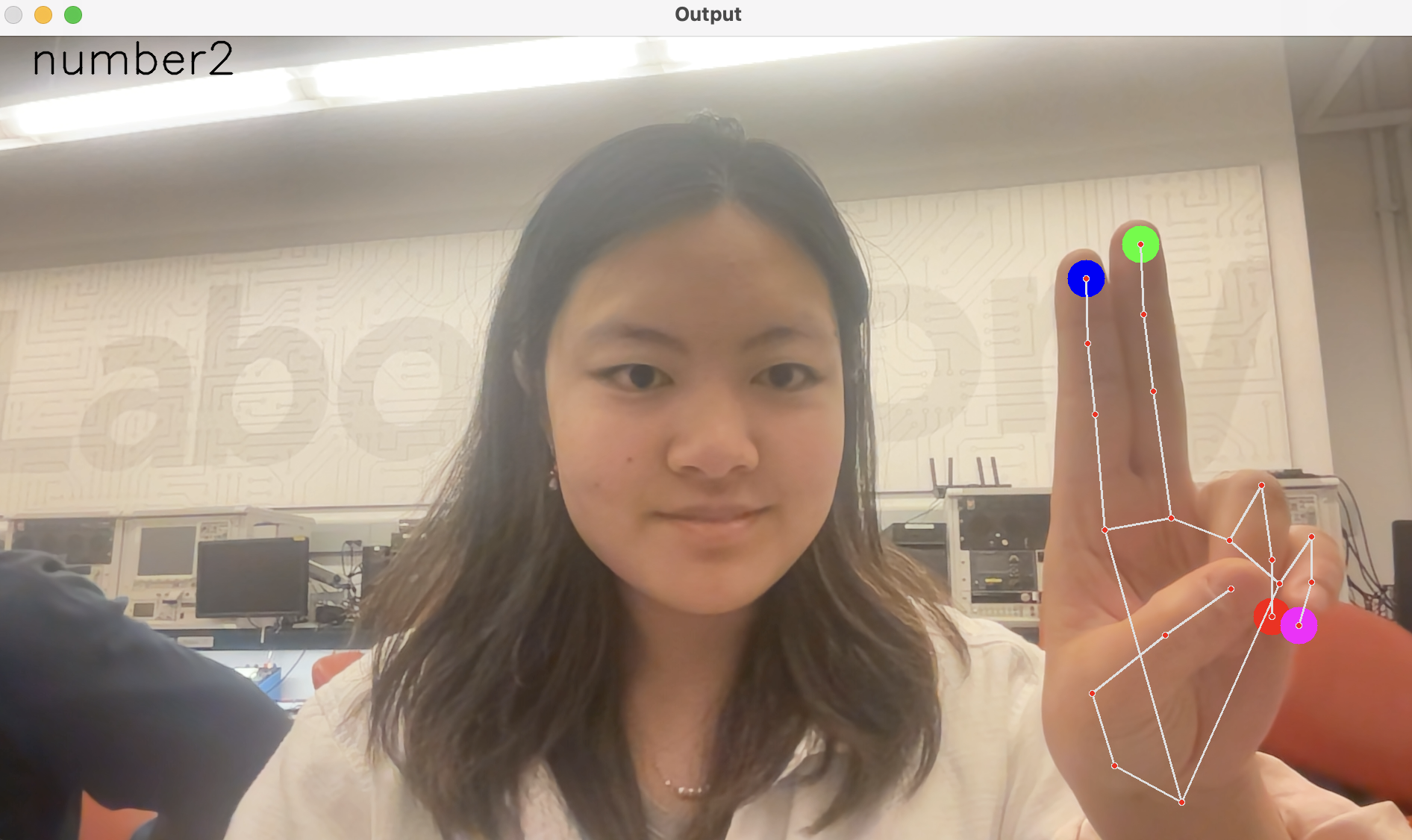
We used firmware to change the physical state of the hardware by analyzing the motions of a hand using computer vision and then changing the physical features of the car to match the corresponding hand motions. The firmware was built in Python scripts, using the libraries of mediapipe, opencv, and numpy. A camera (from the user’s phone) that is mounted next to the steering wheel, tracks the motion of the user’s hand. If it detects some fingers that are being held up by the user (from 1 to 4 fingers) for over 2 seconds, it will record the number of fingers, that corresponds to a certain device (e.g. lights). Then, the camera will continue to record the user as they hold up different numbers of fingers. One finger corresponds to turning on the device, two fingers correspond to turning off the device, three fingers corresponds to increasing the device (e.g. increasing brightness), and four fingers corresponds to decreasing the device (e.g. decreasing brightness). Then, if the user holds up no fingers for an extended amount of time, the system will alert the user and revert back to waiting for the user to input another device.
Third, we used a backend Python script to integrate the data received and transmitted to the firmware and computer vision with the data received and transmitted to the frontend Frontend Swift App. The backend Python script would take in data from the Frontend Swift App that indicates what each number of fingers corresponds to which specific task. It will communicate that with the firmware, calling functions from the firmware library to start each of the different functions. For example, the backend Python script will call a function in the firmware library to wait until a device is selected, and then after this device is selected, to perform various functionalities. The speech is also configured in this script to indicate to the user what is currently being done.
Finally, the frontend of ambi. is built using SwiftUI and will be integrated on a user’s phone. The app will present the user with a guide corresponding to the number of fingers with hardware, as well as its specific adjustment, such as which fingers correspond to toggling on and off or increasing and decreasing a certain physical component of the car. This app will demonstrate what the users can control with the touchless computer, as well as generate discrete variables that can automatically toggle a specific state, such as a specific speed of the fan or turning a light completely off.
Challenges we ran into
Throughout the process, we found it difficult to integrate the hardware with the software. Each member of the team worked on a specialized part of the project, from hardware to firmware to frontend UI/UX to backend. Bringing each piece together, and especially the computer vision with the camera set up on the ambi. app proved to be quite difficult. However, teamwork makes the dream work and we were able to get it done, especially since each of us focused on a specific part (i.e. one teammate worked on frontend, while another on firmware, and so on). Here are some specific challenges we faced: Downloading the libraries and configuring the paths - you may be surprised about how tricky this is Ensuring that the computer vision algorithm had a high accuracy and wouldn't detect unwanted movements or gestures Integrating the backend with the firmware Python script Integrating the hardware (using Arduino IDE) with the firmware Python script Learning Swift within a day and hence, building a functional frontend Debugging hardware when PWM or on/off functionalities were going awry - this was resolved through a more careful understanding of the libraries that we were using Adding the speech command as another feature of our Python script and backend Accomplishments that we're proud of We created a touchless computer that involved several integrations from hardware to front-end development. We demonstrated the capabilities of changing volume or fan speed in our hardware by using computer vision to track specific hand motions. This was integrated with a Python backend that was interfaced with a frontend app built in Swift.
What we learned
During this process, we learned how to build a Restful API, mobile applications, techniques to interface between software and hardware, computer vision, and establish product-market fit. We also learned that hacking is not just about creating something new, but integrating several components together to create a product that creates a meaningful impact on society, while working together on a team. We also learned what teamwork in a development project looks like. Often a task reaches a point where it cannot be split between developers, and given the limited time, this limited the scope of what we could code in such a short amount of time. However, we benefited from acknowledging this for the smooth development process. Moreover, since each member often had a completely different section that they worked in, we learned to integrate each vertical of the final project (such as firmware or frontend) with the other components using APIs.
What's next for ambi.
Ambi.’s technology is hacked together currently. However, the first step would be more seamlessly integrating the frontend to the iPhone camera that acts as a sensor for movement. There is a lack of libraries to launch videos from a swift application, which means ambi. Will create another library for itself. We want to focus specifically on Site Reliability Engineering and creating a lighter tech stack to reduce latency as these drastically improve user adoption and retention. Next, ambi. needs to connect to an actual car API and be able to manipulate some of its hardware devices. Teslas and other tech-forward cars are likely strong markets, as they have companion apps and digital ecosystems with native internet connections, increasing the seamless quality that we want ambi. to deliver. Ambient computing has numerous applications with IoT and the digitization of non-digital interfaces (e.g. any embedded system operated by buttons instead of generalized input-output devices). We plan to consider applications for Google Nest, integrating geonets to sense when to begin touchless computing as well as kitchen appliance augmentations.
Built With
- arduinoide
- firmware
- flask
- opencv
- python
- swift
- wireless-applications-services


Log in or sign up for Devpost to join the conversation.