-
-
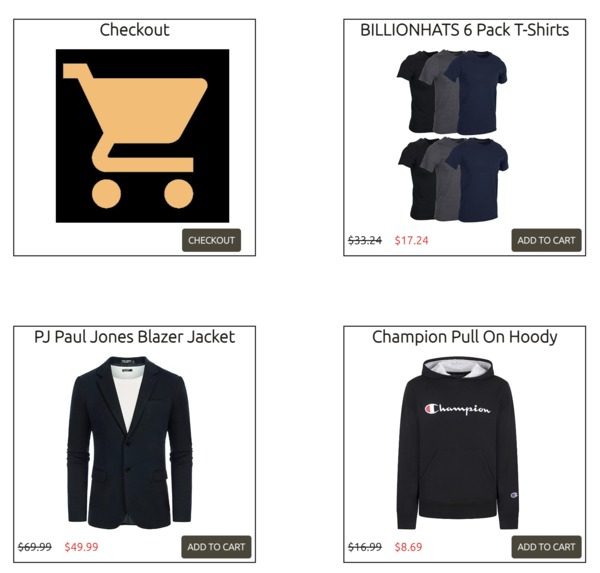
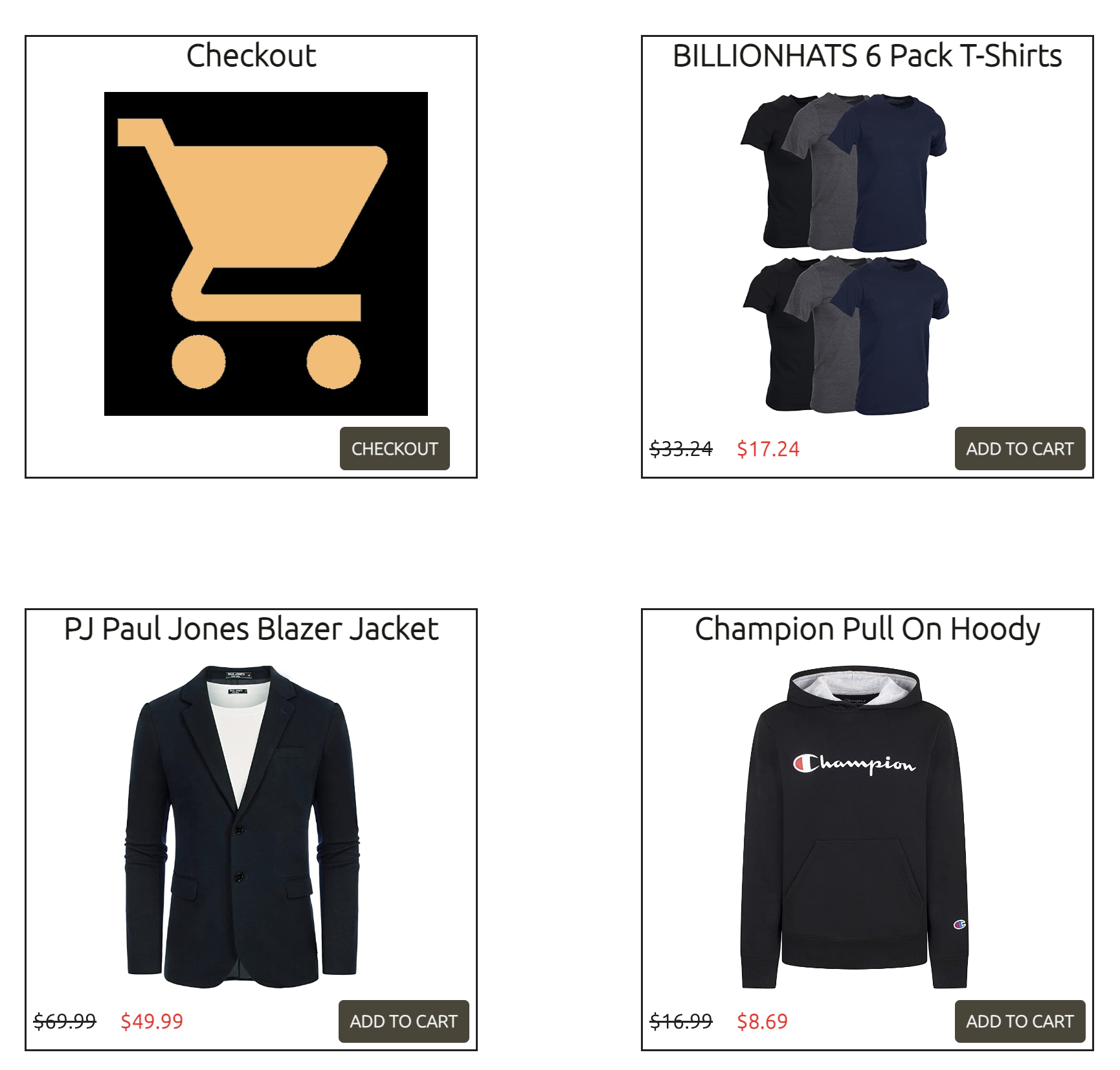
This is how part of the 'clothes' product section page looks like
-

Home page of Amazoo
-

4 out of the 6 product categories


Inspiration
My inspiration for creating this website was the official, amazon.com website, which allows users to search for items, browse through items, add items to a cart, and purchase items. I wanted to make a website that had all the same functionality, to deepen my understanding of how online marketplaces are built and maintained.
What it does
The Amazoo website allows users to browse through goods and products in the following categories: technology, clothes, movies, food, furniture, and toys. They can press "add to cart" to add their favorite items to the cart system, and when they are ready to check out all of their items in a particular section, they can click on "checkout". A popup of the cart will show up, and the user can manipulate the quantity of each of the products they add to the cart. Once they're ready, they can click on "purchase", and a notification will show up, signaling that their checkout was received. Of course, this is just a "mock website," so users should not expect to purchase items through Amazoo. This website simply has the foundations for an eCommerce/online marketplace website.
How we built it
To build this website, I first went on Canva to create the "Crime Day" promos for the homepage, as well as the Amazoo logo, which is based on the real Amazon logo. Then in Visual Studio, I created HTML files for each page on the website. On the home page, I created a carousel, and have each section of the product labelled. On each of the product section pages, I have one cart "box", and a "box" for every single product of that category. Each of these product "boxes" includes the title of the product, an image of the product, the regular price, and the discounted price. To style these elements into "boxes," I gave each of these groups certain tags and classes and then customized the graphic properties of each class and tag on a CSS file. Lastly, to incorporate a checkout system and a carousel slideshow, I needed to create JavaScript files. The carousel JavaScript file simply loops through each image in the carousel, and at the final image, returns to the first image. To make a cart system, I used two JavaScript files. The first, 'script.js', was used to add items to the cart. The second, 'store.js', was used to check out the items that were added to the cart.
Challenges we ran into
One challenge I ran into when making Amazoo, was that I couldn't figure out how to implement a cart system. I ended up figuring out that the reason why my cart system wasn't working was that I was using the wrong classes in the JavaScript file, causing the functionality to be assigned to the incorrect elements. Another challenge I ran into when making Amazoo was that I couldn't centralize the cart system, and the user could only check out items that they had added to the cart on the same page. Thus, I needed to create one cart for every product section page.
Accomplishments that we're proud of
I am proud that Amazoo can incorporate several functionalities available on online marketplaces. Amazoo is successfully able to take in the input of what items a user wants to purchase, and the quantity of those products, and then can check out the purchased items. While most online marketplaces are made through web hosting applications such as WordPress, which utilizes drag-and-drop elements primarily, I was able to create the same functionality with raw code. As someone who only learned HTML, JavaScript, and CSS one year ago, I am proud of how far I've come.
What we learned
While working on Amazoo, I learned how to use IDs for HTML tags, instead of only using classes. IDs allowed me to differentiate similar groups that were in the same class, from each other. I also improved my knowledge of JavaScript by creating multiple functions to complete the required websites for making the Amazoo website.
What's next for Amazoo
Amazoo has the foundations for an eCommerce/online marketplace website. It can easily be deployed and customized. In the future, if I want to create my own online marketplace website, I can use Amazoo as a template for that endeavor.


Log in or sign up for Devpost to join the conversation.