-
-
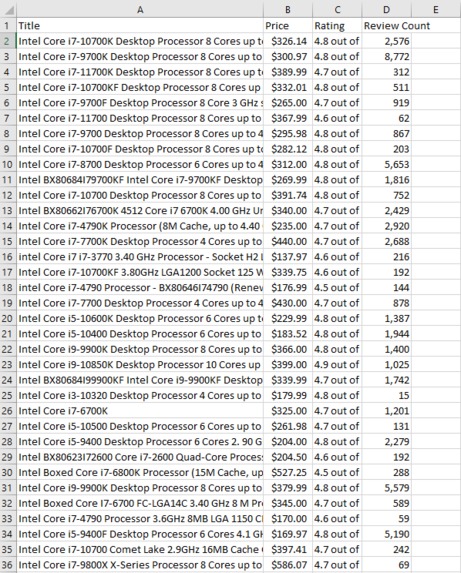
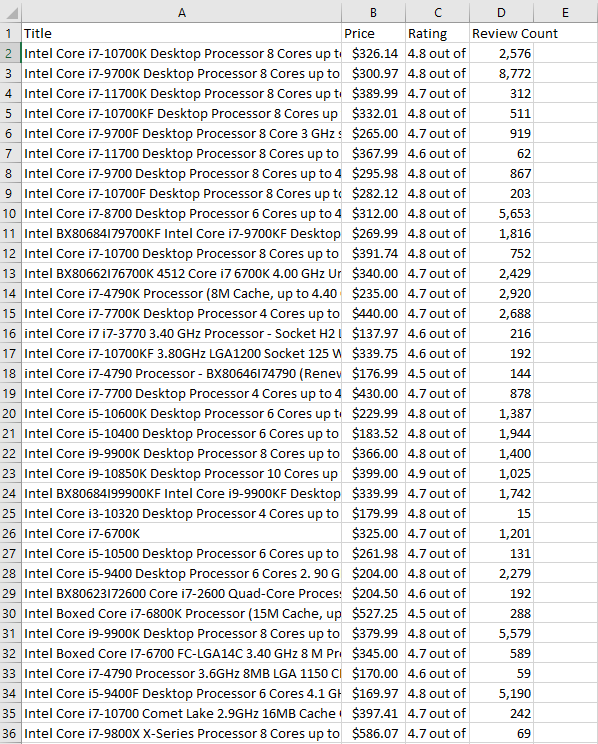
example .csv generated from the scraper
-
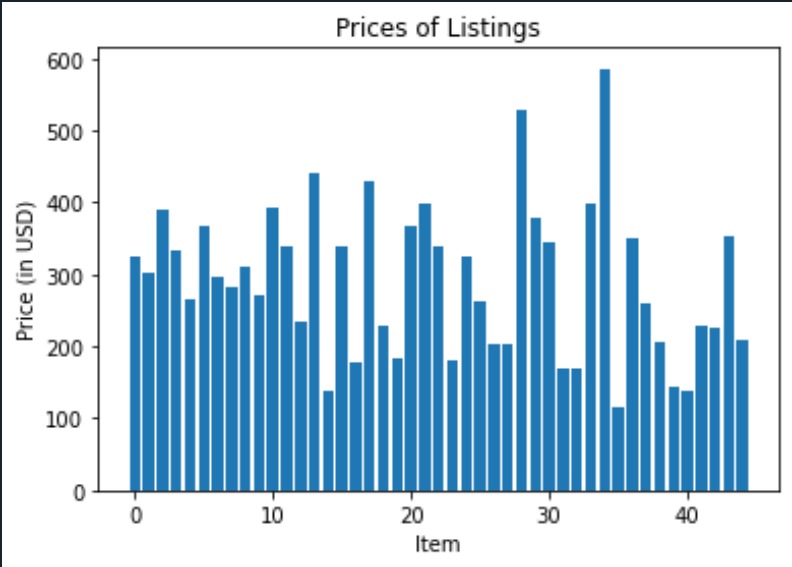
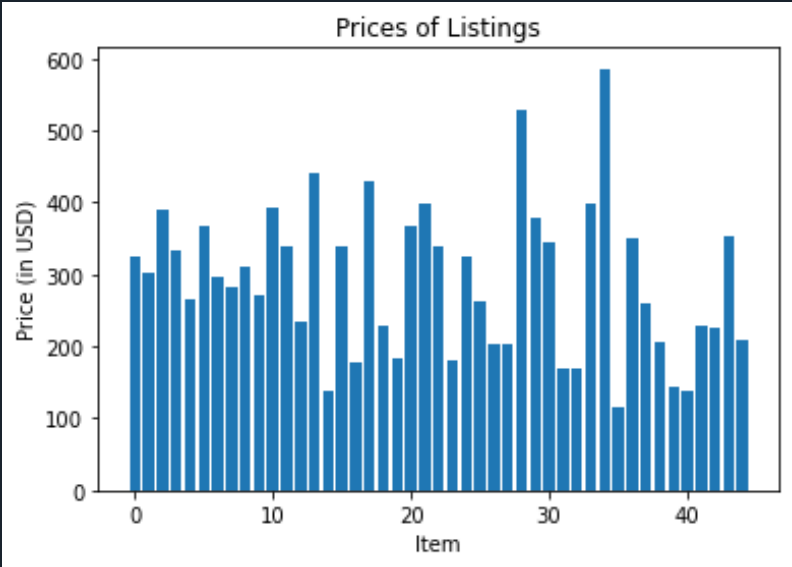
example chart generated from the scraper
Inspiration
My inspiration for the Amazon Scraper was that sometimes when shopping on Amazon, I'm unsure if I'm getting a good deal or not. The Amazon Scraper allows me to nearly instantaneously generate the average cost of hundreds of similar listings so I can make better decisions when I shop.
What it does
The Amazon Scraper, based on input given by the user, generates a .csv with the price, star rating, review count, and title of a set of Amazon listings, pulled from the website in real-time. It also generates the average cost of those listings, as well as produces a bar chart showcasing the price distribution of those listings.
How we built it/Process
My approach in creating the Amazon Scraper was first to recognize what tools I needed in order to do so; those tools ended up being Python, BeautifulSoup for its HTML parsing, and matplotlib for its plotting functionalities. Next, I had to find a way to adapt the url based on the search term given by user input, eventually accomplished by doing some string formatting - also important to keep in mind in this string formatting was how the URL is affected by incrementing the page, so the Scraper could collect data from more than one page.
I then needed to create an array of all of the search results of each page, page by page, accomplished by finding the unique ‘s-search-result’ in the HTML code for the Amazon webpage. From there, I added another function in order to create individual records with the relevant information instead of a bunch of nonsense HTML from each element of the search results array. Parsing using unique features found in the HTML for each item such as the h2 header for the title, ‘a-offscreen’ for the price, ‘i’ for the rating, and the ‘a-size-base’ class for the number of reviews, I could create a record for each of the elements in the search results array with only the information I deemed useful.
From there, I simply had to iterate through the array of records in order to calculate average price, and in order to plot the price distribution.
Visualization Interpretability
The example chart uploaded alongside this project was produced from the user input of “intel i7” for the search term, “10” for the number of ratings per listing, “4.5” for the minimum star rating, "5" for the pages, and not "n" for the sponsored listings. The graph portrays the price distribution for elements found with that search term, so in this case, the graph shows the price distribution of the first 45 Intel i7 processors on Amazon with at least 10 reviews and a star rating of 4.5. This could be used to give someone an idea of how much they should be spending on an Intel i7 processor and give them information about how much variability there is in their prices.
Challenges we ran into
This is my first time working with any sort of web scraping, so there were really challenges at every step of the way. Figuring out how to pick through the HTML to get what I really wanted without getting empty strings or the wrong data was challenging, what with all of the encased in each other. Congregating all of the data in order to produce plots and spreadsheets, all with Python code, was also challenging.
Accomplishments that we're proud of
I'm proud of the dynamic user interface I've given the program. Instead of finding only one specific set of data from the Amazon website, I've given users the ability to search with whatever query they want, complete with filtering options (# of stars, # of reviews, etc.). It's become something I can actually use practically, rather than an interesting experiment.
What we learned
I learned the very basics of how HTML is structured, and I gained a solid understanding of how to parse HTML to get the information I want. I also gained a bit of experience using Selenium, BeautifulSoup, and matplotlib.
What's next for Amazon Scraper
In the future, I think more useful functionalities could be added to the Amazon Scraper, such as accumulating price data over time for listings in order to generate price over time plots. Perhaps more search options could be added as well, or even the option to choose a set page range rather than just the first x amount of pages.
Built With
- beautiful-soup
- matplotlib
- python
- selenium

Log in or sign up for Devpost to join the conversation.