-
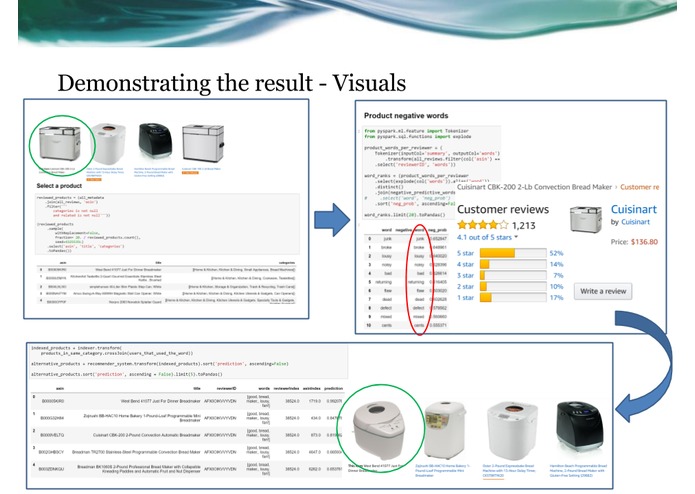
Insight System in a Nutshell
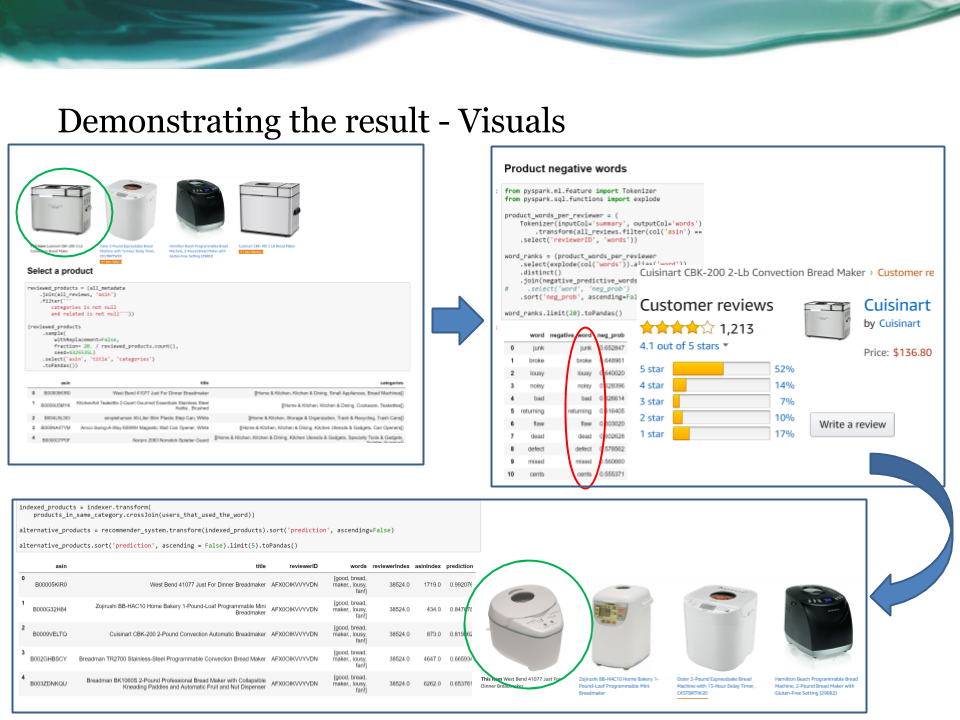
Trusted Users Insight System
Pre-requisites
- Set up and start pyspark Jupyter notebook in local machine or aws cluster
- Clone or Download the git hub repository to local machine/aws cluster
- Copy/Download the amazon review data into data/raw_data/
- Copy/Download the amazon meta data into data/metadata/
Setup - Jupyter on AWS
Go to the provisioning folder. To provision an aws instance with spark and run the current notebook, fill in your aws credentials in aws.tfvar and add the private and public key you will use to connect to the ec2 instance.
The following commands will launch the an aws instance of type defined in conf.tfvar and install everything needed to run spark, the contents of this repo and some sample data files.
terraform plan -var-file="aws.tfvars" -var-file="config.tfvars" --out plan
terraform apply plan
To tear the instance down run:
terraform destroy -var-file="aws.tfvars" -var-file="config.tfvars"
After the instance is up you can ssh and launch pyspark. To connect to the pyspark shell and spark uis, you can open ssh tunnels in the following fashion:
ssh -i <you private key filepath> -L 8888:localhost:8888 ubuntu@<instance public url>
ssh -i <you private key filepath> -L 4040:localhost:4040 ubuntu@<instance public url>
Beware that closing the shells where the commands where run will terminate the ssh connections.
Usage
In jupyter notebook open the Trusted Users Insight System.ipynb file,
- Set the name of the dataset you would like to use and then run all the cells.
- The system will identify the trusted users for the choosen category and train the Model
- In Select a product section, choose one of the top reviewed products for the analysis
- In Product negative sentences, the system identifies the top negative words from user reviews, for the product. Now, choose a negative word which is the key feature for your purchase decision. (Example: selected_negative_word = 'noisy')
- In Trusted users that used the word system identifies, the Trusted users who reviewed the product using the chosen negative word.
- In Suggested products in the same category system first identifies other products in the same category, the trusted users have bought/visited.
- The Recommendation Engine, then suggests the top suggested products followed by a WordCloud displaying the Positive and Negative Summaries of the Top Recommended Product.
Have fun!
References
- R. He, J. McAuley. Modeling the visual evolution of fashion trends with one-class collaborative filtering. WWW, 2016
- J. McAuley, C. Targett, J. Shi, A. van den Hengel. Image-based recommendations on styles and substitutes. SIGIR, 2015

Log in or sign up for Devpost to join the conversation.