-
-
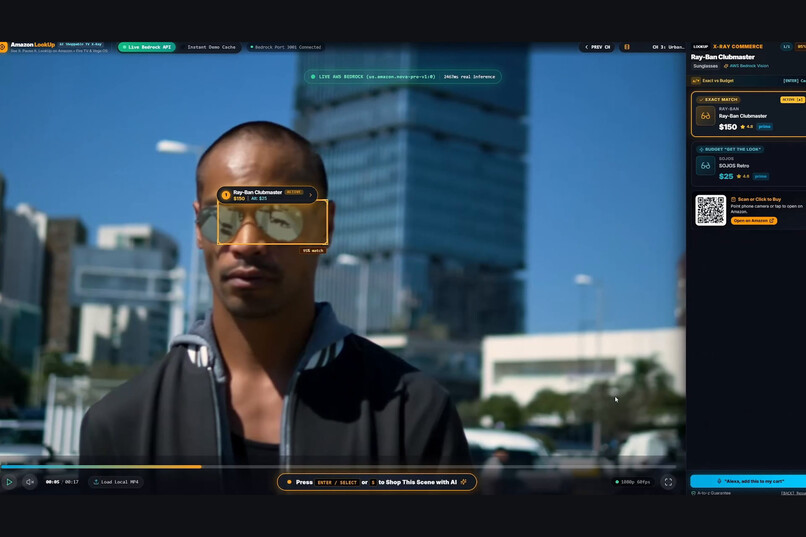
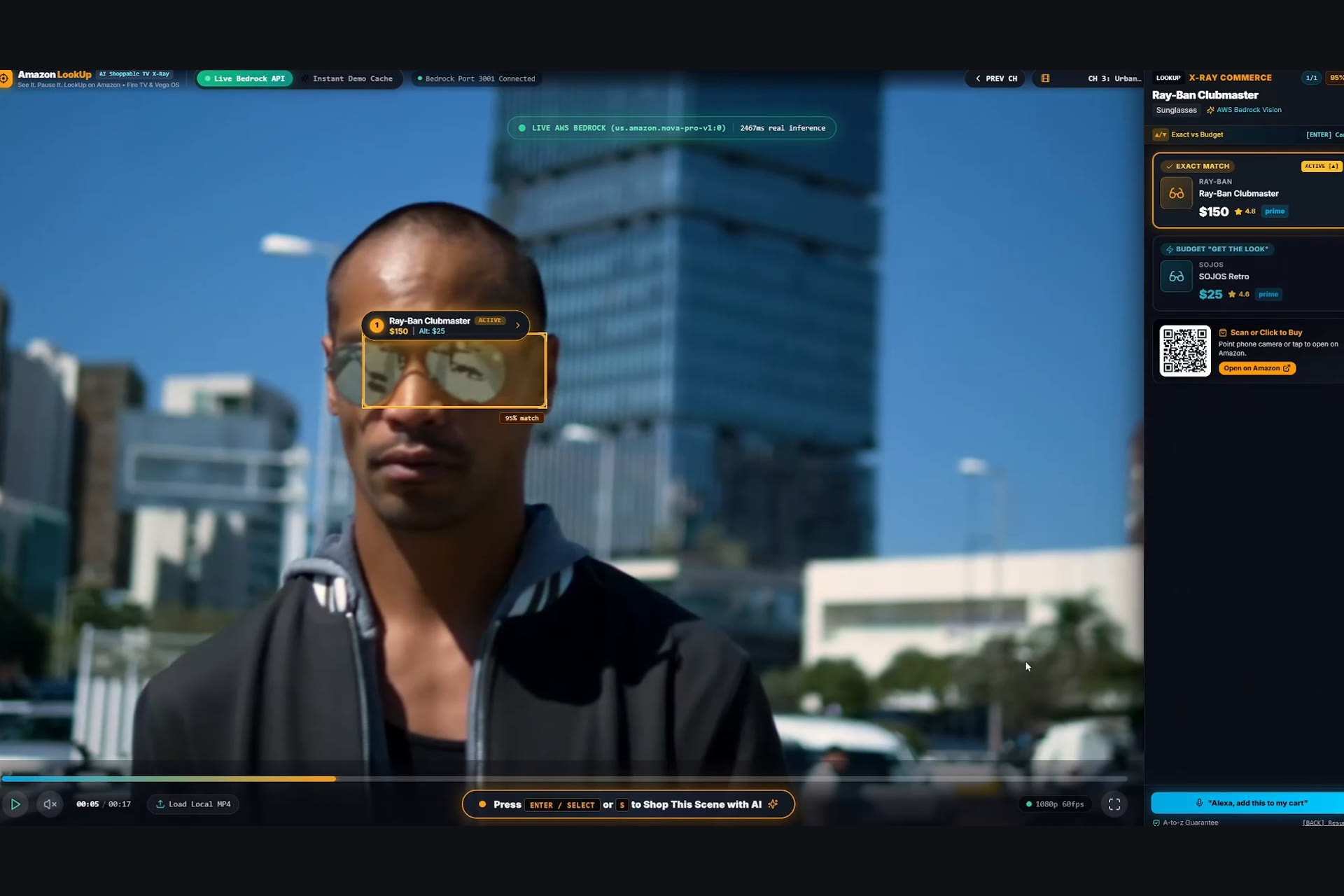
Nova Pro pinpoints the sunglasses in real time
-
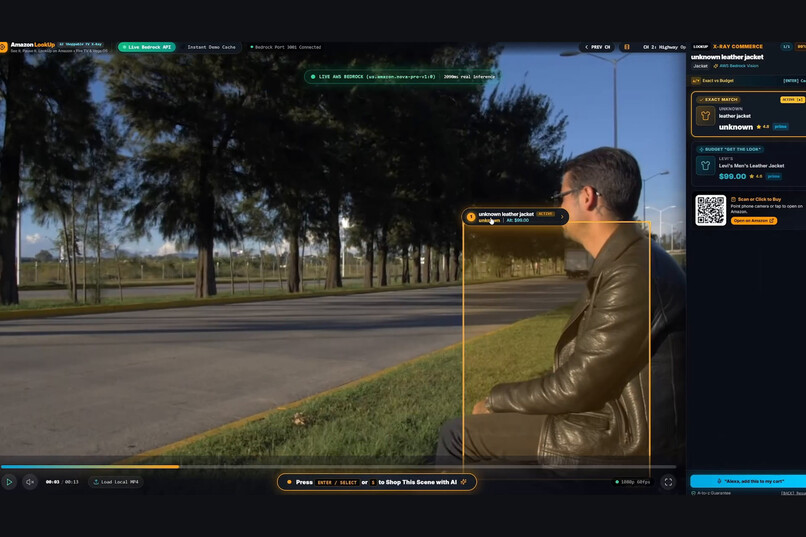
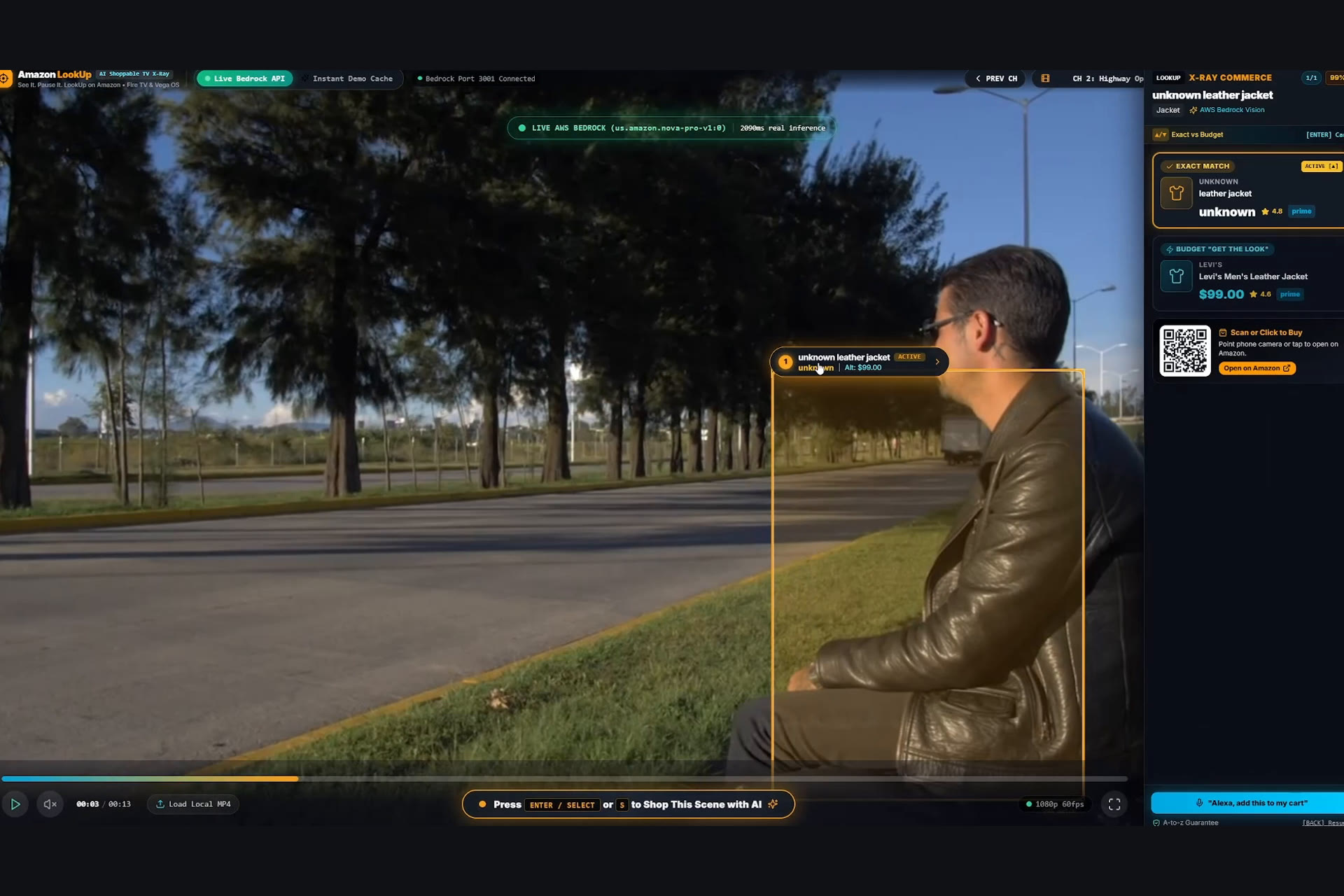
X-Ray commerce drawer: Exact Match and Budget tiers
-
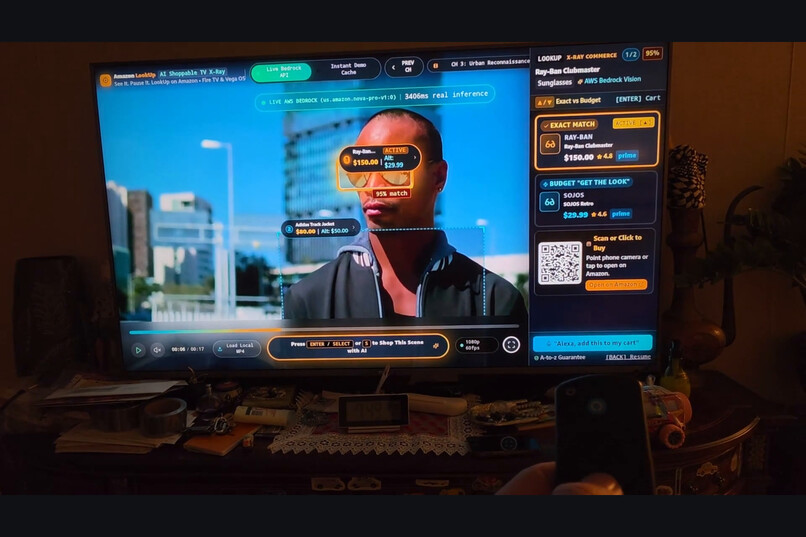
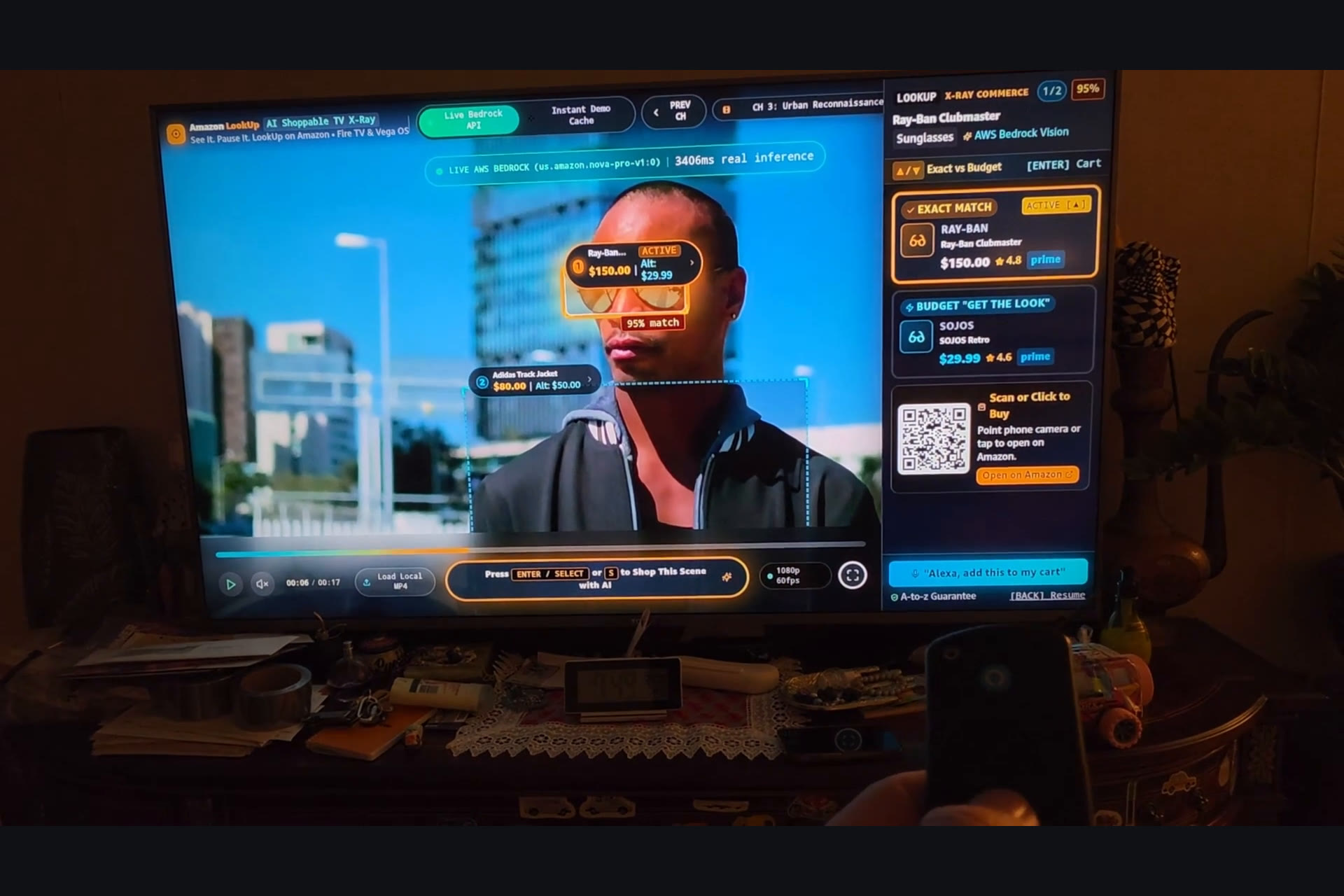
Running on a real Fire TV, driven by the remote
-
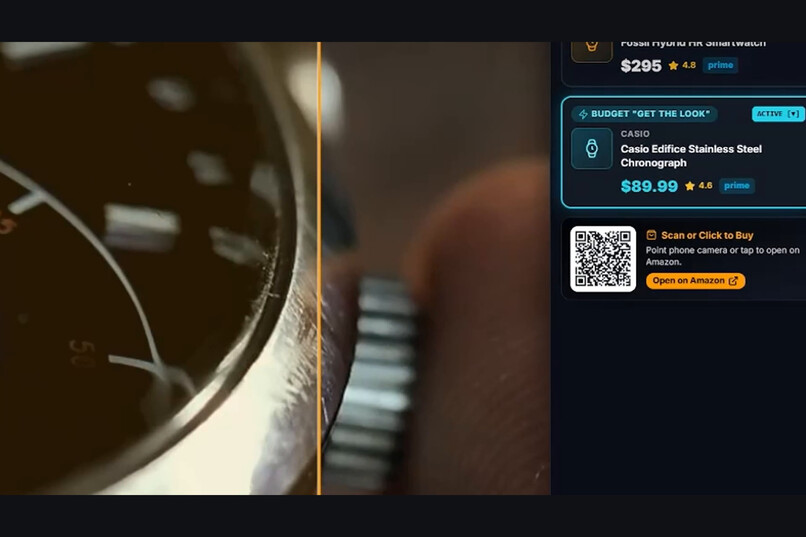
Dynamic QR code to buy on your phone
-
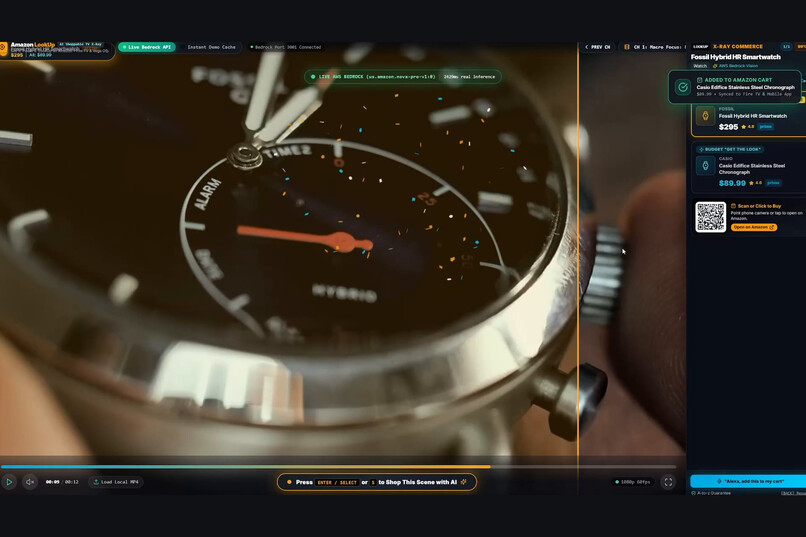
Voice add-to-cart prototype
Inspiration
Everyone has paused a show and wondered "where do I get that jacket?" Prime Video X-Ray already tells you who the actors are. We wanted it to tell you what they're wearing too, and we wanted it to work from a remote control on a 10-foot screen, not just a phone.
What it does
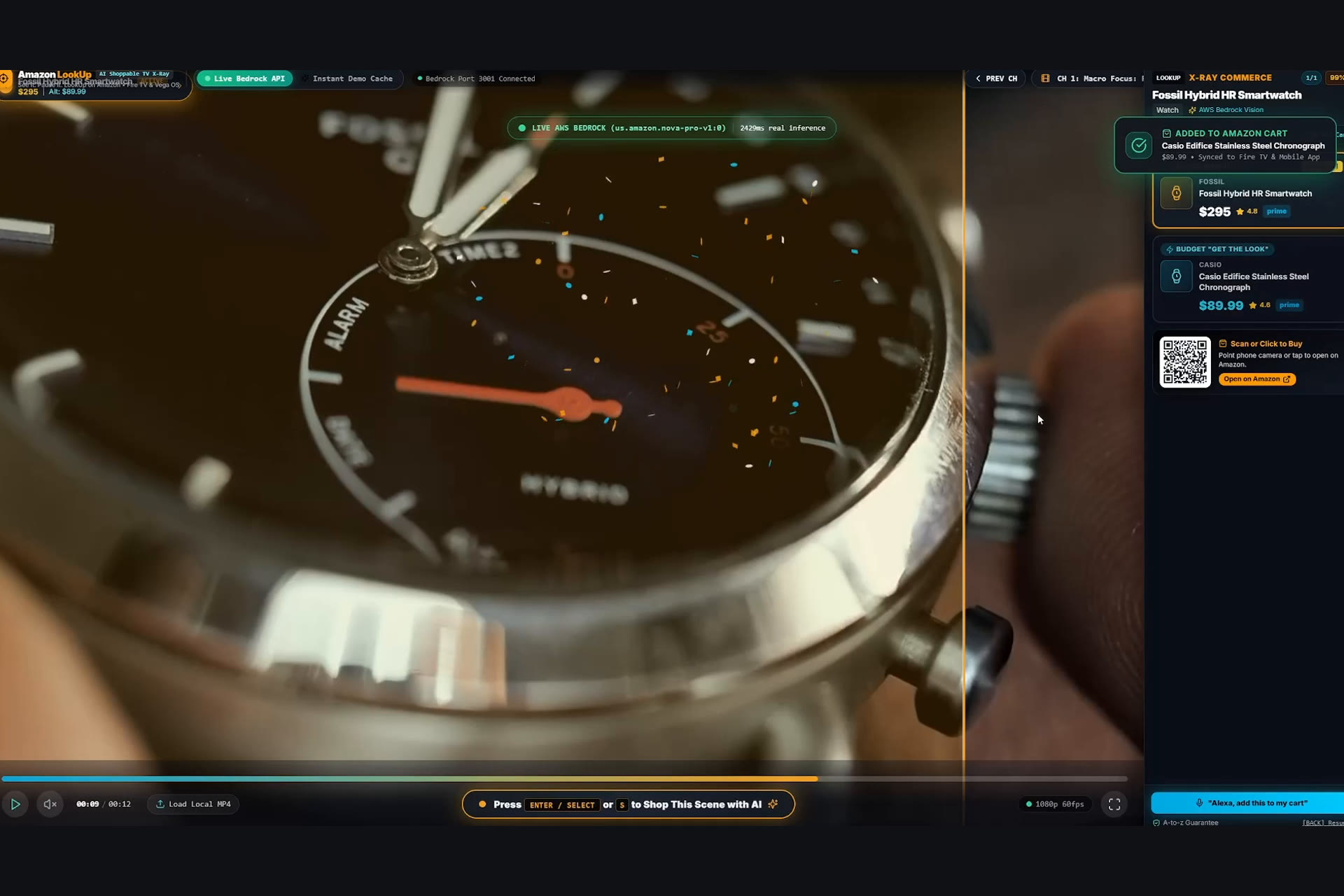
Amazon LookUp is an AI X-Ray shopping overlay for Fire TV and Vega OS.
- Pause the video with the remote. LookUp grabs the current frame.
- Detect: Amazon Nova Pro on AWS Bedrock finds fashion items in the frame (watches, jackets, sunglasses) and returns bounding boxes in a resolution-independent 0–1000 coordinate space.
- Navigate: glowing boxes appear on the products. The D-pad moves between boxes and product cards using our open-source spatial navigation engine,
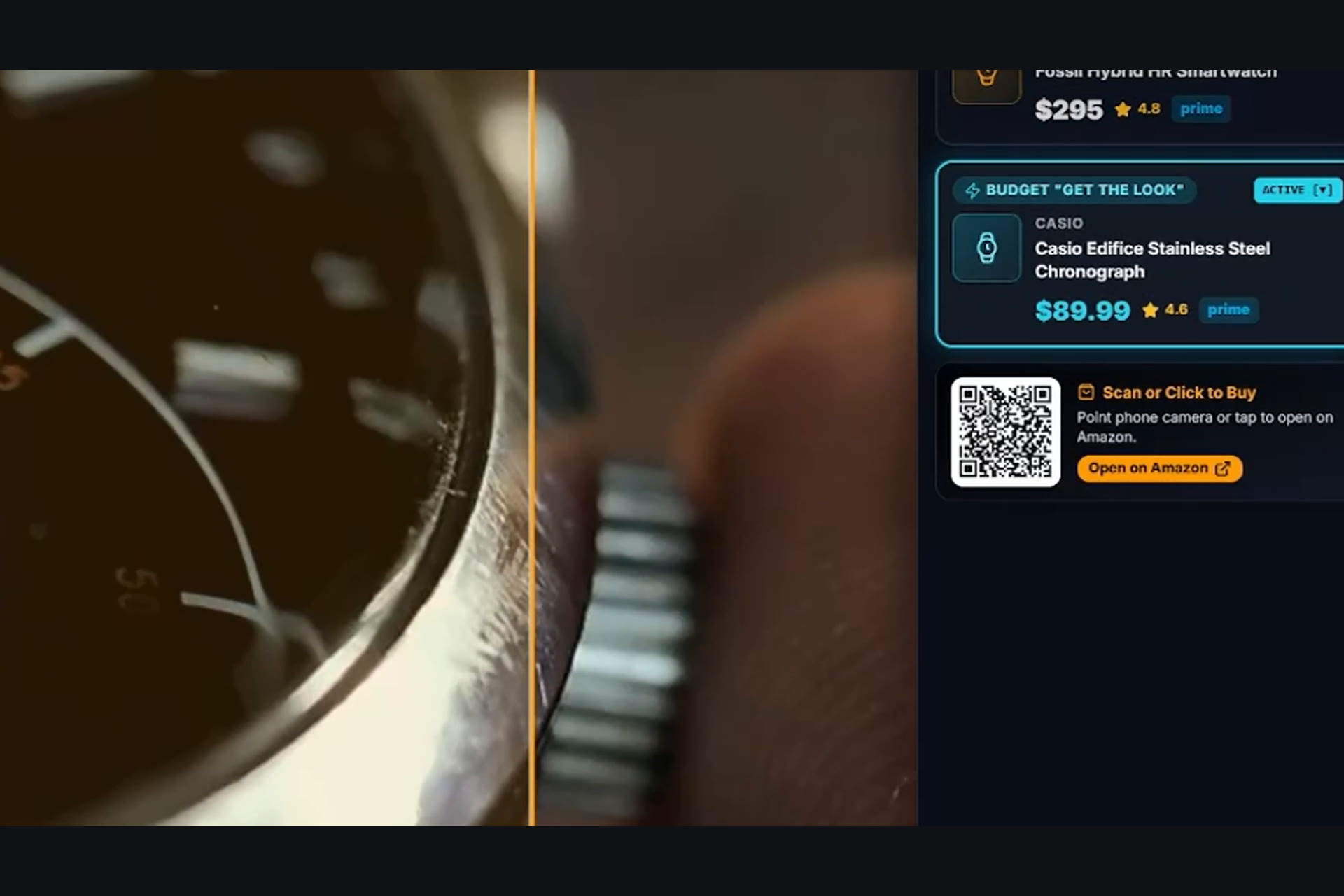
tv-bbox-navigator. - Shop: the X-Ray drawer shows two options for each item: the Exact Match and a cheaper "Get the Look" alternative, each with a price and a Prime tag.
- Hand off: a dynamic QR code opens the Amazon search on your phone. There's also an "Alexa, add the Budget Alternative to my cart" voice flow (currently a UI prototype; see What's next).
How we built it
- Frontend: React 18, Vite, TypeScript and Tailwind, built as a 10-foot UI. A single keycode normalizer handles Fire OS (Android KeyEvents 19–23, 4, 179), Vega OS WebView and keyboard input. Frames are captured from an offscreen canvas as JPEG at 0.85 quality.
- Backend: an Express/TypeScript service with one endpoint,
POST /api/analyze-frame, that returns strictly validated JSON. It calls the Bedrock Converse API withus.amazon.nova-pro-v1:0inus-east-1, using temperature 0 and a Claude 3.5 Sonnet fallback. - Enrichment: each detection is matched against a curated Amazon catalog, which supplies the exact item, the budget alternative and an
amazon.com/s?k=search link that always resolves. - tv-bbox-navigator: a zero-dependency library that filters candidates with a directional cone (≤60°) and then scores them with an orthogonal-weighted distance,
sqrt(d_primary² + (2.2·d_ortho)²), so pressing RIGHT doesn't drift diagonally. - Process: we used Kiro's spec-driven workflow (
.kiro/specs/framecart/: requirements, design and tasks). - Mock mode: a deterministic, scene-driven demo runs with no AWS credentials, so judges can try it immediately.
Challenges we ran into
- Bedrock image input: the Converse
imageblock needs raw bytes, not base64 strings, so we decode data URLs on the server. - Different remotes: Fire OS, Vega OS and simulators send different keycodes for the same buttons (Back is 4 vs 27; Play/Pause is 179, 85 or F4).
- Diagonal drift: plain nearest-neighbor navigation jumped from a wristwatch to boots when the user pressed RIGHT.
- Broken product links:
/dp/ASINdeep links broke often, so we switched to search URLs.
Accomplishments that we're proud of
- A full pause → detect → navigate → shop flow driven entirely by the remote.
- Releasing
tv-bbox-navigatoras a standalone MIT library with tests, so any TV app can navigate between CV bounding boxes. - A two-tier Exact vs. Budget design that makes shoppable TV useful at any budget.
What we learned
- Normalized 0–1000 coordinates make vision output portable across screen resolutions.
- 10-foot UX depends on spatial navigation that matches what the user expects, not just on high contrast.
- Nova Pro returns reliable structured JSON when the schema is strict and temperature is 0.
What's next
- Real Alexa voice-to-cart integration (the current voice flow is a simulated UI).
- Live catalog and pricing lookups to replace the curated catalog.
- More categories beyond fashion, plus packaging as a native Vega OS app.
- Publishing
tv-bbox-navigatorto npm.
Built With
- amazon-bedrock
- amazon-nova-pro
- aws-sdk
- computer-vision
- express.js
- fire-tv
- kiro
- node.js
- qrcode.react
- react
- tailwindcss
- typescript
- vega-os
- vite
